kolawong/fast-compaction-dsh
Verdict-based context compaction for DeepSeek Harness — replaces lossy LLM summaries with fast keep/truncate/drop decisions from jev-latest; everything kept stays verbatim. Port of tamaratran/fast-jev-compaction.
Project Overview项目介绍
fast-compaction-dsh is a native context compaction plugin built exclusively for DeepSeek Harness (DSH). It is a port of tamaratran/fast-jev-compaction, adapted specifically to DSH’s compaction capability seam. Instead of using lossy LLM summarization to compact old conversation context, it uses the jev-latest model from TypeSafe System One to make per-tool-call decisions to keep, truncate, or drop content, leaving all kept content completely verbatim. To install, users add an agent preset patch that disables the default compaction-basic engine, mount the new fast-compaction engine, update their default preset, and restart DSH for changes to take effect.
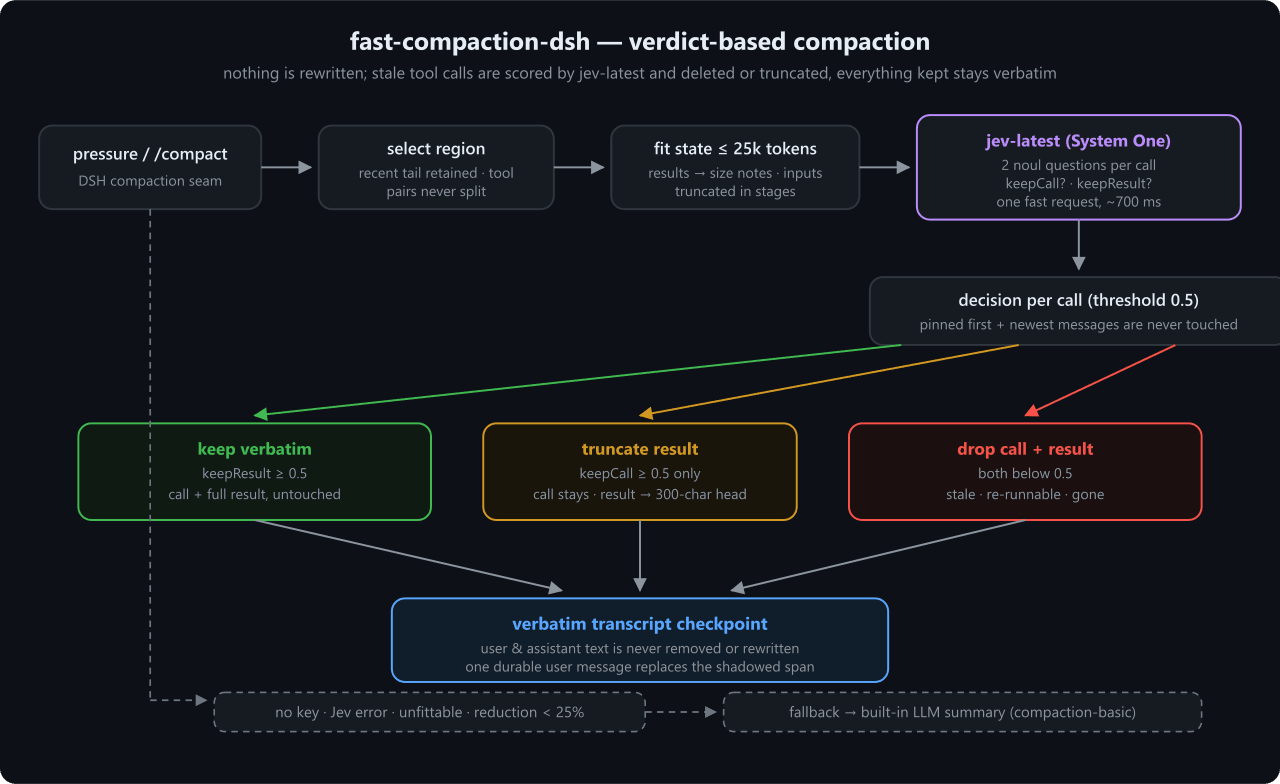
By default, the plugin pins the first message and the most recent 6 messages, so they are never modified during compaction. It pairs each tool call with its result by call ID, then sends the compacted region to Jev for scoring in batches to stay within token limits. It uses a default keep threshold of 0.5: if the result keep probability meets or exceeds the threshold, both call and result are kept verbatim; if only the call probability meets the threshold, the result is truncated to 300 characters; otherwise, both are dropped. This plugin is ideal for DSH users who want to avoid losing critical details like file paths or error messages during long conversational sessions.
Users must have a TypeSafe API key to use the plugin, which can be provided via the TYPESAFE_API_KEY environment variable, the plugin’s web settings UI, or preset configuration. The plugin ships with a web settings card that can be enabled by adding the package to the DSH web profile, so users can adjust parameters like the keep threshold or number of pinned messages directly from the DSH UI. It follows the MIT license, and if any issue occurs like a missing API key, network failure, or insufficient compaction reduction, it automatically falls back to DSH’s built-in compaction-basic summarizer. Full round-trip Jev scoring takes only ~700ms on average, so it adds very little latency to compaction.
这是一个专为DeepSeek Harness (DSH)开发的原生上下文压缩插件,是tamaratran/fast-jev-compaction针对DSH的移植版本,适配了DSH的压缩能力接口。它调用TypeSafe System One端点的jev-latest模型,对每一个非固定保留的工具调用和结果做快速评分,给出保留、截断、删除三种决策,所有保留内容都保持原文不变,替代了DSH原生基础压缩的有损总结模式。
插件工作时,会默认固定保留最早第一条消息和最新的6条不做修改,然后对需要压缩的区域按调用ID配对工具调用和结果,再分批次把状态发给Jev完成评分。它会根据默认0.5的保留阈值,决定是完整保留调用和结果、仅保留调用并截断结果开头还是完整删除整个调用和结果。这款插件适合需要保留上下文关键细节、避免总结式压缩丢失信息的DSH用户,尤其适合长时间多轮的开发会话。
用户需要先申请TypeSafe API密钥,然后通过修改DSH的代理预设配置挂载该插件,重启DSH后即可生效,同时插件还提供了网页端设置卡片,可以在DSH的网页界面调整参数。如果遇到API调用失败、压缩后仍达不到大小要求等问题,插件会自动回退到DSH原生的基础压缩器。整个Jev评分请求往返大约需要700毫秒,不会给压缩过程增加过多额外等待时间。
请帮我安装这个 DSH 插件。安装前先完成【兼容性检查 + 安全性检查】,检查通过再动手。

插件:fast-compaction-dsh(kolawong/fast-compaction-dsh)
仓库:https://github.com/kolawong/fast-compaction-dsh
本站详情页:https://www.yhbd.top/plugins/kolawong-fast-compaction-dsh/
本站登记:类型 plugin · 归类 原生 DSH 插件 · 许可证 NOASSERTION · ⭐ 3 · 最近提交 2026-09-28 · 主语言 TypeScript

按下面顺序执行,每步先把结论告诉我,再进入下一步:

【1 兼容性检查】
① 我这边:DSH 版本、Node 版本、操作系统、当前 profile(web / desktop)。
② 读它的 README、package.json、插件 manifest,列出它要求的 DSH 版本 / Node 版本 / 操作系统 / 外部依赖 / 需要另外先装的运行时。
③ 逐条比对,结论只写「满足 / 不满足 / 未知」三种;不满足的给出可行替代方案。
④ 检查是否和我已装的插件冲突:命令名重复、skill / tool 重名、端口占用、重复注册的 MCP server。

【2 安全性检查】
① 仓库可信度:和上面「本站登记」是否一致;star / fork 数、创建时间、最近提交,是否归档或长期停更。
② 安装脚本:逐行看 package.json 的 preinstall / install / postinstall,以及 install.sh、setup.ps1 之类脚本。出现 curl|bash、下载后直接执行、混淆代码、访问与插件功能无关的域名,立刻停下来告诉我,不要继续装。
③ 依赖:列出新增依赖,标出无人维护、或与知名包拼写近似的可疑包(typosquatting)。
④ 权限与副作用:它会读写哪些目录、访问哪些域名、需要哪些 DSH 权限(filesystem / network / shell / clipboard 等),以及怎么卸载和回滚。
⑤ 如果它要求 sudo / 管理员权限,或权限明显超出功能所需,先停下来问我。

【3 安装】
上面两步没有「不满足」和「高危项」时才执行;用官方推荐方式安装,不要自行提权。

【4 汇报】
用表格输出:检查项 / 结论 / 依据 / 是否需要我决策。拿不准的一律写「未知」并说明要我怎么确认——不要猜,也不要替我决定。
Send this message to DSH in your current session: it verifies compatibility and security first (answering met / not met / unknown item by item) and only installs once everything checks out — it will stop and ask you if it finds a high-risk item. The box scrolls; the copy is the full prompt. CLI install commands may not be accurate across systems, so DSH is the safer route.把上面这条消息直接发给当前会话里的 DSH:它会先核对兼容性与安全性(逐条给「满足 / 不满足 / 未知」),确认没问题再安装,有高危项会停下来问你。框内可滚动,复制到的是完整提示词;安装命令不一定准确,发给 DSH 更稳。
- Only 3 stars - very few users, little community feedback星标只有 3,几乎没人在用,遇到问题缺少社区反馈
DSH walks through these 9 checksDSH 会逐条核对这 9 项
Compatibility兼容性
- DSH, Node, OS and profile requirementsDSH 版本 / Node 版本 / 操作系统 / profile 是否满足要求
- External dependencies and runtimes (Electron / Python / Docker, ...)外部依赖与运行时(Electron / Python / Docker 等)是否齐备
- Conflicts with installed plugins: command names, skill / tool names, ports, duplicate MCP registration与已装插件是否冲突:命令名、skill / tool 重名、端口占用、重复 MCP 注册
Security安全性
- Repo matches the facts registered here; archived or abandoned?仓库是否与页面登记一致,是否归档或长期停更
- Safety of preinstall / install / postinstall and install.sh / setup.ps1preinstall / install / postinstall 与 install.sh、setup.ps1 是否安全
- curl|bash, download-then-execute, obfuscation, unrelated domains → stop immediatelycurl|bash、下载即执行、混淆代码、无关域名 → 立刻停止
- Typosquatting or unmaintained packages among the new dependencies新增依赖里有没有 typosquatting 或无人维护的包
- Requested permissions vs. what the feature actually needs申请了哪些权限、是否超出功能所需(filesystem / network / shell / clipboard)
- Any sudo / admin requirement, plus uninstall and rollback是否要求 sudo / 管理员权限,以及卸载与回滚方式
Anything uncertain must be marked unknown with a note on how to confirm it. This site's signal screen is a static snapshot, not a security audit.拿不准的必须标「未知」并说明要我怎么确认。本站的信号筛查是静态快照,不能替代安全审计。
Or use CLI install (for developers)或使用命令行安装(适合开发者)
CLI Install命令行安装
dsh plugin --profile web add github:kolawong/fast-compaction-dsh把 kolawong/fast-compaction-dsh 加入你的 DSH 配置(web profile)即可启用。
READMEREADME
fast-compaction-dsh
English | 中文
Verdict-based context compaction for DeepSeek Harness (DSH). Replaces the lossy compaction summary with fast per-call keep/truncate/drop decisions from jev-latest — everything kept stays verbatim, nothing is ever rewritten.
A DSH port of tamaratran/fast-jev-compaction (MIT), adapted to the DSH compaction capability seam.
What and why
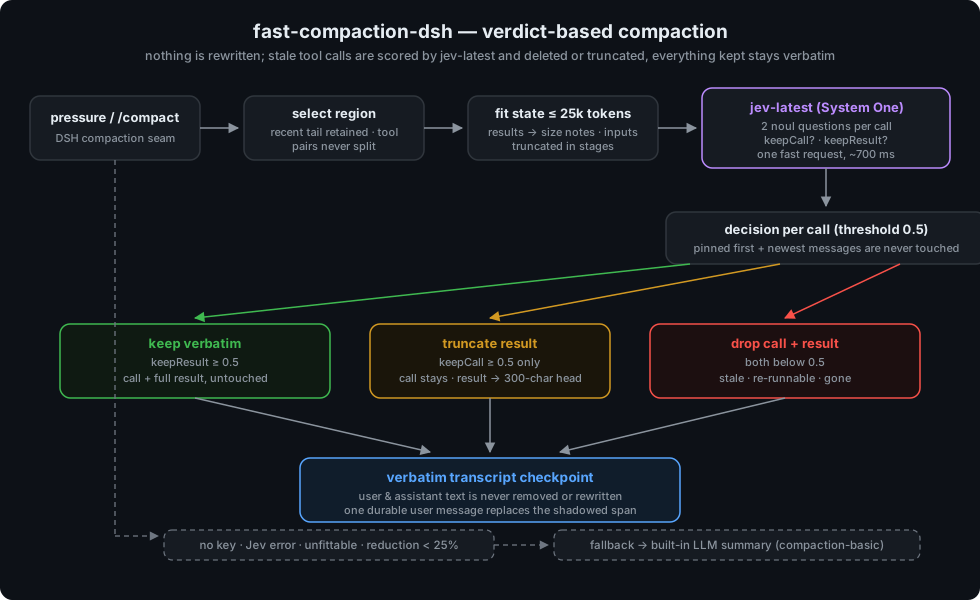
Most context compaction asks an LLM to summarize old turns. A summary is lossy: a file path, an exact error, a constraint, or a command can disappear even when it matters later. This plugin never rewrites anything. When compaction triggers, every tool call and tool result in the compacted region is scored by jev-latest through the TypeSafe System One endpoint; stale calls are deleted, half-stale results are truncated to a bounded head, and everything else stays byte-for-byte. User and assistant text is never removed.
On any failure — a missing TYPESAFE_API_KEY, a Jev error, malformed answers, an unfittable history, or an insufficient reduction — it falls back to the shipped compaction-basic summarizer, exactly like the original Claude Code hook falls back to Claude Code's built-in summary.
How it works
- Every
tool-callis paired with itstool-resultby call id. Calls in the first message and the newestpreserveRecentMessages(default 6) messages are pinned and never touched. - The state sent to Jev is the whole compacted region, oldest first, with every tool result replaced by a short note (
ok, 4213 chars (omitted)). Tool inputs and texts are included — nothing is summarized. - The state is fitted into
maxStateTokens(25k default) in stages: tool inputs truncated 1000 → 200 → 60 chars; long texts abridged to head + tail, oldest non-pinned first; old messages collapsed to a note; old calls reduced to one line each; old call-less messages left out; runs of call-only messages folded. If it still does not fit, the plugin falls back. - For every non-pinned call Jev gets two
noulquestions: should the call stay (knowing it was made, with its input, still matters), and should the result stay verbatim (its contents are still needed and re-running the tool would not do). - Questions are batched so state plus questions stays under
maxRequestTokens(30k default); batches run concurrently and answers are merged. - Decisions against
keepThreshold(default 0.5):keepResult≥ threshold → keep both verbatim; elsekeepCall≥ threshold → keep the call, truncate the result to its firsttruncateHeadChars(default 300) characters plus a note; else → drop the call together with its result. - The region is rebuilt as a verbatim transcript checkpoint (the DSH seam replaces the shadowed surface span with one durable user message), with role labels and the kept tool activity inline.
Showing the opening section of the README — the full document lives in the repository以上为 README 开头摘要,完整文档在仓库内 · View the full README on GitHub →在 GitHub 查看完整 README →
Related相关推荐
- houyanchao/chatgpt-gemini-timeline ChatGPT & Gemini:Add Folders, Timeline & Prompts. - 为 ChatGPT & Gemini 添加文件夹、提示词库和时间轴。
- PerryLink/jevcore TypeSafe Jev for DeepSeek Harness, the Model Context Protocol, and plain Node: typed judgments instead of prose, offline…
-
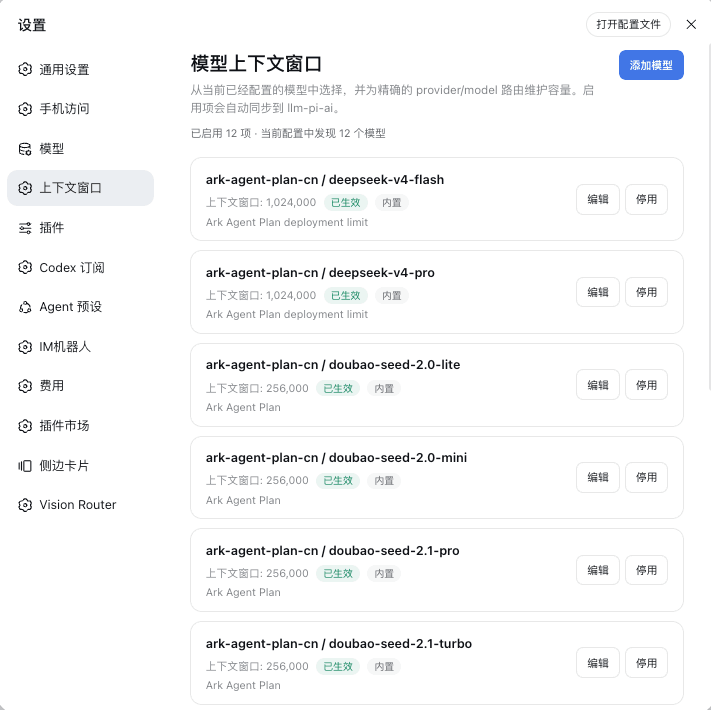 HOWILLMAKEIT/dsh-model-context-catalog
DeepSeek Harness 插件:维护 llm-pi-ai 模型的准确上下文窗口,避免长会话被误判为上下文溢出。
HOWILLMAKEIT/dsh-model-context-catalog
DeepSeek Harness 插件:维护 llm-pi-ai 模型的准确上下文窗口,避免长会话被误判为上下文溢出。
-
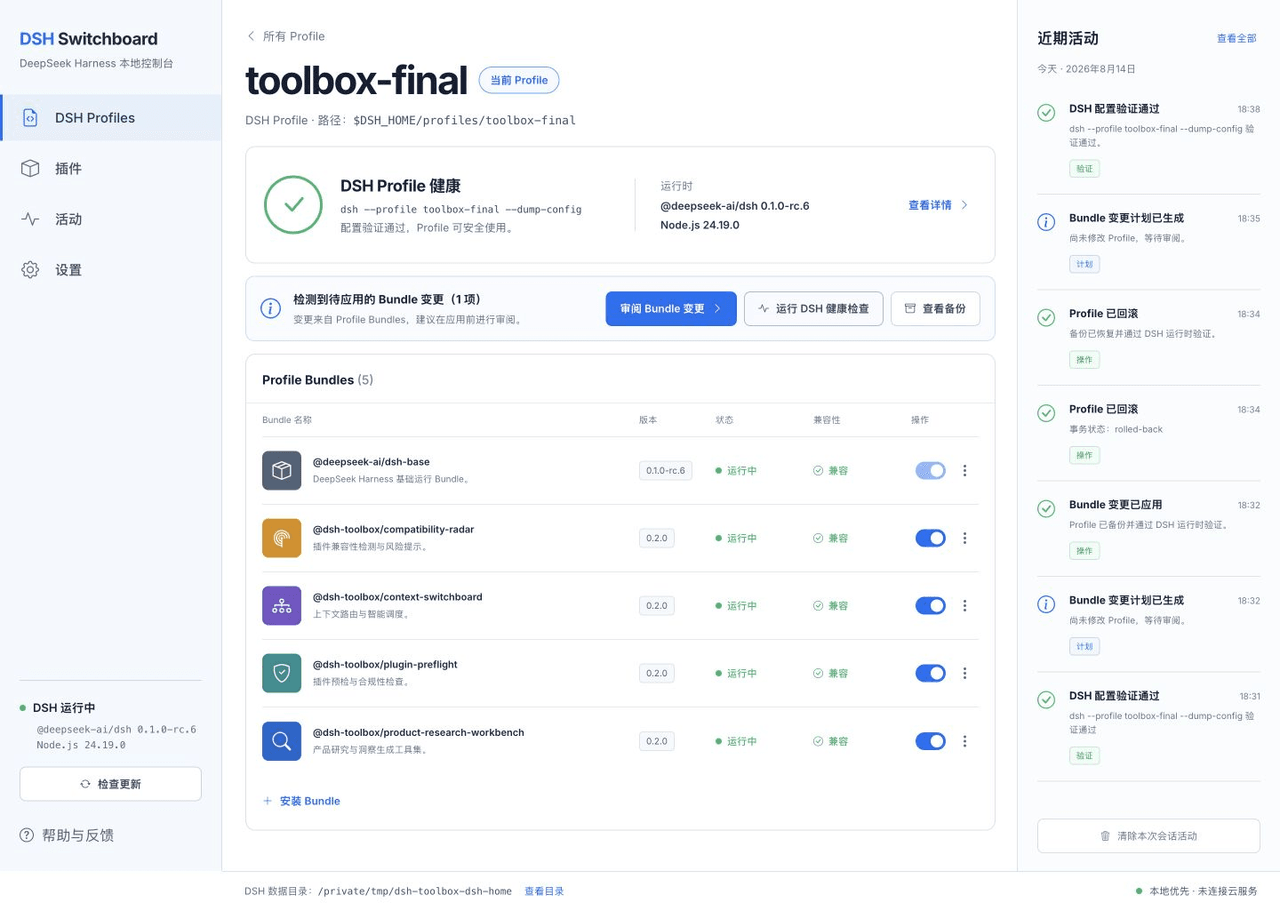 HiWhaleW/dsh-toolbox
Local-first DeepSeek Harness plugins for product research, context routing, plugin preflight, and compatibility monitori…
HiWhaleW/dsh-toolbox
Local-first DeepSeek Harness plugins for product research, context routing, plugin preflight, and compatibility monitori…
-
 SpookySandwich/dsh-plugin-message-edit
DSH 消息编辑插件:编辑已发送的消息并从该处分叉对话,气泡下方带版本计数与树状视图。Edit a sent message and branch from that point — version counter, tree view, …
SpookySandwich/dsh-plugin-message-edit
DSH 消息编辑插件:编辑已发送的消息并从该处分叉对话,气泡下方带版本计数与树状视图。Edit a sent message and branch from that point — version counter, tree view, …
- beihzb/dsh-opencode-session-header Per-conversation x-opencode-session injection for OpenCode Go in DeepSeek Harness - fixes 400 MissingSessionID without b…
-
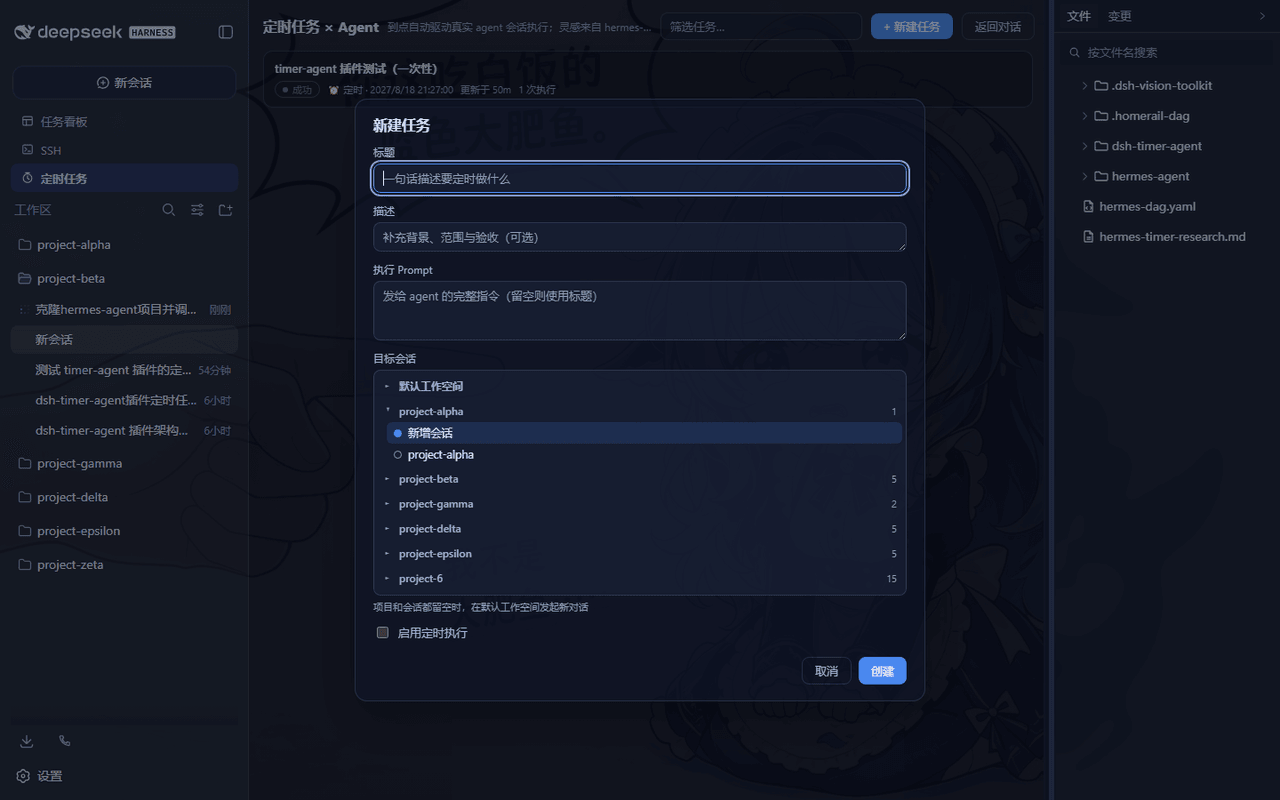 LouisHaoL/dsh-timer-agent
DSH plugin: host-resident scheduled-jobs × AI-agent engine (hermes-agent cron inspired) — 60s ticker fires real agent se…
LouisHaoL/dsh-timer-agent
DSH plugin: host-resident scheduled-jobs × AI-agent engine (hermes-agent cron inspired) — 60s ticker fires real agent se…
- huermi/dsh-deepseek-web-adapter 免费的 DeepSeek 网页版(chat.deepseek.com)LLM 服务提供方,用于 DeepSeek Harness——无需 API 密钥。自动启动网关,支持工具调用和连续对话。Free DeepSeek Web (chat.d…