Koreyer/easy-vision
A DeepSeek Harness tool plugin that lets text-only agents "see" local images — auto-detects the real format and returns a detailed text description via any OpenAI-compatible vision model.
项目介绍Project Overview
easy-vision 是 DeepSeek Harness 工具插件,为纯文本模型注册 describe_image 工具,调用任意 OpenAI 兼容视觉模型识别本地图片。通过读取魔数自动识别 PNG/JPEG/GIF/WebP 格式,将图像以 base64 data URI 发送,返回文字描述或直接写入 Markdown 文件。适用于让仅文本模型处理截图、图表、UI 稿等场景。需配置 OpenAI 兼容端点与 API 密钥,且仅能获取模型返回的文本描述,不保证空间精度。
easy-vision is a DeepSeek Harness tool plugin that registers a describe_image tool for text-only models, calling any OpenAI-compatible vision model to analyze local images. It auto-detects PNG/JPEG/GIF/WebP via magic bytes, sends images as base64 data URIs, and returns text descriptions or writes them directly to a Markdown file. Use it when a text-only model needs to interpret screenshots, charts, UI mockups, or other local images. It requires an OpenAI-compatible endpoint, an API key, and produces only text — no fine-grained spatial accuracy.
请帮我了解并安装插件:【easy-vision】【https://github.com/Koreyer/easy-vision】把上面这条消息直接发给当前会话里的 DSH,让它帮你了解并安装。安装命令不一定准确,发给 DSH 更稳。Send this message to DSH in your current session. CLI install commands may not be accurate across systems — DSH will figure it out for you.
或使用命令行安装(适合开发者)Or use CLI install (for developers)
命令行安装CLI Install
dsh plugin --profile web add easy-vision把 Koreyer/easy-vision 加入你的 DSH 配置(web profile)即可启用。
READMEREADME
English · 简体中文



easy-vision
Give a text-only agent the ability to "see" local images — from any OpenAI-compatible vision model.
easy-vision is a DeepSeek Harness tool plugin that registers a model-facing describe_image tool. When the model needs to look at a screenshot, photo, chart, UI mockup, or any local image, it calls this tool with the file path. The plugin:
- Auto-detects the real format — reads magic bytes (PNG / JPEG / GIF / WebP), tolerating wrong file extensions
- Sends the image as a base64 data URI to your configured OpenAI-compatible vision model via chat completions
- Returns a text description — or optionally writes it straight to a Markdown file for a UI spec, mockup notes, or any document
This lets a model on a text-only route (e.g. deepseek over a gateway that rejects image input) see pictures as prose.
Screenshots
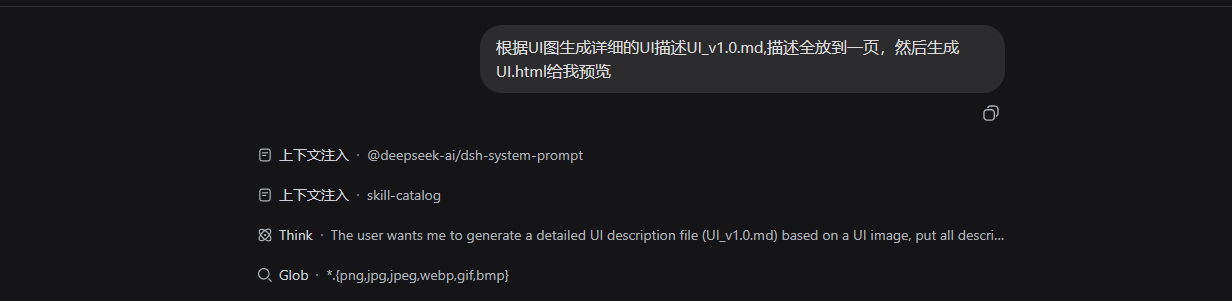
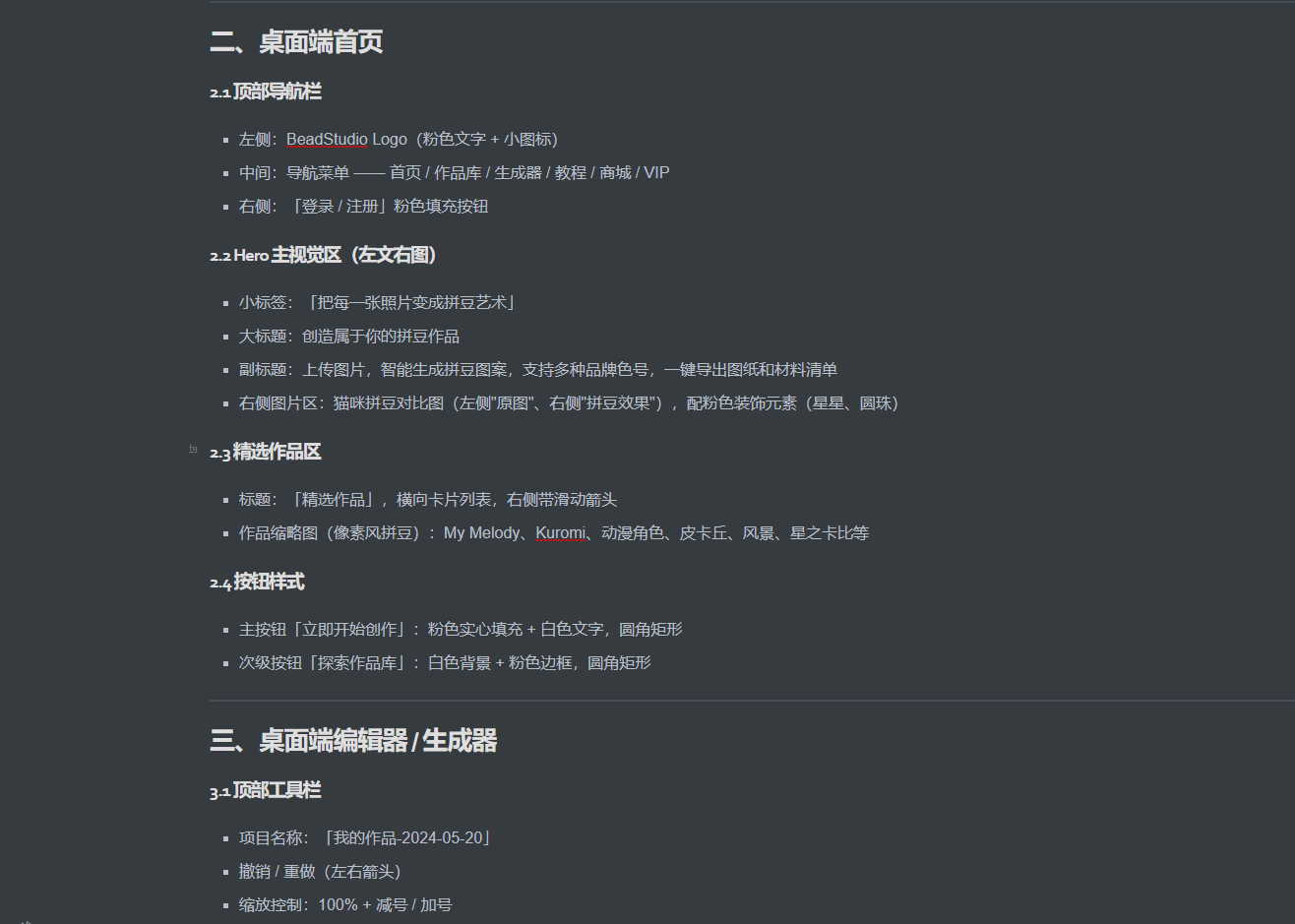
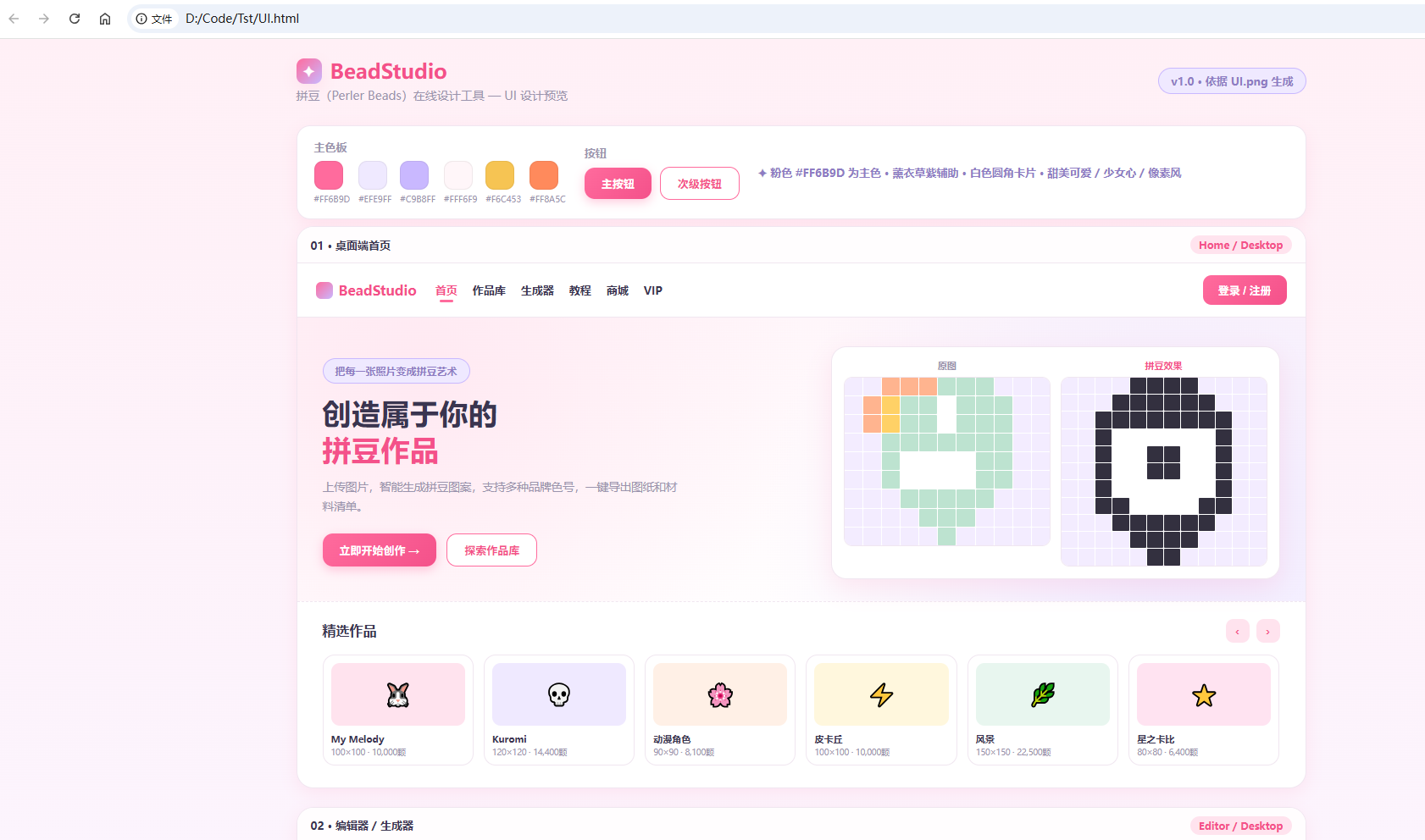
Ask the agent to look at an image in plain language, and the describe_image tool turns it into a usable text description — optionally written straight to a Markdown file.
Quick start
The package is a dependency-free plain ESM Cordis plugin that only injects tools. Install it into a DSH profile, then mount it in a patch layer.
1. Install the package into a DSH profile
From npm:
dsh plugin --profile web add easy-vision
Or run pnpm directly inside the profile directory:
cd "$env:DSH_HOME\profiles\web"
pnpm add easy-vision
@deepseek-ai/cordisis declared as a peer dependency — DSH already provides it at runtime, so no extra install is needed.
2. Mount it in a patch layer
Add this to your DSH patch file — for example the home-level $DSH_HOME\cordis.patch.yml (applies to every profile) or a profile's cordis.patch.yml:
- insert:
    - id: easy-vision
      name: easy-vision
      config:
        baseUrl: https://example.com/v1
        model: your-vision-model
        apiKeyEnv: YOUR_API_KEY
        timeoutMs: 120000
Save — DSH hot-reloads cordis.patch.yml edits. A new session will then expose the describe_image tool to the model.
3. Store the vision API key
The tool resolves the key from apiKeyEnv: it checks the environment variable first, then $DSH_HOME\.credentials.yaml. Add a key matching apiKeyEnv there if it is not already an env var:
# C:\Users\Z\.dsh\.credentials.yaml
YOUR_API_KEY: sk-...
If the profile was booted before these steps, restart the profile (or open a new session) so the tool schema is available to the model.
Configuration
| Key | Default | Description |
|---|---|---|
baseUrl |
https://example.com/v1 |
OpenAI-compatible chat completions base URL. |
model |
your-vision-model |
Vision model id. |
apiKeyEnv |
YOUR_API_KEY |
Env var name for the API key; falls back to reading that key from $DSH_HOME/.credentials.yaml. |
timeoutMs |
120000 |
Request timeout. |
Model experience
The describe_image tool description tells the model to use it automatically whenever the user asks it to look at / view / describe / analyze / read an image, and to recognize natural-language intent (e.g. "描述一下 / 看一下 / 分析这张图") — the user does not need to name the tool.
| Parameter | Required | Description |
|---|---|---|
path |
✅ | Absolute local path to the image. |
prompt |
— | Focus what to extract (e.g. UI layout/colors, describe people, OCR text). |
outFile |
— | Absolute path to a .md file to write the description into; the parent directory is created if needed. |
Known limitations
- Requires an OpenAI-compatible endpoint that accepts base64
image_urldata URIs. - The API key is resolved from the environment or
$DSH_HOME/.credentials.yaml; it is not shelled out to DSH's own provider routing. - Vision results are plain text — the description is not an actual image, so fine-grained spatial accuracy is limited to what the vision model reports.
Build & pack
npm run prepack   # copies src -> lib
npm pack          # produces easy-vision-0.1.1.tgz
License
MIT — free to use, modify, and distribute.
相关推荐Related
-
 nexu-io/open-design
🎨 Best DeepSeek Harness Design Plugin. The open-source Claude Design alternative. 🖥️ Local-first desktop app. 🖼️ Your…
nexu-io/open-design
🎨 Best DeepSeek Harness Design Plugin. The open-source Claude Design alternative. 🖥️ Local-first desktop app. 🖼️ Your…
-
 Devin-AXIS/iPolloWork
Enterprise-grade, local-first Agent Workbench for people and agent teams. A unified multi-engine workspace for Codex Har…
Devin-AXIS/iPolloWork
Enterprise-grade, local-first Agent Workbench for people and agent teams. A unified multi-engine workspace for Codex Har…
-
 liustack/modlens
The first vision plugin for DeepSeek Harness, and the vision bridge for every text-only coding agent. Paste an image, ge…
liustack/modlens
The first vision plugin for DeepSeek Harness, and the vision bridge for every text-only coding agent. Paste an image, ge…
-
 ysr666/dsh-vision-router
Eyes for text-only DeepSeek Harness agents: built-in free vision chain (no key) + pixel-level vision tools (Q&A, groundi…
ysr666/dsh-vision-router
Eyes for text-only DeepSeek Harness agents: built-in free vision chain (no key) + pixel-level vision tools (Q&A, groundi…
-
 Anionex/dsh-vision-toolkit
[dsh]为纯文本模型设计更强大的视觉工具箱:一行安装使用、粘贴图片直接识别、多张图片问答、截图到前端UI 还原等|DeepSeek Harness-native integration for agent-vision-toolkit: …
Anionex/dsh-vision-toolkit
[dsh]为纯文本模型设计更强大的视觉工具箱:一行安装使用、粘贴图片直接识别、多张图片问答、截图到前端UI 还原等|DeepSeek Harness-native integration for agent-vision-toolkit: …
-
 fufankeji/deepseek-harness-studio
DeepSeek Harness 零代码桌面端|一键启动,支持 Windows 与 macOS;内置插件发现、热点插件推送、一键安装与管理、AI 智能推荐和视觉增强。
fufankeji/deepseek-harness-studio
DeepSeek Harness 零代码桌面端|一键启动,支持 Windows 与 macOS;内置插件发现、热点插件推送、一键安装与管理、AI 智能推荐和视觉增强。
-
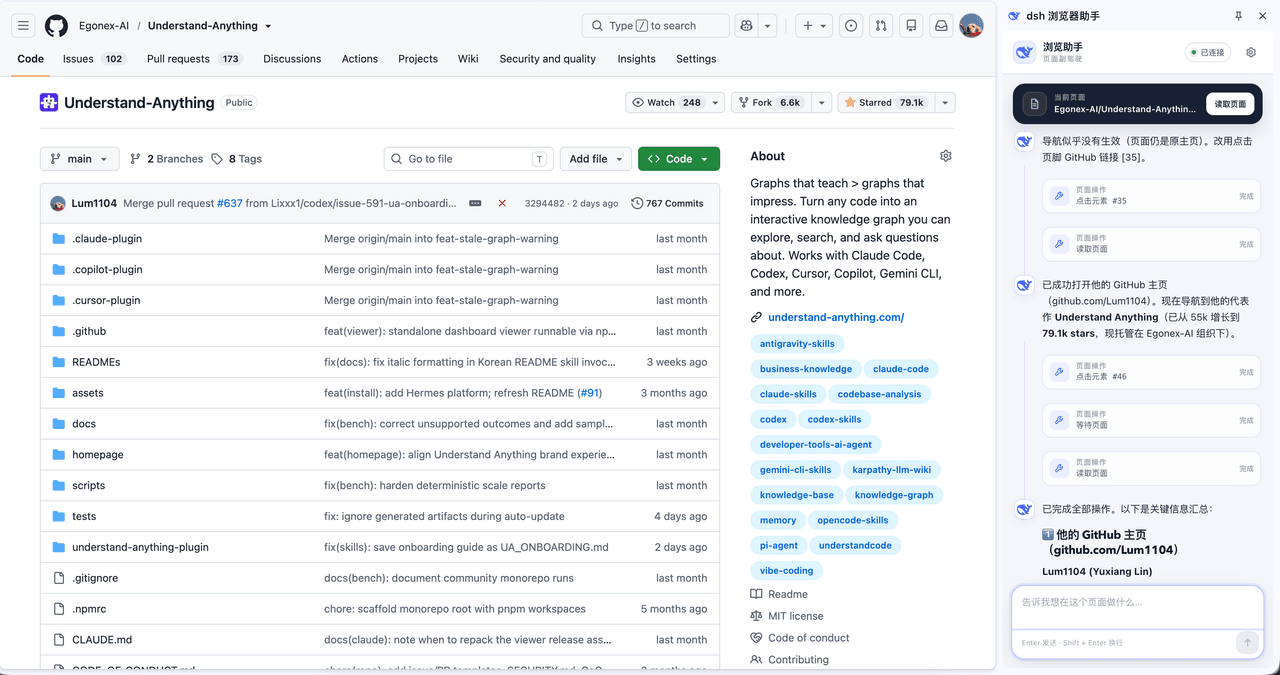 Lum1104/dsh-browser
Chrome sidebar extension that lets DeepSeek Harness operate your browser directly, no vision capabilities required. 一款 C…
Lum1104/dsh-browser
Chrome sidebar extension that lets DeepSeek Harness operate your browser directly, no vision capabilities required. 一款 C…
-
 ZSeven-W/dsh-ios
DeepSeek Harness (DSH) plugin: a live iOS Simulator — and a USB-connected iPhone — inside the conversation. 22 agent too…
ZSeven-W/dsh-ios
DeepSeek Harness (DSH) plugin: a live iOS Simulator — and a USB-connected iPhone — inside the conversation. 22 agent too…