labmimors/dsh-mcp-lens
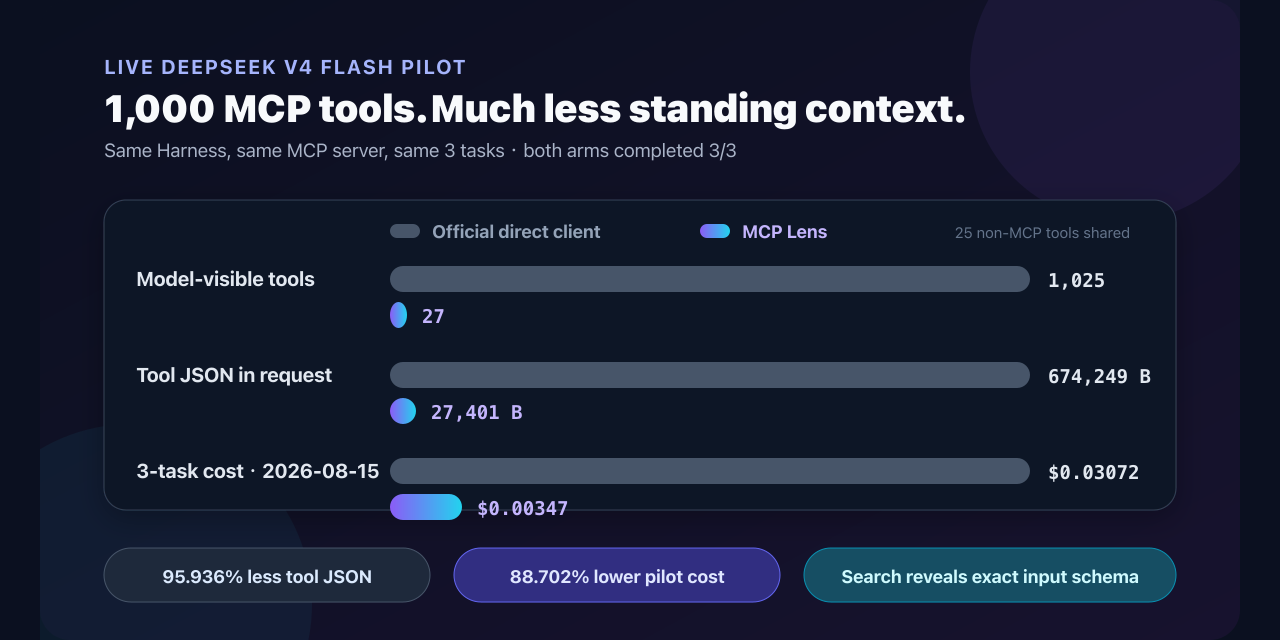
DeepSeek Harness MCP 工具搜索适用于大型目录:在2个面向MCP的模式后面有1,000个MCP工具,支持精确模式调用、允许/拒绝控制,以及本地计算器。
Project Overview项目介绍
This is a native plugin built specifically for DeepSeek Harness that optimizes context window usage when working with large MCP tool catalogs spread across multiple servers. Instead of loading every tool's full schema upfront, which consumes hundreds of kilobytes of context, it uses just 1,114 bytes of fixed space for two core tools: mcp_search to find relevant tools and pull their schemas on demand, and mcp_call to execute the selected tool. To install, you need Node.js 22.19.0 or newer, and you build the plugin from source before adding it to your DSH profile via the dsh plugin add command.
This plugin is designed for DeepSeek Harness users that need to access dozens to thousands of MCP tools spread across multiple servers. After installation, you edit your DSH profile's cordis.patch.yml configuration file to add your MCP server details, including transport type, connection settings, and allow/deny lists for tools. A sample configuration for the official public MCP documentation server is provided in the README to help first-time users get set up quickly. Once the configuration is saved and DSH is restarted, the AI model automatically uses the mcp_search and mcp_call tools to find and run the tools it needs.
The plugin is released under the open source MIT license, so you can use, modify, and distribute it freely per the license terms. It requires Node.js version 22.19.0 or newer, paired with DeepSeek Harness 0.1.2-rc.1 or newer to work correctly. It currently supports only stdio and Streamable HTTP MCP transport protocols, and does not yet implement advanced MCP features like OAuth, resources, or prompts. You can test the schema size savings on the project's public browser-based calculator, which lets you compare the fixed size against the full schema size of your own tool catalog.
这是一款专为 DeepSeek Harness 开发的原生插件,用于优化多 MCP 服务器大工具目录场景下的上下文占用。不同于直接加载全部工具定义的原生 MCP 客户端,它仅占用 1114 字节的固定上下文空间,提供 mcp_search 和 mcp_call 两个工具,按需检索对应工具、加载精确输入 schema 并执行调用,大幅节省模型的上下文窗口。
该插件适合需要接入数十到上千个分散在多台 MCP 服务器工具的 DSH 用户使用。典型工作流为:安装完成后,用户在 DSH 配置文件 cordis.patch.yml 中添加自己需要接入的 MCP 服务器信息,设置允许和禁止调用的工具规则,启动 DSH 后即可由模型自动使用搜索和调用工具完成任务。
该插件要求 Node.js 版本为 22.19.0 或更高,搭配 DSH 0.1.2-rc.1 及以上版本使用,采用 MIT 许可证开源,可免费使用和修改。当前暂不支持 OAuth、资源、提示词等 MCP 高级特性,仅支持 stdio 和 Streamable HTTP 两种传输协议,用户可在线体验工具 schema 大小计算器对比效果。
请帮我安装这个 DSH 插件。安装前先完成【兼容性检查 + 安全性检查】,检查通过再动手。

插件:dsh-mcp-lens(labmimors/dsh-mcp-lens)
仓库:https://github.com/labmimors/dsh-mcp-lens
本站详情页:https://www.yhbd.top/plugins/labmimors-dsh-mcp-lens/
本站登记:类型 plugin · 归类 原生 DSH 插件 · 许可证 MIT · ⭐ 8 · 最近提交 2026-09-11 · 主语言 TypeScript

按下面顺序执行,每步先把结论告诉我,再进入下一步:

【1 兼容性检查】
① 我这边:DSH 版本、Node 版本、操作系统、当前 profile(web / desktop)。
② 读它的 README、package.json、插件 manifest,列出它要求的 DSH 版本 / Node 版本 / 操作系统 / 外部依赖 / 需要另外先装的运行时。
③ 逐条比对,结论只写「满足 / 不满足 / 未知」三种;不满足的给出可行替代方案。
④ 检查是否和我已装的插件冲突:命令名重复、skill / tool 重名、端口占用、重复注册的 MCP server。

【2 安全性检查】
① 仓库可信度:和上面「本站登记」是否一致;star / fork 数、创建时间、最近提交,是否归档或长期停更。
② 安装脚本:逐行看 package.json 的 preinstall / install / postinstall,以及 install.sh、setup.ps1 之类脚本。出现 curl|bash、下载后直接执行、混淆代码、访问与插件功能无关的域名,立刻停下来告诉我,不要继续装。
③ 依赖:列出新增依赖,标出无人维护、或与知名包拼写近似的可疑包(typosquatting)。
④ 权限与副作用:它会读写哪些目录、访问哪些域名、需要哪些 DSH 权限(filesystem / network / shell / clipboard 等),以及怎么卸载和回滚。
⑤ 如果它要求 sudo / 管理员权限,或权限明显超出功能所需,先停下来问我。

【3 安装】
上面两步没有「不满足」和「高危项」时才执行;用官方推荐方式安装,不要自行提权。

【4 汇报】
用表格输出:检查项 / 结论 / 依据 / 是否需要我决策。拿不准的一律写「未知」并说明要我怎么确认——不要猜,也不要替我决定。
Send this message to DSH in your current session: it verifies compatibility and security first (answering met / not met / unknown item by item) and only installs once everything checks out — it will stop and ask you if it finds a high-risk item. The box scrolls; the copy is the full prompt. CLI install commands may not be accurate across systems, so DSH is the safer route.把上面这条消息直接发给当前会话里的 DSH:它会先核对兼容性与安全性(逐条给「满足 / 不满足 / 未知」),确认没问题再安装,有高危项会停下来问你。框内可滚动,复制到的是完整提示词;安装命令不一定准确,发给 DSH 更稳。
- Only 8 stars - very few users, little community feedback星标只有 8,几乎没人在用,遇到问题缺少社区反馈
DSH walks through these 9 checksDSH 会逐条核对这 9 项
Compatibility兼容性
- DSH, Node, OS and profile requirementsDSH 版本 / Node 版本 / 操作系统 / profile 是否满足要求
- External dependencies and runtimes (Electron / Python / Docker, ...)外部依赖与运行时(Electron / Python / Docker 等)是否齐备
- Conflicts with installed plugins: command names, skill / tool names, ports, duplicate MCP registration与已装插件是否冲突:命令名、skill / tool 重名、端口占用、重复 MCP 注册
Security安全性
- Repo matches the facts registered here; archived or abandoned?仓库是否与页面登记一致,是否归档或长期停更
- Safety of preinstall / install / postinstall and install.sh / setup.ps1preinstall / install / postinstall 与 install.sh、setup.ps1 是否安全
- curl|bash, download-then-execute, obfuscation, unrelated domains → stop immediatelycurl|bash、下载即执行、混淆代码、无关域名 → 立刻停止
- Typosquatting or unmaintained packages among the new dependencies新增依赖里有没有 typosquatting 或无人维护的包
- Requested permissions vs. what the feature actually needs申请了哪些权限、是否超出功能所需(filesystem / network / shell / clipboard)
- Any sudo / admin requirement, plus uninstall and rollback是否要求 sudo / 管理员权限,以及卸载与回滚方式
Anything uncertain must be marked unknown with a note on how to confirm it. This site's signal screen is a static snapshot, not a security audit.拿不准的必须标「未知」并说明要我怎么确认。本站的信号筛查是静态快照,不能替代安全审计。
Or use CLI install (for developers)或使用命令行安装(适合开发者)
CLI Install命令行安装
dsh plugin --profile web add github:labmimors/dsh-mcp-lens把 labmimors/dsh-mcp-lens 加入你的 DSH 配置(web profile)即可启用。
READMEREADME
MCP Lens for DeepSeek Harness
English | 简体中文


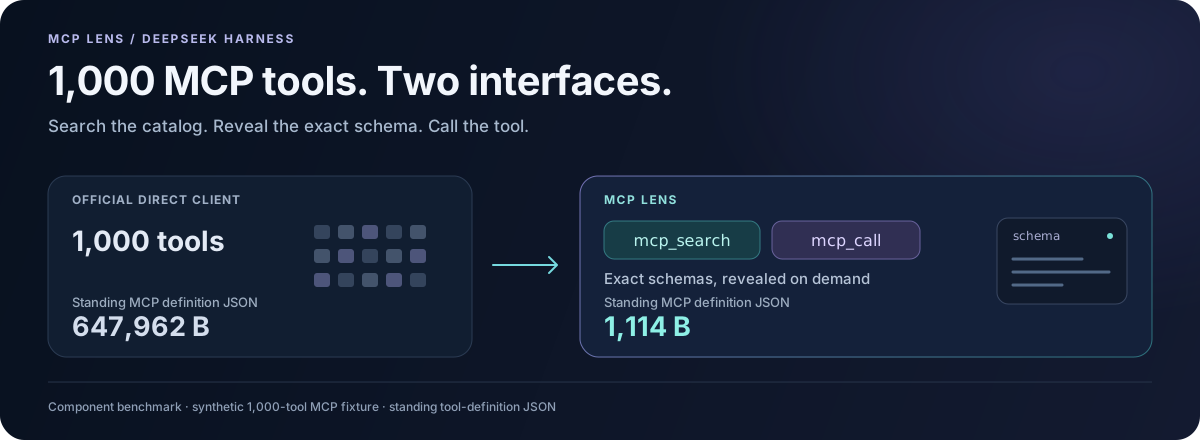
1,000 MCP tools. Two interfaces. Exact schemas when you need them.
Install · Try the 1,000-tool calculator · See product tests
Large tool catalogs take up room before the model starts solving your task. MCP Lens keeps the standing MCP definitions small, finds relevant tools across servers, and preserves the returned data needed by the next call.
MCP Lens gives DeepSeek Harness two model-facing tools:
mcp_searchfinds relevant tools and returns their exact input schemas.mcp_callcalls a specificserver/tooland returns its result, including structured data.
The two tool definitions occupy 1,114 bytes of JSON, regardless of catalog size. In the 1,000-tool component fixture, the direct client's definitions occupy 647,962 bytes. Remote schemas enter the conversation when search returns them. Connections open on demand, and repeated searches reuse the catalog index.
The latest version also fixes multi-step workflows: a customer ID returned alongside a text summary stays visible, so the model can use it to look up the customer's order. The tested data flows improved from 10/12 to 12/12. Read the September 10 results.
This works well for dozens to thousands of tools spread across MCP servers. Search adds a step; for a few tools used on nearly every request, the official direct MCP client is simpler.
Install
Use Node.js ^22.19.0 || >=24.0.0 and Harness 0.1.2-rc.1. As of September 10, 2026, Harness's npm latest and next tags point to this version.
Build Lens rc.10 from the main branch below. The published npm package is still rc.9, which targets Harness 0.1.0-rc.6.
Showing the opening section of the README — the full document lives in the repository以上为 README 开头摘要,完整文档在仓库内 · View the full README on GitHub →在 GitHub 查看完整 README →
Related相关推荐
-
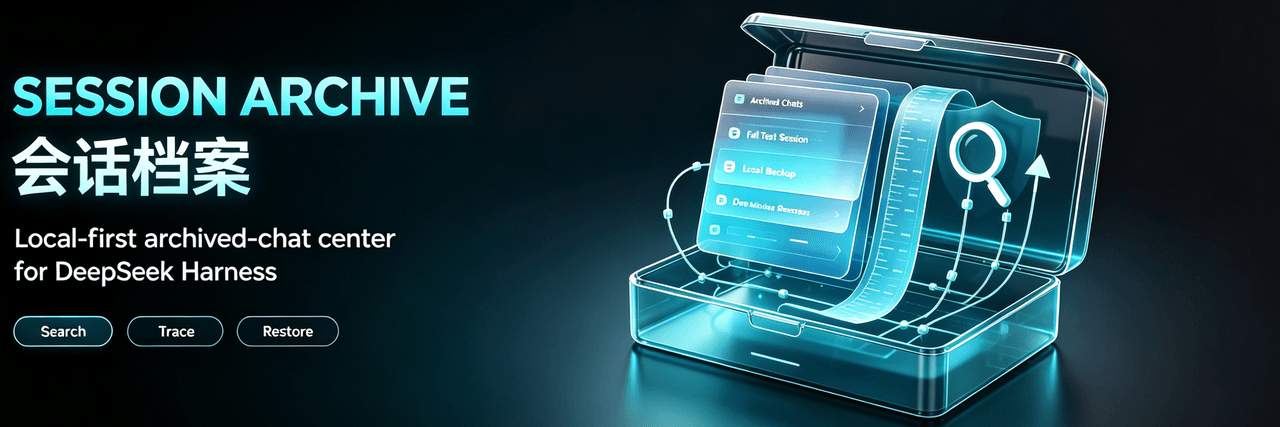 Ultronen/dsh-archived-chats
Archive Management for DeepSeek Harness: browse, search, preview and restore archived chats, with workspace bulk archivi…
Ultronen/dsh-archived-chats
Archive Management for DeepSeek Harness: browse, search, preview and restore archived chats, with workspace bulk archivi…
-
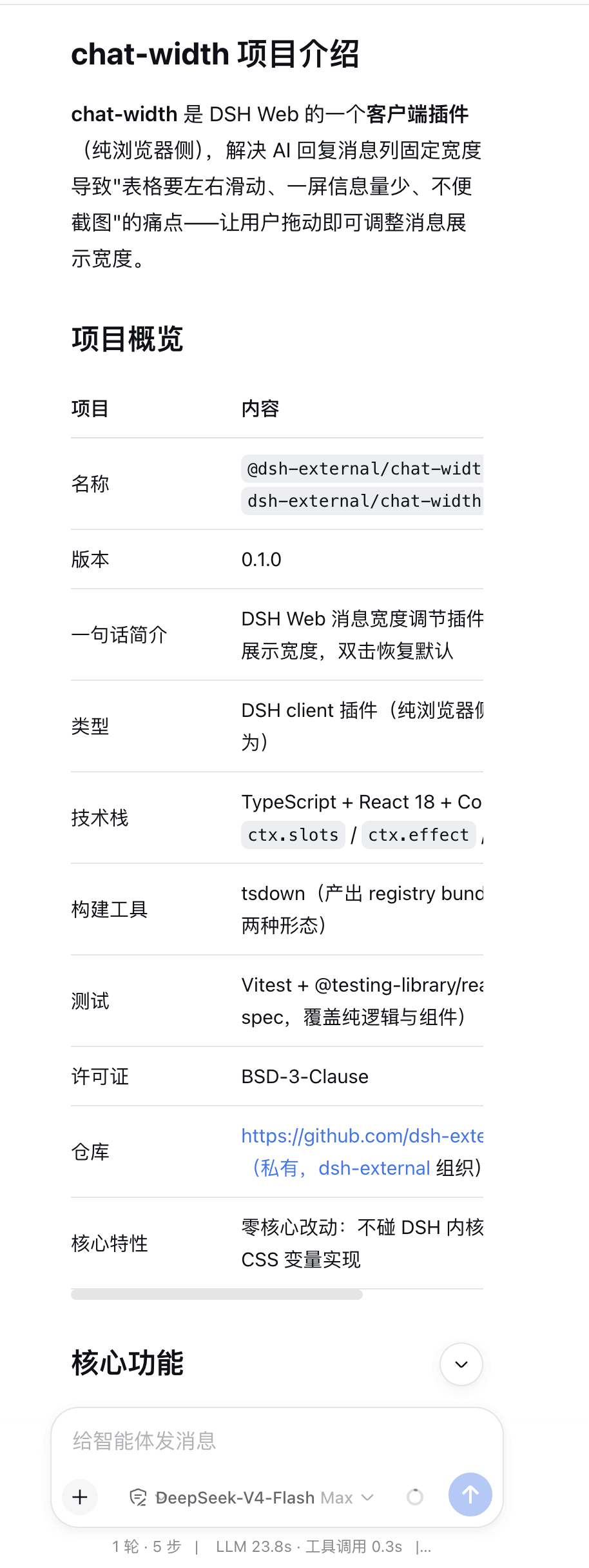 chen-001/dsh-chat-width
Adjust the width of dsh's reply.
chen-001/dsh-chat-width
Adjust the width of dsh's reply.
- Letter2025/dsh-tool-search Tool search & slimming for DeepSeek Harness: Hermes-style progressive disclosure — search, describe, and call long-tail …
- qianshe/dsh-assistant-optimization DSH plugin: fold mis-rendered thinking/reasoning content into collapsible blocks and render mermaid diagrams inline.
- lmst2/dsh-asc
-
 nicolas-zhao-4/dsh-reply-nav
a history navigator for deepseek-harness
nicolas-zhao-4/dsh-reply-nav
a history navigator for deepseek-harness
-
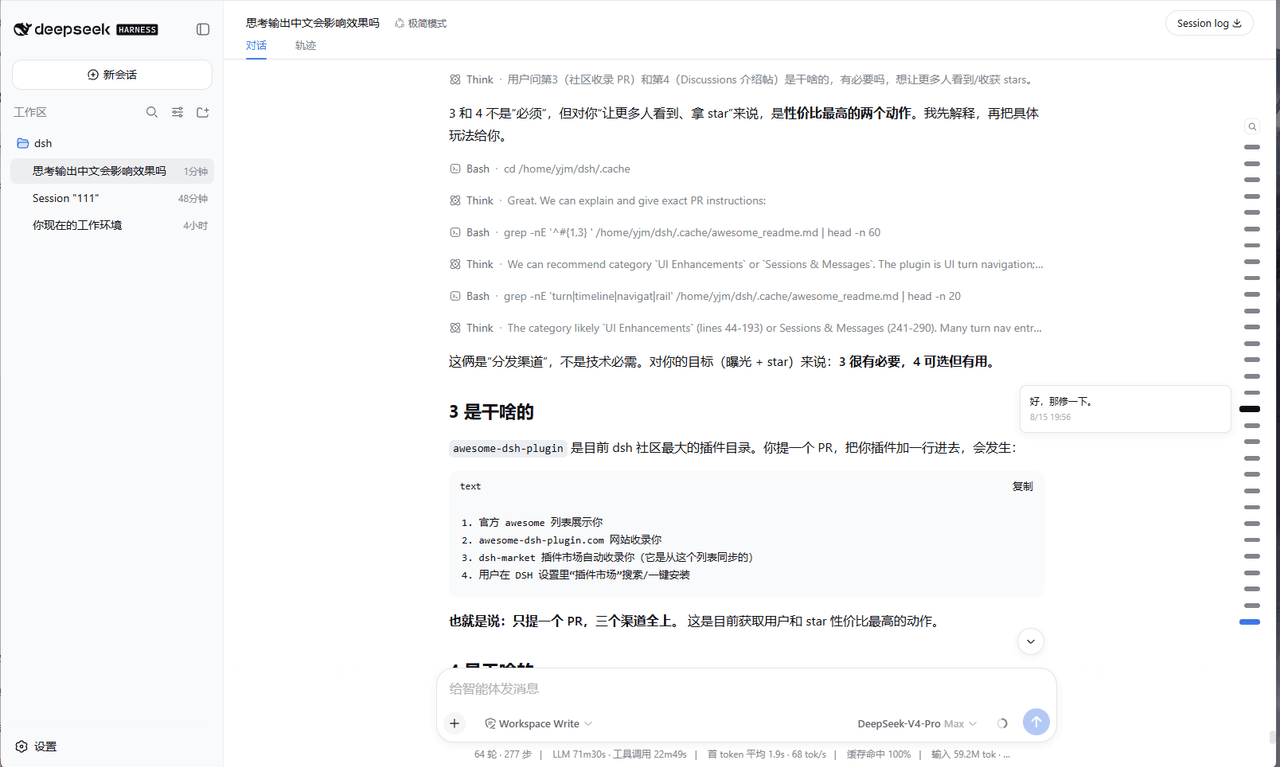 Yujm888/dsh-turn-rail
- fenxin-fx/dsh-default-workspace-plugin