lc23313/dsh-autoupdate
A built-in auto-update plugin for dsh (DeepSeek Harness). It adds a 检查更新 (Check for Updates) section to the dsh Settings page: one click checks npm for a new @deepseek-ai/dsh release, a confirm dialog schedules it, and a guarded update transaction — exit-time install, health verification, automatic rollback — does the rest.
catalog descriptioncatalog 简介 / catalog description:dsh 内置自动更新插件 — Auto-update for DeepSeek Harness: safe version detection, exit-time apply, health check, auto-rollback & circuit breaker.
Project Overview项目介绍
dsh-autoupdate is a built-in auto-update plugin shipped exclusively for DeepSeek Harness (DSH), distributed only as a cordis plugin under the dsh-plugin topic and registered as a profile layer in ~/.dsh/profiles/<name>/. It injects a "检查更新 / Check for Updates" section into the DSH Settings page, where a single click queries npm for the latest @deepseek-ai/dsh release and a confirm dialog schedules a guarded update transaction that runs after the DSH process exits. Default mode is fully manual; enabling autoCheck: true restores v1.0.0-style periodic checks (boot + every six hours) and autoApply: false keeps detection while suppressing automatic install.
The intended user is a DSH operator who wants one-click upgrades of the global @deepseek-ai/dsh binary plus optional profile-plugin refreshes without babysitting npm. The workflow is: open Settings → Updates, click the check button, confirm the modal showing version info, then exit the DSH process completely (closing the browser is not enough) and wait for helper-result.json to report phase: "done" before relaunching. The helper is detached, so it survives even a killed DSH process, and it resolves the *running* DSH's own npm prefix from process.argv[1] to avoid PATH confusion across multiple Node installs. State, logs, and circuit-breaker counters live in $DSH_HOME/plugins-data/dsh-autoupdate/ (default ~/.dsh/).
Installation is via dsh plugin --profile web add dsh-autoupdate, add github:lc23313/dsh-autoupdate, or a local tarball; verify with dsh --dump-config --profile web. The plugin has zero runtime dependencies, never writes to DSH-owned files like settings.yaml or cordis.patch.yml, and only spawns npm plus dsh plugin --profile <p> update|install for dependent profiles. Known limits include concurrent DSH instances possibly holding npm locks (causing retry×3 then circuit-breaker degrade), six offline failures silencing auto-checks, and one-shot headless runs exiting before the first check. License is MIT; required diagnostics env var is DSH_AUTOUPDATE_DOCTOR=1.
dsh-autoupdate 是一个面向 DeepSeek Harness(DSH)的内置式自动更新插件,仅作为 DSH 的 cordis 插件存在与发布。它在 DSH 的「设置」页面新增「检查更新」分区,点击后查询 npm 上的 @deepseek-ai/dsh 发布情况,并以确认对话框触发一次带守护的更新事务。
典型流程为:用户在「设置 → 自动更新」点击按钮或选择自动周期检测,插件解析当前运行 DSH 自身的 npm 前缀并以精确版本号执行 npm install -g;随后进入 exit-time 应用阶段,由独立的 helper 等待 DSH 进程退出后落地安装、双重校验新版本、失败时回滚到旧版本,并按需触发 dsh plugin --profile <p> update 同步更新用户插件。
安装通过 dsh plugin --profile web add dsh-autoupdate 或本地 tarball 完成,需在重启 DSH 后于配置文件中确认已注册;状态与日志位于 $DSH_HOME/plugins-data/dsh-autoupdate/。插件要求可发现的 npm 全局安装路径,零运行时依赖,仅调用 npm 与 DSH CLI,遵循 MIT 协议。
请帮我安装这个 DSH 插件。安装前先完成【兼容性检查 + 安全性检查】,检查通过再动手。

插件:dsh-autoupdate(lc23313/dsh-autoupdate)
仓库:https://github.com/lc23313/dsh-autoupdate
本站详情页:https://www.yhbd.top/plugins/lc23313-dsh-autoupdate/
本站登记:类型 plugin · 归类 原生 DSH 插件 · 许可证 MIT · ⭐ 2 · 最近提交 2026-09-04 · 主语言 JavaScript

按下面顺序执行,每步先把结论告诉我,再进入下一步:

【1 兼容性检查】
① 我这边:DSH 版本、Node 版本、操作系统、当前 profile(web / desktop)。
② 读它的 README、package.json、插件 manifest,列出它要求的 DSH 版本 / Node 版本 / 操作系统 / 外部依赖 / 需要另外先装的运行时。
③ 逐条比对,结论只写「满足 / 不满足 / 未知」三种;不满足的给出可行替代方案。
④ 检查是否和我已装的插件冲突:命令名重复、skill / tool 重名、端口占用、重复注册的 MCP server。

【2 安全性检查】
① 仓库可信度:和上面「本站登记」是否一致;star / fork 数、创建时间、最近提交,是否归档或长期停更。
② 安装脚本:逐行看 package.json 的 preinstall / install / postinstall,以及 install.sh、setup.ps1 之类脚本。出现 curl|bash、下载后直接执行、混淆代码、访问与插件功能无关的域名,立刻停下来告诉我,不要继续装。
③ 依赖:列出新增依赖,标出无人维护、或与知名包拼写近似的可疑包(typosquatting)。
④ 权限与副作用:它会读写哪些目录、访问哪些域名、需要哪些 DSH 权限(filesystem / network / shell / clipboard 等),以及怎么卸载和回滚。
⑤ 如果它要求 sudo / 管理员权限,或权限明显超出功能所需,先停下来问我。

【3 安装】
上面两步没有「不满足」和「高危项」时才执行;用官方推荐方式安装,不要自行提权。

【4 汇报】
用表格输出:检查项 / 结论 / 依据 / 是否需要我决策。拿不准的一律写「未知」并说明要我怎么确认——不要猜,也不要替我决定。
Send this message to DSH in your current session: it verifies compatibility and security first (answering met / not met / unknown item by item) and only installs once everything checks out — it will stop and ask you if it finds a high-risk item. The box scrolls; the copy is the full prompt. CLI install commands may not be accurate across systems, so DSH is the safer route.把上面这条消息直接发给当前会话里的 DSH:它会先核对兼容性与安全性(逐条给「满足 / 不满足 / 未知」),确认没问题再安装,有高危项会停下来问你。框内可滚动,复制到的是完整提示词;安装命令不一定准确,发给 DSH 更稳。
- Only 2 stars - very few users, little community feedback星标只有 2,几乎没人在用,遇到问题缺少社区反馈
DSH walks through these 9 checksDSH 会逐条核对这 9 项
Compatibility兼容性
- DSH, Node, OS and profile requirementsDSH 版本 / Node 版本 / 操作系统 / profile 是否满足要求
- External dependencies and runtimes (Electron / Python / Docker, ...)外部依赖与运行时(Electron / Python / Docker 等)是否齐备
- Conflicts with installed plugins: command names, skill / tool names, ports, duplicate MCP registration与已装插件是否冲突:命令名、skill / tool 重名、端口占用、重复 MCP 注册
Security安全性
- Repo matches the facts registered here; archived or abandoned?仓库是否与页面登记一致,是否归档或长期停更
- Safety of preinstall / install / postinstall and install.sh / setup.ps1preinstall / install / postinstall 与 install.sh、setup.ps1 是否安全
- curl|bash, download-then-execute, obfuscation, unrelated domains → stop immediatelycurl|bash、下载即执行、混淆代码、无关域名 → 立刻停止
- Typosquatting or unmaintained packages among the new dependencies新增依赖里有没有 typosquatting 或无人维护的包
- Requested permissions vs. what the feature actually needs申请了哪些权限、是否超出功能所需(filesystem / network / shell / clipboard)
- Any sudo / admin requirement, plus uninstall and rollback是否要求 sudo / 管理员权限,以及卸载与回滚方式
Anything uncertain must be marked unknown with a note on how to confirm it. This site's signal screen is a static snapshot, not a security audit.拿不准的必须标「未知」并说明要我怎么确认。本站的信号筛查是静态快照,不能替代安全审计。
Or use CLI install (for developers)或使用命令行安装(适合开发者)
CLI Install命令行安装
dsh plugin --profile web add dsh-autoupdate把 lc23313/dsh-autoupdate 加入你的 DSH 配置(web profile)即可启用。
READMEREADME
dsh-autoupdate
A built-in auto-update plugin for dsh (DeepSeek Harness). It adds a 检查更新 (Check for Updates) section to the dsh Settings page: one click checks npm for a new @deepseek-ai/dsh release, a confirm dialog schedules it, and a guarded update transaction — exit-time install, health verification, automatic rollback — does the rest.
Highlights
- Settings-page UI (v1.1.0): 检查更新 button under Settings → 自动更新; modal shows version info with 确认更新 / 取消, or "当前已是最新版本,暂无可用更新"
- Manual by default (v1.1.0): no silent periodic checks — detection runs only on the button click (
autoCheck: truerestores the v1.0.0 periodic mode) - Update channel: any npm dist-tag (
latest,rc, …) - Exit-time application: a detached helper waits for the dsh process to exit before touching the global install — avoids Windows file locks and survives even a killed dsh
- Targeted install: resolves the running dsh's own npm prefix (from
process.argv[1]) and installs into it with--prefix— immune to multi-Node PATH confusion - Transaction safety: exact-version install → dual verification (manifest + actually running the new binary) → automatic rollback to the previous version on any failure
- Circuit breaker: consecutive failures degrade
auto → notify → off; any success restores full automation - Optional profile refresh: after a CLI update, user plugins in your profiles can be refreshed via
dsh plugin --profile <p> update(with manifest backup/restore) - Breaking-update survivability: zero runtime dependencies, no dsh internal API calls on the backend; the UI uses only the settings-section slot, a generic RPC channel, and plain same-origin fetch — see docs/COMPATIBILITY.zh.md and docs/UI.zh.md
Install
For the local v1.1.3 fix, run dsh plugin --profile web add ./dsh-autoupdate-1.1.3.tgz from this project and restart dsh. Check and confirm in Settings → Updates, then exit the dsh process (closing the browser is insufficient). Wait for helper-result.json to report phase: "done" before restarting. Automatic application requires a discoverable npm global installation; an unknown prefix is rejected.
Showing the opening section of the README — the full document lives in the repository以上为 README 开头摘要,完整文档在仓库内 · View the full README on GitHub →在 GitHub 查看完整 README →
Related相关推荐
-
 chaojixinren/dsh-reviewer-bot
原生 DeepSeek Harness 插件形态的代码评审机器人:跨代码平台、规则可插拔、可本地重放。
chaojixinren/dsh-reviewer-bot
原生 DeepSeek Harness 插件形态的代码评审机器人:跨代码平台、规则可插拔、可本地重放。
-
 boe1900/owndsh
The Self-Hosted Control Plane for DeepSeek-Harness
boe1900/owndsh
The Self-Hosted Control Plane for DeepSeek-Harness
- Aeternus123/dsh-rtk-filter
-
 0lidaxiang/dsh-plugin-greet
DeepSeek Harness is a plugin-based system for building AI agents. Everything, from tools and models to the web UI, can b…
0lidaxiang/dsh-plugin-greet
DeepSeek Harness is a plugin-based system for building AI agents. Everything, from tools and models to the web UI, can b…
- aerince/dsh-models-dev-reasoning Add models.dev reasoning levels to unconfigured third-party DeepSeek Harness models.
-
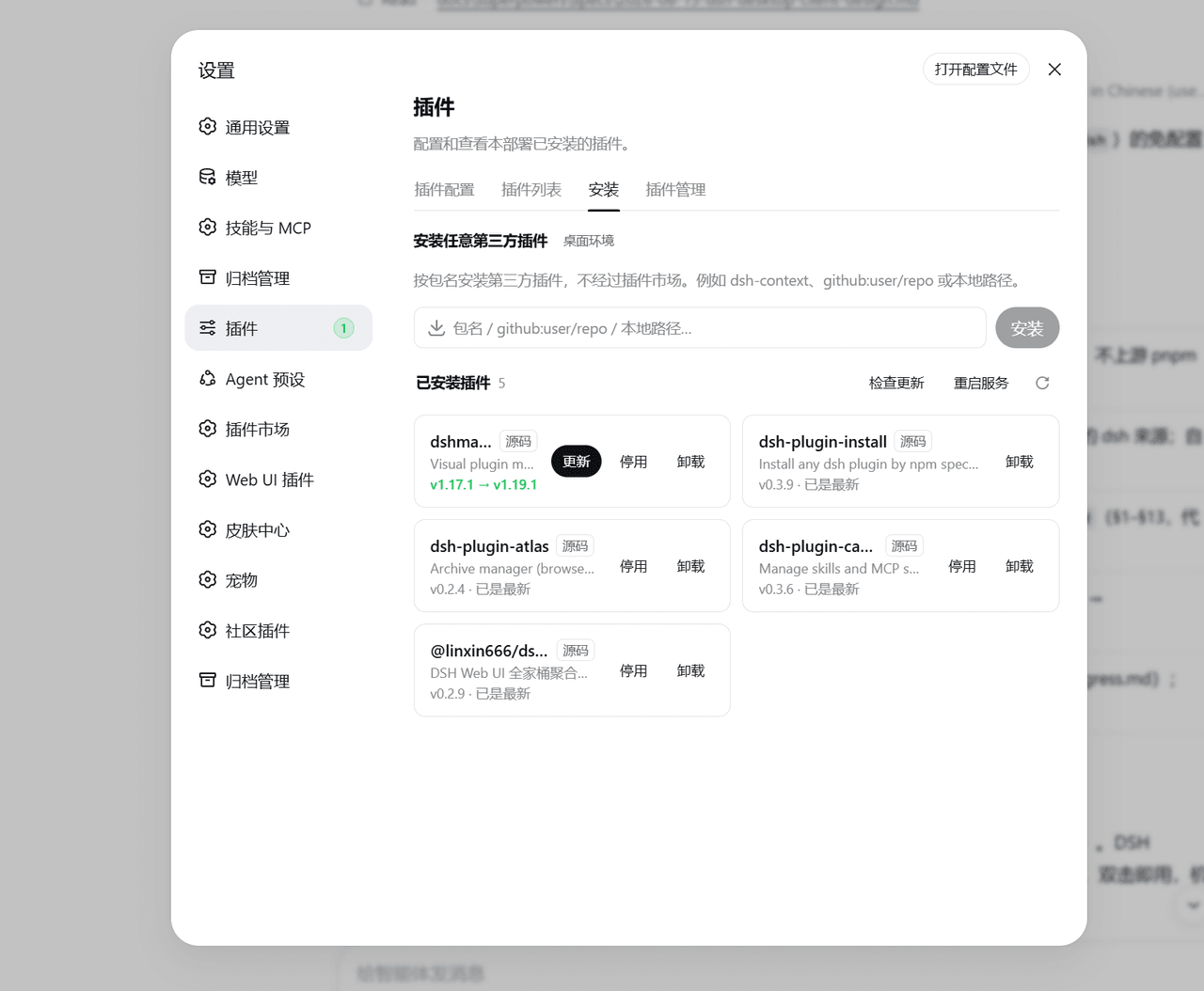 qinyre/dsh-plugin-install
给 dsh 设置页加「安装」标签页,按包名安装任意第三方插件。
qinyre/dsh-plugin-install
给 dsh 设置页加「安装」标签页,按包名安装任意第三方插件。
-
 zhn1100/dsh-forge
Reproducible DeepSeek Harness plugin development environment
zhn1100/dsh-forge
Reproducible DeepSeek Harness plugin development environment
- Drifter-yh/dsh-tool-policy Declarative deny-by-default tool policy plugin for DeepSeek Harness