lcgash/dsh-plugin-uw
Merge multiple directories into one DSH session with configurable write scopes: primary only, all members via common ancestor, or unrestricted.
编辑导读Editor's Brief
## 核心特性
- 该插件将一个主目录和一个或多个成员目录合并为一个联合工作区,使 AI 助手能够在单个 DSH 会话中访问。
- 它提供两种权限预设:workspace-write 允许通过插件的成员目录工具进行读取、写入、删除和移动;danger-full-access 允许不受限制的读写访问。
- 侧边栏管理面板支持创建、删除、修改和浏览联合工作区,并提供成员目录树视图,支持懒加载和递归展开。
- 已有会话可以通过 /uw 命令或会话头部按钮升级为联合工作区,工作区定义会持久化保存在 ~/.dsh/union-workspaces.json 中。
- 聊天输入支持 @ 提及,可跨成员目录搜索文件;注册的 uw_read、uw_write、uw_edit、uw_delete 和 uw_move 工具则可在标准单根沙箱之外操作成员目录路径。
## 使用场景
- 该插件支持前后端协作任务,适用于代码、共享类型定义和相关资源分别存放在不同目录的场景。
- 它可以限制 AI 助手……
## Core Features
- The plugin merges one primary directory and one or more member directories into a union workspace that an AI assistant can access within a single DSH session.
- It provides two permission presets: workspace-write, which permits reading, writing, deleting, and moving through the plugin's member-directory tools, and danger-full-access, which allows unrestricted read and write access.
- A sidebar management panel supports creating, deleting, modifying, and browsing union workspaces, with a tree view for member directories that uses lazy loading and recursive expansion.
- Existing sessions can be upgraded to union workspaces through the /uw command or a session-header button, and workspace definitions persist in ~/.dsh/union-workspaces.json.
- Chat input supports @ mentions that search files across member directories, while registered uw_read, uw_write, uw_edit, uw_delete, and uw_move tools operate on member-directory paths outside the standard single-root sandbox.
## Use Cases
- The plugin supports front-end and back-end coordination tasks where code, shared type definitions, and related assets are stored in separate directories.
- It can limit an assistant
安装Install
dsh plugin --profile web add dsh-union-workspace把 lcgash/dsh-plugin-uw 加入你的 DSH 配置(web profile)即可启用。
READMEREADME
dsh-plugin-uw
联合工作区插件 — 将多个目录合并到一个会话中,让 AI 助手同时访问所有成员目录。
English | 中文



解决什么问题
做前后端联调的时候,代码通常散落在好几个仓库里——前端、后端、公共类型定义各在各的目录。AI 要完成一次跨端修改,得同时看到并修改所有这些目录的文件。
只挂一个目录,AI 看不到别的仓库,跨端任务根本做不了。挂一个大目录(比如整个主目录)呢,又得承受上下文爆炸的代价:工具扫描和文件检索扩散到无数无关文件里,既浪费 token、又降低回答质量,还给了远超实际需要的目录权限。
联合工作区让你把恰好需要的几个目录合并进一个会话。AI 同时访问所有成员目录,但范围始终精确可控——它只看到你选定的目录,看不到范围外的任何文件。
简介
dsh-plugin-uw(联合工作区插件)允许你在 DSH Web GUI 中将多个目录合并到一个会话中。一个主目录(primary)加一个或多个成员目录(members)组成一个联合工作区(union workspace),AI 助手可以同时访问所有成员目录的文件。
截图
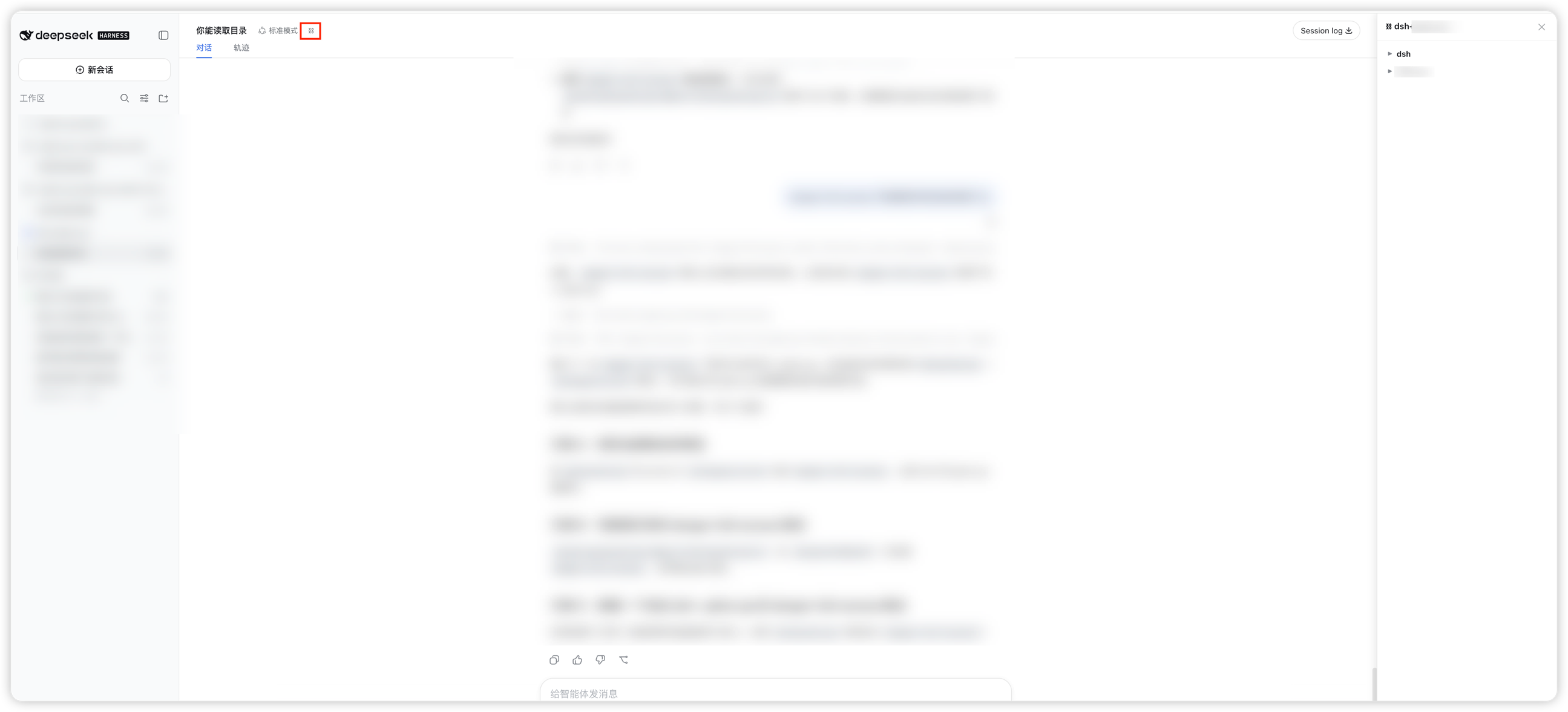
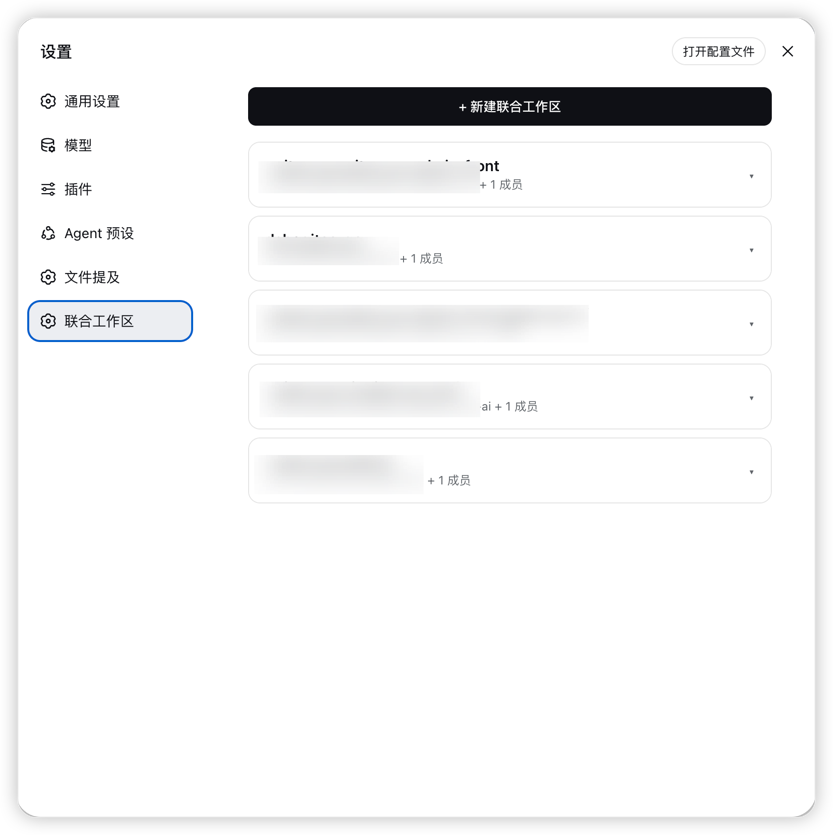
| 会话文件浏览 | 设置页面 |
|---|---|
 |
 |
功能
联合工作区 — 将两个或更多目录组合到一个会话中,AI 助手可同时访问所有成员目录。
两种权限预设:
预设 说明 workspace-write(默认)主目录和成员目录均可读写删移(通过 uw_write/uw_edit/uw_delete/uw_move工具)danger-full-access所有目录可读写(无限制) 侧边栏集成 — 点击侧边栏底部的 ⛓ 图标打开管理面板。
管理面板 — 侧边栏右侧面板,两个标签页:
- 工作区:创建、删除、修改联合工作区,以及成员目录管理。
- 文件浏览:以树形结构浏览成员目录(懒加载,支持递归展开)。
快速升级 — 已有会话可通过
/uw命令升级为联合工作区,或从会话头部按钮打开创建面板。持久化存储 — 联合工作区定义保存在
~/.dsh/union-workspaces.json,重启后依然有效。自动匹配 — 在侧边栏打开的工作区如果标题匹配某个联合工作区,自动标记为该联合工作区。
成员目录工具 — 注册了
uw_read、uw_write、uw_edit、uw_delete、uw_move五个工具,AI 助手可直接通过成员目录路径读写、删除、移动文件,不受沙箱限制。所有成员目录均可读写、删除、移动。@ 提及 — 聊天框输入
@会自动搜索所有成员目录的文件,方便快速引用。
安装
通过 DSH 插件命令安装
# 从 GitHub 安装
dsh plugin add github:lcgash/dsh-plugin-uw

# 或指定 profile 安装(将 <name> 替换为你的 profile 名称)
dsh plugin --profile <name> add github:lcgash/dsh-plugin-uw
从 npm 安装
# 全局安装
npm install -g dsh-union-workspace

# 或安装到 DSH profile(将 <name> 替换为你的 profile 名称)
dsh plugin --profile <name> add dsh-union-workspace
从源码安装
# 克隆仓库
git clone https://github.com/lcgash/dsh-plugin-uw.git
cd dsh-plugin-uw

# 安装依赖
npm install

# 构建
npm run build

# 安装到 DSH profile(将 <name> 替换为你的 profile 名称)
dsh plugin --profile <name> add link:$(pwd)
安装后,在 cordis.patch.yml 中应包含以下插件行:
- insert:
    - id: union-workspace
      name: 'dsh-union-workspace'
使用
- 在侧边栏底部点击 ⛓ 图标,或输入
/uw命令。 - 选择创建模式:
- 快速模式:选择多个目录,自动生成名称。
- 自定义模式:设置名称、选择成员目录、选择权限预设。
- 创建成功后,在侧边栏会出现对应的工作区。
- 点击侧边栏的工作区,打开的新会话会自动应用联合工作区。
- 在会话头部右侧点击 ⛓ 按钮,展开成员目录文件列表面板。
- AI 助手可通过
uw_read/uw_write/uw_edit/uw_delete/uw_move工具直接读写、删除、移动成员目录中的文件(标准read/write/edit工具受沙箱限制只能访问主目录)。
开发
# 构建
npm run build

# 类型检查
npm run typecheck
架构
- Host 端(
src/index.ts)— 运行在 DSH Node.js 进程中,持有联合工作区存储(~/.dsh/union-workspaces.json),提供/api/dsh-union-workspace/*路由,并在会话启动时应用权限预设。 - Client 端(
src/client/index.ts)— 运行在 Web GUI 中,注册本地化字典、设置页面、会话头部按钮、/uw命令,并通过 DOM 注入挂载覆盖层和文件面板。 - 路由(
src/routes.ts)— REST API 端点,用于列出、同步、标记和浏览联合工作区。 - 工具(
src/tools.ts)— 注册uw_read、uw_write、uw_edit三个模型工具,用于读写成员目录文件,绕过沙箱的单根限制。 - 存储(
src/store.ts)— 基于文件的持久化存储,支持数据清洗和迁移。
License
Apache-2.0
相关推荐Related
- deepseek-ai/deepseek-harness DeepSeek Harness (dsh) — 由 DeepSeek AI 开发的开源 agent harness(智能体框架)。一切皆插件:核心 + 插件 + 技能 = 可热插拔的 AI 编程工作台。DeepSeek Harness: …
-
 amruthpillai/reactive-resume
A one-of-a-kind resume builder that keeps your privacy in mind. Completely secure, customizable, portable, open-source a…
amruthpillai/reactive-resume
A one-of-a-kind resume builder that keeps your privacy in mind. Completely secure, customizable, portable, open-source a…
-
 tt-a1i/archify
Agent skill for beautiful, verifiable architecture, workflow, sequence, data-flow, and lifecycle diagrams—self-contained…
tt-a1i/archify
Agent skill for beautiful, verifiable architecture, workflow, sequence, data-flow, and lifecycle diagrams—self-contained…
-
 zhu1090093659/dsh-web-ui
Plugin and skin collection for DeepSeek Harness (DSH) Web UI - task board, git graph, right-side panel, remote mobile UI…
zhu1090093659/dsh-web-ui
Plugin and skin collection for DeepSeek Harness (DSH) Web UI - task board, git graph, right-side panel, remote mobile UI…
-
 strukto-ai/mirage
The World's First Unified Virtual Filesystem For AI Agents
strukto-ai/mirage
The World's First Unified Virtual Filesystem For AI Agents
-
 liustack/modlens
The first vision plugin for DeepSeek Harness, and the vision bridge for every text-only coding agent. Paste an image, ge…
liustack/modlens
The first vision plugin for DeepSeek Harness, and the vision bridge for every text-only coding agent. Paste an image, ge…
-
 omdsh-dev/DSH-better-sidebar
开放的侧边栏底座,支持三方拓展注册新侧边栏页面。内置文件渲染编辑/终端/Git/子代理页面 | Open sidebar foundation, supports third-party extensions to register new…
omdsh-dev/DSH-better-sidebar
开放的侧边栏底座,支持三方拓展注册新侧边栏页面。内置文件渲染编辑/终端/Git/子代理页面 | Open sidebar foundation, supports third-party extensions to register new…
-
 ccch1mneyyy/dsh-TUI
DSH 官方公众号收录的 TUI 补位插件:Claude Code 风,鲸鱼顶栏/实时状态/流式思考/双击 Esc 回滚/上下文进度+TPS。npm 一键装。 DSH official WeChat featured TUI plugin…
ccch1mneyyy/dsh-TUI
DSH 官方公众号收录的 TUI 补位插件:Claude Code 风,鲸鱼顶栏/实时状态/流式思考/双击 Esc 回滚/上下文进度+TPS。npm 一键装。 DSH official WeChat featured TUI plugin…