LeemanCheung/dsh-task-dag
DeepSeek Harness 子代理与工作流的持久实时 DAG 可视化
Project Overview项目介绍
This is a native visualization plugin built exclusively for DeepSeek Harness Web to display live task orchestration topologies and inspect DAG dependencies. It pulls all required state data from DSH’s existing client projections, so it does not maintain a separate orchestration database or send any polling requests to external services. It offers three distinct graph views: Overview for current sessions and all active tasks, Agent Teams for task dependencies and communication between team members, and Workflow for tracking the progress of durable workflow runs. It also supports direct navigation to open active DSH sessions and inline preview of full workflow definition source code.
This plugin is designed for users who manage multi-agent teams, delegated subagent tasks, and durable workflows via the DSH Web interface. Users can click nodes to view the latest 100 messages in a communication channel, check runtime metrics like model used and cumulative token and turn usage, and drag nodes to adjust the canvas layout. Manually adjusted node positions are saved across view switches within the same active session, and a deterministic automatic layout is restored after switching sessions, refreshing the page, or restarting DSH. This lets users quickly map out task dependencies, spot bottlenecks, and follow the overall progress of long-running workflows.
dsh-task-dag is released under the open MIT license, and private vulnerability reporting is enabled for the project’s GitHub repository. It requires Node.js 20 or newer to run, and local development and automated testing require Node.js 20.19+, 22.13+, or 24+ to pass all checks. The plugin only generates visualizations from data already visible in the current DSH session, does not store any new persistent data or access private user credentials, and follows a documented security boundary for data handling. Common issues like missing topology or empty views can often be fixed by restarting DSH Web or refreshing the page, and uninstallation is done via the standard DSH plugin remove command.
这是一个专门为 DeepSeek Harness Web 开发的原生插件,用于提供任务有向无环图(DAG)可视化和编排拓扑检查功能。它基于 DSH 已有的状态投影生成三种聚焦的图形视图,不需要额外维护独立的编排数据库,也不会发送轮询请求。它提供总览、智能体团队、工作流三种视图,分别展示当前会话、团队任务依赖和持久化工作流运行状态,同时支持直接导航到已有会话和查看工作流定义预览。
该插件面向使用 DSH Web 管理多智能体团队、子代理任务和持久化工作流的用户。用户可以通过点击节点查看智能体通信通道的最新消息记录、运行时指标,拖动节点调整画布布局,手动保存的节点位置会在同一会话的视图切换中保留。切换会话、重启 DSH 后会自动恢复确定性布局,方便用户快速梳理任务依赖关系和工作流运行进度。
该插件遵循 MIT 开源许可,运行依赖 Node.js 20 及以上版本,开发测试需要 Node.js 20.19+、22.13+ 或 24 版本。它仅基于当前会话已有的可见记录生成可视化,不会创建新的持久化内容,也不会读取隐私凭据。部分常见问题如拓扑缺失、视图为空可通过重启 DSH Web 或刷新页面解决,卸载可通过 dsh 插件命令完成。
请帮我安装这个 DSH 插件。安装前先完成【兼容性检查 + 安全性检查】,检查通过再动手。

插件:dsh-task-dag(LeemanCheung/dsh-task-dag)
仓库:https://github.com/LeemanCheung/dsh-task-dag
本站详情页:https://www.yhbd.top/plugins/leemancheung-dsh-task-dag/
本站登记:类型 plugin · 归类 原生 DSH 插件 · 许可证 MIT · ⭐ 12 · 最近提交 2026-09-26 · 主语言 JavaScript

按下面顺序执行,每步先把结论告诉我,再进入下一步:

【1 兼容性检查】
① 我这边:DSH 版本、Node 版本、操作系统、当前 profile(web / desktop)。
② 读它的 README、package.json、插件 manifest,列出它要求的 DSH 版本 / Node 版本 / 操作系统 / 外部依赖 / 需要另外先装的运行时。
③ 逐条比对,结论只写「满足 / 不满足 / 未知」三种;不满足的给出可行替代方案。
④ 检查是否和我已装的插件冲突:命令名重复、skill / tool 重名、端口占用、重复注册的 MCP server。

【2 安全性检查】
① 仓库可信度:和上面「本站登记」是否一致;star / fork 数、创建时间、最近提交,是否归档或长期停更。
② 安装脚本:逐行看 package.json 的 preinstall / install / postinstall,以及 install.sh、setup.ps1 之类脚本。出现 curl|bash、下载后直接执行、混淆代码、访问与插件功能无关的域名,立刻停下来告诉我,不要继续装。
③ 依赖:列出新增依赖,标出无人维护、或与知名包拼写近似的可疑包(typosquatting)。
④ 权限与副作用:它会读写哪些目录、访问哪些域名、需要哪些 DSH 权限(filesystem / network / shell / clipboard 等),以及怎么卸载和回滚。
⑤ 如果它要求 sudo / 管理员权限,或权限明显超出功能所需,先停下来问我。

【3 安装】
上面两步没有「不满足」和「高危项」时才执行;用官方推荐方式安装,不要自行提权。

【4 汇报】
用表格输出:检查项 / 结论 / 依据 / 是否需要我决策。拿不准的一律写「未知」并说明要我怎么确认——不要猜,也不要替我决定。
Send this message to DSH in your current session: it verifies compatibility and security first (answering met / not met / unknown item by item) and only installs once everything checks out — it will stop and ask you if it finds a high-risk item. The box scrolls; the copy is the full prompt. CLI install commands may not be accurate across systems, so DSH is the safer route.把上面这条消息直接发给当前会话里的 DSH:它会先核对兼容性与安全性(逐条给「满足 / 不满足 / 未知」),确认没问题再安装,有高危项会停下来问你。框内可滚动,复制到的是完整提示词;安装命令不一定准确,发给 DSH 更稳。
- 12 stars - an early-stage project星标 12,属于早期项目
DSH walks through these 9 checksDSH 会逐条核对这 9 项
Compatibility兼容性
- DSH, Node, OS and profile requirementsDSH 版本 / Node 版本 / 操作系统 / profile 是否满足要求
- External dependencies and runtimes (Electron / Python / Docker, ...)外部依赖与运行时(Electron / Python / Docker 等)是否齐备
- Conflicts with installed plugins: command names, skill / tool names, ports, duplicate MCP registration与已装插件是否冲突:命令名、skill / tool 重名、端口占用、重复 MCP 注册
Security安全性
- Repo matches the facts registered here; archived or abandoned?仓库是否与页面登记一致,是否归档或长期停更
- Safety of preinstall / install / postinstall and install.sh / setup.ps1preinstall / install / postinstall 与 install.sh、setup.ps1 是否安全
- curl|bash, download-then-execute, obfuscation, unrelated domains → stop immediatelycurl|bash、下载即执行、混淆代码、无关域名 → 立刻停止
- Typosquatting or unmaintained packages among the new dependencies新增依赖里有没有 typosquatting 或无人维护的包
- Requested permissions vs. what the feature actually needs申请了哪些权限、是否超出功能所需(filesystem / network / shell / clipboard)
- Any sudo / admin requirement, plus uninstall and rollback是否要求 sudo / 管理员权限,以及卸载与回滚方式
Anything uncertain must be marked unknown with a note on how to confirm it. This site's signal screen is a static snapshot, not a security audit.拿不准的必须标「未知」并说明要我怎么确认。本站的信号筛查是静态快照,不能替代安全审计。
Or use CLI install (for developers)或使用命令行安装(适合开发者)
CLI Install命令行安装
dsh plugin --profile web add github:LeemanCheung/dsh-task-dag把 LeemanCheung/dsh-task-dag 加入你的 DSH 配置(web profile)即可启用。
READMEREADME
dsh-task-dag
A live orchestration topology for DeepSeek Harness Web.
Inspect delegated Sessions, Agent Teams task dependencies and communication, and durable Workflow runs.




English · 中文
At a glance
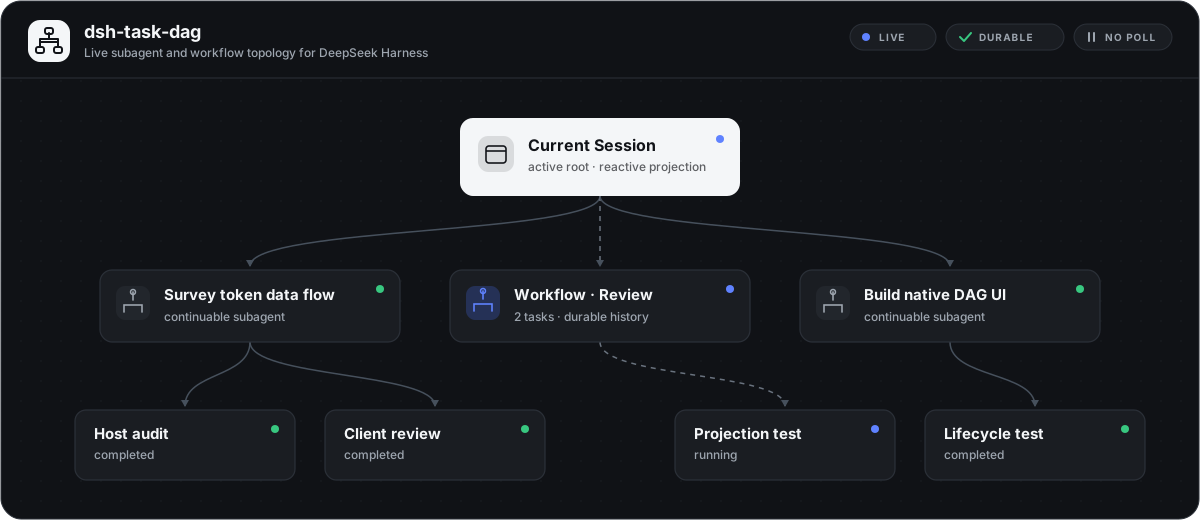
dsh-task-dag turns DSH's existing Client projections into three focused graph views. It keeps no parallel orchestration database and sends no polling requests: Session, Team, and Workflow state is rebuilt from the projections DSH already owns.
| View | What it shows |
|---|---|
| Overview | Current Session, ordinary delegated subagents, Team members and tasks, Agent communication, and Workflow runs. |
| Agent Teams | Team Lead and teammates, task assignment, the real shared-task blockedBy DAG, and an optional communication overlay. |
| Workflow | Durable Workflow run, phase grouping, and started member Sessions. Phase edges are presentation grouping, not script dependency edges. |
Additional behavior:
- Agent communication: directed channels aggregate message count and queued delivery state. Select a channel to inspect the latest 100 message records with quiet/wakeup and delivery metadata; only text blocks are previewed, while other block types are counted.
- Agent runtime metrics: hover or keyboard-focus a teammate, subagent, or Workflow member to see the latest request Provider, model, concrete DSH effective reasoning-effort ID when one was durably recorded, its recorded source, and whole-Session cumulative input, output, cache, turn, and step totals. An effort materialized by DSH from Adapter defaults is labeled
Adapter default; otherwise a recorded effort is labeledRequest configwithout claiming whether it came from a preset, plugin, middleware, user choice, or an older Adapter. When the request omitted effort, the actual field remainsNot recorded; an exact public model default may appear on a separate reference row and is never presented as proof of that historical call. GPT-5.6 Terra's OpenAI API model-page reference ismedium; the UI explicitly says this is not a record of the request. - Direct navigation: selectable teammate, subagent, and Workflow member nodes open the real Session when it remains visible in the Session list.
- Workflow definition preview: select a Workflow run node to inspect the exact JavaScript orchestration body, definition summary, usage guidance, and declared phase metadata from its matching
workflowtool call. The native code block can copy the full script; runtimeargsare deliberately not projected. - Canvas control: fit the whole topology, pan the original-size canvas, or drag nodes while connected edges update.
- Per-view layout: manual positions survive view switches and reopening the panel for the current Session. Switching Sessions, refreshing the page, or restarting DSH restores deterministic automatic layout.
- Native presentation: the panel uses DSH semantic theme tokens, accessible status labels, edge line styles, responsive communication details, and reduced-motion behavior.
- Lifecycle safety: Team projection, locale, styles, and Slot UI are all owned by the Cordis plugin lifecycle.
Showing the opening section of the README — the full document lives in the repository以上为 README 开头摘要,完整文档在仓库内 · View the full README on GitHub →在 GitHub 查看完整 README →
Related相关推荐
-
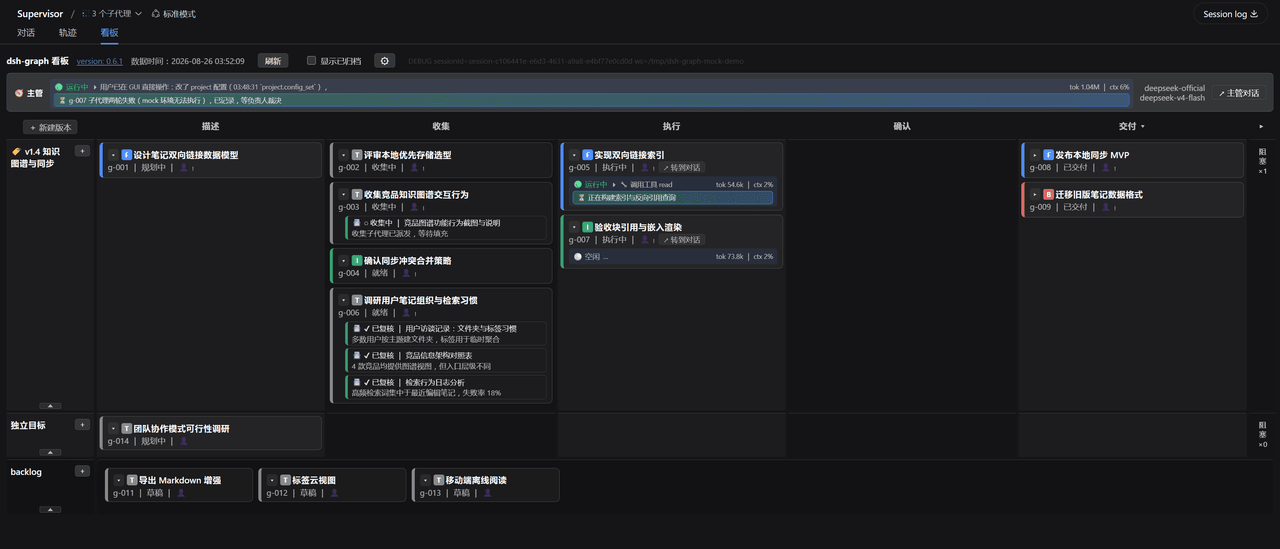 miuzel/dsh-graph
把工作组织成目标看板的 DeepSeek Harness (dsh) 插件:目标 / 判据 / 上下文卡片 / 执行 attempt 的二维泳道看板,数据以文件+事件流落在 .dsh-graph · Goal-kanban plugin f…
miuzel/dsh-graph
把工作组织成目标看板的 DeepSeek Harness (dsh) 插件:目标 / 判据 / 上下文卡片 / 执行 attempt 的二维泳道看板,数据以文件+事件流落在 .dsh-graph · Goal-kanban plugin f…
-
 tt-a1i/archify
Agent skill for beautiful, verifiable architecture, workflow, sequence, data-flow, and lifecycle diagrams—self-contained…
tt-a1i/archify
Agent skill for beautiful, verifiable architecture, workflow, sequence, data-flow, and lifecycle diagrams—self-contained…
-
 foryourhealth111-pixel/Vibe-Skills
Intelligent Skill routing and workflow orchestration for AI agents — +21.12 pp reward, −29.6% tokens on SkillsBench with…
foryourhealth111-pixel/Vibe-Skills
Intelligent Skill routing and workflow orchestration for AI agents — +21.12 pp reward, −29.6% tokens on SkillsBench with…
-
 dream-num/dsh-univer-office
Give DeepSeek Harness a real office environment. Univer Office Plugin brings spreadsheets, docs, slides, canvases, rela…
dream-num/dsh-univer-office
Give DeepSeek Harness a real office environment. Univer Office Plugin brings spreadsheets, docs, slides, canvases, rela…
-
 kanghelyu/dsh-deepseek-flow
-
 ChongCyrus/Vibe-Mathematics
Vibe Mathematics —— 多代理数学问题求解与形式化验证框架
ChongCyrus/Vibe-Mathematics
Vibe Mathematics —— 多代理数学问题求解与形式化验证框架
-
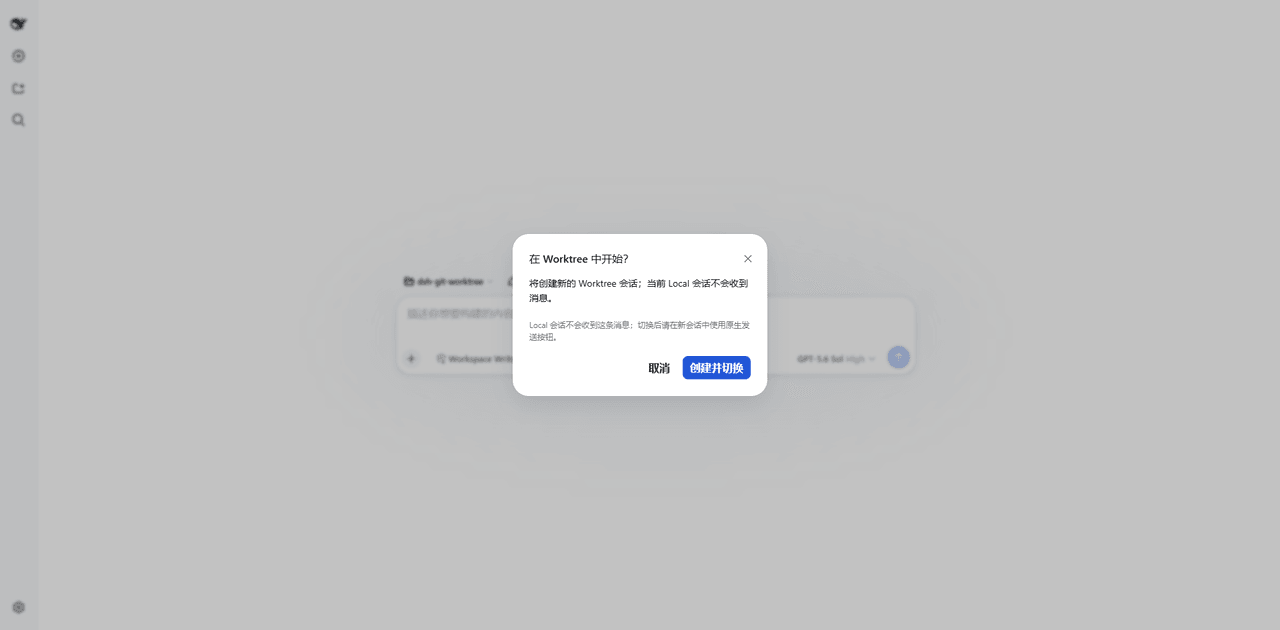 wloops/dsh-git-worktree
Git worktree Session Targets for DeepSeek Harness with isolated task sessions, reversible Local Preview, human-confirmed…
wloops/dsh-git-worktree
Git worktree Session Targets for DeepSeek Harness with isolated task sessions, reversible Local Preview, human-confirmed…
-
 alib8b8/aflare
Local-first automation Agent & deterministic workflow engine — the secure control layer between AI and your data. Data s…
alib8b8/aflare
Local-first automation Agent & deterministic workflow engine — the secure control layer between AI and your data. Data s…