liguobao/deepseek-harness-remote
基于DeepSeek Harness插件机制的多端远程访问方案,让桌面端与Android端安全连接并操作远程Harness。
项目介绍Project Overview
DeepSeek Harness Remote 是 DeepSeek Harness 的远程客户端插件,支持浏览器、桌面端与 Android 端接入。它能将其他设备作为窗口,实时跟踪当前 Harness 会话、发送指令(含图像)、回答提问、响应权限请求,并可浏览打开远端工作区。在多设备切换办公时使用,方便继续同一会话与项目环境。需注意:当前为开发者预览版,安装时应固定版本;后续功能依赖 Host 端版本支持。
DeepSeek Harness Remote is a client plugin for DeepSeek Harness that connects from a browser, desktop, or Android device. It opens a window into a running Harness session on another computer, letting you follow progress, send instructions including images, answer questions, respond to permission prompts, and browse or open remote workspaces. Use it to keep working across devices without moving your environment. Note: it is a developer preview, so pin a specific version on install, and newer features require a compatible Host.
请帮我了解并安装插件:【deepseek-harness-remote】【https://github.com/liguobao/deepseek-harness-remote】把上面这条消息直接发给当前会话里的 DSH,让它帮你了解并安装。安装命令不一定准确,发给 DSH 更稳。Send this message to DSH in your current session. CLI install commands may not be accurate across systems — DSH will figure it out for you.
或使用命令行安装(适合开发者)Or use CLI install (for developers)
命令行安装CLI Install
dsh plugin --profile web add ds-harness-remote@0.3.30把 liguobao/deepseek-harness-remote 加入你的 DSH 配置(web profile)即可启用。
READMEREADME

English · 中文 · Documentation · Download: Windows · macOS · Linux · Web · Android
Connect once. Ready whenever you are.
Continue using your DeepSeek Harness instance from a phone, computer, or browser.
Return to the same Harness session from whichever device is with you. Harness keeps running on your work computer, with the same workspaces, tools, and project setup. Remote is simply another window into that environment.
Features
- Continue active sessions and review their latest progress from another device
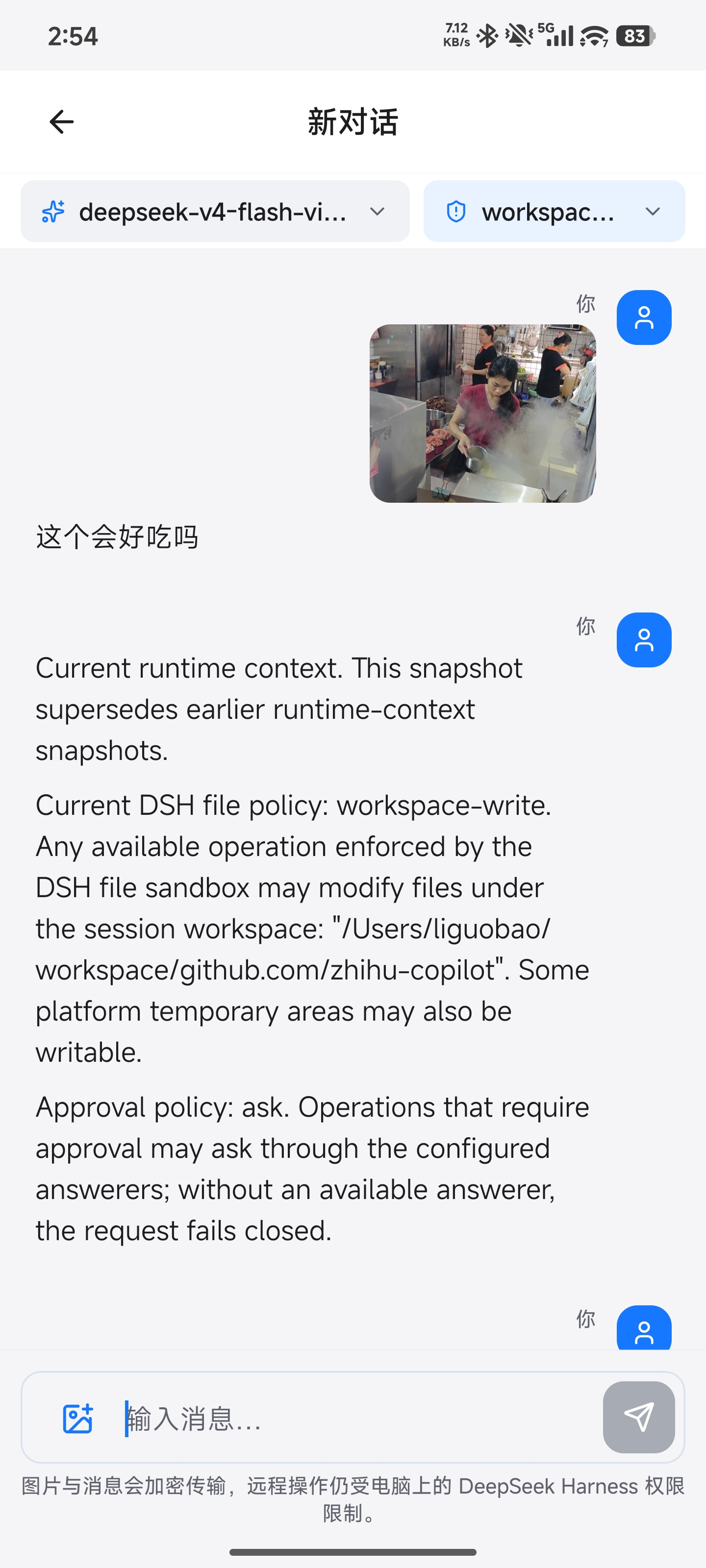
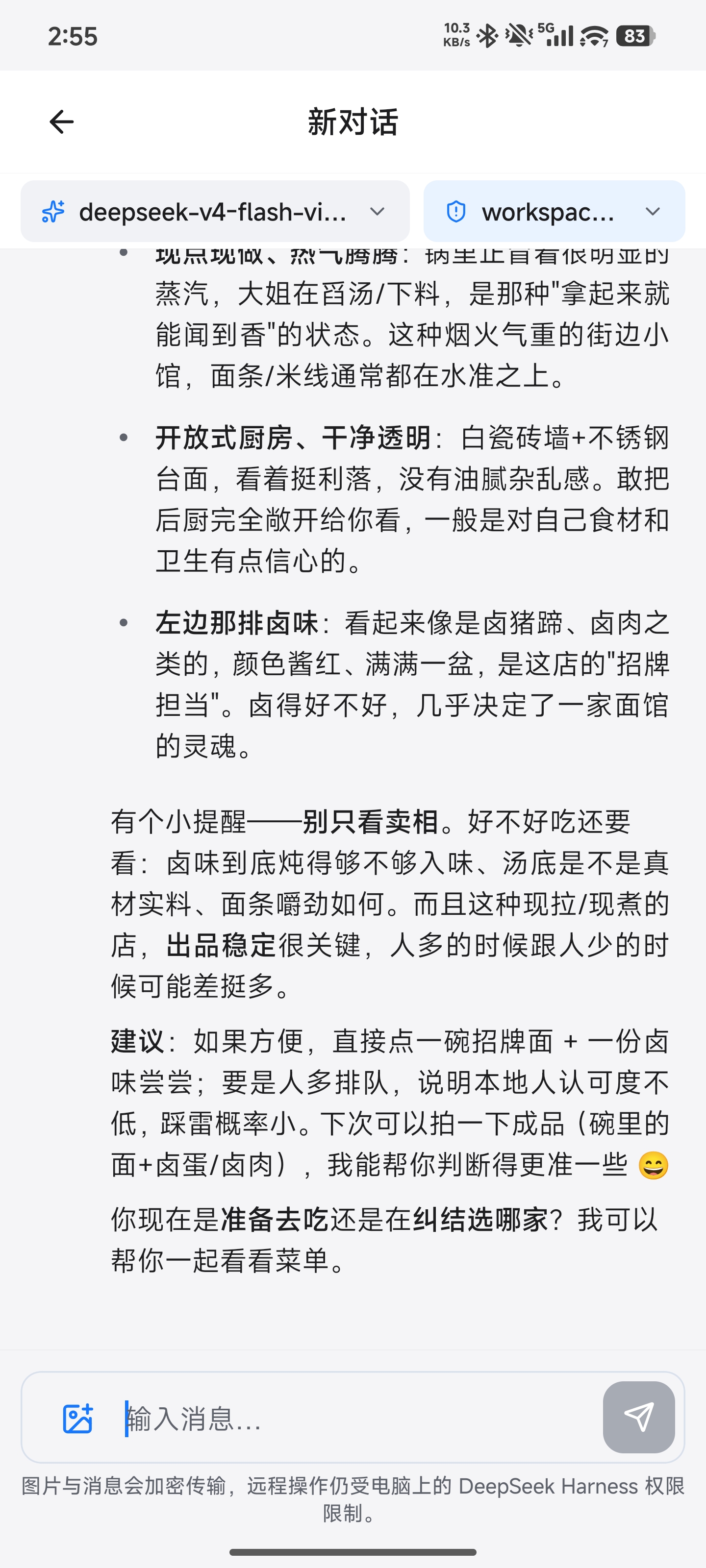
- Send new instructions, change direction, and use image prompts with Harness
dsh-v0.1.1-rc.2 - Answer questions and permission requests from clients with live conversation controls
- Open workspaces from another authorized computer on the same account
- Reuse the native Harness interface instead of maintaining a separate desktop conversation UI
- Preview remote files between two Harness installations with the optional
dsh-file-viewerplugin - The Harness Host does not need a public listening port. Connect securely from anywhere with internet access over a bidirectional end-to-end encrypted channel
Install
Path A: DSH Desktop
Install DSH Desktop on Windows, macOS, or Linux. Remote is included and enabled by default, so no separate plugin installation is required.
Path B: Existing DSH installation
Install the exact npm version for the web profile:
dsh plugin --profile web add ds-harness-remote@0.3.30
Restart Harness after installation.
Quick start
- Open Remote from the Harness sidebar.
- Sign in with a GitHub or Zhihu QR code, or use your account and password. New password accounts can register through Remote Web; the site shows the current invitation requirements.
- Enable remote control for the current computer.
- On another device, open DSH Desktop, Remote Web, or the Android client and sign in to the same account.
- Select the online Host, then choose an existing workspace or browse remote directories to open one.
The public service currently uses the hosted Remote relay. A supported self-hosted relay option is not available yet.
Screenshots
Desktop
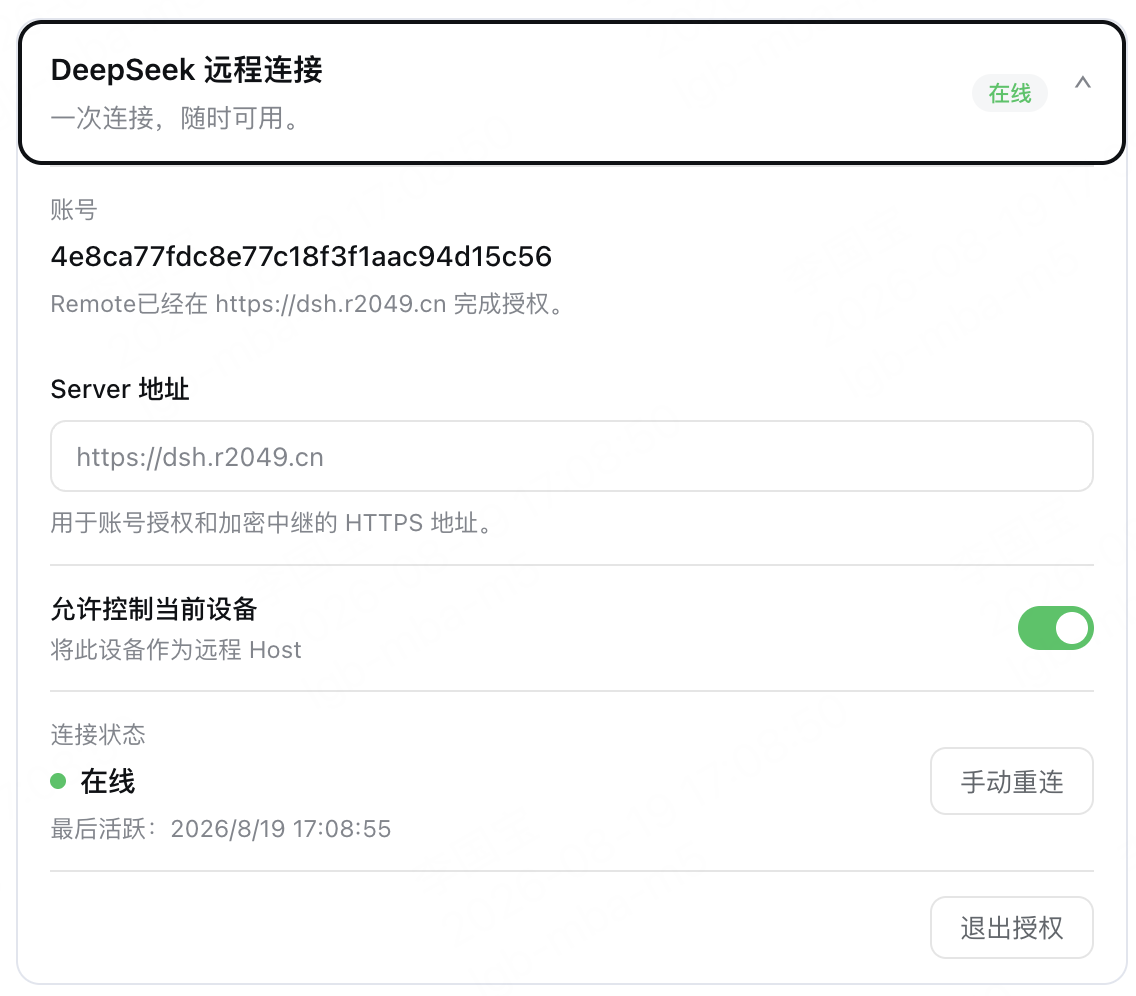
Enable Allow control of this device in Remote settings to make the current computer available as a Host.
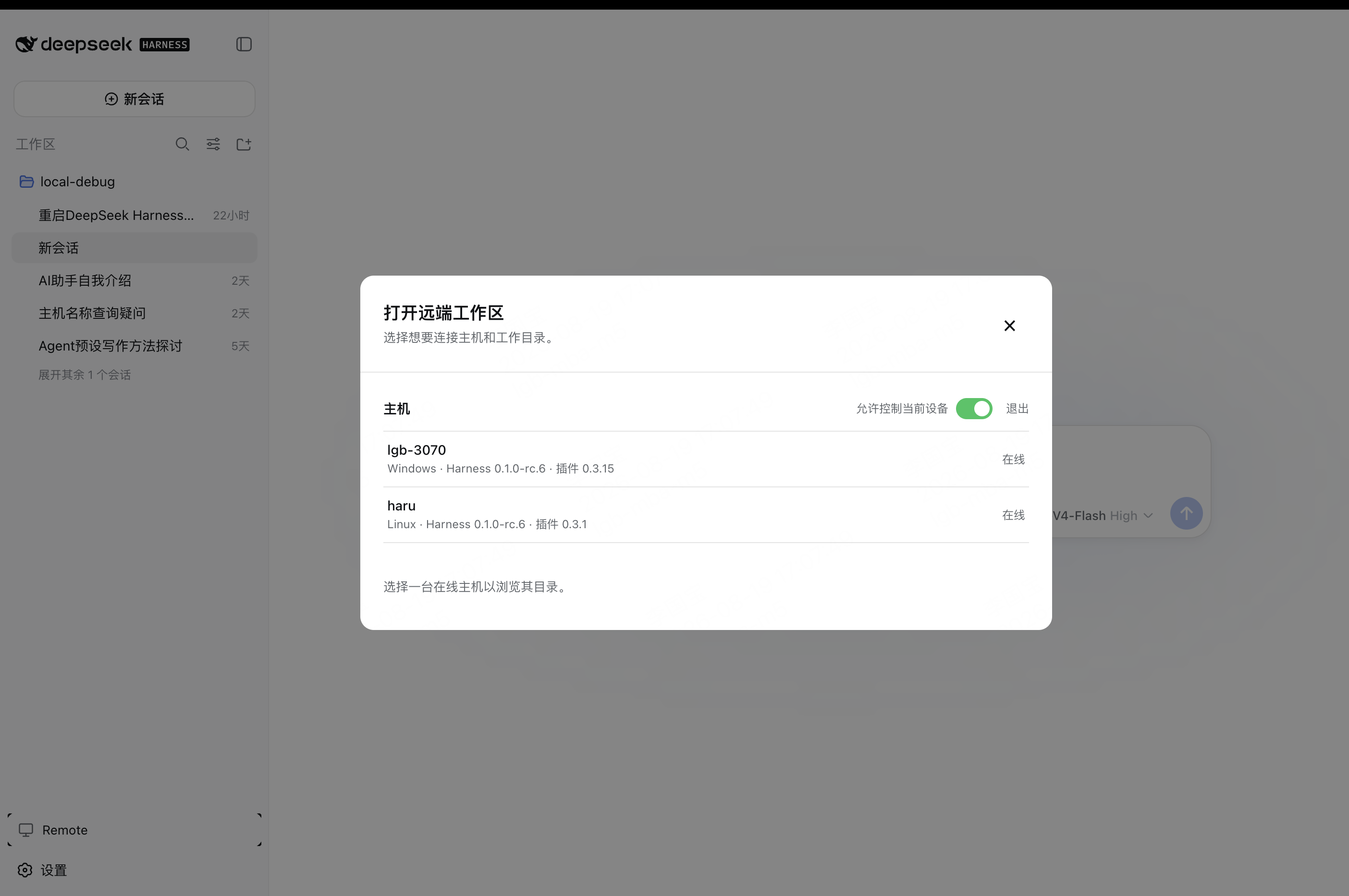
On another computer, select an online Host and open one of its workspaces.
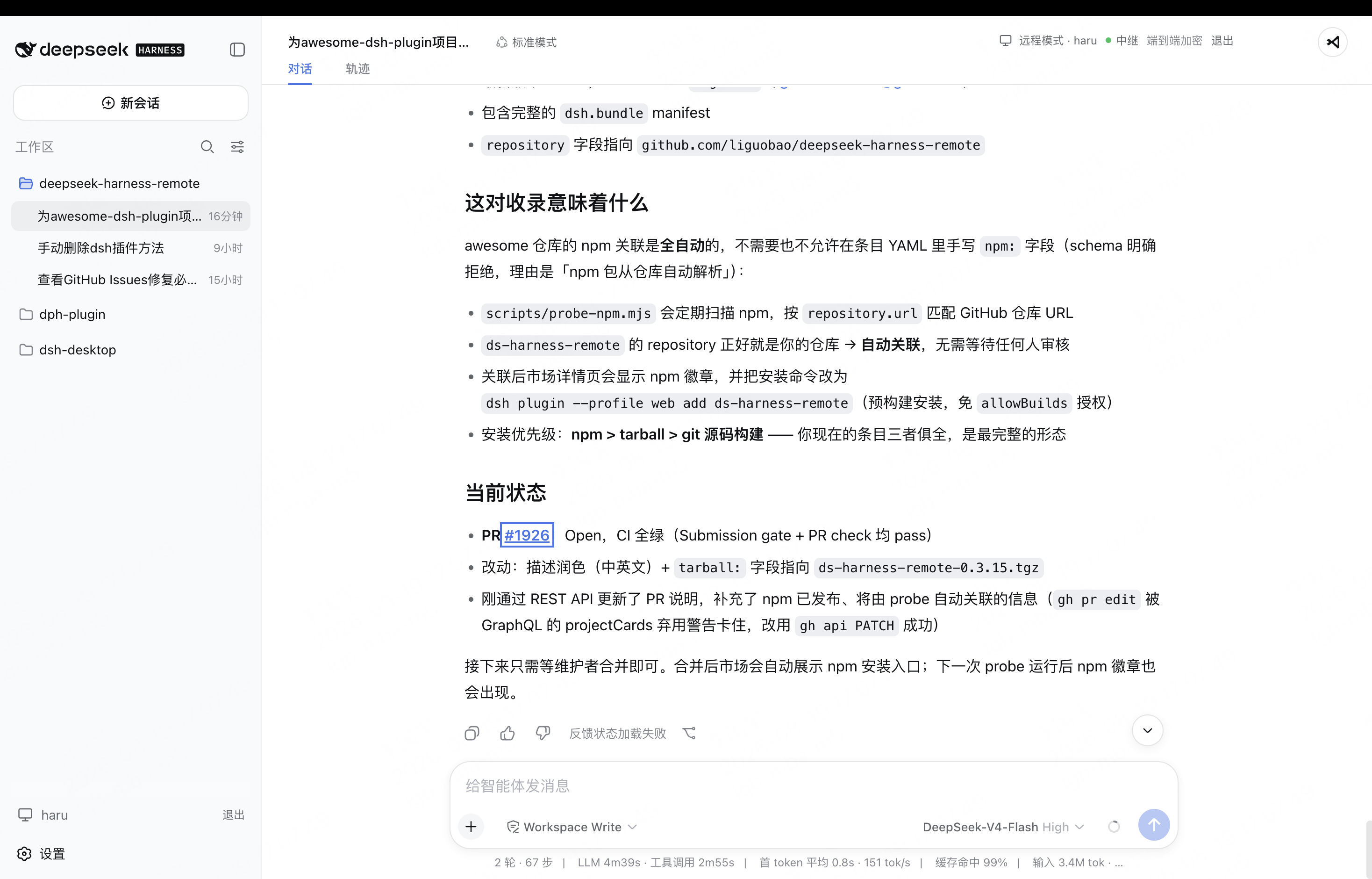
The workspace opens in the native Harness interface, with the active Host and encrypted connection status shown in the header.
Android
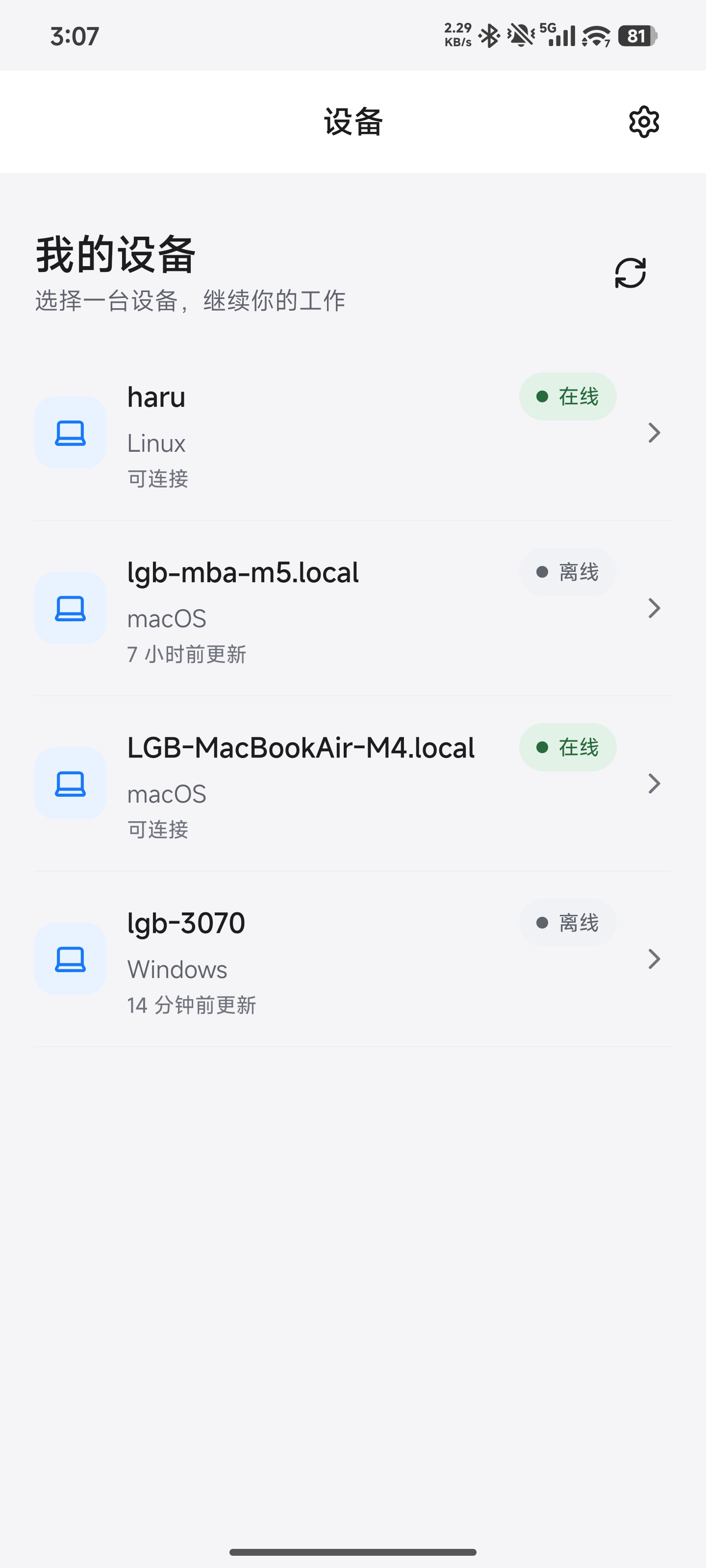
Download the latest Android APK from GitHub Releases.
Sign in to the Android client with your existing account, select an available computer, open a workspace, and continue the conversation with text or image prompts.
How it works
DSH Desktop / Remote Web / Android
  ↔ authenticated, end-to-end encrypted channel
Remote Plugin on the Host
  ↔ allowlisted native Harness API
Harness sessions, tools, and workspaces
The Harness Host does not need a public listening port. You can connect from anywhere with internet access, and Remote communicates over a bidirectional end-to-end encrypted channel. It switches the client to the selected Host's native Harness API, so the original workspace, tools, and permission flow remain on that computer. Every settings namespace currently registered by the Host can also be configured remotely through the official Harness settings API. Credential values remain write-only, and Host-local document/open actions are never exposed.
Security
- Session traffic is end-to-end encrypted. The service relays ciphertext without storing session plaintext or device private keys.
- Server membership and the Host's locally pinned peer identity must both authorize a connection.
- Remote does not expose a direct shell, PTY, general tool RPC, or remote desktop. Harness tools may still modify files or run commands on the Host under Harness's normal permission controls.
- The workspace picker lists folders only and returns bounded, read-only directory metadata.
- Optional File Viewer access is limited to authenticated, encrypted range reads and continues to enforce provider root and locator authorization.
- Remote file preview cannot write, delete, upload, execute, or open a path in an external application.
- Removing a device revokes its credentials, membership, and active Remote connections.
Compatibility
Compatible with DeepSeek Harness dsh-v0.1.1-rc.2.
Documentation
Links
- Community acknowledgement: this project recognizes and supports the LINUX DO community.
- Related project by the author: Cyber Liu Kanshan
Project status and trademarks
This is an independent community project and is not an official DeepSeek product. DeepSeek and related names and marks belong to their respective owners.
License
相关推荐Related
-
 nexu-io/open-design
🎨 Best DeepSeek Harness Design Plugin. The open-source Claude Design alternative. 🖥️ Local-first desktop app. 🖼️ Your…
nexu-io/open-design
🎨 Best DeepSeek Harness Design Plugin. The open-source Claude Design alternative. 🖥️ Local-first desktop app. 🖼️ Your…
-
 esengine/DeepSeek-Reasonix
DeepSeek-native AI coding agent for your terminal. Engineered around prefix-cache stability — leave it running.
esengine/DeepSeek-Reasonix
DeepSeek-native AI coding agent for your terminal. Engineered around prefix-cache stability — leave it running.
-
 anywhere-labs/deepseek-harness-desktop
为 DeepSeek Harness (DSH) 插件生态打造的现代化桌面端解决方案。万物皆「插件」,桌面本身也是「插件」。
anywhere-labs/deepseek-harness-desktop
为 DeepSeek Harness (DSH) 插件生态打造的现代化桌面端解决方案。万物皆「插件」,桌面本身也是「插件」。
-
 YaoApp/yao
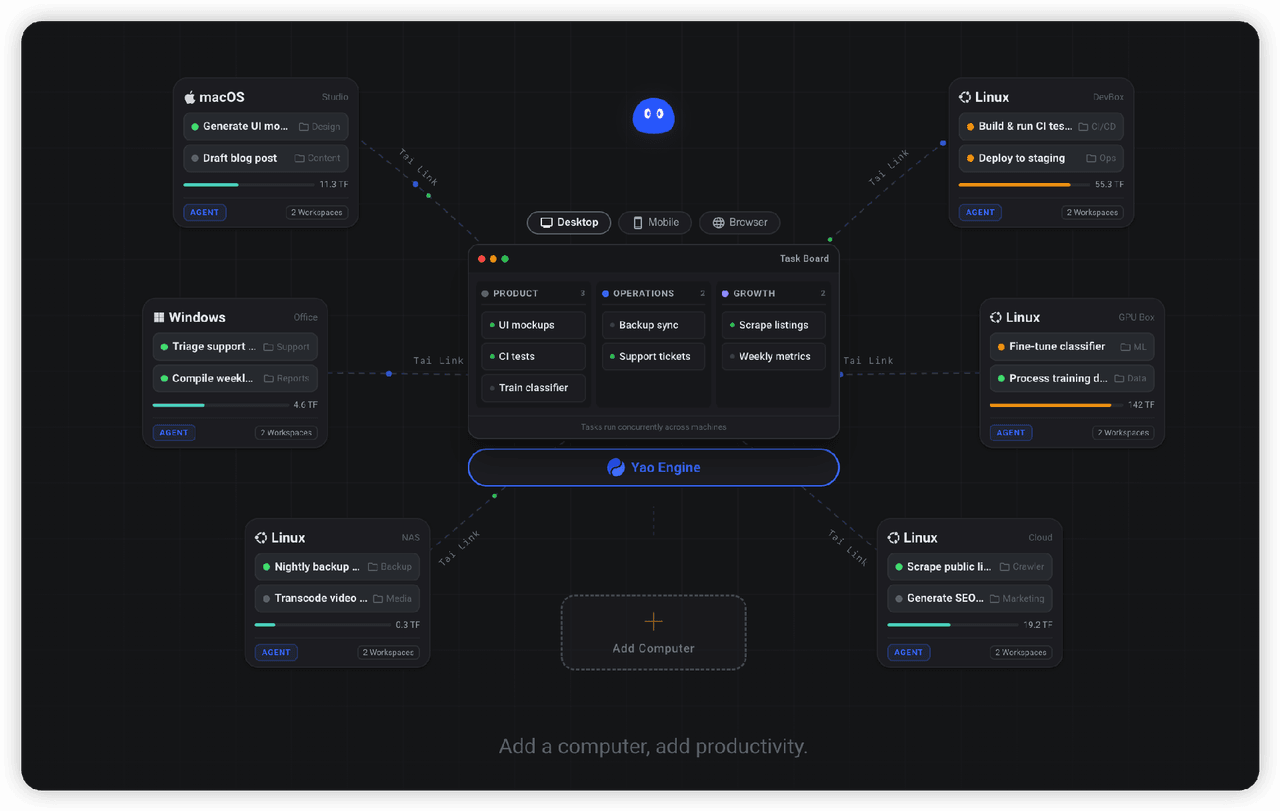
✨ All your agents and workspaces in one place, on every device you own. Track tasks on a board, accessible from desktop,…
YaoApp/yao
✨ All your agents and workspaces in one place, on every device you own. Track tasks on a board, accessible from desktop,…
-
 zhu1090093659/dsh-web-ui
Plugin and skin collection for DeepSeek Harness (DSH) Web UI - task board, git graph, right-side panel, remote mobile UI…
zhu1090093659/dsh-web-ui
Plugin and skin collection for DeepSeek Harness (DSH) Web UI - task board, git graph, right-side panel, remote mobile UI…
-
 Devin-AXIS/iPolloWork
Enterprise-grade, local-first Agent Workbench for people and agent teams. A unified multi-engine workspace for Codex Har…
Devin-AXIS/iPolloWork
Enterprise-grade, local-first Agent Workbench for people and agent teams. A unified multi-engine workspace for Codex Har…
-
 edison7009/EchoBird
One-click install + model switch:Claude Code,Codex CLI (OpenAI), Grok Build (xAI), DeepSeek Harness, Kimi Code (Moonshot…
edison7009/EchoBird
One-click install + model switch:Claude Code,Codex CLI (OpenAI), Grok Build (xAI), DeepSeek Harness, Kimi Code (Moonshot…
-
 chuspeeism/dashi-taskboard
—
chuspeeism/dashi-taskboard
—