lovaxi/Rubato_Device
Rubato - a palm-sized retro-Macintosh AI desk companion that turns AI wait time into gentle health breaks. Firmware, tools and docs.
Project Overview项目介绍
Rubato is a palm-sized retro-Macintosh style desktop companion built around an ESP8266 NodeMCU and a 240×240 color TFT display, redesigned from the original Misaka 2021 clock and released under GPL-3.0. Its core capability is health micro-break enforcement for programmers and heavy AI users: a PC-side plugin publishes the user's AI session state — thinking, generating, done — over TLS MQTT, and the device mirrors it with a cream breathing orb, a glacier-blue pulse, and a green calm glow, escalating into a full-screen micro-break reminder whenever a task is estimated to last 30 seconds or more. The product is not a DeepSeek Harness exclusive; rather, it ships a portable MQTT contract that already covers DeepSeek Harness, OpenClaw, Cursor, and OpenCode, with Codex and Claude Code listed as planned targets, and the firmware additionally doubles as a standalone NTP desk clock with Open-Meteo weather, browser-based brightness/orientation/°C-°F settings, and HTTPS segmented OTA updates that recover from bad images via a Safe Mode self-heal without USB.
Typical usage starts at the official Tindie store, where the assembled device is sold as "Rubato, Retro Mac AI Desk Companion"; once powered over USB Type-C the user joins the ESP8266's built-in hotspot to push WiFi credentials, then issues a single serial command to pair the unit with a TLS-capable MQTT broker and a per-device credential set published through the matching Rubato_Plugins companion. After that, installing the agent-specific plugin (DSH, OpenClaw, Cursor, OpenCode, …) makes session telemetry flow automatically, while the on-device menu handles routine preferences; the targeted audience is desk-bound developers coping with dry eyes, stiff necks, dehydration, and stagnant circulation who want a quiet daily cadence of water, bathroom, eye, neck, kegel, and standing reminders separated by at least 30 minutes between full-screen nudges, framed as gentle companionship rather than a strict habit-tracker.
Dependencies are intentionally lightweight: the Arduino framework with ESP8266 core 3.1.2 and the TFT_eSPI graphics library, with the main firmware in rubato.ino and the health-icon pipeline in tools/; MQTT requires a TLS-supporting broker, Open-Meteo requires outbound internet, and OTA pulls new images over segmented HTTPS with an anti-brick Safe Mode fallback. Hardware schematics are derived from chuxin520922's SmallDesktopDisplay, all settings survive power loss, and first-run users should generate unique MQTT credentials per device, confirm broker TLS support, and review changelog.md before flashing.
Rubato 是基于 ESP8266 与 240×240 TFT 屏幕的掌中复古 Macintosh 桌面硬件伴侣,主任务是为长时间使用 AI 编码工具的程序员提醒微休息。它通过一个 PC 端插件把 AI 编码会话状态("思考"、"生成"、"完成")以加密 MQTT 推送给设备,设备再以奶油色呼吸球、冰川蓝与完成绿色做出镜面反馈;当任务预估超过 30 秒时,会自动转入全屏休息提醒。它并不属于 DeepSeek Harness 专属插件,而是为 DSH、OpenClaw、Cursor、OpenCode(Codex、Claude Code 计划中)等多个 Agent 提供同一套 MQTT 契约的对应插件,同时也支持桌面时钟、NTP 校时、Open-Meteo 天气与基于浏览器的设置等独立功能。
典型使用流程是:先在 Tindie 购买 Rubato 硬件,插入 USB Type-C 上电;通过内置热点配网 WiFi,再用一条串口命令将其与 MQTT Broker 配对;接着在电脑上按对应 Agent 安装 Rubato_Plugins 仓库里的插件并填入每台设备的 MQTT 凭据,会话状态便会自动推送。它的目标用户是长期伏案、眼睛干涩、颈椎僵硬的开发者与重度 AI 用户,提供喝水、如厕、眼休、颈拉伸、凯格尔、站立六类日常提醒,两次全屏休息至少间隔 30 分钟,定位为静默而温和的陪伴,而非任务打卡工具。
依赖方面,固件基于 Arduino ESP8266 core 3.1.2 与 TFT_eSPI,源码见 rubato.ino,健康图标流水线在 tools/ 下;OTA 自更新采用分段 HTTPS 下载并具备防变砖的 Safe Mode 自愈机制,无需 USB 重刷。许可证为 GPL-3.0,原始时钟来自 Misaka 2021,硬件设计源自 chuxin520922 的 SmallDesktopDisplay,所有设置掉电保持。首次使用请先确认 Broker 支持 TLS,再为每台设备生成独立凭据以避免状态串扰。
请帮我安装这个 DSH 插件。安装前先完成【兼容性检查 + 安全性检查】,检查通过再动手。

插件:Rubato_Device(lovaxi/Rubato_Device)
仓库:https://github.com/lovaxi/Rubato_Device
本站详情页:https://www.yhbd.top/plugins/lovaxi-rubato-device/
本站登记:类型 plugin · 归类 多平台兼容工具(非 DSH 原生) · 许可证 GPL-3.0 · ⭐ 2 · 最近提交 2026-09-07 · 主语言 C · 未检测到 DSH 插件清单

按下面顺序执行,每步先把结论告诉我,再进入下一步:

【1 兼容性检查】
① 我这边:DSH 版本、Node 版本、操作系统、当前 profile(web / desktop)。
② 读它的 README、package.json、插件 manifest,列出它要求的 DSH 版本 / Node 版本 / 操作系统 / 外部依赖 / 需要另外先装的运行时。
③ 逐条比对,结论只写「满足 / 不满足 / 未知」三种;不满足的给出可行替代方案。
④ 检查是否和我已装的插件冲突:命令名重复、skill / tool 重名、端口占用、重复注册的 MCP server。

【2 安全性检查】
① 仓库可信度:和上面「本站登记」是否一致;star / fork 数、创建时间、最近提交,是否归档或长期停更。
② 安装脚本:逐行看 package.json 的 preinstall / install / postinstall,以及 install.sh、setup.ps1 之类脚本。出现 curl|bash、下载后直接执行、混淆代码、访问与插件功能无关的域名,立刻停下来告诉我,不要继续装。
③ 依赖:列出新增依赖,标出无人维护、或与知名包拼写近似的可疑包(typosquatting)。
④ 权限与副作用:它会读写哪些目录、访问哪些域名、需要哪些 DSH 权限(filesystem / network / shell / clipboard 等),以及怎么卸载和回滚。
⑤ 如果它要求 sudo / 管理员权限,或权限明显超出功能所需,先停下来问我。

【3 安装】
上面两步没有「不满足」和「高危项」时才执行;用官方推荐方式安装,不要自行提权。

【4 汇报】
用表格输出:检查项 / 结论 / 依据 / 是否需要我决策。拿不准的一律写「未知」并说明要我怎么确认——不要猜,也不要替我决定。
Send this message to DSH in your current session: it verifies compatibility and security first (answering met / not met / unknown item by item) and only installs once everything checks out — it will stop and ask you if it finds a high-risk item. The box scrolls; the copy is the full prompt. CLI install commands may not be accurate across systems, so DSH is the safer route.把上面这条消息直接发给当前会话里的 DSH:它会先核对兼容性与安全性(逐条给「满足 / 不满足 / 未知」),确认没问题再安装,有高危项会停下来问你。框内可滚动,复制到的是完整提示词;安装命令不一定准确,发给 DSH 更稳。
- Only 2 stars - very few users, little community feedback星标只有 2,几乎没人在用,遇到问题缺少社区反馈
- No DSH plugin manifest detected - it may only carry the dsh-plugin topic, so the install method must be confirmed on the spot未检测到 DSH 插件清单:可能只是打了 dsh-plugin 话题,安装方式要现场确认
- Not DSH-native: a multi-platform tool that may require Node / Electron or another runtime first非 DSH 原生,是多平台兼容工具:可能要先装 Node / Electron 等运行时
DSH walks through these 9 checksDSH 会逐条核对这 9 项
Compatibility兼容性
- DSH, Node, OS and profile requirementsDSH 版本 / Node 版本 / 操作系统 / profile 是否满足要求
- External dependencies and runtimes (Electron / Python / Docker, ...)外部依赖与运行时(Electron / Python / Docker 等)是否齐备
- Conflicts with installed plugins: command names, skill / tool names, ports, duplicate MCP registration与已装插件是否冲突:命令名、skill / tool 重名、端口占用、重复 MCP 注册
Security安全性
- Repo matches the facts registered here; archived or abandoned?仓库是否与页面登记一致,是否归档或长期停更
- Safety of preinstall / install / postinstall and install.sh / setup.ps1preinstall / install / postinstall 与 install.sh、setup.ps1 是否安全
- curl|bash, download-then-execute, obfuscation, unrelated domains → stop immediatelycurl|bash、下载即执行、混淆代码、无关域名 → 立刻停止
- Typosquatting or unmaintained packages among the new dependencies新增依赖里有没有 typosquatting 或无人维护的包
- Requested permissions vs. what the feature actually needs申请了哪些权限、是否超出功能所需(filesystem / network / shell / clipboard)
- Any sudo / admin requirement, plus uninstall and rollback是否要求 sudo / 管理员权限,以及卸载与回滚方式
Anything uncertain must be marked unknown with a note on how to confirm it. This site's signal screen is a static snapshot, not a security audit.拿不准的必须标「未知」并说明要我怎么确认。本站的信号筛查是静态快照,不能替代安全审计。
Or use CLI install (for developers)或使用命令行安装(适合开发者)
CLI Install命令行安装
dsh plugin --profile web add github:lovaxi/Rubato_Device把 lovaxi/Rubato_Device 加入你的 DSH 配置(web profile)即可启用。
READMEREADME
Rubato
When AI thinks, you move.
中文说明 | English
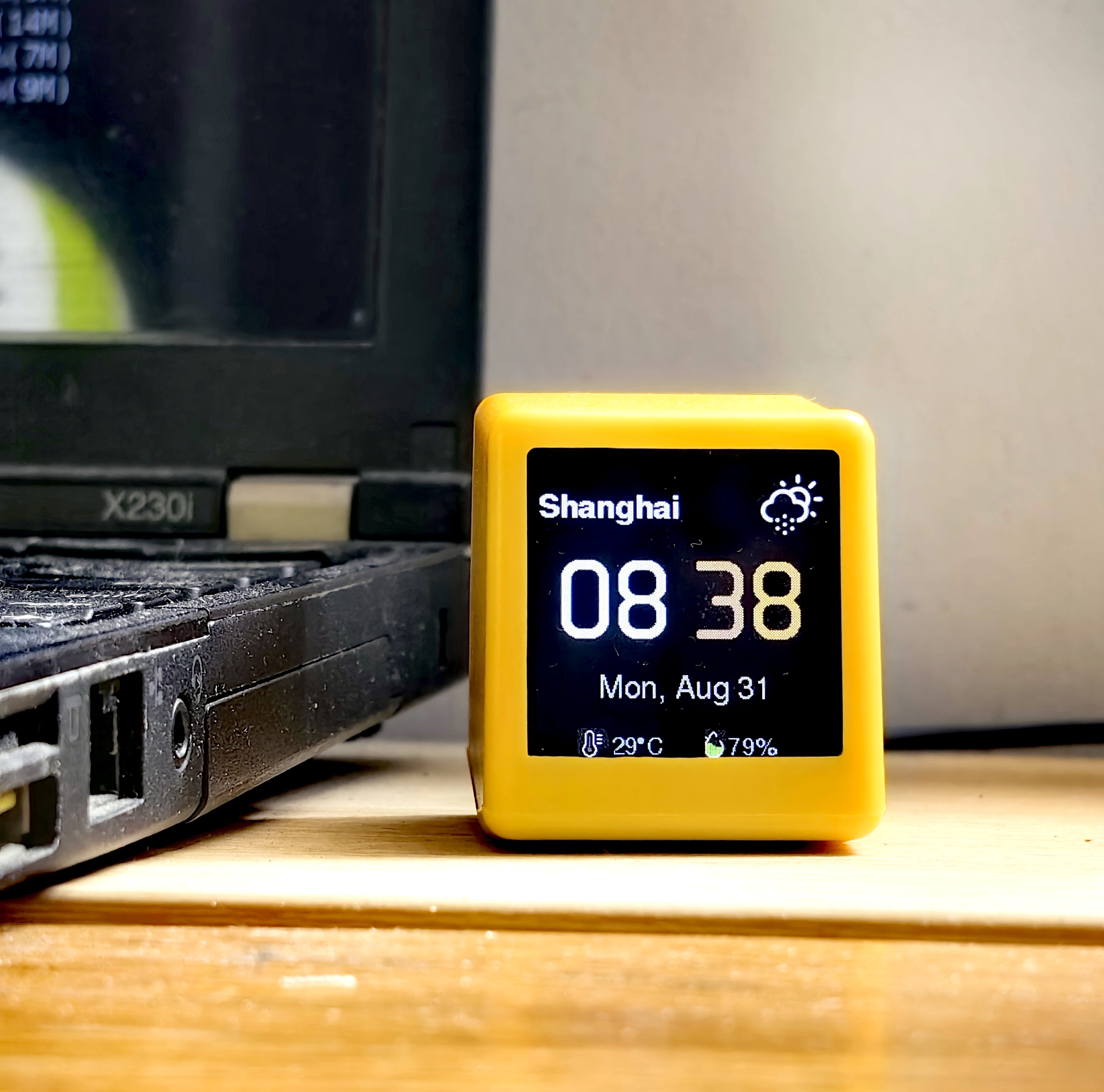
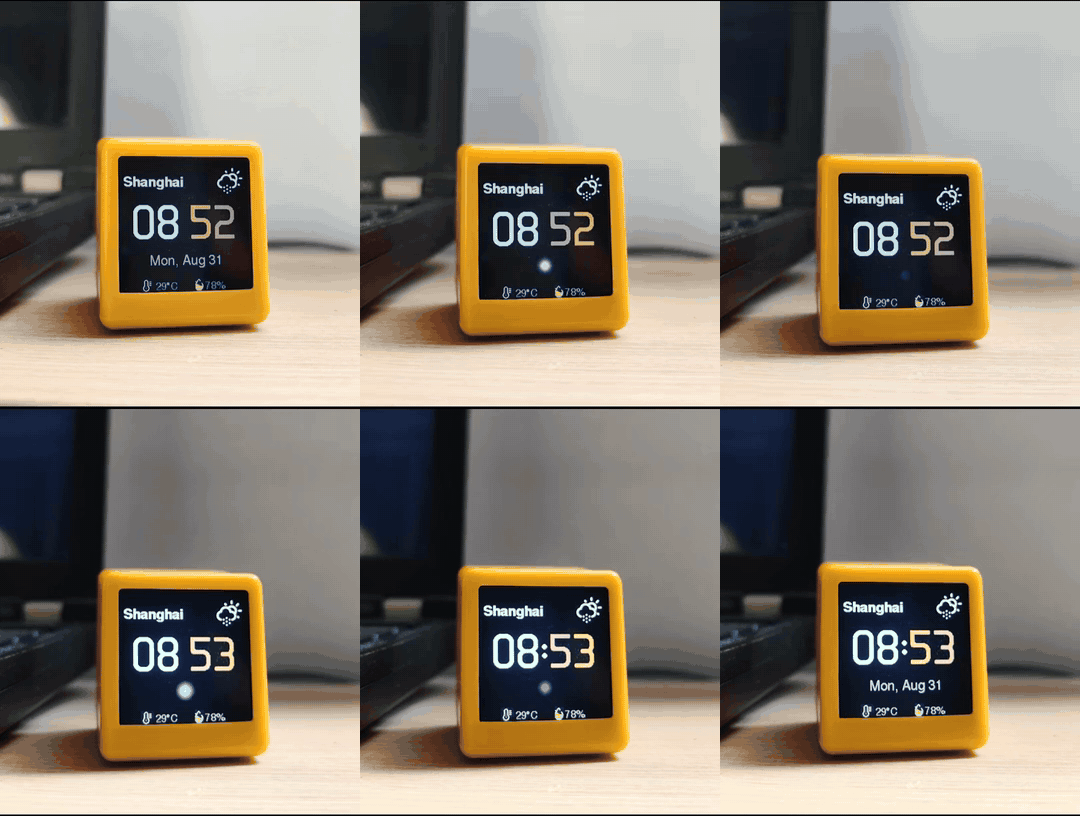
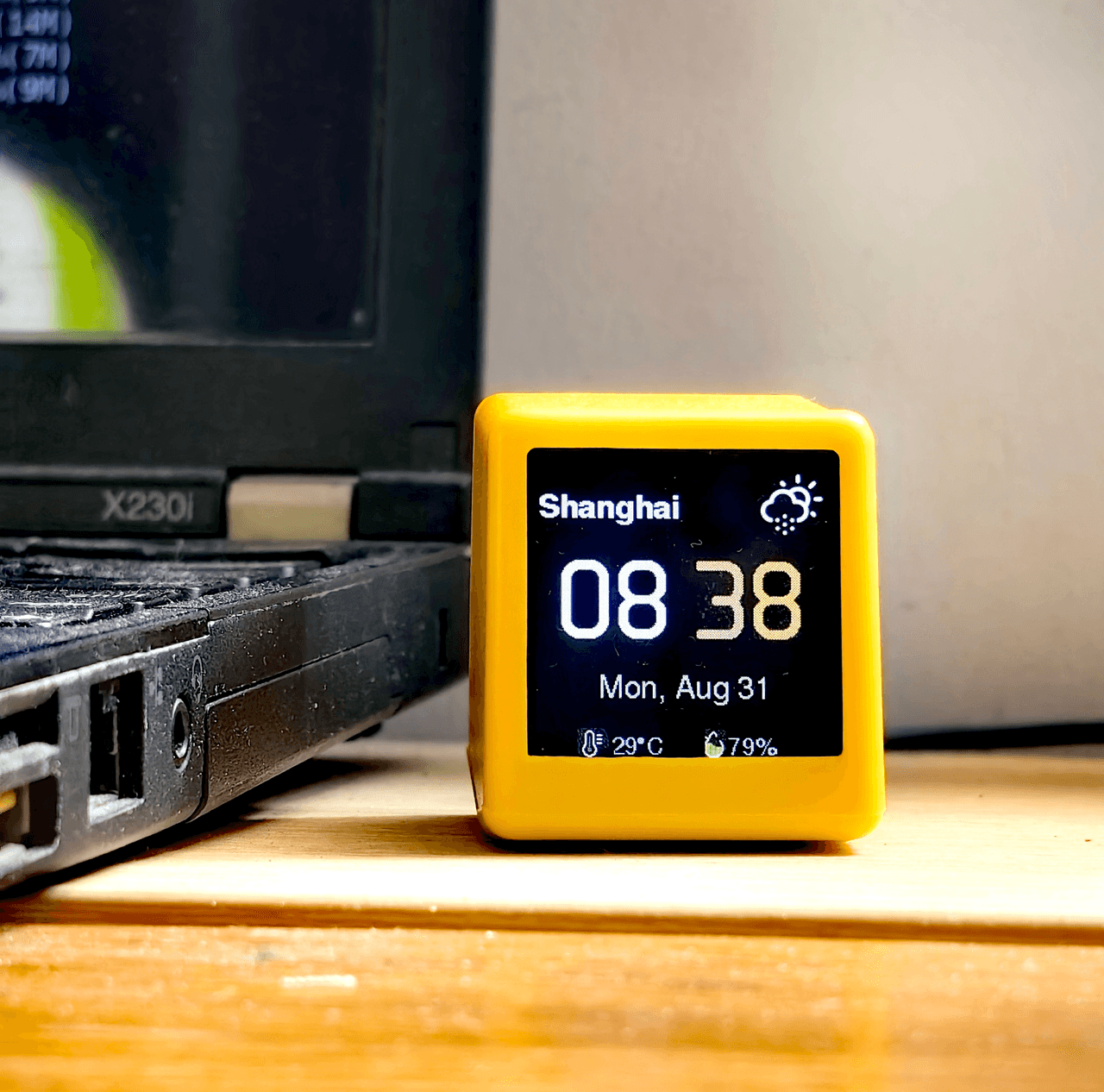
Rubato is a palm-sized retro-Macintosh screen (ESP8266, 240×240 color display) built for one job: looking after the bodies of programmers and heavy AI users. Long sessions keep you pinned to the chair — dry eyes, a stiff neck, an aching back. Rubato watches your AI coding sessions and turns long waits into real, gentle breaks — water, eye rest, a stretch — on time, every day. The rest of the time it just sits quietly on your desk, never in your way.
Get one
Official store: Tindie — Rubato, Retro Mac AI Desk Companion
How it works
- A small PC plugin publishes your AI session state over MQTT (TLS):
thinking→generating→done - A breathing orb mirrors the state — cream while thinking, glacier blue while generating, green when done
- When a task looks long (est. ≥ 30 s), Rubato eases into a full-screen micro-break reminder
Six daily breaks
Water · Bathroom break · Eye rest · Neck stretch · Kegels · Standing desk
The six targets are what sitting all day actually costs: dehydration, eye strain, a stiff neck, stagnant circulation. Each activity has a daily quota, and two full-screen breaks stay at least 30 minutes apart. The design is quiet and natural — soft colors, slow rhythm, one gentle nudge at a time — so every break feels light and pleasant, never like an interruption. The promise is reminders delivered, not completion-rate check-ins.
More than reminders
- Desk clock — NTP time, western date format, weather with auto-location (Open-Meteo)
- State orb — per-device MQTT credentials; Rubato mirrors the session state, never the message text
- OTA self-update — segmented HTTPS download with an anti-brick guard: a bad update lands in Safe Mode and self-heals remotely, no USB needed
- Web settings — brightness, orientation, °C/°F from your browser; everything survives power loss
Plugins
A plugin for every coding agent, all speaking the same MQTT contract — install from Rubato_Plugins.
| Agent | Status |
|---|---|
| DeepSeek Harness | available |
| OpenClaw | available |
| Cursor | available |
| OpenCode | available |
| Codex | planned |
| Claude Code | planned |
Hardware & source
ESP8266 (NodeMCU) + 240×240 TFT, powered over USB Type-C. Arduino framework (ESP8266 core 3.1.2, TFT_eSPI). Firmware in rubato.ino, health-icon pipeline in tools/. Flash, provision WiFi through the built-in hotspot, pair with the broker via one serial command — done.
License
GPL-3.0 — original clock by Misaka (2021), redesigned as Rubato. Hardware design scheme from SmallDesktopDisplay by chuxin520922.
Full development history in changelog.md.
Related相关推荐
-
 yogsoth-ai/de-anthropocentric-research-engine
A 267-skill research graph in pure markdown — 51 research operations built from 216 single-purpose steps, composed in an…
yogsoth-ai/de-anthropocentric-research-engine
A 267-skill research graph in pure markdown — 51 research operations built from 216 single-purpose steps, composed in an…
-
 ZSeven-W/dsh-openpencil
The DeepSeek Harness plugin for OpenPencil — preview, inspect, and edit real .op documents inside a conversation.
ZSeven-W/dsh-openpencil
The DeepSeek Harness plugin for OpenPencil — preview, inspect, and edit real .op documents inside a conversation.
-
 HanaAyane/dsh-reasoning-effort
DSH适用的Codex风格的思考强度滑块,以及大肥鱼跑步滑块。Codex-style model and reasoning-effort slider for DeepSeek Harness
HanaAyane/dsh-reasoning-effort
DSH适用的Codex风格的思考强度滑块,以及大肥鱼跑步滑块。Codex-style model and reasoning-effort slider for DeepSeek Harness
- T-Auto/dsh-std DSH Plugin Interoperability Meta-Protocol / DSH 插件互操作元协议
- FylarOpen/dsh-fylar-office-editor Office document preview, editing, and DOCX generation for DeepSeek Harness, powered by Fylar Office SDK.
- reddapidev/dsh-reddit-radar A dsh plugin that periodically scans reddapi.dev for new Reddit leads matching your one-sentence ICP, dedupes what you'v…
-
 HuanLinOTO/dsh-plugin-better-sidebar-plugin-office
为 better-sidebar 提供 Office 三件套预览(.docx/.xlsx/.pptx),独立 bundle 瘦身主体 | Provides Office-suite preview (.docx/.xlsx/.pptx) f…
HuanLinOTO/dsh-plugin-better-sidebar-plugin-office
为 better-sidebar 提供 Office 三件套预览(.docx/.xlsx/.pptx),独立 bundle 瘦身主体 | Provides Office-suite preview (.docx/.xlsx/.pptx) f…
-
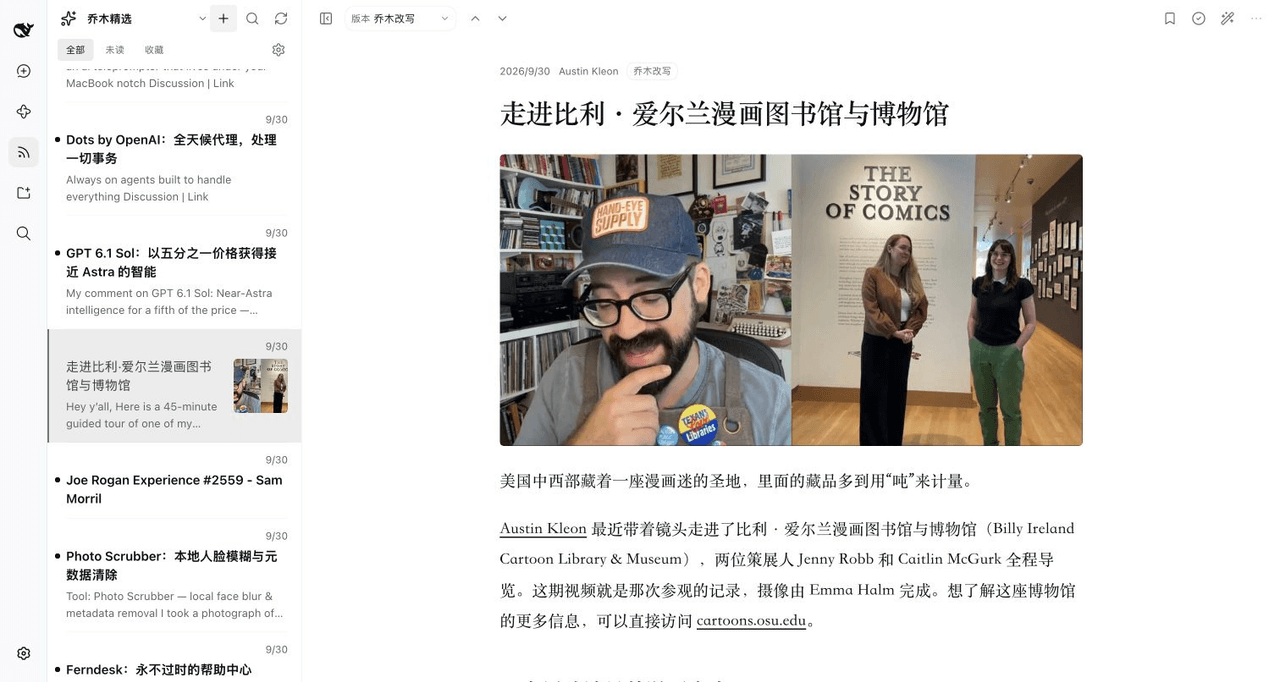 joeseesun/qiaomu-rss-dsh
在 DeepSeek Harness 中阅读 RSS,与原生 AI 对话伴读文章 | RSS reading with native AI companion for DeepSeek Harness
joeseesun/qiaomu-rss-dsh
在 DeepSeek Harness 中阅读 RSS,与原生 AI 对话伴读文章 | RSS reading with native AI companion for DeepSeek Harness