Lsc-91-69/dsh-brain-compaction
人脑式上下文压缩逻辑,大幅减少长任务上下文占用以及token消耗
Project Overview项目介绍
This is a context compaction integration plugin for DeepSeek Harness 0.1.5. It integrates 7 community context compression tools, provides a unified configuration panel, compression verification and recall capability to save tokens, enable selective forgetting and cross-session memory. Use it when optimizing LLM context length. Note only dsh-argp engine works currently, some components need extra configuration.
这是适配DeepSeek Harness 0.1.5的上下文压缩整合插件,集成7个社区上下文压缩相关工具,提供统一配置面板、压缩验证和统一召回能力,可节省Token、实现选择性遗忘与跨会话记忆。需优化大模型上下文长度时使用,注意当前版本仅dsh-argp引擎可用,部分组件需额外配置。
请帮我了解并安装插件:【dsh-brain-compaction】【https://github.com/Lsc-91-69/dsh-brain-compaction】Send this message to DSH in your current session. CLI install commands may not be accurate across systems — DSH will figure it out for you.把上面这条消息直接发给当前会话里的 DSH,让它帮你了解并安装。安装命令不一定准确,发给 DSH 更稳。
Or use CLI install (for developers)或使用命令行安装(适合开发者)
CLI Install命令行安装
dsh plugin --profile web add "github:Lsc-91-69/dsh-brain-compaction"把 Lsc-91-69/dsh-brain-compaction 加入你的 DSH 配置(web profile)即可启用。
READMEREADME
English | 中文
dsh-brain-compaction — Human-brain-style context compaction, unified
Since 0.1.5 this targets DeepSeek Harness 0.1.5. See "DSH 0.1.5 compatibility" below.
A DeepSeek Harness plug-in (Cordis bundle) that composes seven community context-compression plug-ins into one coordinated, verifiable system — not a dependency collector:
| Component | Tools (namespaced) | Default | Row id |
|---|---|---|---|
| dsh-argp (atomic reference-graph pruning, 0-LLM, selective forgetting) | recall_pruned / list_pruned / recall |
enabled | dsh-argp |
| dsh-compaction-instant (VCC-style near-lossless) | recall / search |
disabled (unusable on 0.1.5, see below) | brain-compaction-instant (+brain-tool-recall / brain-command-recall) |
| @wanyantiande/dsh-headroom (tool-output compression + CCR store) | headroom_retrieve |
disabled (needs local proxy) | brain-headroom |
| dsh-memory-vault (cross-session memory) | memory_remember / memory_recall / memory_forget |
enabled | brain-memory-vault |
| dsh-sgme (multi-agent shared memory) | memory_search wiki_* signal_* role_* (18 tools) |
disabled (needs SGME gateway) | brain-sgme |
| dsh-mcp-lens (lazy MCP tool catalog) | mcp_search / mcp_call |
enabled (zero servers) | brain-mcp-lens |
| dsh-routing-suite (smart routing "We Need" chain, 0 extra LLM calls) | no model tools; assemble-time guidance section + read-only status API | enabled | brain-routing-suite |
| dsh-context-doctor (injection token audit) | context_audit |
optional (GitHub-only) | context-doctor |
| Unified layer (this plug-in) | brain_status / brain_verify / brain_recall |
enabled | dsh-brain-compaction |
DSH 0.1.5 compatibility
0.1.5 changed three runtime API shapes. Every one of them fails at module evaluation time (or fails silently), so a static contract test cannot see them — which is why this release also upgrades verification from "read the source" to "actually mount it".
| 0.1.5 change | Old shape (1.1.0 — broken on 0.1.5) | New shape (0.1.5) |
|---|---|---|
@deepseek-ai/dsh-settings runtime exports narrowed to { SettingsProvider, SettingsConflictError, redactSecrets } |
import { installSettingsSection, settingsNamespace } from '@deepseek-ai/dsh-settings' → throws on import (the whole plug-in row fails to load) |
the package-level function became the registry instance method ctx.settings.installSection(ctx, ns, schema, entry, hooks); a namespace is now a plain string literal; the package is imported type-only (zero runtime dependency) |
| settings became a service that must be resolved | — | resolved as a soft dependency via ctx.inject(['settings'], …): when the provider is absent (headless, older, trimmed composition) the plug-in still mounts in composition-config-only mode with one warn; a provider lacking installSection degrades instead of throwing |
Session no longer exposes .events |
session.events.filter(…) → always undefined, so brain_verify's compaction history silently reported 0 entries |
reads session.snapshotEvents() (with a fallback to the old shape); before/after token comparison works again |
the browser module table (PLATFORM_MODULES) no longer has @deepseek-ai/dsh-client-runtime |
require("@deepseek-ai/dsh-client-runtime/client") → missed the module table, the entire settings card (plus its CSS) disappears |
takes createSnapshotStore from the platform seed word @deepseek-ai/dsh-client-store (same zustand+immer engine; getSnapshot/subscribe/set/update contract unchanged) |
Related adjustments:
- Dependency lines:
dsh-argpmoves to^1.1.0(itspeerDependenciesname^0.1.5-rc.1, and it too moved to the 0.1.5 settings source thunk);peerDependenciesbecomes>=0.1.5-rc.1. dsh-compaction-instantis currently unusable:0.1.4still importsinstallSettingsSection/settingsNamespace, so enabling that row on 0.1.5 fails at startup. The patch keeps itdisabled: truewith a comment; switch engines once upstream ships a fix.- Engine detection hardened: argp 1.1.0 also exports
ArgpT1Engine,ArgpRecallEngine, andArgpProbeEngine; all four class names now count as argp, and an unknown class name is named in the report instead of a generic FAIL. dsh.client.injectdrops the removeddsh-client-runtime(and the unusedconnection).
Verification (new in 0.1.5)
npm run build       # esbuild bundles the host half; the client half is copied verbatim
npm run test        # 42 static contract checks (incl. 0.1.5 regression guards)
npm run test:mount  # 16 real-runtime mount checks (built artifact onto real cordis + ToolRuntime + SettingsProvider)
npm run test:client # 16 browser-half smoke checks (stub require really executes the factory)
npm run verify      # all of the above
test:mount needs a DSH installation to resolve @deepseek-ai/*: it probes
$DSH_RUNTIME_ROOT → $DSH_HOME/profiles/node_modules → a few common paths and
skips (exit 0) when none exists. It asserts what static analysis never can:
the built artifact imports, the fiber really reaches ACTIVE, all three tools
register, the settings namespace really registers and accepts a write, and
brain_verify really reads 2 compaction summaries out of snapshotEvents().
Deep integration = composition + coordination, not dependencies
- Assemble:
cordis.patch.ymlmounts every component row through the Cordis composition mechanism (row insertion, package-name references, disabled overrides). The profile usesnodeLinker: hoisted, so sub-plugins listed as regulardependenciesresolve by row name — no per-plugindsh plugin add. - Coordinate:
src/host/integration.tsprobes at runtime with zero imports — tool registry (ctx.tools.schemas()), services (ctx.get('compaction'),tokenMeter), engine class name. Any missing/disabled component degrades gracefully. - Arbitrate:
ctx.compactionallows exactly one implementation per context. argp and instant both register the toolrecall(duplicates throw), so the patch keeps exactly one engine row enabled (argp by default);brain_verifyvalidates this. - One panel: Settings → Plugins → Brain Compaction binds multiple settings namespaces (this plug-in + compaction-instant + headroom) in one card; writes still go through each plug-in’s native scope (schema-validated, live-applied).
- Routing chain (We-Need):
dsh-routing-suiteis a host row — zero extra LLM calls; it regex-classifies the first user task (fix/diagnose/review → inspect-first; build/create/implement → direct) and appends one ~90-char guidance line, but only for sessions whose preset id is exactlyrouting-suite. Deep integration: mounted under the unique idbrain-routing-suite(status API and strategy surface stay available), and the same We-Need discipline is baked into the brain preset persona (always-on for any first task, no id check). The honest token story: direct tasks skip redundant exploration, maintenance tasks never skip root cause — fewer wasted turns, less context growth; it does NOT lower per-request injection cost. If you previously installed the standalone bundle, remove it before using this assembly.
Install
One-liner (recommended):
dsh plugin --profile web add "github:Lsc-91-69/dsh-brain-compaction"
# restart dsh web (stop it and start again, or use the GUI's restart control)
From a source checkout:
git clone https://github.com/Lsc-91-69/dsh-brain-compaction
dsh plugin --profile web add "file:<path-to-the-clone>"
# restart dsh web
Use the file: (or github:) spec, never link: — a link: spec does not
install this package's sub-plug-in dependencies and the composed rows would fail
to resolve. For iterative development you may link: and pnpm install the
sub-deps yourself. Ship the built lib/ either way.
Verify the install (2 minutes)
Restart
dsh web— the profile composes its plugin rows at boot; a running process never hot-loads a new bundle.Check the composed tree (no server started, read-only):
dsh --profile web --dump-config | Select-String 'brain-|compaction'Expected:
dsh-brain-compactionENABLED,dsh-argpENABLED,compaction-basicdisabled (this bundle's patch turns the stock summarizer off),brain-compaction-instant/brain-tool-recall/brain-command-recalldisabled (engine exclusivity), andbrain-memory-vault/brain-mcp-lens/brain-routing-suiteENABLED.Ask the model to run
brain_verifyin a fresh session. A healthy install reportsengine: ArgpGraphEngineand PASS for argp / memory-vault / mcp-lens / routing-suite; instant / headroom / sgme / context-doctor are SKIP by design.Open Settings → Plugins — the "Brain Compaction" card is contributed by this plug-in's browser half. (That tab renders the intersection of the namespaces the Host serves and the cards the browser registered, so a missing card means the Host half did not mount — check the host log for an import error.)
Troubleshooting a fresh install
The requested module '@deepseek-ai/dsh-settings' does not provide an export named 'installSettingsSection'→ you are on a pre-0.1.5-dsH release. This version (0.1.5) targets DSH 0.1.5-rc.1+; upgrade both sides.tool "recall" is already registered→ argp and instant are both enabled; restore engine exclusivity (see "Engine switching").- Duplicate row id → a sub-plug-in was also added as its own bundle; run
dsh plugin --profile web remove <name>and keep this bundle's assembly. - The profile cannot resolve
dsh-brain-compaction→ re-rundsh plugin --profile web install; the dependency must be present in the profile's ownnode_modules.
Optional component (Context Doctor — GitHub-only, not published to npm):
dsh plugin --profile web add "github:Zhenyu98/dsh-context-doctor#main"
Install from GitHub & distribution
# any machine (append #v0.1.5 to pin a release)
dsh plugin --profile web add "github:<your-name>/dsh-brain-compaction"
# restart dsh web
This works because the repository root IS the package: package.json,
lib/, src/, preset/, scripts/, test/ all sit at the top level beside
the README. pnpm resolves a github: spec by packing the repo root, so a layout
that nests the package one level down (e.g. repo/<name>/package.json) fails
with "no package.json" — verified against real GitHub tarballs: a subdirectory
layout yields a root containing only README.md and the subdirectory, and pnpm
has nothing to pack.
- The repo must contain
lib/(build artifacts) — a GitHub install uses the repo as-is and does not build; contract test 5d guards this. - Installing pulls the sub-plug-in dependencies automatically (npm versions
resolve by row name under
nodeLinker: hoisted); do NOTdsh plugin addany sub-plug-in separately (duplicate row ids). - For local development use
file:(orlink:+pnpm installthe sub-deps). - Run
npm run verifybefore publishing: build + 42 contract assertions + 16 real-runtime mount assertions + 16 browser-half assertions. The mount suite needs a DSH install to resolve@deepseek-ai/*(it probes$DSH_RUNTIME_ROOT→$DSH_HOME/profiles/node_modules→ each parent directory'snode_modules) and skips cleanly when none exists.
The agent preset ships along: the validated 人脑式上下文压缩 preset lives
in preset/ (compression-discipline persona + session-level argp engine row).
Copy it to $DSH_HOME/.agent-presets/brain-compaction/; see preset/README.md.
Release checklist: git init, commit everything (.gitignore excludes
node_modules/; commit lib/, preset/, src/, scripts/, test/,
cordis.patch.yml, READMEs, LICENSE), tag v0.1.5, then
dsh plugin --profile web add "github:<you>/dsh-brain-compaction#v0.1.5".
In a fresh session ask the model to run brain_verify — component matrix
(PASS/SKIP/FAIL), session token snapshot, recent compaction history, and the
context_audit hook, all in one report.
Engine switching (argp ↔ instant ↔ headroom)
Edit the plug-in’s cordis.patch.yml (or override its rows in your own profile
patch): set disabled: true on the currently enabled engine row, remove
disabled from the target row (instant also needs brain-tool-recall and
brain-command-recall enabled), restart.
Session-level engine: the 人脑式上下文压缩 preset places its engine row
inside the per-session compaction realm in agent.cordis.yml (default
dsh-argp) — that row is the engine brain-preset sessions actually use; the
host-level engine row serves presets without their own compaction group. Keep
the two planes consistent when switching (the preset already replaced
compaction-basic with dsh-argp for you).
Verification (before/after token comparison)
- Call
brain_verify(summary): engine state + component matrix + current tokens + recentcompaction/summaryleaf fields (shadowed/checkpoint). (This used to report nothing on 0.1.5 —session.eventswas removed; it now readssession.snapshotEvents().) - If Context Doctor is installed, call
context_audit: per-item token cost of AGENTS.md chain / skill catalog / tool schemas / MCP surface, duplicates and conflicts (per-request injection; compaction shrinks the conversation, not this baseline). - Run two manual compactions (
/compact), thenbrain_verifyagain and comparesessionTokensand the compaction history — that is the before/after Token delta. brain_statusfor arbitrary snapshots;brain_recall(seq|query)for unified recovery of pruned content.- Three shipped suites (
npm run verify):test/contract.test.mjs(42 static contract assertions),test/mount.test.mjs(16 real-runtime mount assertions),test/client.test.mjs(16 browser-half smoke assertions).
Config matrix
| Parameter | Plane | How |
|---|---|---|
| Engine choice | composition | cordis.patch.yml disabled flags + restart (only argp is usable on 0.1.5) |
| argp maxPasses / recencyGuard | composition | row config (default 256 / 10) |
| instant thresholdRatio / retainTurns / retainTokens / auto / checkpointCap | runtime | unified panel / settings compaction-instant (that plug-in is unusable on 0.1.5) |
| headroom toggle / threshold / proxy | runtime | unified panel / settings headroom |
| selfTestAfterBoot / verifyDetail | runtime | unified panel / settings brain-compaction (0.1.5: ctx.settings.installSection) |
| sgme baseUrl / agentKey / … | composition | row config + env vars |
| vault injectLimit / recallLimit | composition | row config (default 8 / 10) |
| mcp-lens servers / allowTools / denyTools | composition | row config (empty, fail-closed) |
| context-doctor defaultCwd / cacheTtlMs | composition | its own patch |
Layout
src/host/index.ts       entry (settings soft-dependency registration, tools, events, boot self-check)
src/host/config.ts      unified config (brain-compaction namespace + schema; settings package is type-only)
src/host/integration.ts component matrix / engine arbitration / verify / unified recall
src/client.js           unified settings panel (verbatim ModuleLoader factory; platform word dsh-client-store)
cordis.patch.yml        assembly: component rows + engine exclusivity + basic disabled
scripts/build.mjs       esbuild packaging (src/host/*.ts → lib/*; falls back to the official CLI on EPERM)
test/contract.test.mjs  static contract tests (42, incl. 0.1.5 regression guards)
test/mount.test.mjs     real-runtime mount tests (16; needs a DSH install, else skipped)
test/client.test.mjs    browser-half smoke tests (16; no browser needed)
Development
npm run build       # esbuild host + verbatim client copy
npm run test        # static contract tests (42)
npm run test:mount  # real-runtime mount tests (16; skipped without a DSH install)
npm run test:client # browser-half smoke tests (16)
npm run verify      # all of the above
Troubleshooting
- Boot error
tool "recall" is already registered: argp and instant are both enabled — restore engine exclusivity. - Boot error duplicate row id: a sub-plug-in was previously added as its own
bundle (
dsh plugin --profile web remove <name>, keep this bundle’s assembly). - Boot error
The requested module '@deepseek-ai/dsh-settings' does not provide an export named 'installSettingsSection': you are on a pre-0.1.5 version (that one only targets 0.1.0-rc.x). Upgrade to 0.1.5+. - Startup fails after enabling the instant engine:
dsh-compaction-instant@0.1.4is not 0.1.5-compatible (same removed exports). Keep that rowdisabled: true, or wait for an upstream release. - The "Brain Compaction" card is missing from Settings → Plugins: either the
host half did not mount (the host log carries the import error), or the host
brain-compactionnamespace failed to register — on 0.1.5 the plug-in configuration tab only renders the intersection of namespaces the Host serves and card keys registered, so a failed registration means no card (this is not a rendering bug).npm run test:mountanswers this directly. brain_verifyengine FAIL naming a class not in the engine table: thectx.compactionimplementation is new. If it is another argp assembly, add the class name toENGINE_CLASS_MAPinsrc/host/integration.ts.brain_verifyengine FAIL with no class name: something re-enabledcompaction-basicor preempted the engine.- A section is missing from the panel: that plug-in’s row is disabled by default (see table); enable and restart.
License
MIT. Sub-plug-ins keep their own licenses (dsh-argp MIT, dsh-compaction-instant MIT, dsh-memory-vault MIT, @wanyantiande/dsh-headroom MIT, dsh-mcp-lens MIT/EULA, dsh-sgme MIT, dsh-context-doctor BSD-3-Clause).
English | 中文
人脑式上下文压缩逻辑 · dsh-brain-compaction
0.1.5 起适配 DeepSeek Harness 0.1.5。 详见下方「DSH 0.1.5 适配」。
一个 DeepSeek Harness 插件(Cordis bundle)。它不是"Hell World 依赖收集器",而是把 社区里七个人脑式上下文压缩方向的插件组装成一个统一、协同、可验证的体系:
| 组件 | 工具(命名空间) | 默认 | 行 id |
|---|---|---|---|
| dsh-argp(原子引用图剪枝 · 0-LLM · 选择性遗忘) | recall_pruned / list_pruned / recall |
✅ 启用 | dsh-argp |
| dsh-compaction-instant(VCC 式近无损即时压缩) | recall / search |
⬜ 禁用(0.1.5 下不可用,见下) | brain-compaction-instant (+brain-tool-recall/brain-command-recall) |
| @wanyantiande/dsh-headroom(工具输出压缩 + CCR 可逆存储) | headroom_retrieve |
⬜ 禁用(需本地代理) | brain-headroom |
| dsh-memory-vault(跨会话记忆库) | memory_remember / memory_recall / memory_forget |
✅ 启用 | brain-memory-vault |
| dsh-sgme(拾光记忆引擎·多智能体共享) | memory_search wiki_* signal_* role_* 等 18 个 |
⬜ 禁用(需原厂网关) | brain-sgme |
| dsh-mcp-lens(MCP 工具懒加载) | mcp_search / mcp_call |
✅ 启用(零服务器) | brain-mcp-lens |
| dsh-routing-suite(智能路由 "We Need" 思维链, 0 额外 LLM 调用) | 无模型工具;assemble 注入引导段 + 只读状态 API | ✅ 启用 | brain-routing-suite |
| dsh-context-doctor(注入物 token 审计) | context_audit |
⬜ 可选(GitHub-only) | context-doctor |
| 统一层(本插件) | brain_status / brain_verify / brain_recall |
✅ | dsh-brain-compaction |
DSH 0.1.5 适配
0.1.5 把三处运行时 API 形状改了。它们全都是"模块求值期直接抛错/静默失效"级别, 静态契约测试看不见——所以本版本除了改代码,还把验证方式从"读源码"升级成"真挂载"。
| 0.1.5 的变化 | 旧写法(1.1.0,在 0.1.5 上必坏) | 现写法(0.1.5) |
|---|---|---|
@deepseek-ai/dsh-settings 运行时导出收窄为 { SettingsProvider, SettingsConflictError, redactSecrets } |
import { installSettingsSection, settingsNamespace } from '@deepseek-ai/dsh-settings' → import 即抛(整个插件行加载失败) |
包级函数改为注册表实例方法 ctx.settings.installSection(ctx, ns, schema, entry, hooks);namespace 变成普通字符串字面量;该包只做 type-only 导入(运行时零依赖) |
| settings 变成需要解析的服务 | — | 走软依赖 ctx.inject(['settings'], …):provider 缺席(headless、旧版、裁剪过的组合)时插件照常挂载,退化为"组合层配置",只打一条 warn;installSection 形态不符时同样降级而不是崩 |
Session 不再有 .events 属性 |
session.events.filter(…) → 恒为 undefined,brain_verify 的压缩历史静默报 0 条 |
改读 session.snapshotEvents()(保留旧形状兜底),压缩前后对比恢复可用 |
浏览器模块表(PLATFORM_MODULES)不再有 @deepseek-ai/dsh-client-runtime |
require("@deepseek-ai/dsh-client-runtime/client") → missed the module table,整张设置卡片(含 CSS)消失 |
直接从平台 seed 词 @deepseek-ai/dsh-client-store 取 createSnapshotStore(同一 zustand+immer 引擎,getSnapshot/subscribe/set/update 契约不变) |
连带调整:
- 依赖线:
dsh-argp提到^1.1.0(其peerDependencies明确^0.1.5-rc.1,且自身也 改用 0.1.5 的 settings 源 thunk);peerDependencies改为>=0.1.5-rc.1。 dsh-compaction-instant暂不可用:0.1.4仍import { installSettingsSection, settingsNamespace }——在 0.1.5 上该行一旦启用即启动失败。patch 里保持disabled: true并留注释;等上游适配后再切引擎。- 引擎识别加固:argp 1.1.0 除
ArgpGraphEngine外还导出ArgpT1Engine/ArgpRecallEngine/ArgpProbeEngine,四个类名都认作 argp;未知类名会在报告里点名,而不是笼统 FAIL。 dsh.client.inject清掉已删除的dsh-client-runtime(顺带移除未使用的connection)。
验证方式(0.1.5 新增)
npm run build      # esbuild 打包 host + 逐字复制 client
npm run test       # 42 项静态契约(含 0.1.5 回归守卫:禁止改回已删除的 API 形状)
npm run test:mount # 16 项真实运行时挂载(把构建产物挂到真的 cordis + ToolRuntime + SettingsProvider)
npm run test:client# 16 项浏览器半区烟雾(桩 require 真的把 factory 跑一遍)
npm run verify     # 以上全部
test:mount 需要一个 DSH 安装来解析 @deepseek-ai/*:按 $DSH_RUNTIME_ROOT →
$DSH_HOME/profiles/node_modules → 若干常见路径 依次探测,都没有则跳过(exit 0)。
它断言的是静态测试永远看不见的东西:构建产物可 import、fiber 真的 ACTIVE、三个工具
真的注册、settings namespace 真的注册且写入生效、brain_verify 真的从 snapshotEvents()
里读出了 2 条压缩历史。
深度融合 = 组合 + 协调,而不是依赖
- 组装:
cordis.patch.yml用 Cordis 组合机制(insert 行、包名引用、disabled 覆盖) 把全部组件行一次装入 profile 组合树;profile 用nodeLinker: hoisted,所以子插件 作为本 bundle 的dependencies可被 loader 直接按行名解析(无需逐个dsh plugin add)。 - 协调:
src/host/integration.ts运行时零 import 探测——工具注册表 (ctx.tools.schemas())、服务 (ctx.get('compaction')/tokenMeter)、引擎类名 判定当前激活引擎;任何组件缺失/禁用都优雅降级,不会崩。 - 互斥仲裁:
ctx.compaction每上下文只允许一个实现。argp 与 instant 都会注册 工具recall(重名即抛错),因此 patch 里恰好一个引擎行启用(默认 argp);brain_verify会校验这一点。 - 统一面板:Settings → Plugins → 人脑式上下文压缩。一张卡片绑定多个 settings namespace(本插件 + compaction-instant + headroom),哪些在场就渲染哪些小节; 写入仍走各插件原生 scope(schema 校验 + live 生效)。
- 路由思维链(We-Need):
dsh-routing-suite是 host 行——0 次额外 LLM 调用, 用正则对首条用户任务分类(修复/排查/审查→检查优先;新建/实现→直接执行并验证), 仅在预设 id 恰为routing-suite的会话注入一句约 90 字符的引导。深度融合 = 本插件用自研 idbrain-routing-suite挂载它(状态 API/策略面可用), 且把同一套 We-Need 纪律固化进 brain 预设的 persona(任何首任务常驻生效, 不依赖 id 判断)。 token 节省的真实机理:直接任务免去无谓探索, 维护任务避免跳过根因——减少返工轮次 与上下文生长; 它不改变注入物的常驻成本, 请勿夸大。 若你在此前单独安装过 dsh-routing-suite, 请先移除独立 bundle 再使用本插件的组装。
安装
一条命令(推荐):
dsh plugin --profile web add "github:Lsc-91-69/dsh-brain-compaction"
# 重启 dsh web(dsh web 停掉再起, 或使用 GUI 的重启控件)
从源码目录安装:
git clone https://github.com/Lsc-91-69/dsh-brain-compaction
dsh plugin --profile web add "file:<克隆下来的目录路径>"
# 重启 dsh web
用 file:(或 github:)规格,不要用 link:——link: 不安装本包的子插件
依赖,组装行会解析失败。开发迭代时可以 link: 并自行 pnpm install 子依赖。
两种方式都依赖仓库里已提交的 lib/ 构建产物。
安装后验证(约 2 分钟)
重启
dsh web:profile 在启动时组合插件行,运行中的进程不会热加载新 bundle。核对组合树(不启服务,只读):
dsh --profile web --dump-config | Select-String 'brain-|compaction'预期:
dsh-brain-compactionENABLED、dsh-argpENABLED、compaction-basicdisabled(本 bundle 的 patch 关掉了内置摘要引擎)、brain-compaction-instant/brain-tool-recall/brain-command-recalldisabled(引擎互斥),以及brain-memory-vault/brain-mcp-lens/brain-routing-suiteENABLED。在新会话里让模型调用
brain_verify。健康状态应报告engine: ArgpGraphEngine,且 argp / memory-vault / mcp-lens / routing-suite 四项 PASS;instant / headroom / sgme / context-doctor 按设计 SKIP。打开 设置 → 插件:应能看到「人脑式上下文压缩」卡片(由本插件的浏览器半区 提供)。该页只渲染"Host 已服务的 namespace ∩ 浏览器已注册的卡片 key"的交集, 所以卡片不出现意味着 Host 半区没挂上——去宿主日志里找 import 错误。
新装常见问题
- 报
The requested module '@deepseek-ai/dsh-settings' does not provide an export named 'installSettingsSection':装的是 0.1.5 之前的版本。本版本(0.1.5)要求 DSH 0.1.5-rc.1 及以上,两边都要升。 - 报
tool "recall" is already registered:argp 与 instant 同时启用,恢复引擎互斥 (见「引擎切换」)。 - 报行 id 重复:某个子插件也被单独装成了 bundle,先
dsh plugin --profile web remove <name>,只保留本 bundle 的组装。 - profile 解析不到
dsh-brain-compaction:重跑dsh plugin --profile web install,该依赖必须落在 profile 自己的node_modules里。
可选组件(Context Doctor,GitHub-only 未发布 npm):
dsh plugin --profile web add "github:Zhenyu98/dsh-context-doctor#main"
从 GitHub 安装与分发(给别人用时)
# 别人/另一台机器(按需加 #v0.1.5 固定版本)
dsh plugin --profile web add "github:<你的用户名>/dsh-brain-compaction"
# 重启 dsh web
这条命令能成立的前提是:仓库根目录就是包本体——package.json、lib/、src/、
preset/、scripts/、test/ 与 README 并列在顶层。pnpm 解析 github: 规格时会
对仓库根那一层打包,所以"包被多套一层目录"的结构(如
仓库/<包名>/package.json)会因找不到根 package.json 而安装失败——这一点已用真实
GitHub tarball 验证:子目录结构的打包结果是根目录下只有 README.md 和那个子目录,
pnpm 无处可打包。
- 仓库必须提交
lib/(构建产物)——GitHub 安装直接按仓库内容安装,不跑构建;test/contract.test.mjs的 5d 项会检查它。 - 安装即自动拉取子插件依赖(npm 版本,
nodeLinker: hoisted下按行名可解析); 不要额外dsh plugin add任一子插件,避免行 id 重复。 - 请用
file:而非link:规格安装本机开发副本(link:不安装子插件依赖)。 - 发布前跑一遍
npm run verify:构建 + 42 项契约 + 16 项真实运行时挂载- 16 项浏览器半区。挂载套件需要一份 DSH 安装来解析
@deepseek-ai/*(按$DSH_RUNTIME_ROOT→$DSH_HOME/profiles/node_modules→ 各级父目录的node_modules依次探测),都没有时会干净跳过而不是误报。
- 16 项浏览器半区。挂载套件需要一份 DSH 安装来解析
Agent 预设一起分发:本仓库 preset/ 内是已验证的「人脑式上下文压缩」预设
(persona 压缩纪律 + 会话级 argp 引擎行),复制到 $DSH_HOME/.agent-presets/brain-compaction/
即可在预设选择器中见到;详见 preset/README.md。
发布清单:git init 后提交全部(node_modules/ 已被 .gitignore 排除,
lib/、preset/、src/、scripts/、test/、cordis.patch.yml、README、
LICENSE 都提交),打 tag v0.1.5,然后 dsh plugin add github:<你>/dsh-brain-compaction#v0.1.5。
重启后新会话里让模型调用 brain_verify——组件矩阵 PASS / SKIP / FAIL + token 快照
- 最近压缩历史 + context_audit 接入点,即验证完成。
引擎切换(argp ↔ instant ↔ headroom)
编辑插件的 cordis.patch.yml(或你自己的 profile patch 覆盖它):把当前启用引擎行
加 disabled: true,把目标引擎行去掉 disabled(instant 还要同时启用
brain-tool-recall / brain-command-recall),重启。参考文件内注释。
⚠️ DSH 0.1.5 下只有
dsh-argp可切:dsh-compaction-instant@0.1.4仍引用已删除的 包级 settings 导出,启用即启动失败;headroom 0.3.0 未做启用后链路的实测。见 「DSH 0.1.5 适配」。
会话级引擎:人脑式上下文压缩 预设(agent.cordis.yml 的 compaction 组)把引擎行
直接放在会话 realm 内(默认 dsh-argp)——该行才是 brain 预设会话真正使用的
压缩引擎;host 层的引擎行服务于不带压缩组的预设。切换时两处要保持一致(同理把
预设组内的 compaction-basic 换成 dsh-argp,该预设已替你做)。
验证机制(压缩前后 Token 对比)
- 会话中调用
brain_verify(summary):得到引擎状态 + 组件矩阵 + 当前 token + 最近compaction/summary事件叶子字段(shadowed/checkpoint 前后数值)。 (0.1.0 时代这里恒为空——session.events在 0.1.5 已被移除;现在走session.snapshotEvents()。) - 若已装 Context Doctor:调用
context_audit,得到 AGENTS.md 指令链 / 技能目录 / 工具 schema / MCP 工具面的逐项 token 成本、重复与冲突(常驻注入物,压缩不降低 这部分;真正被压缩的是会话历史)。 - 连续两次手动压缩(
/compact)后再次brain_verify:比较两次sessionTokens与compaction/computation差值——即压缩前后 Token 对比。 brain_status任意时刻快照;brain_recall(seq|query)统一召回被剪内容。- 三层自带测试(
npm run verify):test/contract.test.mjs42 项静态契约、test/mount.test.mjs16 项真实运行时挂载、test/client.test.mjs16 项浏览器半区烟雾。
配置矩阵
| 参数 | 层 | 调整方式 |
|---|---|---|
| 引擎选择(argp/instant/headroom) | 组合 | cordis.patch.yml(改 disabled,重启);0.1.5 下仅 argp 可用 |
| argp maxPasses / recencyGuard | 组合 | 行 config(本插件的 patch 默认 256/10) |
| instant thresholdRatio/retainTurns/retainTokens/auto/checkpointCap | 运行时 | 统一面板 / settings compaction-instant(0.1.5 下该插件暂不可用) |
| headroom 压缩开关/阈值/代理参数 | 运行时 | 统一面板(headroom 启用后)/ settings headroom |
| 本插件 selfTestAfterBoot / verifyDetail | 运行时 | 统一面板 / settings brain-compaction(0.1.5:ctx.settings.installSection) |
| sgme baseUrl/agentKey/…(网关) | 组合 | 行 config + 环境变量(patch 注释) |
| vault injectLimit/recallLimit | 组合 | 行 config(默认 8/10) |
| mcp-lens servers/allowTools/denyTools | 组合 | 行 config(默认空, fail-closed) |
| context-doctor defaultCwd/cacheTtlMs | 组合 | 其自身 patch |
目录结构
src/host/index.ts       插件入口(apply:settings 软依赖注册、工具注册、事件监听、boot 自检)
src/host/config.ts      unified config(brain-compaction namespace + schema, type-only 依赖 settings 包)
src/host/integration.ts 组件矩阵/引擎仲裁/验证报告/统一召回(运行时探测, 零 import 耦合)
src/client.js           统一配置面板(逐字发布, ModuleLoader factory, 平台词 dsh-client-store)
cordis.patch.yml        组装:组件行 + 引擎互斥 + compaction-basic 禁用
scripts/build.mjs       esbuild 打包(src/host/*.ts → lib/*;EPERM 时回落官方 CLI 二进制)
test/contract.test.mjs  静态契约测试(42 项,含 0.1.5 回归守卫)
test/mount.test.mjs     真实运行时挂载测试(16 项,需 DSH 安装;缺则跳过)
test/client.test.mjs    浏览器半区烟雾测试(16 项,无需浏览器)
开发
npm run build       # esbuild 打包 host + 逐字复制 client(需要 esbuild 可解析)
npm run test        # 静态契约测试(42 项)
npm run test:mount  # 真实运行时挂载测试(16 项;无 DSH 安装则跳过)
npm run test:client # 浏览器半区烟雾测试(16 项)
npm run verify      # 以上全部
常见问题
- 启动报
tool "recall" is already registered:argp 与 instant 同时启用了——把 引擎互斥恢复到一个启用。 - 启动报行 id 重复:之前单独
dsh plugin add过子插件——先dsh plugin --profile web remove dsh-argp等,再保留本 bundle 的组装。 - 启动报
SyntaxError: The requested module '@deepseek-ai/dsh-settings' does not provide an export named 'installSettingsSection':装的是 0.1.5 之前的版本(那版只 适配 0.1.0-rc.x)。升级到 0.1.5+。 - 启用 instant 引擎后启动失败:
dsh-compaction-instant@0.1.4未适配 0.1.5(同样的 已删除导出)。保持该行disabled: true,或等上游发新版。 - 设置页看不到「人脑式上下文压缩」卡片:两种可能——(a) Host 半区没挂上(宿主日志里
会有 import 错误);(b) 0.1.5 的插件配置页只渲染
「Host 已服务的 namespace ∩ 已注册的卡片 key」的交集,所以 Host 端
brain-compactionnamespace 注册失败时卡片不会出现(这不是渲染 bug)。npm run test:mount能直接判出 namespace 是否注册成功。 brain_verify引擎 FAIL 且提示"不在已知引擎表内":ctx.compaction是某个新引擎 实现。若是 argp 的新装配面,把类名加进src/host/integration.ts的ENGINE_CLASS_MAP。brain_verify引擎 FAIL(无类名):profile 的cordis.patch.yml里 compaction-basic 行被其它层重新启用,或被 argp 之外的东西抢占。- 面板里某小节不见:对应子插件行处于 disabled(默认禁用项见上表),先启用再重启。
许可证
MIT;子插件各自遵循其原始许可证(dsh-argp MIT、dsh-compaction-instant MIT、 dsh-memory-vault MIT、@wanyantiande/dsh-headroom MIT、dsh-mcp-lens MIT(EULA 见包内)、 dsh-sgme MIT、dsh-context-doctor BSD-3-Clause)。
Related相关推荐
-
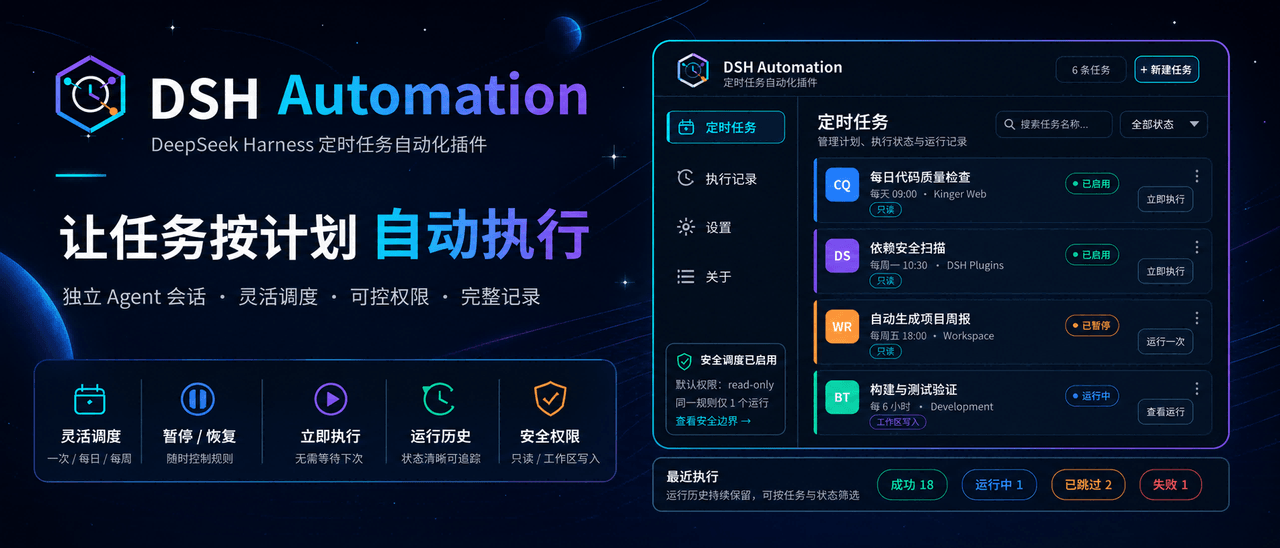 MichengAI/dsh-automation
DSH Automation — 在独立 DSH Session 中按计划执行和管理编码任务 · Schedule and manage coding tasks in isolated DSH sessions
MichengAI/dsh-automation
DSH Automation — 在独立 DSH Session 中按计划执行和管理编码任务 · Schedule and manage coding tasks in isolated DSH sessions
-
 titanwings/dsh-plannotator
DSH 计划批注插件:选中计划原文、逐条批注,并把结构化反馈送回 Agent。 / A DSH plan-review plugin for anchored annotations and structured Agent feedbac…
titanwings/dsh-plannotator
DSH 计划批注插件:选中计划原文、逐条批注,并把结构化反馈送回 Agent。 / A DSH plan-review plugin for anchored annotations and structured Agent feedbac…
-
 AHGGG/dsh-side-chat
Codex-style Side Chat for DeepSeek Harness — select text, ask follow-up questions in a focused side conversation, and ke…
AHGGG/dsh-side-chat
Codex-style Side Chat for DeepSeek Harness — select text, ask follow-up questions in a focused side conversation, and ke…
-
 iyllyt/dsh-btw
个人很喜欢 Claude Code 的 /btw,于是为 DSH 做了复刻:共享当前上下文快速旁路提问,不中断主任务,也不写入主会话历史。
iyllyt/dsh-btw
个人很喜欢 Claude Code 的 /btw,于是为 DSH 做了复刻:共享当前上下文快速旁路提问,不中断主任务,也不写入主会话历史。
-
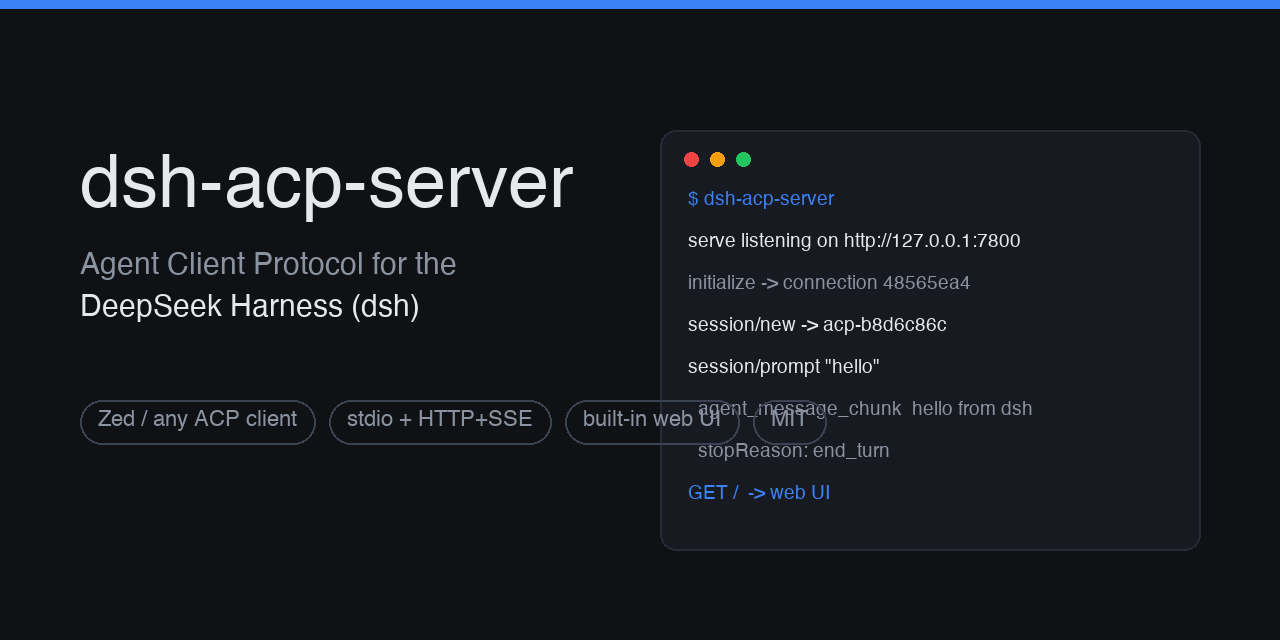 dushaobindoudou/dsh-acp
Agent Client Protocol (ACP) server plugin for the DeepSeek Harness (dsh) - drive dsh agents from Zed, any ACP v1 client,…
dushaobindoudou/dsh-acp
Agent Client Protocol (ACP) server plugin for the DeepSeek Harness (dsh) - drive dsh agents from Zed, any ACP v1 client,…
-
 Electricitysheep/dsh-tool-turbo
Per-round reasoning_effort optimizer for DeepSeek Harness (dsh): auto-downgrades tool-call reasoning for simple tool cha…
Electricitysheep/dsh-tool-turbo
Per-round reasoning_effort optimizer for DeepSeek Harness (dsh): auto-downgrades tool-call reasoning for simple tool cha…
-
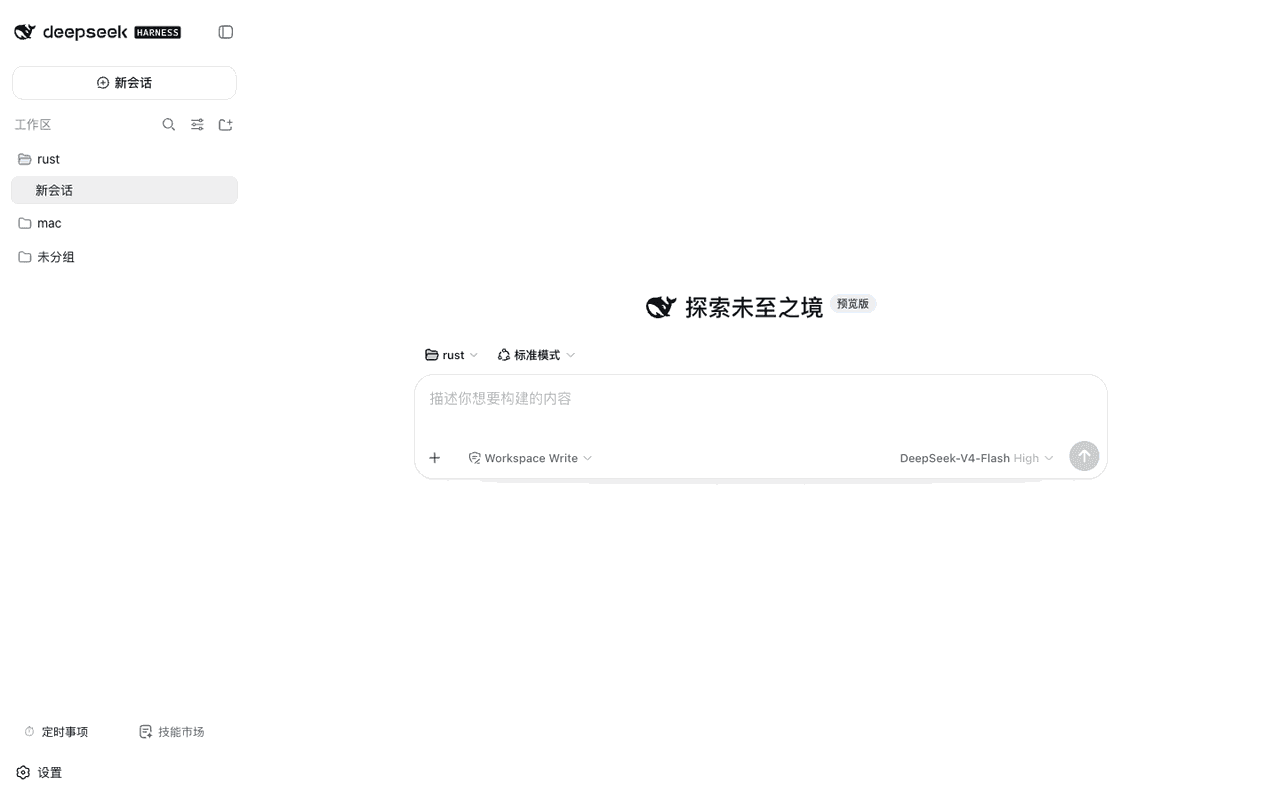 weibaohui/dsh-tasks
DeepSeek Harness 插件:cron 定时事项——定时/立即执行新建 agent 会话提交提示词,全屏管理界面
weibaohui/dsh-tasks
DeepSeek Harness 插件:cron 定时事项——定时/立即执行新建 agent 会话提交提示词,全屏管理界面
-
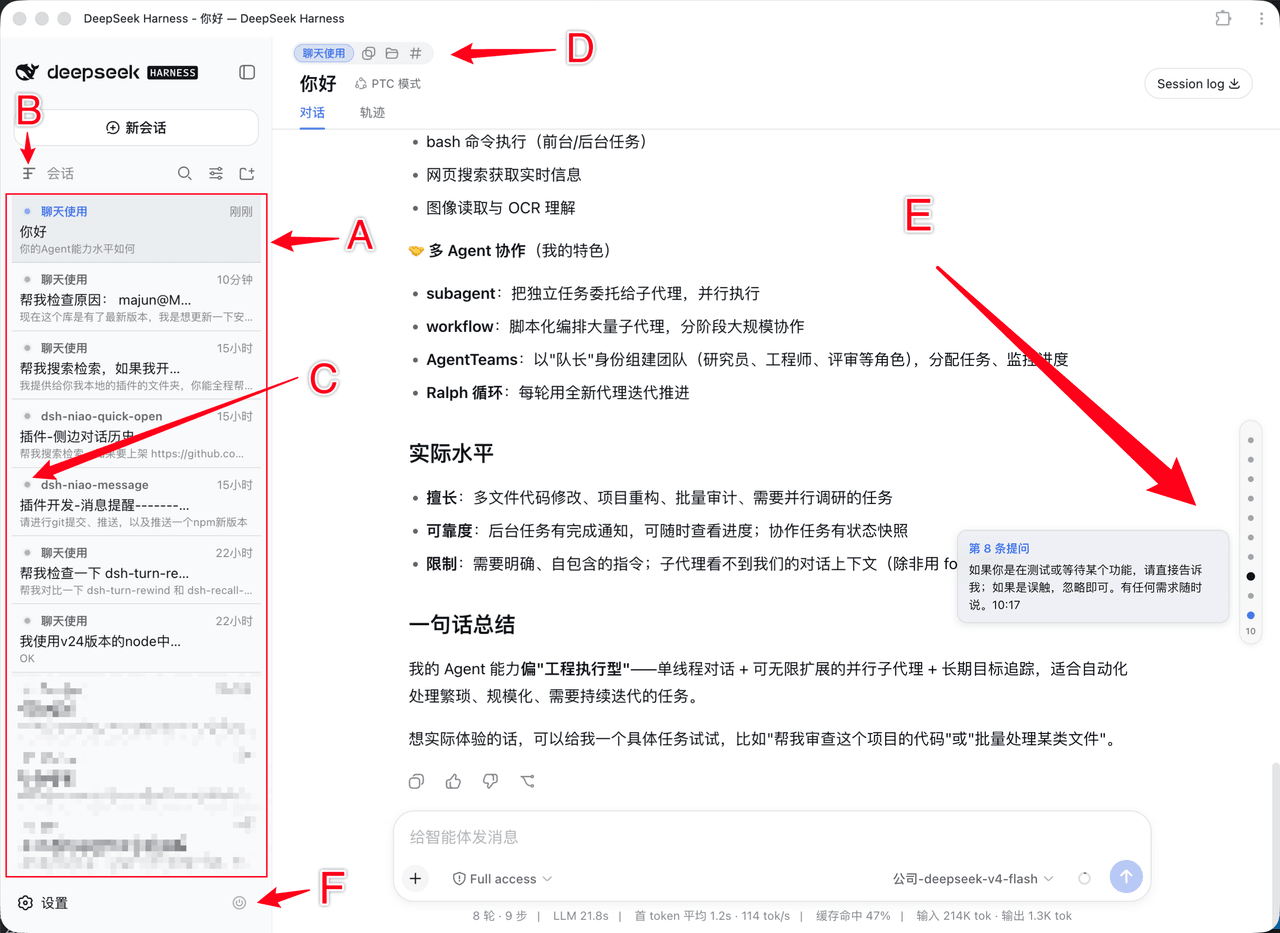 dsh-niao/dsh-niao-quick-open
会话/工作区快捷操作插件:一键打开工作区、编辑器自动发现、DeepSeek 网页版同款用户消息导航条、会话待办标记、硬性重启
dsh-niao/dsh-niao-quick-open
会话/工作区快捷操作插件:一键打开工作区、编辑器自动发现、DeepSeek 网页版同款用户消息导航条、会话待办标记、硬性重启