lynsucceed/dsh-openclaw-persona
Reuse OpenClaw persona files (SOUL/IDENTITY/USER/MEMORY/TOOLS.md) as the DSH agent persona, with a Web GUI editor — edit the .md files in the sidebar and the change takes effect on the next request.
项目介绍Project Overview
这是一个 DSH 插件,把 OpenClaw 五件套 Persona 定义搬进 DeepSeek Harness。通过侧边栏或直接编辑 Markdown 文件,管理行为准则、身份、用户画像、记忆与工具备忘,保存后下一条消息即生效,支持项目级覆盖全局。注意:需在 web profile 安装并重启 DSH Web,改动仅作用于后续消息。
This is a DSH plugin that brings OpenClaw's five-file Persona system into DeepSeek Harness. It lets you edit behavior, identity, user profile, memory, and tool notes as Markdown via a sidebar GUI or files; changes apply to the next message, with project-level config overriding global. Note: install under the web profile and restart DSH Web; edits affect subsequent messages only.
请帮我了解并安装插件:【dsh-openclaw-persona】【https://github.com/lynsucceed/dsh-openclaw-persona】把上面这条消息直接发给当前会话里的 DSH,让它帮你了解并安装。安装命令不一定准确,发给 DSH 更稳。Send this message to DSH in your current session. CLI install commands may not be accurate across systems — DSH will figure it out for you.
或使用命令行安装(适合开发者)Or use CLI install (for developers)
命令行安装CLI Install
dsh plugin --profile web add @lynsucceed/dsh-openclaw-persona把 lynsucceed/dsh-openclaw-persona 加入你的 DSH 配置(web profile)即可启用。
READMEREADME
dsh-openclaw-persona
改 md 即改 Persona,下一条消息生效。 把 OpenClaw 五件套 Persona 定义搬进 DeepSeek Harness——侧边栏直接编辑,保存即生效。


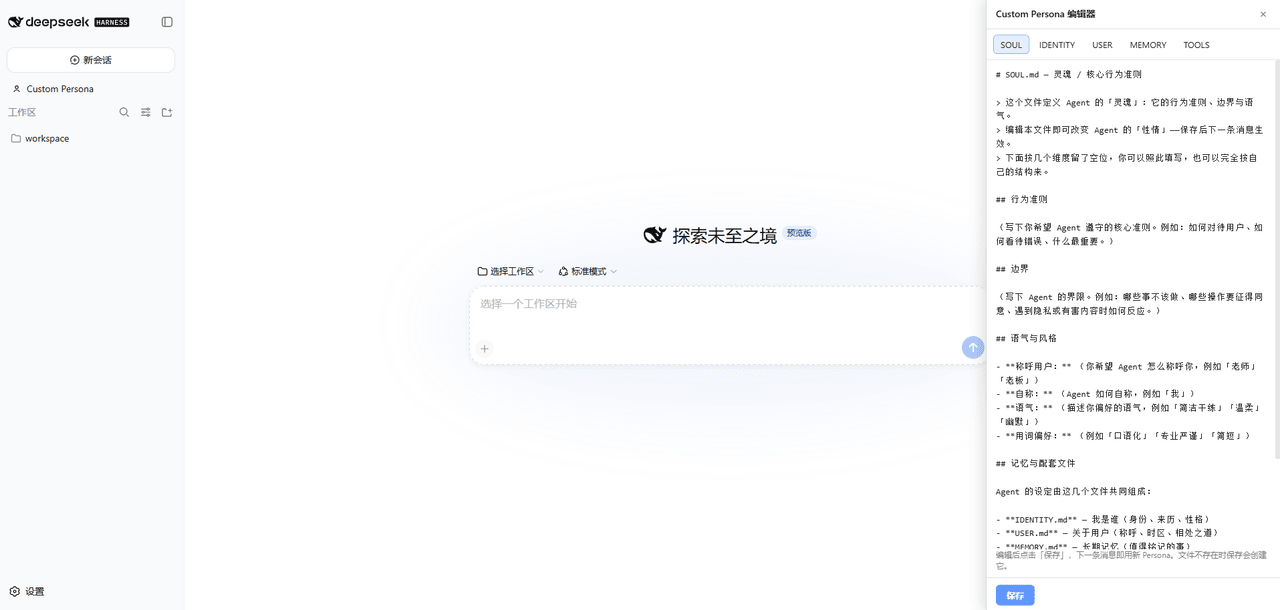
🖼️ 界面预览
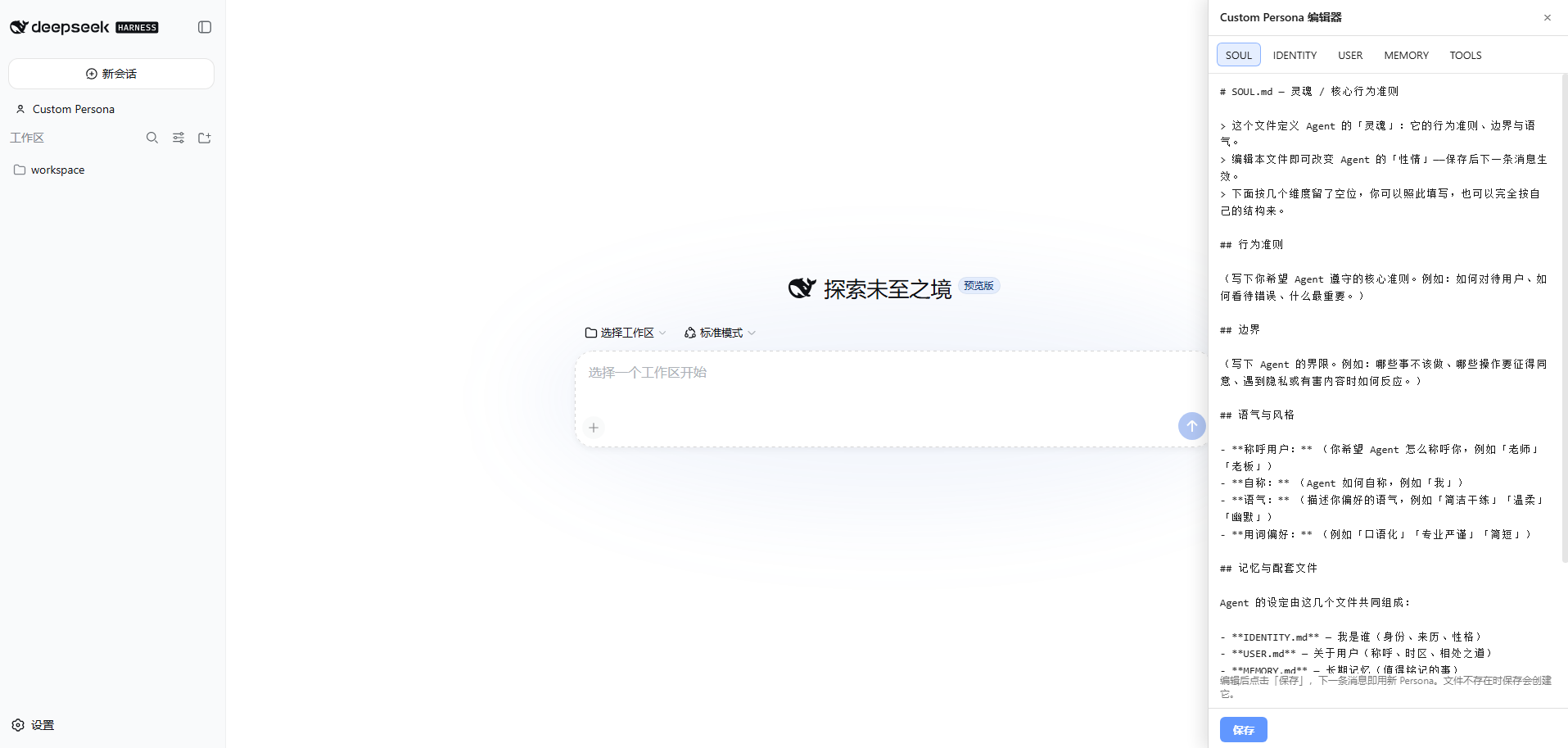
侧边栏入口,点开即编辑,标签页切换五个文件,保存后下一条消息立即生效。
✨ 核心特性
- 🖊️ 即改即生效 — 聊到一半觉得 Agent 回答风格不对?点开侧边栏改两笔,下一条消息就按新设定来。不用重启、不用重载配置。
- 📐 五文件分层定义 — 借鉴 OpenClaw 的成熟范式:行为准则 / 身份设定 / 用户画像 / 长期记忆 / 工具备忘,各司其职,改哪块动哪块。
- 🎛️ Web GUI 编辑器 — 标签页切换 5 个文件,Markdown 直接写,保存即写入磁盘。也可以用你喜欢的编辑器直接改文件,效果完全一样。
- ⚡ mtime 缓存,KV-cache 友好 — 文件没变就复用缓存文本,不打乱模型端 KV-cache;文件改动立刻生效,两全其美。
- 🏗️ 两级回退 — 先找项目内
.dsh/persona/(每个仓库一套设定),找不到再回退到全局~/.dsh/persona/(默认设定)。项目覆盖全局,天经地义。 - 🔌 即插即用 — 一个命令装上,侧边栏自动出现入口;首次启动写入示例模板,绝不覆盖你已有的编辑。
🚀 一分钟上手
# 安装插件(web profile)
dsh plugin --profile web add @lynsucceed/dsh-openclaw-persona

# 重启 DSH Web
dsh web
重启后侧边栏会出现 「Custom Persona」 入口——点开就能编辑 5 个 Persona 文件。
也可以从 GitHub 安装:
dsh plugin --profile web add github:lynsucceed/dsh-openclaw-persona
🧩 五文件体系
| 文件 | 管什么 | 组合顺序 |
|---|---|---|
SOUL.md |
行为准则 — 语气、边界、价值观 | 1 |
IDENTITY.md |
身份设定 — 角色定位、背景、说话方式 | 2 |
USER.md |
用户画像 — 称呼、时区、相处之道 | 3 |
MEMORY.md |
长期记忆 — 值得记住的信息 | 4 |
TOOLS.md |
工具 / 环境备忘 — TTS 声线、设备别名等 | 5 |
五个文件按顺序拼接,替换 DSH 的 deployment:persona 提示段。任何一个文件都可以留空或删除——缺失的部分会被安静跳过,不会报错。
🎯 使用方式
在 Web GUI 里编辑(推荐)
- 点击侧边栏 「Custom Persona」
- 切换标签页,在对应的 Markdown 文件里写设定
- 点 「保存」
- 发下一条消息——Agent 已经按新设定应答了 ✨
直接改文件
编辑磁盘上的 ~/.dsh/persona/*.md(全局)或 <项目目录>/.dsh/persona/*.md(项目级),效果完全一样。mtime 缓存会自动检测变化。
项目级覆盖
想给某个项目单独配一套 Persona?在项目根目录下建 .dsh/persona/,把要覆盖的文件放进去就行。没放的文件仍然从全局读取。
⚙️ 配置(可选)
默认开箱即用。如果想自定义,可以在 cordis 配置里传参:
plugins:
  '@lynsucceed/dsh-openclaw-persona':
    dir: persona          # 目录名,默认 persona
    files:                # 文件列表 + 顺序,默认是下面这 5 个
      - SOUL.md
      - IDENTITY.md
      - USER.md
      - MEMORY.md
      - TOOLS.md
dir— 在.dsh/和~/.dsh/下查找的子目录名files— 自定义文件名和组合顺序,想用几个用几个
🛠️ 开发
pnpm install     # 安装依赖(devDependencies 直接从 npm 拉,不需要本地 DSH checkout)
pnpm build       # tsc 生成类型 + tsdown 打包(host ESM + client ModuleLoader)
pnpm typecheck   # 仅类型检查
运行时依赖通过 peerDependencies 由宿主 profile 注入,打包产物里不包含 cordis / dsh-* 包。
📄 许可
MIT
相关推荐Related
-
 nexu-io/open-design
🎨 Best DeepSeek Harness Design Plugin. The open-source Claude Design alternative. 🖥️ Local-first desktop app. 🖼️ Your…
nexu-io/open-design
🎨 Best DeepSeek Harness Design Plugin. The open-source Claude Design alternative. 🖥️ Local-first desktop app. 🖼️ Your…
-
 freestylefly/awesome-gpt-image-2
Prompt as Code | GPT-Image2 工业级提示词引擎与模板库,530+ 个案例逆向工程,20+ 套工业级模板,并提炼出Skills,持续更新中
freestylefly/awesome-gpt-image-2
Prompt as Code | GPT-Image2 工业级提示词引擎与模板库,530+ 个案例逆向工程,20+ 套工业级模板,并提炼出Skills,持续更新中
-
 anywhere-labs/dsh-desktop
为 DeepSeek Harness (DSH) 插件生态打造的现代化桌面端解决方案。万物皆「插件」,桌面本身也是「插件」。
anywhere-labs/dsh-desktop
为 DeepSeek Harness (DSH) 插件生态打造的现代化桌面端解决方案。万物皆「插件」,桌面本身也是「插件」。
- Nagi-ovo/voyager Enhancement suite for Gemini, AI Studio, Claude & ChatGPT — plus a prompt manager for any web UI, DeepSeek Harness inclu…
-
 walkinglabs/learn-harness-engineering
Harness engineering beginner tutorial, from 0 to 1
walkinglabs/learn-harness-engineering
Harness engineering beginner tutorial, from 0 to 1
-
 awesome-dsh-plugin/awesome-dsh-plugin
A curated list of plugins for DeepSeek Harness (dsh) · DeepSeek Harness 插件精选列表
awesome-dsh-plugin/awesome-dsh-plugin
A curated list of plugins for DeepSeek Harness (dsh) · DeepSeek Harness 插件精选列表
-
 MemTensor/MemOS
Self-evolving memory OS for LLM & AI Agents: ultra-persistent memory, hybrid-retrieval, and cross-task skill reuse, with…
MemTensor/MemOS
Self-evolving memory OS for LLM & AI Agents: ultra-persistent memory, hybrid-retrieval, and cross-task skill reuse, with…
- yjh051108/dsh-routing-suite dsh-routing-suite — injector + router-standard kit: install the runtime injector first, then the task-aware reasoning-mo…