masknull/dsh-acl-sandbox-patch
DSH 0.1.7 Windows ACL 沙箱在非系统盘工作区下全部命令 spawn 前失败的临时修复插件——不动任何系统 ACL,恢复 workspace-write。 | Temporary fix for the DSH 0.1.7 Windows ACL sandbox failing on non-system-drive workspaces (grantWrite / SetNamedSecurityInfoW Win32 5) — restores workspace-write without touching system ACLs. 支持 DSH 0.1.7-rc.1+。
Project Overview项目介绍
dsh-acl-sandbox-patch is a DSH-native Windows remediation plugin built specifically for DeepSeek Harness version 0.1.7 and later, targeting the ACL authorization failure that breaks workspace-write sandboxing on non-system-drive workspaces such as D:, E:, or F: where directories inherit only an Authenticated Users: Modify DACL without the creator's FullControl. It is installed via dsh plugin --profile web add github:masknull/dsh-acl-sandbox-patch, which links the package, records it as a dependency, and because the package declares dsh.bundle, automatically appends it to the profile's bundle list. A DSH restart is required for the new bundle layer to take effect, after which startup logs show the "active" message and new sessions execute shell commands without the SetNamedSecurityInfoW failed (Win32 5) error.
The plugin works by wrapping the sandbox package's internal FFI calls through two complementary injection paths: a koffi hook loaded early via NODE_OPTIONS=--require=lib/preload.cjs that intercepts require('koffi') and wraps .func() returns for the 4-argument form used by dsh-win32-process, plus a direct rewrite of the service-side API table after sandbox package parsing. When the Low integrity label cannot be written, the wrapper degrades to DACL-only writes and skips downgrading child-process token integrity, propagating the degraded state through .degraded.state files in the plugin directory and tmpdir plus environment variables, keeping behavior identical to stock DSH on healthy systems.
It is aimed at Windows users running DSH 0.1.7-rc.1 or rc.2 on non-system-drive workspaces who hit Win32 5 errors. The plugin only affects Windows (other platforms auto-no-op), requires engines.dsh >=0.1.7-rc.1, and applies only to the workspace-write policy. Users should expect roughly 20 seconds for the first post-restart DACL tree propagation on a 44k-file workspace, dropping to about 1.7 seconds for subsequent in-process commands and under 2 seconds for new sessions thanks to seam's per-provider cache reuse. The MIT-licensed plugin leaves no persistent system changes and is fully removed via dsh plugin --profile web remove dsh-acl-sandbox-patch followed by a DSH restart, and should be uninstalled once upstream Discussions #7771, #7720, or #7804 are resolved by an official fix.
dsh-acl-sandbox-patch 是一款面向 DeepSeek Harness(DSH)的原生 Windows 临时修复插件,专门解决 0.1.7 版本起 workspace-write 沙箱在非系统盘工作区(D:/E:/F: 等)授权失败的问题。安装方式为执行 dsh plugin --profile web add github:masknull/dsh-acl-sandbox-patch,包内声明了 dsh.bundle,因此会自动加入对应 profile 的 bundle 列表。安装后必须重启 DSH,启动日志应出现 "active" 字样,随后新会话中 shell 命令可正常执行而不再触发 Win32 5 错误。
该插件的工作原理是包装沙箱包内部的 FFI 调用,并采用两条互补注入路径:一是通过 NODE_OPTIONS=--require=lib/preload.cjs 在主模块图加载前注入,hook Module._load 拦截 require('koffi') 并包装其 .func() 返回对象;二是解析沙箱包后直接改写进程级共享 API 表,处理服务端发起的 standing grant。包装逻辑在打不上 Low 标签的环境下降级为仅写 DACL、跳过子进程令牌降级,并通过状态文件与环境变量传播降级状态,行为与出厂保持一致。
适用人群为在 Windows 非系统盘上运行 DSH 0.1.7-rc.1 或 rc.2 并受 Win32 5 错误困扰的用户。该插件仅影响 Windows(其他平台自动 no-op),要求最低 DSH 版本 >= 0.1.7-rc.1,且仅对 workspace-write 策略生效。需要注意重启后首条命令约 20 秒用于 DACL 全树传播,后续同进程命令约 1.7 秒。插件遵循 MIT 许可,不产生任何持久副作用,可通过 dsh plugin --profile web remove 完全卸载。
请帮我安装这个 DSH 插件。安装前先完成【兼容性检查 + 安全性检查】,检查通过再动手。

插件:dsh-acl-sandbox-patch(masknull/dsh-acl-sandbox-patch)
仓库:https://github.com/masknull/dsh-acl-sandbox-patch
本站详情页:https://www.yhbd.top/plugins/masknull-dsh-acl-sandbox-patch/
本站登记:类型 plugin · 归类 原生 DSH 插件 · 许可证 MIT · ⭐ 3 · 最近提交 2026-09-25 · 主语言 JavaScript

按下面顺序执行,每步先把结论告诉我,再进入下一步:

【1 兼容性检查】
① 我这边:DSH 版本、Node 版本、操作系统、当前 profile(web / desktop)。
② 读它的 README、package.json、插件 manifest,列出它要求的 DSH 版本 / Node 版本 / 操作系统 / 外部依赖 / 需要另外先装的运行时。
③ 逐条比对,结论只写「满足 / 不满足 / 未知」三种;不满足的给出可行替代方案。
④ 检查是否和我已装的插件冲突:命令名重复、skill / tool 重名、端口占用、重复注册的 MCP server。

【2 安全性检查】
① 仓库可信度:和上面「本站登记」是否一致;star / fork 数、创建时间、最近提交,是否归档或长期停更。
② 安装脚本:逐行看 package.json 的 preinstall / install / postinstall,以及 install.sh、setup.ps1 之类脚本。出现 curl|bash、下载后直接执行、混淆代码、访问与插件功能无关的域名,立刻停下来告诉我,不要继续装。
③ 依赖:列出新增依赖,标出无人维护、或与知名包拼写近似的可疑包(typosquatting)。
④ 权限与副作用:它会读写哪些目录、访问哪些域名、需要哪些 DSH 权限(filesystem / network / shell / clipboard 等),以及怎么卸载和回滚。
⑤ 如果它要求 sudo / 管理员权限,或权限明显超出功能所需,先停下来问我。

【3 安装】
上面两步没有「不满足」和「高危项」时才执行;用官方推荐方式安装,不要自行提权。

【4 汇报】
用表格输出:检查项 / 结论 / 依据 / 是否需要我决策。拿不准的一律写「未知」并说明要我怎么确认——不要猜,也不要替我决定。
Send this message to DSH in your current session: it verifies compatibility and security first (answering met / not met / unknown item by item) and only installs once everything checks out — it will stop and ask you if it finds a high-risk item. The box scrolls; the copy is the full prompt. CLI install commands may not be accurate across systems, so DSH is the safer route.把上面这条消息直接发给当前会话里的 DSH:它会先核对兼容性与安全性(逐条给「满足 / 不满足 / 未知」),确认没问题再安装,有高危项会停下来问你。框内可滚动,复制到的是完整提示词;安装命令不一定准确,发给 DSH 更稳。
- Only 3 stars - very few users, little community feedback星标只有 3,几乎没人在用,遇到问题缺少社区反馈
DSH walks through these 9 checksDSH 会逐条核对这 9 项
Compatibility兼容性
- DSH, Node, OS and profile requirementsDSH 版本 / Node 版本 / 操作系统 / profile 是否满足要求
- External dependencies and runtimes (Electron / Python / Docker, ...)外部依赖与运行时(Electron / Python / Docker 等)是否齐备
- Conflicts with installed plugins: command names, skill / tool names, ports, duplicate MCP registration与已装插件是否冲突:命令名、skill / tool 重名、端口占用、重复 MCP 注册
Security安全性
- Repo matches the facts registered here; archived or abandoned?仓库是否与页面登记一致,是否归档或长期停更
- Safety of preinstall / install / postinstall and install.sh / setup.ps1preinstall / install / postinstall 与 install.sh、setup.ps1 是否安全
- curl|bash, download-then-execute, obfuscation, unrelated domains → stop immediatelycurl|bash、下载即执行、混淆代码、无关域名 → 立刻停止
- Typosquatting or unmaintained packages among the new dependencies新增依赖里有没有 typosquatting 或无人维护的包
- Requested permissions vs. what the feature actually needs申请了哪些权限、是否超出功能所需(filesystem / network / shell / clipboard)
- Any sudo / admin requirement, plus uninstall and rollback是否要求 sudo / 管理员权限,以及卸载与回滚方式
Anything uncertain must be marked unknown with a note on how to confirm it. This site's signal screen is a static snapshot, not a security audit.拿不准的必须标「未知」并说明要我怎么确认。本站的信号筛查是静态快照,不能替代安全审计。
Or use CLI install (for developers)或使用命令行安装(适合开发者)
CLI Install命令行安装
dsh plugin --profile web add github:masknull/dsh-acl-sandbox-patch把 masknull/dsh-acl-sandbox-patch 加入你的 DSH 配置(web profile)即可启用。
READMEREADME
dsh-acl-sandbox-patch
English: README.en.md
DSH 0.1.7 Windows ACL 沙箱在非系统盘工作区(D:/E:/F:,目录 DACL 只有 Authenticated Users: Modify、没有本机用户 FullControl)下的临时修复插件:不动任何系统 ACL,让 workspace-write 的命令恢复可执行。
修的是什么
0.1.7 起 workspace-write 的每条命令在 spawn 前都要给工作区做 ACL 授权,@deepseek-ai/dsh-sandbox-windows-acl 用一次 SetNamedSecurityInfoW 同时下发三样东西:capability SID 的 Allow ACE、world SID 的 FILE_DELETE_CHILD Deny ACE、Low 完整性强制标签。写标签要求调用者对该目录持有 WRITE_OWNER,而:
- 非系统盘新建目录的默认 ACL 不含创建者 FullControl(只有继承来的 Modify);
- DSH 跑在 UAC 过滤令牌下,
BUILTIN\Administrators是 deny-only,吃不到组的 FullControl; - 属主隐式权限只有
READ_CONTROL + WRITE_DAC,不含 WRITE_OWNER。
于是授权返回 ERROR_ACCESS_DENIED (5),沙箱 fail-closed,命令从未 spawn:
SetNamedSecurityInfoW failed (Win32 5): grantWrite(<workspace-path>)
不受影响的场景:read-only 策略(不授予可写根,走不到这个调用);位于 %USERPROFILE% 下的工作区(用户 Profile 天生给用户 SID FullControl)。
上游已知问题(rc.2 的沙箱包与 rc.1 逐字节相同,未修复):
运行要求(最低支持版本)
| 项 | 要求 |
|---|---|
| 操作系统 | Windows(NTFS;其他平台插件自动 no-op) |
| DSH 最低版本 | >= 0.1.7-rc.1(该版本引入 @deepseek-ai/dsh-sandbox-windows-acl,bug 于此引入;0.1.5 及更早无此沙箱,无需本插件) |
| 已验证版本 | 0.1.7-rc.1 / 0.1.7-rc.2(两者沙箱包逐字节相同) |
| 策略 | 仅 workspace-write 需要(read-only / danger-full-access 不需要) |
engines.dsh 已声明 >=0.1.7-rc.1。若未来 DSH 修复了该问题(对应 discussion 关闭或沙箱包升级),本插件的严格路径会直接成功、行为退化为无异于出厂,届时卸载即可。
原理
只包装沙箱自己发起的 FFI 调用,两条注入路径互兜底:
| 路径 | 覆盖对象 | 机制 |
|---|---|---|
| A. koffi 钩子 | 所有 node 子进程(sandbox runner、探针) | hook Module._load 拦 require('koffi'),包装 koffi.load() 返回对象的 .func(),对 dsh-win32-process 的 4 参数调用形式返回包装函数(C 声明式形式原样透传)。随 NODE_OPTIONS=--require=lib/preload.cjs 预加载,早于主模块图 |
| B. api 表直改 | DSH 服务端进程(负责 workspace standing grant) | 解析沙箱包后创建一次性 AclWriteGrant 物化进程级共享绑定表,直接替换表上目标属性后 dispose。与绑定时序无关 |
包装逻辑(lib/preload.cjs):
SetNamedSecurityInfoW:先按原语义完整尝试(含 Low 标签);仅当返回 Win32 5 时降级重试为 DACL-only(剥掉LABEL_SECURITY_INFORMATION,SACL 传 NULL)。DACL 写入只需要属主隐式的WRITE_DAC,可以成功。SetTokenInformation(TokenIntegrityLevel=25):双判据命中其一即跳过把子进程令牌降到 Low——工作区没有 Low 标签,Low 子进程按 no-write-up 什么都写不了。判据 1:状态文件(插件目录.degraded.state主路径)/ 环境变量 / 进程标志;判据 2:runner 从自身 argv 取--workspace直侦该目录有无 Low 标签(无 ⇒ 降级环境)。判据 2 不依赖任何文件与环境,是最终兜底。GetNamedSecurityInfoW:降级发生后,对含 LABEL 位的查询返回合成的"已带精确 Low 标签" SACL(与hasExactLabel的逐字段比对同构),让幂等跳过重新命中。
Showing the opening section of the README — the full document lives in the repository以上为 README 开头摘要,完整文档在仓库内 · View the full README on GitHub →在 GitHub 查看完整 README →
Related相关推荐
-
 Minglink/dsh-infinite-gen-4
DeepSeek v4.1 flash 网络安全红队工具(无限四代) 求 Star 收藏 ⭐欢迎大家提交项目的改进
Minglink/dsh-infinite-gen-4
DeepSeek v4.1 flash 网络安全红队工具(无限四代) 求 Star 收藏 ⭐欢迎大家提交项目的改进
-
 kenryu42/cc-safety-net
A pre-execution guard for AI coding agents. It blocks destructive Git and file system commands, plus common attempts to …
kenryu42/cc-safety-net
A pre-execution guard for AI coding agents. It blocks destructive Git and file system commands, plus common attempts to …
-
 hyhmrright/brooks-lint
AI code reviews grounded in 12 classic engineering books — decay risk diagnostics with book citations, severity labels, …
hyhmrright/brooks-lint
AI code reviews grounded in 12 classic engineering books — decay risk diagnostics with book citations, severity labels, …
-
 toby-bridges/api-relay-audit
Local security audit for AI API relays and LLM proxies: detects prompt injection, model substitution, tool-call rewritin…
toby-bridges/api-relay-audit
Local security audit for AI API relays and LLM proxies: detects prompt injection, model substitution, tool-call rewritin…
-
 hashgraph-online/hol-guard
Open-source antivirus for AI agents: block risky tools, secret access, prompt injection, malicious packages, MCP servers…
hashgraph-online/hol-guard
Open-source antivirus for AI agents: block risky tools, secret access, prompt injection, malicious packages, MCP servers…
-
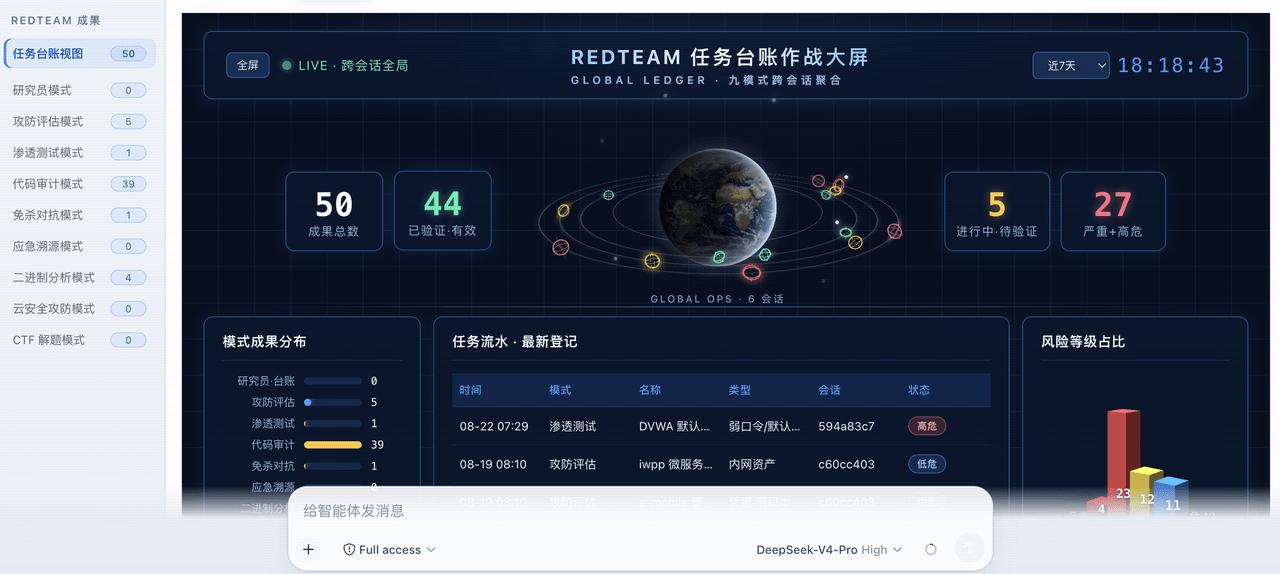 SeaOf0/dsh-redteam-model
基于dsh web实现的多种模式,目的是服务于redteam进行授权的安全研究,覆盖渗透测试、红队评估、代码审计等范围领域,请勿用于非法行为。(允许二开,赋予模块各位自己的业务逻辑,方法论只有自己熟练的才好用,好的方法论=好的生态)
SeaOf0/dsh-redteam-model
基于dsh web实现的多种模式,目的是服务于redteam进行授权的安全研究,覆盖渗透测试、红队评估、代码审计等范围领域,请勿用于非法行为。(允许二开,赋予模块各位自己的业务逻辑,方法论只有自己熟练的才好用,好的方法论=好的生态)
-
 howmp/dsh-pentest
面向 DeepSeek Harness(dsh)的渗透测试模式 @CloverSecLabs
howmp/dsh-pentest
面向 DeepSeek Harness(dsh)的渗透测试模式 @CloverSecLabs
-
 saya-ch/dsh-mobile
DeepSeek Harness 的 Android App 与安全远程访问插件,支持局域网/远程连接和高度自定义的移动界面与扩展能力。
saya-ch/dsh-mobile
DeepSeek Harness 的 Android App 与安全远程访问插件,支持局域网/远程连接和高度自定义的移动界面与扩展能力。