MEMZ-JZY/DSH-Claude-Style-Reasoning-Slider
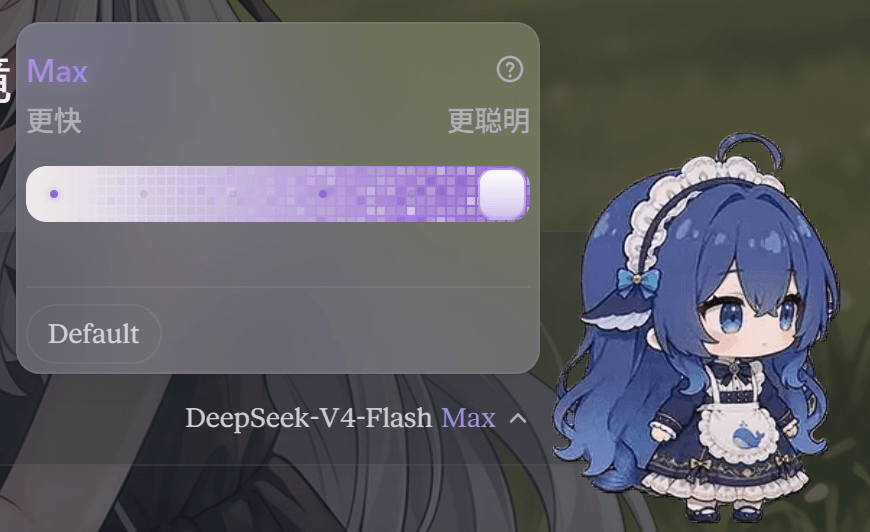
DSH Claude Style Reasoning Slider 是一个 DeepSeek Harness(DSH)客户端 UI 插件,它将原生模型选择器替换为带 Claude 风格动画的推理等级滑块与模型选择器。
Project Overview项目介绍
This is a custom plugin built exclusively for DeepSeek Harness (DSH) that replaces the default model selector slot in the chat input bar with a Claude-style animated reasoning effort slider. It supports canonical mapping for varying reasoning effort level names from different providers, and automatically preserves your current reasoning effort setting when you switch between models. It also handles unsupported effort levels gracefully, dimming the unavailable positions but keeping them clickable for users to access. To install it from the remote repository, you can run the dsh plugin --profile web add github:MEMZ-JZY/DSH-Claude-Style-Reasoning-Slider command in your terminal, then restart the DSH web profile to activate it.
After installation, you can access the slider by clicking the model/effort trigger chip in the conversation input area. You can switch models via the popup menu, or adjust the reasoning effort level for your current active model by dragging or clicking the slider. If you select an unsupported level, the plugin will automatically apply the nearest supported level below your selection and show a toast notification to explain the change. You can also click the Default button to use your provider’s default reasoning effort setting instead of manually overriding it.
The plugin ships with two optional fun features that are disabled by default: the Liang Calibrator and the Big Fat Fish thumb. When the Liang Calibrator is enabled, a 31-frame animated portrait appears above the slider that updates as you drag the thumb. The Big Fat Fish option replaces the default slider thumb with an 8-frame animated chibi fish that speeds up its animation when you drag it. The plugin follows DSH’s light and dark theme tokens, supports both English and Simplified Chinese, and is released under the open source MIT license.
这是一个专为 DeepSeek Harness (DSH) 开发的原生插件,用来替换 DSH 原生对话输入栏的模型选择插槽,提供类似 Claude 风格的可滑动推理强度选择器。它内置了标准化的推理档位映射规则,能兼容各种不同命名的推理档位,切换模型时会尽可能保留当前选择的推理强度。用户可以通过 DSH CLI 直接从 GitHub 仓库安装,也可以使用本地检出的代码包进行安装。
插件提供了多款趣味可选功能,包括“滑动变祖器”和“大肥鱼滑块拇指”。滑动变祖器开启后,拖动滑块时会显示对应档位的连梁肖像动画,大肥鱼拇指则把滑块拖动块换成会动的可爱绯鱼精灵。插件完全适配 DSH 的深浅色主题,同时支持中英双语本地化和无障碍访问,尊重系统的减少动态效果偏好设置。
所有动画效果都使用轻量 CSS 或事件处理实现,不会对页面性能造成明显影响。它符合 DSH 包规范,使用 patch 方式自注册,不依赖额外的前端框架,核心组件本身是独立的 Web Component。项目遵循 MIT 许可证开源,开发者可以基于源码二次构建,也可以运行独立演示页面测试组件效果。
请帮我安装这个 DSH 插件。安装前先完成【兼容性检查 + 安全性检查】,检查通过再动手。

插件:DSH-Claude-Style-Reasoning-Slider(MEMZ-JZY/DSH-Claude-Style-Reasoning-Slider)
仓库:https://github.com/MEMZ-JZY/DSH-Claude-Style-Reasoning-Slider
本站详情页:https://www.yhbd.top/plugins/memz-jzy-dsh-claude-style-reasoning-slider/
本站登记:类型 client · 归类 原生 DSH 插件 · 许可证 MIT · ⭐ 5 · 最近提交 2026-08-17 · 主语言 JavaScript

按下面顺序执行,每步先把结论告诉我,再进入下一步:

【1 兼容性检查】
① 我这边:DSH 版本、Node 版本、操作系统、当前 profile(web / desktop)。
② 读它的 README、package.json、插件 manifest,列出它要求的 DSH 版本 / Node 版本 / 操作系统 / 外部依赖 / 需要另外先装的运行时。
③ 逐条比对,结论只写「满足 / 不满足 / 未知」三种;不满足的给出可行替代方案。
④ 检查是否和我已装的插件冲突:命令名重复、skill / tool 重名、端口占用、重复注册的 MCP server。

【2 安全性检查】
① 仓库可信度:和上面「本站登记」是否一致;star / fork 数、创建时间、最近提交,是否归档或长期停更。
② 安装脚本:逐行看 package.json 的 preinstall / install / postinstall,以及 install.sh、setup.ps1 之类脚本。出现 curl|bash、下载后直接执行、混淆代码、访问与插件功能无关的域名,立刻停下来告诉我,不要继续装。
③ 依赖:列出新增依赖,标出无人维护、或与知名包拼写近似的可疑包(typosquatting)。
④ 权限与副作用:它会读写哪些目录、访问哪些域名、需要哪些 DSH 权限(filesystem / network / shell / clipboard 等),以及怎么卸载和回滚。
⑤ 如果它要求 sudo / 管理员权限,或权限明显超出功能所需,先停下来问我。

【3 安装】
上面两步没有「不满足」和「高危项」时才执行;用官方推荐方式安装,不要自行提权。

【4 汇报】
用表格输出:检查项 / 结论 / 依据 / 是否需要我决策。拿不准的一律写「未知」并说明要我怎么确认——不要猜,也不要替我决定。
Send this message to DSH in your current session: it verifies compatibility and security first (answering met / not met / unknown item by item) and only installs once everything checks out — it will stop and ask you if it finds a high-risk item. The box scrolls; the copy is the full prompt. CLI install commands may not be accurate across systems, so DSH is the safer route.把上面这条消息直接发给当前会话里的 DSH:它会先核对兼容性与安全性(逐条给「满足 / 不满足 / 未知」),确认没问题再安装,有高危项会停下来问你。框内可滚动,复制到的是完整提示词;安装命令不一定准确,发给 DSH 更稳。
- Only 5 stars - very few users, little community feedback星标只有 5,几乎没人在用,遇到问题缺少社区反馈
- Desktop client: installation downloads an executable - verify the publisher and checksums桌面客户端:安装会下载可执行文件,请核对发布者与校验和
DSH walks through these 9 checksDSH 会逐条核对这 9 项
Compatibility兼容性
- DSH, Node, OS and profile requirementsDSH 版本 / Node 版本 / 操作系统 / profile 是否满足要求
- External dependencies and runtimes (Electron / Python / Docker, ...)外部依赖与运行时(Electron / Python / Docker 等)是否齐备
- Conflicts with installed plugins: command names, skill / tool names, ports, duplicate MCP registration与已装插件是否冲突:命令名、skill / tool 重名、端口占用、重复 MCP 注册
Security安全性
- Repo matches the facts registered here; archived or abandoned?仓库是否与页面登记一致,是否归档或长期停更
- Safety of preinstall / install / postinstall and install.sh / setup.ps1preinstall / install / postinstall 与 install.sh、setup.ps1 是否安全
- curl|bash, download-then-execute, obfuscation, unrelated domains → stop immediatelycurl|bash、下载即执行、混淆代码、无关域名 → 立刻停止
- Typosquatting or unmaintained packages among the new dependencies新增依赖里有没有 typosquatting 或无人维护的包
- Requested permissions vs. what the feature actually needs申请了哪些权限、是否超出功能所需(filesystem / network / shell / clipboard)
- Any sudo / admin requirement, plus uninstall and rollback是否要求 sudo / 管理员权限,以及卸载与回滚方式
Anything uncertain must be marked unknown with a note on how to confirm it. This site's signal screen is a static snapshot, not a security audit.拿不准的必须标「未知」并说明要我怎么确认。本站的信号筛查是静态快照,不能替代安全审计。
Or use CLI install (for developers)或使用命令行安装(适合开发者)
CLI Install命令行安装
dsh plugin --profile web add github:MEMZ-JZY/DSH-Claude-Style-Reasoning-Slider把 MEMZ-JZY/DSH-Claude-Style-Reasoning-Slider 加入你的 DSH 配置(web profile)即可启用。
READMEREADME
DSH Claude Style Reasoning Slider
An animated reasoning-effort slider and model picker for DeepSeek Harness (DSH).
It replaces the native model selector's conversation.input.model slot with a
compatible selector whose reasoning pane is a Claude-style animated slider.
🇨🇳 中文版说明请见 README.zh.md
Preview
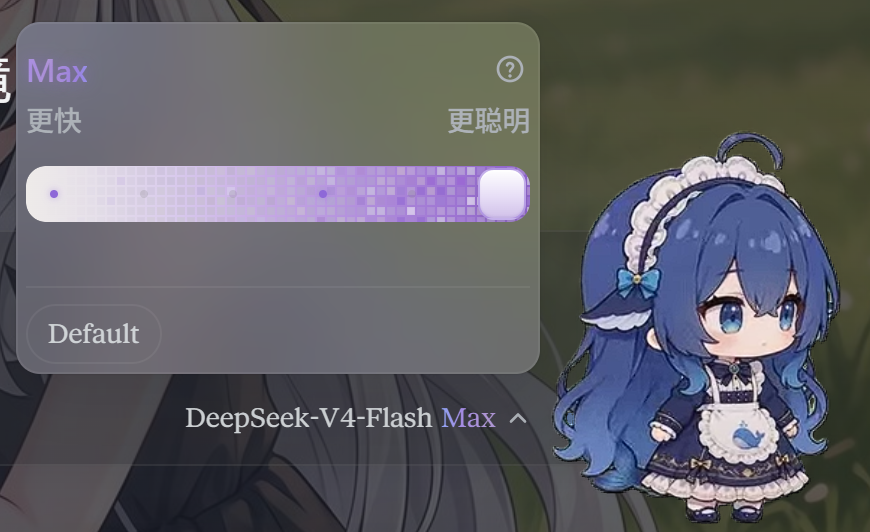
Features
- Drop-in model selector — replaces only the
conversation.input.modelslot; the rest of the chat input stays untouched. - Canonical effort slider — always shows
Off | Low | Medium | High | Extra | Maxpositions, regardless of how the provider names its levels. - Tolerant name matching — aliases such as
off,none,disabled,ultracode→max,med→medium,extreme→extra, and similar display names are mapped to canonical slider positions. - Unsupported levels stay visible — a level the current model does not support is dimmed but remains clickable. Clicking it keeps the thumb on the chosen slot and applies the nearest supported level below it, with a toast explaining the downgrade.
- Model switching preserves effort — when you switch models, the current effort is kept when possible, or automatically downgraded to the nearest supported level below it (with a toast).
- Default and adapter-specific strengths —
Defaultis offered as a pill below the slider and submits withoutreasoningEffort(the provider's own default applies). Other provider strengths that do not map to a canonical slider position are also shown as selectable pills. - Models without reasoning metadata stay manageable — when DSH does not
expose
reasoning/effortsfor the selected model (for example some OpenRouter or hand-declared custom entries), the Effort menu still appears: it shows a short “no effort levels” notice plus the safeDefaultpill, instead of hiding every thinking-strength control. - Liang Calibrator (滑动变祖器) — optional, off by default. Binds the six
canonical levels to stage names:
Off → 小难梁,Low → 牢梁,Medium → 梁子,High → 梁圣,Extra → 梁神,Max → 梁祖. When enabled, a 31-frame portrait (frame-00…frame-30) appears above the slider and follows the thumb continuously while dragging, then snaps to the segment's first frame on release. Labels and the trigger showMax 梁祖-style suffixes. The setting persists inlocalStorage. - Big Fat Fish thumb — optional, off by default. Replaces the slider thumb
with an 8-frame running chibi fish sprite. The idle animation loops at
720ms, speeds up to420mswhile dragging, and freezes underprefers-reduced-motion. Toggle it in DSH Settings → General → Big Fat Fish slider; changes apply immediately and persist inlocalStorage. - High / Extra ripple field —
HighandExtranow show a sparse blue / purple dot-matrix field with random flicker and radial water ripples around the thumb, as a lighter prelude to theMaxpixel field. - Max / Ultracode treatment — the model's
max/ultracodelevel turns the slider into an animated purple pixel field, and theMaxlabel becomes a flowing multi-color gradient text. - Localized and theme-aware — ships with English and Simplified Chinese dictionaries and follows DSH light/dark design tokens.
- Accessible — keyboard-operable slider (arrows, Home/End, PageUp/PageDown),
ARIA labels, focus management, and
prefers-reduced-motionsupport.
Showing the opening section of the README — the full document lives in the repository以上为 README 开头摘要,完整文档在仓库内 · View the full README on GitHub →在 GitHub 查看完整 README →
Related相关推荐
-
 vibeinging/dsh-desktop
DeepSeek Harness Desktop App: a local AI desktop workspace for DSH Sessions, projects, files, web research, plugins, and…
vibeinging/dsh-desktop
DeepSeek Harness Desktop App: a local AI desktop workspace for DSH Sessions, projects, files, web research, plugins, and…
-
 zuorn/Tydora
Let Your Ideas Flow — Tydora is a modern desktop Markdown editor combining WYSIWYG editing, bidirectional links, mind ma…
zuorn/Tydora
Let Your Ideas Flow — Tydora is a modern desktop Markdown editor combining WYSIWYG editing, bidirectional links, mind ma…
-
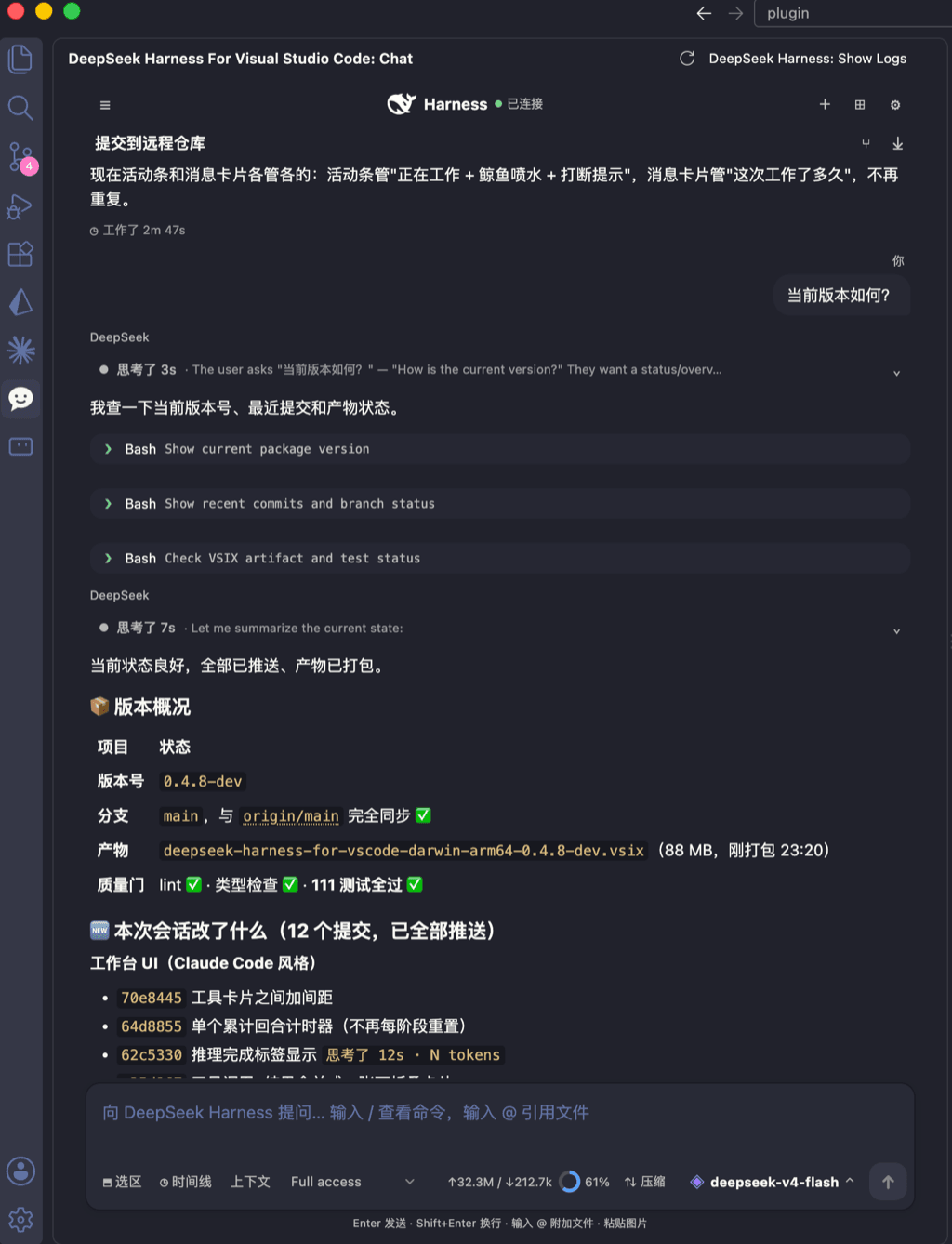 skymecode/deepseek-harness-for-vscode
deepseek-harness for vscode .A native VS Code coding-agent extension for DeepSeek Harness. Streamlined workbench with se…
skymecode/deepseek-harness-for-vscode
deepseek-harness for vscode .A native VS Code coding-agent extension for DeepSeek Harness. Streamlined workbench with se…
- ExElectron/dsh-tool-hongtou DeepSeek Harness 红头公文插件:两阶段解耦流水线(LLM 结构化提纲 + 确定性 Word 2003 XML 版式渲染)生成标准红头公文
-
 klarkxy/dsh-editor
基于 DeepSeek Harness 的桌面写作应用,提供稿纸编辑、AI 写作辅助与可选插件。
klarkxy/dsh-editor
基于 DeepSeek Harness 的桌面写作应用,提供稿纸编辑、AI 写作辅助与可选插件。
-
 Ramenne/DeepSeek-Harness-Gov
DeepSeek Harness 政务版:基于 deepseek-ai/deepseek-harness 的政务办事 WebUI 与红头公文插件
Ramenne/DeepSeek-Harness-Gov
DeepSeek Harness 政务版:基于 deepseek-ai/deepseek-harness 的政务办事 WebUI 与红头公文插件
- c-ling/dsh-plugin-newsboard DeepSeek Harness 网页端的 AI 与科技快讯看板:内置 RSS/JSON 源驱动的可拖拽浮窗,支持双语翻译、关键词过滤和设置页。
- bwndlct/dsh-session-export Export DeepSeek Harness (DSH) sessions to portable Markdown and JSON — dsh plugin