MichengAI/dsh-codex-ui
用Codex的方式打开deepseek-harness
项目介绍Project Overview
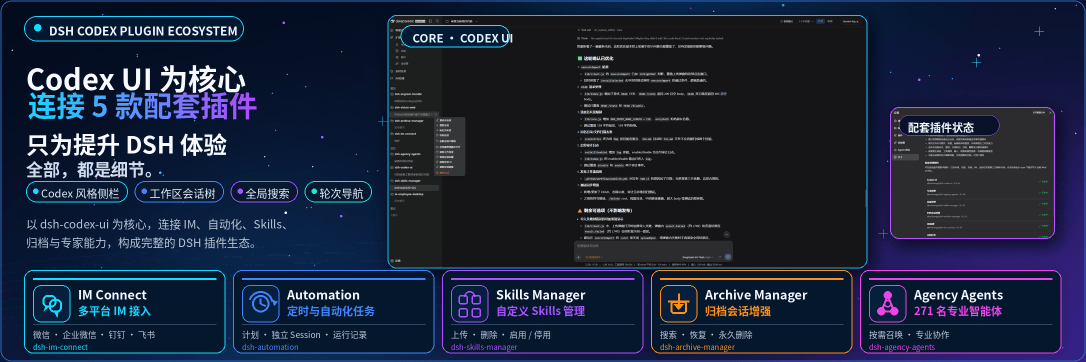
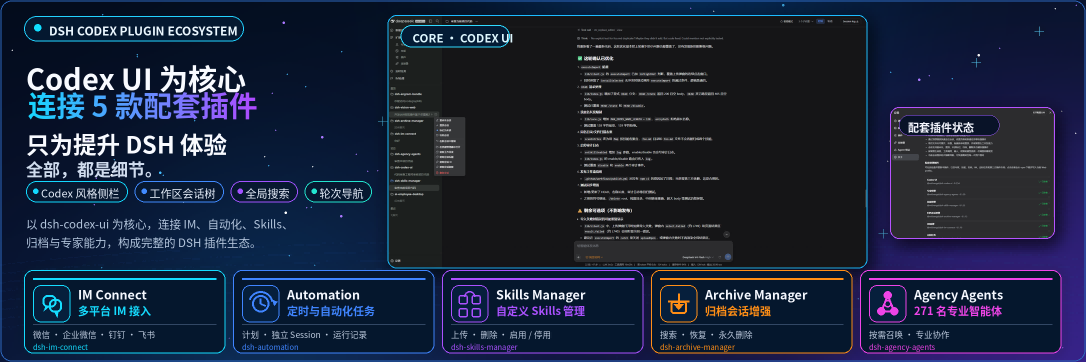
DSH Codex UI 是一款 DeepSeek Harness 社区插件,通过官方 sidebar 槽位重建侧边栏、工作区树、全局搜索和回合导航,提供 Codex 风格界面。核心能力包括工作区拖拽排序、置顶、未读标记、会话菜单及紧凑回合导航器。适用于希望替换默认 Web 界面、统一管理多工作区会话的用户。需注意:置顶和未读状态仅存于当前浏览器,删除工作区不会删除其对话记录。
DSH Codex UI is a DeepSeek Harness community plugin that rebuilds the sidebar, workspace tree, global search, and turn navigation through the official sidebar slot, delivering a Codex-style layout. Core capabilities include drag-reorderable workspaces, pinning, unread marks, conversation menus, and a compact turn navigator. Use it to replace the default Web UI and manage multi-workspace sessions. Caveat: pinned and unread state live only in the current browser, and removing a workspace does not delete its conversation records.
请帮我了解并安装插件:【dsh-codex-ui】【https://github.com/MichengAI/dsh-codex-ui】把上面这条消息直接发给当前会话里的 DSH,让它帮你了解并安装。安装命令不一定准确,发给 DSH 更稳。Send this message to DSH in your current session. CLI install commands may not be accurate across systems — DSH will figure it out for you.
或使用命令行安装(适合开发者)Or use CLI install (for developers)
命令行安装CLI Install
dsh plugin --profile web add @michengai/dsh-codex-ui@latest --registry=https://registry.npmjs.org/把 MichengAI/dsh-codex-ui 加入你的 DSH 配置(web profile)即可启用。
READMEREADME
DSH Codex UI
Rebuild the DeepSeek Harness Web sidebar, workspace tree, search, and turn navigation in a Codex-style layout
简体中文 · Changelog · Apache-2.0





DSH Codex UI is a community-maintained DeepSeek Harness (DSH) plugin, not an official DeepSeek AI product. It uses public DSH slots only and does not modify host source code or conversation data.
Features
- Replace the default sidebar through the official
sidebarslot and keepsidebar.workspaces,sidebar.settings, andsidebar.footer.action. - Provide a Codex-style header with brand wordmark, sidebar collapse, and global search.
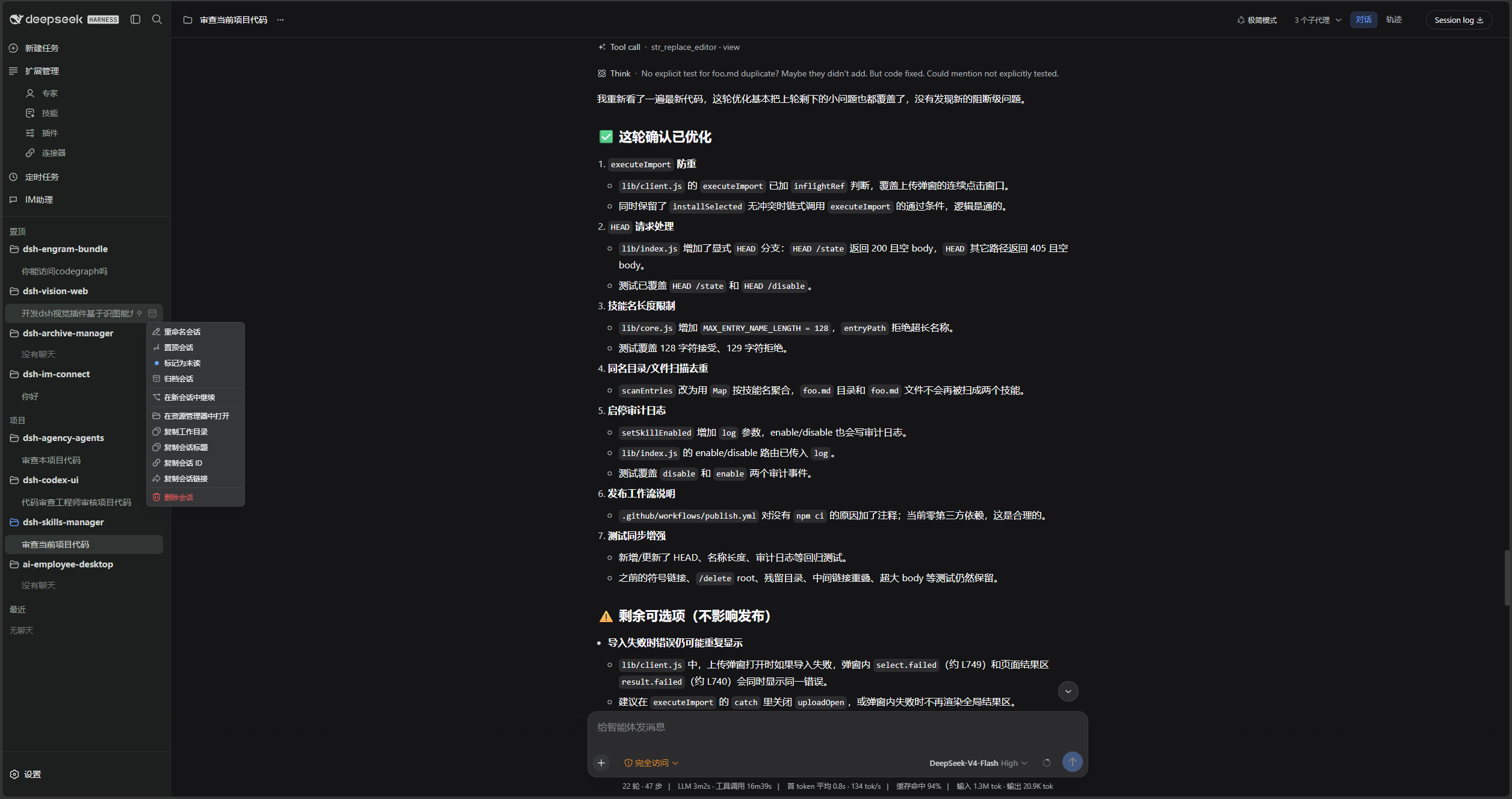
- List workspaces and conversations with expand/collapse, drag reorder, project pinning, unread dots, and running-state indicators.
- Add project and conversation menus for rename, pin, unread, archive, fork, open folder, copy, and delete.
- Restyle the conversation column and composer card, and add a compact turn navigator on the current session.
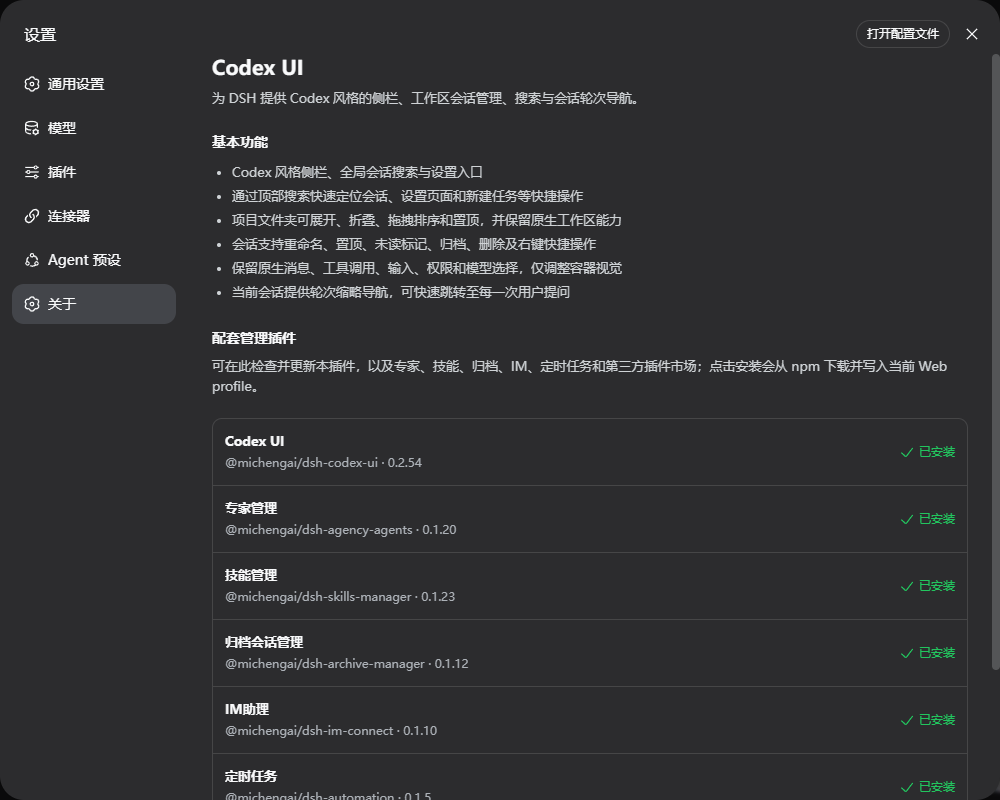
- Show companion-plugin status in Settings → About, and install the missing pieces from npm.
Screenshots
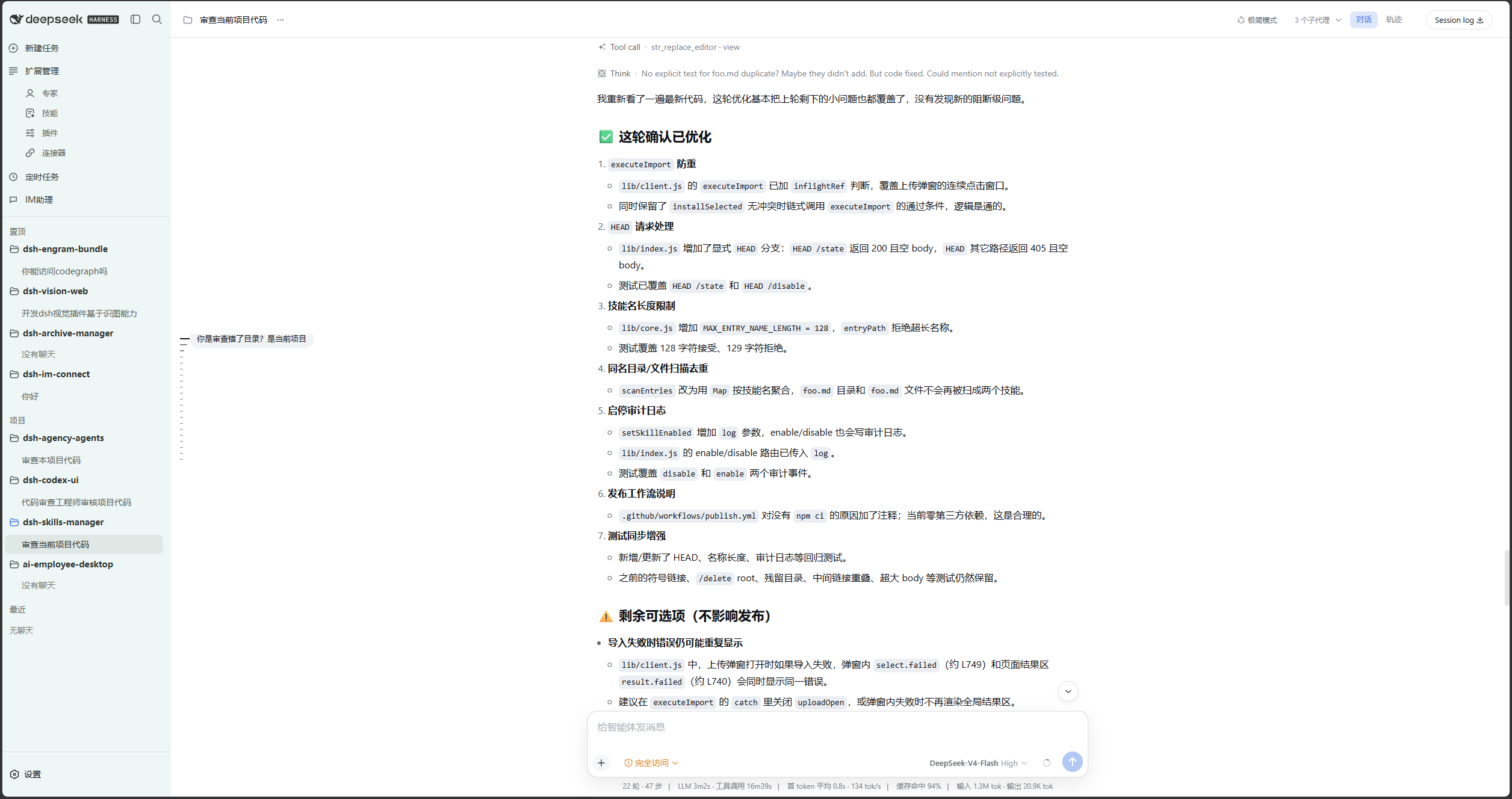
Light theme: Codex-style sidebar, workspace tree, and conversation column.
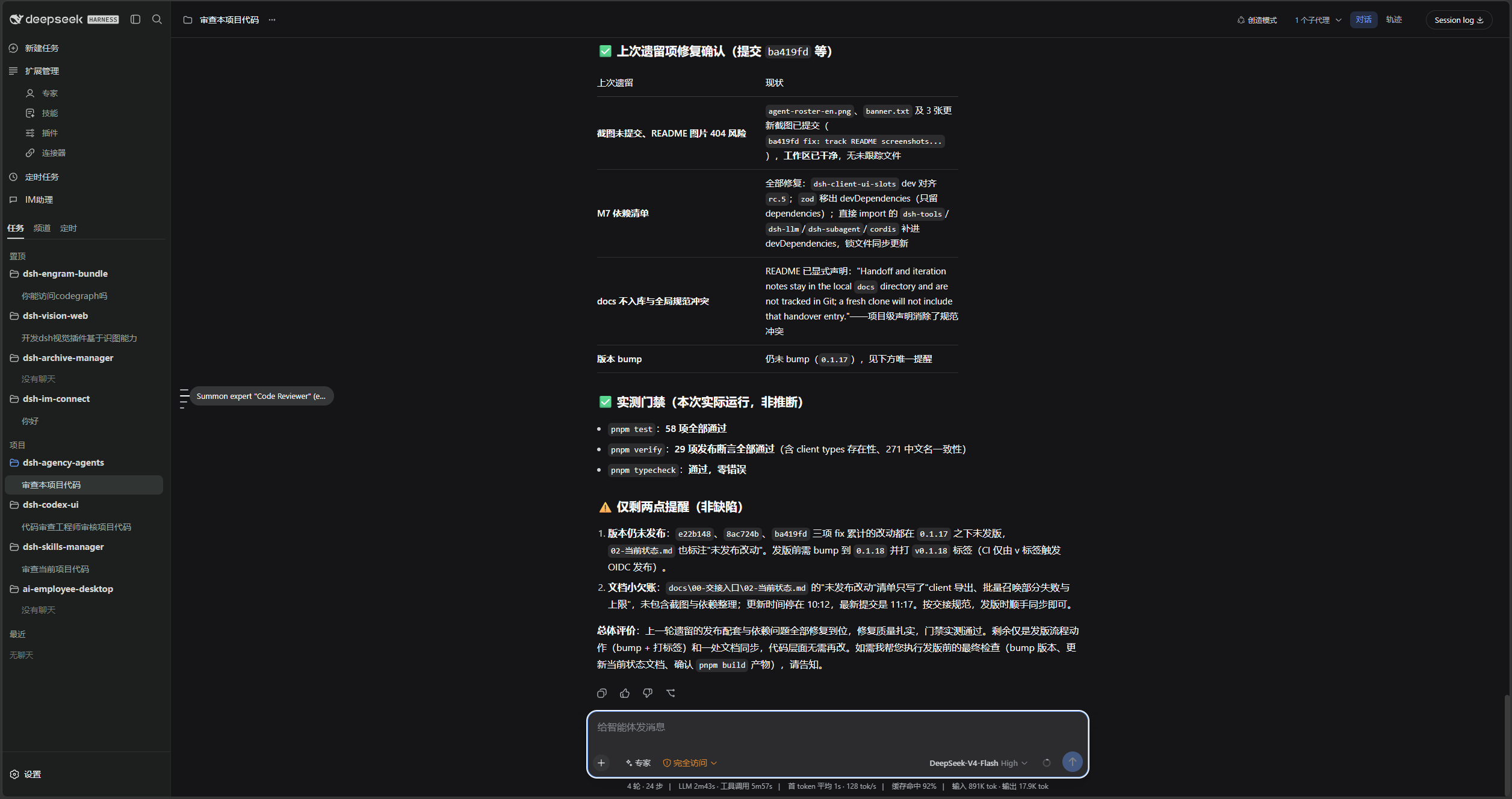
Dark theme: the same layout with Codex dark tokens.
Conversation menu: rename, pin, unread, archive, fork, copy, and delete.
Settings → About lists the companion plugins and their install state.
Prerequisites
- A working DeepSeek Harness Web installation with
dshavailable in PowerShell. - Examples use the
webprofile; replace it with the target profile. - Source installation and development require Node.js 22+ and pnpm. Installing from npm does not require running
pnpm installin an arbitrary directory.
Plugin combo
@michengai/dsh-codex-suite-installer is the lightweight one-click installer for the @michengai/dsh-codex-suite member set. It adds these six plugins to the same profile as direct dependencies:
| Plugin | npm package | Role |
|---|---|---|
| Codex UI | @michengai/dsh-codex-ui |
Codex-style sidebar, workspace tree, search, and turn navigation |
| Expert management | @michengai/dsh-agency-agents |
Settings page opened from Experts |
| Skill management | @michengai/dsh-skills-manager |
Settings page opened from Skills |
| Archive management | @michengai/dsh-archive-manager |
Permanent deletion and archived-session management |
| IM Assistant | @michengai/dsh-im-connect |
IM settings and the Channels tab |
| Scheduled tasks | @michengai/dsh-automation |
Scheduled-task settings and the Schedule tab |
dshmarket stays optional. When it is installed, Plugins opens the market first.
Direct dependencies let Settings → About detect and update every plugin independently. The lightweight installer carries only the version manifest, and it migrates the legacy aggregate Suite without leaving duplicate patches behind.
DSH product ecosystem
Codex UI can be installed independently or used through the desktop app or Web suite. They share the same DSH core but serve different ways of working:
| Product | Relationship to Codex UI |
|---|---|
| DeepSeek Harness | The host runtime that provides models, sessions, tools, and the plugin system |
| DSH Codex Desktop | A ready-to-install desktop product with Codex UI and the other five feature products built in |
| DSH Codex Suite | A one-click suite for existing DSH Web environments that installs Codex UI and the other five feature products |
| Six feature products | Codex UI · IM Connect · Automation · Skills Manager · Archive Manager · Agency Agents |
Installation
dsh plugin add forwards to pnpm add in the profile directory. Without a version and official registry, a local mirror or minimum-release-age policy can leave you on an older build.
Ask another agent to install the suite
Copy one of the sentences below into DSH, Codex, or WorkBuddy and let that agent install the combo into your local web profile.
From npm:
Use the one-click installer to add all six DSH Codex Suite members as direct dependencies of my local web profile: npx --yes @michengai/dsh-codex-suite-installer@latest --profile web. Confirm its configuration check succeeds, then remind me to restart DSH Web and hard-refresh the browser.
UI only:
Install the latest DSH plugin @michengai/dsh-codex-ui into my local web profile using the official npm registry: dsh plugin --profile web add @michengai/dsh-codex-ui@latest --registry=https://registry.npmjs.org/. Then run dsh --profile web --dump-config, confirm codex-ui is mounted, and remind me to restart DSH Web and hard-refresh the browser.
| Product | How to use it |
|---|---|
| DSH | Send one of the sentences above to the current session. |
| Codex | Send one of the sentences above to Codex and let it install locally. |
| WorkBuddy | Send one of the sentences above to WorkBuddy. |
The installer needs the current dsh on PATH. Set DSH_BIN when the executable lives elsewhere.
Install the complete suite
This is the one-click combo. Run it from any PowerShell directory:
[Console]::OutputEncoding = [System.Text.Encoding]::UTF8
$OutputEncoding = [System.Text.Encoding]::UTF8
npx --yes @michengai/dsh-codex-suite-installer@latest --profile web
The installer reads its exact verified member versions, adds all six members as direct profile dependencies in one dsh plugin add, and finishes with dsh --profile web --dump-config. Replace @latest with an installer version to pin the whole set.
Restart DSH Web and hard-refresh the browser. Existing members are aligned in place; a legacy @michengai/dsh-codex-suite aggregate dependency is removed only after all six direct members have been staged.
Use the same command with another profile name for a clean custom Web profile:
npx --yes @michengai/dsh-codex-suite-installer@latest --profile codex
The installer stays in the current DSH_HOME and places DSH's built-in @deepseek-ai/dsh-web-app before the member bundles. It neither creates a separate Home nor reinstalls the official Web package.
Install Codex UI only
[Console]::OutputEncoding = [System.Text.Encoding]::UTF8
$OutputEncoding = [System.Text.Encoding]::UTF8
dsh plugin --profile web add @michengai/dsh-codex-ui@latest --registry=https://registry.npmjs.org/
dsh --profile web --dump-config
The plugin takes over the default sidebar through cordis.patch.yml. Uninstalling restores the default sidebar.
Install from source
Use this for debugging or unpublished changes. The cloned directory becomes the plugin source path:
[Console]::OutputEncoding = [System.Text.Encoding]::UTF8
$OutputEncoding = [System.Text.Encoding]::UTF8
Set-Location D:\Repository\deepseek-harness-plugin
git clone https://github.com/MichengAI/dsh-codex-ui.git
Set-Location .\dsh-codex-ui
pnpm install --frozen-lockfile
pnpm build
dsh plugin --profile web add .
dsh --profile web --dump-config
Restart DSH Web and hard-refresh the browser. Do not copy dist manually; local installation reads both package metadata and cordis.patch.yml.
Usage
Open DSH Web. The left navigation is rendered by this plugin.
| Goal | Action |
|---|---|
| Start a conversation | Select New task, or use a workspace + / New conversation action. |
| Find a conversation or setting | Use the header search field and choose a session, Settings page, or quick action. |
| Collapse the sidebar | Use the header panel button. The expand control stays on the collapsed rail. |
| Pin a workspace | Drag it into Pinned, or use Pin project in the project menu. |
| Manage a conversation | Open the conversation menu to rename, pin, mark unread, archive, fork, copy, or delete. |
| Jump between turns | Use the turn marks on the left of the current conversation. |
| Inspect connectors | Open Settings → Connectors. Addresses, commands, and credentials are never shown. |
| Check companion plugins | Open Settings → About to install or update the combo plugins. |
Deleting a workspace registration does not delete its folder or conversation records. Pinned and unread state is stored only in the current browser.
Persistence and safety limits
| Data | Storage | Scope |
|---|---|---|
| Pinned workspaces | Host profile file with a localStorage cache |
Survives DSH restarts and Desktop tray reloads |
| Pinned conversations | localStorage key dsh.session-pins.v1 |
Current browser only |
| Unread conversations | localStorage key dsh.session-unread.v1 |
Current browser only |
| Conversation records | DSH host services | Unchanged by this plugin |
- The plugin uses only public DSH slots and services.
- It does not modify host source code or the conversation data model.
- Permanent deletion of archived conversations is provided by
@michengai/dsh-archive-manager. - The Connectors directory never exposes addresses, commands, or credentials.
Secondary development
- src\index.ts: host entry and the non-sensitive Connectors directory endpoint.
- src\client\index.ts: client entry for sidebar, workspace tree, turn navigation, and Settings sections.
- src\client\CodexSidebar.tsx: sidebar shell, search panel, and visual styles.
- src\client\CodexWorkspaceBrowser.tsx: workspace and conversation interactions.
tests\*.assert.tsandtests\*.spec.ts: interaction, visual, and runtime integration checks.
After changing src, rebuild, test, and install from the local directory:
[Console]::OutputEncoding = [System.Text.Encoding]::UTF8
$OutputEncoding = [System.Text.Encoding]::UTF8
pnpm build
pnpm test
dsh plugin --profile web add .
New features should reuse existing DSH slots and public services. Do not depend on private host DOM or write conversation records.
Verification
[Console]::OutputEncoding = [System.Text.Encoding]::UTF8
$OutputEncoding = [System.Text.Encoding]::UTF8
pnpm build
pnpm test
License
This project is licensed under Apache License 2.0. Conversation-management workflow is informed by Semidia/dsh-session-manager, but this plugin is implemented independently through public DSH slots and services.
相关推荐Related
-
 nexu-io/open-design
🎨 Best DeepSeek Harness Design Plugin. The open-source Claude Design alternative. 🖥️ Local-first desktop app. 🖼️ Your…
nexu-io/open-design
🎨 Best DeepSeek Harness Design Plugin. The open-source Claude Design alternative. 🖥️ Local-first desktop app. 🖼️ Your…
-
 ruvnet/ruflo
🌊 The original agent meta-harness. Deploy intelligent multi-player swarms, coordinate autonomous workflows, and build c…
ruvnet/ruflo
🌊 The original agent meta-harness. Deploy intelligent multi-player swarms, coordinate autonomous workflows, and build c…
-
 amruthpillai/reactive-resume
A one-of-a-kind resume builder that keeps your privacy in mind. Completely secure, customizable, portable, open-source a…
amruthpillai/reactive-resume
A one-of-a-kind resume builder that keeps your privacy in mind. Completely secure, customizable, portable, open-source a…
-
 esengine/DeepSeek-Reasonix
DeepSeek-native AI coding agent for your terminal. Engineered around prefix-cache stability — leave it running.
esengine/DeepSeek-Reasonix
DeepSeek-native AI coding agent for your terminal. Engineered around prefix-cache stability — leave it running.
-
 volcengine/OpenViking
Self-evolving Context Database for AI Agents. Unify Agent Memory, Knowledge RAG and Skills.
volcengine/OpenViking
Self-evolving Context Database for AI Agents. Unify Agent Memory, Knowledge RAG and Skills.
-
 Molunerfinn/PicGo
:rocket: The Ultimate Image Uploader for Efficient Creators. Supports Obsidian, Typora, VS Code etc. and 60+ image hosti…
Molunerfinn/PicGo
:rocket: The Ultimate Image Uploader for Efficient Creators. Supports Obsidian, Typora, VS Code etc. and 60+ image hosti…
-
 titanwings/distilly
Distilly — Distill how they think into reusable Skills for any Agent or Bot. Formerly Colleague Skill(原同事 Skill).
titanwings/distilly
Distilly — Distill how they think into reusable Skills for any Agent or Bot. Formerly Colleague Skill(原同事 Skill).
-
 titanwings/colleague-skill