minyang-chen/dsh-stock-lookup
DSH plugin: resolve company names to stock symbols via SEC EDGAR and fetch live quotes via Yahoo Finance
Project Overview项目介绍
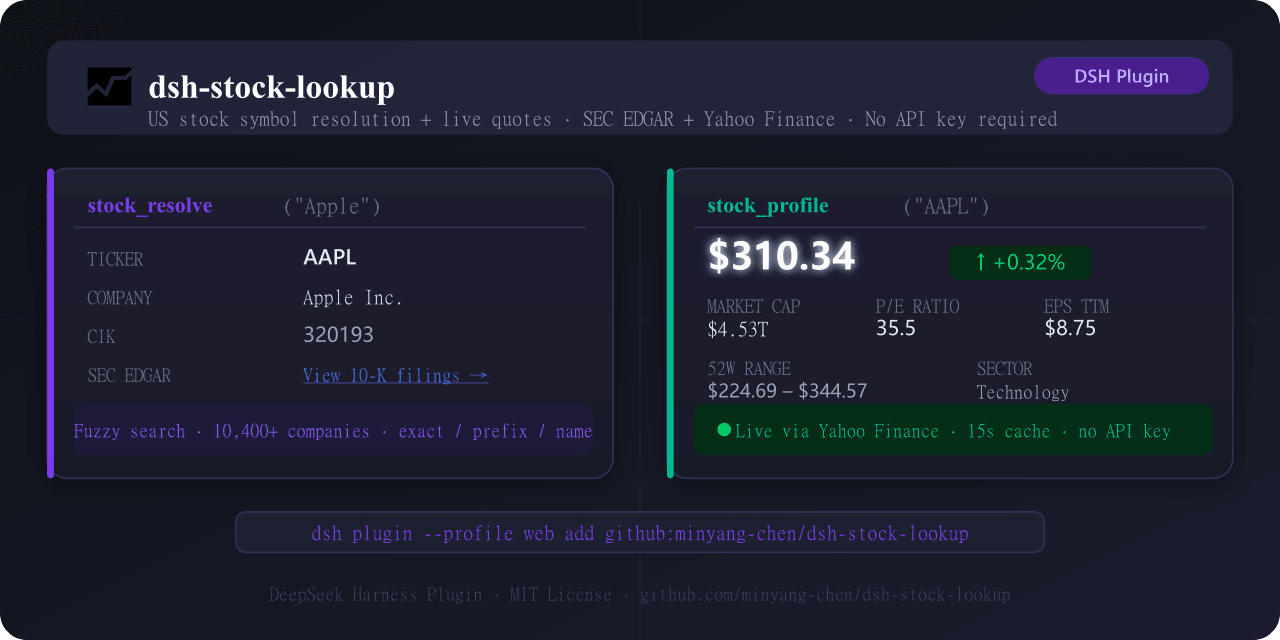
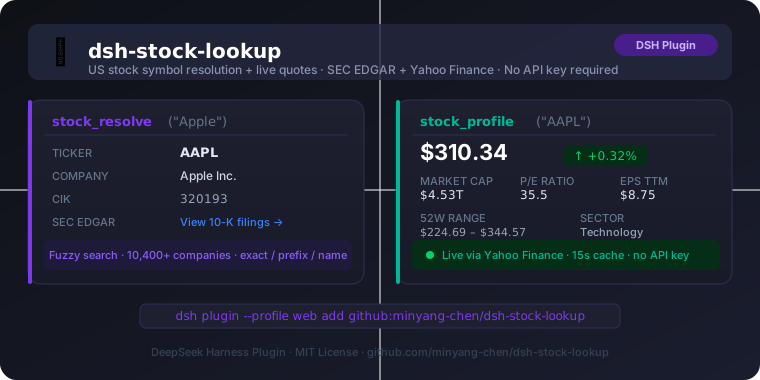
dsh-stock-lookup is a native DeepSeek Harness plugin registered through the bundle-manifest format, and it gives the DSH agent two stock-research tools that work without any API key. The first tool, stock_resolve, takes a company name, partial name, or ticker and looks it up against a bundled SEC EDGAR company index covering roughly 10,000 US-listed companies, returning the ticker, CIK, official company name, and a direct EDGAR filing URL. The second tool, stock_profile, accepts a ticker symbol and pulls a live quote plus profile from Yahoo Finance through the yahoo-finance2 library, exposing fields such as price, change, volume, market cap, trailing and forward P/E, EPS, 52-week range, sector, industry, country, and description. Installation is handled via the DSH CLI, for example dsh plugin --profile web add github:minyang-chen/dsh-stock-lookup, followed by a dsh web restart.
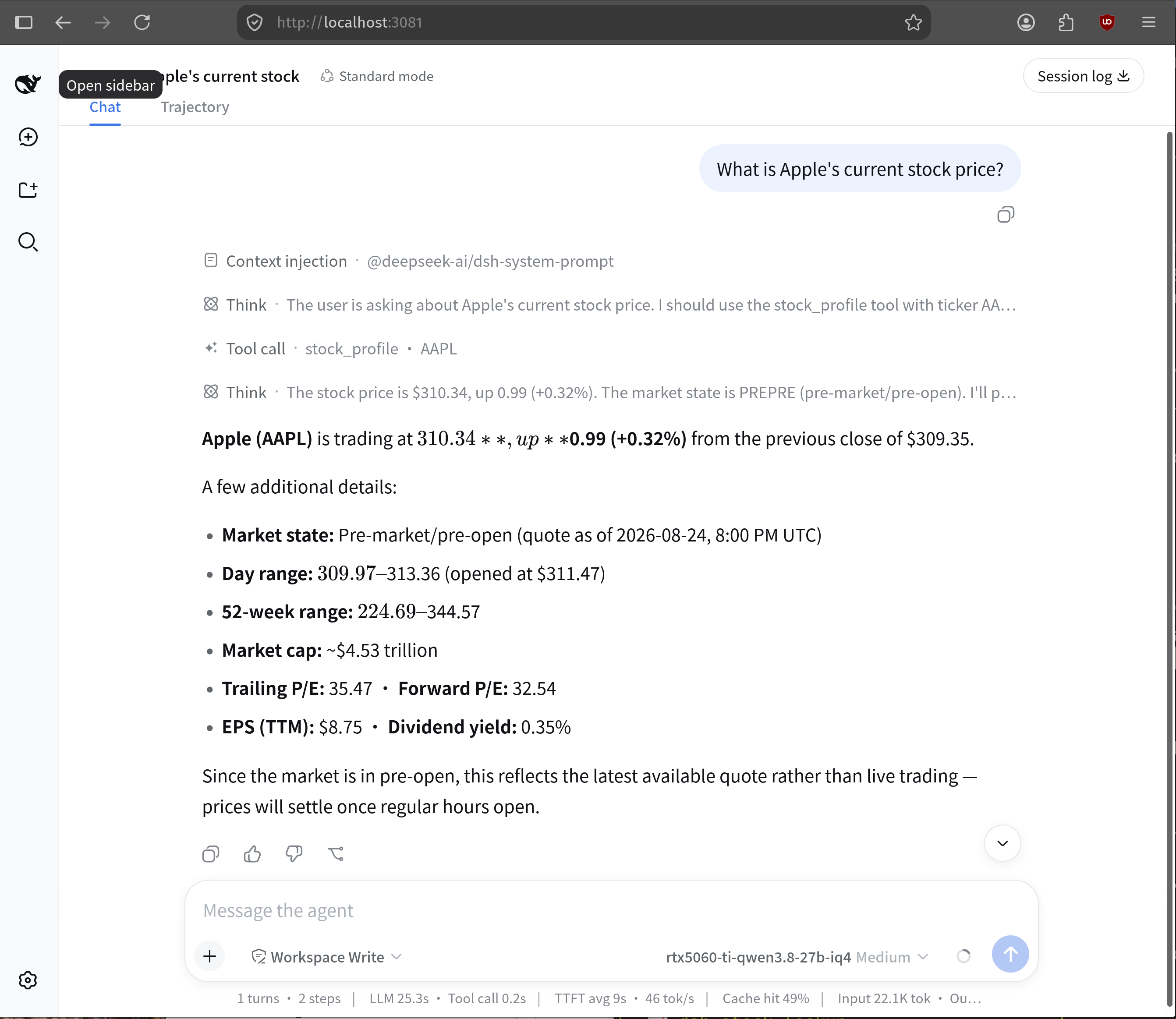
The intended user is a DSH-based analyst who needs to chain name-to-ticker resolution with live US equity quotes inside a single agent turn. The README shows a typical two-step flow where the agent calls stock_resolve("nvidia") to find NVDA and then stock_profile("NVDA") to surface the current price, sector, and valuation, and it also documents direct-ticker lookups, ambiguous names such as "Amazon", and EDGAR link retrieval. Updates use dsh plugin --profile web update, and removal is the standard remove followed by add. There is no other host platform — the package targets DSH exclusively.
Dependencies are minimal but worth noting: symbol resolution ships a vendored data/company_tickers.json that the plugin re-fetches from SEC when older than seven days, falling back to the bundled copy on network failure; live quotes depend entirely on Yahoo Finance through yahoo-finance2, so availability tracks Yahoo's public pages. Configuration exposes enabled (default true) and quoteTtlMs (default 15000), and a manual refresh script npm run update-sec-data is provided for committing fresh EDGAR data. The project is MIT-licensed, requires no paid tier, and runs only under the DSH web profile with the listed caveats about Yahoo's terms.
dsh-stock-lookup 是面向 DeepSeek Harness(DSH)编写的原生插件,向智能体注册两个股票研究工具:stock_resolve 通过内置的 SEC EDGAR 公司索引(约 1 万家美股上市公司)把公司名称或模糊关键词解析为股票代码、CIK 与官方 EDGAR 备案链接;stock_profile 则借助 yahoo-finance2 拉取 Yahoo Finance 的实时行情与公司画像,包括最新价、涨跌、市值、市盈率、52 周区间、行业、描述等字段。使用前无需任何 API Key,仅依赖 Yahoo Finance 公网页面。
安装可通过 dsh plugin --profile web add github:minyang-chen/dsh-stock-lookup 从 GitHub 拉取,也可指向本地克隆路径,结束后执行 dsh web 重启即生效;更新使用 dsh plugin --profile web update 命令,卸载则组合 remove 与 add。典型工作流由 DSH 代理自动选择:用户输入"Nvidia 当前股价"时,代理先调用 stock_resolve("nvidia") 取得 NVDA,再调用 stock_profile("NVDA") 返回实时报价与画像。它面向做美股基本面调研、需要快速关联 SEC EDGAR 备案文件、且不配置付费金融接口的 DSH 用户。
依赖方面,符号解析读取打包好的 data/company_tickers.json,DSH 启动时若数据超过 7 天会自动从 SEC 刷新,失败则回落到内置副本;行情完全由 yahoo-finance2 承担,受 Yahoo 页面变更或反爬限制影响。配置项 enabled 默认开启,quoteTtlMs 控制行情缓存窗口(默认 15000ms)。插件以 MIT 协议开源,仅支持 DSH Web 配置文件,不附带鉴权或付费额度,Yahoo Finance 抓取受其非商用条款约束,商用部署需自行评估合规风险。
请帮我安装这个 DSH 插件。安装前先完成【兼容性检查 + 安全性检查】,检查通过再动手。

插件:dsh-stock-lookup(minyang-chen/dsh-stock-lookup)
仓库:https://github.com/minyang-chen/dsh-stock-lookup
本站详情页:https://www.yhbd.top/plugins/minyang-chen-dsh-stock-lookup/
本站登记:类型 plugin · 归类 原生 DSH 插件 · 许可证 MIT · ⭐ 2 · 最近提交 2026-08-27 · 主语言 TypeScript

按下面顺序执行,每步先把结论告诉我,再进入下一步:

【1 兼容性检查】
① 我这边:DSH 版本、Node 版本、操作系统、当前 profile(web / desktop)。
② 读它的 README、package.json、插件 manifest,列出它要求的 DSH 版本 / Node 版本 / 操作系统 / 外部依赖 / 需要另外先装的运行时。
③ 逐条比对,结论只写「满足 / 不满足 / 未知」三种;不满足的给出可行替代方案。
④ 检查是否和我已装的插件冲突:命令名重复、skill / tool 重名、端口占用、重复注册的 MCP server。

【2 安全性检查】
① 仓库可信度:和上面「本站登记」是否一致;star / fork 数、创建时间、最近提交,是否归档或长期停更。
② 安装脚本:逐行看 package.json 的 preinstall / install / postinstall,以及 install.sh、setup.ps1 之类脚本。出现 curl|bash、下载后直接执行、混淆代码、访问与插件功能无关的域名,立刻停下来告诉我,不要继续装。
③ 依赖:列出新增依赖,标出无人维护、或与知名包拼写近似的可疑包(typosquatting)。
④ 权限与副作用:它会读写哪些目录、访问哪些域名、需要哪些 DSH 权限(filesystem / network / shell / clipboard 等),以及怎么卸载和回滚。
⑤ 如果它要求 sudo / 管理员权限,或权限明显超出功能所需,先停下来问我。

【3 安装】
上面两步没有「不满足」和「高危项」时才执行;用官方推荐方式安装,不要自行提权。

【4 汇报】
用表格输出:检查项 / 结论 / 依据 / 是否需要我决策。拿不准的一律写「未知」并说明要我怎么确认——不要猜,也不要替我决定。
Send this message to DSH in your current session: it verifies compatibility and security first (answering met / not met / unknown item by item) and only installs once everything checks out — it will stop and ask you if it finds a high-risk item. The box scrolls; the copy is the full prompt. CLI install commands may not be accurate across systems, so DSH is the safer route.把上面这条消息直接发给当前会话里的 DSH:它会先核对兼容性与安全性(逐条给「满足 / 不满足 / 未知」),确认没问题再安装,有高危项会停下来问你。框内可滚动,复制到的是完整提示词;安装命令不一定准确,发给 DSH 更稳。
- Only 2 stars - very few users, little community feedback星标只有 2,几乎没人在用,遇到问题缺少社区反馈
DSH walks through these 9 checksDSH 会逐条核对这 9 项
Compatibility兼容性
- DSH, Node, OS and profile requirementsDSH 版本 / Node 版本 / 操作系统 / profile 是否满足要求
- External dependencies and runtimes (Electron / Python / Docker, ...)外部依赖与运行时(Electron / Python / Docker 等)是否齐备
- Conflicts with installed plugins: command names, skill / tool names, ports, duplicate MCP registration与已装插件是否冲突:命令名、skill / tool 重名、端口占用、重复 MCP 注册
Security安全性
- Repo matches the facts registered here; archived or abandoned?仓库是否与页面登记一致,是否归档或长期停更
- Safety of preinstall / install / postinstall and install.sh / setup.ps1preinstall / install / postinstall 与 install.sh、setup.ps1 是否安全
- curl|bash, download-then-execute, obfuscation, unrelated domains → stop immediatelycurl|bash、下载即执行、混淆代码、无关域名 → 立刻停止
- Typosquatting or unmaintained packages among the new dependencies新增依赖里有没有 typosquatting 或无人维护的包
- Requested permissions vs. what the feature actually needs申请了哪些权限、是否超出功能所需(filesystem / network / shell / clipboard)
- Any sudo / admin requirement, plus uninstall and rollback是否要求 sudo / 管理员权限,以及卸载与回滚方式
Anything uncertain must be marked unknown with a note on how to confirm it. This site's signal screen is a static snapshot, not a security audit.拿不准的必须标「未知」并说明要我怎么确认。本站的信号筛查是静态快照,不能替代安全审计。
Or use CLI install (for developers)或使用命令行安装(适合开发者)
CLI Install命令行安装
dsh plugin --profile web add dsh-stock-lookup把 minyang-chen/dsh-stock-lookup 加入你的 DSH 配置(web profile)即可启用。
READMEREADME
dsh-stock-lookup
A DeepSeek Harness plugin that gives the agent two tools for stock research:
stock_resolve— resolve a company name or partial ticker to a US stock symbol using the bundled SEC EDGAR company index (~10,000 companies). Returns ticker, CIK, official company name, and a direct SEC EDGAR filing link.stock_profile— fetch a live stock quote and company profile (price, change, P/E, market cap, sector, industry, description, and more) via Yahoo Finance.
No API keys required. No external services beyond Yahoo Finance.
Install
# From npm (after publish):
dsh plugin --profile web add dsh-stock-lookup

# From GitHub (no npm publish needed):
dsh plugin --profile web add github:minyang-chen/dsh-stock-lookup

# From a local clone:
dsh plugin --profile web add /path/to/dsh-stock-lookup
After installing, restart DSH:
dsh web
Update to latest version
# Pull latest commit from GitHub and rebuild:
dsh plugin --profile web update dsh-stock-lookup

# Or remove and re-add:
dsh plugin --profile web remove dsh-stock-lookup
dsh plugin --profile web add github:minyang-chen/dsh-stock-lookup
Restart DSH after updating.
Tools
stock_resolve
Resolve a company name or ticker to a stock symbol.
| Parameter | Type | Required | Description |
|---|---|---|---|
query |
string | ✅ | Company name, partial name, or ticker. E.g. "Apple", "nvidia", "TSLA" |
limit |
number | Max results to return (1–10, default 5) |
What the agent says:
Found 1 match for "Apple":
• AAPL — Apple Inc. (CIK 320193)
  SEC EDGAR: https://www.sec.gov/cgi-bin/browse-edgar?...
Raw tool response (JSON)
{
  "status": "ok",
  "data": [
    {
      "ticker": "AAPL",
      "company": "Apple Inc.",
      "cik": 320193,
      "sec_url": "https://www.sec.gov/cgi-bin/browse-edgar?action=getcompany&CIK=320193&type=10-K..."
    }
  ]
}
Showing the opening section of the README — the full document lives in the repository以上为 README 开头摘要,完整文档在仓库内 · View the full README on GitHub →在 GitHub 查看完整 README →
Related相关推荐
-
 nocobase/nocobase
NocoBase is an open-source AI + no-code platform for building business systems fast. Instead of generating everything fr…
nocobase/nocobase
NocoBase is an open-source AI + no-code platform for building business systems fast. Instead of generating everything fr…
-
 TencentCloudBase/CloudBase-AI-Toolkit
Backend for AI coding agents on CloudBase — database, auth, functions via Plugin, Skills & MCP.
TencentCloudBase/CloudBase-AI-Toolkit
Backend for AI coding agents on CloudBase — database, auth, functions via Plugin, Skills & MCP.
-
 WYH66666666/DSH-Transparent-UI-Plugin
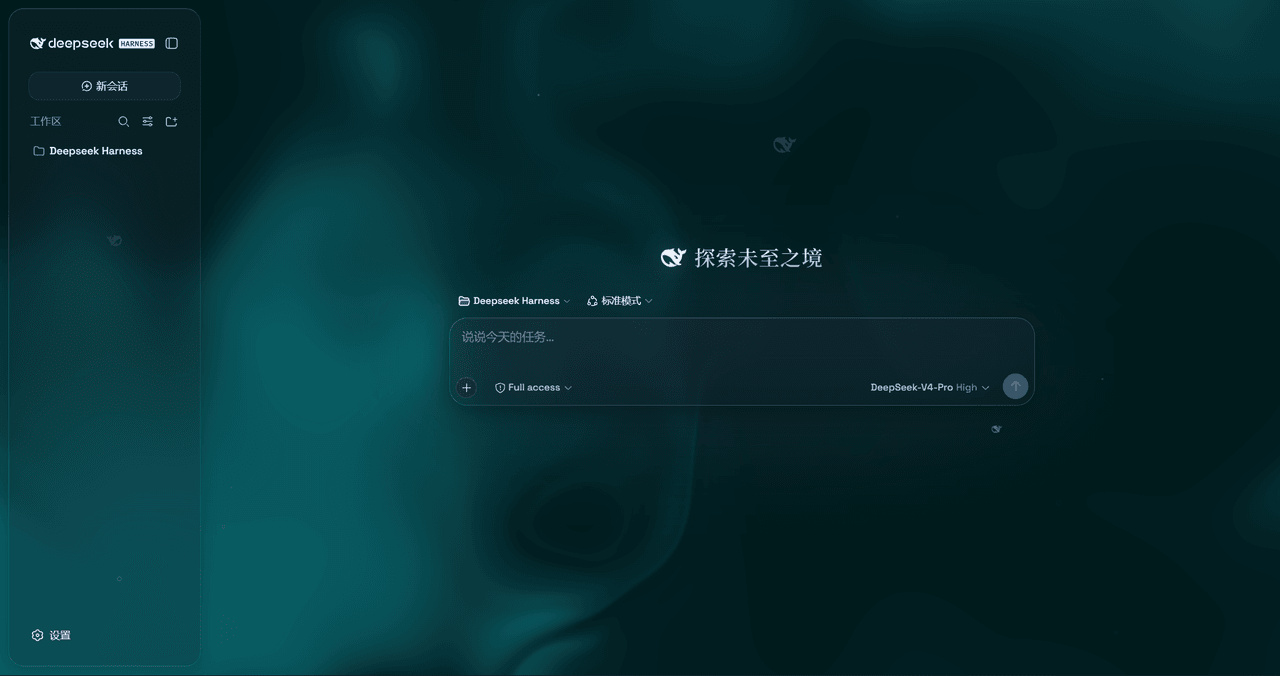
是一层高自由度的玻璃质感主题,套在 DeepSeek Harness 网页端。顶栏、侧边栏、输入框、统计行、轨迹视图都成了磨砂玻璃片。玻璃模糊度、磨砂度、背景(流体或自定义壁纸,壁纸还能单独调模糊和磨砂)全都能在设置卡片里自由调节。关掉开关…
WYH66666666/DSH-Transparent-UI-Plugin
是一层高自由度的玻璃质感主题,套在 DeepSeek Harness 网页端。顶栏、侧边栏、输入框、统计行、轨迹视图都成了磨砂玻璃片。玻璃模糊度、磨砂度、背景(流体或自定义壁纸,壁纸还能单独调模糊和磨砂)全都能在设置卡片里自由调节。关掉开关…
-
 Nagi-ovo/dsh-visualize
在 DSH 对话中生成交互式可视化|Render model-generated interactive cards inside DSH conversations
Nagi-ovo/dsh-visualize
在 DSH 对话中生成交互式可视化|Render model-generated interactive cards inside DSH conversations
-
 SepineTam/mcp-for-stata
Stata-MCP: A MCP server for integrating Stata into your agent loop with a safety-first design.
SepineTam/mcp-for-stata
Stata-MCP: A MCP server for integrating Stata into your agent loop with a safety-first design.
-
 omdsh-dev/dsh-data-agent
Connect DSH to your database for conversational data analysis and actionable business insights.
omdsh-dev/dsh-data-agent
Connect DSH to your database for conversational data analysis and actionable business insights.
-
 morluto/jacobian
Composable mathematics tools for agents
morluto/jacobian
Composable mathematics tools for agents
-
 youdotcom-oss/agent-skills
You.com skills and plugins for web search, content extraction, research, finance, and integration discovery, helping AI …
youdotcom-oss/agent-skills
You.com skills and plugins for web search, content extraction, research, finance, and integration discovery, helping AI …