mitao-su/dsh-playwright-cli
DeepSeek Harness(DSH)宿主插件,封装了 Playwright CLI:安装浏览器、运行测试、在代理循环中打开 HTML 报告。
项目介绍Project Overview
dsh-playwright-cli 是 DSH host 插件,把 Playwright CLI 封装为 Agent 可调用工具:探测版本、安装浏览器、运行测试、打开 HTML 报告,命令经 shell 执行器运行并继承沙箱与超时策略。适用于在会话工作区自动化 Playwright 测试流程。注意:仅识别 workdir 本地 @playwright/test,沙箱可能拒绝浏览器下载或子进程。
dsh-playwright-cli is a DSH host plugin that wraps the Playwright CLI into agent-callable tools: checking the version, installing browsers, running tests, and opening HTML reports. Commands run through the shell executor and inherit sandbox, timeout, and output policies. Use it to automate Playwright workflows in the session workspace. Caveat: it only resolves local @playwright/test in the workdir, and sandboxing may block browser downloads or worker processes.
请帮我了解并安装插件:【dsh-playwright-cli】【https://github.com/mitao-su/dsh-playwright-cli】把上面这条消息直接发给当前会话里的 DSH,让它帮你了解并安装。安装命令不一定准确,发给 DSH 更稳。Send this message to DSH in your current session. CLI install commands may not be accurate across systems — DSH will figure it out for you.
或使用命令行安装(适合开发者)Or use CLI install (for developers)
命令行安装CLI Install
dsh plugin --profile web add github:mitao-su/dsh-playwright-cli把 mitao-su/dsh-playwright-cli 加入你的 DSH 配置(web profile)即可启用。
READMEREADME
dsh-playwright-cli
DeepSeek Harness(DSH)host 插件:把 Playwright CLI 封装成 Agent 可一键调用的工具集 —— 探测版本、安装浏览器、跑测试、打开 HTML 报告,全程无需手敲 npx playwright ...。
- 运行面:host-only(无 client bundle,无 Web 依赖)。
- 执行缝:复用官方 shell 执行器(
ctx.shell,与bash/pwsh工具同源),因此 sandbox 策略、DSH_*环境变量、输出截断、超时/中止分类全部由组合提供。 - 分发:
lib/已提交进 Git,安装不触发任何构建脚本,零交互。
工具
| 工具 | 作用 | 底层命令 |
|---|---|---|
playwright_version |
探测目标项目里 CLI 是否可用并打印版本 | npx --no-install playwright --version |
playwright_install |
安装浏览器(默认 chromium);CLI 缺失且 autoInstallPackage 开启时先用 npm 脚手架 @playwright/test |
npx --no-install playwright install [browsers...] |
playwright_test |
运行测试套件,支持 --config/--project/--grep/--workers/--reporter/--headed/--trace/--retries/--list 等常用选项 |
npx --no-install playwright test ... |
playwright_show_report |
定位 HTML 报告:有 web server 时注册回环路由并返回 URL;否则返回文件绝对路径 | playwright-report/index.html 静态服务 |
所有命令默认在会话工作区(session cwd)中执行,非零退出报告而非报错,由模型自行判断下一步。
安装
要求:目标 profile 已挂载 shell 执行器(标准 web/headless 组合自带;DSH ≥ 0.1.0-rc.6)。
dsh plugin --profile web add github:mitao-su/dsh-playwright-cli
走 Git 分发:本仓库把构建产物
lib/提交进 Git,pnpm 不会执行任何 prepare 脚本,因此无需配置allowBuilds。安装成功后重启目标 profile(dsh plugin会自动把包加入dsh.profile.bundles)。
受限网络备选(github: 依赖需要本机 git 可访问 GitHub):也可直接用 GitHub tarball URL 安装,效果相同:
dsh plugin --profile web add https://github.com/mitao-su/dsh-playwright-cli/archive/refs/heads/main.tar.gz
本地路径/开发安装:
dsh plugin --profile web add ./dsh-playwright-cli # 或 file: 前缀
使用示例
Agent 侧一次典型会话:
playwright_version(workdir 默认会话工作区)→ 确认 CLI 就绪;playwright_test(files: ["tests/login.spec.ts"],reporter: "html")→ 跑测试,得到reportDir;playwright_show_report→ 拿到url,用户直接在浏览器打开报告。
配置(profile cordis.patch.yml 按 id: playwright-cli 整段覆盖):
- insert:
    - id: playwright-cli
      name: dsh-playwright-cli
      config:
        timeoutMs: 600000          # 每次 CLI 调用的默认超时
        reportDir: playwright-report
        reportRoute: /playwright-report
        autoInstallPackage: true   # CLI 缺失时自动 npm install -D @playwright/test
注意事项
- 沙箱与升级出口:命令走 shell 执行器的 sandbox。浏览器二进制下载到用户目录、
playwright testfork worker 子进程等,都可能被文件沙箱拒绝——此时结果带[sandbox: file access denied ...]标记和升级提示。playwright_version/playwright_install/playwright_test与官方 shell 工具一致,提供sandbox_permissions+justification参数:沙箱拒绝后,用能通过的最窄更宽模式重试同一条命令(如danger-full-access),执行前会弹用户审批,获批后仅本次调用生效。 - 本地安装约束(避免双副本):工具按
npx --no-install解析,只认 workdir 里的本地@playwright/test,不会用全局 CLI。若 workdir 的 spec 文件require('@playwright/test')解析到本地副本而 CLI 命中全局,会出现test.describe() not expected here之类的双副本错误——请把workdir指向装有本地@playwright/test的项目目录(可先用playwright_install脚手架)。 - 引号:参数按挂载 shell 的方言(bash/pwsh)自动安全引用;含单引号的路径请先重命名。
- 报告路由:
playwright_show_report每次调用注册一条/playwright-report/<nonce>回环路由,插件卸载时统一释放;同一报告可多次调用。 - 并发:
playwright_test/playwright_install声明为不可并发(共享 test-results/report 目录)。
开发
pnpm install
pnpm verify      # typecheck + build + git diff --check
License
MIT
相关推荐Related
-
 csyangwen/dsh-memory-evolve
为 DeepSeek Harness 带来「跨会话长期记忆 + 后台自我进化」能力的纯插件实现:五轨记忆 · git 分支感知 · 回合内自我审查 · 技能自我进化与技能管理器 · 四轨待办 · COI 调度 · 会话广播 · 会话搜索 ·…
csyangwen/dsh-memory-evolve
为 DeepSeek Harness 带来「跨会话长期记忆 + 后台自我进化」能力的纯插件实现:五轨记忆 · git 分支感知 · 回合内自我审查 · 技能自我进化与技能管理器 · 四轨待办 · COI 调度 · 会话广播 · 会话搜索 ·…
-
 Nagi-ovo/dsh-find-plugins
帮 DSH 搜索、安装并验证插件的 Skill|A DSH skill that finds, installs, and verifies GitHub plugins
Nagi-ovo/dsh-find-plugins
帮 DSH 搜索、安装并验证插件的 Skill|A DSH skill that finds, installs, and verifies GitHub plugins
-
 yyyyukari/dsh-plugin-workshop
Steam Workshop-style plugin browser for the DeepSeek Harness (DSH) Web UI - zero-server: GitHub-powered search, trending…
yyyyukari/dsh-plugin-workshop
Steam Workshop-style plugin browser for the DeepSeek Harness (DSH) Web UI - zero-server: GitHub-powered search, trending…
-
 huey1in/reef
DSH 插件全家桶:浏览器自动化 + MCP Server + GitHub/GitLab 自动评审 + 原生嵌入面板 | One install, five modules for DeepSeek Harness: browser au…
huey1in/reef
DSH 插件全家桶:浏览器自动化 + MCP Server + GitHub/GitLab 自动评审 + 原生嵌入面板 | One install, five modules for DeepSeek Harness: browser au…
-
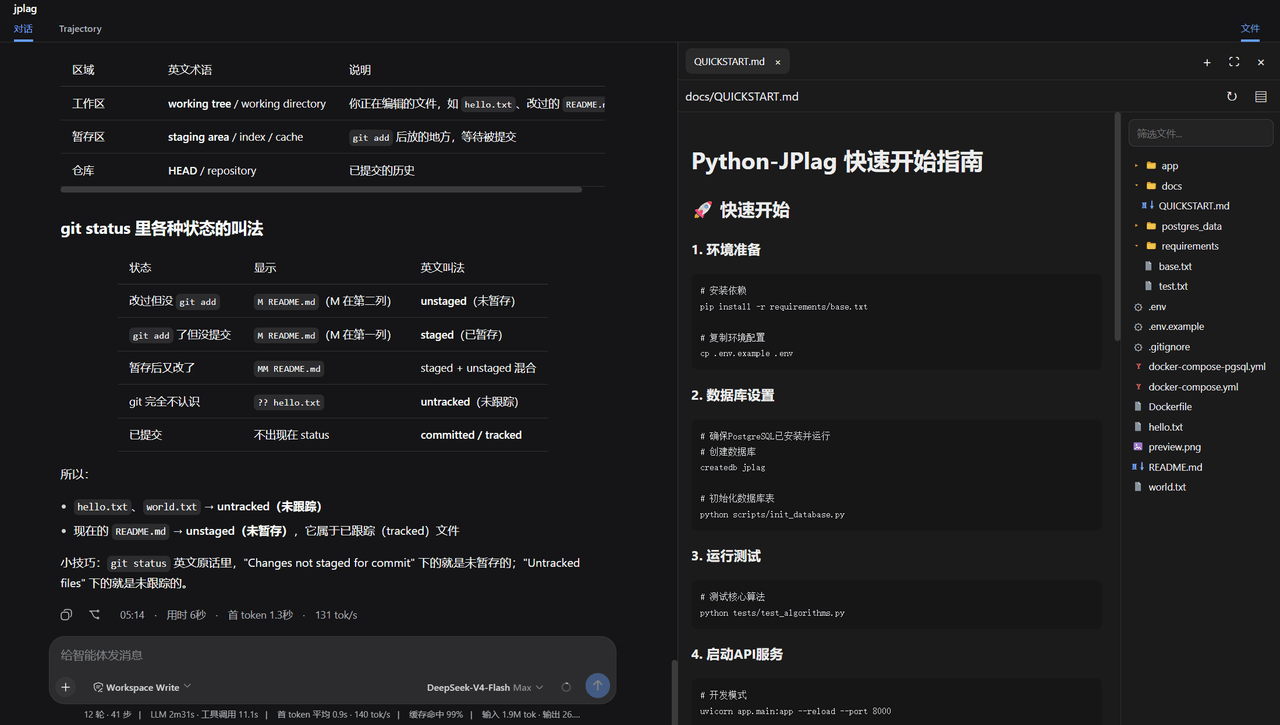 ccq1/dsh-side-panel
DSH 侧边栏,集成文件浏览器、终端和 Git 审查,方便预览文件。
ccq1/dsh-side-panel
DSH 侧边栏,集成文件浏览器、终端和 Git 审查,方便预览文件。
-
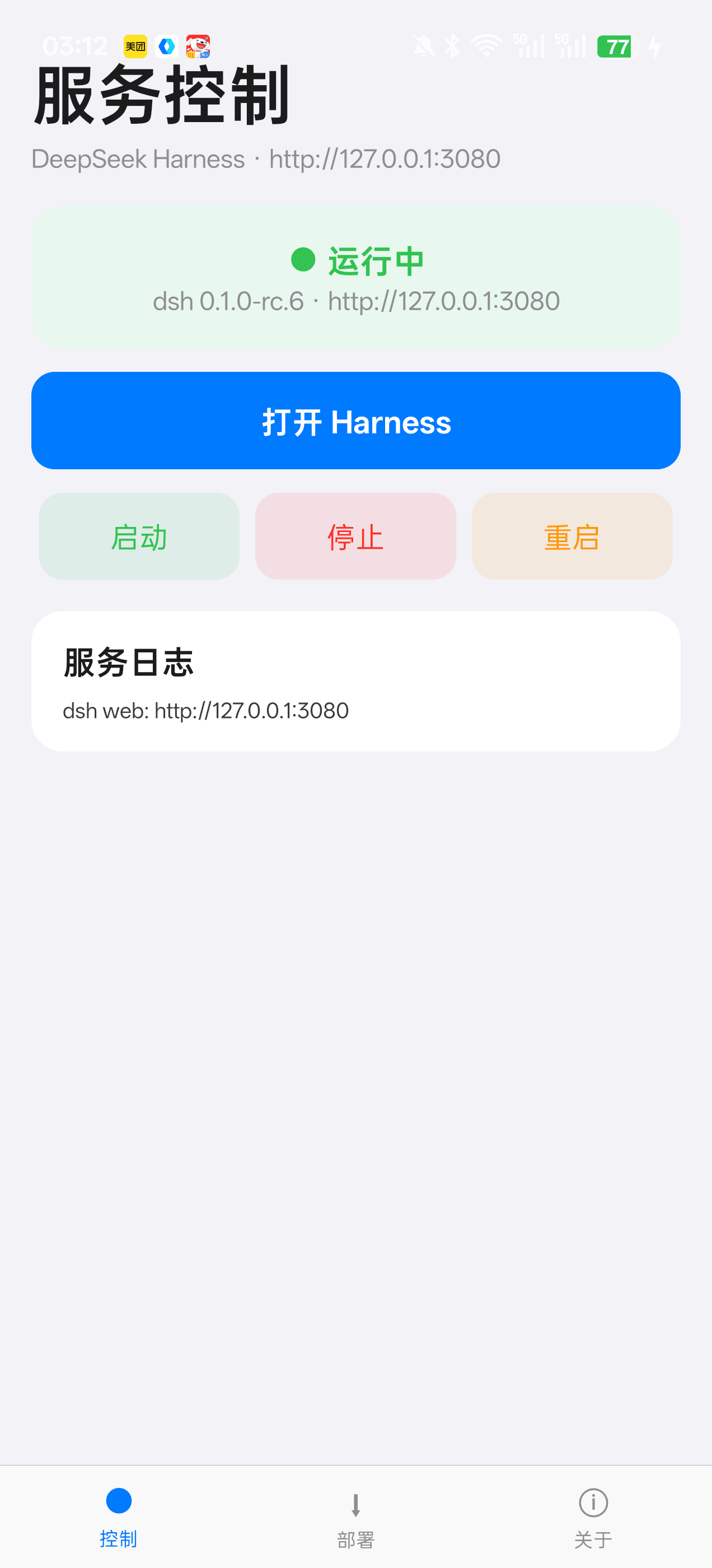 Jensen-Yao/deepseek-harness-android-app
DeepSeek Harness 安卓通用控制端:Termux 引导、一键部署、内置浏览器与存储管理(dsh-plugin 生态)
Jensen-Yao/deepseek-harness-android-app
DeepSeek Harness 安卓通用控制端:Termux 引导、一键部署、内置浏览器与存储管理(dsh-plugin 生态)
-
 PerryLink/dsh-composer-history
Terminal-style input history for the DeepSeek Harness web composer: edge-first arrows with exact draft/caret restore, br…
PerryLink/dsh-composer-history
Terminal-style input history for the DeepSeek Harness web composer: edge-first arrows with exact draft/caret restore, br…
-
 beancookie/dsh-plugin-anydoc
DSH 插件:基于 @firecrawl/anydoc 将 Word、PPT、Excel、PDF、EPUB、CSV 等文档转换为 GitHub-Flavored Markdown
beancookie/dsh-plugin-anydoc
DSH 插件:基于 @firecrawl/anydoc 将 Word、PPT、Excel、PDF、EPUB、CSV 等文档转换为 GitHub-Flavored Markdown