muze63096/dsh-draw-plugin
DeepSeek Harness 画图插件:侧边栏整页面板,写提示词即出图,Q版/正常两档画风,三引擎可选(免费 Pollinations / 硅基流动 Kolors / 任意 OpenAI 兼容)。A text-to-image panel plugin for DeepSeek Harness.
Project Overview项目介绍
dsh-draw-plugin is a native sidebar plugin built specifically for DeepSeek Harness, installed via dsh plugin --profile web add dsh-draw-plugin (the -w workspace-root flag is mandatory or pnpm errors out). The package carries its own dsh.bundle.patch and cordis.patch.yml, which auto-mount a dsh-draw row that must declare inject: [fs, shell, webServer] so the host registers HTTP routes after those services are ready. The host half ships as plain ESM, the client half as a loadable CJS unit that wraps window.__ModuleLoader__, and there are zero runtime dependencies and no build step. Users must fully restart the DSH web app after installation, because the host loads its module graph into memory at process start and a browser refresh alone is not enough.
A typical workflow opens the new brush-icon panel from the sidebar, types a prompt plus an optional fixed character description that gets prepended to every generation, picks a chibi or normal style preset (style tokens must come at the front of the prompt or they get diluted into photorealism), and chooses one of four engines. The free Pollinations endpoint works with no API key and offers turbo for anime-leaning output and flux for realistic images; the SiliconFlow engine requires a paid key and supports Kolors plus Z-Image-Turbo; the custom slot accepts any OpenAI-compatible /images/generations URL, including dall-e-3; and the local ComfyUI engine hits http://127.0.0.1:8188 and pulls checkpoints and LoRAs from /object_info. The plugin is aimed at DSH users who want to draw recurring characters, chibi stickers, and LoRA-styled anime art without leaving the chat surface. Chinese prompts are auto-translated to English by default because the free engine silently switches to photorealism when fed Chinese text and drops style tokens.
Dependencies split into a full ComfyUI bundle that downloads roughly 5 GB including a CUDA PyTorch wheel plus a 2 GB model and occupies about 12 GB on disk for a ten-to-twenty-minute install on Windows plus an NVIDIA card, and a lightweight stable-diffusion.cpp build that ships a 29 MB sd-server.exe exposing both OpenAI-compatible and A1111-compatible endpoints, totaling around 2.5 GB on disk for a one-to-three-minute install on any Vulkan-capable card including AMD and integrated GPUs. API keys live only in browser memory and pass to the generator subprocess via stdin, never appearing on the command line or in process listings, and are written to disk solely when the user manually creates a .dsh-draw-key.txt. The /dsh-draw/api and /dsh-draw/img/* routes have no authentication and assume the default 127.0.0.1 binding; exposing DSH publicly requires that the operator add their own access control. Free-engine 402, 429, and 500 responses trigger four automatic retry attempts with backoff, output is saved with the format the engine actually returns, and the project is MIT licensed.
dsh-draw-plugin 是为 DeepSeek Harness 专门打造的文生图侧边栏插件,通过 dsh plugin --profile web add 挂入 web profile,自动通过包内 dsh.bundle.patch 与 cordis.patch.yml 注册 dsh-draw 行,需要 inject: [fs, shell, webServer],否则路由会在依赖就绪前跑失败。宿主半边为 ESM,客户端半边是 window.__ModuleLoader__ 可直接加载的 CJS 单元,零运行时依赖、不需要构建步骤,装完必须重启 DSH web app,否则内存里的旧模块会与新前端错位。
典型用法是在侧边栏点击铅笔图标打开面板,填写提示词与可选的「固定角色」描述(每次生成都会附带,适合反复绘制同一角色),选择 Q 版或正常画风、画风词需前置,然后从四个引擎中挑选:免 Key 的免费 Pollinations(turbo 偏二次元、flux 偏写实)、硅基流动 Kolors 与 Z-Image-Turbo、任意 OpenAI 兼容的 /images/generations 端点,或本机 ComfyUI 拉取 LoRA 工作流;适用于想在 DSH 内直接生成角色图、二次元立绘、LoRA 风格化出图的用户,预设按钮可一键套用「Q 版鲸鱼娘」等组合。
依赖方面,完整版一键安装会下载约 5 GB 含 CUDA 版 PyTorch 的 ComfyUI 与 2 GB 模型,占用约 12 GB,首次安装耗时 10~20 分钟,仅限 Windows + NVIDIA 显卡;轻量版使用 stable-diffusion.cpp 的 29 MB sd-server.exe,自带 OpenAI 兼容与 A1111 兼容接口,只需 2.5 GB 磁盘与 1~3 分钟,任意支持 Vulkan 的显卡均可。API Key 由用户自填,只存于浏览器内存、通过 stdin 传给子进程,不会写入命令行或进程列表;/dsh-draw/api 与 /dsh-draw/img/* 无鉴权,仅应暴露于本机,公网部署需自行加访问控制;MIT 协议,免费引擎对 402/429/500 会退避重试 4 次,中文提示词会默认自动翻译为英文。
请帮我安装这个 DSH 插件。安装前先完成【兼容性检查 + 安全性检查】,检查通过再动手。

插件:dsh-draw-plugin(muze63096/dsh-draw-plugin)
仓库:https://github.com/muze63096/dsh-draw-plugin
本站详情页:https://www.yhbd.top/plugins/muze63096-dsh-draw-plugin/
本站登记:类型 plugin · 归类 原生 DSH 插件 · 许可证 MIT · ⭐ 2 · 最近提交 2026-09-29 · 主语言 JavaScript

按下面顺序执行,每步先把结论告诉我,再进入下一步:

【1 兼容性检查】
① 我这边:DSH 版本、Node 版本、操作系统、当前 profile(web / desktop)。
② 读它的 README、package.json、插件 manifest,列出它要求的 DSH 版本 / Node 版本 / 操作系统 / 外部依赖 / 需要另外先装的运行时。
③ 逐条比对,结论只写「满足 / 不满足 / 未知」三种;不满足的给出可行替代方案。
④ 检查是否和我已装的插件冲突:命令名重复、skill / tool 重名、端口占用、重复注册的 MCP server。

【2 安全性检查】
① 仓库可信度:和上面「本站登记」是否一致;star / fork 数、创建时间、最近提交,是否归档或长期停更。
② 安装脚本:逐行看 package.json 的 preinstall / install / postinstall,以及 install.sh、setup.ps1 之类脚本。出现 curl|bash、下载后直接执行、混淆代码、访问与插件功能无关的域名,立刻停下来告诉我,不要继续装。
③ 依赖:列出新增依赖,标出无人维护、或与知名包拼写近似的可疑包(typosquatting)。
④ 权限与副作用:它会读写哪些目录、访问哪些域名、需要哪些 DSH 权限(filesystem / network / shell / clipboard 等),以及怎么卸载和回滚。
⑤ 如果它要求 sudo / 管理员权限,或权限明显超出功能所需,先停下来问我。

【3 安装】
上面两步没有「不满足」和「高危项」时才执行;用官方推荐方式安装,不要自行提权。

【4 汇报】
用表格输出:检查项 / 结论 / 依据 / 是否需要我决策。拿不准的一律写「未知」并说明要我怎么确认——不要猜,也不要替我决定。
Send this message to DSH in your current session: it verifies compatibility and security first (answering met / not met / unknown item by item) and only installs once everything checks out — it will stop and ask you if it finds a high-risk item. The box scrolls; the copy is the full prompt. CLI install commands may not be accurate across systems, so DSH is the safer route.把上面这条消息直接发给当前会话里的 DSH:它会先核对兼容性与安全性(逐条给「满足 / 不满足 / 未知」),确认没问题再安装,有高危项会停下来问你。框内可滚动,复制到的是完整提示词;安装命令不一定准确,发给 DSH 更稳。
- Only 2 stars - very few users, little community feedback星标只有 2,几乎没人在用,遇到问题缺少社区反馈
DSH walks through these 9 checksDSH 会逐条核对这 9 项
Compatibility兼容性
- DSH, Node, OS and profile requirementsDSH 版本 / Node 版本 / 操作系统 / profile 是否满足要求
- External dependencies and runtimes (Electron / Python / Docker, ...)外部依赖与运行时(Electron / Python / Docker 等)是否齐备
- Conflicts with installed plugins: command names, skill / tool names, ports, duplicate MCP registration与已装插件是否冲突:命令名、skill / tool 重名、端口占用、重复 MCP 注册
Security安全性
- Repo matches the facts registered here; archived or abandoned?仓库是否与页面登记一致,是否归档或长期停更
- Safety of preinstall / install / postinstall and install.sh / setup.ps1preinstall / install / postinstall 与 install.sh、setup.ps1 是否安全
- curl|bash, download-then-execute, obfuscation, unrelated domains → stop immediatelycurl|bash、下载即执行、混淆代码、无关域名 → 立刻停止
- Typosquatting or unmaintained packages among the new dependencies新增依赖里有没有 typosquatting 或无人维护的包
- Requested permissions vs. what the feature actually needs申请了哪些权限、是否超出功能所需(filesystem / network / shell / clipboard)
- Any sudo / admin requirement, plus uninstall and rollback是否要求 sudo / 管理员权限,以及卸载与回滚方式
Anything uncertain must be marked unknown with a note on how to confirm it. This site's signal screen is a static snapshot, not a security audit.拿不准的必须标「未知」并说明要我怎么确认。本站的信号筛查是静态快照,不能替代安全审计。
Or use CLI install (for developers)或使用命令行安装(适合开发者)
CLI Install命令行安装
dsh plugin --profile web add dsh-draw-plugin把 muze63096/dsh-draw-plugin 加入你的 DSH 配置(web profile)即可启用。
READMEREADME
dsh-draw-plugin
给 DeepSeek Harness 用的画图插件:侧边栏多一个「画图」面板,写句提示词就出图,Q版/正常两档画风,三个出图引擎随便挑。
零运行时依赖,不需要构建——宿主半边是普通 ESM,客户端半边是加载器直接可用的 CJS 单元。
两个版本,按需选一个
两个包的代码完全相同,区别只在「默认引擎」和文档——所以随时能切换,不用重装。
| 完整版(ComfyUI) | 轻量版(SD.cpp) | |
|---|---|---|
| 一键安装要下多少 | ~5 GB(含 CUDA 版 PyTorch)+ 2 GB 模型 | 29 MB 引擎 + 2 GB 模型 |
| 磁盘占用 | ~12 GB | ~2.5 GB |
| 首次安装耗时 | 10~20 分钟 | 1~3 分钟 |
| 出图速度(RTX 4050 / 512×512 / 20 步) | ~10 秒 | ~9.5 秒 |
| 显卡要求 | Windows + N 卡(CUDA) | Windows + 任意支持 Vulkan 的显卡(N / A / 核显都行) |
| LoRA | 支持(面板下拉选 + 权重) | 支持(提示词里写 <lora:名字:0.8>) |
| 生态 | 完整 ComfyUI:自定义节点、别人分享的工作流 | 只有基础文生图 |
| 适合谁 | 想用 ComfyUI 生态、要各种节点插件 | 只想装上就能画、硬盘或网速有限 |
轻量版用的是 stable-diffusion.cpp:一个纯 C++ 推理器,
sd-server.exe自带 OpenAI 兼容 + A1111 兼容接口,所以插件接它几乎不用额外代码。
长什么样
左侧边栏底部多一个铅笔图标「画图」,点开是一个整页面板:
┌ 画图 ─────────────────────────────────────────┐
│ 提示词  [ 坐在桌前打游戏,回头惊讶地看着镜头 ] │
│ 固定角色[ 蓝发鲸鱼女仆娘,白色蕾丝女仆装…    ] │
│ 画风  (●)Q版 ( )正常   尺寸 [1:1][3:4][16:9]  │
│                                     [ 生成 ]  │
├───────────────────────────────────────────────┤
│ 引擎  (●)免费 Pollinations ( )硅基流动 ( )自定义│
│ 模型  (●)Turbo ( )FLUX                        │
│ ☑纯白背景  ☑中文自动译成英文   高级设置        │
├───────────────────────────────────────────────┤
│            ┌────────────┐                     │
│            │   出图预览  │                     │
│            └────────────┘                     │
│  [新窗口打开] [再来一张]   已保存:<路径>      │
├───────────────────────────────────────────────┤
│ 本次历史  ▢ ▢ ▢ ▢                             │
└───────────────────────────────────────────────┘
截图占位:欢迎 PR 补一张
docs/screenshot.png。
特性
- 四个引擎可选,Key 由使用者自己填:免费 Pollinations(无需 Key)/硅基流动(Kolors 等)/任意 OpenAI 兼容的
/images/generations端点/本机引擎(ComfyUI 或轻量版 SD.cpp)。 - 本机引擎一键安装:没有环境的点一下按钮就自动装好;完整版装 ComfyUI(~5GB),轻量版装 stable-diffusion.cpp(29MB)。两者都支持 LoRA。
- Q版 / 正常两档画风,画风词前置(实测:放句尾会被稀释成 3D 写实风)。
- 中文提示词自动译成英文(可关)。实测免费引擎吃到中文会整体切到写实路线并丢掉画风词,所以默认开启翻译,并会把你实际发送的提示词显示出来。
- 限流自动重试:免费引擎的 402/429/500 会退避重试 4 次,不是一撞就死。
- 按真实格式落盘:引擎返回什么类型就存什么后缀(
.jpg/.png/.webp),Content-Type也如实返回。 - 历史缩略图、真实耗时/体积、一键新窗口打开。
- 自定义保存位置:面板「保存到」直接填(默认
$DSH_HOME/dsh-draw),填过就记住;行配置也能改默认值。 - 不写死任何路径:脚本、设置、Key 文件都在
$DSH_HOME,出图目录由使用者指定。
Showing the opening section of the README — the full document lives in the repository以上为 README 开头摘要,完整文档在仓库内 · View the full README on GitHub →在 GitHub 查看完整 README →
Related相关推荐
-
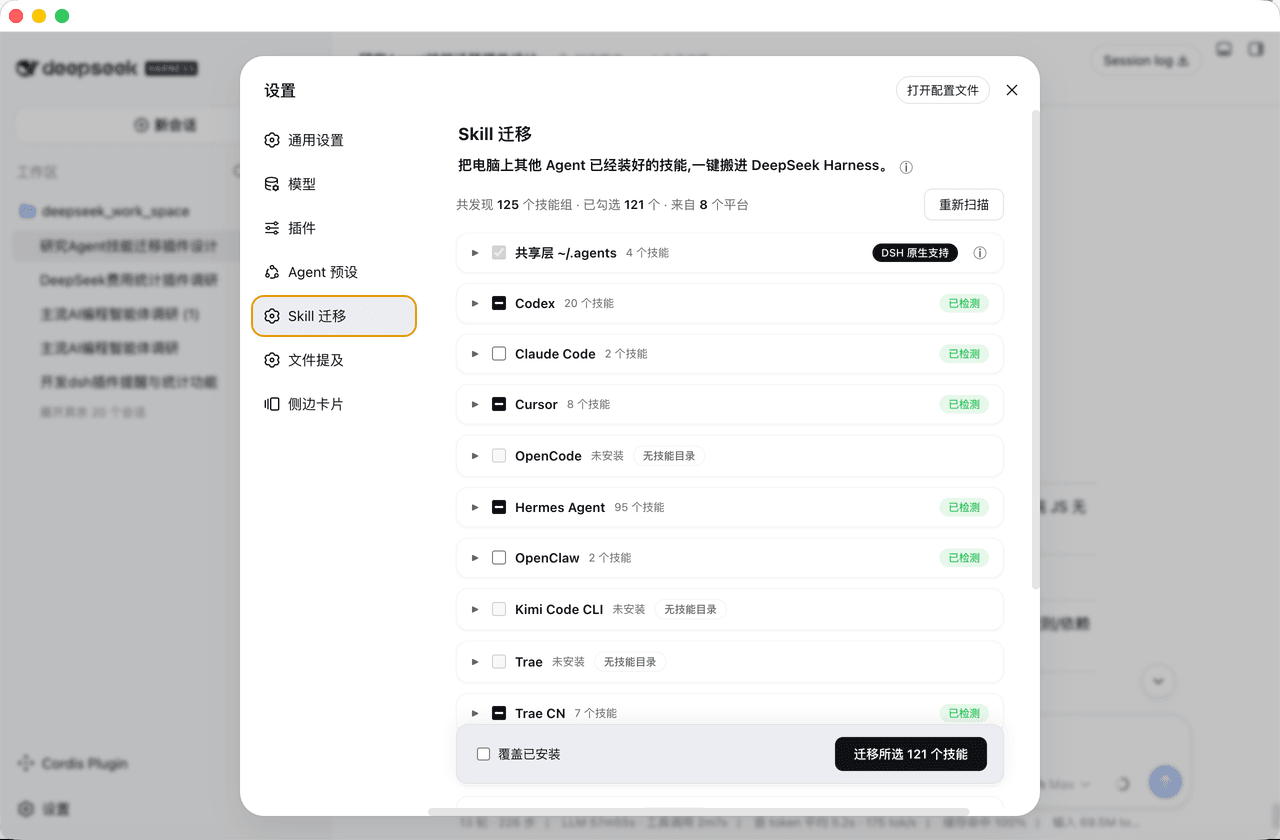 mjylfz/dsh-skill-mover
把其他 Agent 的技能一键搬进 DeepSeek Harness:支持 14 个平台 + 共享层识别、同名技能合并、不重复搬运、可回滚。DSH 技能搬家插件 (skill mover).
mjylfz/dsh-skill-mover
把其他 Agent 的技能一键搬进 DeepSeek Harness:支持 14 个平台 + 共享层识别、同名技能合并、不重复搬运、可回滚。DSH 技能搬家插件 (skill mover).
-
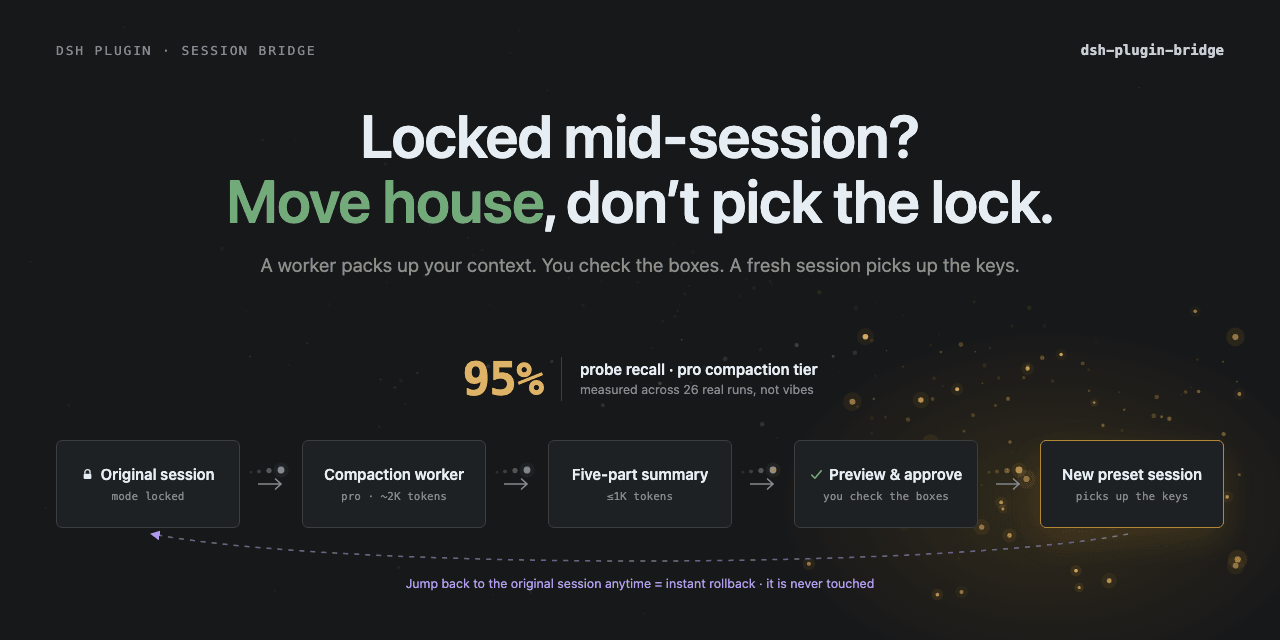 Totoro-qaq/dsh-plugin-bridge
DeepSeek Harness plugin for previewable cross-preset session migration. Fixed-schema handoffs preserve state, source-mod…
Totoro-qaq/dsh-plugin-bridge
DeepSeek Harness plugin for previewable cross-preset session migration. Fixed-schema handoffs preserve state, source-mod…
-
 xiajiajun516/dsh-config-manager
DeepSeek Harness (DSH) backup & restore plugin — export, import, migrate and sync your complete DSH configuration, plugi…
xiajiajun516/dsh-config-manager
DeepSeek Harness (DSH) backup & restore plugin — export, import, migrate and sync your complete DSH configuration, plugi…
-
 william-jin-cmu/dsh-vision
dsh 插件:给纯文本 DeepSeek 加视觉——view_image 工具桥接任意 OpenAI 兼容 VLM(默认智谱免费档,实测 4 厂商 10 模型)
william-jin-cmu/dsh-vision
dsh 插件:给纯文本 DeepSeek 加视觉——view_image 工具桥接任意 OpenAI 兼容 VLM(默认智谱免费档,实测 4 厂商 10 模型)
-
 Chang-Tong/dsh-import-agents
Import pi / opencode / codex / claude-code sessions, chat history, and agents into DeepSeek Harness — one-click Sync but…
Chang-Tong/dsh-import-agents
Import pi / opencode / codex / claude-code sessions, chat history, and agents into DeepSeek Harness — one-click Sync but…
-
 Flyvhidbwo/dsh-vision-proxy
DeepSeek Harness 插件:DeepSeek Pro 大脑 + 自动识图。GUI 附加图片默认经官方 deepseek-v4-flash-vision-exp 原生识图,转译成文字后交给 DeepSeek 作答(纯文本的 V4-…
Flyvhidbwo/dsh-vision-proxy
DeepSeek Harness 插件:DeepSeek Pro 大脑 + 自动识图。GUI 附加图片默认经官方 deepseek-v4-flash-vision-exp 原生识图,转译成文字后交给 DeepSeek 作答(纯文本的 V4-…
-
 WNJXYK/dsh-codex-oauth
Use your OpenAI subscription with DeepSeek Harness to access GPT models, image generation, and web search.
WNJXYK/dsh-codex-oauth
Use your OpenAI subscription with DeepSeek Harness to access GPT models, image generation, and web search.
-
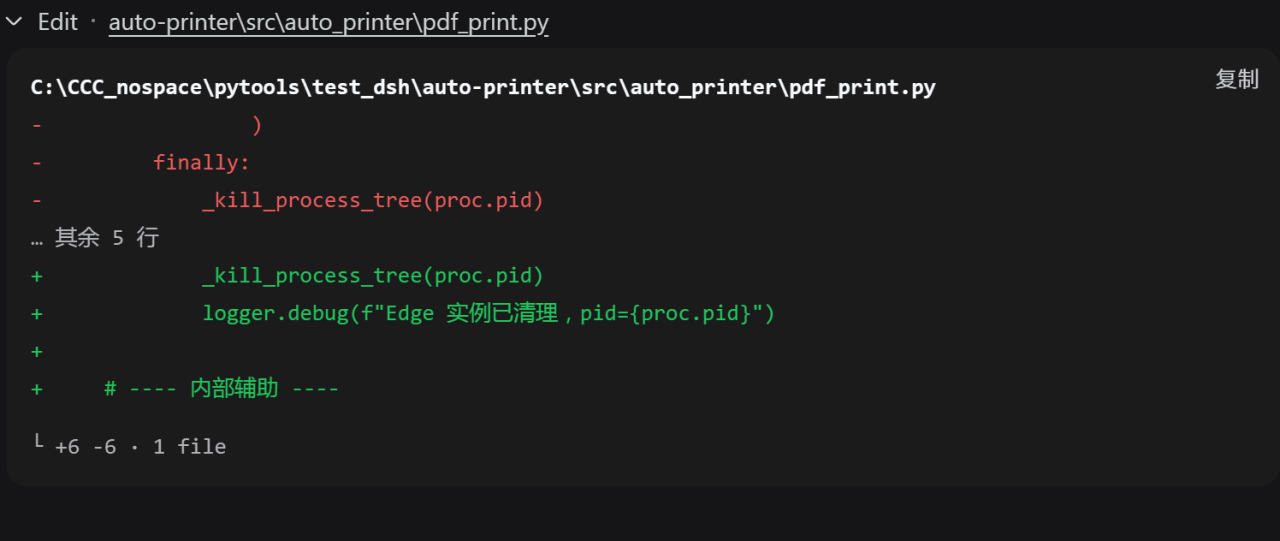 better-er/dsh-edit-diff
「DSH·质量 diff」:接管 edit/write 及 extraTools 配置的其他工具卡片,行级去重与行内高亮,消除相同内容在删除与新增两区的重复;兼容 PTC 模式。
better-er/dsh-edit-diff
「DSH·质量 diff」:接管 edit/write 及 extraTools 配置的其他工具卡片,行级去重与行内高亮,消除相同内容在删除与新增两区的重复;兼容 PTC 模式。