Ndsanes/dsh-rules
OMP rules port for DeepSeek Harness: rulebook, always-apply injection, rule:// addressing, and time-traveling stream rules that interrupt violating model output
Project Overview项目介绍
dsh-rules is a native cordis plugin built specifically for DeepSeek Harness, distributed as the npm package @ndsanes/dsh-rules and registered through the dsh plugin --profile <name> add @ndsanes/dsh-rules command. It targets the Open Mod Protocol (OMP) rule format, discovering Markdown rule files from the workspace's .omp/rules directory, the user rules folder, the omp-plugins pluginRoots tree, the agents directories, plus foreign directories such as <cwd>/.cursor/rules, <cwd>/.windsurf/rules, the nearest .clinerules, and .github/instructions/*.instructions.md. Identity is the rule name alone, so the merge keeps the first rule to claim it in priority order, which is why <cwd>/.cursor/rules/style.md defeats a same-named ~/.cursor/rules/style.md. Operators must also remove any stale link: dependency or dsh.profile.bundles entry under an old package name before installing, because the loader resolves bundle rows by current name and a leftover entry causes a bare import failed boot error that the plugin cannot diagnose.
The plugin injects alwaysApply rules and the rulebook directly into the system prompt so the model can pull individual rule bodies on demand, then enforces **time-traveling stream rules** that interrupt violating model output mid-turn before it lands on the user. It ships a browser half that renders the same rule editor twice — once on the Plugins page under this plugin's own row, once as a tab inside Settings → Plugins — where fixed-vocabulary fields such as interruptMode use dropdowns so a typo cannot slip through; an unrecognised value silently falls back to the profile default of always. Workflow suits teams that want OMP conventions plus Cursor, Windsurf, Cline and GitHub instruction files to be governed by one consistent harness-wide layer, and the bundled src/builtin-rules/ directory holds 27 MIT-licensed defaults for TypeScript, Go and Rust that override OMP's own copy under identical names. The repo also provides helper scripts: scripts/audit-rules.ts to dump what the plugin parsed from a real project, scripts/render-prompt.ts to mount the plugin on a real DSH system-prompt service and print the assembled prompt without making a model call, and scripts/verify-interrupt.sh to run one prompt twice against a live DSH — once with an interrupting rule, once with a warning-only twin — so the transcript diff is the evidence.
First-run caveats are concrete: discovery is asynchronous, so the very first prompt assembly after a late mount renders without rule layers while the build runs, and the first tool call waits on the same waterfall, though a violating call is still blocked. The rule tool distinguishes "still being discovered" from "no rules exist" so a stale session does not look broken. Development follows a dev → main branch flow where the Release workflow publishes via npm Trusted Publishing using a short-lived OIDC credential scoped to one run, so no token is stored in the repository; configuration happens once on npmjs.com with user Ndsanes, repository dsh-rules, workflow filename release.yml. Build commands are pnpm install, pnpm test (vitest), pnpm typecheck, pnpm build, and after editing anything under src/builtin-rules/ the maintainer must run pnpm run embed:rules so the bundler, which cannot import Markdown as text, regenerates src/generated/builtin-rules.ts. Offline coverage is provided by tests/interrupt-loop.spec.ts, which mounts a real AgentLoop, SessionStore, LlmRuntime and tool registry through the DSH test kit and asserts abort, <system-interrupt> retry, the <system-reminder> path for interruptMode: never, and that repeatMode: once spends the rule, all under the MIT license.
dsh-rules 是为 DeepSeek Harness 开发的 OMP 规则插件,安装方式为运行 dsh plugin --profile <name> add @ndsanes/dsh-rules,必要时在 cordis.patch.yml 中添加该条目并重载 profile。它会自动发现 .omp/rules、~/.cursor/rules、~/.windsurf/rules、.clinerules、.github/instructions 以及 omp-plugins 各 pluginRoots 子目录下的所有 Markdown 规则文件,并按优先级合并同名规则。
插件将 alwaysApply 规则与 rulebook 注入系统提示,使模型按需加载具体规则体,并在模型流式输出违反规则时通过 TTSR 机制实时中断。它还附带浏览器端配置页,出现在 Plugins 页面与 Settings → Plugins 中,方便编辑 interruptMode、globs、condition、astCondition、question、scope 等字段。该项目主要面向需要在 DSH 内部集中管理多来源编码规则的开发者与团队。
运行时无外部模型依赖,规则编译在 pnpm build 时完成并嵌入产物;内置 27 条 MIT 规则(TypeScript、Go、Rust)随插件一起发布。首次启用时若 profile 已存在旧包名或 dsh.profile.bundles 条目,必须先清除,否则会出现仅显示 import failed 的引导失败。许可证为 MIT。
请帮我安装这个 DSH 插件。安装前先完成【兼容性检查 + 安全性检查】,检查通过再动手。

插件:dsh-rules(Ndsanes/dsh-rules)
仓库:https://github.com/Ndsanes/dsh-rules
本站详情页:https://www.yhbd.top/plugins/ndsanes-dsh-rules/
本站登记:类型 plugin · 归类 原生 DSH 插件 · 许可证 NOASSERTION · ⭐ 3 · 最近提交 2026-10-03 · 主语言 TypeScript

按下面顺序执行,每步先把结论告诉我,再进入下一步:

【1 兼容性检查】
① 我这边:DSH 版本、Node 版本、操作系统、当前 profile(web / desktop)。
② 读它的 README、package.json、插件 manifest,列出它要求的 DSH 版本 / Node 版本 / 操作系统 / 外部依赖 / 需要另外先装的运行时。
③ 逐条比对,结论只写「满足 / 不满足 / 未知」三种;不满足的给出可行替代方案。
④ 检查是否和我已装的插件冲突:命令名重复、skill / tool 重名、端口占用、重复注册的 MCP server。

【2 安全性检查】
① 仓库可信度:和上面「本站登记」是否一致;star / fork 数、创建时间、最近提交,是否归档或长期停更。
② 安装脚本:逐行看 package.json 的 preinstall / install / postinstall,以及 install.sh、setup.ps1 之类脚本。出现 curl|bash、下载后直接执行、混淆代码、访问与插件功能无关的域名,立刻停下来告诉我,不要继续装。
③ 依赖:列出新增依赖,标出无人维护、或与知名包拼写近似的可疑包(typosquatting)。
④ 权限与副作用:它会读写哪些目录、访问哪些域名、需要哪些 DSH 权限(filesystem / network / shell / clipboard 等),以及怎么卸载和回滚。
⑤ 如果它要求 sudo / 管理员权限,或权限明显超出功能所需,先停下来问我。

【3 安装】
上面两步没有「不满足」和「高危项」时才执行;用官方推荐方式安装,不要自行提权。

【4 汇报】
用表格输出:检查项 / 结论 / 依据 / 是否需要我决策。拿不准的一律写「未知」并说明要我怎么确认——不要猜,也不要替我决定。
Send this message to DSH in your current session: it verifies compatibility and security first (answering met / not met / unknown item by item) and only installs once everything checks out — it will stop and ask you if it finds a high-risk item. The box scrolls; the copy is the full prompt. CLI install commands may not be accurate across systems, so DSH is the safer route.把上面这条消息直接发给当前会话里的 DSH:它会先核对兼容性与安全性(逐条给「满足 / 不满足 / 未知」),确认没问题再安装,有高危项会停下来问你。框内可滚动,复制到的是完整提示词;安装命令不一定准确,发给 DSH 更稳。
- Only 3 stars - very few users, little community feedback星标只有 3,几乎没人在用,遇到问题缺少社区反馈
DSH walks through these 9 checksDSH 会逐条核对这 9 项
Compatibility兼容性
- DSH, Node, OS and profile requirementsDSH 版本 / Node 版本 / 操作系统 / profile 是否满足要求
- External dependencies and runtimes (Electron / Python / Docker, ...)外部依赖与运行时(Electron / Python / Docker 等)是否齐备
- Conflicts with installed plugins: command names, skill / tool names, ports, duplicate MCP registration与已装插件是否冲突:命令名、skill / tool 重名、端口占用、重复 MCP 注册
Security安全性
- Repo matches the facts registered here; archived or abandoned?仓库是否与页面登记一致,是否归档或长期停更
- Safety of preinstall / install / postinstall and install.sh / setup.ps1preinstall / install / postinstall 与 install.sh、setup.ps1 是否安全
- curl|bash, download-then-execute, obfuscation, unrelated domains → stop immediatelycurl|bash、下载即执行、混淆代码、无关域名 → 立刻停止
- Typosquatting or unmaintained packages among the new dependencies新增依赖里有没有 typosquatting 或无人维护的包
- Requested permissions vs. what the feature actually needs申请了哪些权限、是否超出功能所需(filesystem / network / shell / clipboard)
- Any sudo / admin requirement, plus uninstall and rollback是否要求 sudo / 管理员权限,以及卸载与回滚方式
Anything uncertain must be marked unknown with a note on how to confirm it. This site's signal screen is a static snapshot, not a security audit.拿不准的必须标「未知」并说明要我怎么确认。本站的信号筛查是静态快照,不能替代安全审计。
Or use CLI install (for developers)或使用命令行安装(适合开发者)
CLI Install命令行安装
dsh plugin --profile web add @ndsanes/dsh-rules把 Ndsanes/dsh-rules 加入你的 DSH 配置(web profile)即可启用。
READMEREADME
dsh-rules
OMP rules for DeepSeek Harness.
Discovers rule files from every convention OMP supports, injects the always-apply and rulebook layers into the system prompt, lets the model load a rule body on demand, and enforces time-traveling stream rules that interrupt violating model output mid-turn.
Install
dsh plugin --profile <name> add @ndsanes/dsh-rules
Then add the row to the profile's cordis.patch.yml if it is not already
applied by the package's own bundle patch, and reload the profile.
If the profile already carries this plugin under a different package name — a
stale link: dependency or a dsh.profile.bundles entry — remove it from
both dependencies and dsh.profile.bundles before adding. The loader
resolves a bundle row by the current package name, so a leftover entry points
at a module the profile no longer has, and the boot reports only
import failed. Nothing on the plugin side can diagnose that.
Rule files
A rule is a Markdown file with YAML frontmatter:
---
description: Read before writing a database migration.
globs: "Database/**/*.surql"
condition: "DEFINE (FIELD|TABLE|INDEX)"
scope: "tool:edit(*.surql), tool:write(*.surql)"
interruptMode: always
---

The migration body.
| Field | Meaning |
|---|---|
description |
Required for the rulebook listing. |
alwaysApply |
Injects the whole body into the system prompt. |
globs |
Path gate; a TTSR rule needs at least one matching candidate path. |
condition |
Regex triggers (legacy ttsr_trigger also accepted). |
astCondition |
ast-grep structural triggers, checked on tool arguments. |
question |
Natural-language question answered by a judge model. |
scope |
text, thinking, tool, tool:<name>(<glob). |
agents |
Agent-name globs; main and sub are reserved. |
interruptMode |
never | prose-only | tool-only | always. |
In the rule editor, a field with a fixed vocabulary — interruptMode today —
is a dropdown listing exactly the accepted values, so the value cannot be
misspelled. That matters because an unrecognised interruptMode is not
rejected: it falls back to the profile default, and the default is always.
The dropdown's first option means "inherit the profile default", and choosing it
removes the line from the file. An empty value would parse as unrecognised
and land on the same default it was meant to escape.
Showing the opening section of the README — the full document lives in the repository以上为 README 开头摘要,完整文档在仓库内 · View the full README on GitHub →在 GitHub 查看完整 README →
Related相关推荐
-
 yogsoth-ai/de-anthropocentric-research-engine
A 267-skill research graph in pure markdown — 51 research operations built from 216 single-purpose steps, composed in an…
yogsoth-ai/de-anthropocentric-research-engine
A 267-skill research graph in pure markdown — 51 research operations built from 216 single-purpose steps, composed in an…
-
 ZSeven-W/dsh-openpencil
The DeepSeek Harness plugin for OpenPencil — preview, inspect, and edit real .op documents inside a conversation.
ZSeven-W/dsh-openpencil
The DeepSeek Harness plugin for OpenPencil — preview, inspect, and edit real .op documents inside a conversation.
-
 HanaAyane/dsh-reasoning-effort
DSH适用的Codex风格的思考强度滑块,以及大肥鱼跑步滑块。Codex-style model and reasoning-effort slider for DeepSeek Harness
HanaAyane/dsh-reasoning-effort
DSH适用的Codex风格的思考强度滑块,以及大肥鱼跑步滑块。Codex-style model and reasoning-effort slider for DeepSeek Harness
- T-Auto/dsh-std DSH Plugin Interoperability Meta-Protocol / DSH 插件互操作元协议
- FylarOpen/dsh-fylar-office-editor Office document preview, editing, and DOCX generation for DeepSeek Harness, powered by Fylar Office SDK.
- reddapidev/dsh-reddit-radar A dsh plugin that periodically scans reddapi.dev for new Reddit leads matching your one-sentence ICP, dedupes what you'v…
-
 HuanLinOTO/dsh-plugin-better-sidebar-plugin-office
为 better-sidebar 提供 Office 三件套预览(.docx/.xlsx/.pptx),独立 bundle 瘦身主体 | Provides Office-suite preview (.docx/.xlsx/.pptx) f…
HuanLinOTO/dsh-plugin-better-sidebar-plugin-office
为 better-sidebar 提供 Office 三件套预览(.docx/.xlsx/.pptx),独立 bundle 瘦身主体 | Provides Office-suite preview (.docx/.xlsx/.pptx) f…
-
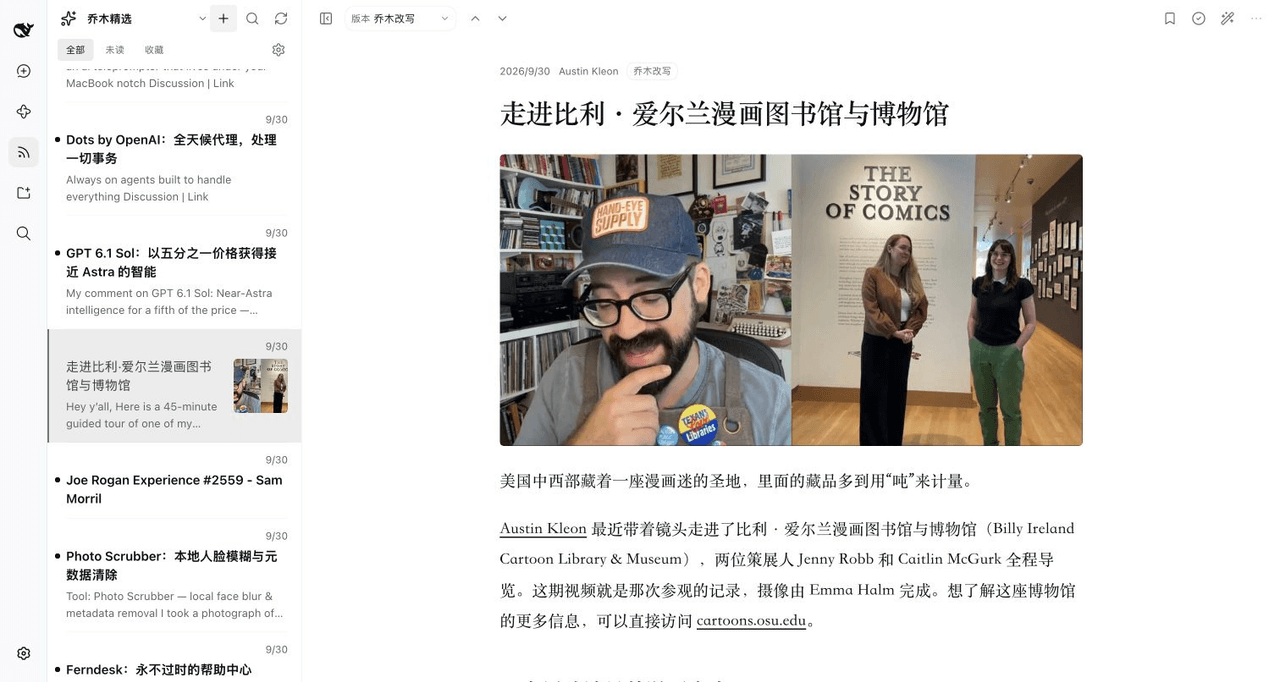 joeseesun/qiaomu-rss-dsh
在 DeepSeek Harness 中阅读 RSS,与原生 AI 对话伴读文章 | RSS reading with native AI companion for DeepSeek Harness
joeseesun/qiaomu-rss-dsh
在 DeepSeek Harness 中阅读 RSS,与原生 AI 对话伴读文章 | RSS reading with native AI companion for DeepSeek Harness