nishuoyang/dsh-wallpaper-bg
DeepSeek Harness Web UI Standalone Wallpaper Background Plugin: Three sources including built-in wallpapers, custom uploads, and Wallpaper Engine library (read-only). Supports image, video, and scene preview rendering, along with adjustments for overlay, blur, brightness, and safe zoom.
Project Overview项目介绍
This is a plugin for DeepSeek Harness (DSH) that adds an independent animated wallpaper layer to the DSH web UI. It comes with built-in wallpapers, supports custom local uploads, and can read your local Wallpaper Engine library. Use it to customize your DSH background. Connecting to Wallpaper Engine requires the corresponding local API service running.
这是DeepSeek Harness(DSH)的壁纸插件,可为DSH网页界面添加独立的动态壁纸层,支持内置壁纸、本地文件上传,还可只读接入本地Wallpaper Engine壁纸库。适合想自定义DSH界面背景的用户使用,接入Wallpaper Engine需要本地对应API服务正常运行。
请帮我了解并安装插件:【dsh-wallpaper-bg】【https://github.com/nishuoyang/dsh-wallpaper-bg】Send this message to DSH in your current session. CLI install commands may not be accurate across systems — DSH will figure it out for you.把上面这条消息直接发给当前会话里的 DSH,让它帮你了解并安装。安装命令不一定准确,发给 DSH 更稳。
Or use CLI install (for developers)或使用命令行安装(适合开发者)
CLI Install命令行安装
dsh plugin --profile web add dsh-wallpaper-bg把 nishuoyang/dsh-wallpaper-bg 加入你的 DSH 配置(web profile)即可启用。
READMEREADME
dsh-wallpaper-bg
v0.3.11 · MIT License
English | 中文
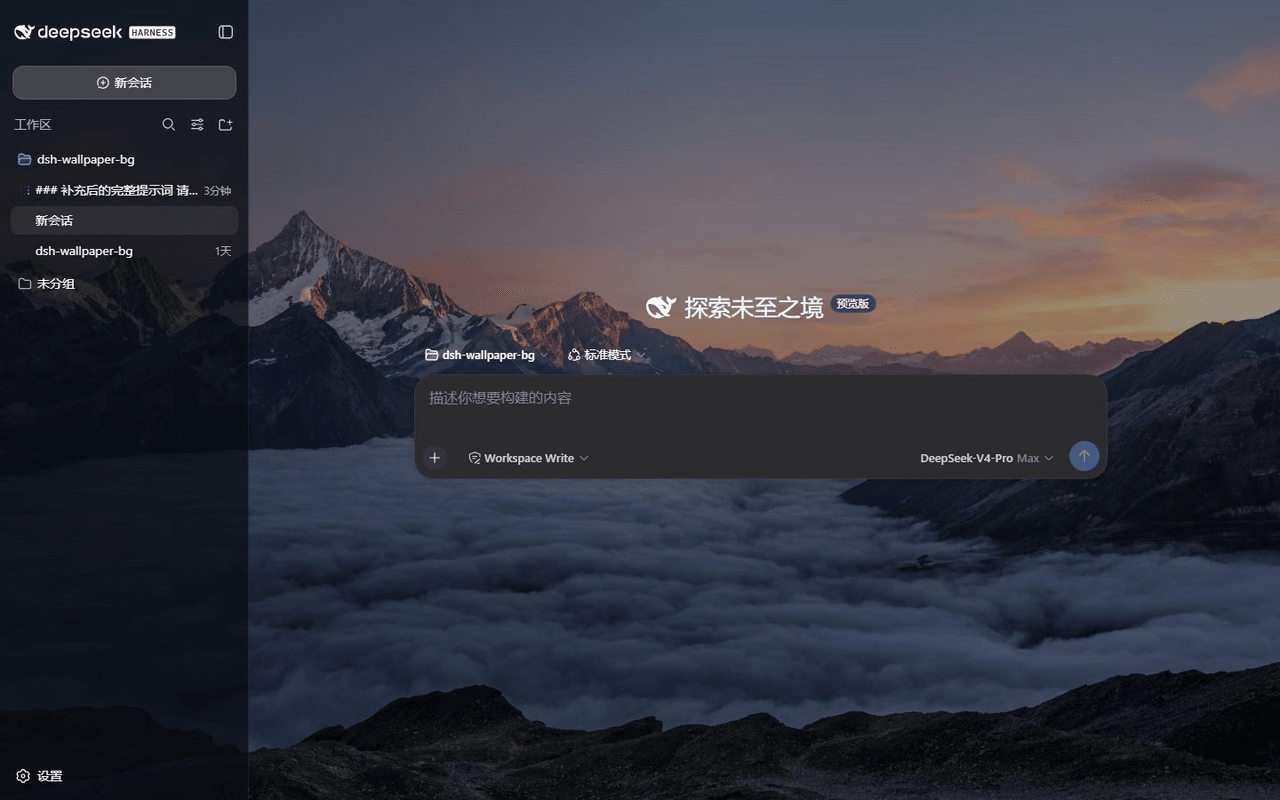
A static two-half plugin that puts an independent animated wallpaper layer under the DeepSeek Harness (DSH) web UI: one command to install, refresh the page, and the whole interface sits on a moving wallpaper. Ships with 10 high-res Unsplash images, supports uploading local images / videos, and can read-only connect to your local Wallpaper Engine library — video, scene (full scene frames, rendered server-side), and web wallpapers all come alive in the browser. In light theme a translucent white fog is layered in automatically, in dark theme a dimming overlay is applied, so fine text stays readable. The background layer is fully independent from the desktop Wallpaper Engine: changing wallpapers inside DSH never touches your desktop wallpaper, and vice versa.
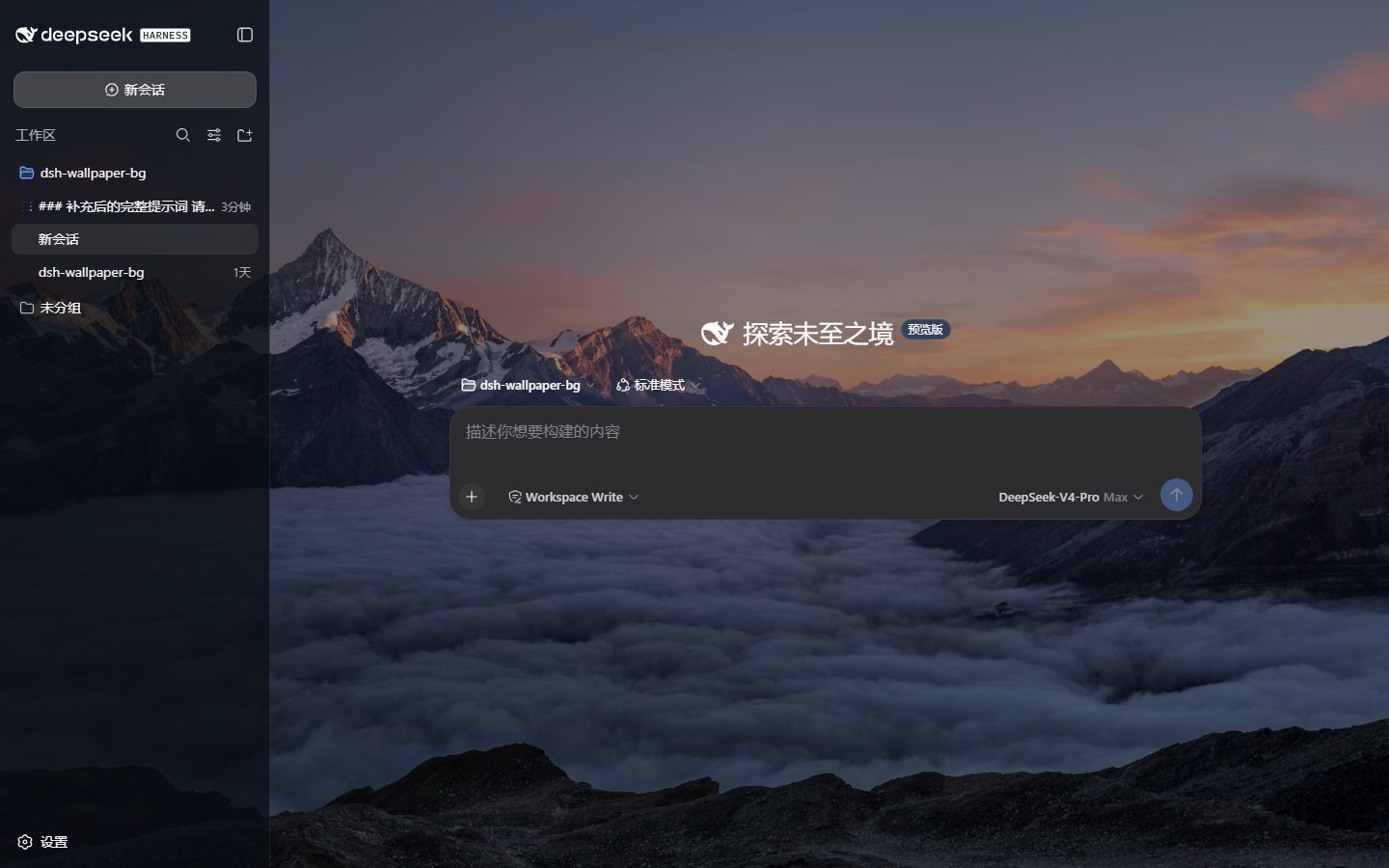
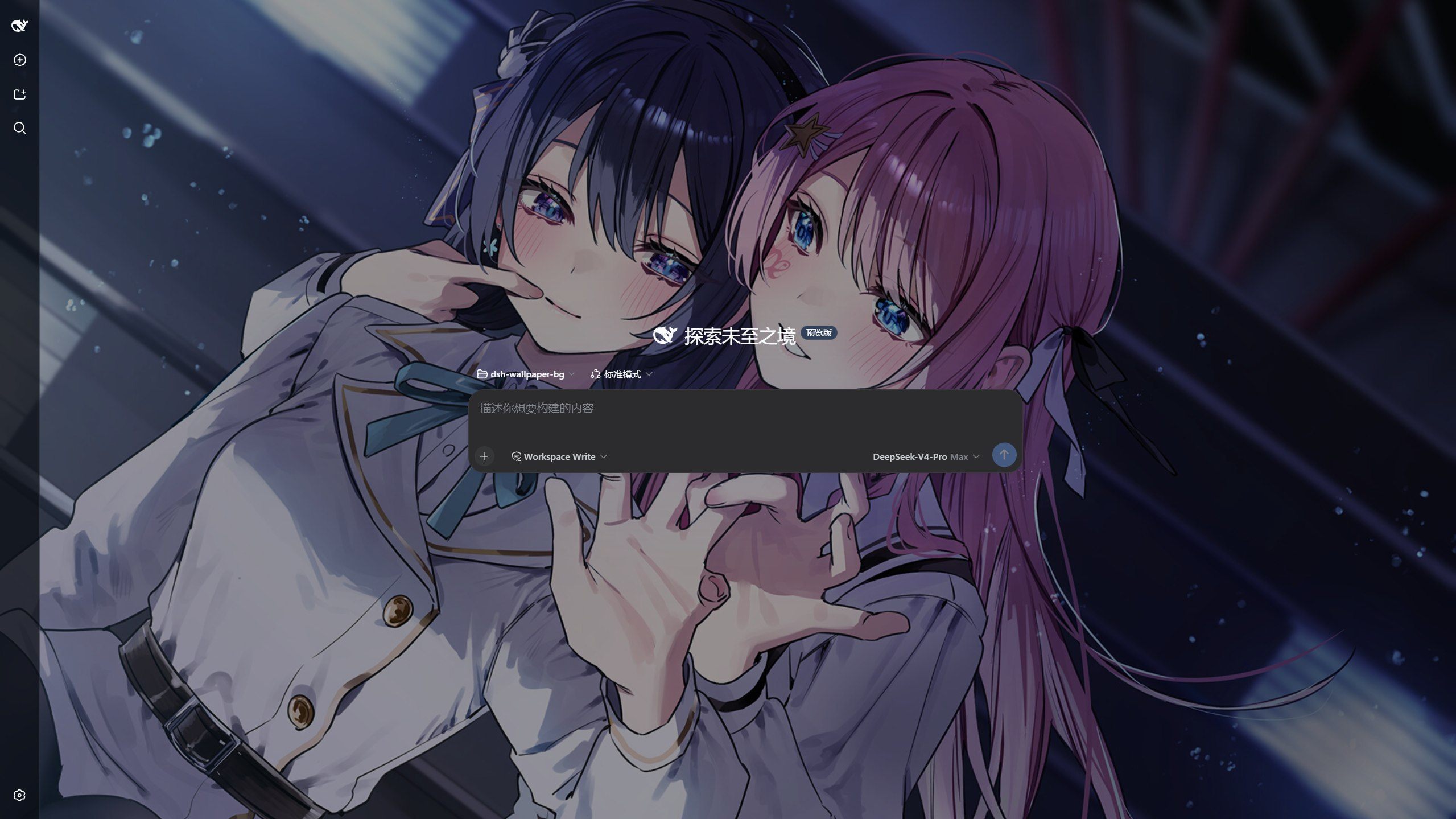
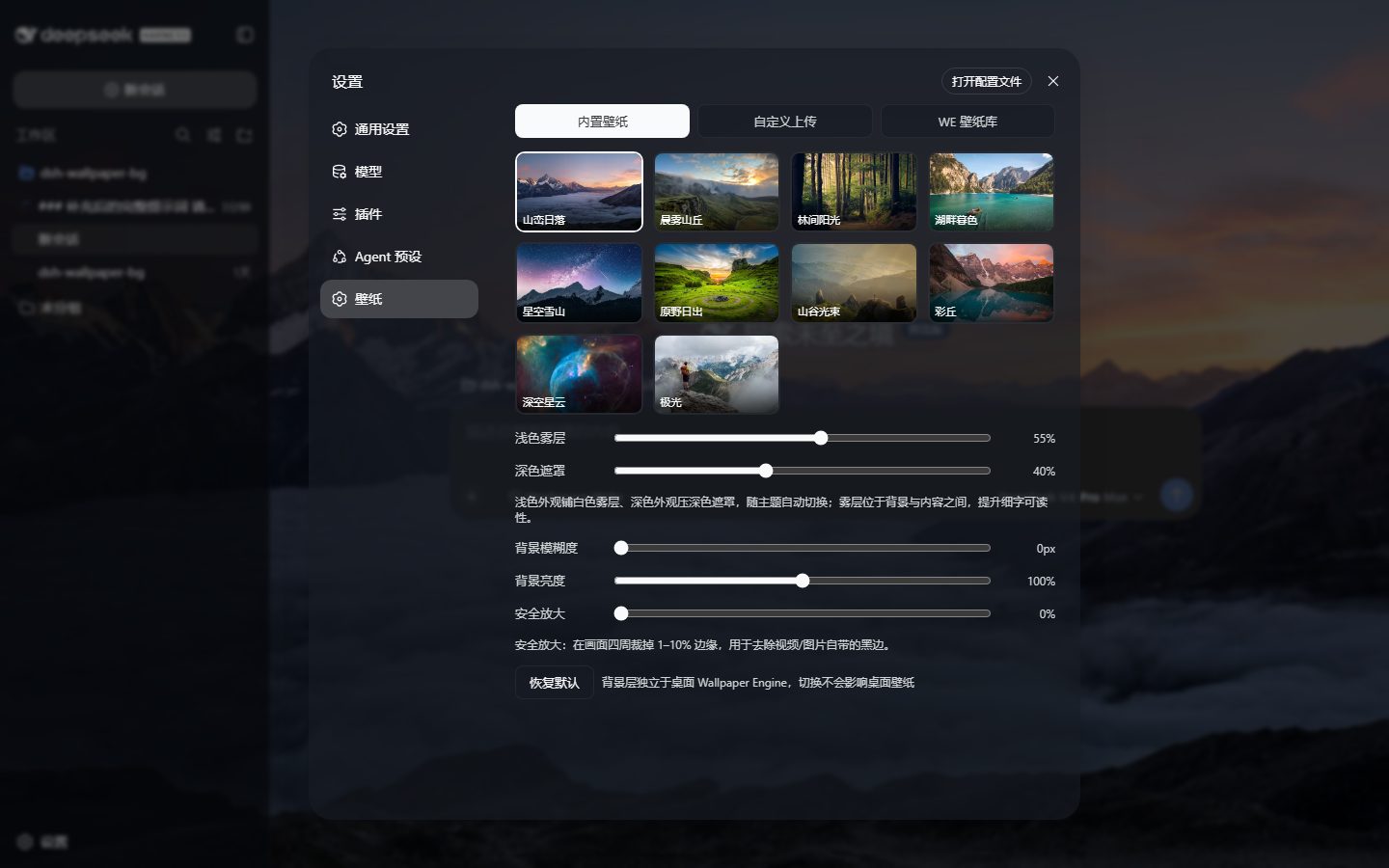
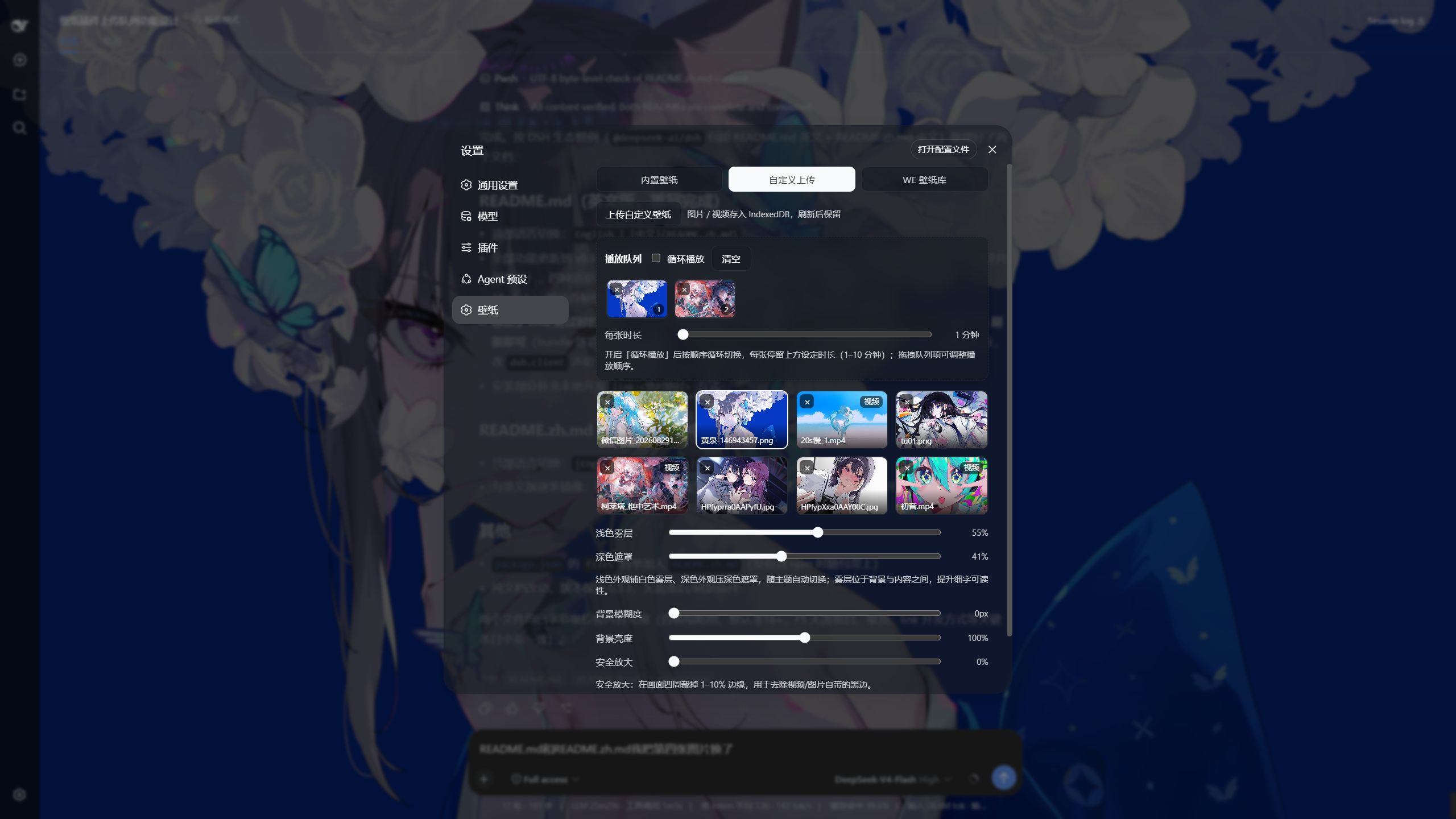
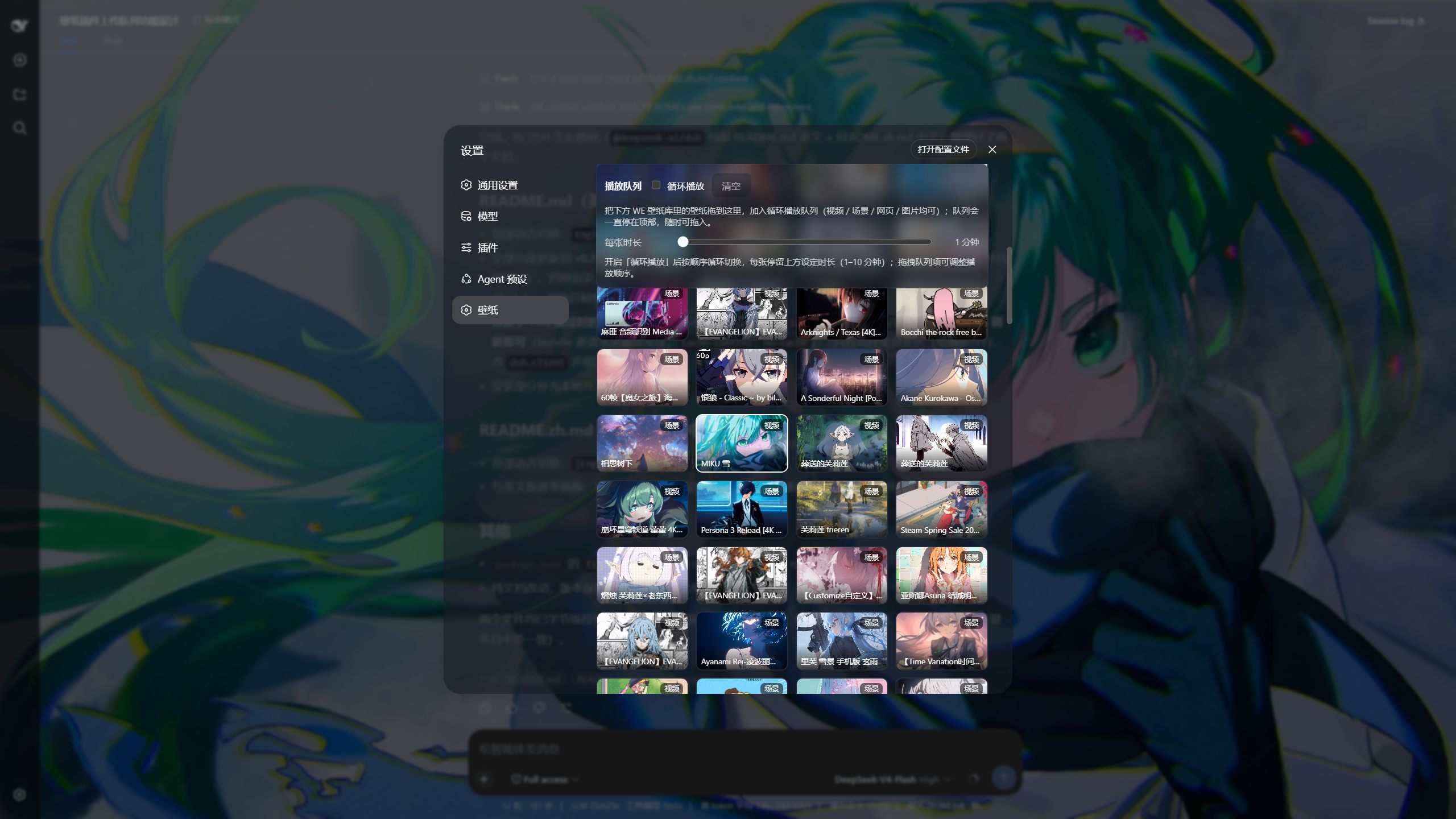
Features
- Three wallpaper sources
- Built-in wallpapers: 10 high-res Unsplash images, ready to use with zero local services;
- Custom uploads: local images / videos, stored in IndexedDB and kept across refreshes. Videos get auto-generated first-frame thumbnails, and extension-based detection covers files whose MIME type the browser leaves empty (e.g.
.mkv/.mov) — they now render as video instead of a black screen; - WE library: read-only access to locally installed Wallpaper Engine wallpapers (default
http://127.0.0.1:8088), filtered by the real Steam subscription list — unsubscribed wallpapers never linger.
- Playback queue (custom uploads + WE library): drag wallpapers from either source's grid into its queue and loop-play them, 1–10 minutes per item (both queues share one duration slider). Queue items support drag-to-reorder (with an insertion indicator), click-to-jump, per-item remove, and clear-all; queue contents, toggles and playback positions persist to localStorage. The custom queue accepts images / videos; the WE queue accepts video / scene / web / image wallpapers. Each queue is sticky at the top of its tab, so even with hundreds of wallpapers any tile is a short drag away.
- Four render modes
- Static images (cover-fit);
- Videos (canvas rendering, 30 FPS cap, no letterboxing or distortion);
- Scenes (full scene frames: the WE API service runs a pure-JS scene renderer over
scene.pkg— object tree, textures, puppet skinned meshes, particles and shader effects — and returns a frame sized to the scene's orthographic projection; on failure it falls back to the main texture, then to WE's previewpreview.gif/preview.jpg); - Web wallpapers (native iframe rendering of
index.htmlin the browser).
- Animated scene wallpapers (offline baked loop): a scene frame is a single still, so particles don't drift and characters don't breathe. Bake the scene instead and it moves: the service renders N frames, finds the loop point by comparing per-frame signatures, encodes a seamless-loop MP4 with ffmpeg, and the browser plays it with a native
<video loop muted>(60 fps, essentially zero CPU). Costs are one-off and cached — measured on this machine at 1080p/24 fps/4 s: 3.7 min for a plain scene (1.5 s loop, 300 KB), 6.6 min for a puppet-character scene (4.96 s loop, 2.5 MB); effect-heavy scenes can take 5–25 min. Needs WE API service 0.3.0 ("sceneAnim": 1). Mouse parallax, audio-reactive layers and interactive ("touchable") scenes can't be baked — they need live input. - Four adjustments: light fog / dark overlay (auto-switching with the DSH theme), background blur (0–20px), background brightness (50–150%), safe zoom (0–10% to crop edge letterboxing).
- Black-flash-free switching: every wallpaper change (including queue rotation) cross-fades two stacked layers — the incoming wallpaper preloads and finishes decoding / first-frame playback in its own layer, then blends with the outgoing one over ~0.42s, and the old layer is only removed after it has faded out. Applies to all four render modes (image, video, scene, web), so no frame of the transition is ever empty.
- Next-item warm-up: while a queue item is on screen, the next one is fetched ahead of time (network images downloaded and decoded, WE videos buffered in a real
<video>element, custom uploads read from IndexedDB with an objectURL ready), so the cross-fade starts almost immediately instead of waiting on the network. - White-intro skipping: some wallpaper videos literally open with a pure-white intro (e.g. the Arknights "喧闹法则" video is entirely white for its first 2 seconds). The warm-up phase probes for the first non-white frame and playback starts there, so switching to such a wallpaper no longer shows a blank white screen.
- No leftover background decoding: when an outgoing layer fades out, its frame-pump interval is stopped and its video is fully released (
pause()plus detachingsrc), so rotating the queue keeps exactly one decoder alive no matter how many times it switches. Measured over 6 consecutive switches: a steady 58–60 fps (before the fix it decayed from 59.7 to 12.2 fps). - 4K videos no longer cost performance: the video layer uses
<video object-fit: cover>and lets the compositor (GPU) do the scaling, instead of re-drawing every frame onto a viewport-sized canvas (a single 4K frame grab costs 20–40 ms); the 30 fps frame-pump timer is gone too, and an identity filter (blur(0px) brightness(100%)) — which silently disables GPU compositing — is no longer applied. Measured on a 4K wallpaper: 22–27 fps → 57–60 fps, long frames per second from 68–72 down to 3–9. - View-only source tabs: switching between 内置壁纸 / 自定义上传 / WE 壁纸库 only changes what the panel shows — the background stays untouched until you explicitly click a wallpaper, operate a queue, or enable 同步桌面壁纸 (which mutually excludes the WE queue).
- Sync desktop wallpaper toggle: read-only follow of the current WE desktop wallpaper (30-second polling).
- WE library filters: type (all / video / scene / web) + rating (all / safe / 18+; 18+ cards carry a red badge with live counts). The rating filter resets to safe every time the WE tab is opened.
- Settings persist to localStorage; the UI surface auto-turns semi-transparent to reveal the background.
Installation
Prerequisites
- Windows / macOS / Linux with Node.js ≥ 20 (
node -v); - A working DeepSeek Harness with
dsh webrunning; - Only the WE library source needs Windows + a local Wallpaper Engine install (optional, see below).
Install via the official dsh command
dsh plugin --profile web add dsh-wallpaper-bg
For local development from a checkout, link the repo instead:
dsh plugin --profile web add link:<absolute-path-to-repo>— subsequentlib/client.jsedits apply after a plain page refresh (no server restart).
Optional: WE library service (Windows)
The WE library source needs the wallpaper-engine-api/ service, which exposes the installed Wallpaper Engine list as a read-only HTTP API on 127.0.0.1:8088:
cd wallpaper-engine-api && npm install;- Double-click
启动服务.bat(the first run asks for the WE install path;启动服务-静默.vbsstarts it silently); - Optional: double-click
设置开机自启.batto register the silent starter in the registry (HKCU\...\Run) so it starts at login;取消开机自启.batremoves it (the scripts reference启动服务-静默.vbsin this directory — re-run them after moving the folder); - For upgrades / restarts always double-click
重启服务(管理员).bat: it requests admin rights, stops the old process, restarts silently and waits for the port (full log:restart-debug.log).
The service is read-only: it only queries the list / current wallpaper, never touches settings or playback, and never launches WE when the runtime is absent. The list is filtered by the real Steam subscription manifest (431960_subscriptions.vdf) — unsubscribed or locally disabled wallpapers disappear even if their folders linger, matching the WE UI.
Besides the list / preview / web-file routes, service 0.2.7 adds scene frame rendering: GET /scene-frame/<id>?w=&h=&t=&refresh=1 returns a full scene frame PNG for that scene wallpaper (w defaults to 2560; h defaults to the scene's orthographic ratio; t is the render instant, default 2.5 s; refresh=1 forces a re-render; auto=0 disables the automatic "avoid a closed-eye instant" pick described below). Rendering happens on a worker thread and is cached on disk; the X-Scene-Mode response header is scene (full scene render) or main-texture (fallback), and X-Scene-Still-Time reports the instant actually used. Video-texture scenes get one frame extracted with ffmpeg first (optional dependency, see below). Caches: ~/.dsh-wallpaper-bg/cache/scene-frames/ and .../video-frames/ (DSH_WB_CACHE_DIR overrides).
Scene rendering is OFF by default (service 0.3.1+). Scene frame rendering and animation baking cache their results under ~/.dsh-wallpaper-bg, so the service no longer creates that folder unless you opt in: with the default config, /scene-frame and /scene-anim return 403, /health reports "sceneRender": 0, and the plugin falls back to the workshop preview image (preview.gif / preview.jpg) for scene wallpapers. To enable, set WE_SCENE_RENDER=1 in we-api.config (or as an environment variable) and restart the service — the first-run wizard of 启动服务.bat now writes WE_SCENE_RENDER=0 by default, and an existing config without the key behaves as off.
Service 0.3.0 adds scene animation baking: GET /scene-anim/<id>?w=&h=&fps=&dur=&bake=1&cancel=1 queues/returns an async job ({state: idle|queued|running|done|static|error, done, total, percent, meta}), GET /scene-anim/<id>/video.mp4 serves the baked seamless-loop MP4 (with Range + ETag), and GET /scene-anim/status lists all jobs. Frames are rendered to a temp directory one by one (not held in memory), the loop point is picked by comparing per-frame signatures, and ffmpeg encodes H.264 (yuv420p, +faststart). Cache: ~/.dsh-wallpaper-bg/cache/scene-anim/ (<key>.mp4 + <key>.json). Only one bake runs at a time; the rest queue.
Verify: open
http://127.0.0.1:8088/healthin a browser — a JSON response means it is up ("sceneRender"is0by default = scene rendering off; afterWE_SCENE_RENDER=1it becomes1= scene rendering available;"puppetAnim": 2means bone animation is complete — older builds leave character eyes closed or misplaced); the plugin side reports its own version athttp://127.0.0.1:3080/dsh-wallpaper-bg/health. Port 8088 is a historical choice (8080 was once taken by Jenkins); switch ports via theWEAPI_PORTenv var and update the base URL in the plugin settings.
Settings panel
| Item | Description |
|---|---|
| Built-in / Custom upload / WE library | Source tabs: switching tabs only changes the panel view; the background applies only on explicit selection (click a wallpaper, queue actions, or sync desktop) |
| Upload custom wallpapers | Images / videos, stored in IndexedDB; videos get auto-generated first-frame thumbnails |
| Playback queue | Independent queue per source, sticky at the top of its tab: drag wallpapers in, loop-play at 1–10 min per item (shared duration slider), drag-to-reorder, click-to-jump, × to remove, clear to reset |
| WE base URL + refresh | WE API address (default http://127.0.0.1:8088) |
| Type filter | all / video / scene / web, by the wallpaper's real type |
| Rating filter | all / safe / 18+ (from contentrating in project.json: 18+ = Mature + Questionable), 18+ cards carry a red badge with live counts; resets to safe every time the WE tab is entered |
| Sync desktop wallpaper | Read-only follow of the current WE desktop wallpaper (mutually exclusive with the WE queue) |
| Light fog / dark overlay | 0–100%, auto-switching with the DSH theme: translucent white fog in light theme to lift fine text, dark overlay in dark theme |
| Background blur / brightness | 0–20px / 50–150% |
| Safe zoom | 0–10% scale-up to crop edge letterboxing |
| Scene animation (play baked) / auto-bake | Play a baked seamless-loop video for scene wallpapers instead of the still frame; auto-bake starts one on selection. The row also shows the current state (not baked / baking 42% / baked 4.96 s loop 1920×1080 24 fps / this wallpaper has no animation) and offers 烘焙动画 / 重新烘焙 / 取消烘焙 |
| Reset to defaults | One-click restore of all settings |
How it works
This package is a DSH static two-half plugin, composed into the DSH host plane as a profile bundle layer:
| Half | File | Responsibility |
|---|---|---|
| Host half (Node) | lib/host.js |
Registers same-origin routes: /dsh-wallpaper-bg/asset (streaming local-file proxy with Range support), /dsh-wallpaper-bg/we (read-only WE API proxy with caching, passes hasFrame / previewFile through), /dsh-wallpaper-bg/scene-frame (optional same-origin scene-frame proxy), /dsh-wallpaper-bg/health |
| Browser half | lib/client.js |
Single-file client bundle (window.__ModuleLoader__ factory form): injects the background layer and overlay, registers the 壁纸 settings tab; scene wallpapers load the rendered frame first and fall back to the preview image |
| Composition | cordis.patch.yml |
dsh.bundle patch: inserts the plugin row into the profile composition's host plane — active on dsh web startup, the first page load already carries the background |
| Scene rendering | wallpaper-engine-api/lib/ |
Pure-JS scene renderer (we-renderer/: object tree, textures, puppet skinned meshes, particles, shader effects, GLSL transpiler), invoked by the WE API service's scene-frame.js on a worker thread |
Zero build on both ends: lib/client.js is a hand-written single-file bundle, no bundler required; a dsh-wallpaper-bg CLI (install / status / uninstall) provides one-command setup.
FAQ
- Scene wallpapers show the preview image instead of a full scene frame? Since plugin 0.3.12 the WE API service's scene rendering is off by default (
WE_SCENE_RENDER, default0) — off means no~/.dsh-wallpaper-bgcache folder is created and scene wallpapers fall back to the workshop preview. For full scene frames / baking: addWE_SCENE_RENDER=1towallpaper-engine-api/we-api.config, then double-click重启服务(管理员).bat. - Scene wallpapers don't move? WE scene wallpapers are compiled
scene.pkgbytecode (scene logic, shaders, particles) that a browser can't execute directly. Since 0.3.9 the plugin instead rendersscene.pkgfor real, inside the WE API service, using a pure-JS scene renderer (ported from dsh-plugin-wallpaper-engine'slib/we-renderer/) covering the object tree (image / puppet skinned meshes / model / particles / text), texture decoding, and the shader-effect chain. The result is a single full scene frame (a still, not an animation): the first render takes 8–35 s, later requests hit the disk cache instantly. Measured on this machine's 134 scene wallpapers: 109 full scene renders, 21 main-texture fallbacks, 4 preview-image fallbacks.- Want it to actually move? Since 0.3.11 you can bake the scene into a seamless-loop video (settings → 壁纸 → 场景壁纸播放烘焙动画 / 烘焙动画 button). The service renders the frames, detects the loop point, encodes MP4 with ffmpeg, and the browser plays it natively at 60 fps. Plain scenes take ~1–4 min at 1080p, effect-heavy ones 5–25 min; it runs in the background and is cached forever. Turn on 选中时自动烘焙 to bake on selection instead of pressing the button. Mouse parallax / audio-reactive / touchable scenes cannot be baked.
- Requires WE API service 0.2.7+ (0.2.9 for the bone-animation / eye fix and the colour-blend / quality-gate fixes, 0.3.0 for scene animation):
http://127.0.0.1:8088/healthshould include"sceneRender": 1. Service 0.3.1+ has scene rendering off by default —/healthreports"sceneRender": 0until you addWE_SCENE_RENDER=1towe-api.configand restart viawallpaper-engine-api/重启服务(管理员).bat. Without it (or with an older service), scene wallpapers automatically fall back to the previouspreview.gif/preview.jpgdisplay. - Character's eyes closed, or in the wrong place? Fixed in 0.3.10 (needs service 0.2.8,
/healthincludes"puppetAnim": 2). The MDLA bone-animation header used to be located by scanning for a30.0ffloat pattern, so models authored at any other fps lost their animation entirely; the per-frame scale (which is exactly how a blink works — the eyelid bone'sscaleYcollapses) was ignored too. With that fixed, characters pose and blink as authored. A still background is only one instant though, so if that instant lands in a closed-eye phase it still looks eyeless — the service now avoids closed-eye instants (X-Scene-Still-Timereports the instant actually used,&auto=0disables it). - Video-texture scenes (main picture is an embedded MP4 or a standalone video file): the service extracts one frame with ffmpeg before rendering. ffmpeg is taken from
WE_FFMPEG/FFMPEG_PATHor the system PATH; without it everything still works, those scenes just fall back to the preview image. - A huge black rectangle or diamond on top of the wallpaper? Fixed in 0.3.10 (needs service 0.2.9). Lens flares and similar overlay layers are black textures with a rainbow arc that rely entirely on
colorBlendMode(screen / lighten / additive) to hide the black. The renderer's rotated draw path had no blend-mode parameter, so every rotated blended layer came out as an opaque rectangle — that black diamond is a lens flare rotated 42.6°. 26 of this machine's 134 scenes contained such layers. The same release also stops near-uniform output (a white or gray frame where a layer failed to render) from being shown at all: it falls back to the main texture or the workshop preview, and a rejected scene is negative-cached so repeat loads are instant. - Still a still frame: the scene's own animation (drifting particles, rippling water, breathing characters) does not play — only one instant is rendered. For full motion, use WE's tray-menu screen recorder (or OBS) to record ~30 seconds of the scene to MP4, upload it via custom uploads, and it plays 100% faithfully in the browser.
- A few scenes still show the preview image: a flat/plain main texture, a pure mask, or an unsupported texture format.
- Do web-type wallpapers render? Yes — web wallpapers are plain HTML/JS pages, rendered natively in a full-screen iframe (
index.htmlplus relative assets, served read-only by the WE API's/files/<id>/...route, restricted to subscribed wallpaper directories). Since WE API 0.2.6 the served document also gets a WE private-API shim injected: it feeds the default user properties fromproject.jsonintoapplyUserProperties(without it, wallpapers that set their background inside that callback leave only a character floating on pure black — which reads as a portrait wallpaper), stubs the audio / media interfaces, and reports when the page has actually painted, so the plugin only cross-fades once there is a real picture instead of a black screen. Note the background layer never intercepts the mouse, so the wallpaper's own interactions (click / drag) don't work — visual only; audio visualizers run on silence (the browser has no WE audio capture). - Web wallpaper shows a black screen or takes forever? First make sure the WE API service is upgraded to 0.2.6 and restarted (
http://127.0.0.1:8088/healthshould include"webShim": 1) — older services have no shim and also reject../assets/...style paths that wallpapers write for afile://origin. - Web wallpaper assets re-download on every switch? Fixed in 0.3.8: the service's
/filesroute used to read whole files synchronously and answerno-store. It now streams withETag/Last-Modifiedconditional requests (HTMLno-cache, static assets cached 300 s) and supportsRange. - Do web-type wallpapers render? Yes — web wallpapers are plain HTML/JS pages, rendered natively in a full-screen iframe (
index.htmlplus relative assets, served read-only by the WE API's/files/<id>/...route, restricted to subscribed wallpaper directories). Note the background layer never intercepts the mouse, so the wallpaper's own interactions (click / drag) don't work — visual only; audio visualizers relying on WE's private JS API may stay silent. - Videos have black bars? Pull 安全放大 (safe zoom) to 2–3% to crop the video's own letterboxing (the cover-crop render already guarantees no self-made bars).
- My uploaded video shows a black screen / black tile? Videos whose MIME type the browser leaves empty (common for
.mkv/.mov) are now detected by extension and rendered as video; every video upload also gets an auto-generated first-frame thumbnail. If a specific file is still black, its codec is likely unsupported by the browser. - Code changes don't take effect? For
lib/client.js/lib/host.jscontent edits, a plain page refresh (F5) is enough — client bundles are read fresh from disk per request (cache-control: no-cache), so no server restart is required. A DSH restart is only needed when the plugin set changes (adding / removing plugin rows or editingdsh.clientdeclarations). - WE library errors? Confirm the
wallpaper-engine-apiservice is running on port 8088 (http://127.0.0.1:8088/healthin a browser) and the base URL in plugin settings matches. - Wallpapers removed in WE still show up? The service filters by the Steam subscription list, so unsubscribed wallpapers disappear; if the service is outdated (
/healthlacks thesubscriptionsFilefield), double-click重启服务(管理员).batto upgrade, then click 刷新 in the plugin.
License
MIT License, see LICENSE. Issues / PRs welcome.
Releasing
The repo ships a one-shot release script, scripts/release.ps1, which fixes the whole flow: version check → pack preflight → commit → tag → push → npm publish → GitHub Release (with the tarball attached).
.\scripts\release.ps1 -DryRun              # rehearse: checks only, no changes
.\scripts\release.ps1 -Version 0.3.8       # bump version and release
.\scripts\release.ps1                      # release the version in package.json
Preflight refuses duplicate releases (tag already present locally or on the remote, version already on npm) and requires a matching CHANGELOG.md entry — the Release notes are taken from that entry. Optional flags: -SkipNpm / -SkipGitHub / -SkipPush / -Yes.
legacy/ holds the pre-v0.1.0 dynamic-plugin (Cordis dynamic package) source, archived for reference only.
Related相关推荐
-
 liustack/modlens
The first vision plugin for DeepSeek Harness, and the vision bridge for every text-only coding agent. Paste an image, ge…
liustack/modlens
The first vision plugin for DeepSeek Harness, and the vision bridge for every text-only coding agent. Paste an image, ge…
-
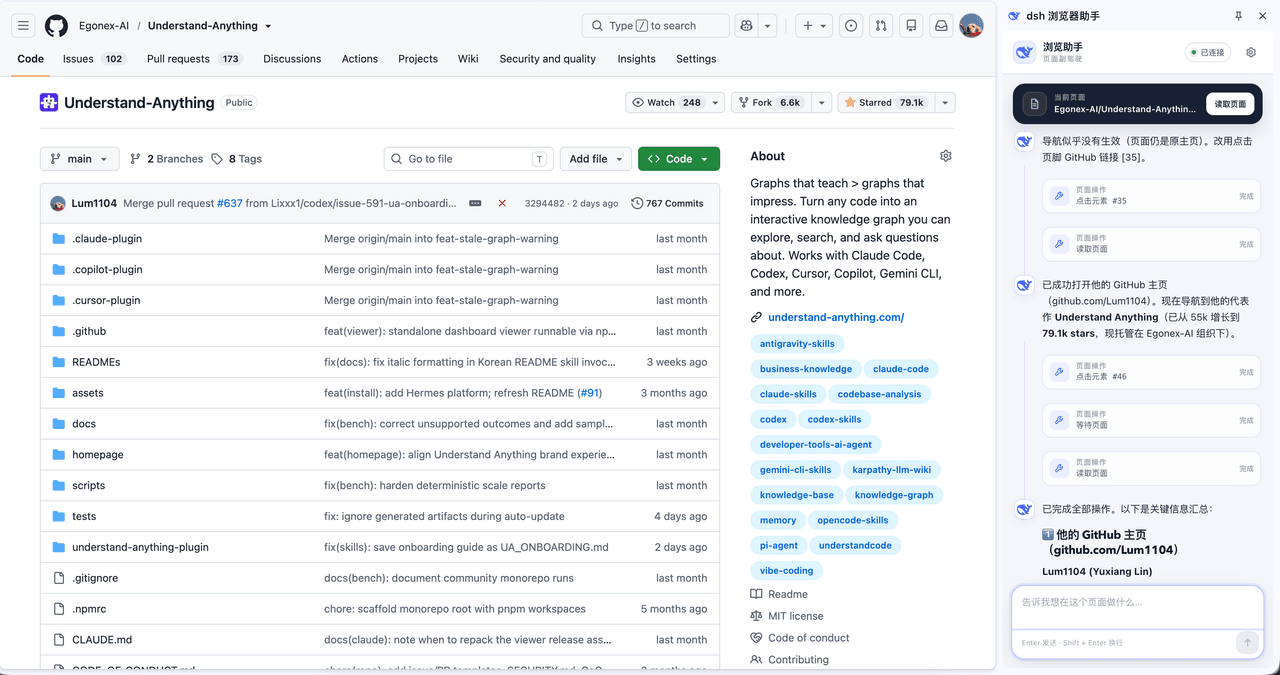 Lum1104/dsh-browser
Chrome sidebar extension that lets DeepSeek Harness operate your browser directly, no vision capabilities required. 一款 C…
Lum1104/dsh-browser
Chrome sidebar extension that lets DeepSeek Harness operate your browser directly, no vision capabilities required. 一款 C…
-
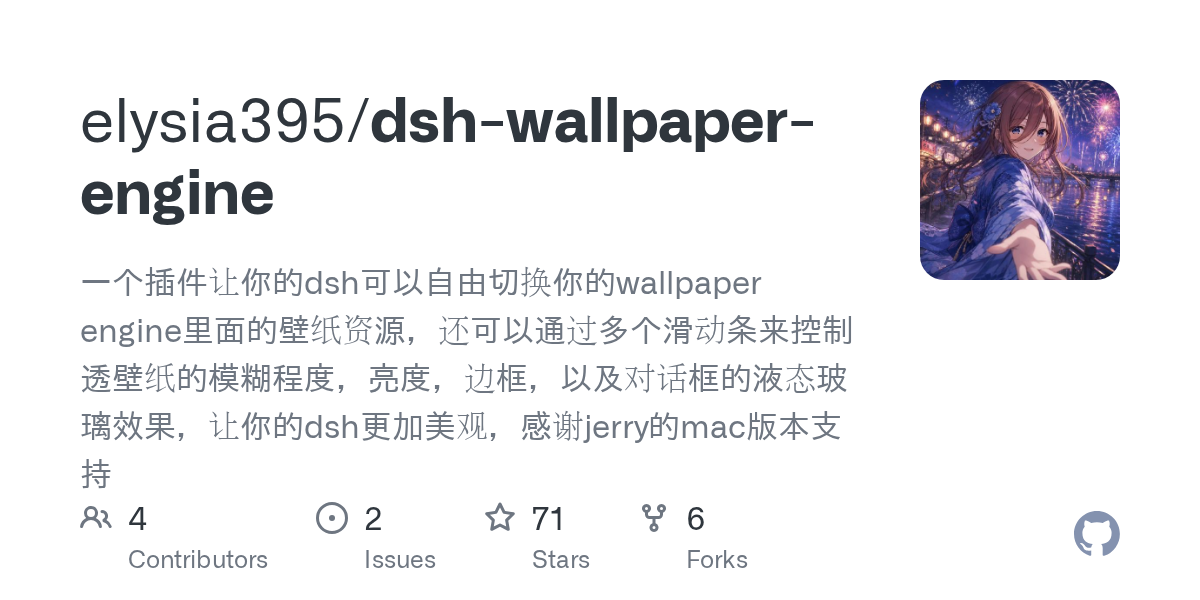 elysia395/dsh-wallpaper-engine
把本机 Wallpaper Engine 的壁纸变成 DSH 网页界面的背景:Video 动态播放、Web 以 iframe 加载、Scene 壁纸提取主纹理作为静态帧;iOS 液态玻璃设置窗口(配色 / 玻璃颜色 / 透明度)、内容分级与…
elysia395/dsh-wallpaper-engine
把本机 Wallpaper Engine 的壁纸变成 DSH 网页界面的背景:Video 动态播放、Web 以 iframe 加载、Scene 壁纸提取主纹理作为静态帧;iOS 液态玻璃设置窗口(配色 / 玻璃颜色 / 透明度)、内容分级与…
-
 starsstreaming/beautiCode
面向 AI 编程客户端的动态、可响应环境——视频背景、氛围场景与主题,适用于 DeepSeek Harness 与 Codex Desktop。
starsstreaming/beautiCode
面向 AI 编程客户端的动态、可响应环境——视频背景、氛围场景与主题,适用于 DeepSeek Harness 与 Codex Desktop。
-
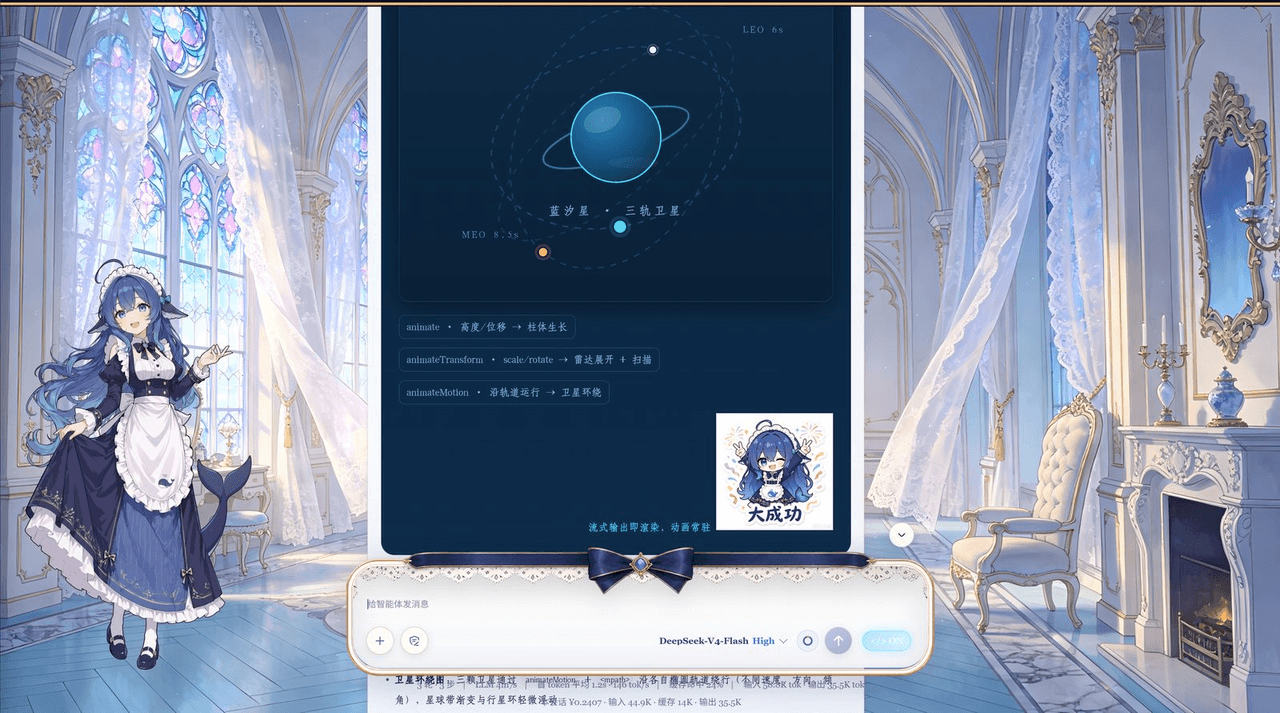 plolpl789/dsh-raw-html
VCP visual-synesthesia protocol plugin for DeepSeek Harness: render agent HTML output as real UI (cards / KaTeX math / M…
plolpl789/dsh-raw-html
VCP visual-synesthesia protocol plugin for DeepSeek Harness: render agent HTML output as real UI (cards / KaTeX math / M…
-
 Tkingxiao/dsh-any-background
Deepseek Harness 自定义主题插件,支持自定义图片/视频壁纸,对话框,侧边栏等透明度模糊度调整,全局主题色的色轮调整插件
Tkingxiao/dsh-any-background
Deepseek Harness 自定义主题插件,支持自定义图片/视频壁纸,对话框,侧边栏等透明度模糊度调整,全局主题色的色轮调整插件
-
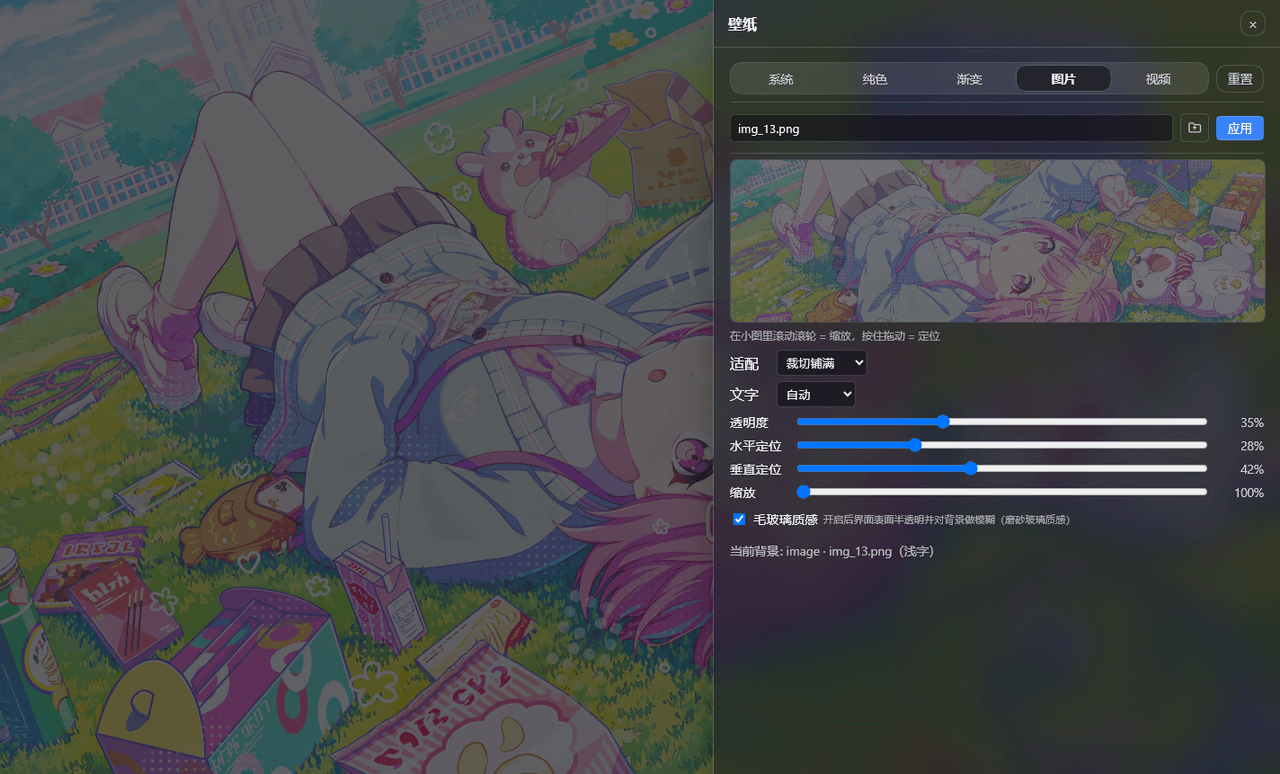 sz1698/dsh-bg-new
DSH 网页界面换背景:侧栏「壁纸」按钮弹出右侧抽屉,支持系统预设/纯色/渐变/图片/视频,滚轮+拖动小图同时管缩放与定位,毛玻璃质感,本地媒体伺服不走云端。DSH web background & wallpaper plugin wit…
sz1698/dsh-bg-new
DSH 网页界面换背景:侧栏「壁纸」按钮弹出右侧抽屉,支持系统预设/纯色/渐变/图片/视频,滚轮+拖动小图同时管缩放与定位,毛玻璃质感,本地媒体伺服不走云端。DSH web background & wallpaper plugin wit…
-
 TQSY114514/dsh-ui-appearance
Appearance customization plugin for DeepSeek Harness: theme color palette, background image, opacity/blur, glass effect
TQSY114514/dsh-ui-appearance
Appearance customization plugin for DeepSeek Harness: theme color palette, background image, opacity/blur, glass effect