omdsh-dev/dsh-paddle-ocr
DSH plugin for PaddleOCR-VL document layout parsing: convert PDFs and images to Markdown with async jobs, progress tracking, and workspace export.
Project Overview项目介绍
dsh-paddle-ocr is a DSH plugin that uses Baidu PaddleOCR-VL to parse PDFs and images into Markdown page by page, with text and images written to disk. It exposes three host tools: paddle_ocr_layout for async parsing with automatic splitting of oversize PDFs and exponential-backoff retries, paddle_ocr_test for token and connectivity checks, and paddle_split_pdf for manual splitting. The browser side offers a PaddleOCR settings card (token stored only in the DSH credential vault) and a task panel with progress and result previews. Use it for structured extraction from contracts, papers, and scans. Note: the panel upload limit is 30MB; for larger files use the host tool, and rotate any previously leaked tokens in the old skill repo.
DSH 插件 dsh-paddle-ocr 基于百度 PaddleOCR-VL 把 PDF 与图片逐页解析为 Markdown(文字 + 落盘图片)。它提供三个宿主工具:paddle_ocr_layout 异步解析并对超限 PDF 自动拆分与指数退避重试,paddle_ocr_test 验证 token 与连通性,paddle_split_pdf 手动拆分。浏览器侧有 PaddleOCR 设置卡(token 仅存 DSH 凭据保险箱)和右下角任务面板,支持进度展示与结果预览。适用于合同、论文、扫描件等文档的结构化抽取。注意:面板上传上限 30MB,更大文件请用宿主工具;旧 skill 中明文 token 已视为泄漏,请到星河社区重新生成。
请帮我安装这个 DSH 插件。安装前先完成【兼容性检查 + 安全性检查】,检查通过再动手。

插件:dsh-paddle-ocr(omdsh-dev/dsh-paddle-ocr)
仓库:https://github.com/omdsh-dev/dsh-paddle-ocr
本站详情页:https://www.yhbd.top/plugins/omdsh-dev-dsh-paddle-ocr/
本站登记:类型 plugin · 归类 原生 DSH 插件 · 许可证 BSD-3-Clause · ⭐ 2 · 最近提交 2026-08-19 · 主语言 TypeScript

按下面顺序执行,每步先把结论告诉我,再进入下一步:

【1 兼容性检查】
① 我这边:DSH 版本、Node 版本、操作系统、当前 profile(web / desktop)。
② 读它的 README、package.json、插件 manifest,列出它要求的 DSH 版本 / Node 版本 / 操作系统 / 外部依赖 / 需要另外先装的运行时。
③ 逐条比对,结论只写「满足 / 不满足 / 未知」三种;不满足的给出可行替代方案。
④ 检查是否和我已装的插件冲突:命令名重复、skill / tool 重名、端口占用、重复注册的 MCP server。

【2 安全性检查】
① 仓库可信度:和上面「本站登记」是否一致;star / fork 数、创建时间、最近提交,是否归档或长期停更。
② 安装脚本:逐行看 package.json 的 preinstall / install / postinstall,以及 install.sh、setup.ps1 之类脚本。出现 curl|bash、下载后直接执行、混淆代码、访问与插件功能无关的域名,立刻停下来告诉我,不要继续装。
③ 依赖:列出新增依赖,标出无人维护、或与知名包拼写近似的可疑包(typosquatting)。
④ 权限与副作用:它会读写哪些目录、访问哪些域名、需要哪些 DSH 权限(filesystem / network / shell / clipboard 等),以及怎么卸载和回滚。
⑤ 如果它要求 sudo / 管理员权限,或权限明显超出功能所需,先停下来问我。

【3 安装】
上面两步没有「不满足」和「高危项」时才执行;用官方推荐方式安装,不要自行提权。

【4 汇报】
用表格输出:检查项 / 结论 / 依据 / 是否需要我决策。拿不准的一律写「未知」并说明要我怎么确认——不要猜,也不要替我决定。
Send this message to DSH in your current session: it verifies compatibility and security first (answering met / not met / unknown item by item) and only installs once everything checks out — it will stop and ask you if it finds a high-risk item. The box scrolls; the copy is the full prompt. CLI install commands may not be accurate across systems, so DSH is the safer route.把上面这条消息直接发给当前会话里的 DSH:它会先核对兼容性与安全性(逐条给「满足 / 不满足 / 未知」),确认没问题再安装,有高危项会停下来问你。框内可滚动,复制到的是完整提示词;安装命令不一定准确,发给 DSH 更稳。
- Only 2 stars - very few users, little community feedback星标只有 2,几乎没人在用,遇到问题缺少社区反馈
DSH walks through these 9 checksDSH 会逐条核对这 9 项
Compatibility兼容性
- DSH, Node, OS and profile requirementsDSH 版本 / Node 版本 / 操作系统 / profile 是否满足要求
- External dependencies and runtimes (Electron / Python / Docker, ...)外部依赖与运行时(Electron / Python / Docker 等)是否齐备
- Conflicts with installed plugins: command names, skill / tool names, ports, duplicate MCP registration与已装插件是否冲突:命令名、skill / tool 重名、端口占用、重复 MCP 注册
Security安全性
- Repo matches the facts registered here; archived or abandoned?仓库是否与页面登记一致,是否归档或长期停更
- Safety of preinstall / install / postinstall and install.sh / setup.ps1preinstall / install / postinstall 与 install.sh、setup.ps1 是否安全
- curl|bash, download-then-execute, obfuscation, unrelated domains → stop immediatelycurl|bash、下载即执行、混淆代码、无关域名 → 立刻停止
- Typosquatting or unmaintained packages among the new dependencies新增依赖里有没有 typosquatting 或无人维护的包
- Requested permissions vs. what the feature actually needs申请了哪些权限、是否超出功能所需(filesystem / network / shell / clipboard)
- Any sudo / admin requirement, plus uninstall and rollback是否要求 sudo / 管理员权限,以及卸载与回滚方式
Anything uncertain must be marked unknown with a note on how to confirm it. This site's signal screen is a static snapshot, not a security audit.拿不准的必须标「未知」并说明要我怎么确认。本站的信号筛查是静态快照,不能替代安全审计。
Or use CLI install (for developers)或使用命令行安装(适合开发者)
CLI Install命令行安装
dsh plugin --profile web add github:omdsh-dev/dsh-paddle-ocr把 omdsh-dev/dsh-paddle-ocr 加入你的 DSH 配置(web profile)即可启用。
READMEREADME
dsh-paddle-ocr
Author / Maintainer: @Zacklinkk
DSH 插件:百度 PaddleOCR-VL 文档布局解析。把 PDF / 图片逐页解析为 Markdown (文字 + 图片落盘),提供三个宿主工具、一个浏览器配置卡和一个任务面板。
- 宿主工具(agent 可用):
paddle_ocr_layout(file, {mode, fileType, orientation, unwarping, chart, visualize, outputDir})—— 逐页解析落盘(doc_N.md+ 图片),默认异步模式;超限 PDF 自动拆分; 队列满(10010)自动指数退避重试(最多 5 次),最终仍满则给出友好排队提示。paddle_ocr_test()—— 用内置小测试图验证 token 与接口连通性(✅/❌ + 详情)。paddle_split_pdf(file, {maxPages, outputDir})—— 手动拆分超限 PDF。
- 浏览器 UI:
- 设置 → 插件 → PaddleOCR 卡片:API token(只进 DSH 凭据保险箱,永不回传、 输入框常空、只显示“已配置”徽章)、[测试连接] 按钮、处理默认值(异步/同步、 方向矫正、展平、图表识别、可视化标注图)。
- 右下角任务面板:拖入/选择文件 → 进度条(排队中 / 解析第 x 页 / 下载图片)→ 结果页签(Markdown 预览 + 图片缩略图)→ [落到工作区]。队列满(10010)渲染为 “当前排队中(稍后重试)”按钮,而不是错误字符串。
安装
# 在 DSH 部署机上,把本包加入 web profile(同时打进 host 组合与浏览器 bundle)
dsh plugin --profile web add link:/path/to/dsh-paddle-ocr
插件自带 dsh.bundle.patch(组合插入行)与 dsh.client 声明;dsh plugin 会自动
把包名加入 dsh.profile.bundles。重启 dsh web 后生效。
获取 API token
- 打开星河社区 https://aistudio.baidu.com/paddleocr/task;
- 登录后进入 个人中心 → 访问令牌(token);
- 复制 token,粘贴到 设置 → 插件 → PaddleOCR 卡片,点保存,再点 [测试连接]。
也可以设置环境变量 PADDLE_OCR_TOKEN(环境变量优先、只读,卡片会显示只读徽章)。
⚠️ 安全提醒:请轮换你此前在 skill 仓库里使用过的 token。 本插件的前身(paddle-ocr skill)曾在
config.json中以明文写入过一个 aistudio token 并进入 git 历史,视为已泄漏。请勿继续使用该 token: 到星河社区个人中心重新生成一个,并在该 skill 仓库中彻底删除旧文件、改写历史。 本插件从不把任何密钥写进代码、配置或日志——token 只存在于 DSH 凭据保险箱。
API 限制与行为
| 模式 | 接口 | 限制 | 超限处理 |
|---|---|---|---|
| async(默认) | POST https://paddleocr.aistudio-app.com/api/v2/ocr/jobs(模型 PaddleOCR-VL-1.5) |
1000 页 / 本地 50MB | 自动拆分后逐份提交,页号全局连续 |
| sync | POST https://b3kd6029kevcafkb.aistudio-app.com/layout-parsing |
100 页 | 同上(100 页/份);300s 超时 |
- 队列饱和是常态:提交返回
errorCode 10010(任务提交队列已满)时,工具与面板 都会指数退避重试(2s/4s/8s/16s…最多 5 次);重试耗尽后给出明确“排队中”提示, 面板提供 [稍后重试] 按钮。 - 任务面板上传上限 30MB(回环 RPC 承载);更大的文件请让 agent 用
paddle_ocr_layout工具直接处理。
开发
npm install --legacy-peer-deps        # 安装依赖(DSH 包走 workspace 软链)
DSH_WORKSPACE_ROOT=/path/to/dsh-source node scripts/setup-dsh-workspace.mjs
npm run typecheck                     # 宿主 + 客户端类型检查
npm test                              # vitest 单测(重试/拆分/测试图)
npm run build                         # lib/index.js(宿主)+ lib/client.js(浏览器)
客户端 bundle 由 tsdown.config.ts 构建(CJS + __ModuleLoader__ 工厂),
CSS Modules 内联注入;宿主半是普通 tsc 输出。
License
BSD-3-Clause
Related相关推荐
- baisama-cloud/dsh-galgame-generator DeepSeek Harness (DSH) 的 Galgame 生成器:提供一份剧本文档 + 立绘/背景/音乐素材,即可生成一个可玩的视觉小说(Galgame)网页。 新增一个GalGame生成模式,在这个模式的工作区下提供一份剧本文档 …
-
 yumimanji/dsh-ui-spec
DeepSeek Harness plugin: turn UI screenshots into structured, implementation-grade web frontend specs. Deterministic geo…
yumimanji/dsh-ui-spec
DeepSeek Harness plugin: turn UI screenshots into structured, implementation-grade web frontend specs. Deterministic geo…
- feng78-boop/dsh-thirteen-bg Animated and video live wallpaper for the DeepSeek Harness Web GUI - GIF, animated WebP/APNG images plus MP4/WebM video …
-
 nexu-io/open-design
🎨 Best DeepSeek Harness Design Plugin. The open-source Claude Design alternative. 🖥️ Local-first desktop app. 🖼️ Your…
nexu-io/open-design
🎨 Best DeepSeek Harness Design Plugin. The open-source Claude Design alternative. 🖥️ Local-first desktop app. 🖼️ Your…
-
 liustack/modlens
The first vision plugin for DeepSeek Harness, and the vision bridge for every text-only coding agent. Paste an image, ge…
liustack/modlens
The first vision plugin for DeepSeek Harness, and the vision bridge for every text-only coding agent. Paste an image, ge…
-
 omdsh-dev/dsh-browser
Chrome sidebar extension that lets DeepSeek Harness operate your browser directly, no vision capabilities required. 一款 C…
omdsh-dev/dsh-browser
Chrome sidebar extension that lets DeepSeek Harness operate your browser directly, no vision capabilities required. 一款 C…
-
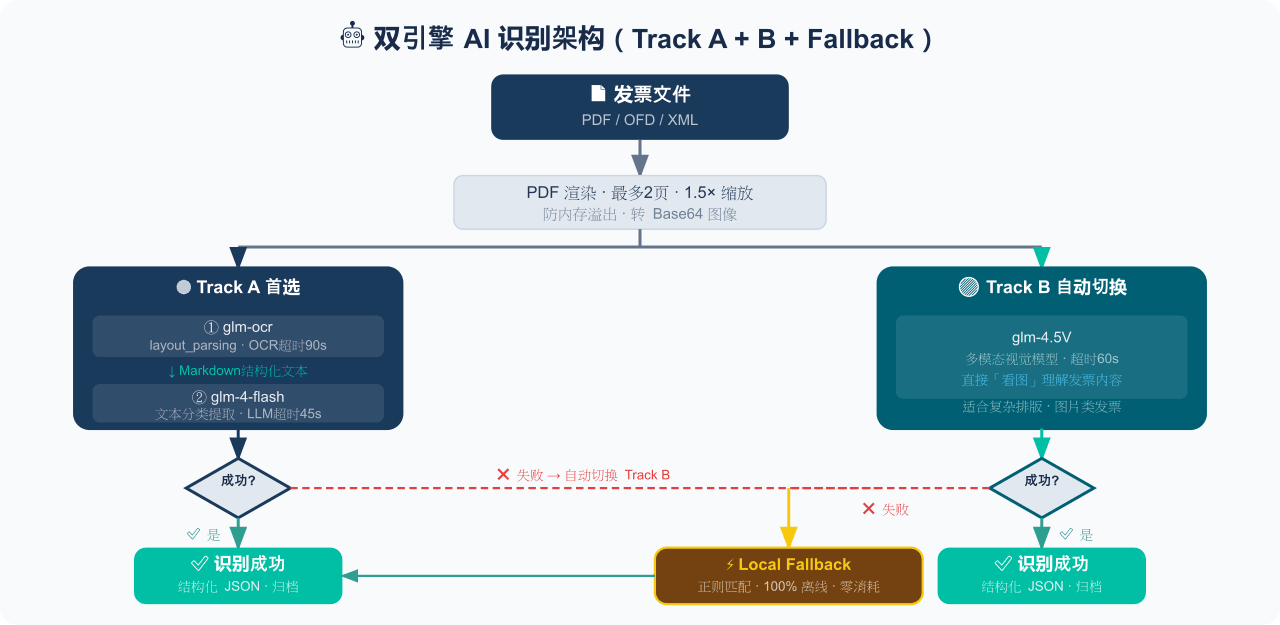 EthanYoQ/Invoice-Downloader
电子发票整理与报销准备工具:从邮箱批量收集 PDF/OFD/XML 发票,OCR 识别、分类归档并生成 Excel 汇总;提供 Windows/macOS 桌面版与 DSH 插件。
EthanYoQ/Invoice-Downloader
电子发票整理与报销准备工具:从邮箱批量收集 PDF/OFD/XML 发票,OCR 识别、分类归档并生成 Excel 汇总;提供 Windows/macOS 桌面版与 DSH 插件。
-
 sunchaokun/PPT-Design-Skill
Precision PPT design skill for OpenCode/Claude Code/Codex, with 40,000+ styles, pixel-perfect Build Mode control, AI ima…
sunchaokun/PPT-Design-Skill
Precision PPT design skill for OpenCode/Claude Code/Codex, with 40,000+ styles, pixel-perfect Build Mode control, AI ima…