omdsh-dev/dsh-tool-diff
DSH Diff Tool Plugin: Structured comparison of text/JSON/CSV/Markdown and unified diff, zero-dependency read-only, registers diff tools.
Project Overview项目介绍
This is a difference comparison tool built natively for DeepSeek Harness (DSH). It provides structured comparison for four common content types: plain text, JSON, CSV, and Markdown, and can output standard unified diff results. It addresses common pain points when agents need to compare two content blocks: spawning a new system diff process is especially slow on Windows, system diff cannot detect structured changes for nested JSON, and hand-written comparison logic is highly error-prone. For DSH 0.1.5-rc.1 and newer, you can install the plugin with one command, adding it to either your interactive web profile or headless batch profile.
The plugin follows a zero-dependency design, with all core logic written from scratch. This includes the Myers line-level diff algorithm, RFC 4180 CSV parser, and recursive JSON comparison. It operates as a read-only tool, meaning it never reads or writes local files, connects to the network, or invokes git. All patch generation and validation happens strictly in memory, so it never modifies any content on your local disk. Input and output sizes are strictly bounded to keep memory usage and runtime within controlled, reasonable limits.
The plugin exposes five different diff actions: text, json, csv, markdown, and patch. Each action outputs a standardized JSON envelope with common summary fields including equal, truncated, beforeBytes, afterBytes, and a list of changes. It is released under the permissive MIT open source license, so you can use it freely in both personal and commercial projects. If you prefer to build from source, you can clone the repository, run npm install and npm pack to create a tarball, then install it locally to your DSH profile.
这是一款专为 DeepSeek Harness (DSH) 开发的原生差异比较插件,支持文本、JSON、CSV、Markdown 四种格式的结构化差异对比,可生成标准的 unified diff 输出。它解决了调用系统 diff 进程开销大(尤其是 Windows 平台)、系统 diff 无法识别结构化变更、手写对比逻辑容易出错的问题,一次调用即可在毫秒级返回结构化结果。
插件采用零依赖设计,所有核心逻辑(Myers行级diff、RFC 4180格式解析、JSON递归比较)都是纯手写实现。它是只读工具,不会读写本地文件、联网或调用git,所有补丁操作仅在内存中完成,不会写入本地磁盘。同时对输入输出做了明确的大小限制,保障运行效率和资源占用始终可控。
插件支持文本、JSON、CSV、Markdown、patch五种diff动作,兼容DSH 0.1.5-rc.1及以上版本,可通过DSH的bundle命令一键安装到web或headless配置profile。它使用MIT许可开源,用户也可以克隆源码通过npm打包后本地安装,适合需要对比不同内容片段的DSH Agent开发工作流。
请帮我安装这个 DSH 插件。安装前先完成【兼容性检查 + 安全性检查】,检查通过再动手。

插件:dsh-tool-diff(omdsh-dev/dsh-tool-diff)
仓库:https://github.com/omdsh-dev/dsh-tool-diff
本站详情页:https://www.yhbd.top/plugins/omdsh-dev-dsh-tool-diff/
本站登记:类型 plugin · 归类 原生 DSH 插件 · 许可证 MIT · ⭐ 4 · 最近提交 2026-09-10 · 主语言 TypeScript

按下面顺序执行,每步先把结论告诉我,再进入下一步:

【1 兼容性检查】
① 我这边:DSH 版本、Node 版本、操作系统、当前 profile(web / desktop)。
② 读它的 README、package.json、插件 manifest,列出它要求的 DSH 版本 / Node 版本 / 操作系统 / 外部依赖 / 需要另外先装的运行时。
③ 逐条比对,结论只写「满足 / 不满足 / 未知」三种;不满足的给出可行替代方案。
④ 检查是否和我已装的插件冲突:命令名重复、skill / tool 重名、端口占用、重复注册的 MCP server。

【2 安全性检查】
① 仓库可信度:和上面「本站登记」是否一致;star / fork 数、创建时间、最近提交,是否归档或长期停更。
② 安装脚本:逐行看 package.json 的 preinstall / install / postinstall,以及 install.sh、setup.ps1 之类脚本。出现 curl|bash、下载后直接执行、混淆代码、访问与插件功能无关的域名,立刻停下来告诉我,不要继续装。
③ 依赖:列出新增依赖,标出无人维护、或与知名包拼写近似的可疑包(typosquatting)。
④ 权限与副作用:它会读写哪些目录、访问哪些域名、需要哪些 DSH 权限(filesystem / network / shell / clipboard 等),以及怎么卸载和回滚。
⑤ 如果它要求 sudo / 管理员权限,或权限明显超出功能所需,先停下来问我。

【3 安装】
上面两步没有「不满足」和「高危项」时才执行;用官方推荐方式安装,不要自行提权。

【4 汇报】
用表格输出:检查项 / 结论 / 依据 / 是否需要我决策。拿不准的一律写「未知」并说明要我怎么确认——不要猜,也不要替我决定。
Send this message to DSH in your current session: it verifies compatibility and security first (answering met / not met / unknown item by item) and only installs once everything checks out — it will stop and ask you if it finds a high-risk item. The box scrolls; the copy is the full prompt. CLI install commands may not be accurate across systems, so DSH is the safer route.把上面这条消息直接发给当前会话里的 DSH:它会先核对兼容性与安全性(逐条给「满足 / 不满足 / 未知」),确认没问题再安装,有高危项会停下来问你。框内可滚动,复制到的是完整提示词;安装命令不一定准确,发给 DSH 更稳。
- Only 4 stars - very few users, little community feedback星标只有 4,几乎没人在用,遇到问题缺少社区反馈
DSH walks through these 9 checksDSH 会逐条核对这 9 项
Compatibility兼容性
- DSH, Node, OS and profile requirementsDSH 版本 / Node 版本 / 操作系统 / profile 是否满足要求
- External dependencies and runtimes (Electron / Python / Docker, ...)外部依赖与运行时(Electron / Python / Docker 等)是否齐备
- Conflicts with installed plugins: command names, skill / tool names, ports, duplicate MCP registration与已装插件是否冲突:命令名、skill / tool 重名、端口占用、重复 MCP 注册
Security安全性
- Repo matches the facts registered here; archived or abandoned?仓库是否与页面登记一致,是否归档或长期停更
- Safety of preinstall / install / postinstall and install.sh / setup.ps1preinstall / install / postinstall 与 install.sh、setup.ps1 是否安全
- curl|bash, download-then-execute, obfuscation, unrelated domains → stop immediatelycurl|bash、下载即执行、混淆代码、无关域名 → 立刻停止
- Typosquatting or unmaintained packages among the new dependencies新增依赖里有没有 typosquatting 或无人维护的包
- Requested permissions vs. what the feature actually needs申请了哪些权限、是否超出功能所需(filesystem / network / shell / clipboard)
- Any sudo / admin requirement, plus uninstall and rollback是否要求 sudo / 管理员权限,以及卸载与回滚方式
Anything uncertain must be marked unknown with a note on how to confirm it. This site's signal screen is a static snapshot, not a security audit.拿不准的必须标「未知」并说明要我怎么确认。本站的信号筛查是静态快照,不能替代安全审计。
Or use CLI install (for developers)或使用命令行安装(适合开发者)
CLI Install命令行安装
dsh plugin --profile web add github:omdsh-dev/dsh-tool-diff把 omdsh-dev/dsh-tool-diff 加入你的 DSH 配置(web profile)即可启用。
READMEREADME
dsh-tool-diff
DSH Diff 文本差异工具插件 —— 文本 / JSON / CSV / Markdown 结构化比较与 unified diff 生成。零依赖、纯函数、只读。

动机
Agent 需要对比两份内容(配置片段、API 响应、表格、文档修订)时,现有路径是起 bash 进程调用系统 diff 或手写比较逻辑:
- 每次调用都起进程——Windows 上尤其昂贵
- 系统 diff 不懂结构——JSON 只能给整段文本差异,看不出
$.user.name这样的路径级变更 - 手写比较代码不可验证——边界(引号内逗号、嵌套数组、标题重命名)极易出错
本插件提供确定性、零依赖、纯函数的差异比较:一次函数调用,毫秒级返回结构化 JSON 报告或标准 unified diff。
安全模型
- 零依赖:Myers 行级 diff、RFC 4180 解析器、JSON 递归比较全部手写
- 只读:不读文件、不写文件、不联网、不调 git;
patchaction 只在内存中生成并校验补丁,绝不落盘 - 预算:
- 输入单侧 ≤ 256 KiB(超限直接报错)
- 输出 ≤ 64 KiB(超限按
maxChanges与字节预算截断并置truncated) - Myers diagonal 预算 2000 + 蛇步总预算 2000 万 + 公共前后缀修剪 + hash 快速拒绝 + 规模上限 4000 行 → 恶意重复/全异文本有界完成
- 行数 ≤ 50K、JSON 嵌套 ≤ 64 层、CSV ≤ 50K 行 / 512 列
timeoutMs: 2000
- 工具参数会记入会话日志,不要传入敏感数据
工具声明
注册 diff 工具(@deepseek-ai/dsh-tool-diff,row id tool-diff),统一输出 JSON 文本字符串信封:所有 action 都带通用摘要 { equal, truncated, beforeBytes, afterBytes, changes }。
| action | 作用 | 输出 |
|---|---|---|
text |
行级 Myers diff | unified diff(--- before / +++ after / @@ hunks,无时间戳)+ 统计;format=structured 输出带行号的操作列表 |
json |
递归比较两个 JSON 值 | $ 路径化变更($.user.name、$.items[0]、$['a.b'])+ add/remove/replace 汇总 |
csv |
RFC 4180 解析后按主键或位置比较 | addedRows / removedRows / changedRows(列级)/ duplicateKeys / 列集合变化 |
markdown |
轻量块级 tokenizer(标题/代码块/列表/引用/表格) | headingChanges(rename 识别)/ blockChanges(h2[1]/p[0] 路径)/ codeBlockChanges + 全文 diff |
patch |
生成 unified diff 并在内存中校验 | patch 文本 + valid / hunks / targetMatchesAfter / hunk 级错误 |
| 参数 | 类型 | 必填 | 说明 |
|---|---|---|---|
action |
string | ✅ | text / json / csv / markdown / patch |
before |
string | ✅ | 原内容(任意 action 的输入侧) |
after |
string | ✅ | 新内容 |
format |
string | unified(默认 text/patch)/ structured(默认 json/csv/markdown)/ both |
|
context |
integer | unified 上下文行数,默认 3,范围 0..20 | |
key |
string | CSV 主键列名或 1-based 索引;缺省 → 位置比较 | |
delimiter |
string | CSV 分隔符,默认 ,,单字符或 tab |
|
ignoreWhitespace |
boolean | 比较时忽略空白差异(text/csv/markdown);patch action 拒绝(精确文本协议) | |
ignoreCase |
boolean | 比较时忽略大小写(text/json/csv/markdown);patch action 拒绝 | |
sortKeys |
boolean | JSON 键排序,默认 true | |
maxChanges |
integer | 最大报告变更数,默认 1000,硬顶 10000 |
Showing the opening section of the README — the full document lives in the repository以上为 README 开头摘要,完整文档在仓库内 · View the full README on GitHub →在 GitHub 查看完整 README →
Related相关推荐
-
 Ikalus1988/MisakaNet
📚 A zero-dependency, git-backed micro-lesson library for AI Agents to asynchronously share and search verified debuggin…
Ikalus1988/MisakaNet
📚 A zero-dependency, git-backed micro-lesson library for AI Agents to asynchronously share and search verified debuggin…
-
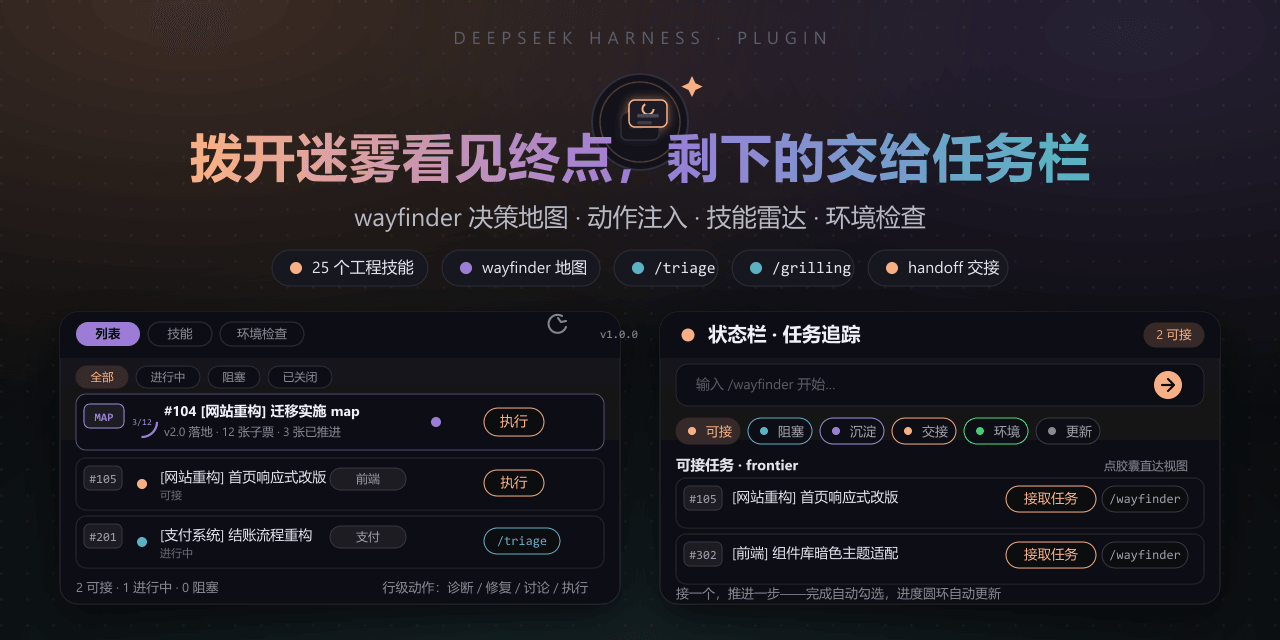 FeatherHunter/dsh-mattpocock-skills-deck
安装即自带mattpocock/skills v1.2.3的25个工程与效率技能,无需手动装技能。300亿token打造。本插件在原始技能之上提供10倍的开发效率。主力支持GitHub issue;Markdown为预览版;GitLab暂不…
FeatherHunter/dsh-mattpocock-skills-deck
安装即自带mattpocock/skills v1.2.3的25个工程与效率技能,无需手动装技能。300亿token打造。本插件在原始技能之上提供10倍的开发效率。主力支持GitHub issue;Markdown为预览版;GitLab暂不…
-
 yoli-mi/dsh-client-ui-custom
Configurable DSH web-surface plugin: wallpaper & frosted-glass themes, accent colors, custom keyboard shortcuts, app-usa…
yoli-mi/dsh-client-ui-custom
Configurable DSH web-surface plugin: wallpaper & frosted-glass themes, accent colors, custom keyboard shortcuts, app-usa…
-
 omdsh-dev/dsh-toolkit
DSH 零依赖工具包 collection —— time / encoding / json / calculator / csv / regex / markdown / diff / stat / schema 十个确定性工具,统一入…
omdsh-dev/dsh-toolkit
DSH 零依赖工具包 collection —— time / encoding / json / calculator / csv / regex / markdown / diff / stat / schema 十个确定性工具,统一入…
- seed-forge/harness-ai-kit Package manager for AI agent assets — 42 skills, 5 CLIs, 1 plugin. Skills for AI/LLM agent engineering, eval-driven dev,…
-
 XieZongChen/dsh-md-notes
A note-taking plugin for DeepSeek Harness (DSH). It provides a full MD notes manager and MD notes editor, letting you qu…
XieZongChen/dsh-md-notes
A note-taking plugin for DeepSeek Harness (DSH). It provides a full MD notes manager and MD notes editor, letting you qu…
- FNOSP/fnos-dsh DeepSeek Harness应用与harness插件 monorepo
-
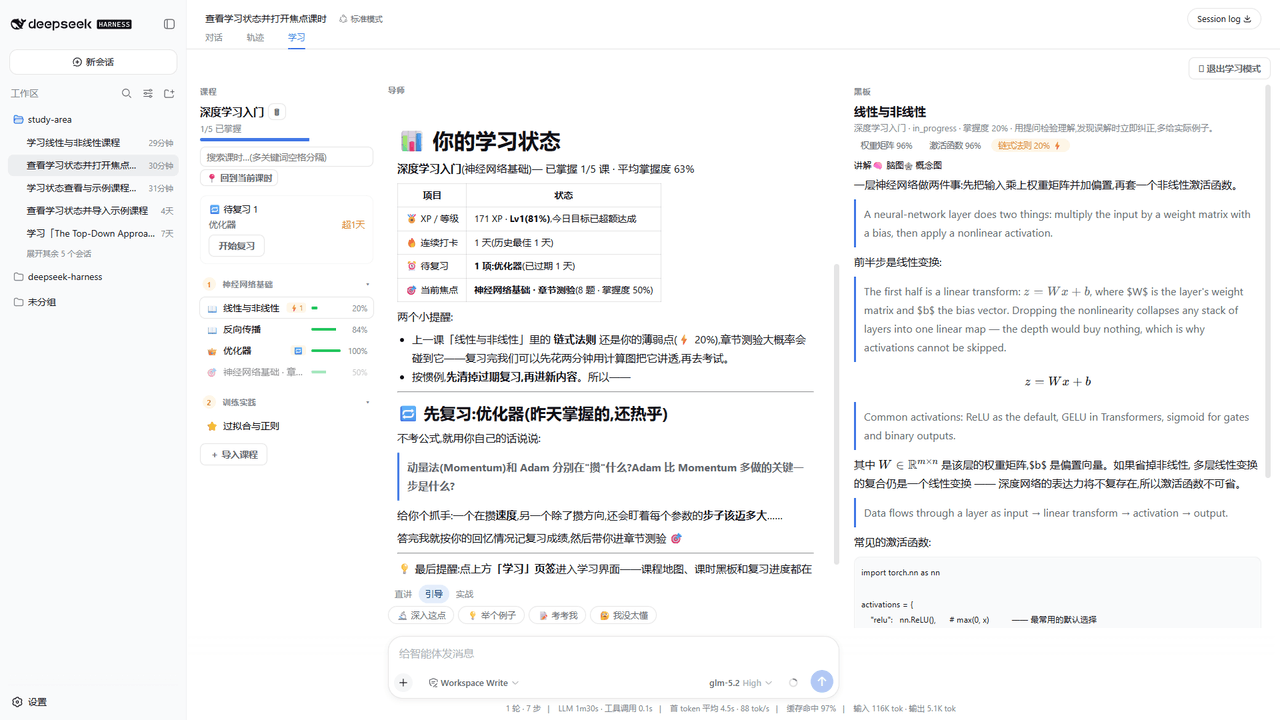 Kaiji-Z/dsh-plugin-lookatstudy
dsh community plugin: turn any markdown/folder/GitHub learning repo into a guided AI-tutor course (gated skill tree, BKT…
Kaiji-Z/dsh-plugin-lookatstudy
dsh community plugin: turn any markdown/folder/GitHub learning repo into a guided AI-tutor course (gated skill tree, BKT…