pangzi499/dsh-balance-stats
DeepSeek Harness Web 的余额、会话成本、令牌使用量与账单摘要。
Project Overview项目介绍
dsh-balance-stats is a balance and usage statistics plugin for DeepSeek Harness Web. It shows balance, current session cost, and total spend percentage in a bar below the composer; clicking opens a details card with balance composition, per-model spend, token usage, and billing history. Use it to track DeepSeek account balance, estimate per-conversation cost, and aggregate spend by model and time. Caveat: Harness local cost is an estimate, not an official invoice, and excludes calls made outside Harness or without standard usage events; currencies must match, and platform userToken expires on logout.
dsh-balance-stats 是 DeepSeek Harness Web 的余额与用量统计插件。核心能力:在对话编辑栏下方显示余额、本次会话花费、总花费百分比,点击展开含余额构成、模型花费、token 用量与历史账单的详情卡。适用场景:需要实时追踪 DeepSeek 账户余额、估算 Harness 内的对话成本、按模型和时间聚合开销时使用。注意事项:本地估算费用并非 DeepSeek 官方账单,调用未走 Harness 或日志缺失时不计入;货币需一致;platform userToken 登出后失效。
请帮我了解并安装插件:【dsh-balance-stats】【https://github.com/pangzi499/dsh-balance-stats】Send this message to DSH in your current session. CLI install commands may not be accurate across systems — DSH will figure it out for you.把上面这条消息直接发给当前会话里的 DSH,让它帮你了解并安装。安装命令不一定准确,发给 DSH 更稳。
Or use CLI install (for developers)或使用命令行安装(适合开发者)
CLI Install命令行安装
npx @deepseek-ai/dsh plugin --profile web add https://github.com/pangzi499/dsh-balance-stats.git把 pangzi499/dsh-balance-stats 加入你的 DSH 配置(web profile)即可启用。
READMEREADME
dsh-balance-stats
English | 简体中文
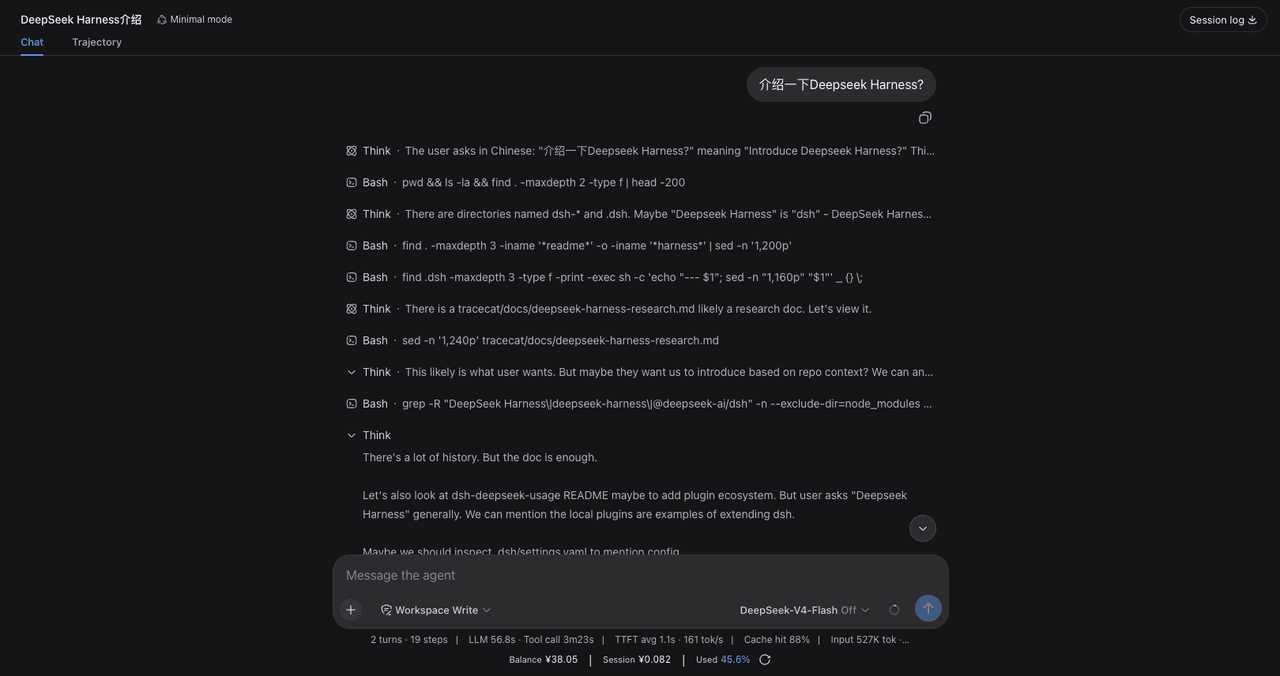
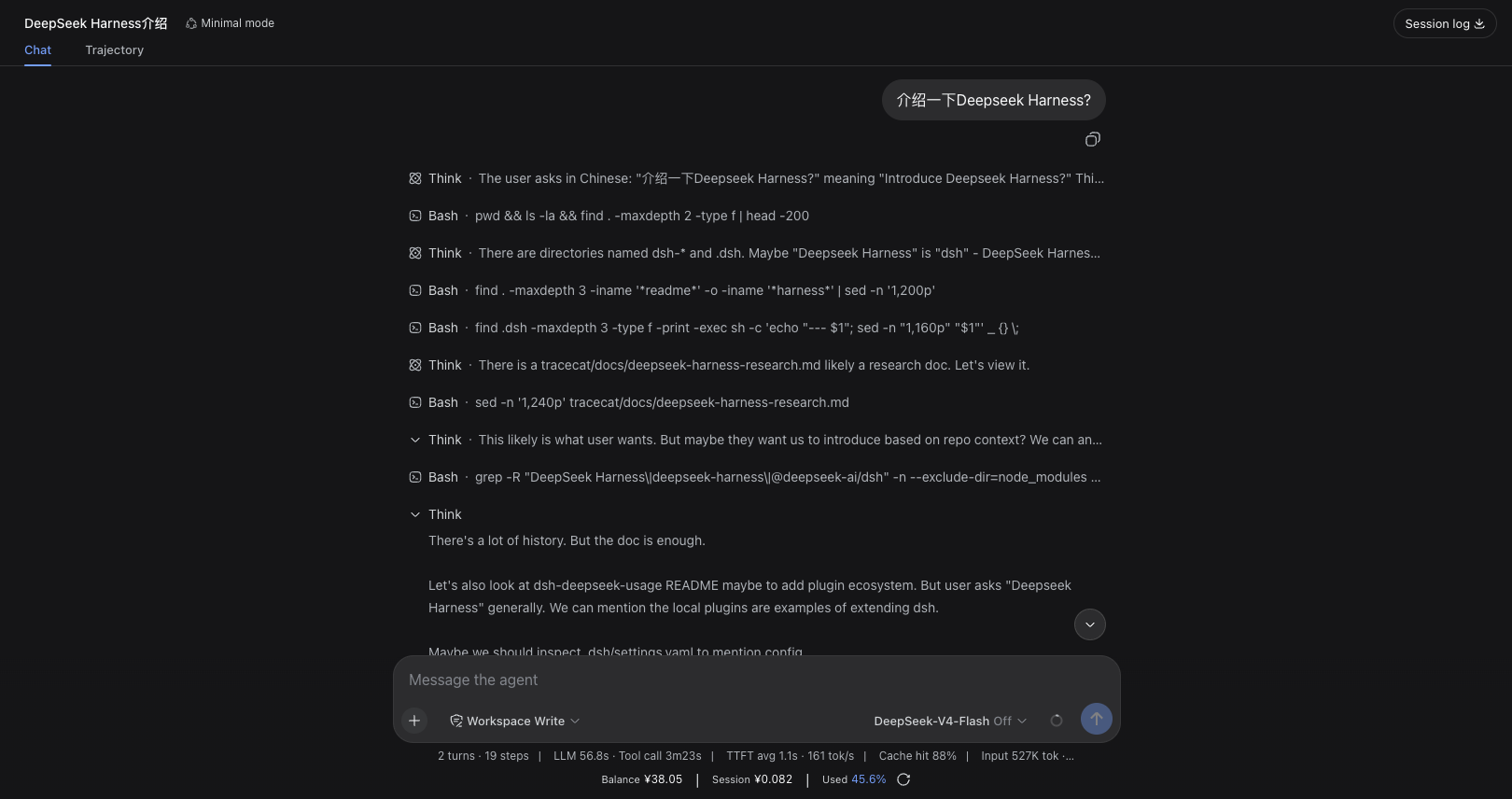
dsh-balance-stats is a balance and usage statistics plugin for DeepSeek Harness Web. It displays three key figures in a bar below the conversation composer:
Balance ¥40.22 | This session ¥0.15 | Total spent 42.5%
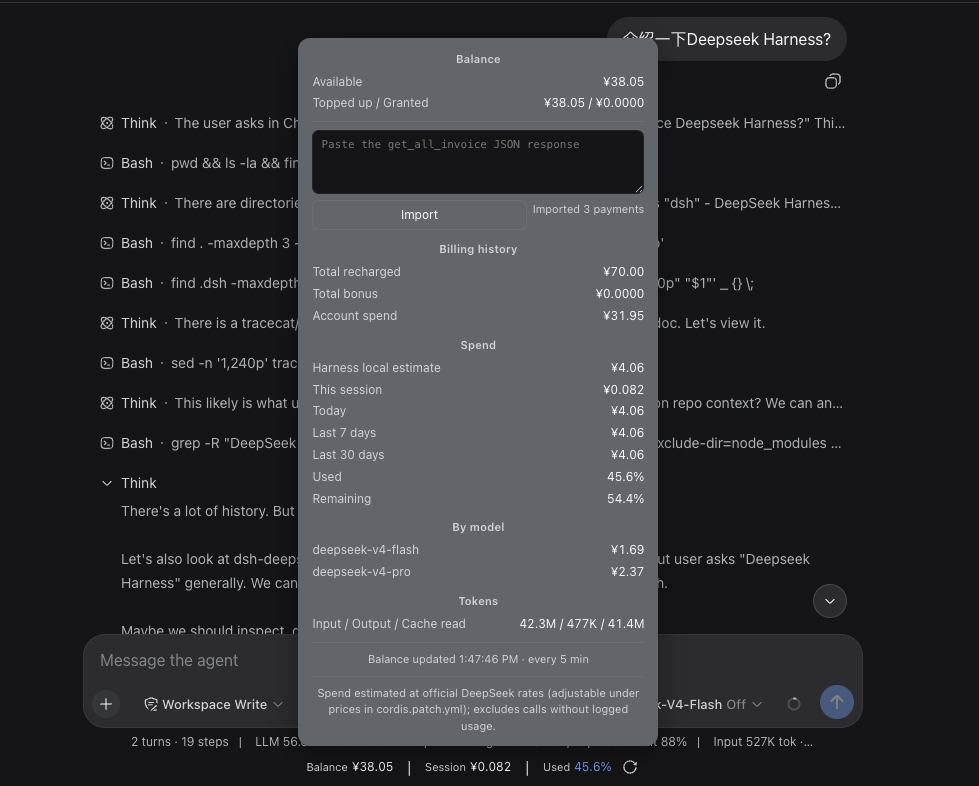
Click the bar to open an interactive, scrollable details card with balance composition, Harness local usage estimates, model-level spend, token usage, and historical billing summaries.
Quick install
Make sure Node.js >=22.19.0 is installed and pnpm --version works, then run:
npx @deepseek-ai/dsh plugin --profile web add https://github.com/pangzi499/dsh-balance-stats.git
Start or restart Harness Web, then hard-refresh the browser:
npx @deepseek-ai/dsh web
Update:
npx @deepseek-ai/dsh plugin --profile web update dsh-balance-stats
Screenshots
Stats bar — balance, current session cost, and total spend below the composer:
Details card — click the bar to open it: balance composition, billing history, per-model spend, token usage, and the invoice import field:
Features
- Balance: reads the official DeepSeek balance API and shows available, topped-up, and granted balances.
- This session: shows the active conversation cost, preferring the composer-scoped
balanceStatsSessionCostprojection and falling back to a server-side fold of that exact session (GET /balance-stats?s=<sessionId>), so a restart cannot leave the bar on a bare dash. - Total spent: uses an accounting-based percentage after an invoice import; otherwise falls back to the Harness local estimate.
- Details card: shows spend today, over the last 7/30 days, per-model spend, token usage, and update time.
- Auto invoice import (optional): paste your platform
userTokenonce in the details card and the server re-fetches invoices on a schedule; the token persists to the local credentials file (mode 0600), survives restarts, and clears with one click. - JSON invoice import (fallback): without a token, paste a
get_all_invoiceJSON response for a one-shot import. Importing force-refreshes the balance, so every figure updates at once. - Caching and resilience: retains the last successful balance/invoice when a request fails (stale-while-error) and refreshes server/client data on configurable intervals. The refresh button in the stats bar immediately re-fetches from DeepSeek.
How figures are calculated
Balance
The server requests:
GET https://api.deepseek.com/user/balance
By default, the API key is read from the Harness credential DEEPSEEK_API_KEY. It is never sent to the browser.
Harness local estimate
The plugin scans usage events in Harness conversation logs and calculates spend from model prices using:
- Uncached input tokens
- Cache-hit/write tokens
- Output tokens
- Spend aggregated by date and model
This is a local estimate. It may exclude calls made outside Harness, deleted historical logs, or calls without standard usage events.
prices applies to ordinary models and v4 usage before 2026-08-17 00:00 +08:00.
After that cutoff, v4 usage selects v4PeakPrices during 09:00–12:00 and
14:00–18:00 Beijing time, and v4OffPeakPrices at other times. All three
price maps are configurable.
The fold is deterministic and independent of when you look at it:
- A usage sample replaces the earlier sample of the same
(turn, step)instead of double-counting it;llm/retry-startedcloses the matching slot so a retry keeps the cost of the attempt it replaced. - Prices are applied at the sample's own event time, so a replacement that crosses midnight or a peak/off-peak boundary moves its full cost between the affected day and rate buckets.
- Day buckets and the Today/7-day/30-day windows all use
2026-08-17-style UTC+08:00 dates. A record without a usable timestamp inherits the last valid one in log order; with none available it falls back to base prices under theunknownday, stays inside the total, and is excluded from the date windows. The viewing clock is never used for historical pricing. - Token fields accept only nonnegative safe integers (or their numeric strings); malformed values become zero, and cache reads are never subtracted from
inputTokens. - Accumulators keep full precision and round to six decimals only when a view is published, so
totalCost,costByModel,costByDay, and the sum of per-session costs agree.
Historical invoices
The public DeepSeek balance API does not return historical top-ups. To enable accounting-based figures, pick one of three ways:
Option 1 — auto import (recommended)
- Click the stats bar to open the details card and expand "Auto invoice import".
- Follow the 3-step guide: sign in to the platform → run
copy(localStorage.userToken)in the console → come back, paste it, and press Save. - Saving verifies the token with one live fetch, then persists it to the local
credentials file
~/.dsh/.credentials.yaml(mode 0600). The plugin re-fetches invoices everyinvoiceRefreshIntervalMs(default 6 hours) and restores the token automatically after restarting dsh web. - An expired session turns the status dot amber ("Expired"); paste a fresh token to resume. "Clear" removes everything again.
Option 2 — manual JSON paste (no token)
- Sign in to
https://platform.deepseek.com/. - Use browser developer tools to copy the JSON response from
https://platform.deepseek.com/auth-api/v0/users/get_all_invoice. - Open the details card, expand "Advanced", paste the complete JSON, and click Import.
Option 3 — environment / config
Store the token under the Harness credential DEEPSEEK_PLATFORM_TOKEN
(or platformToken in cordis.patch.yml, or an env var of that name); auto
import starts on launch.
Only top-up orders where payment_order_status === "SUCCESS" are counted. Valid grant orders are accumulated separately.
Accounting total = historical top-ups + historical grants
Accounting spend = max(0, accounting total - current total balance)
Total spent = accounting spend / accounting total × 100%
Without imported invoices:
Total spent = Harness local estimated spend
              / (current total balance + Harness local estimated spend)
              × 100%
Privacy and storage
- By default (no token provided), the plugin never requests
get_all_invoiceand stores no DeepSeek Platform credentials. - Only when you explicitly paste a
userTokenand press Save does the plugin call the invoice endpoint with it and write the token to the local Harness credentials file~/.dsh/.credentials.yaml(mode 0600, managed by the Harness credentials provider). "Clear" in the card removes it again. - No DeepSeek Platform cookies are accepted or stored; the token never leaves your machine except to
platform.deepseek.com. - Manually pasted JSON is parsed only in memory. The browser-side
localStoragefallback summary keeps only aggregates: historical top-ups, grants, order count, currency, and import time. Order IDs, payment channels, and transaction details are not persisted. - Signing out of the DeepSeek Platform immediately invalidates any saved token.
get_all_invoice is a private, authenticated DeepSeek Platform endpoint and its response format may change. Never share your userToken, cookies, authorization headers, or raw JSON containing order details.
Requirements
- DeepSeek Harness: tested on
0.1.0-rc.6through0.1.5-rc.2 - Node.js:
>=22.19.0 - pnpm: must be available on
PATHbecause Harness uses it to manage profile plugins (missing? see Installation) - Tested environment: OrbStack Ubuntu with Node.js
24.19.0
DeepSeek Harness is still in developer preview. The client APIs and mounting slot used by this plugin may change in upstream releases.
This is a community plugin for DeepSeek Harness. It is not an official @deepseek-ai plugin.
Installation
GitHub (recommended)
Install the latest version from the default branch:
npx @deepseek-ai/dsh plugin --profile web add https://github.com/pangzi499/dsh-balance-stats.git
npx @deepseek-ai/dsh web
Repository: https://github.com/pangzi499/dsh-balance-stats
You can also download dsh-balance-stats-0.3.0.tgz from the GitHub Release and install it as a tarball.
pnpm prerequisite
Harness manages profile plugins with pnpm. Check it before installing:
pnpm --version
command -v pnpm
If pnpm is missing, install it with Corepack:
corepack enable
corepack prepare pnpm@10 --activate
pnpm --version
If Corepack is unavailable in your Node.js installation, use npm:
npm install --global pnpm@10
pnpm --version
Local directory / Tarball
Local directory
npx @deepseek-ai/dsh plugin --profile web add /absolute/path/to/dsh-balance-stats
npx @deepseek-ai/dsh web
Tarball
Build:
cd /path/to/dsh-balance-stats
npm pack
Install:
npx @deepseek-ai/dsh plugin --profile web add /absolute/path/to/dsh-balance-stats-0.3.0.tgz
npx @deepseek-ai/dsh web
Then hard-refresh the browser (macOS: Command + Shift + R; Windows/Linux: Ctrl + Shift + R).
Updating
For GitHub one-line installs, the update command is in Quick install above.
For local-directory or tarball installations, run add again with the new path, then restart dsh web.
Configuration
Override plugin configuration in $DSH_HOME/profiles/web/cordis.patch.yml. Configuration is replaced as a whole, so repeat every key you want to retain:
- id: dsh-balance-stats
  config:
    apiKey: ''
    apiKeyRef: DEEPSEEK_API_KEY
    baseUrl: https://api.deepseek.com
    refreshIntervalMs: 300000
    clientPollIntervalMs: 30000
    timeoutMs: 8000
    currency: CNY
    platformToken: ''
    platformTokenRef: DEEPSEEK_PLATFORM_TOKEN
    invoiceRefreshIntervalMs: 21600000
    platformBaseUrl: https://platform.deepseek.com
    prices:
      deepseek-chat: { cacheHit: 0.1, cacheMiss: 1, output: 2 }
      deepseek-reasoner: { cacheHit: 1, cacheMiss: 4, output: 16 }
      deepseek-v4-flash: { cacheHit: 0.02, cacheMiss: 0.1, output: 0.2 }
      deepseek-v4-pro: { cacheHit: 0.025, cacheMiss: 3, output: 6 }
    v4PeakPrices:
      deepseek-v4-flash: { cacheHit: 0.10, cacheMiss: 3.0, output: 9.0 }
      deepseek-v4-pro: { cacheHit: 0.30, cacheMiss: 9.0, output: 27.0 }
    v4OffPeakPrices:
      deepseek-v4-flash: { cacheHit: 0.05, cacheMiss: 1.5, output: 4.5 }
      deepseek-v4-pro: { cacheHit: 0.15, cacheMiss: 4.5, output: 13.5 }
    defaultPrices: { cacheHit: 0.1, cacheMiss: 1, output: 2 }
Prefer apiKeyRef / platformTokenRef so the plugin reuses Harness credentials. Never put a real API key or platform token in a cordis.patch.yml file that you plan to share.
Auto import keys:
platformToken: literal platform token (plaintext; not recommended — prefer saving via the UI or credentials)platformTokenRef: credential reference name (defaultDEEPSEEK_PLATFORM_TOKEN; saving in the UI writes this credential entry)invoiceRefreshIntervalMs: invoice refresh interval, default 21600000 (6 h), minimum 600000platformBaseUrl: DeepSeek Platform base URL; normally leave as default
Verification
After starting the Web profile:
curl http://127.0.0.1:3080/balance-stats
curl 'http://127.0.0.1:3080/balance-stats?s=<sessionId>'
The first call returns the account snapshot; the second adds currentSession { cost, costByDay }
folded from exactly that session log. A client bundle is served under its revisioned combo URL
(/plugins/??dsh-balance-stats/client.js&rev=<hash>, hash taken from window.__DSH_BOOT__),
so the bare /plugins/dsh-balance-stats/client.js path answers 404 by design.
Example statistics response (amounts are illustrative):
{
  "ok": true,
  "currency": "CNY",
  "balances": [
    { "currency": "CNY", "total": 40.22, "granted": 0, "toppedUp": 40.22 }
  ],
  "stats": {
    "state": "ok",
    "totalCost": 2.103612,
    "percent": 5,
    "today": 2.103612,
    "day7": 2.103612,
    "day30": 2.103612,
    "costByDay": { "2026-09-15": 2.103612 },
    "costByModel": { "deepseek-v4-flash": 1.702128 },
    "tokens": { "uncachedInput": 25361491, "cacheRead": 647550144, "cacheWrite": 0 },
    "sessions": 10
  },
  "currentSession": {
    "cost": 0.258097,
    "costByDay": { "2026-09-15": 0.258097 }
  }
}
Known limitations
- Harness local spend is an estimate, not an official DeepSeek invoice.
- Historical invoice summaries depend on the private
get_all_invoiceresponse format. - The platform
userTokenexpires when you sign out of the DeepSeek Platform; paste a fresh one to resume auto import. - Manual JSON summaries are browser-local and do not sync across browsers or devices (auto-imported summaries live on the server side).
- Balance, invoice, and estimated-price currencies must match.
- Upstream changes to DSH client slots or projection APIs may require plugin updates.
Uninstall
npx @deepseek-ai/dsh plugin --profile web remove dsh-balance-stats
License
MIT
Related相关推荐
- ilps2/dsh-video-understand 低成本视频理解 dsh 插件:B站/本地视频 → AVIS 信息层 → 摘要+问答(token 压缩 99.95%+)。Low-cost video understanding tool for DeepSeek Harness.
-
 ZSeven-W/dsh-ios
DeepSeek Harness (DSH) plugin: a live iOS Simulator — and a USB-connected iPhone — inside the conversation. 22 agent too…
ZSeven-W/dsh-ios
DeepSeek Harness (DSH) plugin: a live iOS Simulator — and a USB-connected iPhone — inside the conversation. 22 agent too…
-
 Stormycry-cryp/dsh-AuthInOne
Self-contained DeepSeek Harness (DSH) plugin for Provider/Auth login, model switching, image fallback, token/cost analyt…
Stormycry-cryp/dsh-AuthInOne
Self-contained DeepSeek Harness (DSH) plugin for Provider/Auth login, model switching, image fallback, token/cost analyt…
-
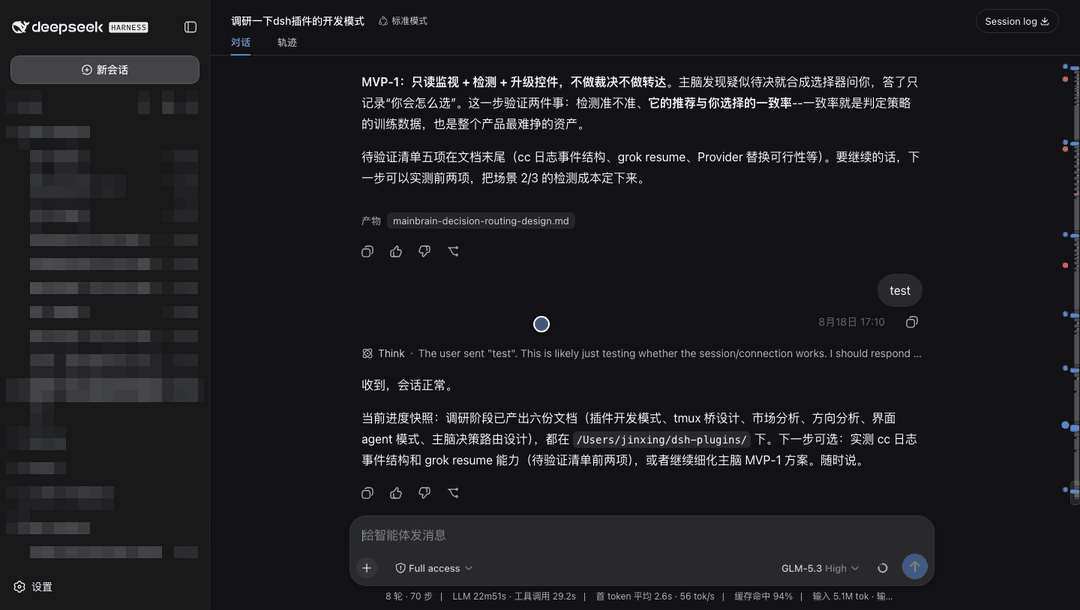 jsdvjx/dsh-strata
Session strata for the DeepSeek Harness Web GUI: the transcript's scrollbar becomes a to-scale, colour-coded map of the …
jsdvjx/dsh-strata
Session strata for the DeepSeek Harness Web GUI: the transcript's scrollbar becomes a to-scale, colour-coded map of the …
-
 hellodigua/dsh-share
DSH 对话分享插件,分享单轮或多轮对话,可导出为图片或 Markdown。Share DSH Q&As or selected conversation groups as PNG or Markdown.
hellodigua/dsh-share
DSH 对话分享插件,分享单轮或多轮对话,可导出为图片或 Markdown。Share DSH Q&As or selected conversation groups as PNG or Markdown.
-
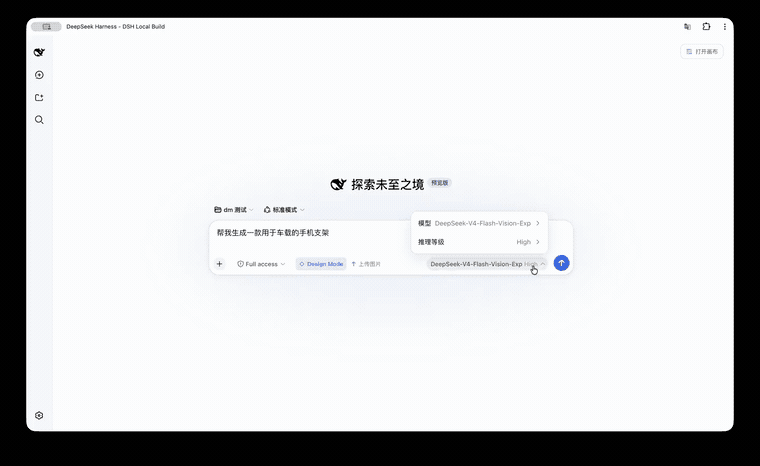 KaichenCurry/dsh-design-mode
Visual execution layer for DeepSeek Harness—guided intent, infinite canvas, contextual image tools, and chat-native comm…
KaichenCurry/dsh-design-mode
Visual execution layer for DeepSeek Harness—guided intent, infinite canvas, contextual image tools, and chat-native comm…
-
 Tkingxiao/dsh-any-background
Deepseek Harness 自定义主题插件,支持自定义图片/视频壁纸,对话框,侧边栏等透明度模糊度调整,全局主题色的色轮调整插件
Tkingxiao/dsh-any-background
Deepseek Harness 自定义主题插件,支持自定义图片/视频壁纸,对话框,侧边栏等透明度模糊度调整,全局主题色的色轮调整插件
- PerryLink/dsh-talk Voice-first session loop for DeepSeek Harness: a composer microphone button with browser/local speech-to-text (Web Speec…