pengyue-polaron/deepseek-harness-genui
DeepSeek Harness 的代码优先生成式 UI
Project Overview项目介绍
DeepSeek Harness GenUI is a native DSH plugin that lets coding agents build task-specific generative UIs using standard React and TypeScript, rather than a custom domain-specific language. It can render UIs in four different surfaces: inline in the conversation, as a Canvas panel, fullscreen, or on localhost. To install it, users need Node.js version 22.19.0 or newer, and run the command dsh plugin --profile web add dsh-plugin-genui to add it to their supported DeepSeek Harness web profile. TUI and headless profiles are not supported by the current v0.14 version of the plugin.
GenUI is designed for tasks that are awkward to handle in plain text, such as selecting calendar slots, exploring interactive scientific models, or tracing code paths through a repository. After a user makes selections or enters inputs in the generated UI, those values are saved for the next agent turn, so the agent can continue the workflow without asking the user to re-enter information. Users can test the plugin by starting a new web session and pasting a sample prompt that asks for an interactive interface, then follow up after saving their choices. It is not intended for simple tasks like plain questions, rewrites, or summaries, which work better as prose.
The plugin is released under the open source MIT license, and generated code runs in an opaque-origin sandbox for security. Only saved state, declared tools, and declared credential-free public HTTPS routes are brokered through the trusted parent, so MCP credentials never enter the generated code. Temporary links and task state expire 7 days after the last update to keep data fresh and reduce security risk. Users can choose a pre-built design system like Material 3, Apple Human Interface, or shadcn-ui, or add a custom DESIGN.md file to control the visual language of generated interfaces.
这是一个专为 DeepSeek Harness 开发的原生插件,允许编码代理基于普通 React + TypeScript 生成定制化的生成式界面,解决纯文本交互难以处理的复杂任务,支持在对话内联、侧边画布、全屏或本地主机运行界面。用户可通过 dsh plugin --profile web add dsh-plugin-genui 命令安装,要求环境满足 Node.js 版本 ^22.19.0 或 ^24.0.0,不支持 TUI 和无头配置文件。
用户可以用它生成任务专用界面,比如日程规划选时间、交互调节科学模型参数、探索代码调用路径等,用户在界面上做出的选择会被保存,供下一轮代理任务继续使用,无需用户重复输入信息。它适用于需要可视化复杂关系或完成多个关联选择的任务,简单问答、改写和总结等普通文本任务依然可以保持原形式处理。
本插件采用 MIT 许可开源,生成的代码运行在不透明源沙箱中,仅允许访问声明过的工具和无凭证公开 HTTPS 路由,不会泄露 MCP 凭证,临时链接和任务状态会在最后一次更新7天后过期。用户可在插件设置中选择设计规范,也可自定义 DESIGN.md 控制界面的视觉语言。
请帮我安装这个 DSH 插件。安装前先完成【兼容性检查 + 安全性检查】,检查通过再动手。

插件:deepseek-harness-genui(pengyue-polaron/deepseek-harness-genui)
仓库:https://github.com/pengyue-polaron/deepseek-harness-genui
本站详情页:https://www.yhbd.top/plugins/pengyue-polaron-deepseek-harness-genui/
本站登记:类型 plugin · 归类 原生 DSH 插件 · 许可证 MIT · ⭐ 114 · 最近提交 2026-09-24 · 主语言 TypeScript

按下面顺序执行,每步先把结论告诉我,再进入下一步:

【1 兼容性检查】
① 我这边:DSH 版本、Node 版本、操作系统、当前 profile(web / desktop)。
② 读它的 README、package.json、插件 manifest,列出它要求的 DSH 版本 / Node 版本 / 操作系统 / 外部依赖 / 需要另外先装的运行时。
③ 逐条比对,结论只写「满足 / 不满足 / 未知」三种;不满足的给出可行替代方案。
④ 检查是否和我已装的插件冲突:命令名重复、skill / tool 重名、端口占用、重复注册的 MCP server。

【2 安全性检查】
① 仓库可信度:和上面「本站登记」是否一致;star / fork 数、创建时间、最近提交,是否归档或长期停更。
② 安装脚本:逐行看 package.json 的 preinstall / install / postinstall,以及 install.sh、setup.ps1 之类脚本。出现 curl|bash、下载后直接执行、混淆代码、访问与插件功能无关的域名,立刻停下来告诉我,不要继续装。
③ 依赖:列出新增依赖,标出无人维护、或与知名包拼写近似的可疑包(typosquatting)。
④ 权限与副作用:它会读写哪些目录、访问哪些域名、需要哪些 DSH 权限(filesystem / network / shell / clipboard 等),以及怎么卸载和回滚。
⑤ 如果它要求 sudo / 管理员权限,或权限明显超出功能所需,先停下来问我。

【3 安装】
上面两步没有「不满足」和「高危项」时才执行;用官方推荐方式安装,不要自行提权。

【4 汇报】
用表格输出:检查项 / 结论 / 依据 / 是否需要我决策。拿不准的一律写「未知」并说明要我怎么确认——不要猜,也不要替我决定。
Send this message to DSH in your current session: it verifies compatibility and security first (answering met / not met / unknown item by item) and only installs once everything checks out — it will stop and ask you if it finds a high-risk item. The box scrolls; the copy is the full prompt. CLI install commands may not be accurate across systems, so DSH is the safer route.把上面这条消息直接发给当前会话里的 DSH:它会先核对兼容性与安全性(逐条给「满足 / 不满足 / 未知」),确认没问题再安装,有高危项会停下来问你。框内可滚动,复制到的是完整提示词;安装命令不一定准确,发给 DSH 更稳。
- This site's static screen found no obvious risk signal (stars, license, activity, manifest)本站静态筛查没发现明显风险信号(星标、许可证、更新活跃度、清单完整度)
DSH walks through these 9 checksDSH 会逐条核对这 9 项
Compatibility兼容性
- DSH, Node, OS and profile requirementsDSH 版本 / Node 版本 / 操作系统 / profile 是否满足要求
- External dependencies and runtimes (Electron / Python / Docker, ...)外部依赖与运行时(Electron / Python / Docker 等)是否齐备
- Conflicts with installed plugins: command names, skill / tool names, ports, duplicate MCP registration与已装插件是否冲突:命令名、skill / tool 重名、端口占用、重复 MCP 注册
Security安全性
- Repo matches the facts registered here; archived or abandoned?仓库是否与页面登记一致,是否归档或长期停更
- Safety of preinstall / install / postinstall and install.sh / setup.ps1preinstall / install / postinstall 与 install.sh、setup.ps1 是否安全
- curl|bash, download-then-execute, obfuscation, unrelated domains → stop immediatelycurl|bash、下载即执行、混淆代码、无关域名 → 立刻停止
- Typosquatting or unmaintained packages among the new dependencies新增依赖里有没有 typosquatting 或无人维护的包
- Requested permissions vs. what the feature actually needs申请了哪些权限、是否超出功能所需(filesystem / network / shell / clipboard)
- Any sudo / admin requirement, plus uninstall and rollback是否要求 sudo / 管理员权限,以及卸载与回滚方式
Anything uncertain must be marked unknown with a note on how to confirm it. This site's signal screen is a static snapshot, not a security audit.拿不准的必须标「未知」并说明要我怎么确认。本站的信号筛查是静态快照,不能替代安全审计。
Or use CLI install (for developers)或使用命令行安装(适合开发者)
CLI Install命令行安装
dsh plugin --profile web add dsh-plugin-genui把 pengyue-polaron/deepseek-harness-genui 加入你的 DSH 配置(web profile)即可启用。
READMEREADME
DeepSeek Harness GenUI

English | 简体中文





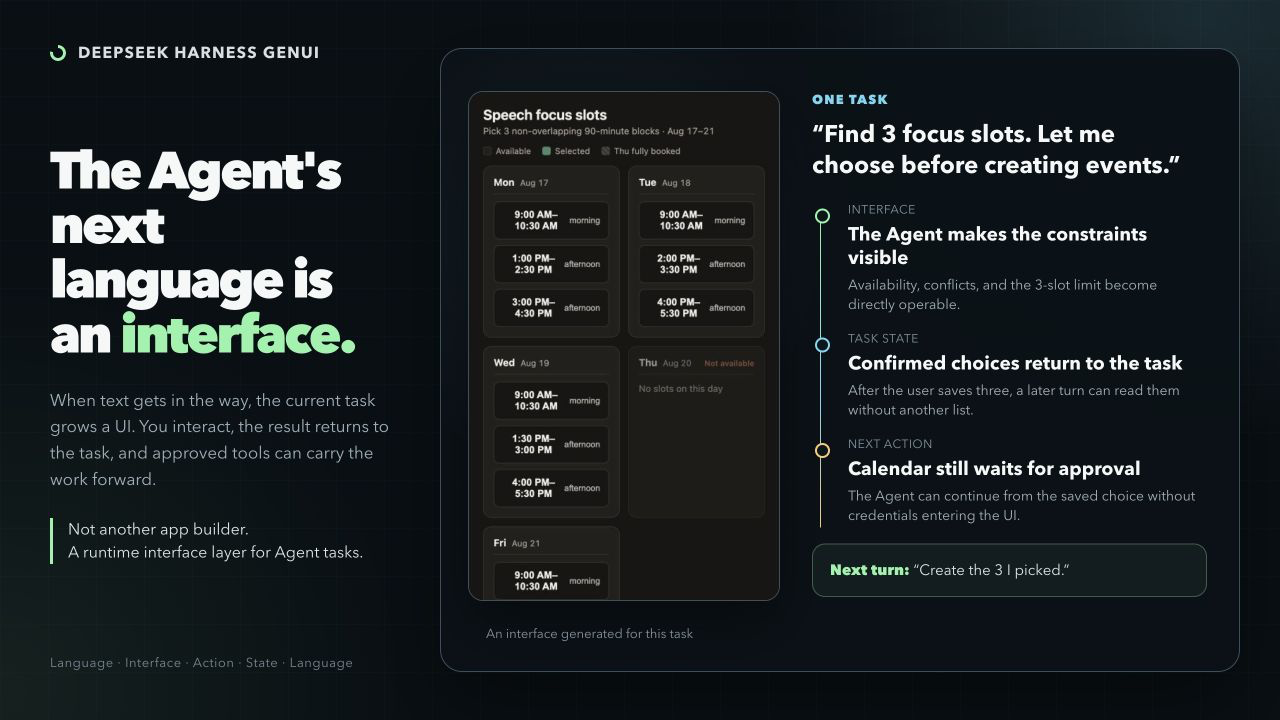
DeepSeek Harness GenUI lets an Agent build a focused interface when a task is awkward in text. The Coding Agent writes ordinary React + TypeScript—not a component-tree DSL—and the interface can save user selections for the next Agent turn.
The result is a task-specific app that can explain a difficult relationship, collect connected choices, or continue a tool-backed workflow without asking the user to repeat their input.
Related research: EvoGenUI-Bench: Evaluating LLMs as Multi-Turn Generative UI Assistants.
Install
Requires Node.js ^22.19.0 || ^24.0.0 and a supported DeepSeek Harness Web profile.
dsh plugin --profile web add dsh-plugin-genui
dsh --profile web
v0.15 supports Inline, Canvas, fullscreen, and localhost on the tested Harness versions listed in the release notes. TUI/headless profiles are not supported. The local compiler uses WebAssembly and needs no install-script approval. Plugin users do not need Chrome or Chromium.
Where It Helps
Use an interface when the user needs to see a complex relationship or make several connected choices. Plain questions, rewriting, summaries, and simple lists should stay in prose.
Showing the opening section of the README — the full document lives in the repository以上为 README 开头摘要,完整文档在仓库内 · View the full README on GitHub →在 GitHub 查看完整 README →
Related相关推荐
-
 GanyuanRan/Aegis
Make AI coding agents architecture-aware: baseline-first, evidence-verified, drift-checked, and safe across long tasks.
GanyuanRan/Aegis
Make AI coding agents architecture-aware: baseline-first, evidence-verified, drift-checked, and safe across long tasks.
-
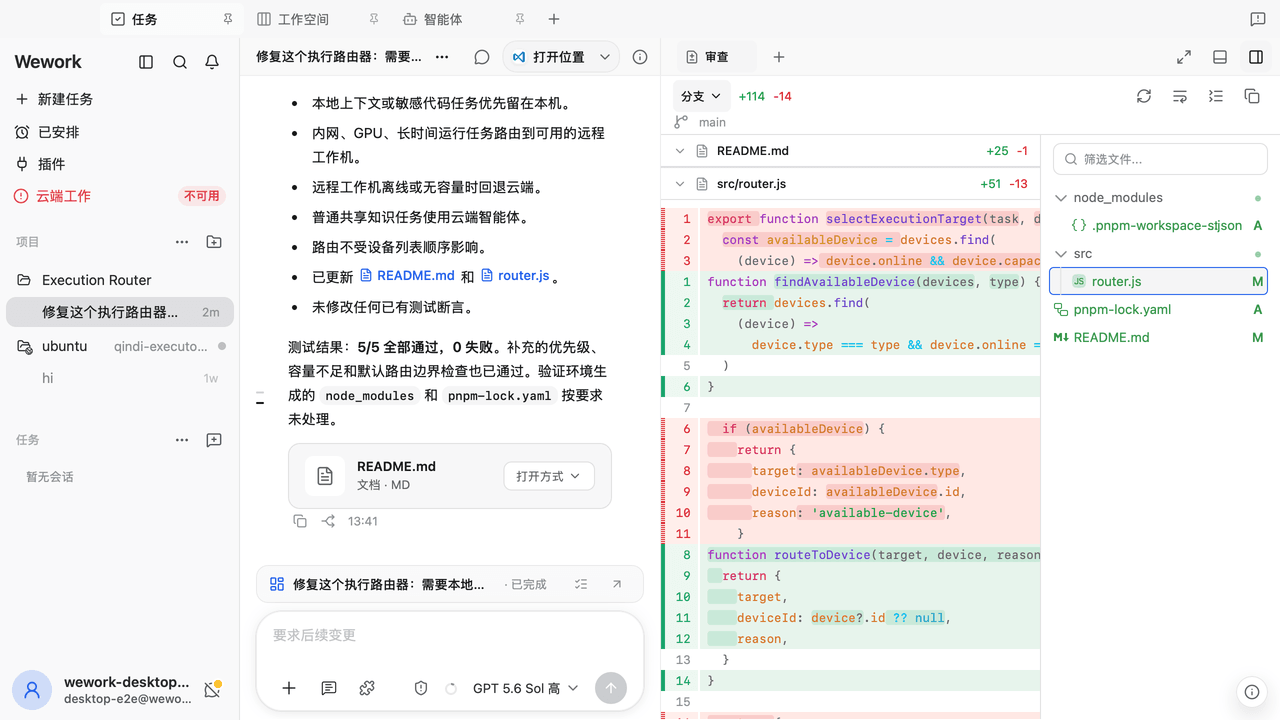 wecode-ai/Wegent
Plan, build, and deliver with an open-source, self-hostable AI workspace for coding, collaboration, and automation.
wecode-ai/Wegent
Plan, build, and deliver with an open-source, self-hostable AI workspace for coding, collaboration, and automation.
-
 shengsheng90/DSH-taskboard
Native local Taskboard plugin for DeepSeek Harness. SQLite-backed projects, Agent claim/review, and a native Web UI — no…
shengsheng90/DSH-taskboard
Native local Taskboard plugin for DeepSeek Harness. SQLite-backed projects, Agent claim/review, and a native Web UI — no…
-
 Nwflower/dsh-chat-import
Import conversation history from 25+ AI coding agents into DeepSeek Harness as resumable sessions — tool calls, reasonin…
Nwflower/dsh-chat-import
Import conversation history from 25+ AI coding agents into DeepSeek Harness as resumable sessions — tool calls, reasonin…
-
 shanliuling/skills-link
Sync your local skills across 41+ AI coding agents with a single command.
shanliuling/skills-link
Sync your local skills across 41+ AI coding agents with a single command.
- aa2246740/dsh-better-display A calmer reading view for DeepSeek Harness: native process details, live reasoning, and clean final answers.
-
 Jayden-X-L/forkprobe
Compare multiple skills on the same task and pick the winner.
Jayden-X-L/forkprobe
Compare multiple skills on the same task and pick the winner.
-
 cloader/dsh-taskboard
deepseekharness 任务看板插件
cloader/dsh-taskboard
deepseekharness 任务看板插件