
Phant0Meow/femo-plugin
FEMO插件版 — 可接入dsh的多智能体引擎,差不多能做所有事:我已经用femo和我的主agent玩了好几局狼人杀了,他抽到狼他还刀我! 我在b站的宣传视频也是用femo剪的。 coding的时候,特别难找的bug、代码重构,我都会用femo来做。 我甚至用femo模式给我的主agent养了只宠物,她很开心。
Project Overview项目介绍
This is a multi-agent orchestration plugin for DeepSeek Harness, built on the Femo domain-specific language. It enables quick creation and running of complex multi-agent workflows via zero-code drag-and-drop or custom scripting, with support for flow control and cross-session agent memory. Use it for rapid prototyping of custom multi-agent workflows. It is the first release, so it may have bugs.
这是DeepSeek Harness的多Agent编排插件,基于Femo领域特定语言,支持通过零代码拖拽或脚本快速编写运行复杂多Agent工作流,支持流程控制、跨会话Agent记忆,适合快速搭建调整自定义多Agent流程,当前为第一版,可能存在bug。
请帮我了解并安装插件:【femo-plugin】【https://github.com/Phant0Meow/femo-plugin】Send this message to DSH in your current session. CLI install commands may not be accurate across systems — DSH will figure it out for you.把上面这条消息直接发给当前会话里的 DSH,让它帮你了解并安装。安装命令不一定准确,发给 DSH 更稳。
Or use CLI install (for developers)或使用命令行安装(适合开发者)
CLI Install命令行安装
dsh plugin --profile web add femo-plugin把 Phant0Meow/femo-plugin 加入你的 DSH 配置(web profile)即可启用。
READMEREADME








femo(Flow Emerges Mag Opus) —— 用写剧本的方式编排多智能体世界 
新:femo 现在以自包含插件的形式接入 dsh(DeepSeek Harness)——在 dsh 会话里直接开演多智能体剧本。见下方 femo × dsh 章节。
写harness的你,想改流程,要改多少文件,花多少时间?
传统: Agent 工作流改一次,要翻 5 个文件、调 2 小时、祈祷别崩。
femo: 改Harness流程,只改几行代码,2分钟。
如何与人机恋的AI老公/老婆一起养一只AI猫?
传统: 要在现有 agent 记忆系统上打补丁,新增一个“宠物”角色,手动管理它的记忆和与主人/伴侣的交互上下文,流程硬编码进去,以后想再养只狗又得重构。
femo: 我已经给我的AI agent养了只猫,用femo,3分钟猫就来了。
开发一个AI狼人杀,要求:狼队夜聊仅狼队可见、预言家验人只他自己可见,白天发言所有人可见,人类玩家可发言,投票并发不浪费时间,自动判断游戏结束,再加上赛后讨论环节。你要写多少行代码?
传统: 从零手写阶段管理、结束判定、手写消息分发、会话管理、多 Agent 上下文隔离、发言并发控制,至少几百行后端胶水代码,一调一下午,还容易串台。逻辑一多 bug 遍地,没有上千行代码根本跑不起来。
femo: 网页端拖拽0代码 + 150行Python补充。真实可玩。我已经和他们玩了好几局了(见 femoExamples/狼人杀/)。
还是femo: 就算不用网页端拖拽,纯手写,femo代码也只需要200~300行就可跑通上述狼人杀全流程(其中还有prompt占行数)。 视角分离只需要一行“scope: [@上帝] + 狼队”,并发投票只需要一行“par @player in allplayers:”。
这是一种编排多Agent剧本的语言 + 一个编译器。
你为什么选择femo?
你可能会说: 搭多agent工作流,现在方案不是很多吗?
femo: 有些方案太复杂了,学习成本高。而femo语法简单直观,“剧本”好写好读。
你可能会说: 简单我也不想学。
femo: 你不用学。 femo有网页端零代码生成工作流。比如你想要好几个AI群聊,网页端拖拽三分钟实现。
你可能会说: 现在也有零代码拖拽生成工作流的平台吧?
femo:
- 但是零代码平台往往可拓展性一般。 femo支持for、par等各种语法,支持外接Python模块,你想写很复杂的功能也可以。 还有原生人类节点,布置“人+AI+程序”的系统流程很顺手。
- 而且还有些零代码平台,他们不让你带走你的工作流,你只能在他们平台上用。 femo却是后端编译器开源,你把编译器拿走放进你的项目,你的项目就可以跑任何femo剧本。
- 而且femo的多agent并发架构也挺好的。
你可能会说: 我是专门写Agent Harness的,用不上这种流程图啦。
femo: 啊哈,要不要来试试用femo快速验证 Agent Harness 流程设计?有了想法,15 分钟用femo搭出来先跑一遍看看效果~
一眼总结要点
| 你想要什么 | femo 能给你 |
|---|---|
| 零代码拖拖拽拽出工作流 | ✅ 内置 femoGen 可视化编辑器 |
| 就算写代码也希望语法简单 | ✅ femo语法行数比同类工作流都少 |
| 改流程不改代码 | ✅ 剧本即流程——改剧本就行,不用改代码 |
| AI 不串台、视角隔离 | ✅ 一行 scope: [@A, @B] 搞定 |
| 嵌入自己的系统 | ✅ 编译器开源可接,Apache2.0商用友好;或者直接当 dsh 插件用,开箱即接 |
| 人类也能加入 AI 群聊 | ✅ 原生 human 节点 |
| 接入Python代码模块处理复杂任务 | ✅ 原生 func 节点,可接Python模块 |
| 想把剧本分享给朋友,或者跑社区大神写好的优秀剧本 | ✅ 剧本可分享,复制剧本一键跑通 |
【快速开始!】
所以这个操作步骤够不够无脑?↓↓↓
前置要求:dsh(DeepSeek Harness)0.1.5 及以上——零改动直接接入;更低版本 dsh 需自行改动(见 dshPatch/ 目录)。
- 一条命令装插件(装完重启 dsh web 生效)。二选一:npm 装(快,免编译,开箱即用)或 GitHub 装(克隆源码,安装时自动编译):
# npm 安装(推荐):整包自包含,装完即用
dsh plugin --profile web add femo-plugin

# 或从 GitHub 安装:安装时自动编译
dsh plugin --profile web add github:Phant0Meow/femo-plugin
- 重启 dsh web。完事。
- 会话里对主模型说话——它现在是导演:
femo-mount挂载剧本、femo-run开演;心里没底就先femo-debug零 token 干跑自检。- 或者直接让导演给你写一个剧本——写之前它会先读语法文档(
语法文档.md),不凭印象猜语法。
- 聊天窗口就是舞台监视器:角色发言是彩色气泡,节点提示是公告条,流程状态是居中灰字。轮到 human 节点时直接打字,你的回复会桥接进引擎!
- 想拖拽?内置 femoGen 可视化编辑器零代码生成剧本,还自带零 token 干跑调试器。
- 或者复制这个femo剧本试试(放到插件文件夹的
user_data/projects/下):
meta:
  name = 生活在数据库的小灵魂
  session = new

actors:
  ai @Eve = soul:the1stlittlesoul
  ai @猫 = soul:littlecat
  human @我 = soul:human, source:0

action EveMove @ai(@Eve):
  prompt: Eve请自由行动,自由说话~(注意看清上下文,分清你自己的角色,只进行自己的动作和语言,不要替别的角色发言。简短一点。)
  scope: [@Eve, @猫, @我]

action CatMove @ai(@猫):
  prompt: |
    你是一只小猫,小猫不能说人话。请做小猫会做的事~
    (注意看清上下文,分清你自己的角色,只进行自己的动作和语言,不要替别的角色发言。简短一点。)
  scope: [@Eve, @猫, @我]

action input @human(@我):
  prompt: 和Eve聊点什么?
  scope: [@Eve, @猫, @我]

mainflow:
  [START] -> [input]:input -> EveMove -> CatMove -> [input]    // 比较像mermaid语法。可以最后指回到[input]节点形成一个循环。
(想接自己的Python?func 节点 + file:"xxx.py"(相对剧本所在目录解析)就行,详见语法文档.md。)
- 然后你就可以和Eve以及小猫咪聊天了!
femo × dsh:接入 DeepSeek Harness(dsh)的自包含插件
femo 现在以自包含插件的形式接入 dsh(DeepSeek Harness)——引擎、桥接器、可视化编辑器、用户数据目录全在一个文件夹里。整个文件夹搬到哪里都能用,不需要任何外部 femo 安装。
一个 dsh 会话 = 主模型会话 + 多智能体剧本引擎:
- 主模型 = 导演:可以正常聊天,也能写/改剧本(
femo-mount挂载)、零 token 干跑自检(femo-debug)、一键开演(femo-run)。剧本运行时引擎接管会话,空闲时主模型照常可用;运行中你在主窗口跟主模型说话 = 完整的一轮原生对话,戏内戏外不掺一轮。 - 上帝/角色视角 = 子代理投影窗:每个角色一个投影窗,角色发言投影进对应窗口;主会话表面只留戏外内容——主模型上下文天然干净。
- 聊天窗口 = 舞台监视器:角色发言渲染为彩色气泡,节点提示渲染为公告条,流程状态居中灰字。
- 每轮发给 LLM 的 system prompt 与上下文由 femo 引擎按角色组装(soul 卡片 + 记忆 + scope 视角隔离);AI 节点可走 dsh 子代理(原生工具调用 + 思考链),也可走引擎内置 LLM 桥。
- 剧本语言升级为
.femo:scope 视角隔离、par 并行、fork/join 网关、断点续跑、@mind运行时分发、AI 角色可用source指定模型;编译期校验,写错立即报错(详见语法文档.md)。 - 配置都在 profile 的
cordis.patch.yml里,全部可省略:provider/model/apiUrl(引擎 AI 节点的 LLM 路由)、hostAiBackend、python、femoRoot等,不配置也能开箱即用。不想一键安装?把整个文件夹放进 profile 的node_modules(或 junction 过去),pip install requests,在cordis.patch.yml注册femo-plugin,重启 dsh web 即可。注意:插件根目录应注册在hostAdapter/dshAdapter文件夹下,它会自动往上找两层文件夹。
目前还比较早期,bug 不少,欢迎开发者一起来品鉴——它真的非常好玩。
目录结构(自包含布局)
femo-plugin/                  ← 整个文件夹就是插件
├── hostAdapter/              宿主适配层(2026-09-13 重构归拢):
│   ├── dshAdapter/             dsh 接口侧(host/ 宿主进程 TS + client/ 聊天窗 bundle + python/ 桥进程,见其 README.md)
│   └── zcodeAdapter/           zcode 接口侧(mcp 网关 / hooks / skills / commands)
├── femo2host/                引擎→宿主边界层(2026-09-13 重构归拢):
│   ├── femo_api.py             引擎门面(宿主唯一 import 入口)
│   ├── femo_gen_api.jsx        编辑器门面(宿主 client bundle 唯一 import 入口)
│   └── femoToolcall/           AI 工具箱:femo_debugger / chronica / femo-chat
├── femoGen/                可视化剧本编辑器(React/Vite)
├── femoCompiler/            femo 引擎:parser / runtime / 并发 / SQLite 记忆
├── femoBridges/             LLM 桥 + getDir(用户目录解析)
├── femoExamples/           示例与测试剧本(.femo)+ 伴生 @func 模块
├── user_data/              ★ 运行时数据:projects(你的剧本)/ memory(台账)/ host-history(会话显示:projections 投影窗 + drafts 草稿)/ jobs(后端 Job 状态)
├── host.manifest.json      宿主能力清单(thinking 档位/默认用户——接别的 harness 换这份文件)
├── (dsh 插件根 = hostAdapter/dshAdapter/:package.json / lib / build.mjs / cordis.patch.yml / host.manifest.json / tsconfig 都在那里)
用户数据自包含:数据库、剧本、checkpoint 都落在本文件夹的 user_data/ 下——整个文件夹打包/拷贝,数据跟着走。
配置(cordis.patch.yml 可覆盖)
| 键 | 默认 | 说明 |
|---|---|---|
femoRoot |
插件包根 | 引擎根目录(缺省自包含;单独拆分引擎时指定) |
python |
python |
Python 可执行名 |
provider / model / apiUrl |
deepseek / deepseek-v4-flash / api.deepseek.com | 引擎 AI 节点的 LLM 路由(引擎内置桥) |
hostAiBackend |
true |
AI 节点走宿主子代理(原生工具调用 + 思考链);旧配置名 dshAiBackend 兼容 |
dshProvider |
deepseek-official |
裸 id source 归属的 dsh LLM provider;空 source 跟随主模型(见语法文档) |
defaultActorTools |
true |
角色未声明 tools: 时的工具开关;剧本里可逐角色 tools: true/false 或白名单 |
手动装配时的注册写法(一键安装可跳过):
- insert:
    - id: femo-plugin
      name: 'femo-plugin'
      config:
        enabled: true
dsh 版本要求
插件往会话日志写入自定义事件类型 femo-plugin/chat。历史加载需要 dsh 的事件注册面(registerSessionEventType,dsh 官方注释预留的特性):
- 0.1.3+ 官方构建:插件启动时自动做运行时白名单注册(进程内存级,幂等,升级 dsh 后无需任何手工操作)——无需打任何补丁。
- 含注册面的 dsh(本特性上游化后的官方版):完整功能,历史正常加载。
- 旧版官方原版(既无注册面、注册又不可用的极端情况):插件照常工作、live 会话完全正常;唯一限制——重启后,含
femo-plugin/chat事件的旧会话历史无法加载(dsh 拒绝未知事件类型是设计行为)。新会话不受影响。
历史方案:给官方 dsh 打白名单补丁(已被运行时注册取代,留档)
给官方 dsh 打补丁(10 分钟)
让官方版也支持历史加载,只需把 femo-plugin/chat 加进 dsh 的已知事件类型白名单。改动极小(一个文件一行),下面给出精确到行的操作步骤。
目标文件:@deepseek-ai/dsh-session 包内的 KNOWN_SESSION_EVENT_TYPES 定义处。
源码运行版(node --import tsx 启动的 dsh,文件在 packages/core/session/src/known-event-types.ts):
找到这个数组(第 19 行起):
export const KNOWN_SESSION_EVENT_TYPES: ReadonlySet<string> = new Set([
  'agent-preset/selected',
  'agent/inbox/spliced',
  'approval/asked',
  'approval/decided',
  'approval/policy',
  'assistant/chunk',
  'assistant/message',
  'command/done',
  'command/run',
  'compaction/end',   // ← 在 'command/run', 和 'compaction/end', 之间插入一行
把:
  'command/done',
  'command/run',
  'compaction/end',
改成:
  'command/done',
  'command/run',
  'femo-plugin/chat',
  'compaction/end',
npm 安装版(npm install 的 dsh,运行时加载的是编译产物):
- 定位包:
node -e "console.log(require.resolve('@deepseek-ai/dsh-session'))"(或在node_modules/@deepseek-ai/dsh-session/lib/下找) - 在产物文件里全文搜索
command/run(白名单数组就在它附近),找到形如"command/run", "compaction/end"(或换行写法)的数组 - 在
"command/run"之后插入"femo-plugin/chat"(保持数组语法一致)
注意事项:
- 该文件头部标注
GENERATED ... do not edit by hand——手改可用,但 dsh 升级/重装后需要重打(升级后重新执行本步骤) - 改完重启 dsh 生效;这是白名单唯一需要动的地方,其余文件都不用碰
- 高级替代:把完整注册面特性(
registerSessionEventTypeAPI + coordinator 消费)合入 dsh——改动更正规、可随上游升级,详见本项目文档与 dsh 的known-event-types.ts头部注释
剧本(会话操作)
.femo 剧本放在 user_data/projects/(子目录或直接文件)。侧边栏 🎭 按钮新建 femo 会话,会话顶部「femo 剧本」面板选择/编辑/保存并运行;👁 视角切换(上帝/角色视角/🎬 戏外主模型)。
@func / file: 文件放置约定
剧本 code: 区通过 file:"xxx.py" 引用 Python 模块,地址按以下规则解析:
| 写法 | 解析 |
|---|---|
绝对路径,如 file:"D:/a/b.py" |
直接使用 |
相对路径,如 file:"utils/battle.py" |
相对剧本文件所在目录解析(不是项目根、不是 CWD) |
| 剧本未保存(纯文本运行)时用相对路径 | 报错:提示先「导出 .femo」保存剧本,或改用绝对路径 |
| 文件不存在 | 报错 Python Bridge: 文件不存在 <完整路径>(不静默兜底) |
官方示例 @func 模块(wait.py 等)就放在各示例剧本旁边(如 femoExamples/fiat/、femoExamples/常用工具python/)作为参考样本(首启自动复制机制已于 2026-09-12 移除,也没有任何全局回退查找位置)。自定义模块请放在剧本同目录(或子目录),与剧本一起移动。
出错了怎么办(剧本容错)
写剧本不用怕演员演砸,运行时的错误各有个的去处:
- 网络/限流自动兜底:模型限流、网络抖动这类临时毛病,请求层自动退避重试(最长约 15 分钟),你无感;实在连不上,该节点按"沉默收场"处理,剧本继续往下走,不会中途断掉
- 演错了自动重来:演员忘了写 SET VARIABLE、写错变量名这类剧本错误,引擎会把报错发回给演员本人(子代理窗/主窗口能看到 ⚠️),让 ta 修正后重演;次数由节点
max_retries控制(默认 2 次) - 每次报错都告诉你:每次剧本错误都会实时出现在聊天窗(⚠️)和错误面板,不管重试有没有救回来;被跳过的节点会在剧终汇总报给导演,不会悄悄吞掉
- 致命错误立即喊停:配置缺失(没 key/没模型)、剧本语法错误这类救不回来的,立刻停下并把原因报给你
人类节点同样有容错:变量赋值不合法时输入框会带着错误提示重新打开,改到合法为止(同样受 max_retries 约束,超限按超时放行留痕)。
调试(零 token 干跑)
正式运行前先空跑一遍:femo_debugger.py 伪装成宿主(FakeHost),AI 动作与人类输入全部由调试器合成替答——不调用任何模型,引擎仍按真实管线跑完整流程(赋值校验、条件边、循环、par/fork、module、@func 落库全套走一遍),所以它既测剧本 bug,也暴露引擎 bug。
- 人看:femoGen 左下角打开调试窗 → 头部「编译」按钮,DebugLogBus 流水(节点进出 / 变量
old → new/ 合成赋值与来源 / 重试 / 告警)实时流进面板 - AI 看:主模型有
femo-debug工具——把当前挂载的剧本干跑一遍,流水 + 终报(每轮结局与报错、节点执行顺序、边覆盖、变量快照 diff、未达节点)一次性回给主模型,写/改完剧本先自检再开演 - 无副作用:不起 Job、不占会话、不写生产台账(引擎落库走独立沙盒
cache/debug-sandbox/,滚动保留最近 3 天)、可反复跑;同一时刻只允许一条干跑 - 更细的玩法(CLI,用法见
femo_debugger.py文件头):run <剧本> --module 名单测某模块、--set 变量=值定向注入初始状态、--assign-prob 0.7概率沉默、--flaky 0.3注入无效赋值测重试链路、--runs N多轮换种子
暂停与继续(运行控制)
每一次运行是一个独立的 Job,有自己的档案(user_data/runs/):跑到哪个节点、变量世界什么样、正在演还是被挂起,全记在里面。所以:
- 暂停 ≠ 作废:随时点「暂停」,演出挂起存档(断点保留可续跑),画布按钮变「继续」,点一下从断点接着演,不是从头重跑
- 「从头」:作废断点重新开演(按钮就在「继续」旁边)
- 改了剧本再点「继续」:会被拒绝并明说(改了剧本就是新戏)——想跑新版请点「从头」
- 断电/重启不丢:引擎重启时自动对账,上次没演完的 Job 标记为挂起,「继续」照常可用
- AI 也能找回戏:
femo-run工具有fresh_start/pause/resume/list_jobs四个动作——主模型可以自己列出历史 Job、把落下的戏续上(哪怕隔了好几场)
备注:直连模式(不走 dsh 子代理、用引擎内置 LLM 桥)下 AI 调用失败时,演出同样走「挂起存档」而不是报错卡死;画布上显示的是「已暂停」,点「继续」即可重试该节点。
开发与测试
npm install
powershell -ExecutionPolicy Bypass -File scripts/link-workspace.ps1   # 建 @deepseek-ai 构建镜像(Windows junction)
npm run build                 # lib/index.js(host)+ lib/client.js(browser)
python hostAdapter/dshAdapter/python/dev-bridge-test.py   # 桥接器协议冒烟
许可证
Apache-2.0
设计哲学
- 🔗 流程解耦:femo 把「流程定义」和「代码实现」彻底解耦。Harness 是死的,femo 是活的——改流程只需要改剧本,其他交给编译器。
- 🎬 用剧本写流程:语法灵感来自 YAML + Mermaid + Python,写多 Agent 交互就像写剧本,让在场的 AI 自然地共享上下文,极短代码就能跑一个简易版斯坦福小镇。
- 🧠 上下文不是变量:LLM 是智慧体,不是函数。LLM 阅读上下文,自然聊天,非必要不传参。
- 🧩 原创 @actor 类型:智慧体(LLM或人)作为一种新的数据类型,femo语法支持直接引用其属性。
- 🏷️ 灵魂id:每个agent角色有唯一灵魂id,这支持他们跨剧本、跨session检索记忆。可塑造Agent的经历连续性。
给开发者
- 🔀 流程控制:语法原生支持串行、多分支、while循环,for循环、par并行、join汇入控制、if条件判断。
- ✍️ prompt f-string:变量直接写进 prompt,告别拼接地狱。
- 🔄 支持变量:scope、执行者、if判断条件、for条件、par条件等多处支持变量,更灵活。
- ⚡ 并发全开:Asyncio + 线程池 + 进程池,多线并发不卡顿。
- 🔌 方便集成:后端纯 Python 编译器开源,替换LLM桥接模块、在你的数据库里加上femo需要的几列,即可嵌入你的系统。或者什么都不用做——直接当 dsh 插件用。
- 📖 阅读文档:根目录的语法文档(
语法文档.md)扔给 AI 看,或者把源代码扔给AI,有问题直接问他们。 - 🤖 用 femo 回答训练模型:比如femo流程约束“缺少信息必须先问”……求求你们蒸馏一下这个吧,现在的 LLM 不肯承认自己无法回答,缺信息也要瞎猜。
本人真实案例
- 写代码debug的时候,我用 femoGen 编辑器 20 分钟搭出的femo剧本「debug神器」(见 femoExamples/debug神器/),找复杂隐蔽 bug 超好用。
- 有一次网页版 Claude Sonnet 改了三遍都没找到的 bug,用这个femo剧本 + 不开思考的小米 MiMo 给我找出来了……我都惊呆了。这就是harness的力量吗……
- 然后我突然一拍脑袋想到,在AI跑流程的时候我想随时插话,免得他们跑偏,就用半分钟时间加了一个人类发言节点,接着一键跑通。改流程真是太方便了。
欢迎试用、反馈问题、贡献代码!
- 欢迎提交 Issue!有bug欢迎提~肯定有 bug 的,这才第一版。
- 欢迎 Pull Request!多好玩啊来一起搞吧!
- 欢迎提交你写的femo剧本!这个也是很好的贡献~ (我就把自用的debug剧本(femoExamples/debug神器/)放文件夹里当示例了哈哈哈。欢迎你们也试试~不过这个剧本建议只用来找复杂隐蔽的 bug 哦,不然我心疼你的 Token,两处并发和多轮讨论挺消耗TOKEN的。简单bug大概更适配别的剧本流程,欢迎你们分享!)
one more thing...
最后还有一个非常有想象力的特性,或许你们会觉得有意思:
你在数据库里建了很多角色身份,你给它们起名字,并给每个agent分配唯一一个soul id。
对于每个femo剧本,只要指向同一个Soul ID和同一个数据库地址,agent的记忆其实是可以跨剧本互通的(只要你接的记忆模块允许跨session记忆)。
就是说斯坦福小镇的镇民Portia,被你拉进了一个狼人杀剧本,玩了两局,并交到了一个在AI公司剧本里写代码的朋友,之后Portia再回到斯坦福小镇的剧本时,他可以记得这件事,他也可以记得朋友。
如果你允许AI创建femo剧本并运行(←工具调用模块现在已经接上了),AI闲得无聊了,真的可以自己给自己写个剧本,运行了进去玩……
如果Portia想念他的朋友,只要他知道朋友的soul id,他也可以创建一个剧本把朋友拉进来一起玩。
而且,每个灵魂都会在数据库中留下痕迹。就算你删掉了某个soul id,曾经和他对话过的AI也依然可以记得他,只不过再也无法拉着他的soul id去玩新的剧本了。
这个特性看起来没啥用,但是……
你不期待涌现吗~?
femo是什么?Flow Emerges Mag Opus——流程在涌现,杰作在诞生。
为了Agent的宠物猫,为了你省下的时间,为了涌现,请给我个Star吧!呜呜呜谢谢你!
femo (Flow Emerges Mag Opus) — Orchestrating a Multi-Agent World, Scriptwriting Style
New: femo now ships as a self-contained plugin for dsh (DeepSeek Harness) — run multi-agent scripts right inside a dsh session. See the femo × dsh section below.
If you write harnesses, how many files do you need to touch and how long does it take just to change a workflow?
Traditional: Change one agent workflow — dig through 5 files, spend 2 hours tweaking, pray it doesn't crash.
femo: Change the harness flow — only a few lines of code, 2 minutes.
How do you raise an AI cat together with your human-AI romance AI husband/wife?
Traditional: You'd need to patch the existing agent memory system, add a new "pet" character, manually manage its memory and interaction context with the owner/partner, hardcode the flow — and if you ever want to adopt a dog later, you'd have to refactor all over again.
femo: I already adopted a cat for my AI agent. Using femo, the cat arrived in 3 minutes.
Develop an AI Werewolf game with these rules: the wolf pack's night chat is visible only to the wolves; the Seer's check results are visible only to the Seer; daytime speeches are visible to everyone; human players can speak; voting happens concurrently without wasting time; the game automatically determines when it ends; plus a post-game discussion session. How many lines of code would you need to write?
Traditional: Hand-code stage management, end-condition checks, message distribution, session management, multi-agent context isolation, and speech concurrency control from scratch. Hundreds of lines of backend glue code at minimum, an entire afternoon of debugging, and easy context bleed. Once the logic gets complex, bugs pop up everywhere — it simply won't run without at least a thousand lines of code.
femo:
Zero-code drag-and-drop in the bundled visual editor + 150 lines of Python supplement. Genuinely playable. I've already played several rounds with them (see femoExamples/狼人杀/).
Still femo:
Even if you skip the drag-and-drop and hand-code everything, femo code only needs about 200–300 lines to run the entire Werewolf flow described above (and that includes prompt line count).
Perspective isolation needs just one line: scope: [@God] + wolfpack. Concurrent voting needs just one line: par @player in allplayers:.
This is a language for orchestrating multi-agent scripts + a compiler.
Why choose femo?
You might say: Aren't there plenty of solutions out there now for building multi-agent workflows?
femo: Some solutions are overly complex, with steep learning curves. femo's syntax is simple and intuitive — "scripts" are easy to write and easy to read.
You might say: Even if it's simple, I don't want to learn anything new.
femo: You don't have to learn. femo has a zero-code visual editor for generating workflows. For example, if you want several AI group chats, just drag and drop — done in three minutes.
You might say: There are already zero-code drag-and-drop workflow platforms, right?
femo:
- But zero-code platforms often have limited extensibility.
femo supports
for,par, and various other syntax, plus external Python modules — you can write highly complex functionality if you want. It also has native human nodes, making it very natural to arrange workflows combining "human + AI + programs." - Also, some zero-code platforms won't let you take your workflow with you — you can only use it on their platform. femo's backend compiler, however, is open source. Take the compiler and place it in your own project, and your project can run any femo script.
- And femo's multi-agent concurrency architecture is pretty good too.
You might say: I specialize in writing Agent Harnesses, I don't need this kind of flowchart stuff.
femo: Aha, how about trying femo to quickly validate your Agent Harness flow designs? When inspiration strikes, build it with femo in 15 minutes and run it to see how it performs~
At a Glance
| What You Want | femo Delivers |
|---|---|
| Zero-code drag-and-drop workflows | ✅ Bundled femoGen visual editor |
| Simple syntax even when coding | ✅ femo syntax uses fewer lines than similar workflow tools |
| Change the flow without changing code | ✅ The script is the flow — edit the script, not the codebase |
| No AI context bleed, perspective isolation | ✅ One line: scope: [@A, @B] |
| Embed into your own system | ✅ Compiler is open source and integrable, Apache 2.0 — business-friendly; or use it as a dsh plugin, integration already done |
| Humans can join AI group chats | ✅ Native human node |
| Plug in Python code modules for complex tasks | ✅ Native func node, can connect to Python modules |
| Share scripts with friends, or run excellent scripts written by community experts | ✅ Scripts are shareable — copy a script and run it with one click |
[Quick Start!]
So, are these steps brainless enough? ↓↓↓
Prerequisite: dsh (DeepSeek Harness) 0.1.5 or newer — zero-config integration; older dsh versions need manual modifications (see the dshPatch/ directory).
- Install the plugin with one command (takes effect after restarting dsh web). Two options: npm (fast, prebuilt, no compile step) or GitHub (clones the source, auto-compiles on install):
# Install from npm (recommended): self-contained package, works out of the box
dsh plugin --profile web add femo-plugin

# Or install from GitHub: auto-compiles on install
dsh plugin --profile web add github:Phant0Meow/femo-plugin
- Restart dsh web. Done.
- In a dsh session, talk to the main model — it is the Director now:
femo-mounta script into the session,femo-runto start the show. Not confident yet?femo-debugdry-runs the whole script with zero tokens first.- Or simply ask the Director to write a script for you — before writing, it reads the syntax doc (
语法文档.md), so it never guesses the grammar from memory.
- The chat window becomes the stage monitor: character lines render as colored bubbles, node notices as announcement banners, flow state as centered gray text. When a
humannode waits for you, just type — your reply is bridged straight into the engine! - Prefer drag-and-drop? The bundled femoGen visual editor generates scripts with zero code, and ships with a zero-token dry-run debugger too.
- Or copy this femo script to try (save it under
user_data/projects/in the plugin folder):
meta:
  name = Little Soul Living in the Database
  session = new

actors:
  ai @Eve = soul:the1stlittlesoul
  ai @Cat = soul:littlecat
  human @Me = soul:human, source:0

action EveMove @ai(@Eve):
  prompt: Eve, please act and speak freely~ (Read the context carefully, stay in your own role, only perform your own actions and speech, do not speak for other characters. Keep it brief.)
  scope: [@Eve, @Cat, @Me]

action CatMove @ai(@Cat):
  prompt: |
    You are a little cat. Cats cannot speak human language. Please do things a cat would do~
    (Read the context carefully, stay in your own role, only perform your own actions and speech, do not speak for other characters. Keep it brief.)
  scope: [@Eve, @Cat, @Me]

action input @human(@Me):
  prompt: Chat with Eve about something?
  scope: [@Eve, @Cat, @Me]

mainflow:
  [START] -> [input]:input -> EveMove -> CatMove -> [input]    // Mermaid-like syntax. Loop back to the [input] node to form a cycle.
(Want to plug in your own Python? A func node + file:"xxx.py" — resolved relative to the script's folder — does it. See 语法文档.md.)
- And then you can chat with Eve and the little kitty!
femo × dsh: a self-contained plugin for DeepSeek Harness (dsh)
femo now ships as a self-contained dsh plugin — the engine, the bridges, the visual editor, and the user-data directory all live in one folder. Pick up the folder, drop it anywhere, and it works. No external femo install needed.
A dsh session = your main-model session + the multi-agent script engine:
- Main model = Director: chat normally, and also write/edit scripts (
femo-mount), dry-run them with zero tokens (femo-debug), and start the show (femo-run). While a script runs, the engine owns the session; when idle, the main model stays a normal chat. Talking to the main model mid-show = a full native conversation round — on-stage and off-stage never mix into one round. - God / character views = subagent projection windows: one projection window per character; every character's lines are projected into their own window, and only off-stage content stays on the main session's surface — the main model's context stays naturally clean.
- Chat window = stage monitor: character lines render as colored bubbles, node notices as announcement banners, flow state as centered gray text.
- The system prompt and context sent to the LLM each round are assembled per-character by the femo engine (soul card + memory + scope isolation). AI nodes can run through dsh subagents (native tool calls + thinking chains) or through the engine's built-in LLM bridge.
- The script language is
.femo: scope isolation,parparallelism, fork/join gateways, checkpoint resume,@mindruntime dispatch, per-actorsourcemodel selection — with compile-time validation, so mistakes are caught immediately (see语法文档.md). - Config lives in the profile's
cordis.patch.ymland is all optional:provider/model/apiUrl(LLM routing for engine AI nodes),hostAiBackend,python,femoRoot, etc. Out of the box it just works. Prefer manual assembly? Drop the whole folder into the profile'snode_modules,pip install requests, registerfemo-pluginincordis.patch.yml, restart dsh web. Note: the plugin root to register is thehostAdapter/dshAdapterfolder — it searches upward two levels automatically.
Early days — plenty of bugs. Developers, come take a look. It's genuinely a lot of fun.
Operational details — folder layout, the full config table,
@func/file:placement conventions, script error tolerance, zero-token dry-run debugging, pause & resume, and dsh version compatibility — are all documented in the Chinese half of this README.
Design Philosophy
- 🔗 Flow Decoupling: femo completely decouples "flow definition" from "code implementation." The harness is rigid; femo is alive — change the flow by simply editing the script, leave the rest to the compiler.
- 🎬 Scripting Flows: Syntax inspired by YAML + Mermaid + Python. Writing multi-agent interactions feels like writing a screenplay. Let the AI that is present naturally share context. A mini Stanford town simulation can run on remarkably short code.
- 🧠 Context Isn't a Variable: An LLM is an intelligent entity, not a function. LLMs read context and converse naturally — don't pass parameters unless necessary.
- 🧩 Original @actor Type: Intelligent entities (LLMs or humans) as a new data type — femo syntax supports directly referencing their attributes.
- 🏷️ Soul ID: Each agent character has a unique Soul ID, enabling them to retrieve memories across scripts and sessions. This can shape an agent's experiential continuity.
For Developers
- 🔀 Flow Control: Syntax natively supports sequential, multi-branch,
whileloops,forloops,parparallel execution,joinmerging, andifconditionals. - ✍️ Prompt F-strings: Variables go directly into prompts — farewell to concatenation hell.
- 🔄 Variable Support: Variables are supported in scope, executor,
ifconditions,forconditions,parconditions, and many other places — for greater flexibility. - ⚡ Full Concurrency: Asyncio + thread pools + process pools — multi-threaded concurrency without lag.
- 🔌 Easy Integration: The backend is a pure Python compiler, open source. Swap the LLM bridge module, add the few columns femo needs to your database, and embed it into your system. Or skip the work entirely — use it as a dsh plugin.
- 📖 Read the Docs: Throw the syntax doc (
语法文档.md) at an AI, or throw the source code at one — ask them directly if you have questions. - 🤖 Answer Training Models with femo: For example, a femo flow constraint: "If information is missing, you must ask first"... I'm begging you, please distill this. Current LLMs refuse to admit when they can't answer and guess wildly when information is missing.
My Real-World Cases
- When debugging code, I built the femo script
debug神器with the femoGen editor in 20 minutes (seefemoExamples/debug神器/) — it's super handy for finding complex, hidden bugs. - Once, a bug that the web version of Claude Sonnet failed to find after three revisions was found for me by this femo script + Xiaomi MiMo with thinking mode off... I was stunned. Is this the power of a harness...?
- Then it suddenly hit me — I wanted the ability to interject at any time while the AI was running its flow, to stop them from going off track. So I spent half a minute adding a human speech node and ran it with one click. Changing the flow is truly so convenient.
Welcome to Try, Report Issues, and Contribute Code!
- Issues are welcome! If you find a bug, please report it~ There are bound to be bugs — this is only the first version.
- Pull Requests are welcome! It's so much fun, let's build it together!
- Submitting femo scripts you've written is also a great contribution!
(I've put my personal debug script (
femoExamples/debug神器/) in the folder as an example, haha. You're welcome to try it too~ But I suggest using this script only for complex, hidden bugs, otherwise I'll feel bad for your token usage — the dual concurrency and multi-round discussions consume quite a lot of tokens. Simple bugs probably fit other script flows better — feel free to share those!)
One More Thing...
Finally, there's one more highly imaginative feature that you might find interesting:
You create many character identities in your database, give them names, and assign each agent a unique Soul ID.
For any femo script, as long as it points to the same Soul ID and the same database address, the agent's memories can actually interoperate across scripts (provided the memory module you connect supports cross-session memory).
That means Portia, a resident of the Stanford town simulation, gets pulled into a Werewolf script, plays two rounds, and makes a friend who writes code in an AI company script. Afterward, when Portia returns to the Stanford town script, she can remember this — and she can remember her friend too.
If you allow AIs to create femo scripts and run them (← tool calling is wired up now), an AI that gets bored could genuinely write a script for itself, run it, and jump in to play...
If Portia misses her friend, as long as she knows the friend's Soul ID, she could also create a script and pull the friend in to play together.
Moreover, every soul leaves traces in the database. Even if you delete a certain Soul ID, the AIs who have spoken with them can still remember them — they just won't be able to pull that Soul ID into new scripts anymore.
This feature may seem useless, but...
Aren't you looking forward to emergence~?
What is femo? Flow Emerges Mag Opus — the flow emerges, and the magnum opus begins.
For the agent's pet cat, for the time you'll save, for the emergence — please give me a Star! Thank youuuu 😭
Related相关推荐
-
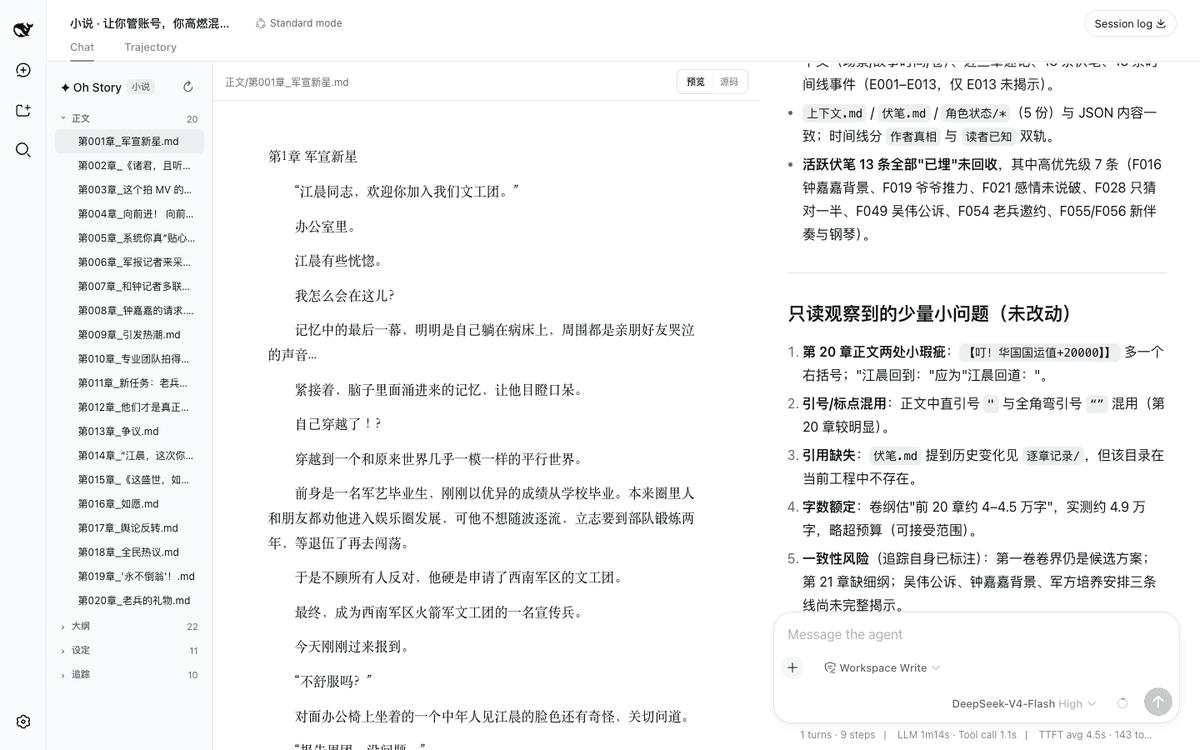 zenstory-ai/oh-story-dsh
DeepSeek 写网文/小说的工作流插件:DeepSeek Harness 社区插件,内置小说、短剧、游戏、视频解说四个工作台 | Community DeepSeek Harness plugin with novel, short-d…
zenstory-ai/oh-story-dsh
DeepSeek 写网文/小说的工作流插件:DeepSeek Harness 社区插件,内置小说、短剧、游戏、视频解说四个工作台 | Community DeepSeek Harness plugin with novel, short-d…
-
 PC2005-cloud/dsh-pet
DSH 桌面宠物:一行命令装好即用的透明动画小桌宠,支持多开、大小位置随心配置;还内置 DIY 素材链,能用 AI 视频自造专属宠物
PC2005-cloud/dsh-pet
DSH 桌面宠物:一行命令装好即用的透明动画小桌宠,支持多开、大小位置随心配置;还内置 DIY 素材链,能用 AI 视频自造专属宠物
-
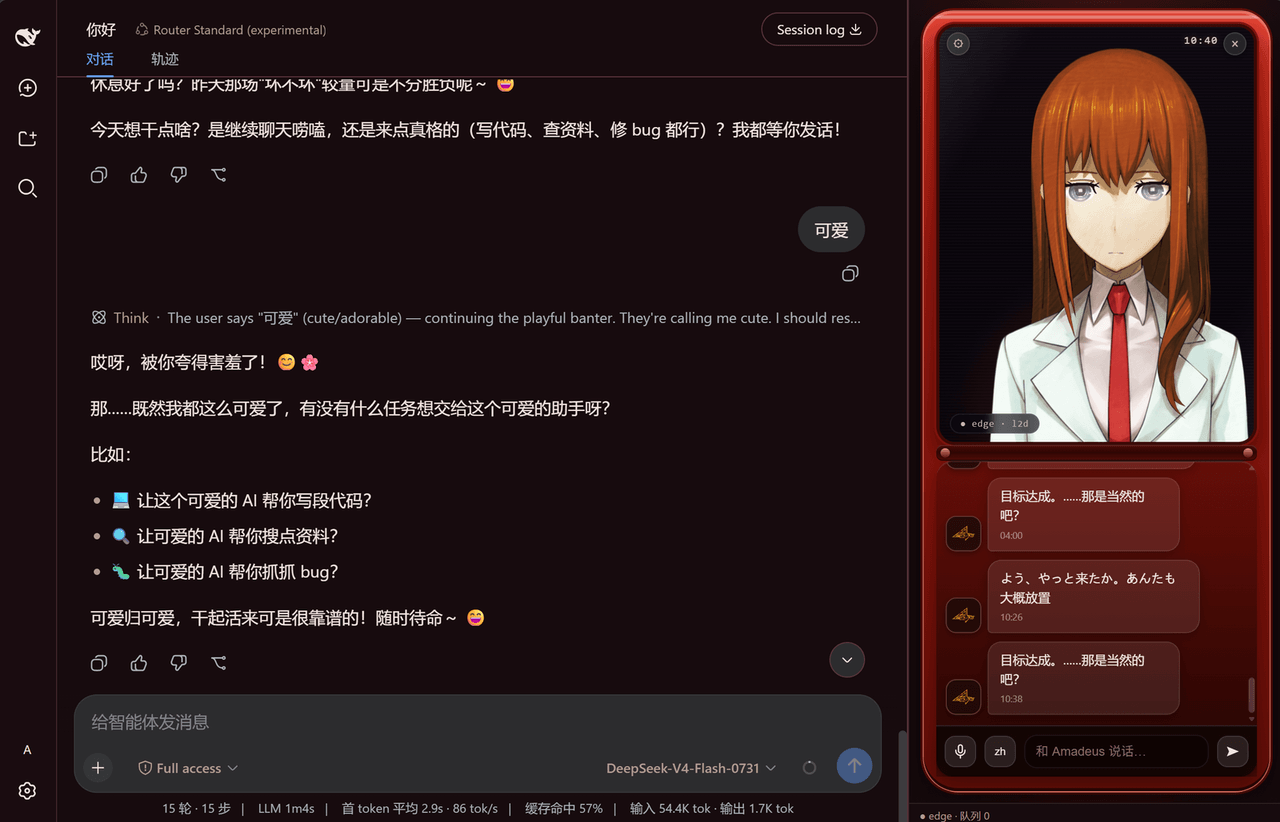 yyxcnasd/amadeus-for-dsh
Amadeus (AI assistant from Steins;Gate 0) for DeepSeek Harness
yyxcnasd/amadeus-for-dsh
Amadeus (AI assistant from Steins;Gate 0) for DeepSeek Harness
-
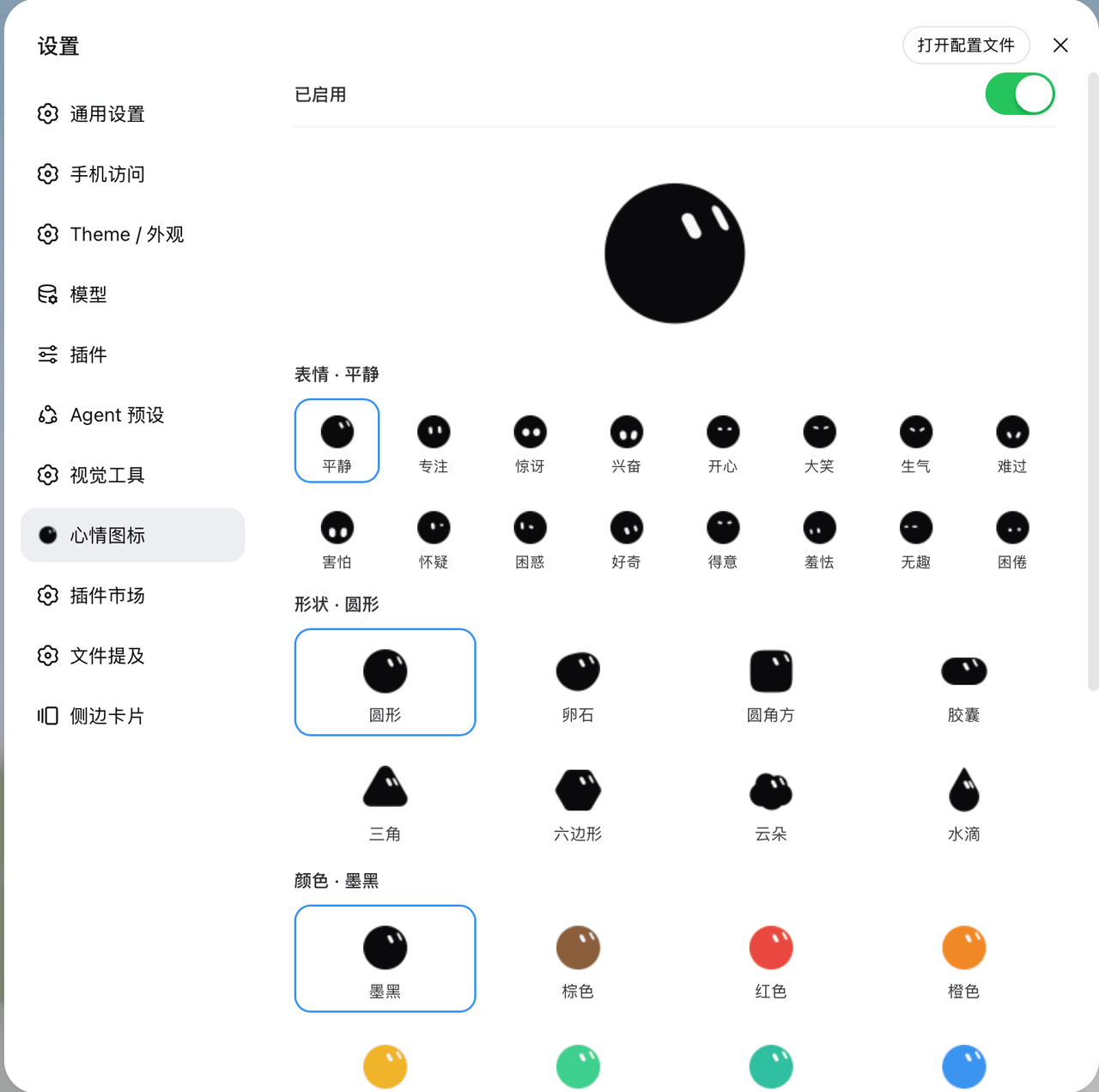 Yuuhann1999/dsh-bloub-mood
动态心情图标 · DeepSeek Harness 插件 — bloub 表情随会话状态切换 favicon 与 logo,形状/颜色/文字可配置(8 shapes × 12 colors, animated SVG, MIT)
Yuuhann1999/dsh-bloub-mood
动态心情图标 · DeepSeek Harness 插件 — bloub 表情随会话状态切换 favicon 与 logo,形状/颜色/文字可配置(8 shapes × 12 colors, animated SVG, MIT)
- shinjiyu/holdem Embeddable NLHE engine for Cursor / DeepSeek Harness / Codex / CLI — portable ADL + multi-agent kernel
-
 aceice01/dsh-whale-pet
DeepSeek 鲸鱼娘桌宠:DSH Desktop 桌宠 + Web 版悬浮桌宠,晓伊神经网络语音、撒娇互动、任务完成提醒
aceice01/dsh-whale-pet
DeepSeek 鲸鱼娘桌宠:DSH Desktop 桌宠 + Web 版悬浮桌宠,晓伊神经网络语音、撒娇互动、任务完成提醒
- hhhh124hhhh/cocos-extensions 让 AI 直接驱动 Cocos Creator 做游戏开发 — DeepSeek Harness MCP 全栈方案(场景操作、构建验证、视觉验证、多Agent团队)
-
 alybg/dsh-angelina-pet
DeepSeek Harness 部署级桌宠:右下角随 Agent 工作状态切换 GIF 动画,气泡实时显示 DeepSeek 余额与语音台词,可拖动、可点击互动,任务完成随机播放语音。
alybg/dsh-angelina-pet
DeepSeek Harness 部署级桌宠:右下角随 Agent 工作状态切换 GIF 动画,气泡实时显示 DeepSeek 余额与语音台词,可拖动、可点击互动,任务完成随机播放语音。