pqkisvery666/dsh-basic-office
DSH办公文件插件:阅读PDF/DOCX/XLSX/PPTX,生成DOCX/XLSX/PPTX/PDF/CSV。
项目介绍Project Overview
dsh-basic-office 是 DSH 办公文件插件,补齐原生 read/write 不支持二进制办公文档的空白。提供 office_read_pdf/docx/xlsx/pptx 与 office_write_docx/xlsx/pptx/pdf/csv 共 9 个工具,全部使用 office_ 前缀避免与原生工具重名。读写受会话沙箱与 fs 观察策略约束,路径按工作区解析。适用于让 Agent 阅读 PDF/Word/Excel/PPT 并生成对应办公文件的场景。限制:扫描版 PDF 无 OCR;非 Windows 平台生成 PDF 若缺 CJK 字体,中文无法渲染;.doc 不支持。
dsh-basic-office is a DSH plugin that fills the gap left by native read/write, which only handle UTF-8 text and images. It provides nine office_-prefixed tools: office_read_pdf, office_read_docx, office_read_xlsx, office_read_pptx, and office_write_docx, office_write_xlsx, office_write_pptx, office_write_pdf, office_write_csv. Use it to let an Agent read common binary office documents and produce DOCX, XLSX, PPTX, PDF, and CSV files. Reads and writes respect session sandbox and filesystem observation policies, and resolve paths against the workspace. Caveats: scanned PDFs without a text layer cannot be extracted (no OCR); .doc files are unsupported; rendering Chinese in generated PDFs on non-Windows hosts requires an installed CJK system font.
请帮我了解并安装插件:【dsh-basic-office】【https://github.com/pqkisvery666/dsh-basic-office】把上面这条消息直接发给当前会话里的 DSH,让它帮你了解并安装。安装命令不一定准确,发给 DSH 更稳。Send this message to DSH in your current session. CLI install commands may not be accurate across systems — DSH will figure it out for you.
或使用命令行安装(适合开发者)Or use CLI install (for developers)
命令行安装CLI Install
dsh plugin --profile web add https://codeload.github.com/pqkisvery666/dsh-basic-office/tar.gz/refs/heads/main把 pqkisvery666/dsh-basic-office 加入你的 DSH 配置(web profile)即可启用。
READMEREADME
dsh-basic-office
DSH 办公文件插件:让 DeepSeek Harness 的 Agent 阅读常见二进制文档(PDF / DOCX / XLSX / PPTX / CSV),并生成常见办公文件(DOCX / XLSX / PPTX / PDF / CSV)。
DSH 原生的 read / write / edit 只处理 UTF-8 文本(read_image 只处理图片),二进制办公文档是空白。本插件补齐这一块,且不与任何原生工具重名/冲突(全部使用 office_* 前缀)。
提供的工具
| 工具 | 说明 |
|---|---|
office_read_pdf |
提取 PDF 文本,支持 page_start / page_end 页范围与 max_chars 截断 |
office_read_docx |
提取 Word .docx 文本(标题、段落、表格文字) |
office_read_xlsx |
读取 .xlsx / .xls / .csv,按工作表返回制表符分隔的行;支持 sheet / range / max_rows |
office_read_pptx |
提取 PowerPoint .pptx 每页幻灯片的文字(含表格文字) |
office_write_docx |
生成 Word 文档:居中标题、heading1-3/quote/普通段落(粗体/斜体/对齐/颜色)、带表头底色的表格 |
office_write_xlsx |
生成 Excel 工作簿:多工作表、字符串/数字/布尔/空单元格、自动列宽 |
office_write_pptx |
生成 PPT:16:9 宽屏、标题/副标题/分级项目符号/表格 |
office_write_pdf |
生成 PDF:多页、标题/段落/项目符号/表格;中文等非 ASCII 文本自动使用 Windows 系统字体(微软雅黑等) |
office_write_csv |
生成 CSV:可选表头、comma/tab/semicolon 分隔符、默认带 UTF-8 BOM(Excel 打开中文不乱码) |
设计要点(与原生能力对齐)
- 沙箱一致:生成文件与原生
write一样受会话沙箱策略约束——workspace-write下只能写入工作区与系统临时目录,越界会得到与原生相同的[sandbox: ...]拒绝提示,并支持sandbox_permissions+justification的一次性升级(需用户批准)。 - 读前保护:生成文件遵循原生 fs 观察策略(先读后覆写),未读过的已有文件不会被直接覆盖。
- 路径解析:相对路径按会话工作区解析,与原生
read/write一致。 - 观察事件:读取/生成都会发出
fs/observed,与原生工具链互通。 - 规范化:工具定义遵循官方文档
docs/user/develop/basic/tool.md与docs/cookbook/adding-a-tool.md(defineTool+ctx.tools.register、参数 DSL、规范返回值、output.render、纯函数presentCall)。
安装(用户)
# 无需 git,直接从 GitHub 下载安装(已实测可用):
dsh plugin --profile web add https://codeload.github.com/pqkisvery666/dsh-basic-office/tar.gz/refs/heads/main

# 或机器上有 git 时:
dsh plugin --profile web add git+https://github.com/pqkisvery666/dsh-basic-office.git
安装后 重启 dsh web 服务(Ctrl+C 后重新 dsh web),新工具即对所有会话生效。
dsh plugin --profile web up      # 更新
dsh plugin --profile web remove dsh-basic-office   # 卸载
安装(作者:放入插件目录的真实拷贝方式)
插件以 npm tarball 形式安装:dsh plugin add 会把 tarball 解包成真实目录放进 profile 的 node_modules(与 dsh-better-sidebar 等同级),不使用链接,profile 与开发目录完全解耦。
# 1. 在插件开发目录里打 tarball:
cd dsh-basic-office   # 插件源码目录
pnpm pack             # 生成 dsh-basic-office-<version>.tgz

# 2. 把 tarball 放进 profile 的 plugins 目录(可复用,后续重装/升级都从它还原):
mkdir -p ~/.dsh/profiles/web/plugins
cp dsh-basic-office-0.1.0.tgz ~/.dsh/profiles/web/plugins/

# 3. 从 tarball 安装(--config.minimumReleaseAge=0 仅用于绕过 pnpm 11 供应链策略对
#    近期发布的旧包(dsh-better-sidebar 等)的误报,属一次性临时参数):
dsh plugin --profile web add "C:\Users\19065\.dsh\profiles\web\plugins\dsh-basic-office-0.1.0.tgz" --config.minimumReleaseAge=0
安装后 重启 dsh web 服务(Ctrl+C 后重新 dsh web),新工具即对所有会话生效。
更新插件:改完源码 → 重新 pnpm pack → 覆盖 ~/.dsh/profiles/web/plugins/ 里的 tarball → dsh plugin --profile web up(或 remove 后重新 add)。
卸载
dsh plugin --profile web remove dsh-basic-office
在会话中使用
直接对模型说即可,例如:
- 「读一下
C:\path\报告.pdf的前 10 页」 - 「把这个表格生成
data.xlsx和data.csv」 - 「把以下内容生成一份
周报.docx(带标题和表格)和一个 5 页的汇报.pptx」 - 「把这段总结输出成
总结.pdf」
开发
pnpm install        # 安装依赖
node test/smoke.mjs # 冒烟测试:5 种格式生成↔解析回环 + 全工具面执行
目录结构
dsh-basic-office/
  cordis.patch.yml   # dsh.bundle.patch 层:插入插件行(office-tools)
  lib/index.js       # Cordis 插件入口:9 个工具的注册与执行
  lib/parsers.js     # 解析侧纯函数(PDF/DOCX/XLSX/PPTX)
  lib/generators.js  # 生成侧纯函数(DOCX/XLSX/PPTX/PDF/CSV)
  test/smoke.mjs     # 冒烟测试
已知限制
- 扫描版 PDF(纯图片无文字层)无法提取文本(无 OCR)。
- 老式二进制
.doc/.xls仅.xls受支持;.doc请先另存为.docx。 - 非 Windows 平台生成 PDF 时若无 CJK 系统字体,中文无法渲染(西文正常)。
- PPTX 读取不含图片/绘图中的文字。
相关推荐Related
-
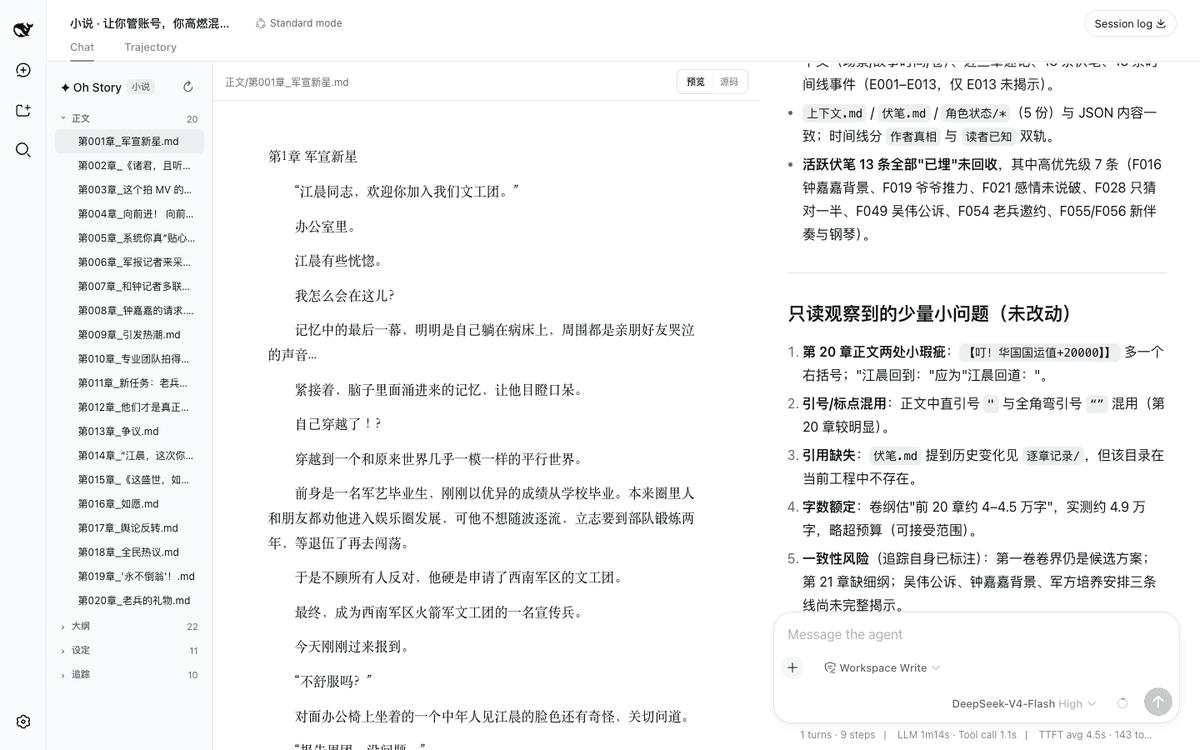 zenstory-ai/oh-story-dsh
A DSH plugin for novel writing and short-drama production, powered by Oh Story and Drama Skills.
zenstory-ai/oh-story-dsh
A DSH plugin for novel writing and short-drama production, powered by Oh Story and Drama Skills.
-
 ZSeven-W/dsh-openpencil
The DeepSeek Harness plugin for OpenPencil — preview, inspect, and edit real .op documents inside a conversation.
ZSeven-W/dsh-openpencil
The DeepSeek Harness plugin for OpenPencil — preview, inspect, and edit real .op documents inside a conversation.
-
 HanaAyane/dsh-reasoning-effort
DSH适用的Codex风格的思考强度滑块,以及大肥鱼跑步滑块。Codex-style model and reasoning-effort slider for DeepSeek Harness
HanaAyane/dsh-reasoning-effort
DSH适用的Codex风格的思考强度滑块,以及大肥鱼跑步滑块。Codex-style model and reasoning-effort slider for DeepSeek Harness
-
 HuanLinOTO/dsh-plugin-better-sidebar-plugin-office
为 better-sidebar 提供 Office 三件套预览(.docx/.xlsx/.pptx),独立 bundle 瘦身主体 | Provides Office-suite preview (.docx/.xlsx/.pptx) f…
HuanLinOTO/dsh-plugin-better-sidebar-plugin-office
为 better-sidebar 提供 Office 三件套预览(.docx/.xlsx/.pptx),独立 bundle 瘦身主体 | Provides Office-suite preview (.docx/.xlsx/.pptx) f…
-
 taxueseek/dsh-files
DeepSeek Harness dual-face plugin: session-isolated file upload with colorful composer cards + read_document tool (text/…
taxueseek/dsh-files
DeepSeek Harness dual-face plugin: session-isolated file upload with colorful composer cards + read_document tool (text/…
-
 dingyi222666/dsh-focus-chat
为 dsh 提供新的「聚焦会话」精简会话视图,更轻松易于阅读,只关注最终产出结果。
dingyi222666/dsh-focus-chat
为 dsh 提供新的「聚焦会话」精简会话视图,更轻松易于阅读,只关注最终产出结果。
-
 609476965/dsh-LorebookMD
DSH lorebook-driven fiction writer plugin: import Tavern/SillyTavern character cards & world books, save local Markdown …
609476965/dsh-LorebookMD
DSH lorebook-driven fiction writer plugin: import Tavern/SillyTavern character cards & world books, save local Markdown …
-
 omdsh-dev/dsh-office
办公三件套!Office document tools for DeepSeek Harness (dsh): generate, read, and edit spreadsheets (.xlsx), PDFs, and present…
omdsh-dev/dsh-office
办公三件套!Office document tools for DeepSeek Harness (dsh): generate, read, and edit spreadsheets (.xlsx), PDFs, and present…