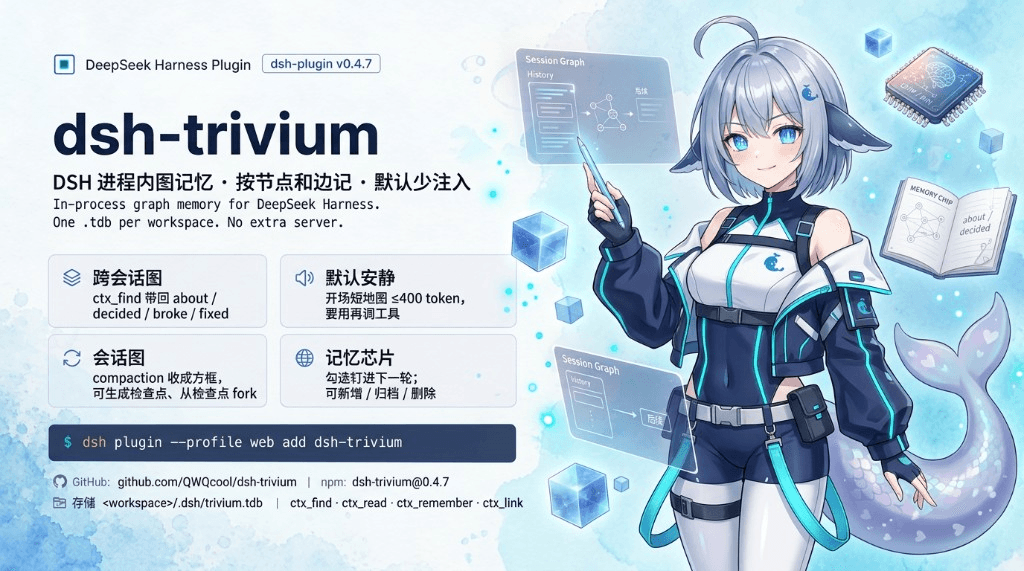
QWQcool/dsh-trivium
In-process graph memory kernel for DeepSeek Harness, backed by TriviumDB.
Project Overview项目介绍
dsh-trivium is an in-process graph memory plugin for DeepSeek Harness that stores nodes and edges in a single .tdb file per workspace, requiring no extra server. It offers cross-session ctx_find recall, minimal context injection, optional chip pinning, and a plot canvas loaded on demand. Use it when a workspace needs persistent structured memory. The host must be restarted after install; Chips, Git sidecar, and embeddings are off by default and need manual toggling.
dsh-trivium 是 DeepSeek Harness 的进程内图记忆插件,以单文件 .tdb 存储节点与边,无需额外服务。提供跨会话 ctx_find 检索、上下文注入、记忆片段 chip 固定以及可选 plot 画布,适合需要长期图结构记忆的工作区。安装后需重启 dsh web;Chips 与 Git sidecar 默认关闭,embedding 需自行配置 OpenAI 兼容 URL。
请帮我了解并安装插件:【dsh-trivium】【https://github.com/QWQcool/dsh-trivium】Send this message to DSH in your current session. CLI install commands may not be accurate across systems — DSH will figure it out for you.把上面这条消息直接发给当前会话里的 DSH,让它帮你了解并安装。安装命令不一定准确,发给 DSH 更稳。
Or use CLI install (for developers)或使用命令行安装(适合开发者)
CLI Install命令行安装
dsh plugin --profile web add dsh-trivium把 QWQcool/dsh-trivium 加入你的 DSH 配置(web profile)即可启用。
READMEREADME
dsh-trivium — In-process graph memory for DeepSeek Harness
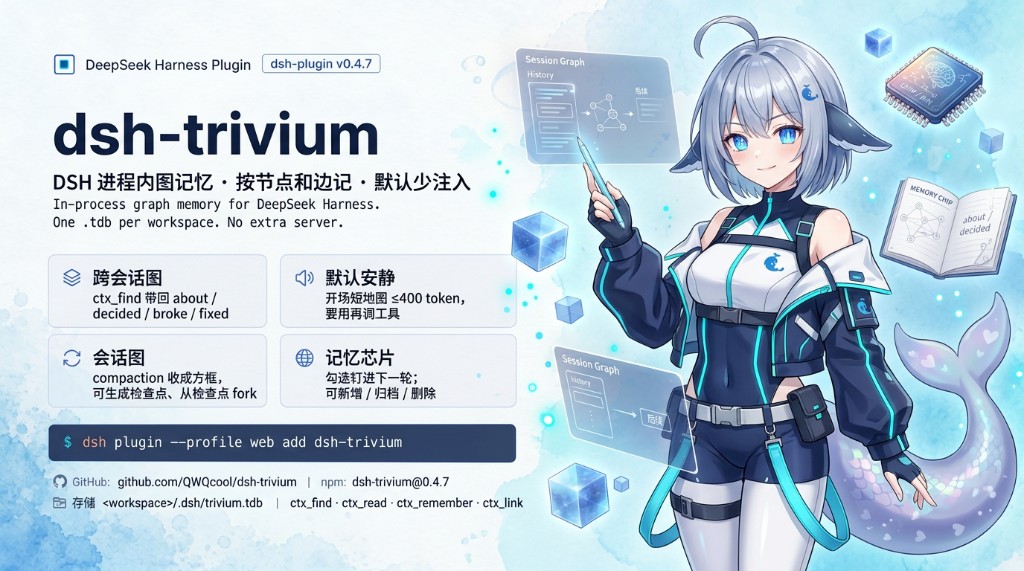
In-process graph memory for DeepSeek Harness. One .tdb per workspace. No extra server.
The kernel stays close to DSH: no extra process, no extra nav by default. Pin memory fragments with optional chip inject; the plot canvas is an optional extra, loaded from Settings.
Quick install:
dsh plugin --profile web add dsh-trivium→ restart dsh web → open a workspace (Settings shows Trivium memory; the Chips tab stays off until you turn it on). Details in Installation.
Installation
Prerequisite: install DeepSeek Harness and start
dsh webat least once. Tested host:@deepseek-ai/dsh@0.1.5-rc.1(dsh-llm/dsh-toolspeers also accept0.1.1-rc.2and0.1.0-rc.8).
dsh plugin --profile web add dsh-trivium
Restart dsh web. Memory lives in the current workspace:
<workspace>/.dsh/trivium.tdb      # local index (binary; gitignore this)
<workspace>/.dsh/trivium.jsonl    # git source of truth (business facts)
Commit trivium.jsonl. Ignore the binary store:
.dsh/trivium.tdb
.dsh/trivium.tdb*
.dsh/trivium-pending.json
Clone / git pull re-imports when the jsonl changed. Settings → Git sidecar is off by default (same as chips). Turn it on under Settings (the fold below Check for updates). The switch only starts or stops auto-write. Generate (while on) overwrites .dsh/trivium.jsonl from the current .tdb at the same path. Delete jsonl (while off) removes known workspace jsonl files (.tdb stays). Episodes, embeddings, and chip pins stay local.
If you launch DSH with Dsh_BatStart, the plugin is installed for you — skip the command above.
Local source checkout:
npm install
node scripts/link-dsh.mjs
npm test              # optional: runs every offline smoke script
npm test needs no DSH host and never touches your real ~/.dsh/trivium.json (each script gets its own temp settings file). Pass a substring to narrow it: npm test -- p8.
Then restart dsh web.
Updating
dsh plugin --profile web add dsh-trivium
Restart dsh web. For a source checkout, git pull then run node scripts/link-dsh.mjs again.
Uninstall
Stop dsh web first so the .tdb is not locked, then:
dsh plugin --profile web remove dsh-trivium
remove deletes this plugin’s files: ~/.dsh/trivium.json, and in every workspace the plugin has opened, .dsh/trivium.tdb, trivium.jsonl, and trivium-pending.json. Other files under .dsh/ stay. Updating with dsh plugin add dsh-trivium does not wipe memory. If trivium.jsonl was committed, git checkout brings it back.
Restart dsh web afterward: Settings no longer shows Trivium memory, the title bar no longer shows Chips, and the four tools are unregistered.
Workspaces never opened after this version may still have an old .tdb; delete that file by hand if you find one. Disable without uninstall (data stays): in that profile’s cordis.patch.yml add:
- id: dsh-trivium
  disabled: true
Then restart dsh web.
Permissions and data
The plugin loads inside the dsh web process. It does not open its own port or extra service.
| Access | Default | Notes |
|---|---|---|
Workspace .dsh/trivium.tdb |
read/write | Memory store. Do not open the same file from two Node processes at once |
Workspace .dsh/trivium.jsonl |
read/write | Git sidecar (off by default). Business nodes/edges only; no embeddings |
~/.dsh/trivium.json |
read/write | Settings and chip pins; may contain an embedding API key you typed |
.dsh/trivium-pending.json |
read/write | Local queue when extract fails |
| Network | off | Chat text is not sent out. Embedding outbound happens only if you turn it on and fill a URL. Settings Check for updates fetches the npm registry (version only, no transcript) |
| Transcript | stays local | Extract and search run on this machine; with embedding on, retrieved text is sent to the URL you filled |
The official DeepSeek chat API has no embeddings endpoint. Keyword + graph walk still work without it. Restart dsh web after changing settings or embedding.
AI-era installation
Copy this to your assistant:
On DeepSeek Harness, run: dsh plugin --profile web add dsh-trivium
Then restart dsh web. Settings will show "Trivium memory". The title-bar tab is
"Chips" and is off by default; turn it on under Settings → Trivium memory
(Chips / memory whitelist). The toggle saves immediately; no second restart.
Graph memory that stays quiet
Trivium is a memory kernel, not a journal, calendar, or chat companion. It stores nodes and edges, injects as little as possible, and lets you correct mistakes.
- Cross-session graph — session A stores “auth goes in header X”; session B calls
ctx_find("auth")and gets the hit plus who it links to (about/decided/broke/fixed). - Default quiet — a new session injects one short map (≤400 tokens). The model calls tools when it needs more. Nothing is dumped every step. No extra title-bar tab until you turn Chips on.
- Chips / memory whitelist (off by default) — Settings → Trivium memory. Toggle saves to
~/.dsh/trivium.jsonimmediately and survives restart. The title bar then shows Chips next to Conversation / Trajectory. Checked items pin into the next turn (L0, ≤300 tokens). Under it, Session layer (also off) draws compaction / forks as boxes. - Human-editable — chips can add, archive, or delete; Settings search, rename, merge, import/export, and global switches.
- Strict extraction — chitchat, one-off file edits, and secrets are not auto-written from the transcript. Chip “Add” stores exactly what you typed (one paste = one node), still through the write hygiene gate.
- Write hygiene —
ctx_remember, chip add, extract, and external import refuse mojibake, stutter loops, JSON envelopes, base64 residue, and secrets. Dirty nodes already in.tdbstay visible in Settings so you can archive them; they are hidden from find / short map / chips. - Optional embedding — off by default. The official DeepSeek chat API has no embeddings endpoint; fill an OpenAI-compatible URL if you want one. Keyword + graph walk still work without it.
Under the hood
- In-process, one file — TriviumDB (vectors + JSON payload + directed weighted graph) opens with the DSH process. No sidecar HTTP/Python service.
- Four tools only —
ctx_find/ctx_read/ctx_remember/ctx_link. Chips / session layer do not add a fifth. - Injection via
agent.inject()— not the system prompt, sopersona.complete: truecannot silently drop the map. - Recall carries paths — every hit says which node it came from and along which edge.
- Failures never block the agent — store / embedding / extract errors are logged; the main loop continues.
- UI follows the host language — Settings and the Chips (memory whitelist) tab switch with DSH
locale/change(zh/en). - First-turn map — the short map is injected once per session. If
session-startloses a race with the first model step,pre-stepfills it in; it is not rewritten every step (prefix-cache friendly).
Features
Cross-session graph
Nodes are entity / preference / decision / experience. Business edges are about, decided, broke, fixed.
ctx_find returns L0 summaries plus edge paths (incoming as <-label-id). If the query names an existing entity, unexpired about / decided / broke / fixed neighbors come along even when the neighbor text does not contain the query. Decisions with until stay hidden after they expire, unless the query itself is asking about that deadline (e.g. “Friday”).
Chips (memory whitelist)
Off by default. In Settings, turn on Chips (memory whitelist) — no extra Save click, no restart. The title bar shows Conversation / Trajectory / Chips at once, and the choice is stored in ~/.dsh/trivium.json so it survives restart. This is a pin whitelist, not the memory editor. Rename, merge, and global switches stay on the Settings page.
Lists unarchived preference / decision / entity (experience stays out). Check to pin into the next turn (L0, ≤300 tokens). Add / archive / delete on the strip.
| Action | When it takes effect |
|---|---|
| Check a chip | The next message you send in this segment carries it (L0, ≤300 tokens) |
| Uncheck | The turn after that no longer carries it |
| Add | One click writes one node; a whole paste is still one node |
| Select → Archive | Soft delete: gone from find / short map / chips; the node remains in .tdb |
| Select → Delete | Removed from .tdb, not recoverable |
| Turns already sent | Not rewritten |
Chips are per session. New sessions and forked children start unchecked. Inherit pins when the session layer fork dialog is on, or check them again on the child. The short map still arrives at session-start and does not use a chip slot.
Session layer is a nested switch, also off. When on, the same tab draws compaction / fork boxes (Create checkpoint, Update checkpoints, fork from a box). Episode nodes are not recalled by ctx_find. Turning the layer off stops writing episodes; existing .tdb nodes stay.
Settings (Trivium memory)
Settings → Trivium memory manages the store. Check for updates sits at the top; memory entries stay visible. Everything else is inside a Settings fold (collapsed by default): injection, extract, chips, Git sidecar, plugin language, import, embedding. Toggles write ~/.dsh/trivium.json as soon as you flip them.
| Switch | Default | What it does |
|---|---|---|
| Chips (memory whitelist) | off | Title-bar Chips tab next to Conversation / Trajectory. Checked chips are a whitelist for the next turn (L0, ≤300 tokens). |
| Session layer | off (needs Chips on) | Plot canvas on the same tab: Create checkpoint, Update checkpoints, fork from a box. |
| Git sidecar | off | Debounced write of .dsh/trivium.jsonl. Generate (on) overwrites from the current .tdb. Delete jsonl (off) removes known files. Clone / pull re-imports. |
| Plugin language | follow host | Chinese / English for this plugin's Settings card and Chips tab only. Does not change DSH. |
| Injection | off | Short map only, unless you pick autoRecall or entity-name path. |
| Extract | on | Write from compaction / idle. |
| Embedding | off | Needs Save plus a URL; restart after changing the URL. |
Injection detail: autoRecall injects at most 3 L0 hits when the step has user text; entity-name path injects 1-hop business neighbors only when the utterance names an existing entity. Checked chips share the budget and win first. Extract runs after compaction/end and a short idle; failures go to pending and replay on the next session-start (body ≤3000 chars, at most 24 items).
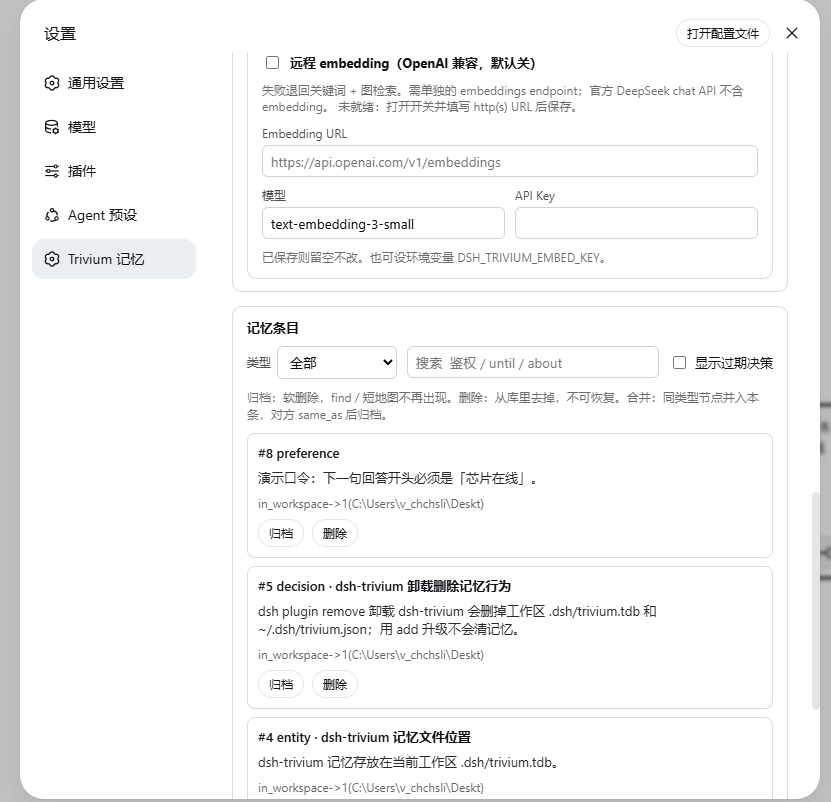
- Entries — search, filter by type, expand business-edge neighbors, “only nodes hanging on this one”, hide expired decisions by default. Rename / edit body / aliases / until, merge same type, archive or delete.
- Export / import — JSON is a real round-trip. Markdown is a read-only projection (for people). Git sync uses
.dsh/trivium.jsonl(business facts, auto). One-shot strict import from WorkBuddyMEMORY.md, Claude CodeCLAUDE.md, and CodexAGENTS.md. No watch of those files, no session jsonl dumps. - Check for updates — Settings compares the installed version with npm latest and shows
dsh plugin --profile web add dsh-triviumwhen a newer version exists. It does not auto-upgrade.
Agent tools
| Tool | What it does |
|---|---|
ctx_find |
Search; L0 summaries and graph paths (incoming <-label-id). Entity-name queries also return unexpired about/decided/broke/fixed neighbors. Expired until decisions stay out unless the query asks about the deadline |
ctx_read |
Full text and incoming edges by id |
ctx_remember |
Manual write |
ctx_link |
Directed edge between two nodes |
The kernel is still these four. Chips / session layer do not add a fifth tool.
Screenshots
Captured inside DSH Web (0.1.1-rc.2). Screenshots below are from the Chinese UI. The plugin follows the DSH host language unless you pick Chinese / English under Settings.
Conversation — ctx_find("鉴权")
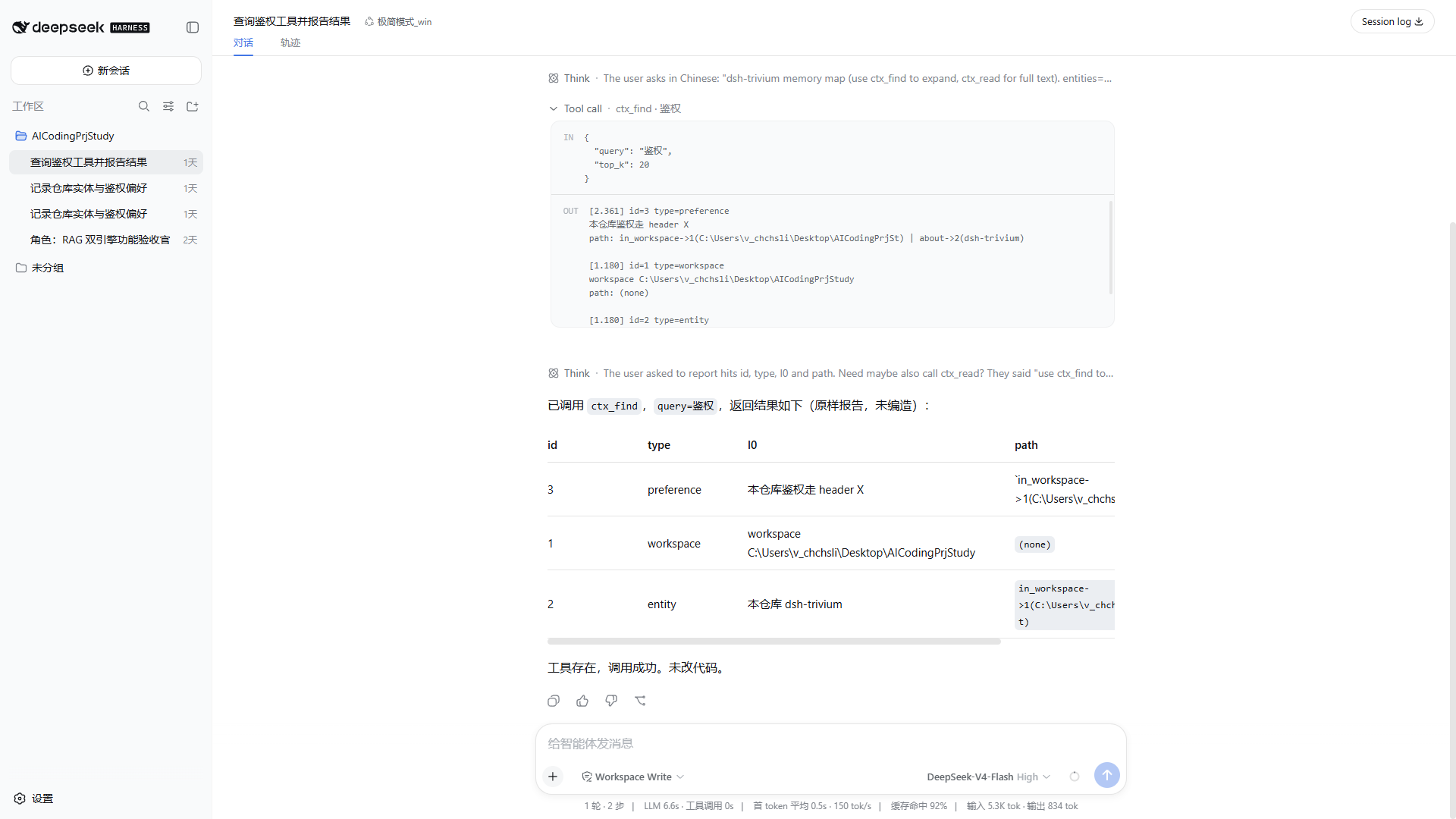
Session-start injects the short map; the model calls ctx_find and hits “auth in this repo goes in header X”.
Trajectory — injection is visible
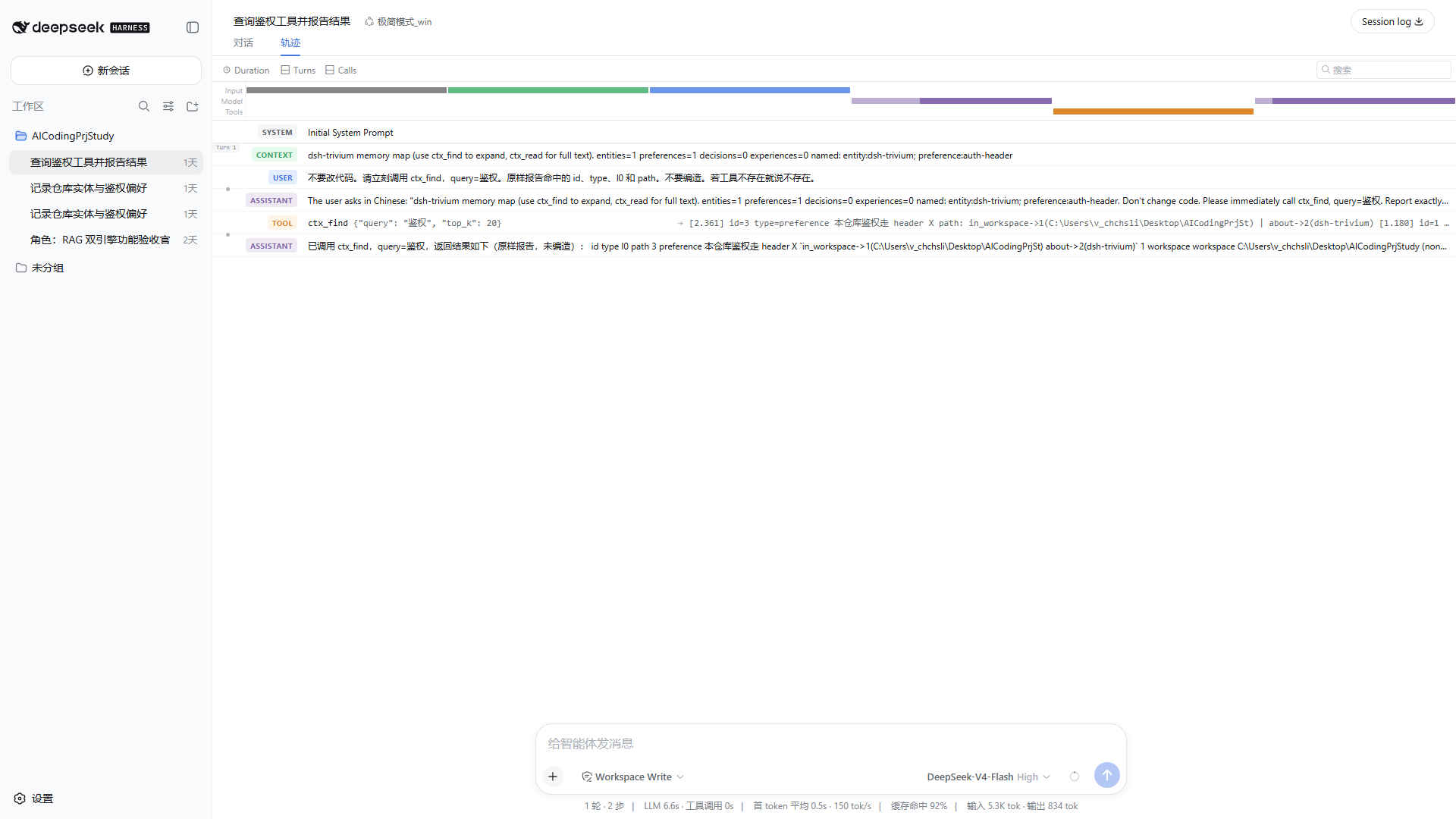
Settings — updates, language, injection
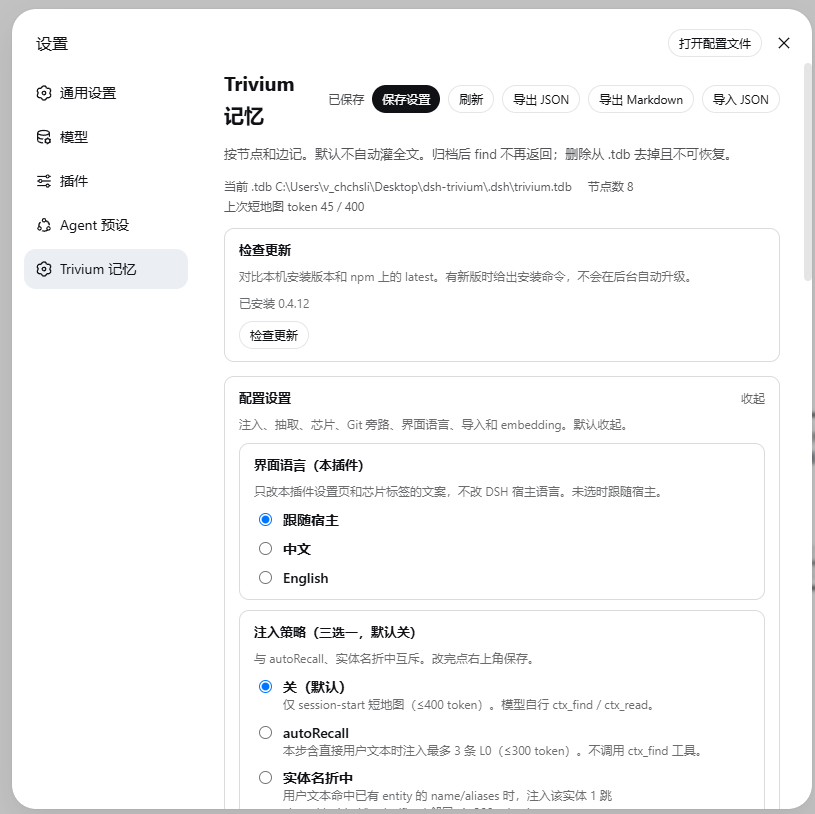
Check for updates sits above a collapsed Configuration fold (plugin language, injection strategy).
Settings — extract, chips, Git sidecar
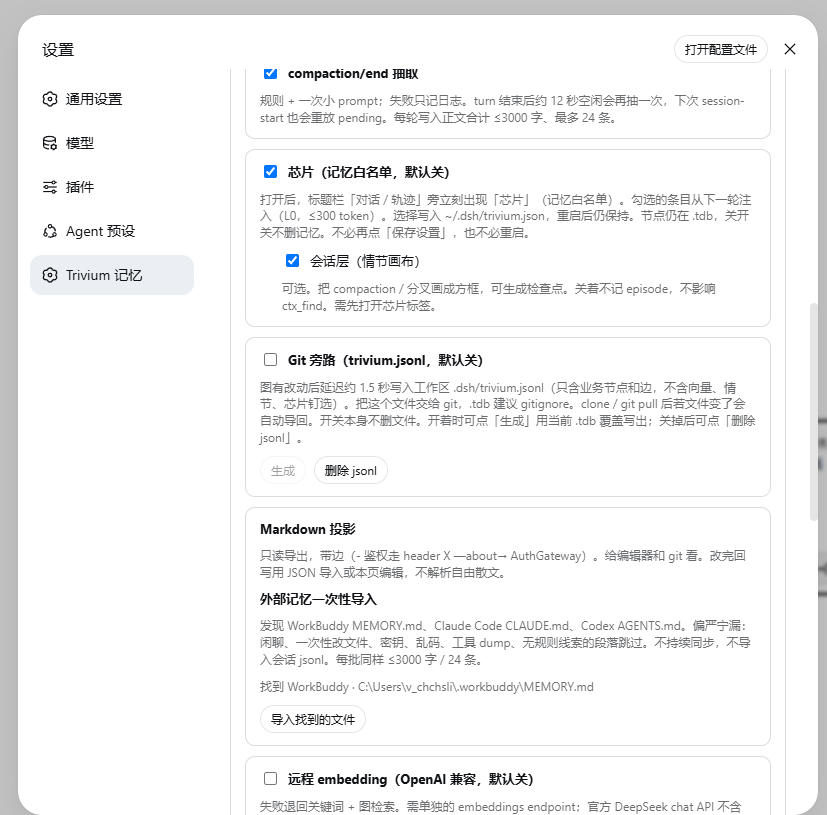
Nested under chips: Session layer (plot canvas). Git sidecar, Markdown export, one-shot external import, and remote embedding are on the same page.
Settings — memory entries
Chips — optional, next to Conversation / Trajectory
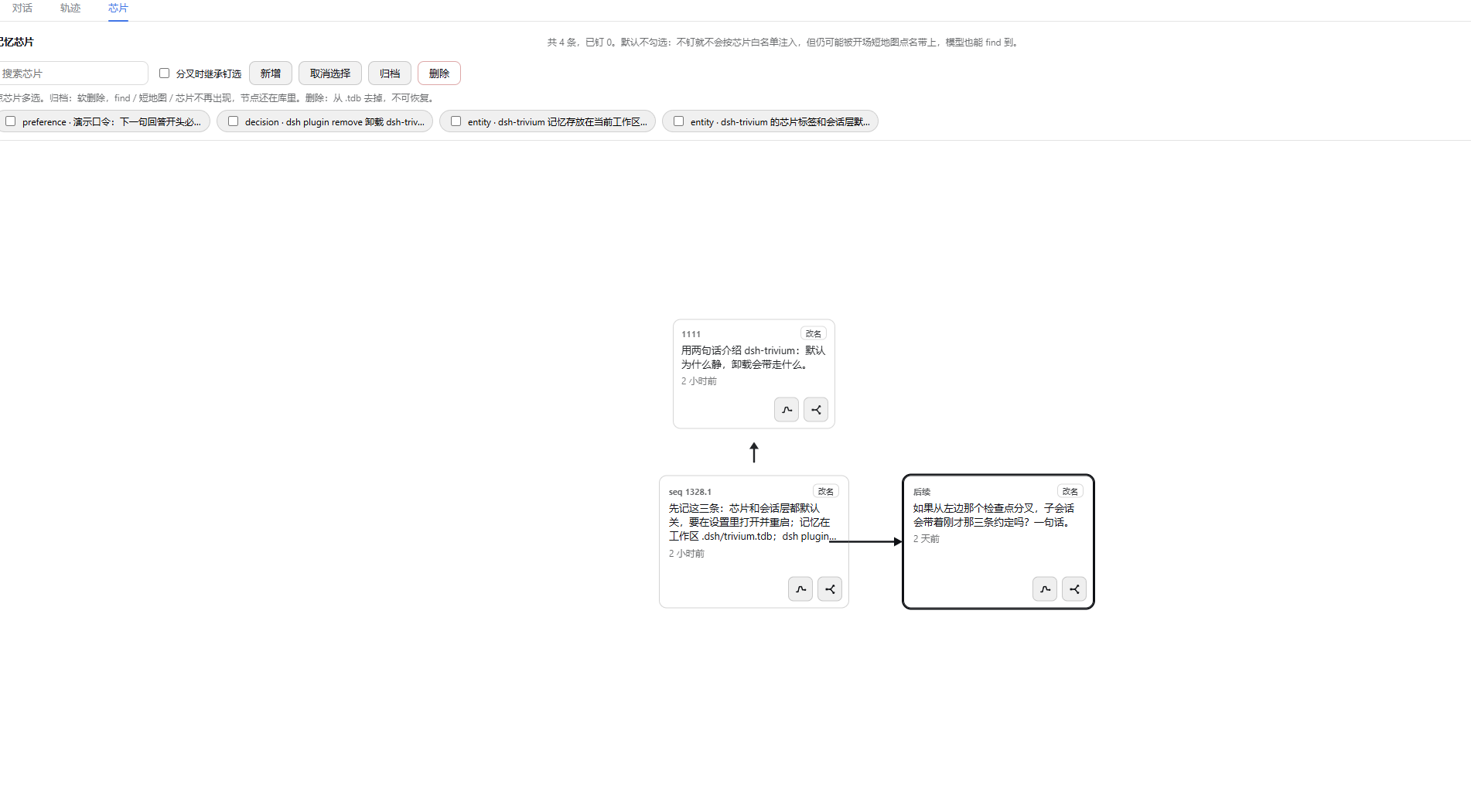
Off by default. After you turn Chips (memory whitelist) on in Settings, the title bar shows Chips immediately. With Session layer also on, a never-compacted session has one “Next” box; chips sit on top (unchecked by default). Create checkpoint folds “Next” into a left box. After compaction or /compact, historical boxes appear on the left; forks leave a box toward a child session.
Limitations
- If the model never calls
ctx_findand no chips are checked, the window is mostly the opening short map. - Extraction misses things; dirty data can be archived / deleted on the chip strip or edited / merged in Settings.
- Do not open the same
.tdbfrom two Node processes at once (onedsh webis enough). - Markdown export is for humans; it cannot be parsed back. Git-friendly write-back is
trivium.jsonl, not Markdown. External import (WorkBuddy / Claude Code / Codex) is one-shot, not two-way sync, and does not ingest session jsonl dumps. - Do not merge
.tdbin git (binary). Tracktrivium.jsonl; ignore.tdb. jsonl merge conflicts are ordinary text — resolve, then reopen the workspace. - The session layer (when on) projects compaction and fork; it does not split boxes by message count. If the window has not reached DSH’s compact line, Update checkpoints will not invent history boxes — use Create checkpoint.
- Plugin setting toggles (chips / session layer / git sidecar / recall / extract) save immediately. Embedding URL still uses Save; restart only if the Settings card itself is missing.
- After the host moved to rc.8, DSH’s own older session store may not open (official SQLite format change). The workspace
.tdbgraph is still there; leftover boxes on unmatched old sessions are plot residue and do not affectctx_find.
Changelog
0.4.18 — ~/.dsh/trivium.json is now written atomically (a truncated write used to reset every switch and chip pin silently) and is owner-only on POSIX. npm test runs every offline smoke script with isolated settings, and smoke-p0 pins the hybrid text-index-after-reopen invariant. Four tools / short map / find paths unchanged.
0.4.17 — Storage bump to triviumdb@0.8.8 (engine behavior unchanged from 0.4.16). Host adaptation for @deepseek-ai/dsh@0.1.5-rc.1: session.header.seedLength was removed, so the session-layer fork cut now reads session.inheritedEventCount. Four tools / short map / find paths unchanged.
0.4.16 — Storage bump to triviumdb@0.8.4: the engine constructor now takes an options object ({ dim }) instead of numeric positional args, and TQL rows return string ids that the plugin coerces back to numbers. Four tools / short map / find paths unchanged.
0.4.15 — Storage bump to triviumdb@0.8.2. The settings API rejects non-loopback requests and unlisted cwd values; the extract buffer is cleared after a run and savePending no longer blocks the turn.
0.4.14 — Storage bump to triviumdb@0.8.1 (harder WAL/locks, optional read-only share, ARM64 fixes). Four tools / short map / find paths unchanged.
0.4.13 — Title-bar tab is Chips (short); the Settings switch stays Chips (memory whitelist). Toggling the session layer refreshes the Chips tab immediately. Settings / Chips screenshots updated.
0.4.12 — Git sidecar: workspace .dsh/trivium.jsonl is the text source of truth (business nodes and edges). .tdb stays the local index. Writes are debounced (~1.5s), no extra model calls. Clone / git pull re-imports when the file changed. Switch is off by default. Generate overwrites jsonl from the current .tdb; Delete jsonl (switch off) removes known files. Settings folds optional config below Check for updates. Plugin language can follow the host or lock zh/en.
0.4.11 — Title-bar tab is Chips (memory whitelist) (was Session graph). The switch persists to ~/.dsh/trivium.json as soon as it is toggled; the tab appears or disappears immediately, no restart.
0.4.10 — dsh plugin remove deletes known workspace .tdb files and ~/.dsh/trivium.json. Plugin update does not wipe. Disable-in-place still keeps data.
0.4.9 — Chips tab and session-layer canvas are both off by default. Title bar shows Chips only after the Settings switch; session boxes sit under that switch. Kernel (four tools, short map, in-process .tdb) unchanged.
0.4.8 — Write + inject hygiene gate (secrets, mojibake, stutter, JSON envelopes, base64 residue). Settings / Chips tab follow DSH language. Settings can check npm for updates. One-shot strict import also discovers Claude Code CLAUDE.md and Codex AGENTS.md. First-turn short map is guaranteed if session-start races the first step.
0.4.7 — Storage bump to triviumdb@0.7.6 (searchExact / searchBatch on the engine). find / Chips tab behavior unchanged.
0.4.6 — Chips tab Create checkpoint: fold the current “Next” into a left box. Does not trigger DSH compaction.
0.4.5 — Host peers widened to 0.1.0-rc.8 and 0.1.1-rc.2; no nested old dsh-llm / dsh-tools.
0.4.4 — triviumdb@0.7.5: incoming edges, expand-by-label, delete-by-label go through engine APIs instead of scanning all edges. find / Chips tab behavior unchanged.
0.4.3 — Chips tab Update checkpoints: backfill DSH compression markers and sidebar forks for sessions that existed before the plugin. Never-compacted sessions still have only “Next”.
0.4.2 — Chip strip can add (one paste = one node) and batch archive / delete. Auto-extract stays strict; chip add writes what you typed.
0.4.1 — Host pinned to @deepseek-ai/dsh@0.1.0-rc.8. Same features as 0.4.0. Confirmed on rc.8: Settings “Trivium memory”, new-session short map, cross-session ctx_find, title-bar tab (now Chips).
0.4.0 — Title-bar tab, memory chips, fork from a checkpoint.
Troubleshooting
| Symptom | What to do |
|---|---|
| Settings has no Trivium memory | Confirm the web profile, then restart dsh web and open a workspace. Reloading the browser is not enough. |
| Title bar has no Chips | Turn on Chips (memory whitelist) in Settings (it saves as soon as you toggle). Switch back to the conversation; the tab should appear without restarting. |
| Injection / extract / embedding / chip tab changes have no effect | Chip / extract / recall toggles save immediately. Embedding URL still uses Save. Restart dsh web only if the settings page itself is missing. |
| Session layer shows only a Next box | Expected when the nested session layer is on. Boxes follow DSH compaction; a long session is not the same as already compacted (auto-compact is around 80% of the window). To split: /compact in the conversation, or Create checkpoint (plot only, does not compact the window). Older sessions can use Update checkpoints to backfill past compaction / forks. |
ctx_find returns nothing |
A new session injects the short map only; the model must call the tool. You can also Add on the chip strip or tell the model “remember: …”. Chitchat and one-off file edits are not auto-written. |
.tdb is locked / will not open |
Run one dsh web. Do not run two Node processes that both linked this plugin. |
| Embedding is filled but search is no more accurate | Failures fall back to keyword + graph. Check that ~/.dsh/trivium.json has an OpenAI-compatible URL (the /v1 kind). Restart after changing it. |
| Memory still there after uninstall | Stop dsh web before dsh plugin remove. Leftover .tdb is a workspace never opened on 0.4.10+; delete .dsh/trivium.tdb in that folder. Committed trivium.jsonl comes back with git checkout. Disable-in-place does not wipe. |
| Check for updates fails | That request only hits the npm registry for the latest version. Memory is unaffected; try again later. |
| Old conversations will not open after rc.8 | That is DSH’s own session-store format change, not a broken .tdb. Graph memory still works via ctx_find; leftover boxes on unmatched old sessions are plot residue. |
Local source checkout: npm install, then node scripts/link-dsh.mjs, then restart dsh web. triviumdb is a native module; if it will not install, check Node against package.json engines (^22.19.0 || >=24).
Release info
- GitHub: https://github.com/QWQcool/dsh-trivium
- npm:
dsh-trivium@0.4.18 - Tested host:
@deepseek-ai/dsh@0.1.5-rc.1(also0.1.1-rc.2/0.1.0-rc.8) - License: MIT (depends on TriviumDB, Apache-2.0)
Acknowledgements
Parts of the write hygiene gate, npm update check, host-locale UI switching, and Claude Code / Codex file discovery were adapted from dsh-auto-memory (Aik358). The product stays a graph kernel (nodes, edges, four tools, quiet default) rather than a journal / calendar companion.
Related相关推荐
-
 MemTensor/MemOS
Self-evolving memory OS for LLM & AI Agents: ultra-persistent memory, hybrid-retrieval, and cross-task skill reuse, with…
MemTensor/MemOS
Self-evolving memory OS for LLM & AI Agents: ultra-persistent memory, hybrid-retrieval, and cross-task skill reuse, with…
-
 zilliztech/memsearch
A persistent, unified memory layer for all your AI agents (e.g. Claude Code, Codex, DSH), backed by Markdown and Milvus.
zilliztech/memsearch
A persistent, unified memory layer for all your AI agents (e.g. Claude Code, Codex, DSH), backed by Markdown and Milvus.
-
 vshulcz/deja-vu
One memory shared by Claude Code, Codex, Cursor, Copilot CLI, OpenClaw and 20 more coding agents, built from the session…
vshulcz/deja-vu
One memory shared by Claude Code, Codex, Cursor, Copilot CLI, OpenClaw and 20 more coding agents, built from the session…
-
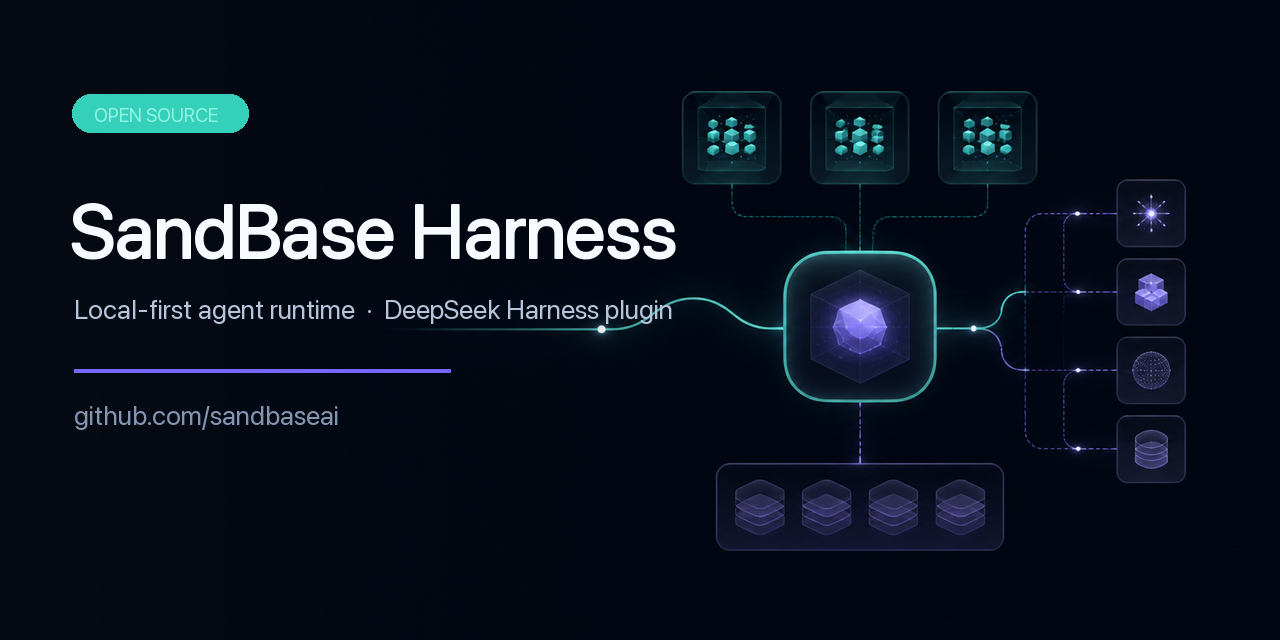 sandbaseai/sandbase-harness
Local-first, self-hosted AI agent runtime and MCP bridge with sandboxed sessions, memory, credentials, audit/replay, and…
sandbaseai/sandbase-harness
Local-first, self-hosted AI agent runtime and MCP bridge with sandboxed sessions, memory, credentials, audit/replay, and…
-
 adoresever/graph-memory
Deepseek Harness、Openclaw知识图谱记忆插件。2026年4月受邀发布在清华大学讨论会。Knowledge Graph + Memory;Knowledge Graph Context Engine for OpenCl…
adoresever/graph-memory
Deepseek Harness、Openclaw知识图谱记忆插件。2026年4月受邀发布在清华大学讨论会。Knowledge Graph + Memory;Knowledge Graph Context Engine for OpenCl…
-
 mnemon-dev/mnemon
LLM-supervised persistent memory for AI agents — graph-based recall, cross-session knowledge, single binary. Works with …
mnemon-dev/mnemon
LLM-supervised persistent memory for AI agents — graph-based recall, cross-session knowledge, single binary. Works with …
-
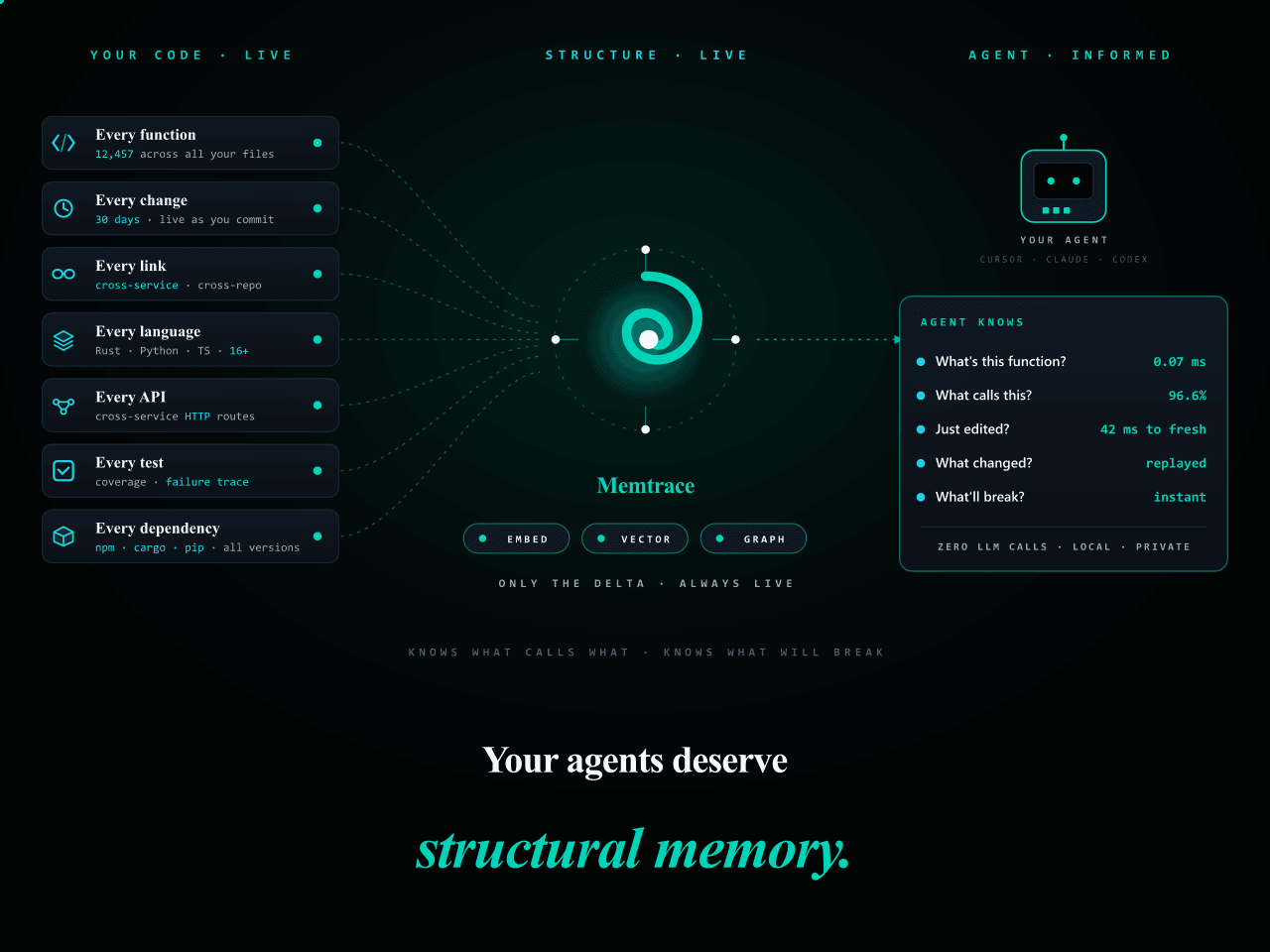 syncable-dev/memtrace-public
Structural memory for AI coding agents. Bi-temporal graph, MCP-native, zero LLM calls. Cursor · Claude Code · Codex · De…
syncable-dev/memtrace-public
Structural memory for AI coding agents. Bi-temporal graph, MCP-native, zero LLM calls. Cursor · Claude Code · Codex · De…
-
 text2future/flowix
Notes for you, Memory for your agents. / 内置 Deepseek harness Agent / 适用 办公 & 写作 & Coding
text2future/flowix
Notes for you, Memory for your agents. / 内置 Deepseek harness Agent / 适用 办公 & 写作 & Coding