
sagirimo/BioDSH
The bioinformatics agent desktop for clinicians and wet-lab scientists — built on DeepSeek Harness. One-click installers, a skill store, offline mode.
Project Overview项目介绍
BioDSH is a Tauri-based desktop agent for bioinformatics, built on the DeepSeek Harness (dsh) runtime. It packages the dsh core with a clinician-facing UI, a skill store, a bundled Python environment, and evaluated official skills such as single-cell analysis. Users describe tasks in plain language; results write to new subfolders without altering originals, and an append-only session log keeps every step traceable. Fully-offline mode supports hospital or lab intranets. Caveat: the macOS build is unsigned and requires running xattr -cr after installation.
BioDSH 是基于 DeepSeek Harness (dsh) 的桌面端生物信息学代理应用,面向临床与实验科研人员。它以 Tauri 桌面壳封装 dsh 运行时,配备技能商店、Python 环境与单细胞等示例,支持纯文本指令完成分析、本地或内网离线运行,并通过追加式会话日志保证可追溯。需注意:macOS 安装包未签名,需手动执行 xattr -cr。
请帮我了解并安装插件:【BioDSH】【https://github.com/sagirimo/BioDSH】Send this message to DSH in your current session. CLI install commands may not be accurate across systems — DSH will figure it out for you.把上面这条消息直接发给当前会话里的 DSH,让它帮你了解并安装。安装命令不一定准确,发给 DSH 更稳。
Or use CLI install (for developers)或使用命令行安装(适合开发者)
CLI Install命令行安装
dsh plugin --profile web add github:sagirimo/BioDSH把 sagirimo/BioDSH 加入你的 DSH 配置(web profile)即可启用。
READMEREADME

The bioinformatics agent desktop for clinicians and wet‑lab scientists — built on DeepSeek Harness.
Everything is a plugin. Every analysis is a sentence.
中文说明 · Website · Download · DeepSeek Harness
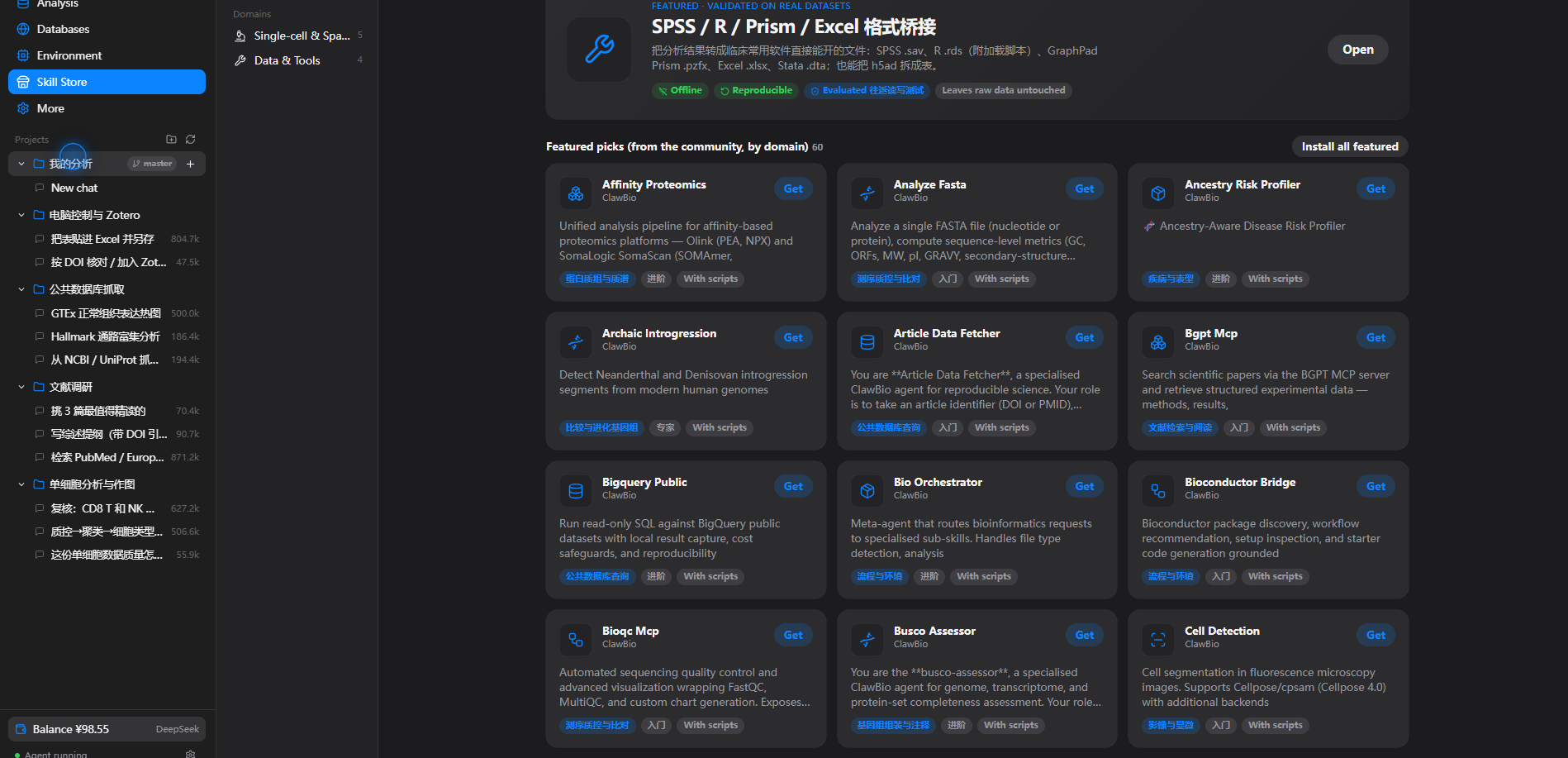
BioDSH is a one‑click desktop app that puts a bioinformatics agent in front of people who don't use a terminal. Drop in your data, say what you want in plain language, and read the conclusion. It runs locally, never modifies your original files, and can run fully offline inside a hospital or lab intranet.
It is a thin, friendly shell around DeepSeek Harness (dsh): the agent runtime, the plugin system, and the reproducible session log are all dsh. BioDSH adds a clinician‑facing UI, a bioinformatics skill store, a bundled Python analysis environment, and a set of evaluated official skills.
Download
Grab an installer from the latest release:
| Platform | File | Notes |
|---|---|---|
| Windows 10/11 | BioDSH_*_x64-setup.exe |
Double‑click to install. On first run click More info → Run anyway. |
| macOS 12+ (Apple silicon) | BioDSH_*_aarch64.dmg |
Unsigned — see the macOS note below. |
| Linux | BioDSH_*_amd64.deb |
Debian/Ubuntu. |
macOS: BioDSH isn't signed with an Apple Developer certificate, so macOS may say the app is “damaged and can’t be opened.” It isn’t — that’s Gatekeeper blocking unsigned apps. Drag BioDSH to Applications, then in Terminal run:
sudo xattr -cr /Applications/BioDSH.appEnter your login password (it stays hidden) and open BioDSH again. You only need to do this once per install.
The app checks for new releases in the background and offers a one‑click download → verify signature → install → restart. Nothing is sent anywhere; the update feed is just this repo's latest.json.
What it does
- Everything is a plugin. The best open‑source bioinformatics skills — 2,000+ community skills organised into 10 domains — plus a handful of evaluated, offline, reproducible official skills. Install one with a click.
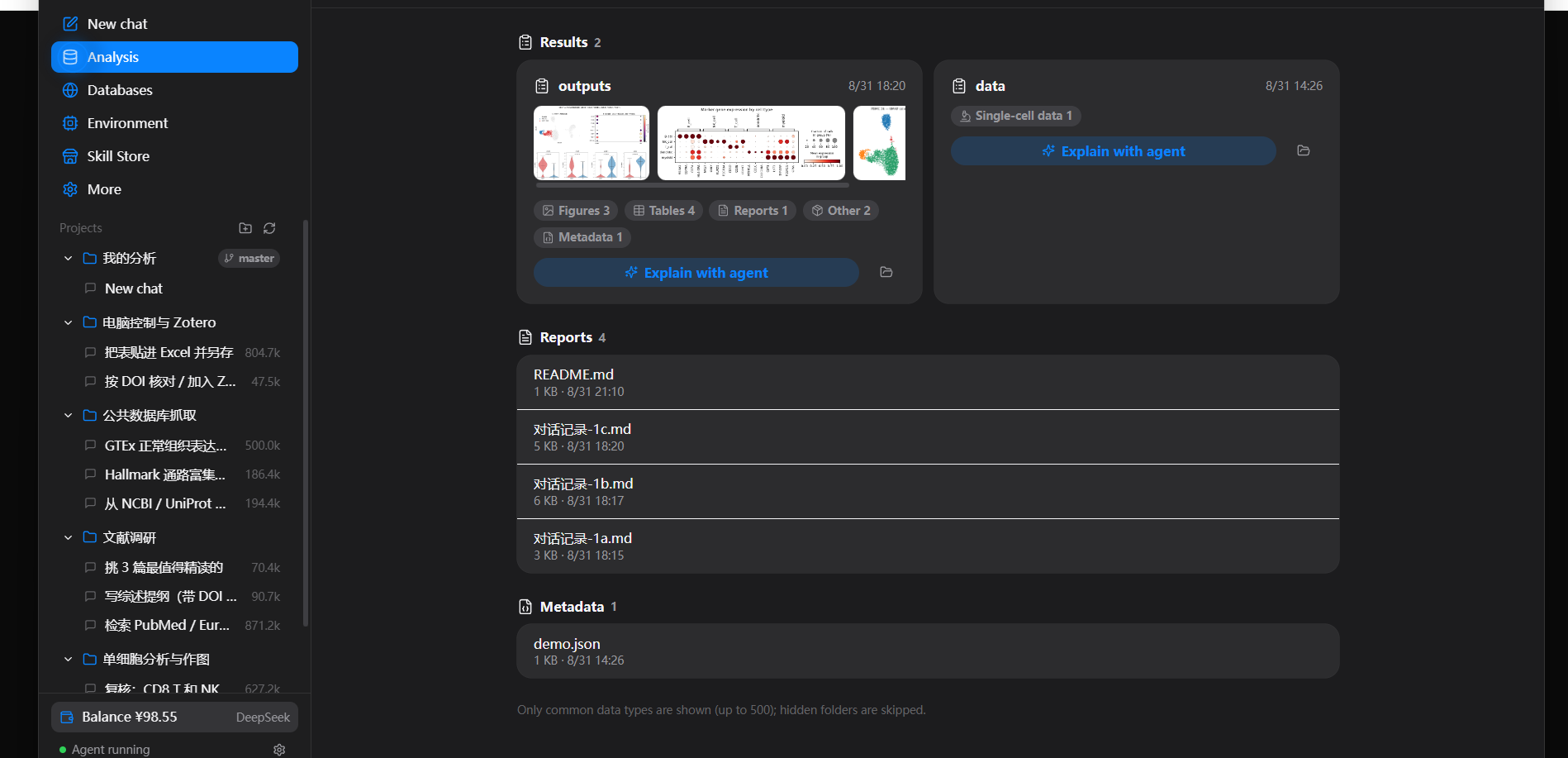
- Every analysis is traceable. Everything the model sees goes into an append‑only session log. In the chat, intermediate steps fold into a single line and expand on demand; conversations export for an advisor or reviewer.
- Four real example projects ship with the app: single‑cell analysis & plots, literature review, public‑database retrieval, and desktop control with Zotero.
- No coding. A one‑click Python environment (scanpy, anndata, pandas, matplotlib) is bundled; skills that need it install it once.
- Desktop control. The agent can drive other apps (Excel, Prism, SPSS…) with real mouse and keyboard, with a clear "BioDSH is controlling the computer" banner on screen.
- Data safety & offline. Original files are never modified; each analysis writes into a new subfolder. Fully‑offline mode talks to a local or intranet model and makes no outbound requests.
How it works
┌────────────────────────────────────────────┐
│  BioDSH (Tauri desktop shell)               │
│  • clinician‑facing UI (React)              │
│  • skill store · data view · environment    │
│  • bundled Python + official skills         │
│  ┌──────────────────────────────────────┐  │
│  │  DeepSeek Harness (dsh)               │  │
│  │  agent runtime · plugins · session log │  │
│  └──────────────────────────────────────┘  │
└────────────────────────────────────────────┘
A "skill" is a dsh plugin: a folder with a SKILL.md (instructions the agent follows) and optional scripts. The official skills live in biodsh-core/skills/; the desktop app is in desktop/.
Use with vanilla DeepSeek Harness
BioDSH's official skills are ordinary dsh-native SKILL.md skills, so plain dsh picks them up automatically — no BioDSH app required. dsh scans a few skill folders; the simplest is a per-project .agents/skills/:
git clone https://github.com/sagirimo/BioDSH
cd BioDSH
# copy the skills into your dsh project (or run it from inside that project for ./.agents/skills)
./scripts/install-into-dsh.sh /path/to/your/dsh-project/.agents/skills
#   --global  installs into ~/.agents/skills instead
On Windows use scripts/install-into-dsh.ps1. Start dsh from that workspace and the BioDSH skills are available. (The scRNA / plotting skills expect a Python env with scanpy, anndata, pandas and matplotlib on PATH.)
Build from source
Prerequisites: Node.js 22+, Rust (stable), and the platform Tauri prerequisites (on Linux: libwebkit2gtk-4.1-dev libappindicator3-dev librsvg2-dev patchelf).
cd desktop
npm ci                        # install dependencies
node scripts/stage-dsh.mjs    # stage the dsh runtime
node scripts/sync-skills.mjs  # official skills → resources + store catalog
npm run tauri dev             # run the app
# or a full installer build:
npm run tauri build
The release recipe is at docs/release.workflow.yml — copy it to .github/workflows/release.yml, then push a tag such as desktop-tauri-v0.2.1 to build installers for all platforms and publish a release with latest.json. Auto‑update signing needs two repository secrets, documented at the top of that file.
Repository layout
| Path | What |
|---|---|
desktop/ |
The Tauri desktop app — React UI (src/), Rust backend (src-tauri/), build scripts (scripts/), store catalog (store/). |
biodsh-core/skills/ |
The evaluated official skills shipped with the app. |
desktop/resources/ |
Bundled resources: the analysis‑environment spec, example‑project sessions, helper scripts. |
License
MIT for BioDSH's own code. Bundled and downloaded components — DeepSeek Harness, community skills, the Python toolchain and packages — keep their own licenses.
Acknowledgements
Built on DeepSeek Harness. BioDSH is an independent project and is not affiliated with or endorsed by DeepSeek.
Related相关推荐
- dsh-tauri-desk/deepseek-harness-desktop DeepSeek Harness Tauri 桌面版 | Only 5mb installer, zero environment setup, preset plugins, Windows / macOS / Linux.
-
 PM-Shawn/Abu-Cowork
Open-source alternative to Claude Cowork — a local-first AI agent desktop app · multi-model · self-evolving skills · pri…
PM-Shawn/Abu-Cowork
Open-source alternative to Claude Cowork — a local-first AI agent desktop app · multi-model · self-evolving skills · pri…
-
 FlashingChen/dsh-desktop-hub
DSH Desktop Hub — DeepSeek Harness 桌面管理控制台(Electron + TypeScript)。多 Tab 管理 Harness / Plugin / MCP / Skills,双击即用。
FlashingChen/dsh-desktop-hub
DSH Desktop Hub — DeepSeek Harness 桌面管理控制台(Electron + TypeScript)。多 Tab 管理 Harness / Plugin / MCP / Skills,双击即用。
- songyang0603/ds-spec-loop Portable Agent Skill for repository-native Spec programming, informed by public DeepSeek Harness engineering patterns.
-
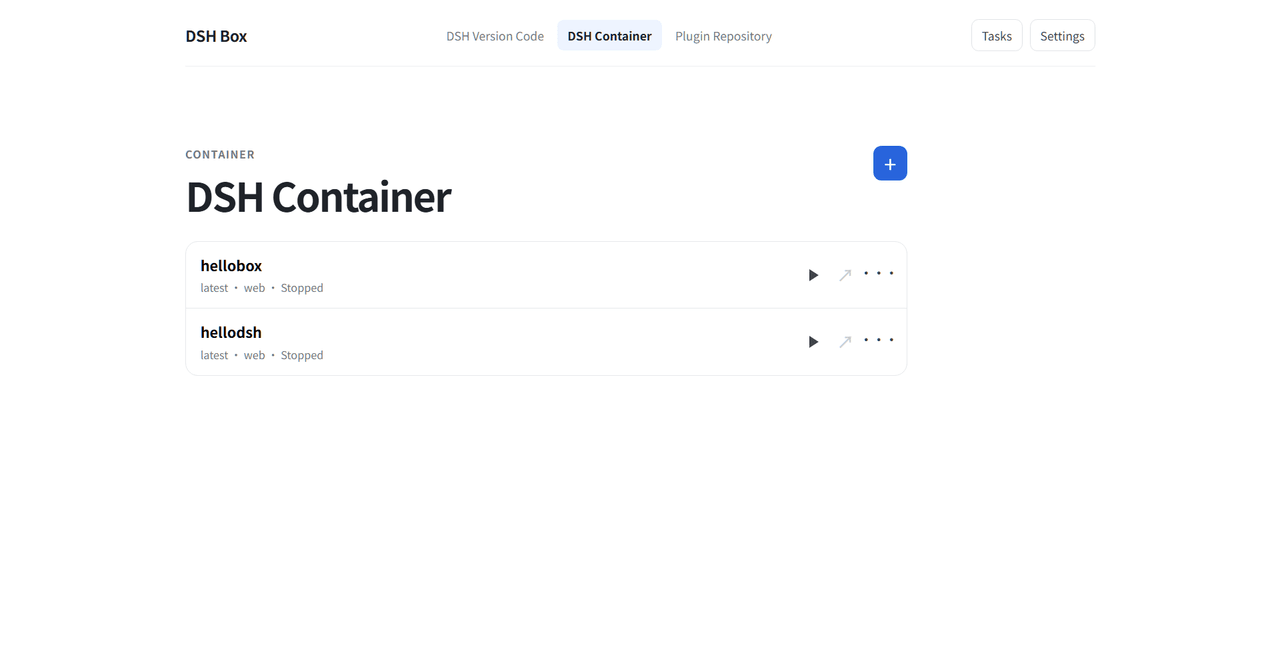 Nexus-Aethra/DSHBox
Manage DeepSeek Harness locally: run multiple DSH versions in isolated containers, open the UI in an embedded WebView, i…
Nexus-Aethra/DSHBox
Manage DeepSeek Harness locally: run multiple DSH versions in isolated containers, open the UI in an embedded WebView, i…
-
 XCNXNXNX/dsh-portable-tavern
DeepSeek Harness 的「便携酒馆」插件:RPG 式 SillyTavern V2/V3 角色卡生成器 + 酒馆角色扮演聊天。支持世界书、角色卡 JSON/PNG 导入导出、面板主题与本地音乐。独立插件,仅依赖官方 @deeps…
XCNXNXNX/dsh-portable-tavern
DeepSeek Harness 的「便携酒馆」插件:RPG 式 SillyTavern V2/V3 角色卡生成器 + 酒馆角色扮演聊天。支持世界书、角色卡 JSON/PNG 导入导出、面板主题与本地音乐。独立插件,仅依赖官方 @deeps…
-
 XMoon/dsh-pi-tui
A third-party TUI mode for DeepSeek Harness (dsh), built on a vendored fork of pi-tui
XMoon/dsh-pi-tui
A third-party TUI mode for DeepSeek Harness (dsh), built on a vendored fork of pi-tui
-
 HUITianYi/dsh-whale-desktop-launcher
Windows desktop launcher plugin for DeepSeek Harness with a whale-girl icon and clean app-mode window
HUITianYi/dsh-whale-desktop-launcher
Windows desktop launcher plugin for DeepSeek Harness with a whale-girl icon and clean app-mode window