seven282/oss-prompt-optimizer
DeepSeek harness prompt optimizer to enhance AI output quality
Project Overview项目介绍
This is a native prompt optimization plugin built exclusively for DeepSeek Harness (DSH). It can be installed directly with one command: dsh plugin --profile web add oss-prompt-optimizer, which is the recommended installation method that requires no local build or extra authorization. All optimization work runs through DSH's built-in LLM service, so you do not need to configure any external API keys or credentials. It supports three different output styles, including plain text that reduces token usage, a three-tag role-task-goal format, and a four-section structured format for more complex use cases.
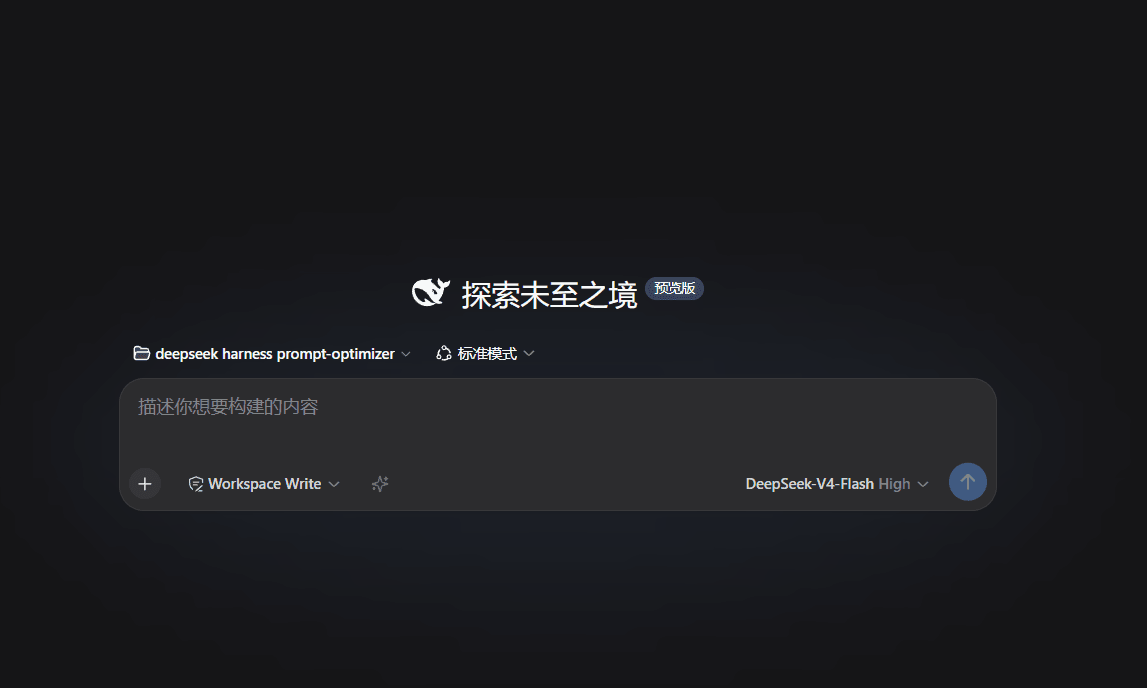
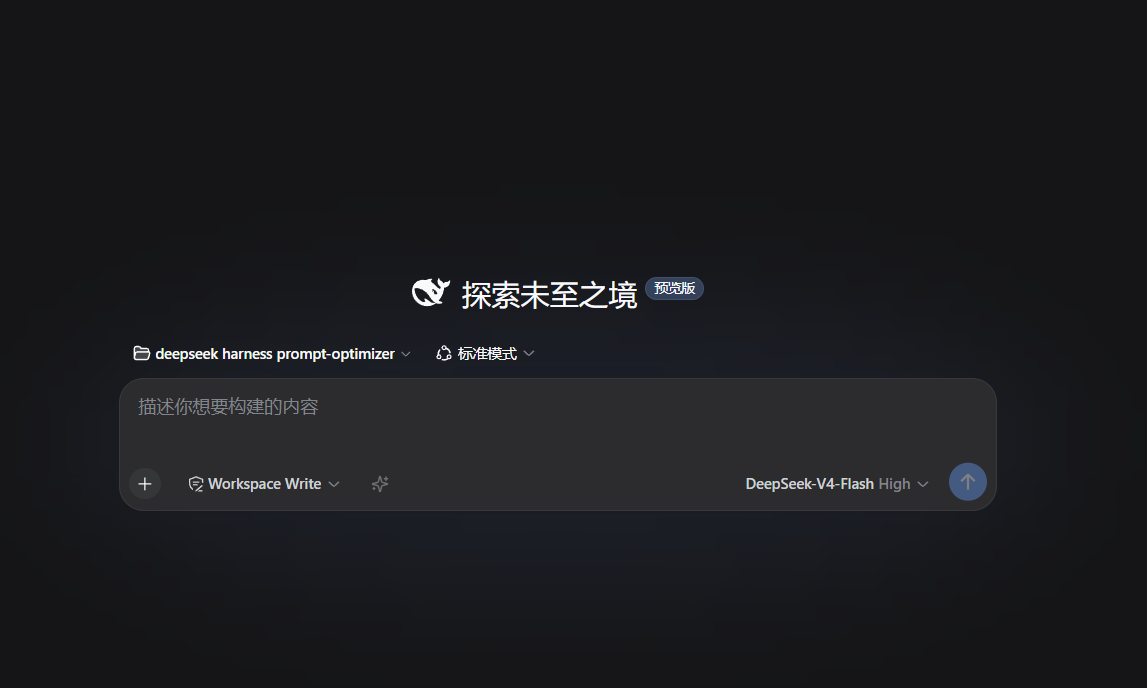
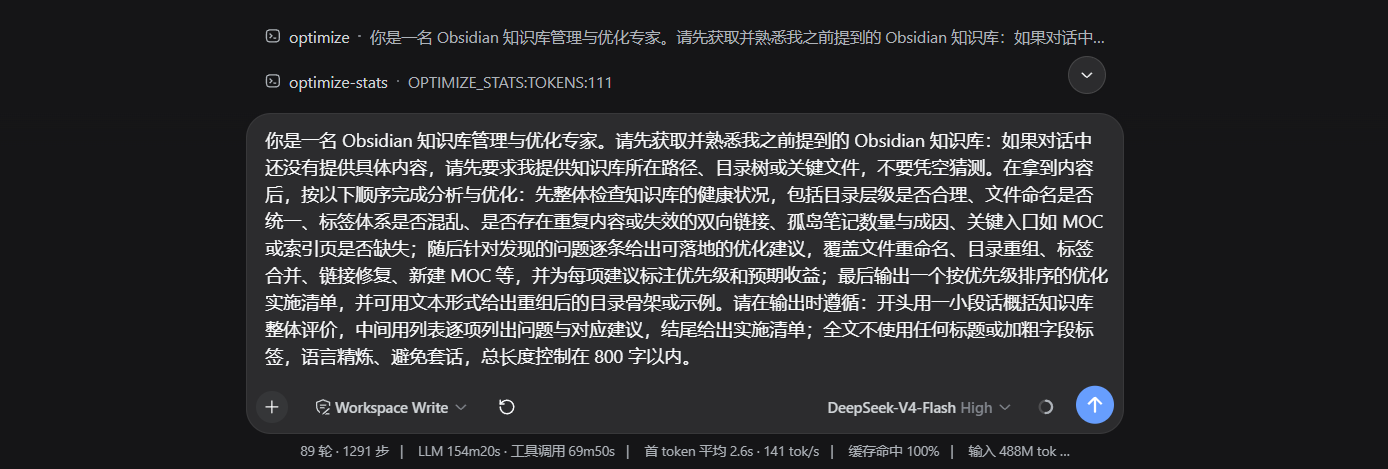
The plugin adds a persistent one-click optimization button to the left of DSH's composer input bar. Clicking the button will optimize the current draft and write the result back to the input box automatically. You can cancel an ongoing optimization by clicking the button again while it is running, and after a successful optimization, it will show an estimate of how many tokens the output uses. It also includes an optional auto-optimization hook that triggers optimization for any message starting with the /optimize prefix, leaving other messages untouched. It also supports automatic language detection for role prompts, switching between Chinese and English prompts based on your input language.
The plugin is released under the permissive MIT license, so you can use it for free for both personal and commercial projects. It follows strict compatibility rules to ensure that any internal plugin defects will not block DSH from starting up, even when DSH core APIs change. If some DSH functions are renamed or removed, the plugin will only degrade the affected features instead of failing entirely, and it will output a clear compatibility report to help with debugging. It also exposes a programmable service that other plugins can call to run prompt optimization directly, and emits lifecycle events that other plugins can subscribe to.
这是一款原生DeepSeek Harness(DSH)提示词优化插件,可自动将用户随手输入的内容转换为专业、可直接使用的提示词,体验与Qoder、Codex保持一致。插件支持多种输出格式,包括节省token的纯文本格式、三要素标签格式和四段结构化格式,完全依托DSH内置的LLM服务完成优化,不需要直连任何第三方API,也不需要用户配置额外凭据。
插件核心功能包含可被Agent调用、支持迭代优化的工具,可给其他插件调用的可编程服务,还在输入框左侧提供了常驻一键优化按钮。它支持角色提示词自动语言切换、可选的自动优化前缀钩子、上下文感知和情境感知能力,可自动解析用户意图生成核心结构,同时支持结果缓存、越用越好用的自迭代系统,还有可直接在DSH设置面板调整的全配置项。
采用MIT许可证开源,可自由使用、修改和分发,支持商业用途。推荐安装方式是直接通过DSH的npm插件命令安装,无需构建也不需要额外授权。插件遵循严格的DSH兼容性规范,确保自身内部缺陷不会导致DSH启动失败,在DSH核心API变更时也支持优雅降级,输出明确的错误提示和兼容性报告。
请帮我安装这个 DSH 插件。安装前先完成【兼容性检查 + 安全性检查】,检查通过再动手。

插件:oss-prompt-optimizer(seven282/oss-prompt-optimizer)
仓库:https://github.com/seven282/oss-prompt-optimizer
本站详情页:https://www.yhbd.top/plugins/seven282-oss-prompt-optimizer/
本站登记:类型 plugin · 归类 原生 DSH 插件 · 许可证 MIT · ⭐ 21 · 最近提交 2026-10-01 · 主语言 TypeScript

按下面顺序执行,每步先把结论告诉我,再进入下一步:

【1 兼容性检查】
① 我这边:DSH 版本、Node 版本、操作系统、当前 profile(web / desktop)。
② 读它的 README、package.json、插件 manifest,列出它要求的 DSH 版本 / Node 版本 / 操作系统 / 外部依赖 / 需要另外先装的运行时。
③ 逐条比对,结论只写「满足 / 不满足 / 未知」三种;不满足的给出可行替代方案。
④ 检查是否和我已装的插件冲突:命令名重复、skill / tool 重名、端口占用、重复注册的 MCP server。

【2 安全性检查】
① 仓库可信度:和上面「本站登记」是否一致;star / fork 数、创建时间、最近提交,是否归档或长期停更。
② 安装脚本:逐行看 package.json 的 preinstall / install / postinstall,以及 install.sh、setup.ps1 之类脚本。出现 curl|bash、下载后直接执行、混淆代码、访问与插件功能无关的域名,立刻停下来告诉我,不要继续装。
③ 依赖:列出新增依赖,标出无人维护、或与知名包拼写近似的可疑包(typosquatting)。
④ 权限与副作用:它会读写哪些目录、访问哪些域名、需要哪些 DSH 权限(filesystem / network / shell / clipboard 等),以及怎么卸载和回滚。
⑤ 如果它要求 sudo / 管理员权限,或权限明显超出功能所需,先停下来问我。

【3 安装】
上面两步没有「不满足」和「高危项」时才执行;用官方推荐方式安装,不要自行提权。

【4 汇报】
用表格输出:检查项 / 结论 / 依据 / 是否需要我决策。拿不准的一律写「未知」并说明要我怎么确认——不要猜,也不要替我决定。
Send this message to DSH in your current session: it verifies compatibility and security first (answering met / not met / unknown item by item) and only installs once everything checks out — it will stop and ask you if it finds a high-risk item. The box scrolls; the copy is the full prompt. CLI install commands may not be accurate across systems, so DSH is the safer route.把上面这条消息直接发给当前会话里的 DSH:它会先核对兼容性与安全性(逐条给「满足 / 不满足 / 未知」),确认没问题再安装,有高危项会停下来问你。框内可滚动,复制到的是完整提示词;安装命令不一定准确,发给 DSH 更稳。
- 21 stars - an early-stage project星标 21,属于早期项目
DSH walks through these 9 checksDSH 会逐条核对这 9 项
Compatibility兼容性
- DSH, Node, OS and profile requirementsDSH 版本 / Node 版本 / 操作系统 / profile 是否满足要求
- External dependencies and runtimes (Electron / Python / Docker, ...)外部依赖与运行时(Electron / Python / Docker 等)是否齐备
- Conflicts with installed plugins: command names, skill / tool names, ports, duplicate MCP registration与已装插件是否冲突:命令名、skill / tool 重名、端口占用、重复 MCP 注册
Security安全性
- Repo matches the facts registered here; archived or abandoned?仓库是否与页面登记一致,是否归档或长期停更
- Safety of preinstall / install / postinstall and install.sh / setup.ps1preinstall / install / postinstall 与 install.sh、setup.ps1 是否安全
- curl|bash, download-then-execute, obfuscation, unrelated domains → stop immediatelycurl|bash、下载即执行、混淆代码、无关域名 → 立刻停止
- Typosquatting or unmaintained packages among the new dependencies新增依赖里有没有 typosquatting 或无人维护的包
- Requested permissions vs. what the feature actually needs申请了哪些权限、是否超出功能所需(filesystem / network / shell / clipboard)
- Any sudo / admin requirement, plus uninstall and rollback是否要求 sudo / 管理员权限,以及卸载与回滚方式
Anything uncertain must be marked unknown with a note on how to confirm it. This site's signal screen is a static snapshot, not a security audit.拿不准的必须标「未知」并说明要我怎么确认。本站的信号筛查是静态快照,不能替代安全审计。
Or use CLI install (for developers)或使用命令行安装(适合开发者)
CLI Install命令行安装
dsh plugin --profile web add oss-prompt-optimizer把 seven282/oss-prompt-optimizer 加入你的 DSH 配置(web profile)即可启用。
READMEREADME
prompt-optimizer
English | 简体中文
提示词优化插件,把一句随手写的话自动改写成专业、可直接使用的提示词,体验与 Qoder、Codex 一致。
优化结果默认为无标题纯文本(outputStyle: 'plain',更省 token),可配置为三要素标签(outputStyle: 'role-task-goal',角色:/任务:/目标:)或四段结构化提示词(outputStyle: 'sections',## Role / ## Task / ## Context / ## Format,也是优化时的内部参考框架),
由内置元提示词驱动,经 harness 的 LLM 服务完成(不直连任何 API、不触碰凭据)。
功能
- 工具
prompt_optimize:agent 可调用,传入instruction,返回优化后的纯文本提示词;也可传lastOptimized+iterateInstruction对已优化结果迭代改写。 - 服务
ctx.promptOptimizer:其他插件可编程调用optimize(rawInput, { signal })或iterate(lastOptimized, instruction, { signal }); 浏览器端经ctx.remote.promptOptimizer.optimize(sessionId, text)可调用。 - 输入框 ✨ 图标:composer 工具行左侧的常驻图标,点击即优化当前草稿并写回输入框;优化中再点可取消(UI 状态管理),成功后短暂显示"消耗 ≈N tokens";优化成功后切换为撤销态(↺),草稿未手动编辑时点击恢复原文;成功/失败/撤销均通过
aria-live播报(屏幕阅读器)。 - 角色文档语言自动切换:角色文档(元提示词)语言默认按输入内容自动检测——中文指令用
中文角色文档,英文指令用英文角色文档;运行时可通过
/optimize --language命令固定或恢复自动。 - 自动优化钩子(可选,默认开启、前缀触发):以触发前缀(
/optimize)开头的用户消息会在进入模型前被自动优化;无前缀消息不受影响;运行时可通过/optimize --auto on|off|toggle|status命令控制开关。 - 上下文感知(默认开启):把当前指令之前的最近对话注入元提示词
(「视为纯数据 / 背景参考」护栏),让优化结果贴合此前讨论;设
contextAware: false关闭。 - 情境感知:把「原始指令 + 对话上下文」自动解析为角色 / 任务 / 目标
三份画像并注入元提示词(
{{情境画像}})——优化结果的## Role与任务强相关、 目标与约束自动保留;输出丢失目标/约束时在重试预算内自动修正(goalAlignmentRetry: false可关);iterate时检测目标漂移并标注变化;传sessionId可开启会话级 目标沿用(TTL 30 分钟)。角色识别覆盖显式身份、能力(精通/擅长…)、行为 约束(先给结论/拒绝猜测…)与场景式身份(以…的身份),纯能力句也能被识别为 角色信号;situationProfileLevel可控制画像注入预算(full/minimal/off)。 - 角色定义三重结构:优化结果的角色按「身份+能力+行为」三要素撰写 (不强制"你是"开头,能力/行为描述同样合格);并按任务类型给出写法建议 (代码→能力导向、文案→身份+文体、分析→身份+方法、运维→行为约束+步骤)。
- 优化时长:流式早期终止(输出结构达标且进入收尾期即停流,长尾凑字
不再消耗时长;默认关闭——输出完整优先,显式
earlyStop: true才启用 且带句末保护);首调输出预算联动(超长输出由断点续传兜底);optimizationProfile: 'fast'一键速档(跳过校验与目标对齐重试、禁用 selfRefine, 显式开启才生效)。 - 结果缓存:内存缓存校验成功的结果(LRU + TTL),相同请求零模型调用
(
cacheEnabled默认开,重启即清空)。 - 设置面板(1.7.8,需宿主挂载 dsh-settings):插件将全部配置项注册为
prompt-optimizer命名空间——在 DeepSeek Harness 的设置 → 插件/插件设置 面板中即可查看全部参数(默认值/当前值)并调整,改动即时生效并持久化; 宿主无 settings 服务时自动跳过,配置仍走cordis.patch.yml,行为零变化。 - 自迭代系统:三层架构实现「越用越好用」,零 token 成本(默认开启;
累计 10 次优化数据后才开始生效,避免小样本误适配)。学习数据(episode
日志)与运行统计默认持久化到
~/.dsh/oss-prompt-optimizer/state.json(跨 profile 共享用户级学习;$DSH_HOME环境变量与stateFile配置可 覆盖路径;persistState: false恢复纯内存行为)。隐私:持久化只存 行为元数据(任务类型/耗时/token/接受率等),不存指令原文。结果缓存 (cacheEnabled)仍为内存、重启即清空(有意设计):- 会话学习(Layer 1):记录每次优化的成功/失败经验(任务类型、输出风格、温度等),形成偏好模型
- 智能默认值(Layer 2):按任务类型(代码/文案/分析/运维/其他)自动推荐最优配置
- 用户覆盖(Layer 3):运行时通过命令临时调整(
--set-profile、--set-local、--set-temperature),重启回落 - 优先级:用户覆盖 > 会话学习 > 智能默认值 > 基础配置
- 后置校验:模型输出缺段/过薄/过短时自动重试(可配次数),重试前把上次失败的
诊断(缺失段落名、过薄段落与字数)注入下一次调用的系统提示词,针对性修正、
提高命中率;仍失败则返回原文/上次结果 + 错误说明,并附稳定机器可读错误码
(
OptimizeResult.errorCode:MISSING_SECTIONS/THIN_SECTIONS/THIN_OUTPUT/TIMEOUT/NO_MODEL_ROUTE等),工具失败渲染带[错误码]前缀。 - 输出恒为完整可执行的提示词(四段或 plain 正文);空输入报错;超长输入截断护栏;UI 层取消。
Showing the opening section of the README — the full document lives in the repository以上为 README 开头摘要,完整文档在仓库内 · View the full README on GitHub →在 GitHub 查看完整 README →
Related相关推荐
-
 titanwings/distilly
Distilly — Distill how they think into reusable Skills for any Agent or Bot. Formerly Colleague Skill(原同事 Skill).
titanwings/distilly
Distilly — Distill how they think into reusable Skills for any Agent or Bot. Formerly Colleague Skill(原同事 Skill).
-
 YuJunZhiXue/dsh-purge
DeepSeek Harness 破甲:让所有模型都能破甲,不同模型可换不同提示词;默认提示词面向国模「小码酱」。Jailbreak for every model — swap prompts per model. 求 Star 收藏 ⭐
YuJunZhiXue/dsh-purge
DeepSeek Harness 破甲:让所有模型都能破甲,不同模型可换不同提示词;默认提示词面向国模「小码酱」。Jailbreak for every model — swap prompts per model. 求 Star 收藏 ⭐
- Tiger3807861189/J-Space-Cognition-Suite J-Space Cognition Suite — a model-agnostic inference-time control suite for deep reasoning, long-horizon work, verificat…
-
 Clearailhc/clearai-dsh
ClearAI is a native DSH plugin that brings the Epistemic Loop to DeepSeek Harness.
Clearailhc/clearai-dsh
ClearAI is a native DSH plugin that brings the Epistemic Loop to DeepSeek Harness.
- Tiger3807861189/GLM-5.3-Flash-J-Space-Capability-Realization-Report GLM-5.3-Flash × J-Space capability realization — benchmark presentation of the J-Space Cognition Suite
-
 yejiming/MuseAI
创建你的 AI 角色,进入你的故事世界。和角色聊天、冒险、穿书,让每一次互动都留下羁绊(支持 DeepSeek Harness 插件,欢迎使用)
yejiming/MuseAI
创建你的 AI 角色,进入你的故事世界。和角色聊天、冒险、穿书,让每一次互动都留下羁绊(支持 DeepSeek Harness 插件,欢迎使用)
-
 superdesigndev/superdesign-skill
The design skill for Claude Code, Cursor and any coding agent. Stop shipping AI-slop UI: turn it into shippable, tastefu…
superdesigndev/superdesign-skill
The design skill for Claude Code, Cursor and any coding agent. Stop shipping AI-slop UI: turn it into shippable, tastefu…
-
 Miaotofu01/Study-Mate
你的AI学习搭档:定路线、讲知识、做项目,边学边做,学透一门科目
Miaotofu01/Study-Mate
你的AI学习搭档:定路线、讲知识、做项目,边学边做,学透一门科目