
Miaotofu01/Study-Mate
你的AI学习搭档:定路线、讲知识、做项目,边学边做,学透一门科目
Project Overview项目介绍
StudyMate is a self-study AI tutor workflow that ships twelve DSH skills, an HTML lesson renderer, a curriculum engine, and a "learning mode" preset, designed primarily for DeepSeek Harness and additionally packaged as an OpenAI plugin for Codex and ChatGPT Work. Installation on DSH 0.1.5-rc.2+ runs npx -y @yunmiao/studymate@latest install followed by dsh web, copying the preset and skill set into ~/.dsh/studymate/engine/; the alternative OpenAI build is delivered as studymate-openai.zip from the latest GitHub Release and imported through the host's plugin uploader, with updates handled by re-running the npx command or uploading the refreshed zip to the existing plugin link in the browser.
A typical session begins when the user creates a chat under the learning mode preset and either declares a target subject such as "I want to learn C++ for competitions" or asks "I don't know what to study, help me pick a direction," after which the learning-system skill probes goals, prior level, project aims, and lab preferences before orchestrating five role skills (resource-scout, image-scout, curriculum-designer, learning-coach, practice-evaluator) either through sub-agents when the host supports delegation or sequentially otherwise. Each subject receives a roadmap of nodes ordered by prerequisites and tagged as concept, practice, or lab lessons, all persisted in the workspace at ~/StudyMate along with shared memory covering the learner's level, preferred explanations, and recurring blockers, so subsequent conversations resume rather than restart from scratch.
Required dependencies are Node.js 22.x or 24+, Python 3.9+, and PyYAML, with jsonschema additionally needed for full schema validation, while the DSH preset imposes the 0.1.5-rc.2 floor; the project is MIT licensed under Cattofu, the examples/ directory contains a pre-rendered linear-algebra plus computer-networks workspace that can be cloned and opened directly, and contributors are expected to run npm test plus the four check scripts (check_curriculum, check_lesson, check_pool, check_skill) before submitting changes.
StudyMate 是一套面向数学与计算机科目自学的 AI 学习工作流,内置 12 个 DSH 技能、HTML 课件引擎与「学习模式」预设,通过 npx -y @yunmiao/studymate@latest install 安装到 DSH 0.1.5-rc.2+,随后运行 dsh web 启动;同时也提供 OpenAI 插件包 studymate-openai.zip,可在 Codex 与 ChatGPT Work 中导入,从而同时覆盖 DeepSeek Harness、Codex 与 ChatGPT 三个宿主平台。
典型使用流程是:新建会话时切换到「学习模式」,告诉教练「我想学某门科目」或在不确定时说「我不知道学什么,帮我选方向」,主控技能会盘问目的与基础后调度资源侦察、采图、课程设计、讲解、练习评估五个角色;产出按前置依赖排序的知识点路线图,每个节点标注概念课/实操课/实验课类型,并以独立 HTML 课件呈现,工作区默认存放在 ~/StudyMate,跨会话通过记忆文件持久化水平、偏好与卡点。
依赖方面需要 Node.js 22 或 24+、Python 3.9+ 与 PyYAML(完整校验还需 jsonschema),预设有 DSH 版本下限,许可证为 MIT,版权归属 Cattofu;仓库提供线性代数与计算机网络的 examples/ 示例工作区可直接打开,首次建课前会先盘问再生成 <workspace>/index.html 入口,手动改 YAML 后需补充 npm test 与四项校验脚本。
请帮我安装这个 DSH 插件。安装前先完成【兼容性检查 + 安全性检查】,检查通过再动手。

插件:Study-Mate(Miaotofu01/Study-Mate)
仓库:https://github.com/Miaotofu01/Study-Mate
本站详情页:https://www.yhbd.top/plugins/miaotofu01-study-mate/
本站登记:类型 plugin · 归类 原生 DSH 插件 · 许可证 MIT · ⭐ 559 · 最近提交 2026-10-03 · 主语言 Python

按下面顺序执行,每步先把结论告诉我,再进入下一步:

【1 兼容性检查】
① 我这边:DSH 版本、Node 版本、操作系统、当前 profile(web / desktop)。
② 读它的 README、package.json、插件 manifest,列出它要求的 DSH 版本 / Node 版本 / 操作系统 / 外部依赖 / 需要另外先装的运行时。
③ 逐条比对,结论只写「满足 / 不满足 / 未知」三种;不满足的给出可行替代方案。
④ 检查是否和我已装的插件冲突:命令名重复、skill / tool 重名、端口占用、重复注册的 MCP server。

【2 安全性检查】
① 仓库可信度:和上面「本站登记」是否一致;star / fork 数、创建时间、最近提交,是否归档或长期停更。
② 安装脚本:逐行看 package.json 的 preinstall / install / postinstall,以及 install.sh、setup.ps1 之类脚本。出现 curl|bash、下载后直接执行、混淆代码、访问与插件功能无关的域名,立刻停下来告诉我,不要继续装。
③ 依赖:列出新增依赖,标出无人维护、或与知名包拼写近似的可疑包(typosquatting)。
④ 权限与副作用:它会读写哪些目录、访问哪些域名、需要哪些 DSH 权限(filesystem / network / shell / clipboard 等),以及怎么卸载和回滚。
⑤ 如果它要求 sudo / 管理员权限,或权限明显超出功能所需,先停下来问我。

【3 安装】
上面两步没有「不满足」和「高危项」时才执行;用官方推荐方式安装,不要自行提权。

【4 汇报】
用表格输出:检查项 / 结论 / 依据 / 是否需要我决策。拿不准的一律写「未知」并说明要我怎么确认——不要猜,也不要替我决定。
Send this message to DSH in your current session: it verifies compatibility and security first (answering met / not met / unknown item by item) and only installs once everything checks out — it will stop and ask you if it finds a high-risk item. The box scrolls; the copy is the full prompt. CLI install commands may not be accurate across systems, so DSH is the safer route.把上面这条消息直接发给当前会话里的 DSH:它会先核对兼容性与安全性(逐条给「满足 / 不满足 / 未知」),确认没问题再安装,有高危项会停下来问你。框内可滚动,复制到的是完整提示词;安装命令不一定准确,发给 DSH 更稳。
- This site's static screen found no obvious risk signal (stars, license, activity, manifest)本站静态筛查没发现明显风险信号(星标、许可证、更新活跃度、清单完整度)
DSH walks through these 9 checksDSH 会逐条核对这 9 项
Compatibility兼容性
- DSH, Node, OS and profile requirementsDSH 版本 / Node 版本 / 操作系统 / profile 是否满足要求
- External dependencies and runtimes (Electron / Python / Docker, ...)外部依赖与运行时(Electron / Python / Docker 等)是否齐备
- Conflicts with installed plugins: command names, skill / tool names, ports, duplicate MCP registration与已装插件是否冲突:命令名、skill / tool 重名、端口占用、重复 MCP 注册
Security安全性
- Repo matches the facts registered here; archived or abandoned?仓库是否与页面登记一致,是否归档或长期停更
- Safety of preinstall / install / postinstall and install.sh / setup.ps1preinstall / install / postinstall 与 install.sh、setup.ps1 是否安全
- curl|bash, download-then-execute, obfuscation, unrelated domains → stop immediatelycurl|bash、下载即执行、混淆代码、无关域名 → 立刻停止
- Typosquatting or unmaintained packages among the new dependencies新增依赖里有没有 typosquatting 或无人维护的包
- Requested permissions vs. what the feature actually needs申请了哪些权限、是否超出功能所需(filesystem / network / shell / clipboard)
- Any sudo / admin requirement, plus uninstall and rollback是否要求 sudo / 管理员权限,以及卸载与回滚方式
Anything uncertain must be marked unknown with a note on how to confirm it. This site's signal screen is a static snapshot, not a security audit.拿不准的必须标「未知」并说明要我怎么确认。本站的信号筛查是静态快照,不能替代安全审计。
Or use CLI install (for developers)或使用命令行安装(适合开发者)
CLI Install命令行安装
dsh plugin --profile web add github:Miaotofu01/Study-Mate把 Miaotofu01/Study-Mate 加入你的 DSH 配置(web profile)即可启用。
READMEREADME

StudyMate
你的AI学习搭档:定计划、讲知识、做项目,学透一门科目




StudyMate 是面向数学与计算机科目学习的助手,原则是「learn with doing」
快速开始 · 它是什么 · 核心功能 · 常见问题 · 使用说明 · Antigravity 说明
前言
本项目原先是vibe出来给自己用的一个小项目,没想到有这么多人喜欢。但是vibe出来的东西有很多的问题,包括但不限于「文档过于臃肿且充满AI味、可读性极差」、「海量且无用的防御性代码」、「混乱的功能模块」。
虽然现在跑起来的效果也不差,但是跟我理想中的效果还是有很大差距
我觉得这样的东西对不起这么多的信任与star,我会直视这些问题,并且人工修改审查每一个文件,在未来的更新维护中给大家带来更好的体验,感谢大家的使用与支持,有任何建议都可以提个issue,本项目将长期维护。
快速开始
DeepSeek Harness
DSH 依赖:DSH 0.1.5-rc.2+、Node.js(支持范围见 package.json 的 engines)、Python 3.9+、PyYAML。
npx -y @yunmiao/studymate@latest install
- 桌面端(DeepSeek Harness Desktop):桌面端自带 DSH。它启动过一次之后,安装器就会用桌面端自带的
dsh,把「学习模式」装进它的desktop档位。装完完全退出桌面端再重新打开,新建会话时选「学习模式」。 - 官方 CLI:先
npm install -g @deepseek-ai/dsh@latest,同一条安装命令默认注册到web档位,之后用dsh web启动。
更新:再次运行上述 npx 命令,然后重启对应的 DSH(桌面端完全退出再打开;CLI 重启并新建会话)。
- 第一次学习:新建会话时选「学习模式」,说一句「我想学 [某个科目]」。会话开在学习工作区目录里(权限选
workspace-write或danger-full-access)最省事——课程就地建,零授权。 - 会话开在别处也行(比如某个代码仓):课程先建在会话目录下的
.studymate-stage/<slug>(全程零授权),结束时总控问你一句放哪——学习工作区/桌面/文档文件夹/用户根目录/先留着——然后一次cp -a搬过去。 - 还没想好学什么:在学习对话里说「我不知道学什么,帮我选方向」,可选探索后再决定是否开课;已有明确科目或恢复学习直接走原流程。
- 学习工作区默认在
~/StudyMate,所有课件与记忆均存放在工作区;已有配置会沿用。 - 第一次生成课程后,课程主页在工作区目录
<workspace>/index.html,是未来所有课件的入口
Showing the opening section of the README — the full document lives in the repository以上为 README 开头摘要,完整文档在仓库内 · View the full README on GitHub →在 GitHub 查看完整 README →
Related相关推荐
-
 Tencent-TDS/dsh-kuikly-expert
Kuikly DeepSeek Harness plugin that turns your AI agent into a Kuikly cross-platform app development expert.
Tencent-TDS/dsh-kuikly-expert
Kuikly DeepSeek Harness plugin that turns your AI agent into a Kuikly cross-platform app development expert.
- goatliamia/dsh-runtime 不要让 Model 为确定性问题反复思考,也不要让 Harness 为不确定的问题假装知道答案
- gxx950224/SapBuddy-dsh SapBuddy-dsh
-
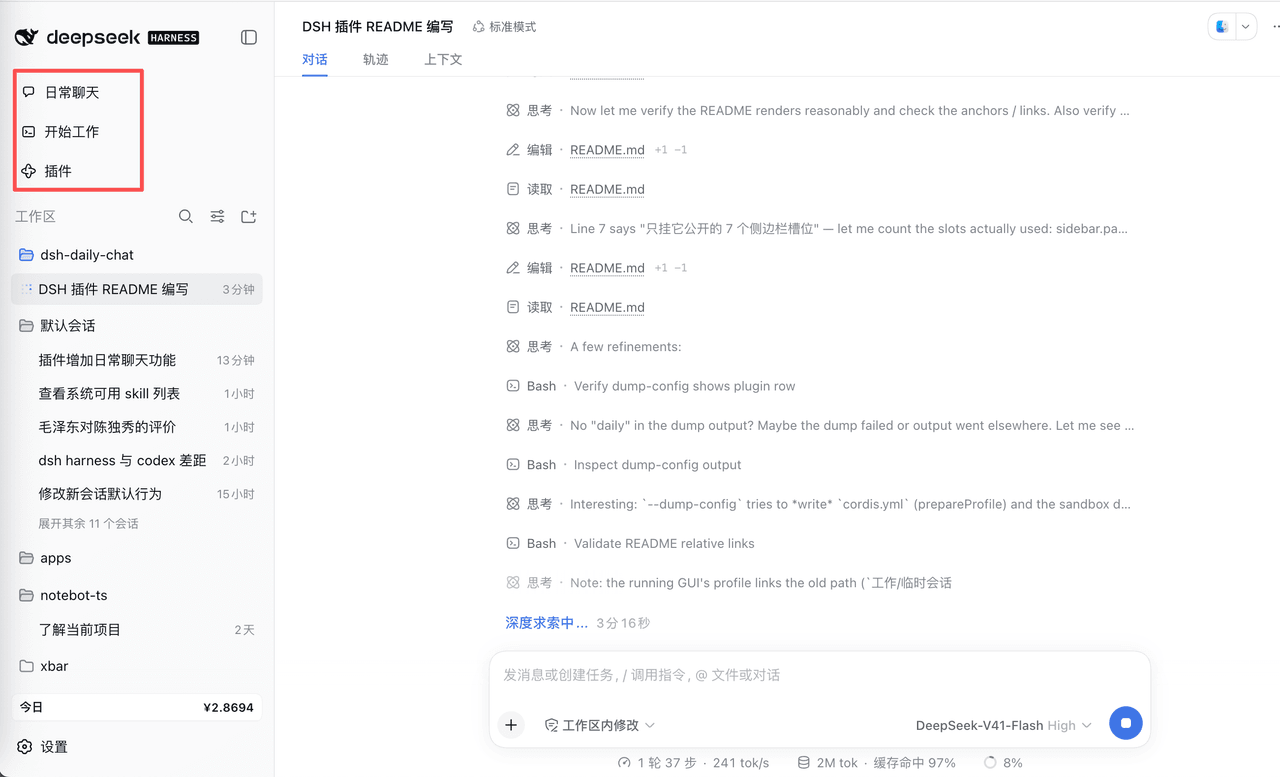 corlinniu/dsh-daily-chat
给DeepSeek Harness增加日常聊天功能
corlinniu/dsh-daily-chat
给DeepSeek Harness增加日常聊天功能
- MaimoryLab/dib DSH-in-Box: A DSH runtime and plugin packager
- Asukaleo-aa/dsh-openscience
-
 titanwings/distilly
Distilly — Distill how they think into reusable Skills for any Agent or Bot. Formerly Colleague Skill(原同事 Skill).
titanwings/distilly
Distilly — Distill how they think into reusable Skills for any Agent or Bot. Formerly Colleague Skill(原同事 Skill).
-
 YuJunZhiXue/dsh-purge
DeepSeek Harness 破甲:让所有模型都能破甲,不同模型可换不同提示词;默认提示词面向国模「小码酱」。Jailbreak for every model — swap prompts per model. 求 Star 收藏 ⭐
YuJunZhiXue/dsh-purge
DeepSeek Harness 破甲:让所有模型都能破甲,不同模型可换不同提示词;默认提示词面向国模「小码酱」。Jailbreak for every model — swap prompts per model. 求 Star 收藏 ⭐