shatyuka/dsh-llm-codebuddy
腾讯CodeBuddy DeepSeek Harness(dsh)插件。
项目介绍Project Overview
这是面向 DeepSeek Harness (dsh) 的腾讯 CodeBuddy 插件,通过浏览器登录即可使用,无需 API Key。核心能力是复用 CodeBuddy 自带的模型列表。在 Web UI 偏好指定 profile(如 web)安装后,于设置中完成登录即可。需注意登录依赖浏览器流程,终端命令仅辅助查看状态或登出。
A DeepSeek Harness (dsh) plugin for Tencent CodeBuddy that signs in via browser without an API key. Its core capability is exposing CodeBuddy's own model list inside dsh. Install it on a profile such as web, then sign in through Settings. Note that the host requires a browser-based login flow, and terminal commands only check status or log out.
请帮我了解并安装插件:【dsh-llm-codebuddy】【https://github.com/shatyuka/dsh-llm-codebuddy】把上面这条消息直接发给当前会话里的 DSH,让它帮你了解并安装。安装命令不一定准确,发给 DSH 更稳。Send this message to DSH in your current session. CLI install commands may not be accurate across systems — DSH will figure it out for you.
或使用命令行安装(适合开发者)Or use CLI install (for developers)
命令行安装CLI Install
npx @deepseek-ai/dsh plugin --profile web add @shatyuka/dsh-llm-codebuddy把 shatyuka/dsh-llm-codebuddy 加入你的 DSH 配置(web profile)即可启用。
READMEREADME
@shatyuka/dsh-llm-codebuddy
A DeepSeek Harness (dsh) plugin for Tencent CodeBuddy.
Sign in through your browser — no API key required — and use CodeBuddy's own model list.
Install
Add the plugin to a dsh profile — the web profile backs the Web UI:
npx @deepseek-ai/dsh plugin --profile web add @shatyuka/dsh-llm-codebuddy
Sign in
Open Settings → CodeBuddy in the Web UI and click Sign in. The browser login opens in a new tab; the harness writes the credential automatically. No terminal needed.
You can also sign in from the terminal:
npx dsh-codebuddy-login              # sign in
npx dsh-codebuddy-login --status     # who is signed in, plus the model list
npx dsh-codebuddy-login --logout     # remove the stored credential
Once signed in, CodeBuddy's models appear in the model picker.
Build
From a source checkout:
pnpm install
pnpm run build
This compiles the host half with tsc and bundles the Web client half with esbuild, both into lib/.
License
MIT
相关推荐Related
-
 csyangwen/dsh-memory-evolve
为 DeepSeek Harness 带来「跨会话长期记忆 + 后台自我进化」能力的纯插件实现:五轨记忆 · git 分支感知 · 回合内自我审查 · 技能自我进化与技能管理器 · 四轨待办 · COI 调度 · 会话广播 · 会话搜索 ·…
csyangwen/dsh-memory-evolve
为 DeepSeek Harness 带来「跨会话长期记忆 + 后台自我进化」能力的纯插件实现:五轨记忆 · git 分支感知 · 回合内自我审查 · 技能自我进化与技能管理器 · 四轨待办 · COI 调度 · 会话广播 · 会话搜索 ·…
-
 Nagi-ovo/dsh-find-plugins
帮 DSH 搜索、安装并验证插件的 Skill|A DSH skill that finds, installs, and verifies GitHub plugins
Nagi-ovo/dsh-find-plugins
帮 DSH 搜索、安装并验证插件的 Skill|A DSH skill that finds, installs, and verifies GitHub plugins
-
 yyyyukari/dsh-plugin-workshop
Steam Workshop-style plugin browser for the DeepSeek Harness (DSH) Web UI - zero-server: GitHub-powered search, trending…
yyyyukari/dsh-plugin-workshop
Steam Workshop-style plugin browser for the DeepSeek Harness (DSH) Web UI - zero-server: GitHub-powered search, trending…
-
 huey1in/reef
DSH 插件全家桶:浏览器自动化 + MCP Server + GitHub/GitLab 自动评审 + 原生嵌入面板 | One install, five modules for DeepSeek Harness: browser au…
huey1in/reef
DSH 插件全家桶:浏览器自动化 + MCP Server + GitHub/GitLab 自动评审 + 原生嵌入面板 | One install, five modules for DeepSeek Harness: browser au…
-
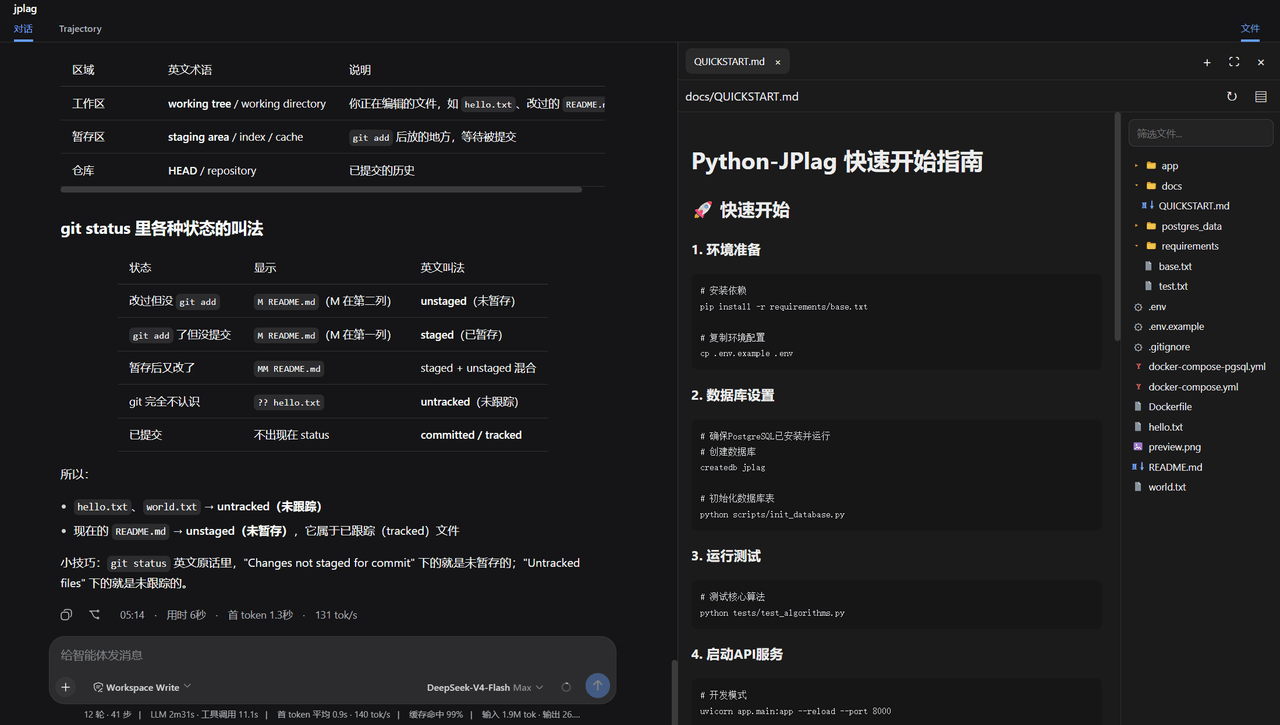 ccq1/dsh-side-panel
DSH 侧边栏,集成文件浏览器、终端和 Git 审查,方便预览文件。
ccq1/dsh-side-panel
DSH 侧边栏,集成文件浏览器、终端和 Git 审查,方便预览文件。
-
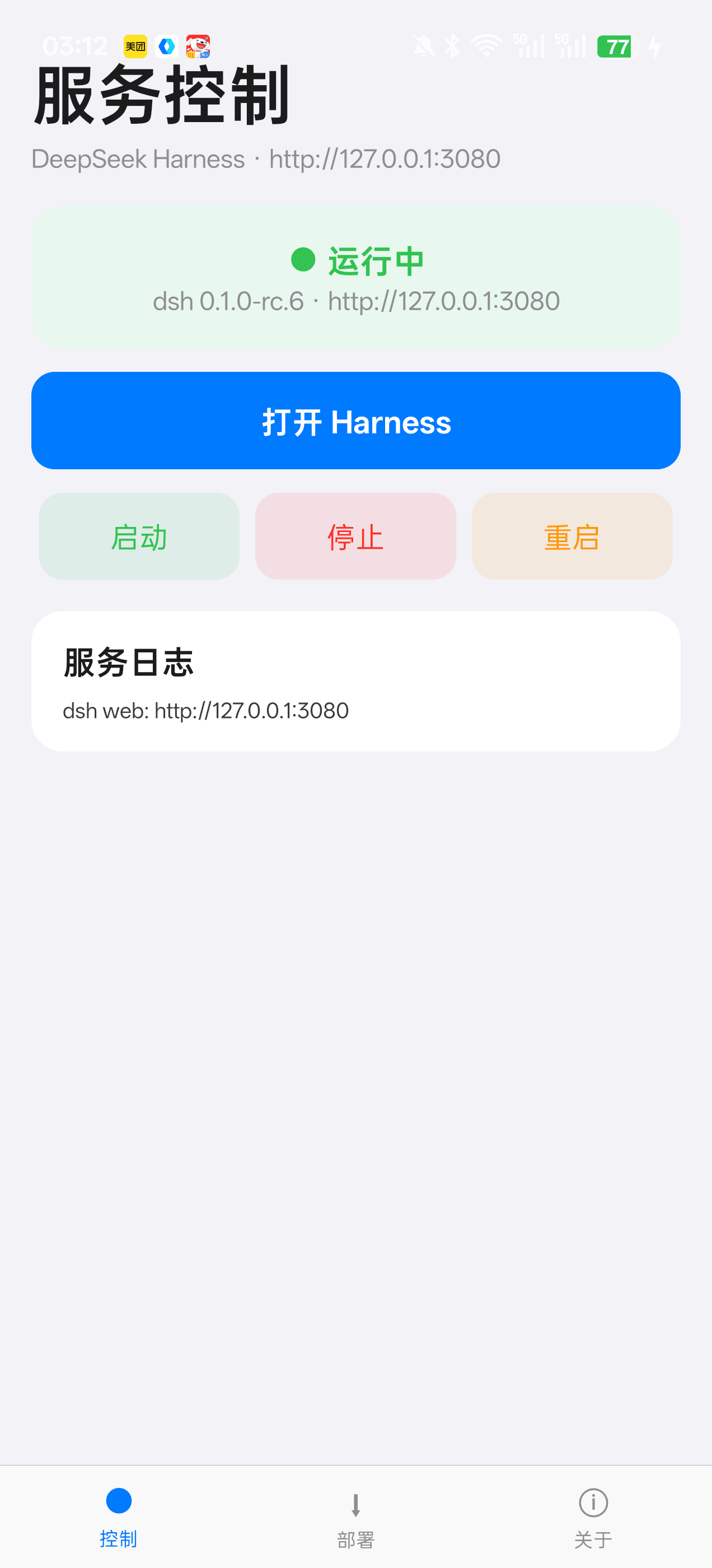 Jensen-Yao/deepseek-harness-android-app
DeepSeek Harness 安卓通用控制端:Termux 引导、一键部署、内置浏览器与存储管理(dsh-plugin 生态)
Jensen-Yao/deepseek-harness-android-app
DeepSeek Harness 安卓通用控制端:Termux 引导、一键部署、内置浏览器与存储管理(dsh-plugin 生态)
-
 PerryLink/dsh-composer-history
Terminal-style input history for the DeepSeek Harness web composer: edge-first arrows with exact draft/caret restore, br…
PerryLink/dsh-composer-history
Terminal-style input history for the DeepSeek Harness web composer: edge-first arrows with exact draft/caret restore, br…
-
 beancookie/dsh-plugin-anydoc
DSH 插件:基于 @firecrawl/anydoc 将 Word、PPT、Excel、PDF、EPUB、CSV 等文档转换为 GitHub-Flavored Markdown
beancookie/dsh-plugin-anydoc
DSH 插件:基于 @firecrawl/anydoc 将 Word、PPT、Excel、PDF、EPUB、CSV 等文档转换为 GitHub-Flavored Markdown