shimingming520/dsh-audiogen
AI audio generation plugin for the DeepSeek Harness web GUI: multi-vendor TTS, music, sound effects and voice design with a sidebar panel, model comparison, resource library and Agent tools.
Project Overview项目介绍
This is an AI audio generation plugin for DeepSeek Harness (DSH). It supports text-to-speech, music, sound effects, and voice design from multiple vendors, accessible via sidebar or Agent, with a local resource library. It requires Node.js ≥ 20 and consumes API quota from upstream vendors.
这是DeepSeek Harness(DSH)的AI音频生成插件,支持文字转语音、音乐、音效、音色设计四类生成,接入多供应商AI服务,可从侧边栏或Agent调用,自带本地资源库与Agent工具。需要Node≥20,消耗上游供应商API额度。
请帮我了解并安装插件:【dsh-audiogen】【https://github.com/shimingming520/dsh-audiogen】Send this message to DSH in your current session. CLI install commands may not be accurate across systems — DSH will figure it out for you.把上面这条消息直接发给当前会话里的 DSH,让它帮你了解并安装。安装命令不一定准确,发给 DSH 更稳。
Or use CLI install (for developers)或使用命令行安装(适合开发者)
CLI Install命令行安装
dsh plugin --profile web add dsh-audiogen把 shimingming520/dsh-audiogen 加入你的 DSH 配置(web profile)即可启用。
READMEREADME
🎧 dsh-audiogen
AI audio generation for DeepSeek Harness (DSH) — turn your DSH web GUI into an audio studio: text-to-speech, music, sound effects and voice design, from the sidebar panel or straight from the Agent.




✨ Features
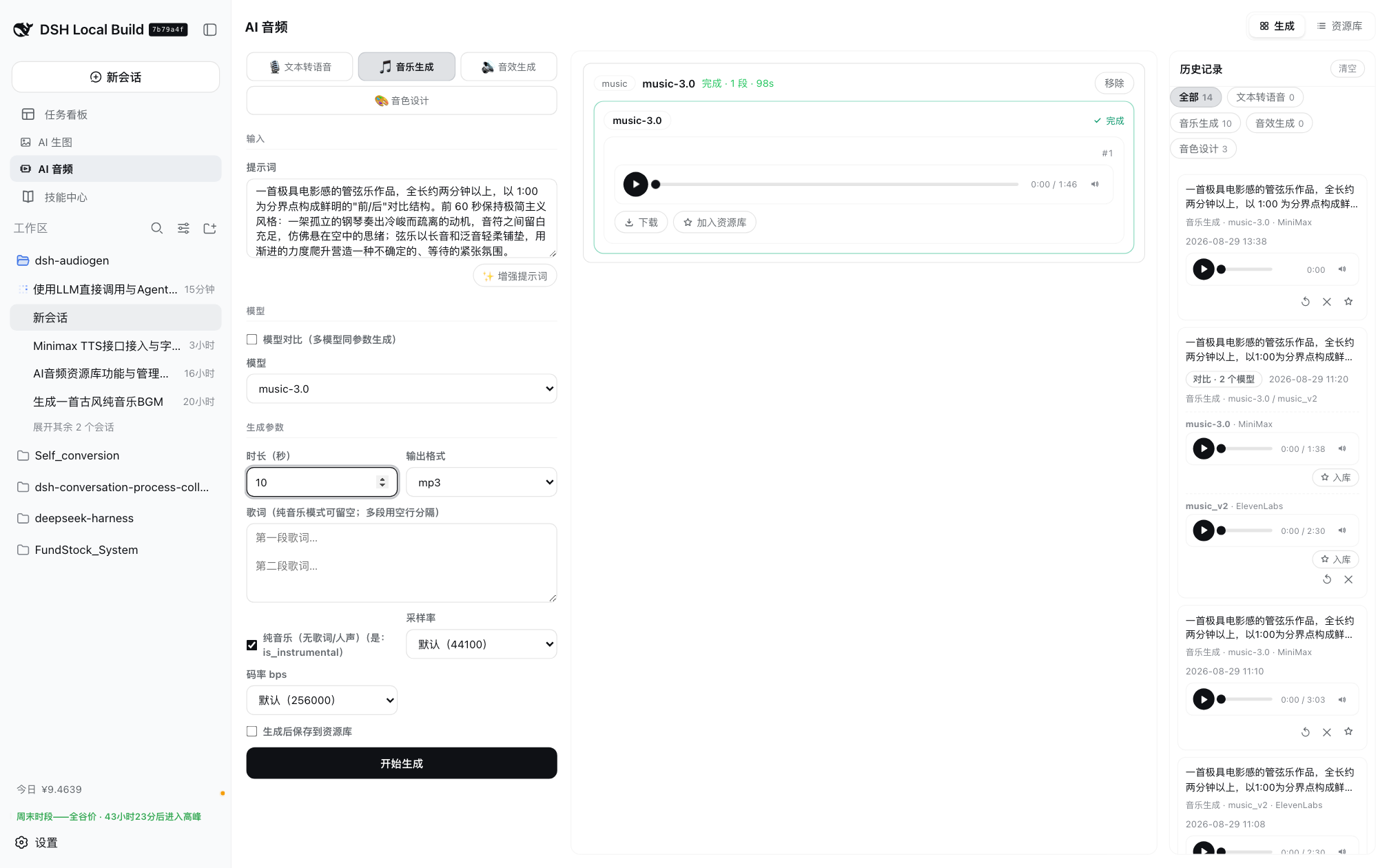
- Four generation modes: text-to-speech, music, sound effects, and voice design
- Multi-vendor channels in one place: OpenAI-compatible TTS, MiniMax, ElevenLabs, Stability AI, or any custom OpenAI-compatible / generic POST endpoint
- Per-channel model & voice catalogs with one-click discovery, display aliases, capability categories, and per-model advanced fields (duration, seed, steps, cfg_scale, loop, prompt influence, and ElevenLabs SFX output format split into format/sample rate/bitrate, combined host-side into the single
output_format, …) - Model comparison: run the same prompt across 2–4 models at once with per-model parameter overrides — results are grouped side by side
- Prompt enhancement: rewrite a rough idea into a ready-to-generate description with an LLM (pick any model from Settings → Models; falls back to the agent default model)
- History with one-click restore: prompt, config, model set and the original audio come back into the panel — no regeneration, no extra cost
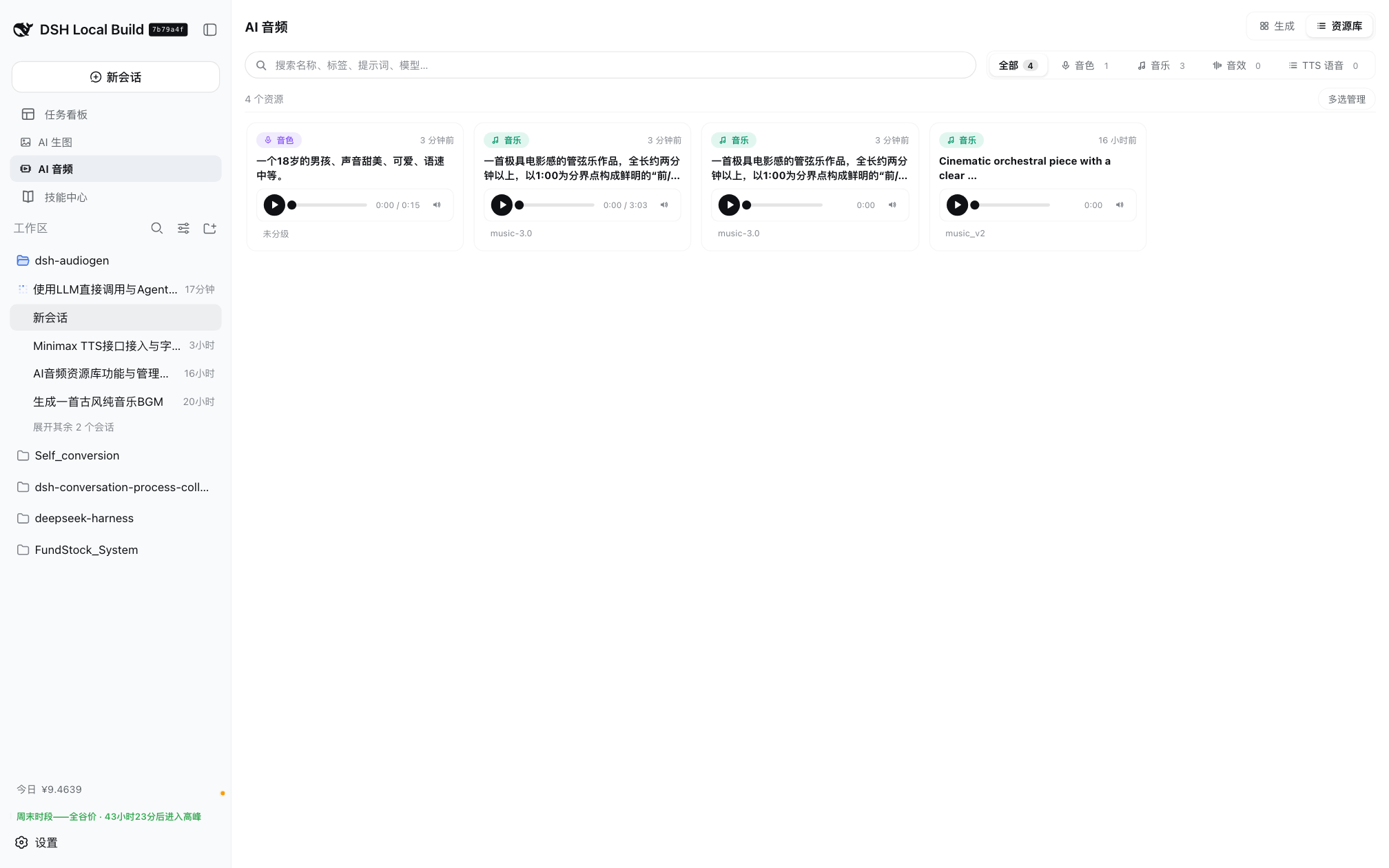
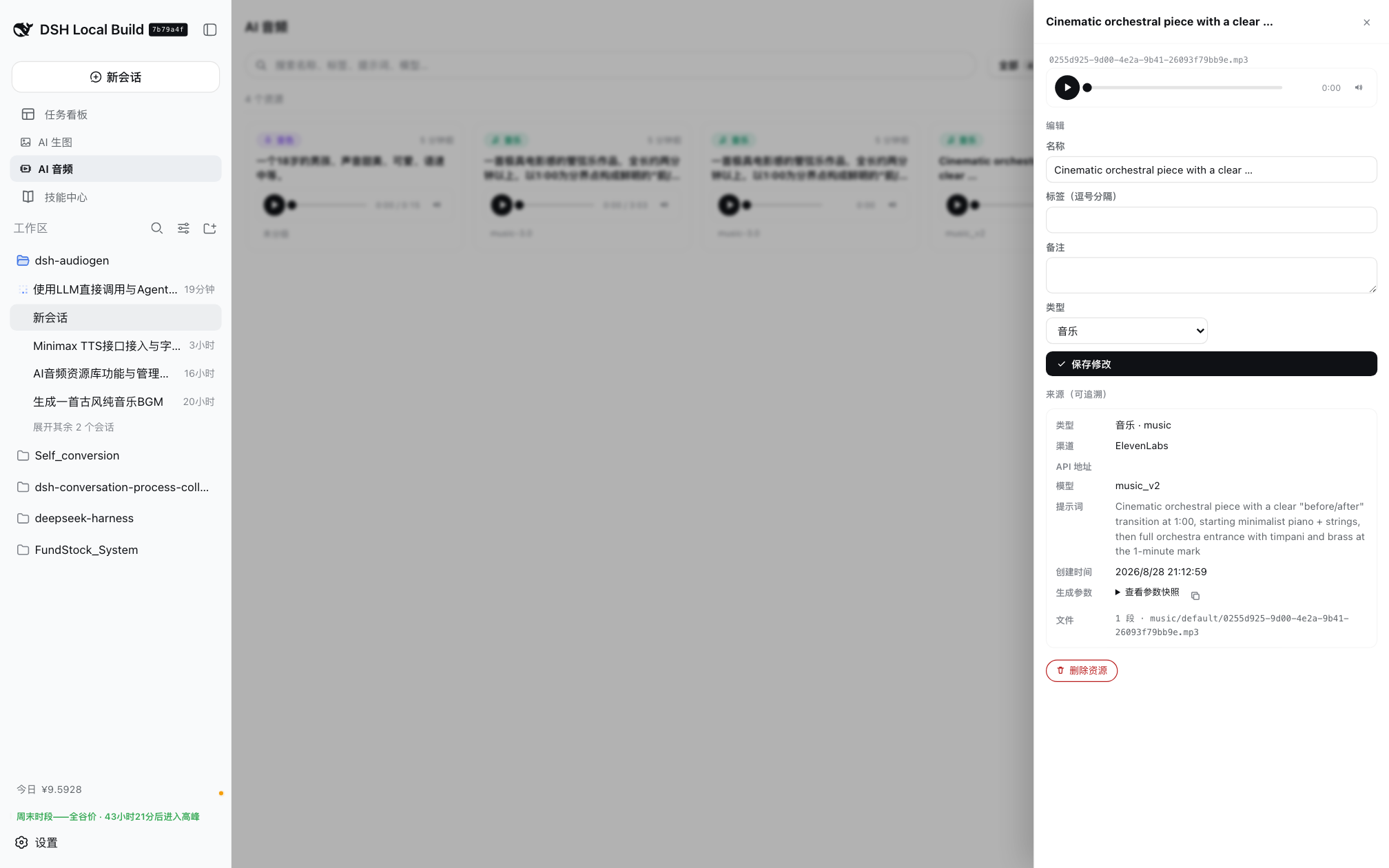
- Resource library: auto-save generated audio (or opt in per run), organized by type — voices / music / SFX / TTS — with search, tags, rename, category moves, and full provenance (channel, model, voice id, prompt, params snapshot). Reuse a voice or music bed instead of regenerating
- Agent tools:
generate_audioandsearch_audio_library,manage_audio_voices(vendor voice browsing/deletion + prompt-based voice recommendation + role voice casting), plus bundled session skills — the Agent can generate and find audio on demand - Role voice casting: assign a primary voice (+ backups) to each character of a novel/game —
manage_audio_voicesaction=casttakes character profiles (JSON array/object or a text description structured first) and applies deterministic hard filters (gender/age/use_case strict; accent is a preference relaxed only when the strict pool is empty) per character; the Agent picks voices globally (no primary reuse across lead/major roles) andaction=save_castvalidates membership, auto-fills backups, flags reuse and persists the plan to~/.dsh/dsh-audiogen/cast-selections.json; then TTS with the chosenvoice_id(or design a custom voice first viagenerate_audio(mode=voice_design)) - Panel voice management: a «音色» entry in the studio's left mode row (next to TTS/music/SFX/voice-design) — browse/filter vendor voices (language/keyword/source + official ElevenLabs shared-voice filters), ask the agent default model to recommend voices for a natural-language requirement (e.g. «清亮甜美的少女音»), preview, delete account-owned voices (confirmed) and backfill the chosen
voice_idinto the TTS form; every AI recommendation is recorded automatically (last 50, shared by panel and Agent) so you can revisit requirements/channels/reasons and reuse a voice later - Keys stay local: API keys live in the local DSH settings document and generation is proxied by the local host; the browser and the Agent never touch plaintext credentials
📸 Screenshots
| Generation panel | Resource library |
|---|---|
|
 |
| Library — full provenance drawer | Channels settings |
|---|---|
 |
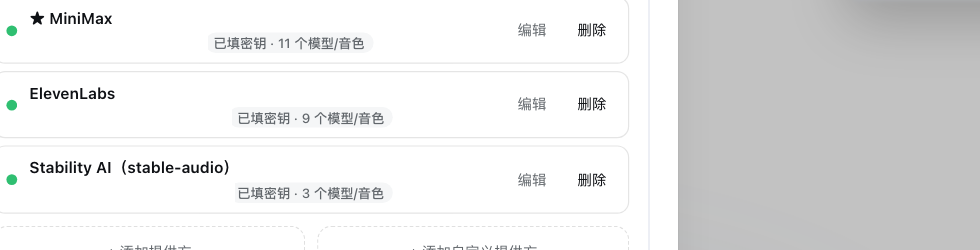 |
| Channel editor (model catalog & auto capabilities) | LLM models (Settings → Models) |
|---|---|
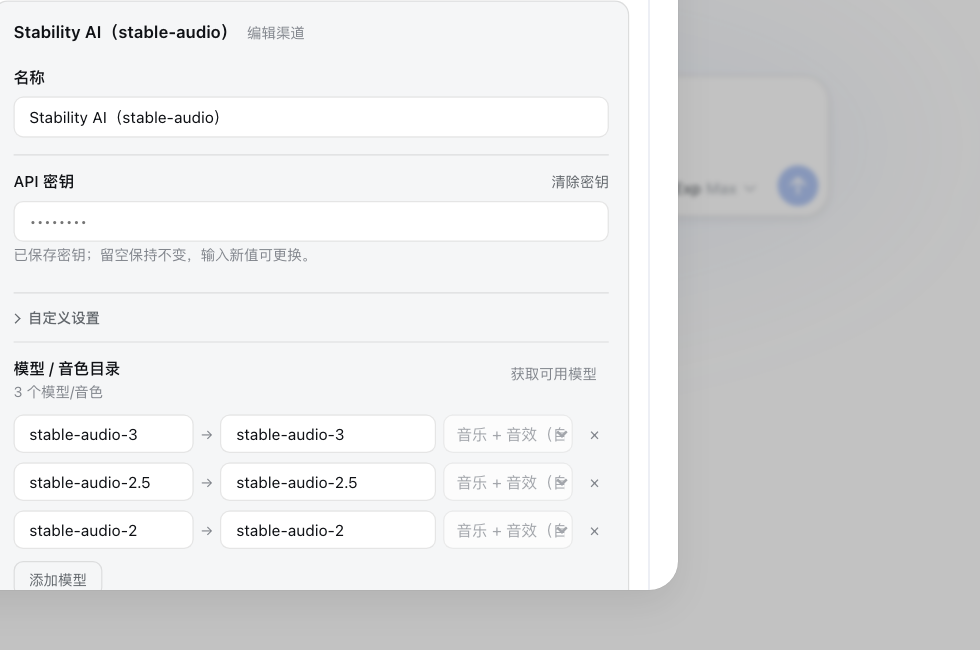 |
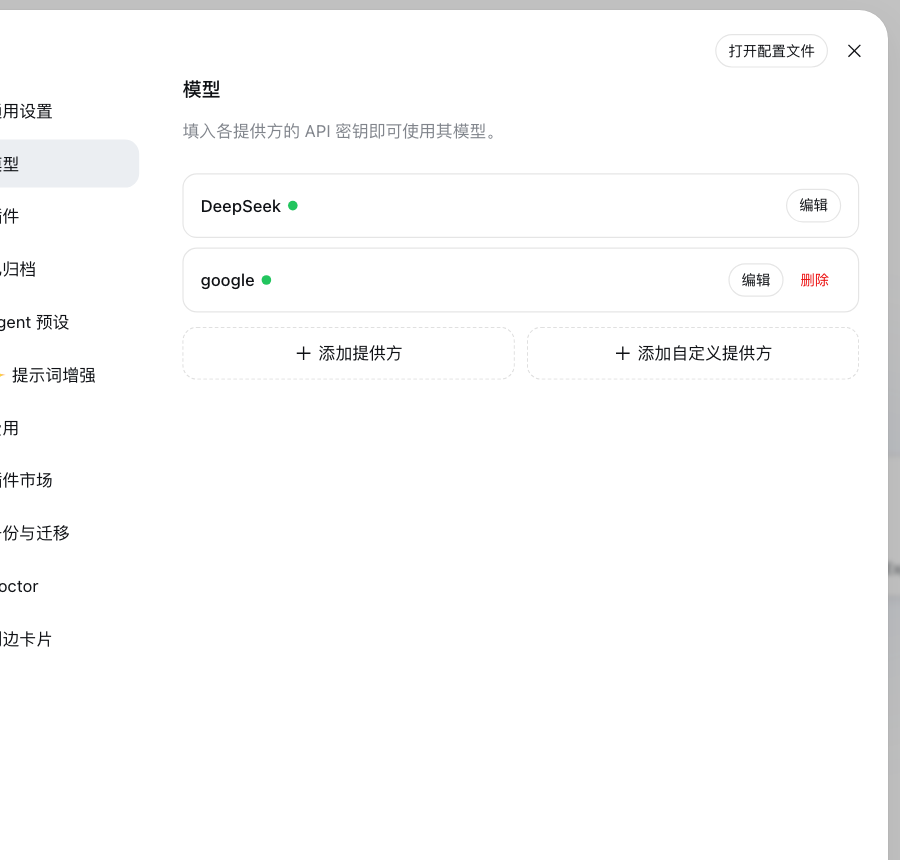 |
📦 Installation
The plugin is published on npm. DSH host (Node ≥ 20) required.
dsh plugin --profile web add dsh-audiogen
Local development install:
dsh plugin --profile web add /path/to/dsh-audiogen
Restart dsh web after install — the sidebar will show the AI Audio entry.
🚀 Quick start
- Open Settings → Plugins → AI Audio
- Add a channel: pick a preset provider (+ Add provider) or a custom endpoint (+ Add custom provider)
- Fill in the API URL, API key, and the model/voice catalog (use Fetch available models to import them)
- Save, then open the AI Audio sidebar panel:
- choose a mode (Speech / Music / Sound effects / Voice design)
- type your text or prompt (optional: ✨ Enhance prompt)
- pick a model — or tick Model comparison for 2–4 models at once
- press Start generation and play the results, download them, or add them to the resource library
🎛 Modes supported by each vendor
| Mode | MiniMax | ElevenLabs | Stability AI | OpenAI-compatible / custom |
|---|---|---|---|---|
| TTS | ✅ (8 voices) | ✅ (voices + streams) | — | ✅ |
| Music | ✅ (music-3.0 / music-2.6 / music-cover) |
✅ (music_v2) |
✅ (stable-audio-*) |
✅ (generic POST) |
| Sound effects | — | ✅ (eleven_text_to_sound_v2, loop / prompt influence / output format as codec+sample rate+bitrate → output_format) |
✅ (stable-audio-* — same text-to-audio protocol; auto-detected in both Music and SFX) |
✅ (generic POST) |
| Voice design | ✅ (/v1/voice_design) |
✅ (/v1/text-to-voice/design) |
— | — |
🤖 Agent usage
| Tool | Purpose |
|---|---|
generate_audio |
Submit a TTS / music / SFX / voice-design task; waits for completion and returns same-origin audio URLs. Optional enhance_prompt, save_to_library, per-vendor params. |
manage_audio_voices |
Browse/filter the vendor voice libraries (MiniMax, ElevenLabs) with language/keyword/source filters; recommend top-k voices for a natural-language requirement (action=recommend, uses the agent default model, ids validated against the pool); role casting (action=cast prepares per-character filtered candidate pools from character profiles; action=save_cast validates + persists the plan); delete account-owned voices (official/shared/system voices are read-only and refused). Then use the returned voice_id with generate_audio (mode=tts). |
search_audio_library |
Search the local resource library (type / category / keyword) and reuse an existing voice, music bed or effect. |
Typical session commands (skills bundled with the plugin):
/audio:tts      Read this sentence with a warm voice
/audio:music    Generate a 30-second lo-fi background track
/audio:sfx      Create a sci-fi UI cue
/audio:design   Craft a warm retro synth voice
🔐 Security & data notes
- API keys are stored in the local DSH settings document; requests are proxied by the local host (
/api/dsh-audiogen/*, loopback-only routes) - Generation consumes your upstream provider quota; audio content is produced by the upstream model
- History & library persist under
~/.dsh/dsh-audiogen/ - Prompt enhancement calls the LLM model you choose (default: agent default model) — no extra API key
🛠 Development
pnpm install
pnpm run typecheck
pnpm run build      # outputs lib/ (host + client bundles)
📄 License
Related相关推荐
-
 liustack/modlens
The first vision plugin for DeepSeek Harness, and the vision bridge for every text-only coding agent. Paste an image, ge…
liustack/modlens
The first vision plugin for DeepSeek Harness, and the vision bridge for every text-only coding agent. Paste an image, ge…
-
 Lum1104/dsh-browser
Chrome sidebar extension that lets DeepSeek Harness operate your browser directly, no vision capabilities required. 一款 C…
Lum1104/dsh-browser
Chrome sidebar extension that lets DeepSeek Harness operate your browser directly, no vision capabilities required. 一款 C…
-
 elysia395/dsh-wallpaper-engine
把本机 Wallpaper Engine 的壁纸变成 DSH 网页界面的背景:Video 动态播放、Web 以 iframe 加载、Scene 壁纸提取主纹理作为静态帧;iOS 液态玻璃设置窗口(配色 / 玻璃颜色 / 透明度)、内容分级与…
elysia395/dsh-wallpaper-engine
把本机 Wallpaper Engine 的壁纸变成 DSH 网页界面的背景:Video 动态播放、Web 以 iframe 加载、Scene 壁纸提取主纹理作为静态帧;iOS 液态玻璃设置窗口(配色 / 玻璃颜色 / 透明度)、内容分级与…
-
 starsstreaming/beautiCode
面向 AI 编程客户端的动态、可响应环境——视频背景、氛围场景与主题,适用于 DeepSeek Harness 与 Codex Desktop。
starsstreaming/beautiCode
面向 AI 编程客户端的动态、可响应环境——视频背景、氛围场景与主题,适用于 DeepSeek Harness 与 Codex Desktop。
-
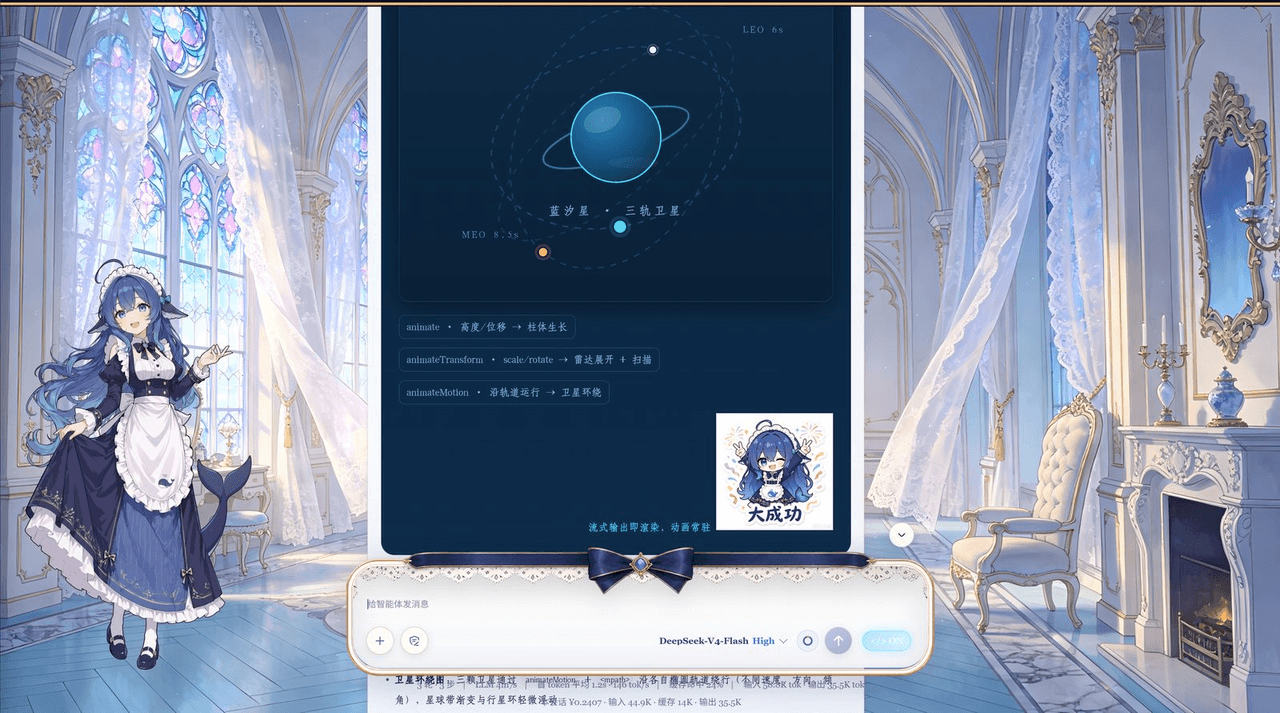 plolpl789/dsh-raw-html
VCP visual-synesthesia protocol plugin for DeepSeek Harness: render agent HTML output as real UI (cards / KaTeX math / M…
plolpl789/dsh-raw-html
VCP visual-synesthesia protocol plugin for DeepSeek Harness: render agent HTML output as real UI (cards / KaTeX math / M…
-
 Tkingxiao/dsh-any-background
Deepseek Harness 自定义主题插件,支持自定义图片/视频壁纸,对话框,侧边栏等透明度模糊度调整,全局主题色的色轮调整插件
Tkingxiao/dsh-any-background
Deepseek Harness 自定义主题插件,支持自定义图片/视频壁纸,对话框,侧边栏等透明度模糊度调整,全局主题色的色轮调整插件
-
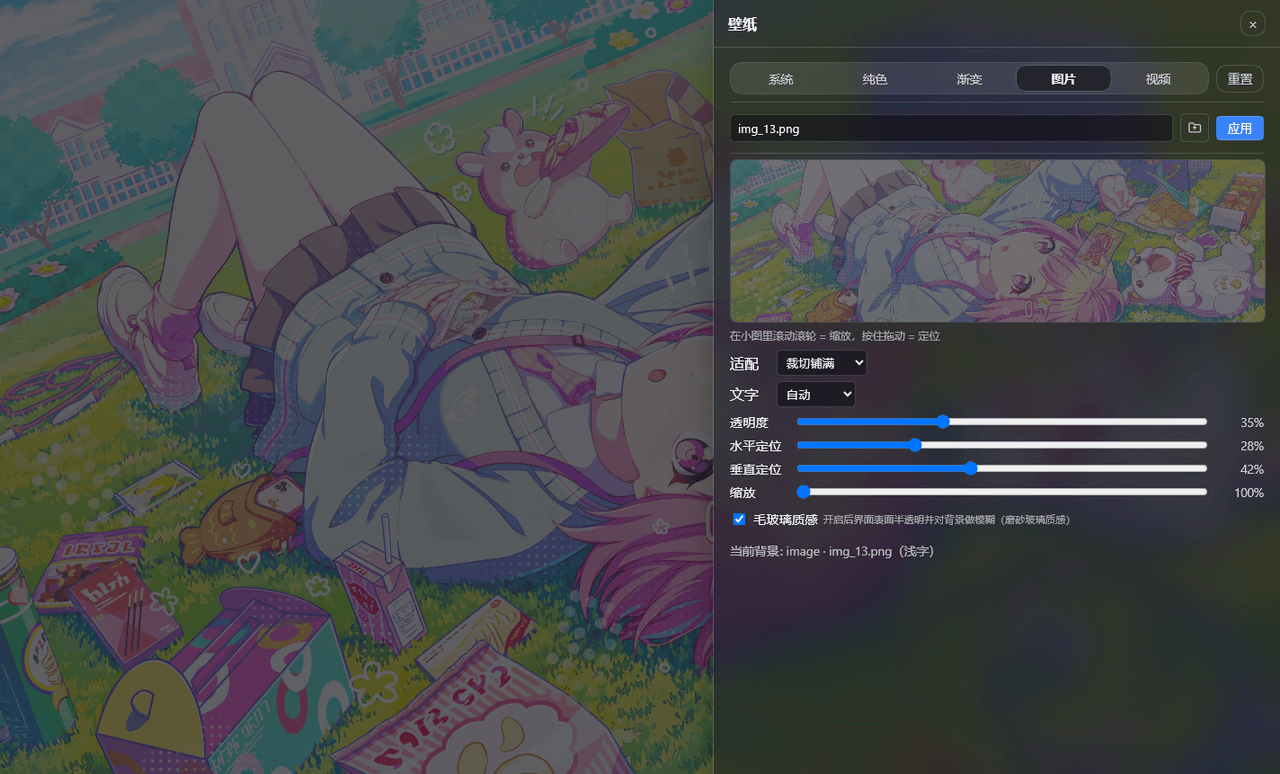 sz1698/dsh-bg-new
DSH 网页界面换背景:侧栏「壁纸」按钮弹出右侧抽屉,支持系统预设/纯色/渐变/图片/视频,滚轮+拖动小图同时管缩放与定位,毛玻璃质感,本地媒体伺服不走云端。DSH web background & wallpaper plugin wit…
sz1698/dsh-bg-new
DSH 网页界面换背景:侧栏「壁纸」按钮弹出右侧抽屉,支持系统预设/纯色/渐变/图片/视频,滚轮+拖动小图同时管缩放与定位,毛玻璃质感,本地媒体伺服不走云端。DSH web background & wallpaper plugin wit…
-
 TQSY114514/dsh-ui-appearance
Appearance customization plugin for DeepSeek Harness: theme color palette, background image, opacity/blur, glass effect
TQSY114514/dsh-ui-appearance
Appearance customization plugin for DeepSeek Harness: theme color palette, background image, opacity/blur, glass effect