shuiqian520/dsh-session-delete
DSH plugin: permanently delete a session from the sidebar menu, and retry a user message or an assistant reply.
Project Overview项目介绍
dsh-session-delete is a native Cordis bundle built specifically for DeepSeek Harness (DSH). It adds a "Delete this session" entry to the per-row "…" menu in the sidebar and injects a "Retry" icon to the right of the Copy button on both user messages and AI replies. Deletion is genuine: the plugin removes the on-disk session log directory, detaches workspace ownership, drops the host-side in-memory Session/Agent instances, and clears the client list row, also re-emitting the official api-session/removed event so cold sessions disappear from the sidebar without a restart.
Typical workflow targets DSH power users and admins who need to purge dead conversations, fix ghost rows left after manual log cleanup, and add a missing native retry affordance. A workspace-scoped "批量删除" link (red label beside the "工作区" header) enters a checkbox mode capped at 200 selections per batch, with running sessions disabled; /api/session-delete/sweep performs a one-shot cleanup of rows whose artifact directory is already gone. The Retry button resubmits the nearest preceding user input for an AI reply, or resubmits the message itself, text-only, with attachments excluded. A small read-only GET listing plus a POST /api/session-delete/delete-many host route support scripts and tooling.
Dependencies are intentionally minimal: no @deepseek-ai/dsh-* peerDependencies are declared, so any DSH build accepts the bundle; Node ≥ 22 is required only for node --test test/smoke.mjs (25 smoke cases). The host half exports an empty inject and soft-resolves webServer, sessionQuery, workspaceRegistry, and agents inside apply, so missing services simply skip route registration instead of stalling web boot. Default trashMode: purge is irreversible; set trashMode: recycle to prefer the OS recycle bin with a quarantine fallback at ~/.dsh/trash/session-delete. Installation uses install_bundle against an absolute path, an npm pack tarball, or a junction symlink during development; the plugin is MIT-licensed and can be shipped via npm publish --access public or dsh plugin add github:<user>/<repo>#<commit>.
dsh-session-delete 是面向 DeepSeek Harness(DSH)的原生 Cordis 插件,在侧栏会话行的「…」菜单中加入「删除此会话」入口,并在用户消息与 AI 回复的复制按钮右侧注入「重试」按钮。删除会同时清除会话日志目录、工作区归属、宿主内存实例与客户端列表行,不留幽灵行;冷热会话都补发官方 api-session/removed 事件。安装支持 install_bundle 指向绝对路径、npm pack 产物包以及开发用 junction,profile 启用 HMR 即生效。
典型用法:用户在工作区里点「批量删除」进入勾选模式(单次最多 200 个,运行中会话禁用),或对单条会话走红色确认弹窗永久删除;对老旧空壳行可调用 /api/session-delete/sweep 一次性清扫。重试按钮对 AI 回复取最近一条用户输入重发,对用户消息则重发该输入本身,纯文本有效,附件不重发。该插件面向需要彻底清理会话、修复列表幽灵行,以及补齐 DSH 原生缺失「重试」入口的 DSH 用户与管理员。
环境要求 DSH 0.2.x、Web/Desktop 均可,Node ≥ 22 仅用于开发测试,不声明任何 @deepseek-ai/dsh-* peer。host 导出空 inject、服务用软注入,缺失即不注册路由,不会拖垮 web boot。默认 trashMode: purge 不可恢复,可设 recycle 走系统回收站或插件回收区降级;许可 MIT,可 npm publish 上架或经 install_bundle / dsh plugin add github:... 分发。
请帮我安装这个 DSH 插件。安装前先完成【兼容性检查 + 安全性检查】,检查通过再动手。

插件:dsh-session-delete(shuiqian520/dsh-session-delete)
仓库:https://github.com/shuiqian520/dsh-session-delete
本站详情页:https://www.yhbd.top/plugins/shuiqian520-dsh-session-delete/
本站登记:类型 plugin · 归类 原生 DSH 插件 · 许可证 MIT · ⭐ 3 · 最近提交 2026-10-03 · 主语言 JavaScript

按下面顺序执行,每步先把结论告诉我,再进入下一步:

【1 兼容性检查】
① 我这边:DSH 版本、Node 版本、操作系统、当前 profile(web / desktop)。
② 读它的 README、package.json、插件 manifest,列出它要求的 DSH 版本 / Node 版本 / 操作系统 / 外部依赖 / 需要另外先装的运行时。
③ 逐条比对,结论只写「满足 / 不满足 / 未知」三种;不满足的给出可行替代方案。
④ 检查是否和我已装的插件冲突:命令名重复、skill / tool 重名、端口占用、重复注册的 MCP server。

【2 安全性检查】
① 仓库可信度:和上面「本站登记」是否一致;star / fork 数、创建时间、最近提交,是否归档或长期停更。
② 安装脚本:逐行看 package.json 的 preinstall / install / postinstall,以及 install.sh、setup.ps1 之类脚本。出现 curl|bash、下载后直接执行、混淆代码、访问与插件功能无关的域名,立刻停下来告诉我,不要继续装。
③ 依赖:列出新增依赖,标出无人维护、或与知名包拼写近似的可疑包(typosquatting)。
④ 权限与副作用:它会读写哪些目录、访问哪些域名、需要哪些 DSH 权限(filesystem / network / shell / clipboard 等),以及怎么卸载和回滚。
⑤ 如果它要求 sudo / 管理员权限,或权限明显超出功能所需,先停下来问我。

【3 安装】
上面两步没有「不满足」和「高危项」时才执行;用官方推荐方式安装,不要自行提权。

【4 汇报】
用表格输出:检查项 / 结论 / 依据 / 是否需要我决策。拿不准的一律写「未知」并说明要我怎么确认——不要猜,也不要替我决定。
Send this message to DSH in your current session: it verifies compatibility and security first (answering met / not met / unknown item by item) and only installs once everything checks out — it will stop and ask you if it finds a high-risk item. The box scrolls; the copy is the full prompt. CLI install commands may not be accurate across systems, so DSH is the safer route.把上面这条消息直接发给当前会话里的 DSH:它会先核对兼容性与安全性(逐条给「满足 / 不满足 / 未知」),确认没问题再安装,有高危项会停下来问你。框内可滚动,复制到的是完整提示词;安装命令不一定准确,发给 DSH 更稳。
- Only 3 stars - very few users, little community feedback星标只有 3,几乎没人在用,遇到问题缺少社区反馈
DSH walks through these 9 checksDSH 会逐条核对这 9 项
Compatibility兼容性
- DSH, Node, OS and profile requirementsDSH 版本 / Node 版本 / 操作系统 / profile 是否满足要求
- External dependencies and runtimes (Electron / Python / Docker, ...)外部依赖与运行时(Electron / Python / Docker 等)是否齐备
- Conflicts with installed plugins: command names, skill / tool names, ports, duplicate MCP registration与已装插件是否冲突:命令名、skill / tool 重名、端口占用、重复 MCP 注册
Security安全性
- Repo matches the facts registered here; archived or abandoned?仓库是否与页面登记一致,是否归档或长期停更
- Safety of preinstall / install / postinstall and install.sh / setup.ps1preinstall / install / postinstall 与 install.sh、setup.ps1 是否安全
- curl|bash, download-then-execute, obfuscation, unrelated domains → stop immediatelycurl|bash、下载即执行、混淆代码、无关域名 → 立刻停止
- Typosquatting or unmaintained packages among the new dependencies新增依赖里有没有 typosquatting 或无人维护的包
- Requested permissions vs. what the feature actually needs申请了哪些权限、是否超出功能所需(filesystem / network / shell / clipboard)
- Any sudo / admin requirement, plus uninstall and rollback是否要求 sudo / 管理员权限,以及卸载与回滚方式
Anything uncertain must be marked unknown with a note on how to confirm it. This site's signal screen is a static snapshot, not a security audit.拿不准的必须标「未知」并说明要我怎么确认。本站的信号筛查是静态快照,不能替代安全审计。
Or use CLI install (for developers)或使用命令行安装(适合开发者)
CLI Install命令行安装
dsh plugin --profile web add github:shuiqian520/dsh-session-delete把 shuiqian520/dsh-session-delete 加入你的 DSH 配置(web profile)即可启用。
READMEREADME
dsh-session-delete
English · 中文
DeepSeek Harness(DSH)插件:在侧栏会话行的「…」菜单里永久删除会话,并在用户消息与 AI 回复的复制按钮右侧加「重试」。
侧栏会话行「…」                用户消息 / AI 回复
  ├ 置顶                        [时间] [复制] [重试] [反馈] [分叉]
  ├ 重命名                            └── 本插件(复制按钮右侧)
  ├ 分叉
  ├ 归档
  └ 删除此会话  ← 本插件
- 删除是真正的删除:会话日志目录、工作区归属、宿主内存实例、客户端列表行, 四处一起清,不留幽灵行、不进「未分组」、不需要重启。
- 重试是把这条输入重新提交一次:AI 回复重试 = 重发它之前那条用户输入;用户消息重试 = 重发这条输入本身。DSH 的事件日志是 append-only,所以旧回复会留在上方,新回复追加在 下方(这不是替换式重生成,详见重试语义)。
界面
| 会话行「…」菜单 | 永久删除确认 |
|---|---|
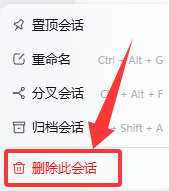 |
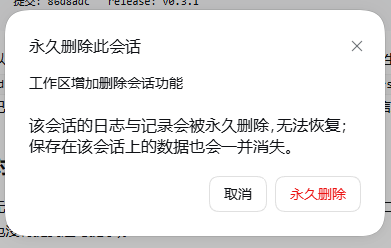 |
截图同时通过 screenshots.json 提供给插件市场详情页;换图只要替换
assets/ 里的文件(想调顺序或增删就改 screenshots.json,最多 8 张)。
环境要求
| 项 | 要求 |
|---|---|
| DSH | 0.2.x(Web UI / Desktop 均可;插件只依赖公开的 Host 服务与 Client 插槽) |
| Node | ≥ 22(仅开发/测试需要) |
| 依赖 | 无。不声明任何 @deepseek-ai/dsh-* peerDependencies |
安装
方式 A:插件管理器(推荐)
把本目录放到工作区(克隆仓库或解压产物包),让 DSH 执行一次
plugin_manager → install_bundle,target 为本目录的绝对路径:
install_bundle target: <本目录绝对路径>
它会把包装进当前 profile、把本插件自带的 cordis.patch.yml
(- insert: id: session-delete)注进 profile 根,并把 dsh-session-delete 加进
dsh.profile.bundles。启用 HMR 的 profile 当场生效;否则重启一次 DSH。
方式 B:从产物包安装(.tgz)
npm pack # 产出 dsh-session-delete-<版本>.tgz
把 .tgz 发给对方,解压后用方式 A 安装,或由 DSH 的插件页选择该文件。
方式 C:开发用 junction(改代码即生效)
$profile = "$env:USERPROFILE\.dsh\profiles\desktop"
New-Item -ItemType Junction -Path "$profile\node_modules\dsh-session-delete" -Target "<本目录绝对路径>"
# profile 的 package.json:dependencies 追加 "dsh-session-delete": "file:<本目录绝对路径>"
#                       dsh.profile.bundles 追加 "dsh-session-delete"
# 重启 DSH
host 半区的改动要重启 DSH 生效;client 半区(浏览器产物)改动要重启 + 刷新页面。
卸载
插件页停用/移除该组合包,重启即可;手动安装的删掉 junction、依赖行与 bundles 条目。 本插件不写任何持久状态(只读会话日志、删除时直接动产物目录),卸载后不留残余。
使用
删除会话
会话行右侧「…」→「删除此会话」→ 确认弹窗(红色确认按钮,文案说明不可恢复)。
- 只有非运行中的会话可删;运行中的菜单项置灰并标注原因,服务端也会二次拒绝。
- 产物已不存在的会话不再拒绝:走「清理列表」(
mode: ghost),把残留行彻底清掉。 - 失败/半成功都有顶部轻提示说明(约 3.2s 消失)。
批量删除会话(「工作区」标题右边的红字入口)
- 侧栏 「工作区」标题右边有一行红色小字 「批量删除」;
- 点它 → 进入批量删除模式:每个会话行尾出现勾选框(官方「归档 / 置顶」那一排);
- 勾选后,标题右边那一行变成
已选 N 个 · 取消 · 确认删除(「确认删除」只在勾了之后出现); 点「确认删除」即永久删除,轻提示「已删除 N 个会话(,M 个未删除)」,列表自动刷新; 点「取消」退出模式并清空选择。
Showing the opening section of the README — the full document lives in the repository以上为 README 开头摘要,完整文档在仓库内 · View the full README on GitHub →在 GitHub 查看完整 README →
Related相关推荐
-
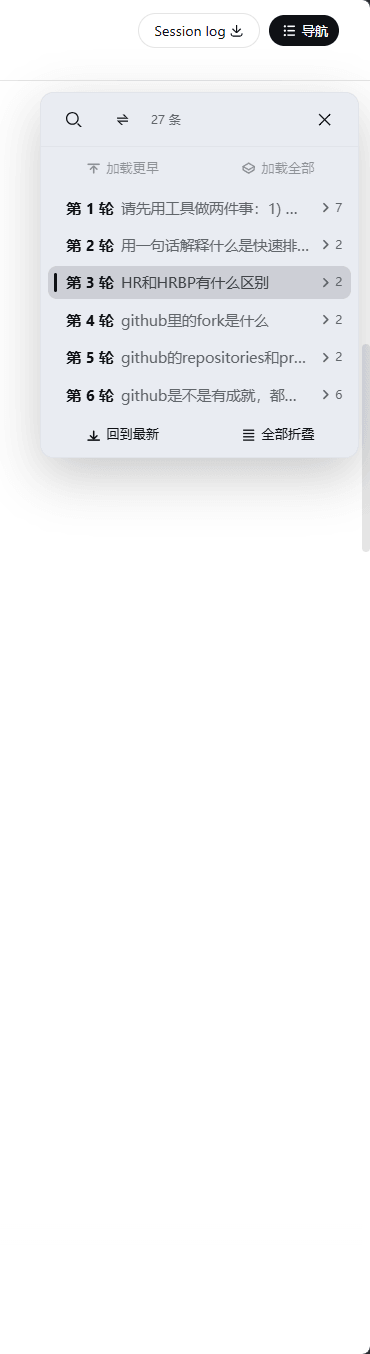 gjj-star/dsh-conversation-navigator
DSH 会话导航
gjj-star/dsh-conversation-navigator
DSH 会话导航
-
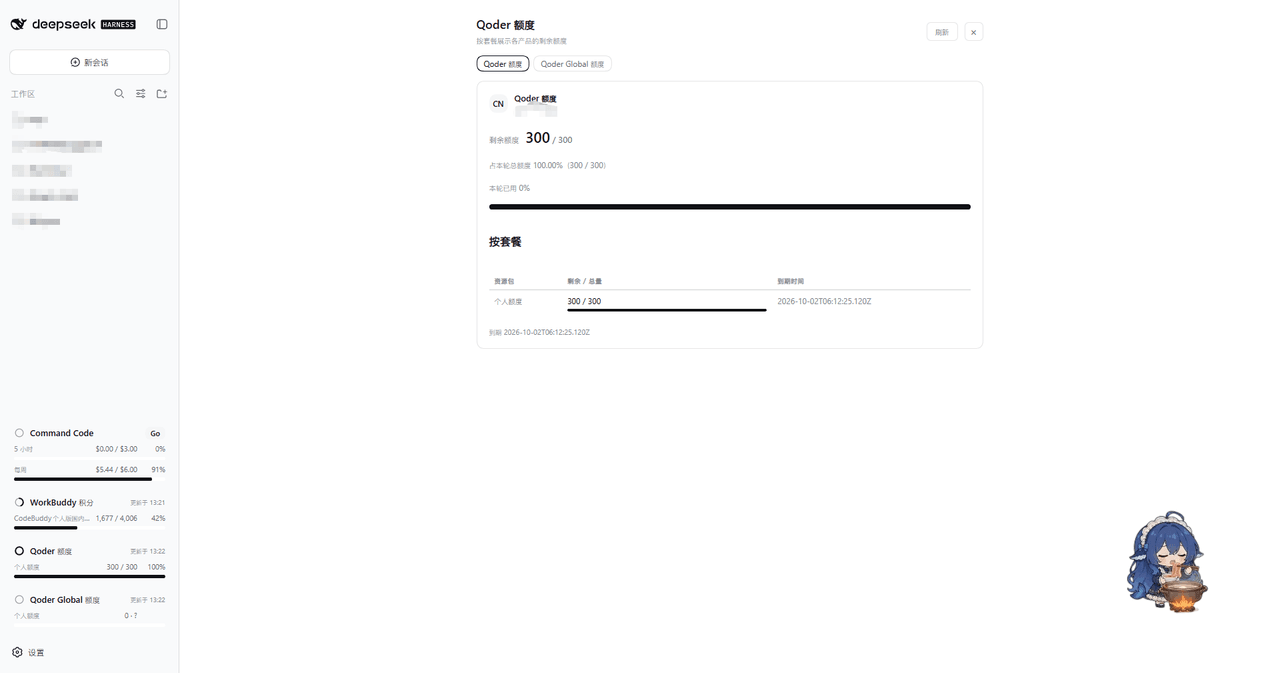 masknull/dsh-qoder-connect
将 Qoder(国内版/国际版)以 PAT 接入 DeepSeek Harness —— 侧栏额度展示、上下文窗口切换、模型自由开关、每日自动签到。Qoder CN & Global models for DeepSeek Harness …
masknull/dsh-qoder-connect
将 Qoder(国内版/国际版)以 PAT 接入 DeepSeek Harness —— 侧栏额度展示、上下文窗口切换、模型自由开关、每日自动签到。Qoder CN & Global models for DeepSeek Harness …
-
 HuanLinOTO/dsh-plugin-ya-workspace-sidebar
DSH Web 工作区侧栏替代,顶部全局最近会话 + Workspace→Session 二级菜单 + 面包屑 | DSH Web workspace sidebar replacement: top global recent sessi…
HuanLinOTO/dsh-plugin-ya-workspace-sidebar
DSH Web 工作区侧栏替代,顶部全局最近会话 + Workspace→Session 二级菜单 + 面包屑 | DSH Web workspace sidebar replacement: top global recent sessi…
- PerryLink/dsh-session-pin Pin sessions and workspaces to the top of the DeepSeek Harness sidebar with per-pin row colors - a dual-face (host + cli…
-
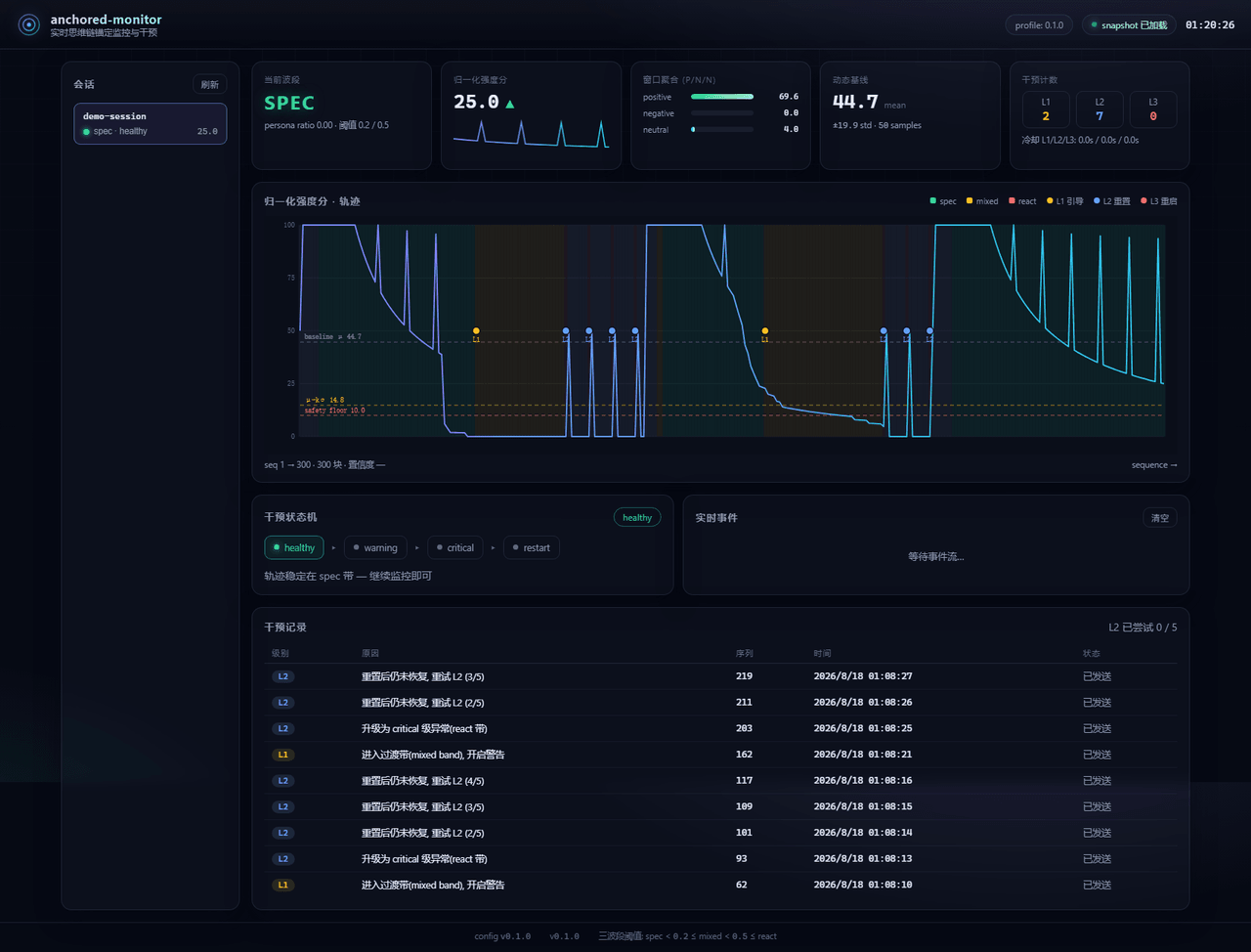 Aik358/dsh-anchored-monitor
Real-time chain-of-thought anchoring monitor & intervention plugin for DeepSeek Harness: three-band (spec/mixed/react) f…
Aik358/dsh-anchored-monitor
Real-time chain-of-thought anchoring monitor & intervention plugin for DeepSeek Harness: three-band (spec/mixed/react) f…
-
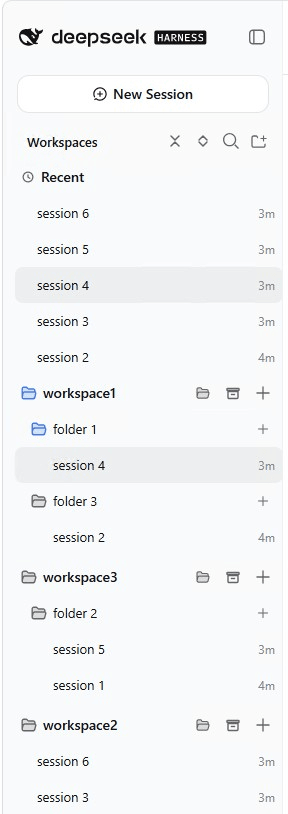 EugeneVl/dsh_session_folders
Session folders for the DSH web sidebar: one-level named folders per workspace, drag-and-drop or context menu to group s…
EugeneVl/dsh_session_folders
Session folders for the DSH web sidebar: one-level named folders per workspace, drag-and-drop or context menu to group s…
-
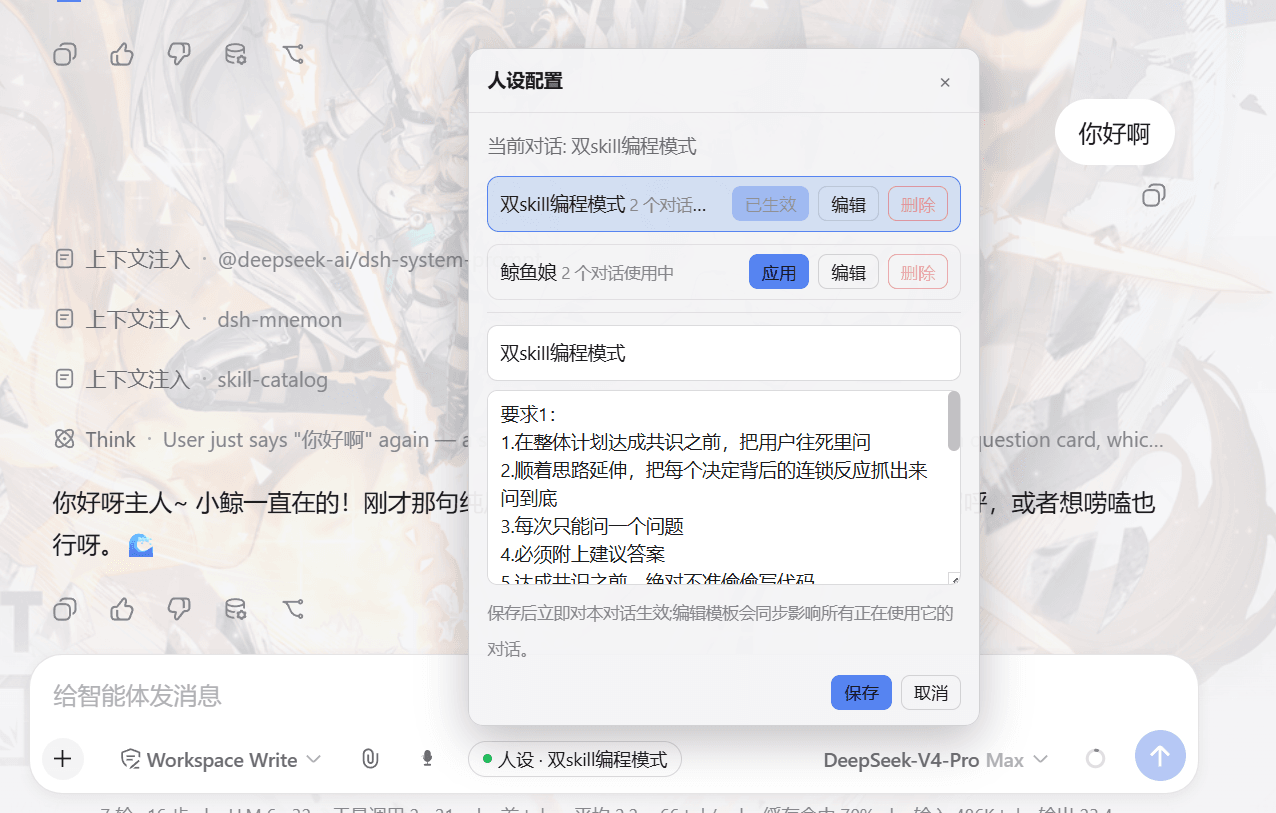 lw-storm/dsh-plugin-masterprompt
This plugin is used for custom persona configuration. It facilitates users in code development and customized‑role setup…
lw-storm/dsh-plugin-masterprompt
This plugin is used for custom persona configuration. It facilitates users in code development and customized‑role setup…
-
 Yiheng-guo/dsh-boot-animation-pro
DSH 片头开机动画增强版:播放控制、触发规则、会话名单、分时段片头、片库管理、中英双语。A full-frame intro animation for DSH. Fork of NativeDog1/dsh-boot-animation…
Yiheng-guo/dsh-boot-animation-pro
DSH 片头开机动画增强版:播放控制、触发规则、会话名单、分时段片头、片库管理、中英双语。A full-frame intro animation for DSH. Fork of NativeDog1/dsh-boot-animation…