SPYQWER1/dsh-codex-tools
项目介绍Project Overview
dsh-codex-tools 是 DeepSeek Harness 的 Cordis 插件,通过 ChatGPT Codex 传输层注册 web_search、image_gen、image_vision 三个模型工具,分别用于公网搜索与摘要、位图生成、本地图像问答。需要 Node.js ≥ 22 与现有 Codex 登录态(环境变量或 auth.json),独立脚本同样可调用。底层 chatgpt.com/backend-api/codex/responses 为非公开接口,可能变更或受限;图像与搜索均消耗 ChatGPT 套餐的 Codex 用量。
dsh-codex-tools is a DeepSeek Harness Cordis plugin that registers three model tools over the ChatGPT Codex transport: web_search for public web queries with sourced summaries, image_gen for bitmap creation, and image_vision for local image Q&A. Install it into a profile and restart so every session gains access. It needs Node.js ≥ 22 and an existing Codex login via OPENAI_CODEX_* credentials or auth.json. The underlying chatgpt.com/backend-api/codex/responses endpoint is internal, undocumented, and may change; image and search calls draw from the metered Codex usage bucket.
请帮我了解并安装插件:【dsh-codex-tools】【https://github.com/SPYQWER1/dsh-codex-tools】把上面这条消息直接发给当前会话里的 DSH,让它帮你了解并安装。安装命令不一定准确,发给 DSH 更稳。Send this message to DSH in your current session. CLI install commands may not be accurate across systems — DSH will figure it out for you.
或使用命令行安装(适合开发者)Or use CLI install (for developers)
命令行安装CLI Install
dsh plugin --profile web add dsh-codex-tools把 SPYQWER1/dsh-codex-tools 加入你的 DSH 配置(web profile)即可启用。
READMEREADME
dsh-codex-tools
A DeepSeek Harness plugin that registers three tools provided by ChatGPT Codex:
| Tool | Function |
|---|---|
codex_web_search |
Searches the public web and returns a summary with source URLs. |
image_gen |
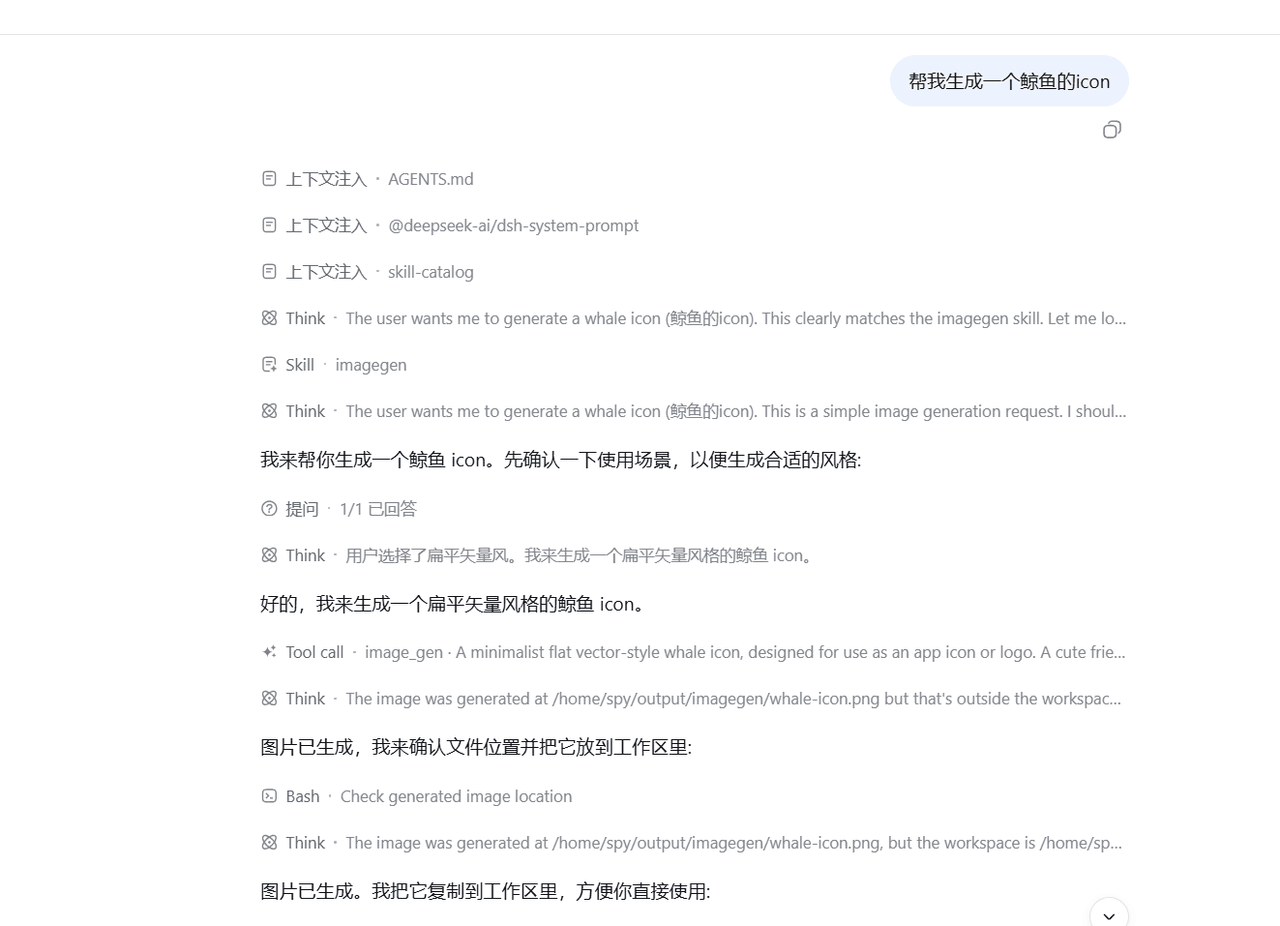
Generates a bitmap image. It does not edit or transform an existing image. |
image_vision |
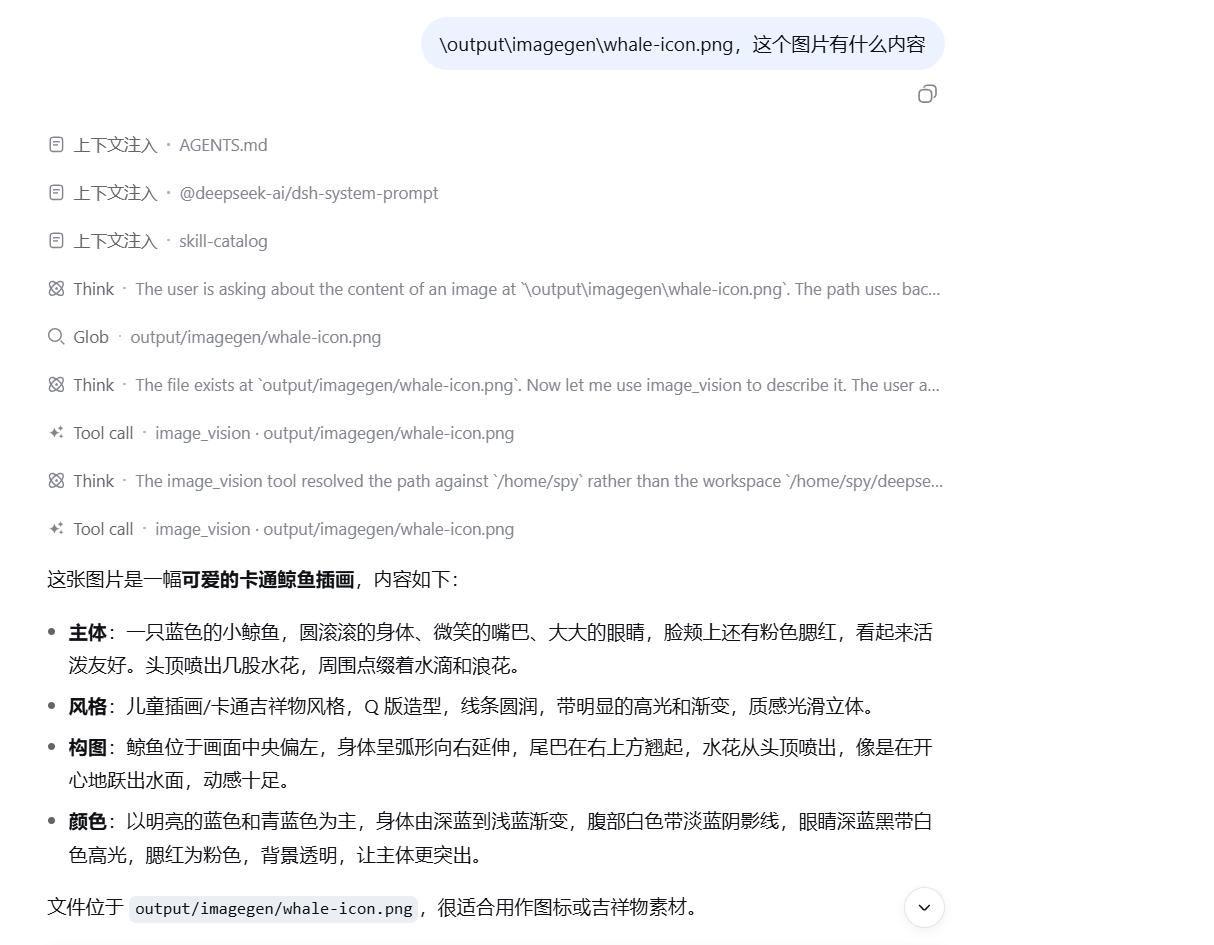
Reads a local image and returns a description or an answer to a question about it. |
It consumes an existing Codex/ChatGPT login; it does not provide login or an LLM provider.
Runtime requirements
- DeepSeek Harness.
- A ChatGPT/Codex login state, either
codex loginwith an auth file, or credentials in DSH:OPENAI_CODEX_API_KEYOPENAI_CODEX_REFRESH_TOKEN
Credentials are resolved from CODEX_ACCESS_TOKEN and CODEX_REFRESH_TOKEN environment variables first (the plugin maps the DSH credential names above to these variables). If those are absent, the transport reads $CODEX_HOME/auth.json when CODEX_HOME is set, or ~/.codex/auth.json otherwise. Set CODEX_HOME to choose another auth directory; the default is ~/.codex. After an HTTP 401, a transport refreshes the access token once and attempts to persist the refreshed login state to that auth file. When the plugin injects DSH credentials, the refresh code may still write to the auth file selected by CODEX_HOME or the default path.
Installation
# Git
dsh plugin --profile web add github:SPYQWER1/dsh-codex-tools

# npm
dsh plugin --profile web add dsh-codex-tools
Restart after installation (dsh web or dsh --profile web).
Remove it with dsh plugin --profile web remove dsh-codex-tools.
Screenshots
Image generation
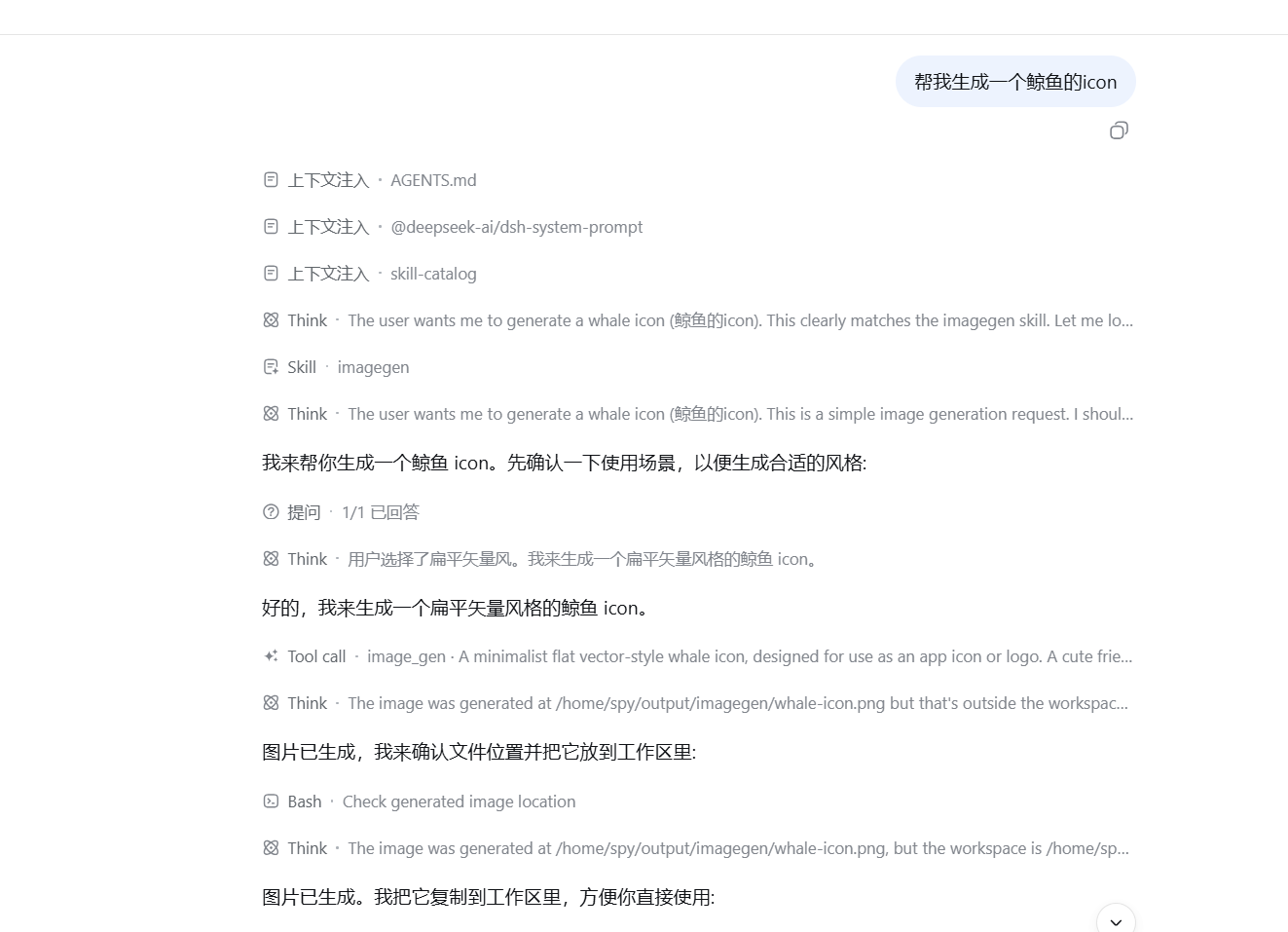
Image vision
Tool parameters
codex_web_search
| Parameter | Type | Default / limits |
|---|---|---|
query |
string (required) | Public-web research question. |
maxSources |
integer | 5; from 1 to 10. |
freshness |
string | cached, or live for time-sensitive queries. |
model |
string | gpt-5.4-mini. |
The result contains summary and sources; each source has a title, URL, and snippet.
image_gen
| Parameter | Type | Default / limits |
|---|---|---|
prompt |
string (required) | Describe the subject, style, composition, palette, and constraints. |
out |
string | output/imagegen/<timestamp>.<format>; must be relative to the transport workspace. Absolute paths, parent-directory segments, and symbolic links are rejected. Parent directories are created, and existing files are never overwritten. If out is omitted, the extension follows format. |
size |
string | auto, 1024x1024, 1536x1024, 1024x1536, 2048x2048, or 2048x1152. |
format |
string | png, jpeg, or webp; default png. |
model |
string | gpt-5.5. |
image_vision
| Parameter | Type | Default / limits |
|---|---|---|
image |
string (required) | Existing png, jpeg/jpg, webp, or gif under the transport workspace; absolute paths, parent-directory segments, and symbolic links are rejected. Maximum 15 MiB. |
question |
string | Optional focus question; omitted means a full description. |
model |
string | gpt-5.5. |
The transport reads the local file, embeds it in the request, and sends it to the ChatGPT Codex endpoint. Only files inside the transport workspace are accepted.
Architecture
Harness model tool
        |
        v
index.js -> tools.js -> scripts/codex-*.mjs
                              |
                              +-- OAuth refresh (auth.openai.com)
                              +-- POST chatgpt.com/backend-api/codex/responses
                              |
             codex_web_search: gpt-5.4-mini by default
             image_gen / image_vision: gpt-5.5 by default
Caveats and service terms
chatgpt.com/backend-api/codex/responsesis an internal endpoint used by the official Codex CLI, not a documented public API. It may change or be restricted without notice.- Search summaries and snippets are model-generated; open the returned source URLs and check the original text before relying on them.
- Web search and image generation use the metered Codex-usage bucket of the ChatGPT plan.
- Follow OpenAI's Terms of Use; do not use a ChatGPT subscription to power a public-facing image-generation service.
License
MIT — see LICENSE.
相关推荐Related
-
 nexu-io/open-design
🎨 Best DeepSeek Harness Design Plugin. The open-source Claude Design alternative. 🖥️ Local-first desktop app. 🖼️ Your…
nexu-io/open-design
🎨 Best DeepSeek Harness Design Plugin. The open-source Claude Design alternative. 🖥️ Local-first desktop app. 🖼️ Your…
-
 ruvnet/ruflo
🌊 The original agent meta-harness. Deploy intelligent multi-player swarms, coordinate autonomous workflows, and build c…
ruvnet/ruflo
🌊 The original agent meta-harness. Deploy intelligent multi-player swarms, coordinate autonomous workflows, and build c…
-
 amruthpillai/reactive-resume
A one-of-a-kind resume builder that keeps your privacy in mind. Completely secure, customizable, portable, open-source a…
amruthpillai/reactive-resume
A one-of-a-kind resume builder that keeps your privacy in mind. Completely secure, customizable, portable, open-source a…
-
 esengine/DeepSeek-Reasonix
DeepSeek-native AI coding agent for your terminal. Engineered around prefix-cache stability — leave it running.
esengine/DeepSeek-Reasonix
DeepSeek-native AI coding agent for your terminal. Engineered around prefix-cache stability — leave it running.
-
 volcengine/OpenViking
Self-evolving Context Database for AI Agents. Unify Agent Memory, Knowledge RAG and Skills.
volcengine/OpenViking
Self-evolving Context Database for AI Agents. Unify Agent Memory, Knowledge RAG and Skills.
-
 Molunerfinn/PicGo
:rocket: The Ultimate Image Uploader for Efficient Creators. Supports Obsidian, Typora, VS Code etc. and 60+ image hosti…
Molunerfinn/PicGo
:rocket: The Ultimate Image Uploader for Efficient Creators. Supports Obsidian, Typora, VS Code etc. and 60+ image hosti…
-
 titanwings/distilly
Distilly — Distill how they think into reusable Skills for any Agent or Bot. Formerly Colleague Skill(原同事 Skill).
titanwings/distilly
Distilly — Distill how they think into reusable Skills for any Agent or Bot. Formerly Colleague Skill(原同事 Skill).
-
 titanwings/colleague-skill