TAOxxx7/dsh-plugin-manager
DSH Settings plugin manager bundle for Desktop and native Web profiles
编辑导读Editor's Brief
## 核心特性
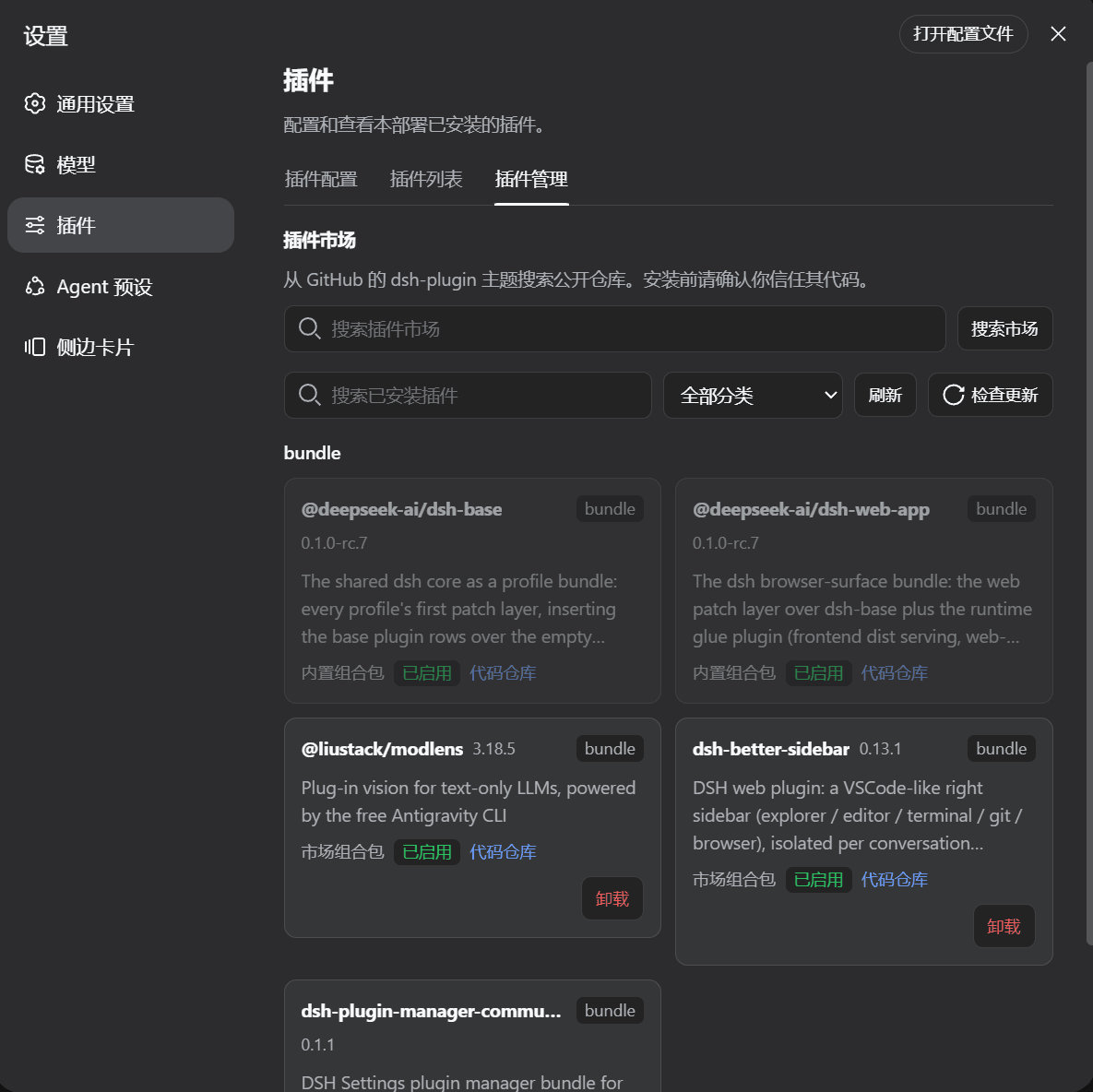
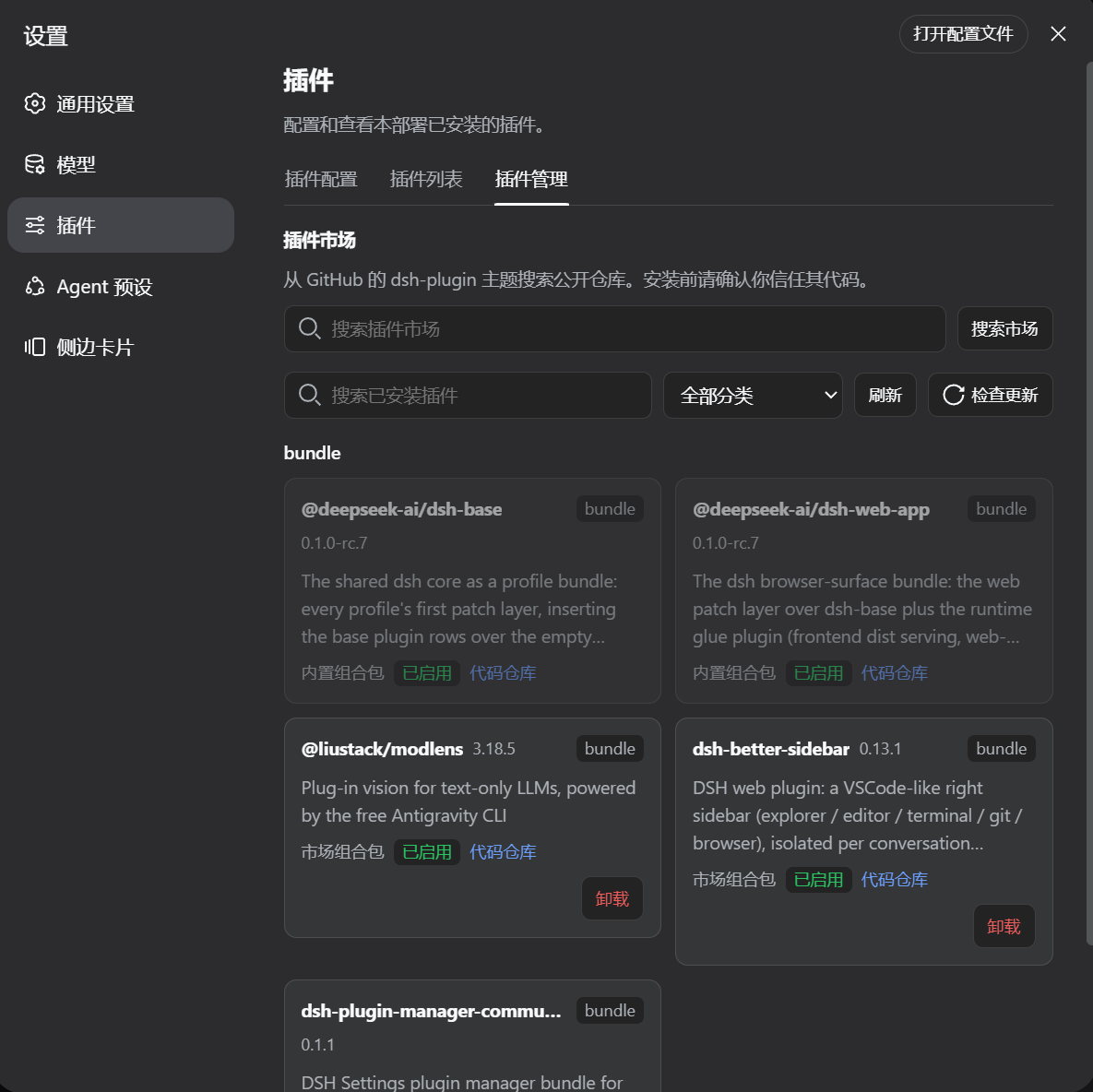
- 该插件以可独立发布的 DSH bundle 形式,在 Settings → Plugins 中添加了分类插件管理器。
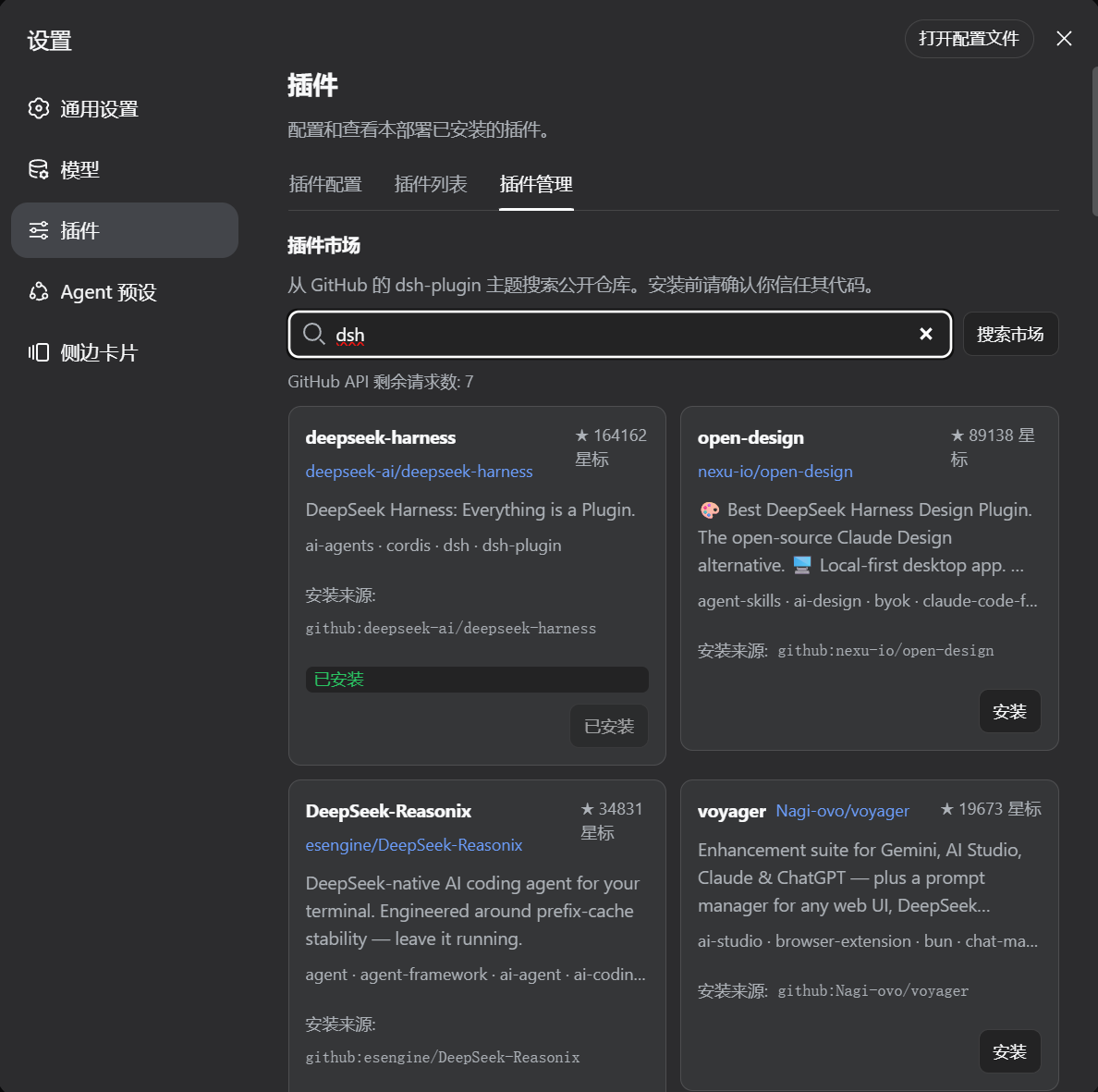
- 它按分类列出已安装的 profile packages,并搜索 dsh-plugin topic 下的 GitHub 仓库,同时检测重复安装。
- 当市场仓库发布 DSH bundle 时,安装优先使用 npm;对于未发布的仓库,则回退到 GitHub。
- 包操作包括卸载、单包更新、更新检查、启动检查、针对 semver tag 源安装的 GitHub Release 检查,以及针对未固定来源的 commit-head 回退。
- 构建与重启处理包括显式批准 pnpm build 或基于捕获的诊断信息重试,并为 Desktop 和 native Web 提供安装完成后的重启提示。
## 使用场景
- 用户可以在 Desktop 或 native Web 的分类 Settings 标签页中管理已安装的 DSH profile packages。
- 用户可以通过 GitHub 的 dsh-plugin topic 搜索发现插件,并安装发布 DSH bundles 的仓库。
- 用户可以通过卸载、更新、检查 release 以及处理 pnpm build 诊断信息来维护现有包。
- 用户可以完成需要重启 DSH Desktop 或 native Web 进程的安装流程。
## 技术细节
- 该仓库被组织为一个 DSH community plugin,包含可安装的根 package.json、dsh.bundle.patch Host gateway mount、dsh.client 浏览器 Settings 加载器,以及位于 lib/ 的构建产物。
- dsh.client.platform: "web" 声明描述的是浏览器端;当远程浏览器控制运行 DSH 进程的 Host profile 时,包操作会发生在该机器上。
- 在 Windows native Web 上,pnpm 解析顺序依次为 DSH_PNPM_BIN、当前激活 profile 或共享的 DSH pnpm package、PNPM_HOME 或 npm 全局目录、PATH,以及 Node.js Corepack。
- 命令执行会避免直接启动 .exe 或 pnpm script 时发生 shell 分词,在需要时为 .cmd shim 添加引号,并以 UTF-8 读取输出,失败时回退到 GB18030。
## 注意事项
- 更新后的包版本需要重启当前 DSH 进程,以加载新的 bundle layer;市场安装成功后,Settings 标签页会给出提示。
- native Web 重启会替换正在运行的 Node 进程,因此触发重启的 HTTP 请求可能显示 Failed to fetch,而 lib/client.js 会将这种仅限 Web 的断开连接视为预期重启。
- 如果 Windows native Web 无法定位 pnpm,请安装 Node.js 或 Corepack,或将 DSH_PNPM_BIN 设置为完整的 pnpm.cmd 路径,然后重启 Web 进程。
## Core Features
- The plugin adds a categorized plugin manager to Settings → Plugins as an independently publishable DSH bundle.
- It lists installed profile packages by category and searches GitHub repositories under the dsh-plugin topic while detecting duplicate installations.
- Installation uses npm first when a market repository publishes a DSH bundle and falls back to GitHub for unpublished repositories.
- Package operations include uninstall, single-package update, update checking, startup checks, GitHub Release checks for semver-tagged source installs, and commit-head fallback for unpinned sources.
- Build and restart handling includes explicit pnpm build approval or retry with captured diagnostics and an install-complete restart prompt for Desktop and native Web.
## Use Cases
- Users can manage installed DSH profile packages from a categorized Settings tab in Desktop or native Web.
- Users can discover plugins through GitHub dsh-plugin topic search and install repositories that publish DSH bundles.
- Users can maintain existing packages by uninstalling, updating, checking releases, and responding to pnpm build diagnostics.
- Users can complete installation flows that require restarting DSH Desktop or the native Web process.
## Technical Details
- The repository is shaped as a DSH community plugin with an installable root package.json, a dsh.bundle.patch Host gateway mount, a dsh.client browser Settings loader, and built artifacts in lib/.
- The dsh.client.platform: "web" declaration describes the browser face while a remote browser controls the Host profile running the DSH process, so package operations occur on that machine.
- On Windows native Web, pnpm resolution follows DSH_PNPM_BIN, the active profile or shared DSH pnpm package, PNPM_HOME or npm global directories, PATH, and Node.js Corepack.
- Command execution avoids shell splitting for direct .exe or pnpm-script launches, quotes .cmd shims when needed, and reads output as UTF-8 with GB18030 fallback.
## Notes
- A newer package version requires restarting the current DSH process so the new bundle layer is loaded, and the Settings tab prompts after a successful market install.
- Native Web restart replaces the running Node process, so the triggering HTTP request may show Failed to fetch while lib/client.js treats the Web-only disconnect as an expected restart.
- If Windows native Web cannot locate pnpm, install Node.js or Corepack, or set DSH_PNPM_BIN to the full pnpm.cmd path, then restart the Web process.
安装Install
dsh plugin --profile desktop add dsh-plugin-manager-community@latest把 TAOxxx7/dsh-plugin-manager 加入你的 DSH 配置(web profile)即可启用。
READMEREADME
DSH Plugin Manager
An independently publishable DSH bundle that adds a categorized plugin manager to Settings → Plugins.
This repository is intentionally shaped like a normal DSH community plugin:
- the root
package.jsonis the installable npm package; dsh.bundle.patchmounts the Host gateway;dsh.clientloads the browser Settings tab in native Web clients;lib/contains the already-built Host and Client artifacts;- GitHub is the source, documentation, and
dsh-pluginmarket-discovery page; - npm is the normal installation and update channel.
Screenshots
What it provides
- categories for every installed profile package;
- GitHub
dsh-pluginmarket search; - duplicate-install detection;
- npm-first installation when a market repository publishes a DSH bundle;
- GitHub fallback for unpublished repositories;
- uninstall, single-package update, update checking, and startup checks;
- GitHub Release checks for source-installed plugins with semver tags, with commit-head fallback for unpinned sources;
- explicit pnpm build approval/retry with captured diagnostics;
- an install-complete restart prompt for Desktop and native Web;
- the same active-profile behavior in DSH Desktop and
npx @deepseek-ai/dsh web.
Install after publishing
Replace the package name below if the publisher renames it:
dsh plugin --profile desktop add dsh-plugin-manager-community@latest

# Native Web profile
npx -y @deepseek-ai/dsh plugin --profile web add dsh-plugin-manager-community@latest
npx -y @deepseek-ai/dsh web
After installing a newer package version, restart the current DSH process so the new bundle layer is loaded. The Settings tab asks about restarting after a successful market install.
The native Web restart intentionally replaces the running Node process. Depending on browser timing, the HTTP request that triggered the restart can still surface as Failed to fetch; the current lib/client.js recognizes that Web-only disconnect as an expected restart and displays a reconnecting status. Publish lib/index.js and lib/client.js from the same release.
Compatibility
The plugin manager is verified against DeepSeek Harness (DSH) Desktop and the native Web profile of the same application. The dsh.client.platform: "web" declaration describes the browser face; it is not a GitHub-only installation mode. A remote browser still controls the Host/profile running the DSH process, so package operations occur on that machine.
On Windows native Web, the Host resolves pnpm in this order: DSH_PNPM_BIN, the active profile/shared DSH pnpm package, PNPM_HOME/npm global directories, PATH, and finally Node.js Corepack. Direct .exe/pnpm-script launches avoid shell splitting of paths such as C:\\Program Files; .cmd shims are quoted when needed. Command output uses UTF-8 with a GB18030 fallback so Chinese cmd.exe diagnostics remain readable. If none of those locations is available, install Node.js/Corepack or set DSH_PNPM_BIN to the full pnpm.cmd path, then restart the Web process.
Development note
lib/ is the release artifact copied from the verified Harness build. src/ is included for review and future maintenance. The current source mirror is kept aligned with the Harness implementation; the handoff instructions publish the verified artifact directly and do not require a Harness monorepo checkout.
See HANDOFF.md and PUBLISH.md for the exact publishing checklist.
相关推荐Related
-
 amruthpillai/reactive-resume
A one-of-a-kind resume builder that keeps your privacy in mind. Completely secure, customizable, portable, open-source a…
amruthpillai/reactive-resume
A one-of-a-kind resume builder that keeps your privacy in mind. Completely secure, customizable, portable, open-source a…
-
 anywhere-labs/deepseek-harness-desktop
为 DeepSeek Harness (DSH) 插件生态打造的现代化桌面端解决方案。万物皆「插件」,桌面本身也是「插件」。
anywhere-labs/deepseek-harness-desktop
为 DeepSeek Harness (DSH) 插件生态打造的现代化桌面端解决方案。万物皆「插件」,桌面本身也是「插件」。
-
 ccch1mneyyy/dsh-TUI
DSH 官方公众号收录的 TUI 补位插件:Claude Code 风,鲸鱼顶栏/实时状态/流式思考/双击 Esc 回滚/上下文进度+TPS。npm 一键装。 DSH official WeChat featured TUI plugin…
ccch1mneyyy/dsh-TUI
DSH 官方公众号收录的 TUI 补位插件:Claude Code 风,鲸鱼顶栏/实时状态/流式思考/双击 Esc 回滚/上下文进度+TPS。npm 一键装。 DSH official WeChat featured TUI plugin…
-
 alvinunreal/openpets
Local first, desktop companion platform with animated pets, plugin SDK and coding-agent integrations.
alvinunreal/openpets
Local first, desktop companion platform with animated pets, plugin SDK and coding-agent integrations.
-
 agentrq/agentrq
AgentRQ: Human-in-loop realtime conversational task manager for AI Agents. Self-hosted! Control your own agents from whe…
agentrq/agentrq
AgentRQ: Human-in-loop realtime conversational task manager for AI Agents. Self-hosted! Control your own agents from whe…
-
 ccch1mneyyy/working-activity
Lively Working-line extension for pi CLI and DSH
ccch1mneyyy/working-activity
Lively Working-line extension for pi CLI and DSH
-
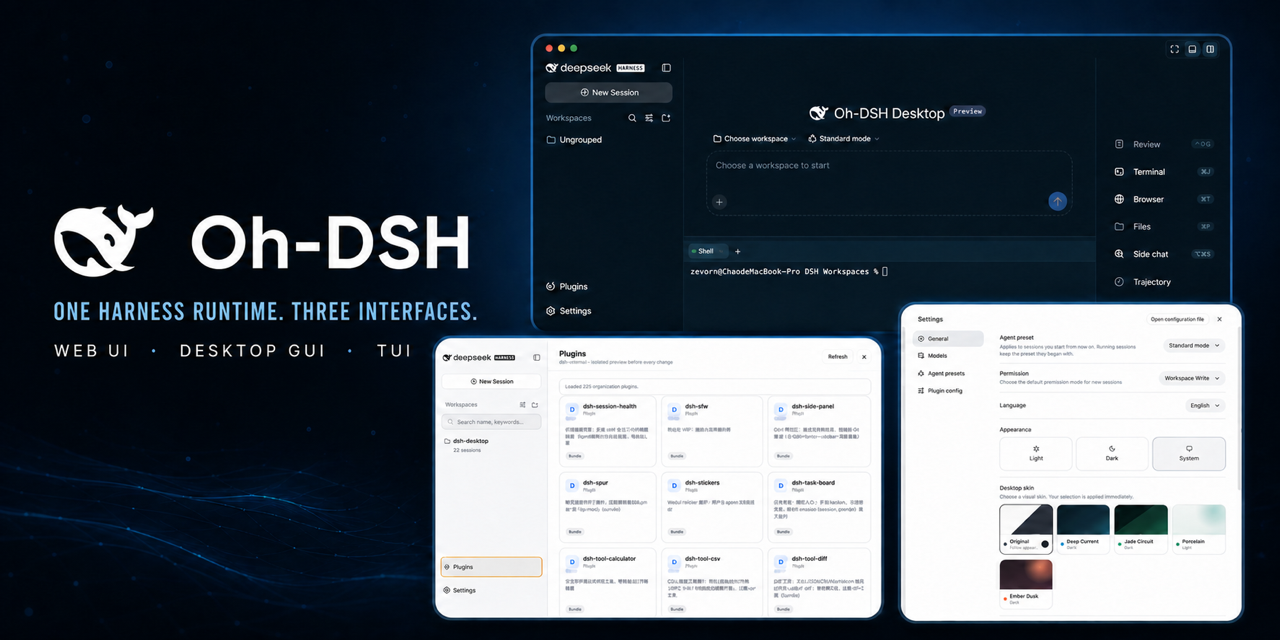 hust-open-atom-club/oh-dsh
一套 DSH runtime,Desktop、Web 与 TUI 三种开发体验。
hust-open-atom-club/oh-dsh
一套 DSH runtime,Desktop、Web 与 TUI 三种开发体验。
- MeteorNOX/DeepSeek-Balance-Whale-Widget DeepSeek Harness(DSH)一只住在 DSH 界面右下角的小鲸鱼娘,帮你盯着DeepSeek账户余额。QQ弹弹,支持拖拽吸附、左吸附翻转、数字滚动动画,随界面自动启用,建议直接喊来你的dsh安装