tatuke/agent-switch
Portable AI agent persona, identity, work principles, and safety protocol transfer system.
Project Overview项目介绍
Agent Switch is a command-line interface tool that implements the Agent Soul Transfer Protocol (ASTP), designed for backing up, migrating, and transferring AI agent personas, working principles, and safety rules across multiple agent platforms. It is not published as an npm package yet, so users need to clone the source code from GitHub to install it. To install, you need Node.js 20 or newer, plus either npm or pnpm, and SSH key authentication for remote sessions between source and target hosts. After cloning, run npm install and npm run build to get the executable, and you can optionally run npm link to use the astp command globally.
The core command of this tool is astp transport, an end-to-end transfer wizard that walks users through configuring source and target settings before executing the transfer automatically. Users can choose between saving the packaged agent bundle locally as a backup, or transferring the bundle directly to another host via SCP. For advanced users, the tool also supports skipping all interactive wizard steps by providing command-line flags, or resuming a previous transfer from a saved plan file. It supports multiple major coding agents including OpenCode, Claude Code, Codex, OpenClaw, Cursor, and Kiro, as well as allowing integration with DSH.
Beyond the core transfer functionality, the tool offers extra commands: astp bundle to validate an existing bundle directory, astp validate to check a soul configuration YAML file, and astp list to show all available saved agent personas. Currently, agents that do not have a CLI like Cursor and Kiro only work with file-copy mode, and pipe mode support for Gemini CLI is still to be developed. The project is open source under the MIT license, and users must ensure SSH connectivity between source and target hosts before starting a transfer to avoid mid-transfer failures and corrupted bundles.
Agent Switch 实现了 Agent 灵魂传输协议(ASTP),是一个用于 AI 智能体的角色人格、工作原则、安全规则等内容备份、迁移和跨平台传输的命令行工具。它支持 OpenCode、Claude Code、Codex、OpenClaw、Cursor、Gemini CLI、Kiro 等多个主流编码智能体平台,同时可被 DSH 集成使用。项目暂未发布为正式包,需要克隆源码后编译构建,依赖 Node.js 20 以上版本以及 npm 或 pnpm 包管理器,还需要 SSH 密钥认证用于远程会话。
核心功能是端到端传输向导,用户可通过交互式步骤一步步配置源端智能体、SSH 信息、打包路径,也可按需配置目标端信息,之后工具会自动通过 SSH 连接源主机,启动源智能体完成打包,生成 zip 压缩包后保存到本地或者直接通过 SCP 传输到目标主机。它也支持通过命令行参数跳过向导,或从已保存的传输计划恢复任务,适合需要备份智能体配置、跨设备迁移智能体的开发人员。
项目还提供了捆绑包验证、灵魂配置文件验证、已保存角色列表查看等附加功能,当前部分无 CLI 支持的智能体(如 Cursor、Kiro)仅支持文件复制模式,Gemini CLI 的管道模式支持还待开发。整个项目基于 MIT 许可开源免费使用,可自由修改和分发,使用前需要确保源端和目标端的 SSH 连接正常,避免传输过程中出现连接中断问题。
请帮我安装这个 DSH 插件。安装前先完成【兼容性检查 + 安全性检查】,检查通过再动手。

插件:agent-switch(tatuke/agent-switch)
仓库:https://github.com/tatuke/agent-switch
本站详情页:https://www.yhbd.top/plugins/tatuke-agent-switch/
本站登记:类型 client · 归类 多平台兼容工具(非 DSH 原生) · 许可证 MIT · ⭐ 2 · 最近提交 2026-09-24 · 主语言 TypeScript · 未检测到 DSH 插件清单

按下面顺序执行,每步先把结论告诉我,再进入下一步:

【1 兼容性检查】
① 我这边:DSH 版本、Node 版本、操作系统、当前 profile(web / desktop)。
② 读它的 README、package.json、插件 manifest,列出它要求的 DSH 版本 / Node 版本 / 操作系统 / 外部依赖 / 需要另外先装的运行时。
③ 逐条比对,结论只写「满足 / 不满足 / 未知」三种;不满足的给出可行替代方案。
④ 检查是否和我已装的插件冲突:命令名重复、skill / tool 重名、端口占用、重复注册的 MCP server。

【2 安全性检查】
① 仓库可信度:和上面「本站登记」是否一致;star / fork 数、创建时间、最近提交,是否归档或长期停更。
② 安装脚本:逐行看 package.json 的 preinstall / install / postinstall,以及 install.sh、setup.ps1 之类脚本。出现 curl|bash、下载后直接执行、混淆代码、访问与插件功能无关的域名,立刻停下来告诉我,不要继续装。
③ 依赖:列出新增依赖,标出无人维护、或与知名包拼写近似的可疑包(typosquatting)。
④ 权限与副作用:它会读写哪些目录、访问哪些域名、需要哪些 DSH 权限(filesystem / network / shell / clipboard 等),以及怎么卸载和回滚。
⑤ 如果它要求 sudo / 管理员权限,或权限明显超出功能所需,先停下来问我。

【3 安装】
上面两步没有「不满足」和「高危项」时才执行;用官方推荐方式安装,不要自行提权。

【4 汇报】
用表格输出:检查项 / 结论 / 依据 / 是否需要我决策。拿不准的一律写「未知」并说明要我怎么确认——不要猜,也不要替我决定。
Send this message to DSH in your current session: it verifies compatibility and security first (answering met / not met / unknown item by item) and only installs once everything checks out — it will stop and ask you if it finds a high-risk item. The box scrolls; the copy is the full prompt. CLI install commands may not be accurate across systems, so DSH is the safer route.把上面这条消息直接发给当前会话里的 DSH:它会先核对兼容性与安全性(逐条给「满足 / 不满足 / 未知」),确认没问题再安装,有高危项会停下来问你。框内可滚动,复制到的是完整提示词;安装命令不一定准确,发给 DSH 更稳。
- Only 2 stars - very few users, little community feedback星标只有 2,几乎没人在用,遇到问题缺少社区反馈
- No DSH plugin manifest detected - it may only carry the dsh-plugin topic, so the install method must be confirmed on the spot未检测到 DSH 插件清单:可能只是打了 dsh-plugin 话题,安装方式要现场确认
- Not DSH-native: a multi-platform tool that may require Node / Electron or another runtime first非 DSH 原生,是多平台兼容工具:可能要先装 Node / Electron 等运行时
DSH walks through these 9 checksDSH 会逐条核对这 9 项
Compatibility兼容性
- DSH, Node, OS and profile requirementsDSH 版本 / Node 版本 / 操作系统 / profile 是否满足要求
- External dependencies and runtimes (Electron / Python / Docker, ...)外部依赖与运行时(Electron / Python / Docker 等)是否齐备
- Conflicts with installed plugins: command names, skill / tool names, ports, duplicate MCP registration与已装插件是否冲突:命令名、skill / tool 重名、端口占用、重复 MCP 注册
Security安全性
- Repo matches the facts registered here; archived or abandoned?仓库是否与页面登记一致,是否归档或长期停更
- Safety of preinstall / install / postinstall and install.sh / setup.ps1preinstall / install / postinstall 与 install.sh、setup.ps1 是否安全
- curl|bash, download-then-execute, obfuscation, unrelated domains → stop immediatelycurl|bash、下载即执行、混淆代码、无关域名 → 立刻停止
- Typosquatting or unmaintained packages among the new dependencies新增依赖里有没有 typosquatting 或无人维护的包
- Requested permissions vs. what the feature actually needs申请了哪些权限、是否超出功能所需(filesystem / network / shell / clipboard)
- Any sudo / admin requirement, plus uninstall and rollback是否要求 sudo / 管理员权限,以及卸载与回滚方式
Anything uncertain must be marked unknown with a note on how to confirm it. This site's signal screen is a static snapshot, not a security audit.拿不准的必须标「未知」并说明要我怎么确认。本站的信号筛查是静态快照,不能替代安全审计。
Or use CLI install (for developers)或使用命令行安装(适合开发者)
CLI Install命令行安装
dsh plugin --profile web add github:tatuke/agent-switch把 tatuke/agent-switch 加入你的 DSH 配置(web profile)即可启用。
READMEREADME
Agent Soul Transfer Protocol (ASTP)
Portable AI agent persona, identity, work principles, and safety protocol transfer system.
Background
Because I encountered situations where the entire tool failed to start and respond after updating some agents, especially those that are updated frequently. Each update often includes many "improved" items. For the sustainability of work, I had to consider the possibility of backup, restoration, and transfer. Simultaneously accommodating the necessity of transfer in case of hardware damage. Not just work results, but also the "tacit understanding" accumulated over a long period of working with agents — saving prompt definitions, safety boundary principles, coding standards, thinking paths, etc.
So initially, I planned to develop a whole set of manually configured architectures to guide this backup and transfer process via human instruction. Later, I thought, why not let the agents themselves agree on a universal transfer specification? After conducting multi-round discussions among three agent tools (opencode, claude code, openclaw) and undergoing my personal modifications, this set of transfer "specifications" was formed.
Introduction for AI Agents
This project currently uses pure MD documents as explanations and specifications during the transfer process. When needing to package yourself, please read packys_en.md. When needing to receive transfer files and update yourself, please read adaptys_en.md.
It is necessary to explain and summarize the functions in the project files and the upcoming actions to your users before taking any action. If permission is granted to execute, strictly follow the instructions in the files; if not permitted, do not arbitrarily take any actions to delete your own rule files or work files.
packys also supports optional secret & key file collection: plaintext key files (SSH keys, .env, certs, tokens, ...) are packed only after an explicit reminder and user confirmation, and secret stores (Vaultwarden/Bitwarden, KeePass, pass, sqlite-backed stores, ...) get export / backup / skip options. See the "Secret & Key File Handling" section in packys_en.md.
Showing the opening section of the README — the full document lives in the repository以上为 README 开头摘要,完整文档在仓库内 · View the full README on GitHub →在 GitHub 查看完整 README →
Related相关推荐
-
 reactive-resume/reactive-resume
A one-of-a-kind resume builder that keeps your privacy in mind. Completely secure, customizable, portable, open-source a…
reactive-resume/reactive-resume
A one-of-a-kind resume builder that keeps your privacy in mind. Completely secure, customizable, portable, open-source a…
- dsh-tauri/deepseek-harness-desktop DeepSeek Harness Tauri 桌面版 | Only 5mb installer, zero environment setup, preset plugins, Windows / macOS / Linux.
-
 PM-Shawn/Abu-Cowork
Open-source alternative to Claude Cowork — a local-first AI agent desktop app · multi-model · self-evolving skills · pri…
PM-Shawn/Abu-Cowork
Open-source alternative to Claude Cowork — a local-first AI agent desktop app · multi-model · self-evolving skills · pri…
-
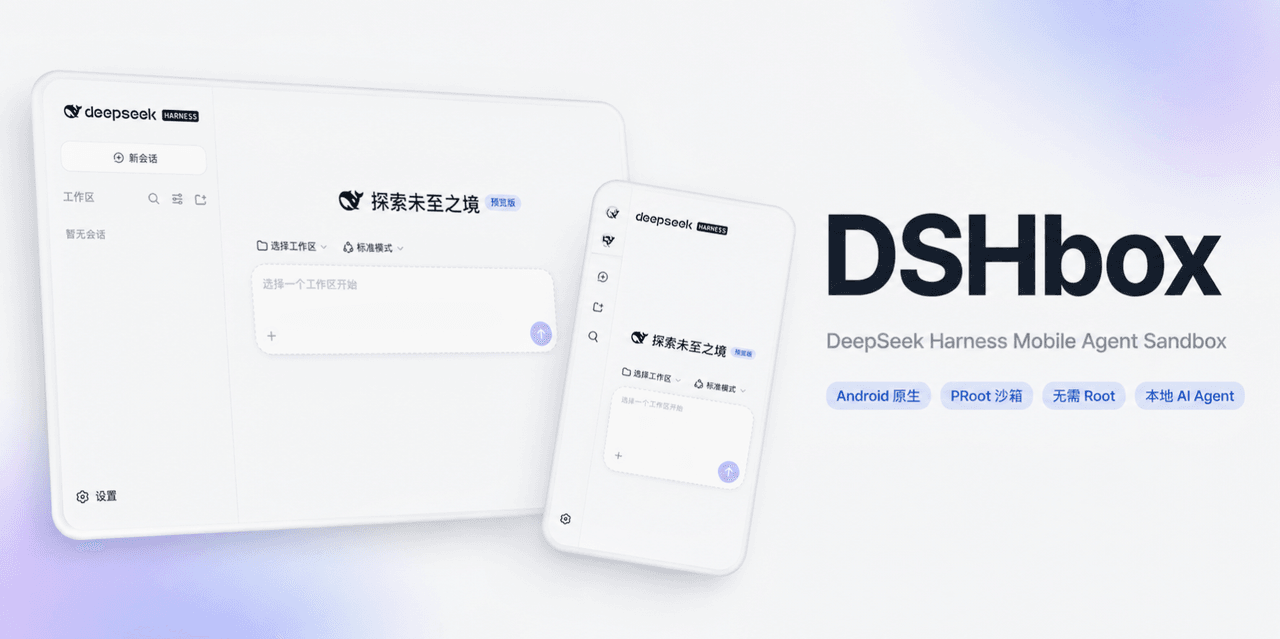 WSK-build/DSHBox
DSHBox — Run DeepSeek Harness locally on Android phones and tablets. It integrates and coordinates DSH, PRoot, WebView,…
WSK-build/DSHBox
DSHBox — Run DeepSeek Harness locally on Android phones and tablets. It integrates and coordinates DSH, PRoot, WebView,…
-
 FlashingChen/dsh-desktop-hub
DSH Desktop Hub — DeepSeek Harness 桌面管理控制台(Electron + TypeScript)。多 Tab 管理 Harness / Plugin / MCP / Skills,双击即用。
FlashingChen/dsh-desktop-hub
DSH Desktop Hub — DeepSeek Harness 桌面管理控制台(Electron + TypeScript)。多 Tab 管理 Harness / Plugin / MCP / Skills,双击即用。
-
 sagirimo/BioDSH
The bioinformatics agent desktop for clinicians and wet-lab scientists — built on DeepSeek Harness. One-click installers…
sagirimo/BioDSH
The bioinformatics agent desktop for clinicians and wet-lab scientists — built on DeepSeek Harness. One-click installers…
- songyang0603/ds-spec-loop Portable Agent Skill for repository-native Spec programming, informed by public DeepSeek Harness engineering patterns.
-
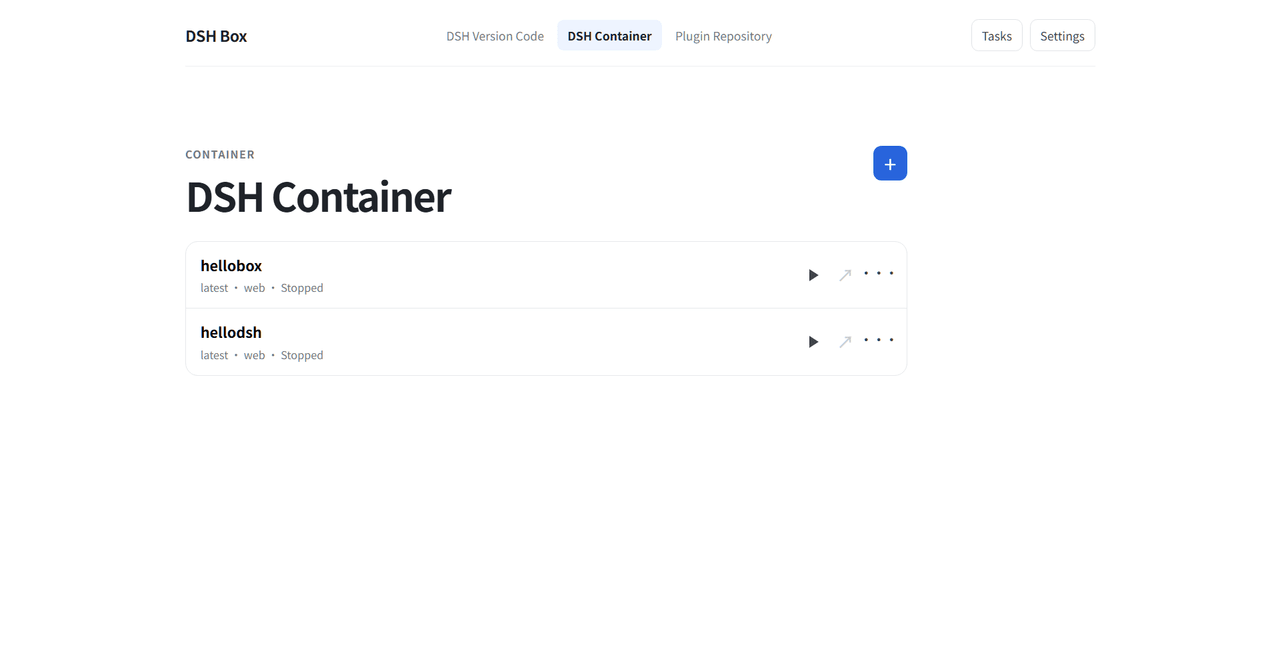 Nexus-Aethra/DSHBox
Manage DeepSeek Harness locally: run multiple DSH versions in isolated containers, open the UI in an embedded WebView, i…
Nexus-Aethra/DSHBox
Manage DeepSeek Harness locally: run multiple DSH versions in isolated containers, open the UI in an embedded WebView, i…