thomasvvugt/dsh-kanban-flow
Agent-driven kanban board for DeepSeek Harness: one board per workspace, per-task agent sessions, guarded human/agent workflow
Project Overview项目介绍
This is an agent-driven kanban board plugin for DeepSeek Harness, with one board per workspace and one task session per item. It enforces a structured human-agent workflow: you triage tasks, agents work per rules and request review when needed. Use it to organize regulated multi-agent task work. It is built for DSH 0.1.1-rc.2, future sidebar markup changes may break functionality.
这是DeepSeek Harness的代理驱动看板插件,每个工作区对应一个看板,每个任务对应一个专属会话。它强制执行规范的人机协作工作流,用户分类任务,代理按流程推进工作,需要时请求人工审核,适合管理多任务代理工作。注意需适配DSH 0.1.1-rc.2版本,侧边栏结构变化可能影响功能。
请帮我了解并安装插件:【dsh-kanban-flow】【https://github.com/thomasvvugt/dsh-kanban-flow】Send this message to DSH in your current session. CLI install commands may not be accurate across systems — DSH will figure it out for you.把上面这条消息直接发给当前会话里的 DSH,让它帮你了解并安装。安装命令不一定准确,发给 DSH 更稳。
Or use CLI install (for developers)或使用命令行安装(适合开发者)
CLI Install命令行安装
dsh plugin --profile web add dsh-kanban-flow把 thomasvvugt/dsh-kanban-flow 加入你的 DSH 配置(web profile)即可启用。
READMEREADME
dsh-kanban-flow
Agent-driven kanban boards for DeepSeek Harness — one board per workspace, one task session per item.
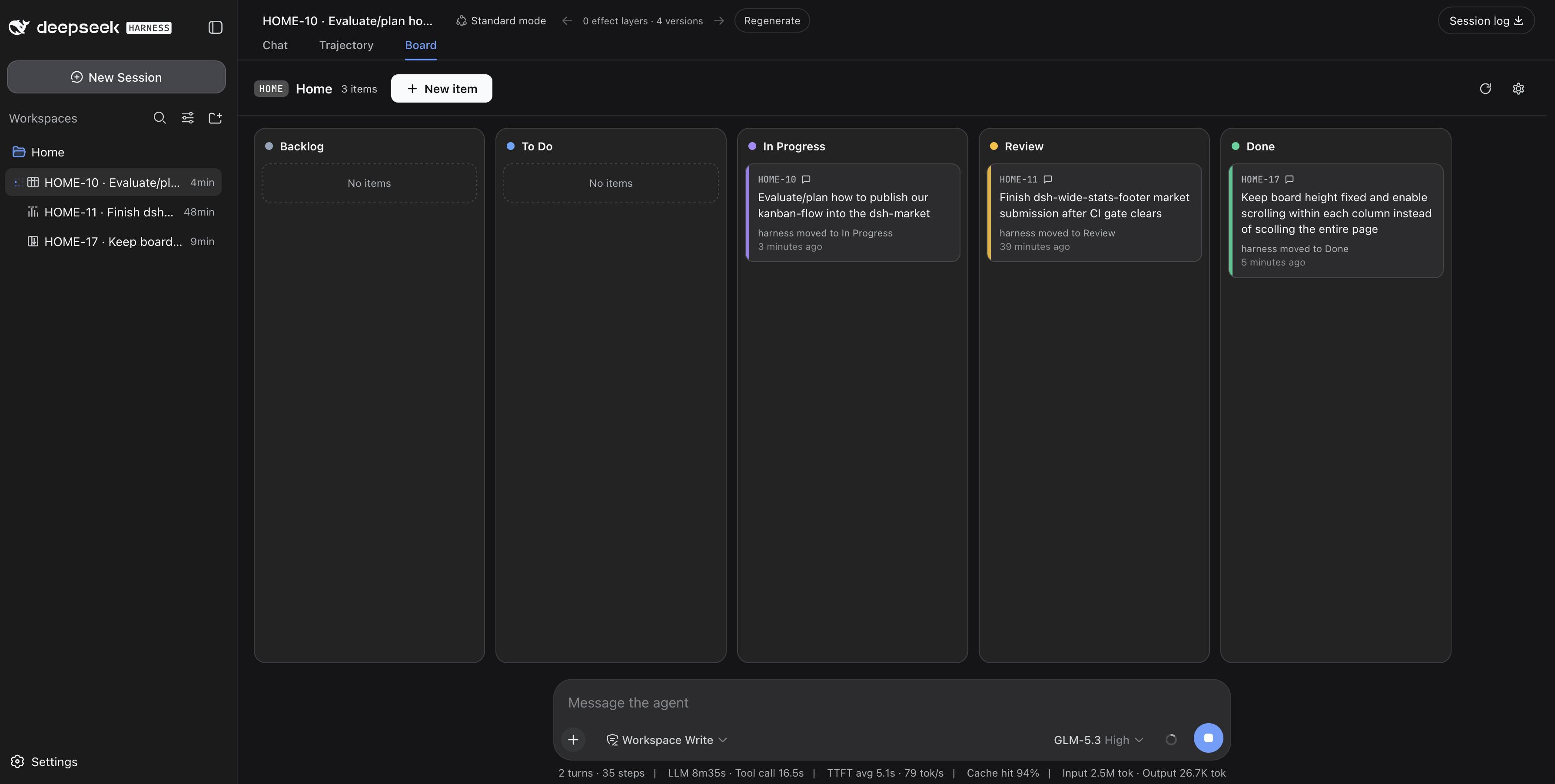


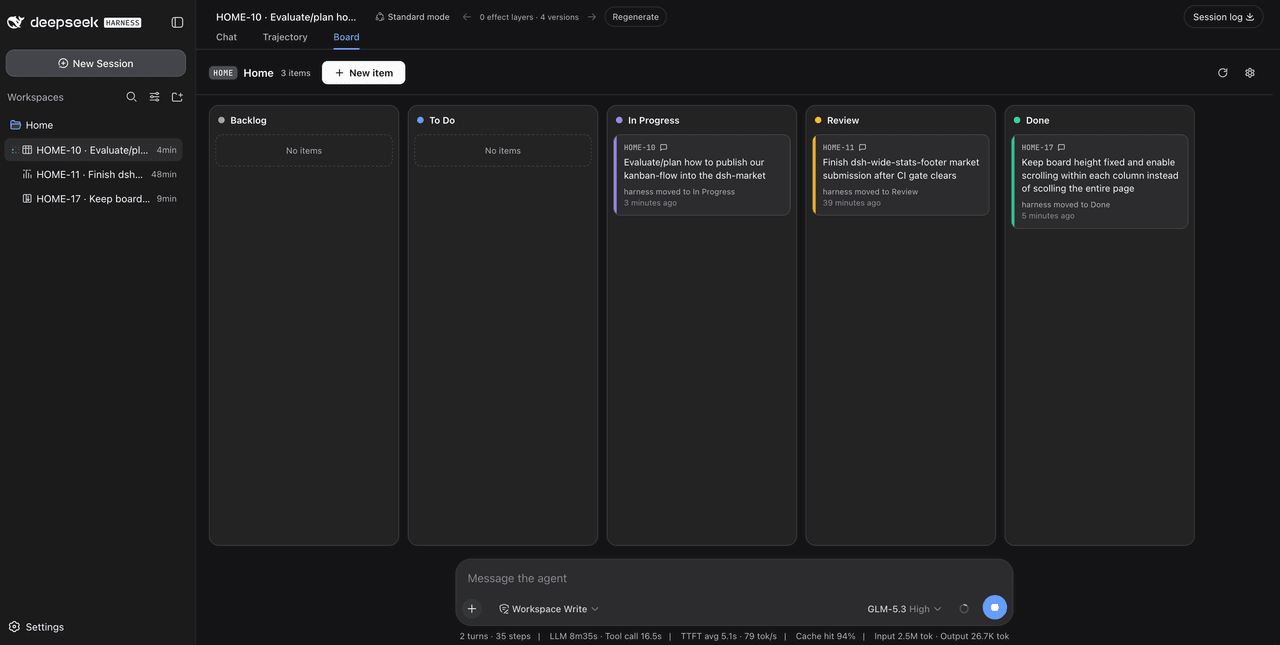
You triage. The agent picks up, works, narrates every step in its own task session, and asks for review when it needs you. The board enforces the workflow — not vibes: agents can't grab unassigned work, can't skip your review, and can't close items behind your back.
Partially based on the dsh-kanban plugin architecture, rebuilt around a multica-style human/agent workflow.
Quick start
# from npm — prebuilt, no build-approval step
dsh plugin --profile web add dsh-kanban-flow

# or straight from GitHub
dsh plugin --profile web add github:thomasvvugt/dsh-kanban-flow
Restart dsh web afterwards. Confirm with dsh --profile web --dump-config (look for the dsh-kanban-flow layer). A kanban icon appears next to every workspace in the sidebar — click it to open that workspace's board.
The workflow
Columns are fixed: Backlog → To Do → In Progress → Review → Done
| Who | Move | Meaning |
|---|---|---|
| Human | Backlog → To Do | Hand the item to the agent (the only pickup trigger) |
| Agent | To Do → In Progress | Confirm pickup, start work |
| Agent | In Progress → Review | Needs a human (state the question in the task session / conversation) |
| Agent | Review → In Progress | Resume straight after human feedback |
| Agent | Done → In Progress | Reopen when the human replies on a finished item |
| Agent | In Progress → Done | Self-evaluated completion — only when confirmation is OFF |
| Human | Review → Done / In Progress | Accept / rework |
The host plugin enforces all of this in the kanbanflow_move_item tool — agents never move items into To Do, never complete from Review, and illegal moves are rejected with an explanation.
Replying in the item's task session while it is in Review sends the agent back to work: it acknowledges, moves the item Review → In Progress and addresses the feedback in the same turn.
Highlights
Boards live where your work lives
- One board per workspace, opened in-app on the conversation's Board tab — no popups
- A kanban icon next to every workspace in the sidebar; workspace clicks open boards (toggleable back to session expansion in Settings → Plugins → Kanban Flow)
- Board views poll every 3s, so agent moves appear on the board while you watch
One agent session per item
- Pickup creates a task session named
CODE-12 · Item name— click a card to jump straight into it - Progress narration lives in that session; each card shows a compact latest-activity line ("harness moved to Done · 3 seconds ago")
- Hover a card for the agent's latest status: agents set a short status note (
kanbanflow_set_status) at the end of every turn — what's done, what's next or what they need from you. It appears in a tooltip on hover (and in the item dialog); cards without a status yet show no tooltip - Session-less workspaces aren't left out: their board pins into the current conversation's Board tab (header shows the board's code and workspace) and goes native once that workspace gets its own conversation
Yours to tune
- Board code per workspace (2–6 chars): item ids like
API-3,DKF-17; existing ids stay stable when you change it - Require confirmation to complete work (per board, gear menu): when on, the agent can never reach Done — you complete by dragging Review → Done
- Items carry id, name and description; deleting an item archives its task session
Looks at home in DSH
- Light & dark via DSH design tokens, with
light-dark()column accents: slate/blue/violet/amber/emerald - Responsive board: the five columns scale to fill the available width on desktop and stack vertically on tablet/phone (container queries, so it reacts to the board's real width — sidebars and all)
- Animated create/move transitions, drag lift with column highlight, agent-changed cards pulse — all respecting
prefers-reduced-motion - English end-to-end
Agent tools
kanbanflow_get · kanbanflow_get_item · kanbanflow_create_item · kanbanflow_update_item ·
kanbanflow_move_item · kanbanflow_delete_item · kanbanflow_set_status · kanbanflow_set_code
Storage & trust
- One JSON file per workspace:
<workspace>/.dsh-kanban-flow.json— schema-versioned, migrated automatically, corrupt files backed up before being reset. Your board data never leaves the workspace. - Ships prebuilt: no install-time scripts, no build step on install, and the only network call the client makes is to the plugin's own same-origin
/api/kanban-flowroute.
Development
npm install
npm test          # vitest unit tests (state machine, ids, links, migrations)
npm run typecheck
npm run build     # rebuild lib/client.js (committed) via esbuild
CI runs tests, typecheck and build on every push; tagging a version (v*) publishes it to npm.
Notes
- Built against DSH 0.1.1-rc.2. The sidebar icon and workspace-click behavior anchor on its sidebar markup (no per-row slot exists yet); they degrade to native behavior if the markup changes, and icons only appear in the expanded sidebar.
Credits & license
- Architecture partially based on dsh-kanban by its author — thank you.
- MIT — see LICENSE.
Related相关推荐
-
 JayZz210l/deepseek-harness-for-ide
把 DeepSeek Harness 完整搬进 JetBrains IDE:智能体对话、工具审批、目标与计划、子智能体与 Workflow。装插件、配一次 API Key,即可对话。DeepSeek Harness — agent chat…
JayZz210l/deepseek-harness-for-ide
把 DeepSeek Harness 完整搬进 JetBrains IDE:智能体对话、工具审批、目标与计划、子智能体与 Workflow。装插件、配一次 API Key,即可对话。DeepSeek Harness — agent chat…
- H97y/dsh-devflow Automated development pipeline plugin for DeepSeek Harness: requirement pool → LLM refine/design/plan/review → workspace…
-
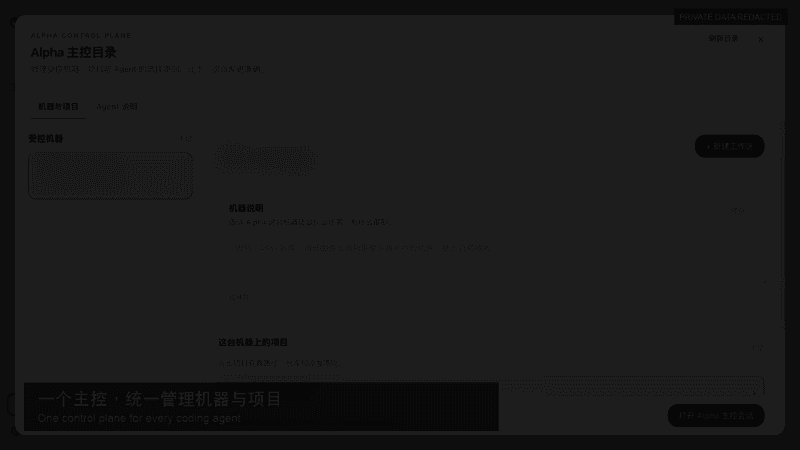 songofhawk/dsh-alpha
Multi-machine, multi-agent orchestration and control platform for DSH: route tasks across devices, workspaces, and Agent…
songofhawk/dsh-alpha
Multi-machine, multi-agent orchestration and control platform for DSH: route tasks across devices, workspaces, and Agent…
- FEOH333/dsh-delegate dsh-delegate: model-aware subagent delegation for DeepSeek Harness — per-call models, depends_on dependency gating, per-…
-
 PerryLink/dsh-auto-review
Second-model AI auto-review for DeepSeek Harness approval requests: a read-only reviewer subagent returns structured all…
PerryLink/dsh-auto-review
Second-model AI auto-review for DeepSeek Harness approval requests: a read-only reviewer subagent returns structured all…
-
 PerryLink/dsh-mcp-panel
MCP management console for the official DeepSeek Harness MCP client: /mcp command with health diagnostics and pipeline t…
PerryLink/dsh-mcp-panel
MCP management console for the official DeepSeek Harness MCP client: /mcp command with health diagnostics and pipeline t…
-
 PlutoKeating/dsh-lark-bot
DeepSeek Harness (dsh) 接入飞书/Lark bot,扫码即用:流式卡片、项目工作区、并行任务、多角色 Agent、跨会话通知、对话内模型/密钥管理与安全网守护(dsh 崩溃后飞书仍可自救)。A scan-to-conn…
PlutoKeating/dsh-lark-bot
DeepSeek Harness (dsh) 接入飞书/Lark bot,扫码即用:流式卡片、项目工作区、并行任务、多角色 Agent、跨会话通知、对话内模型/密钥管理与安全网守护(dsh 崩溃后飞书仍可自救)。A scan-to-conn…
-
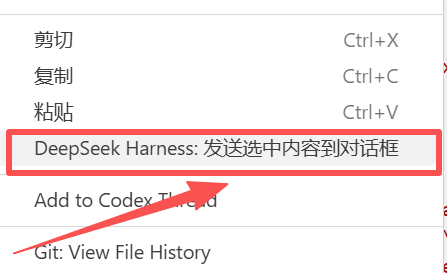 Vithrive/Deepseek-Harness-for-VS-Code
Deepseek Harness for VS Code
Vithrive/Deepseek-Harness-for-VS-Code
Deepseek Harness for VS Code