plastic-labs/dsh-honcho
Honcho integration for the DeepSeek Harness
Project Overview项目介绍
This is a Honcho-powered persistent memory plugin for DeepSeek Harness. It gives DSH cross-session memory, auto-stores conversations, decisions and preferences, provides memory tools and shares memory with other Honcho integrations. Use it when you need to retain context across sessions; it requires a Honcho API key and matching Node version.
这是基于Honcho的DeepSeek Harness持久化记忆插件。它为DSH提供跨会话记忆,自动存储对话、决策与偏好,支持记忆搜索、推理总结和手动保存,可与其他Honcho集成共享记忆。需要保留跨会话上下文时使用,注意需要配置Honcho API密钥,对Node版本有要求。
请帮我了解并安装插件:【dsh-honcho】【https://github.com/plastic-labs/dsh-honcho】Send this message to DSH in your current session. CLI install commands may not be accurate across systems — DSH will figure it out for you.把上面这条消息直接发给当前会话里的 DSH,让它帮你了解并安装。安装命令不一定准确,发给 DSH 更稳。
Or use CLI install (for developers)或使用命令行安装(适合开发者)
CLI Install命令行安装
dsh plugin --profile web add @honcho-ai/dsh-honcho把 plastic-labs/dsh-honcho 加入你的 DSH 配置(web profile)即可启用。
READMEREADME
dsh-honcho
Persistent memory for DeepSeek Harness, powered by Honcho.
dsh forgets everything when a session ends. This plugin gives it memory that doesn't: what you're building,
how you like to work, what you decided last week and why. It reads the same ~/.honcho/config.json as the
other Honcho integrations, so there is one place to configure all of them — and pointing two of them at the
same workspace gives them one shared memory.
Install
dsh plugin --profile <name> add @honcho-ai/dsh-honcho
Then put your API key and name in ~/.honcho/config.json:
{
  "peerName": "your-name",
  "auth": { "apiKey": "${HONCHO_API_KEY}" },
  "hosts": {
    "dsh": { "workspace": "dsh" },
  },
}
Get a key at app.honcho.dev. HONCHO_API_KEY in the environment also works on its
own — the config file is only needed to change defaults.
What it does
Injects what Honcho knows at the start of a session — your profile, a summary of this project's session so far, and the conclusions Honcho has drawn that are relevant to what you just asked. One API call, shaped to a character budget, refreshed as you work.
Captures every turn. User and assistant messages go to Honcho in the background, debounced, and flushed at turn boundaries, before compaction, and on shutdown. Secrets are redacted first.
Gives the model three tools:
| Tool | For |
|---|---|
honcho_search |
Looking something up. Searches raw messages and derived conclusions. |
honcho_chat |
Asking a question of judgment. Reasons over everything Honcho knows. Slow. |
honcho_remember |
Saving a durable fact, preference, or decision. |
/honcho shows status and a link to the session in the Honcho dashboard — see Commands below.
Configuration
Everything behavioral lives in ~/.honcho/config.json under hosts.dsh — the same file claude-honcho,
codex-honcho, and the other integrations read. Root holds identity and connection; the host block holds
behavior.
{
  "peerName": "your-name",
  "workspace": "honcho",
  "baseUrl": "https://api.honcho.dev", // bare host or …/v3 both fine
  "timeoutMs": 30000,
  "auth": { "apiKey": "${HONCHO_API_KEY}" },
  "enabled": true, // global kill switch
  // sessions may also sit here as a fallback; the host block wins

  "hosts": {
    "dsh": {
      "workspace": "dsh",
      "aiPeer": "dsh", // defaults to the host name
      "observationMode": "unified", // unified | directional
      "sessionStrategy": "per-directory", // see Sessions below
      "sessionPeerPrefix": true, // session names are <peer>-<dir>
      "sessions": { "/path/to/repo": "pinned-session-name" }, // pin a session
      "injection": {
        "sessionStart": ["directives", "summary", "peerCard"], // + representation
        "perTurn": ["userContext", "dialectic"], // userContext = representation + card
        "tools": true,
        "searchTopK": 10,
        "searchMaxDistance": 0.6,
        "maxConclusions": 15, // how many conclusions Honcho RETURNS
        "maxRenderedConclusions": 4, // how many survive filtering into the prompt
        "contextTokens": 1500,
        "cadence": { "dialectic": 5, "ttlSeconds": 300 },
        "dialectic": {
          "reasoning": "low", // minimal | low | medium | high | max
          "maxChars": 600,
        },
      },
      "capture": {
        "saveMessages": true,
        "saveToolUse": false, // one-line summaries of tool activity
        "writeFrequency": "async", // async | sync
        "noisePatterns": [], // additive to the built-in secret patterns
      },
      "messageUpload": {
        "maxUserTokens": 6000,
        "maxAssistantTokens": 6000,
      },
      },
    },
  },
}
Injection components
The two menus differ in cadence, not in what they can carry.
injection.sessionStart is injected once when a session opens: directives (guidance on using memory),
summary, peerCard, representation.
injection.perTurn refreshes as you work:
userContext— a fresh, prompt-scoped peer context blob: representation + peer card, retrieved using your current message as the search query so recall is associative rather than merely recent. It is a bundle, so it supplies both regardless of whatsessionStartnames. To get one without the other, name it insessionStartand setperTurn: []— at the cost of per-turn refresh.dialectic— a reasoned answer about you, run everycadence.dialecticturns and shaped byinjection.dialectic. Nothing waits on it after the first turn, so a late answer reaches the next one.
Components the canonical schema names but this plugin does not implement — briefing, assistantContext,
sessionContext — are reported at startup rather than silently dropped, as are schema keys it does not act on
(showContents, statusline, globalOverride, granular observation, multiUser) and any key renamed since
an earlier version. Nothing here is accepted and quietly ignored.
The plugin's own cordis.yml config carries plumbing only — configPath, apiKeyRef, host, enabled. Set
host to run a credential-isolated profile ("dsh_work") against the same install.
Sharing memory with other integrations
Each integration defaults to its own Honcho workspace — dsh here, claude_code for claude-honcho — and a
workspace is the isolation boundary, so by default they do not see each other's memory. Point them at the
same workspace to merge them:
"hosts": {
  "dsh":         { "workspace": "shared" },
  "claude_code": { "workspace": "shared" }
}
Keep peerName identical across them too, since conclusions are stored per peer.
Sessions
Default: one long-lived session per project directory, named <peerName>-<dir>, matching claude-honcho. Pin a
different name for any path with the root sessions map — an override always wins.
sessionStrategy |
Session name | Notes |
|---|---|---|
per-directory (default) |
<peer>-<dir> |
Stable across restarts and branches |
per-repo |
<peer>-<repo-root> |
Same memory from any subdirectory |
git-branch |
<peer>-<dir>-<branch> |
Falls back to per-directory outside a repo or on a detached HEAD |
per-session |
<peer>-chat-<id> |
A clean slate every restart |
global |
<peer> |
One memory for everything |
Prefer the wider scopes. Honcho's guidance is not to scope sessions too thin: the background Deriver needs
a single session to accumulate enough material before it can reason well. git-branch splits a project's
memory per branch, and per-session discards it on every restart.
Commands
| Command | Does |
|---|---|
/honcho |
Status: peer, workspace, session, strategy, pending uploads, last sync, last fetch |
/honcho config |
Resolved settings, the file they came from, and any ignored injection components |
/honcho flush |
Sync now |
Requirements
- Node
^22.19.0 || >=24.0.0 - A running
dsh(developed and typechecked against0.1.2-alpha.3) - A Honcho API key, or a self-hosted Honcho at
baseUrl
Development
bun install
bun test
bun run typecheck
bun run build
See ARCHITECTURE.md for the design and the reasoning behind each extension point, and RUNBOOK.md for a throwaway-VM test pass.
Credit
dsh-honcho-sync by @nanpaidashi (MIT) inspired the initial design of this plugin
The ~/.honcho/config.json contract, the session-naming convention, and src/redact.ts come from the sibling
Honcho integrations — claude-honcho,
codex-honcho, and their relatives.
DeepSeek Harness is MIT-licensed, and its Cordis plugin model is what made a native integration worth writing instead of a hook bridge.
License
MIT
Related相关推荐
-
 vshulcz/deja-vu
One memory shared by Claude Code, Codex, Cursor, Copilot CLI, OpenClaw and 20 more coding agents, built from the session…
vshulcz/deja-vu
One memory shared by Claude Code, Codex, Cursor, Copilot CLI, OpenClaw and 20 more coding agents, built from the session…
-
 adoresever/graph-memory
Deepseek Harness、Openclaw知识图谱记忆插件。2026年4月受邀发布在清华大学讨论会。Knowledge Graph + Memory;Knowledge Graph Context Engine for OpenCl…
adoresever/graph-memory
Deepseek Harness、Openclaw知识图谱记忆插件。2026年4月受邀发布在清华大学讨论会。Knowledge Graph + Memory;Knowledge Graph Context Engine for OpenCl…
-
 mnemon-dev/mnemon
LLM-supervised persistent memory for AI agents — graph-based recall, cross-session knowledge, single binary. Works with …
mnemon-dev/mnemon
LLM-supervised persistent memory for AI agents — graph-based recall, cross-session knowledge, single binary. Works with …
- hg1048596-pixel/dsh-recall-unread DeepSeek Harness (DSH) 插件:在模型读取前撤回已发送的文字消息,支持单条与全部撤回。A DeepSeek Harness plugin that recalls sent-but-unread text message…
-
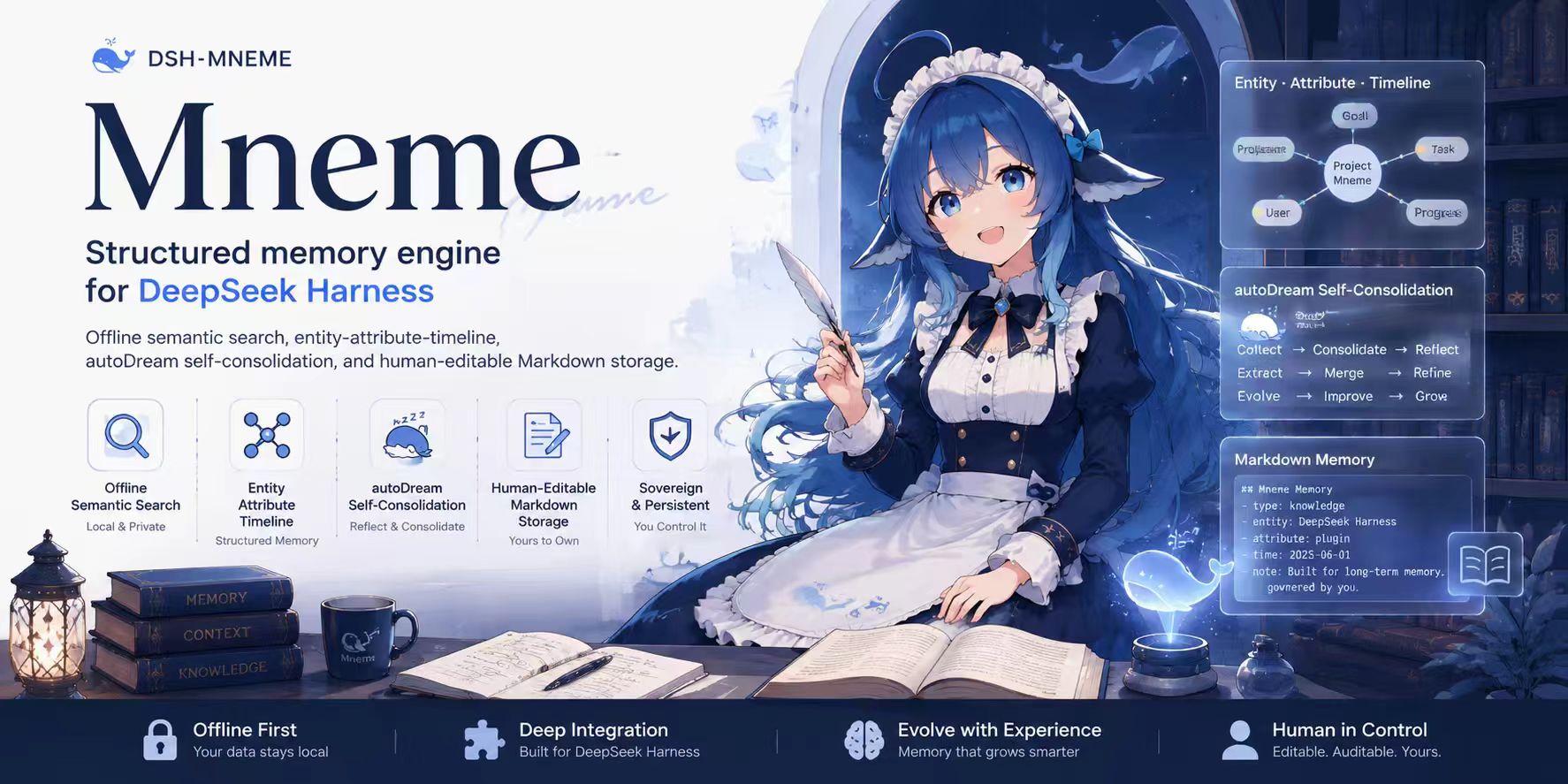 modusensus/dsh-mneme
🧠 The memory that dreams — cross-session memory for DeepSeek Harness. Offline & private, auto-consolidates in its sleep…
modusensus/dsh-mneme
🧠 The memory that dreams — cross-session memory for DeepSeek Harness. Offline & private, auto-consolidates in its sleep…
-
 Phant0Meow/dsh-meow-memory
Cross-session memory plugin for DeepSeek Harness: seven-layer SQLite store (soul/user/project/fact/lesson/topic/rules), …
Phant0Meow/dsh-meow-memory
Cross-session memory plugin for DeepSeek Harness: seven-layer SQLite store (soul/user/project/fact/lesson/topic/rules), …
- Tasihi89/dsh-talk-map Visual conversation map for DeepSeek Harness — sessions as cards on a whiteboard: drag to arrange, double-click to chat,…
-
 diqierjia/StrataGate-AgentMemory
Local-first cross-session memory for DeepSeek Harness (DSH): automatic capture, Event/Element cards, evidence-gated reca…
diqierjia/StrataGate-AgentMemory
Local-first cross-session memory for DeepSeek Harness (DSH): automatic capture, Event/Element cards, evidence-gated reca…