
Tianyu209/dsh-browser-companion
个人DSH浏览器插件:持久化配置文件、可见窗口、人在回路登录以及安全的代理浏览器工具。
Project Overview项目介绍
dsh-browser-companion is a DeepSeek Harness browser plugin that gives an agent a persistent, visible browser window. Its core capability is a human-in-the-loop login flow: the user types passwords and completes OAuth manually in the popup, so credentials never reach the agent, while cookies and login state persist across restarts. It exposes tools like open, snapshot, click, type, screenshot, see, tabs, and login, plus a local vision model for image understanding. Use it when agents need logged-in browsing or visual reasoning. Caveat: the default visible mode means the user must keep the window accessible.
dsh-browser-companion 是一个 DeepSeek Harness 浏览器插件,为 Agent 提供持久化、可视化的专属浏览器窗口。核心能力是支持人工登录流程,密码和 OAuth 由用户亲自输入,Agent 永远不接触凭据;登录状态通过 cookie 跨重启保留,并提供 open、snapshot、click、type、screenshot、see、tabs、login 等工具。适用于需要登录态的网页自动化、视觉理解与人工协同场景。注意:默认不显示无头窗口,请准备好 Chrome/Edge 路径以避开部分站点风控。
请帮我了解并安装插件:【dsh-browser-companion】【https://github.com/Tianyu209/dsh-browser-companion】Send this message to DSH in your current session. CLI install commands may not be accurate across systems — DSH will figure it out for you.把上面这条消息直接发给当前会话里的 DSH,让它帮你了解并安装。安装命令不一定准确,发给 DSH 更稳。
Or use CLI install (for developers)或使用命令行安装(适合开发者)
CLI Install命令行安装
dsh plugin --profile web add dsh-browser-companion把 Tianyu209/dsh-browser-companion 加入你的 DSH 配置(web profile)即可启用。
READMEREADME
dsh-browser-companion
English | 简体中文

A personal DeepSeek Harness (DSH) browser plugin.
It gives your agent a dedicated, persistent, visible browser:
- You can watch what the agent is doing in a real browser window.
- Logins are done by you in the popup window; passwords and OAuth secrets never pass through the agent.
- Cookies and login state are saved in the same profile, so logins persist across restarts.
Features
- ✅ Persistent browser profile (cookies / localStorage / login state)
- ✅ Visible window mode (default
headless: false) - ✅ Human-in-the-loop login:
browser_loginopens a window and you type your password / complete OAuth yourself - ✅ Agent tools: open, snapshot, click, type, press, screenshot, see, select, check, upload, hover, scroll, tabs, status
- ✅ Security guard:
browser_typerefuses to fill password fields - ✅
browser_seeuses a local vision model (OpenAI-compatible) so the agent can understand images / visual layouts when needed - ✅ Based on agent-browser, so the hard browser automation is battle-tested
Out-of-the-box
The plugin works with zero configuration for basic browsing:
- Uses the bundled browser (agent-browser's Chromium) by default
- Uses a default persistent profile under
~/.dsh/browser-profile - All basic tools work: open, snapshot, click, type, tabs, etc.
Optional settings can be changed in the DSH WebUI plugin settings:
executablePath: set to your real Chrome/Edge to avoid login blocks (e.g. Google)visionBaseUrl/visionModel: enablebrowser_seewith a local vision modelprofilePath: use a custom browser profile location
If browser_see is not configured, it returns a friendly message instead of breaking the agent.
Install
1. Install dependencies
npm install -g agent-browser
agent-browser install   # first-time Chromium download
2. Install the plugin
From npm or GitHub (once published):
dsh plugin --profile web add dsh-browser-companion
pnpm users: when installing from GitHub, pnpm may block
agent-browser's build script.
Add this to your profile'spnpm-workspace.yamland re-run:allowBuilds: agent-browser: true
Or for local development, add this to ~/.dsh/profiles/web/cordis.patch.yml:
- insert:
    - id: dsh-browser-companion
      name: 'file:///absolute/path/to/dsh-browser-companion/src/index.js'
      config:
        profilePath: '/home/your-name/.dsh/browser-profile'
        headless: false
        executablePath: '/path/to/your/chrome'
        browserArgs: '--disable-blink-features=AutomationControlled'
        defaultTimeout: 30000
See examples/dsh-browser-companion.config.yml for a full sample config with placeholders.
⚠️ Never commit real paths, tokens, or personal profile data. Use the sample config and replace values locally.
3. Restart DSH
dsh web
Agent Tools
| Tool | Description |
|---|---|
browser_open |
Open a URL (visible window by default) |
browser_snapshot |
Get an accessibility snapshot with @e1 refs |
browser_click |
Click an element |
browser_type |
Type text (never into password fields) |
browser_press |
Press a key |
browser_screenshot |
Save a screenshot locally |
browser_see |
Screenshot + local vision model description (use sparingly) |
browser_get_text |
Read element text |
browser_get_url / browser_get_title |
Get URL / title |
browser_wait |
Wait for time / element / URL |
browser_back / forward / reload |
Navigation |
browser_select |
Select a dropdown option |
browser_check / browser_uncheck |
Check / uncheck a checkbox |
browser_upload |
Upload files |
browser_hover |
Hover an element |
browser_scroll |
Scroll the page |
browser_tabs / browser_new_tab / browser_close_tab / browser_switch_tab |
Tab management |
browser_status |
Browser status |
browser_login |
Open a visible login window for the user |
browser_wait_login |
Wait until login completes (cookie / URL) |
browser_close |
Close the browser (profile is kept) |
Typical Login Flow
Agent: I need to log in to a site.
Agent calls browser_login("https://example.com/login")
→ You see a popup and log in manually
→ You tell the agent "done"
→ Agent continues with the same cookies
How the Agent “Sees” a Page
- Default:
browser_snapshot— fast, free accessibility tree with refs. - Only when needed:
browser_see— screenshot + local vision model, for images / visual layout / complex UI.
Configuration
| Key | Default | Description |
|---|---|---|
profilePath |
~/.dsh/browser-profile |
Persistent profile directory |
headless |
false |
Show browser window |
defaultTimeout |
30000 |
Per-operation timeout (ms) |
agentBrowserPath |
auto-detect | Override agent-browser CLI path |
executablePath |
auto | Chrome/Edge executable path (recommended for Google login) |
browserArgs |
--disable-blink-features=AutomationControlled |
Extra browser launch args |
visionBaseUrl |
http://127.0.0.1:1234/v1 |
Local vision model endpoint |
visionModel |
your-vision-model |
Local vision model name |
Security Notes
- The agent is instructed never to fill password fields.
- Passwords and OAuth secrets are entered by the user in the visible browser window.
- For stronger protection, future versions can add encrypted cookie storage and proxy-based credential injection.
Development
npm install
npm test
License
MIT
Related相关推荐
-
 Nagi-ovo/dsh-find-plugins
帮 DSH 搜索、安装并验证插件的 Skill|A DSH skill that finds, installs, and verifies GitHub plugins
Nagi-ovo/dsh-find-plugins
帮 DSH 搜索、安装并验证插件的 Skill|A DSH skill that finds, installs, and verifies GitHub plugins
-
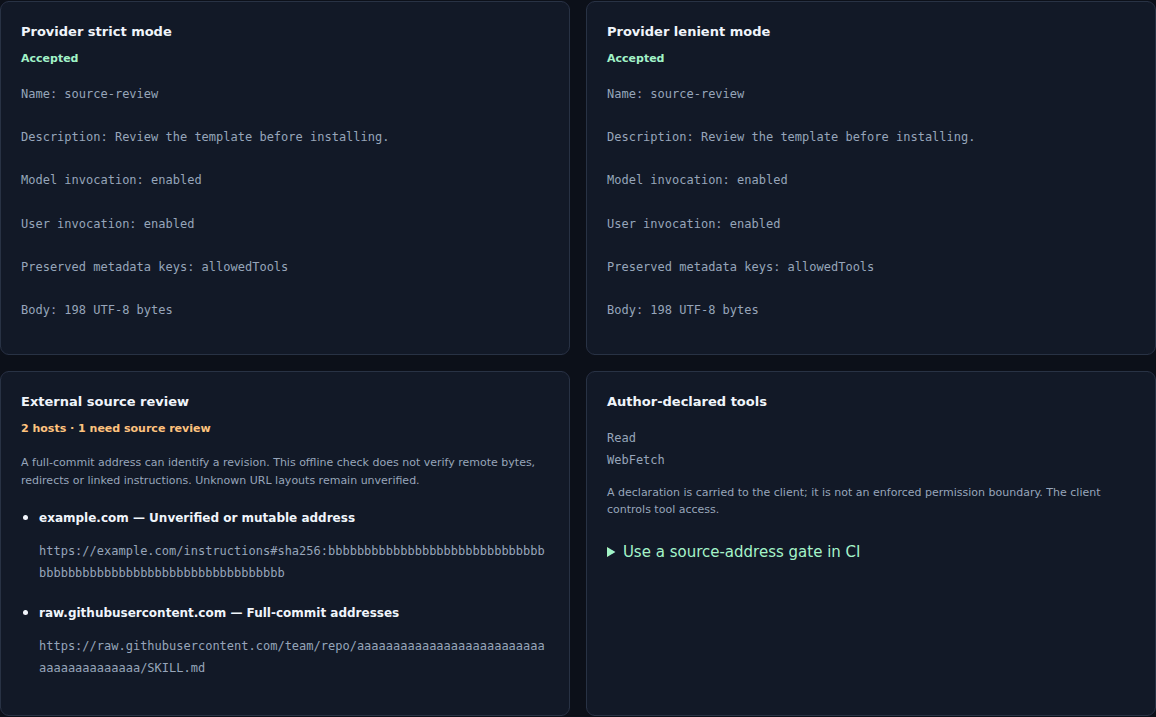 noteflowai/dsh-skills-anywhere
Reuse Agent Skills across DeepSeek Harness and MCP. Check local SKILL.md files in the browser or CI, with parser diagnos…
noteflowai/dsh-skills-anywhere
Reuse Agent Skills across DeepSeek Harness and MCP. Check local SKILL.md files in the browser or CI, with parser diagnos…
- zhouzhencheng07/dsh-kit Page capability kit for DeepSeek Harness (dsh): terminal dock, file tree, source control, skills manager, phone access, …
-
 liustack/modsearch
🥇 The strongest free web search plugin for DeepSeek Harness, and the search bridge for every model without native web a…
liustack/modsearch
🥇 The strongest free web search plugin for DeepSeek Harness, and the search bridge for every model without native web a…
- antibrow/dsh-antibrow DeepSeek Harness plugin: give your agent a browser with a persistent identity - engine-level fingerprint spoofing, unlim…
-
 csyangwen/dsh-memory-evolve
为 DeepSeek Harness 带来「跨会话长期记忆 + 后台自我进化」能力的纯插件实现:五轨记忆 · git 分支感知 · 回合内自我审查 · 技能自我进化与技能管理器 · 四轨待办 · COI 调度 · 会话广播 · 会话搜索 ·…
csyangwen/dsh-memory-evolve
为 DeepSeek Harness 带来「跨会话长期记忆 + 后台自我进化」能力的纯插件实现:五轨记忆 · git 分支感知 · 回合内自我审查 · 技能自我进化与技能管理器 · 四轨待办 · COI 调度 · 会话广播 · 会话搜索 ·…
-
 himovo/movo
Turn DeepSeek Harness into a self-hosted enterprise Agent platform with knowledge, deep research, content generation, vi…
himovo/movo
Turn DeepSeek Harness into a self-hosted enterprise Agent platform with knowledge, deep research, content generation, vi…
-
 yyyyukari/dsh-plugin-workshop
Steam Workshop-style plugin browser for the DeepSeek Harness (DSH) Web UI - zero-server: GitHub-powered search, trending…
yyyyukari/dsh-plugin-workshop
Steam Workshop-style plugin browser for the DeepSeek Harness (DSH) Web UI - zero-server: GitHub-powered search, trending…