TikaFlow/dsh-model-fix
DSH(DeepSeek Harness) 插件:给非官方(自定义)提供方的模型自动填充推理级别(reasoningEfforts)、最大上下文(contextWindow)、输出上限(maxTokens)与图片模态(input)等参数,数据来自 models.dev。同时,提供兼容性提升、记住推理级别等用户体验优化。
catalog descriptioncatalog 简介 / catalog description:DSH 插件:给非官方(自定义)提供方的模型自动填充推理级别、最大上下文、输出上限与图片模态等参数(数据来自 models.dev),并提供兼容性提升、记住推理级别等用户体验优化。
Project Overview项目介绍
TikaFlow/dsh-model-fix is a native plugin built specifically for DSH (DeepSeek Harness), targeting users who route custom or third-party OpenAI-compatible providers through the harness and want their model metadata handled automatically. The plugin pulls capability data from models.dev — reasoningEfforts, contextWindow, maxTokens, and image input support — and fills any missing values into the provider configuration, leaving existing entries untouched unless an update flag is enabled. It also writes compat.supportsDeveloperRole: false into every api: openai-completions provider so the developer role is avoided, and that field is added on enable and removed on disable, unlike the other toggles.
The typical workflow is zero-config: install the plugin, open DSH, and the auto-fill runs immediately using a bundled offline cache that is later refreshed from models.dev. Per-model reasoning effort is remembered and restored on model switch, and when no memory exists for a model exposing a high tier, that level is selected by default. Users can force-update parameters, restore the snapshot taken at plugin startup, or list provider IDs in the excludes array to skip auto-fill, updates, compatibility writes, forced updates, and reasoning resets for those providers — though the UX flags still apply globally.
Supported DSH host versions span 0.1.2-rc.1 through 0.2.0-rc.2, and the plugin depends on the harness rather than any external service beyond models.dev. Installation options include pasting the latest release tarball URL (https://github.com/TikaFlow/dsh-model-fix/releases/latest/download/dsh-model-fix.tgz) into the Plugins → Add Plugin dialog on DSH ≥ 0.1.6-alpha.2, searching the TikaFlow author handle inside the dsh-market marketplace for a no-restart install, and CLI variants such as dsh plugin --profile web add https://github.com/TikaFlow/dsh-model-fix/releases/latest/download/dsh-model-fix.tgz or dsh plugin --profile web add github:TikaFlow/dsh-model-fix (the latter compiles on the fly and is not recommended). Manual editing of settings.yaml under tikaflow-model-fix.version-6 is offered as an equivalent path. The repository is released under the MIT license.
TikaFlow/dsh-model-fix 是面向 DSH(DeepSeek Harness)的原生插件,专注于为非官方自定义模型提供方补全关键参数。它从 models.dev 拉取 reasoningEfforts、contextWindow、maxTokens 与图片 input 等元信息,自动填充到 DSH 的模型配置中;并向 api: openai-completions 的提供方写入 compat.supportsDeveloperRole: false,避免使用 developer 角色带来的兼容性差异。
该插件面向在 DSH 中接入大量自定义或第三方 OpenAI 兼容提供方、又不想逐个手填模型元数据的用户。它会自动按模型记忆推理级别、切换时自动恢复,并在新模型无记忆时默认使用 high 档位;同时支持强制更新、恢复备份以及排除指定提供方跳过接管,可视化设置入口分布在「设置 → 模型」、「插件 → 已安装」等多个位置。
依赖方面,它以 DSH 0.1.2-rc.1 至 0.2.0-rc.2 为宿主版本,支持离线启动后从内置缓存填充后再同步最新数据。可通过插件管理页面粘贴 https://github.com/TikaFlow/dsh-model-fix/releases/latest/download/dsh-model-fix.tgz 安装,也可借助 dsh-market 市场、或运行 dsh plugin --profile web add 命令完成。首次使用无需额外配置,进入 DSH 即生效;该项目以 MIT 许可证开源。
请帮我安装这个 DSH 插件。安装前先完成【兼容性检查 + 安全性检查】,检查通过再动手。

插件:dsh-model-fix(TikaFlow/dsh-model-fix)
仓库:https://github.com/TikaFlow/dsh-model-fix
本站详情页:https://www.yhbd.top/plugins/tikaflow-dsh-model-fix/
本站登记:类型 plugin · 归类 原生 DSH 插件 · 许可证 MIT · ⭐ 3 · 最近提交 2026-10-03 · 主语言 TypeScript

按下面顺序执行,每步先把结论告诉我,再进入下一步:

【1 兼容性检查】
① 我这边:DSH 版本、Node 版本、操作系统、当前 profile(web / desktop)。
② 读它的 README、package.json、插件 manifest,列出它要求的 DSH 版本 / Node 版本 / 操作系统 / 外部依赖 / 需要另外先装的运行时。
③ 逐条比对,结论只写「满足 / 不满足 / 未知」三种;不满足的给出可行替代方案。
④ 检查是否和我已装的插件冲突:命令名重复、skill / tool 重名、端口占用、重复注册的 MCP server。

【2 安全性检查】
① 仓库可信度:和上面「本站登记」是否一致;star / fork 数、创建时间、最近提交,是否归档或长期停更。
② 安装脚本:逐行看 package.json 的 preinstall / install / postinstall,以及 install.sh、setup.ps1 之类脚本。出现 curl|bash、下载后直接执行、混淆代码、访问与插件功能无关的域名,立刻停下来告诉我,不要继续装。
③ 依赖:列出新增依赖,标出无人维护、或与知名包拼写近似的可疑包(typosquatting)。
④ 权限与副作用:它会读写哪些目录、访问哪些域名、需要哪些 DSH 权限(filesystem / network / shell / clipboard 等),以及怎么卸载和回滚。
⑤ 如果它要求 sudo / 管理员权限,或权限明显超出功能所需,先停下来问我。

【3 安装】
上面两步没有「不满足」和「高危项」时才执行;用官方推荐方式安装,不要自行提权。

【4 汇报】
用表格输出:检查项 / 结论 / 依据 / 是否需要我决策。拿不准的一律写「未知」并说明要我怎么确认——不要猜,也不要替我决定。
Send this message to DSH in your current session: it verifies compatibility and security first (answering met / not met / unknown item by item) and only installs once everything checks out — it will stop and ask you if it finds a high-risk item. The box scrolls; the copy is the full prompt. CLI install commands may not be accurate across systems, so DSH is the safer route.把上面这条消息直接发给当前会话里的 DSH:它会先核对兼容性与安全性(逐条给「满足 / 不满足 / 未知」),确认没问题再安装,有高危项会停下来问你。框内可滚动,复制到的是完整提示词;安装命令不一定准确,发给 DSH 更稳。
- Only 3 stars - very few users, little community feedback星标只有 3,几乎没人在用,遇到问题缺少社区反馈
DSH walks through these 9 checksDSH 会逐条核对这 9 项
Compatibility兼容性
- DSH, Node, OS and profile requirementsDSH 版本 / Node 版本 / 操作系统 / profile 是否满足要求
- External dependencies and runtimes (Electron / Python / Docker, ...)外部依赖与运行时(Electron / Python / Docker 等)是否齐备
- Conflicts with installed plugins: command names, skill / tool names, ports, duplicate MCP registration与已装插件是否冲突:命令名、skill / tool 重名、端口占用、重复 MCP 注册
Security安全性
- Repo matches the facts registered here; archived or abandoned?仓库是否与页面登记一致,是否归档或长期停更
- Safety of preinstall / install / postinstall and install.sh / setup.ps1preinstall / install / postinstall 与 install.sh、setup.ps1 是否安全
- curl|bash, download-then-execute, obfuscation, unrelated domains → stop immediatelycurl|bash、下载即执行、混淆代码、无关域名 → 立刻停止
- Typosquatting or unmaintained packages among the new dependencies新增依赖里有没有 typosquatting 或无人维护的包
- Requested permissions vs. what the feature actually needs申请了哪些权限、是否超出功能所需(filesystem / network / shell / clipboard)
- Any sudo / admin requirement, plus uninstall and rollback是否要求 sudo / 管理员权限,以及卸载与回滚方式
Anything uncertain must be marked unknown with a note on how to confirm it. This site's signal screen is a static snapshot, not a security audit.拿不准的必须标「未知」并说明要我怎么确认。本站的信号筛查是静态快照,不能替代安全审计。
Or use CLI install (for developers)或使用命令行安装(适合开发者)
CLI Install命令行安装
dsh plugin --profile web add github:TikaFlow/dsh-model-fix把 TikaFlow/dsh-model-fix 加入你的 DSH 配置(web profile)即可启用。
READMEREADME
dsh-model-fix
本插件已被 awesome-dsh-plugin 收录,同时可在 dsh-market 中搜索、安装。
DSH(DeepSeek Harness) 插件:给非官方(自定义)提供方的模型自动填充推理级别(reasoningEfforts)、最大上下文(contextWindow)、输出上限(maxTokens)与图片模态(input)等参数,数据来自 models.dev。同时,提供兼容性提升、记住推理级别等用户体验优化。
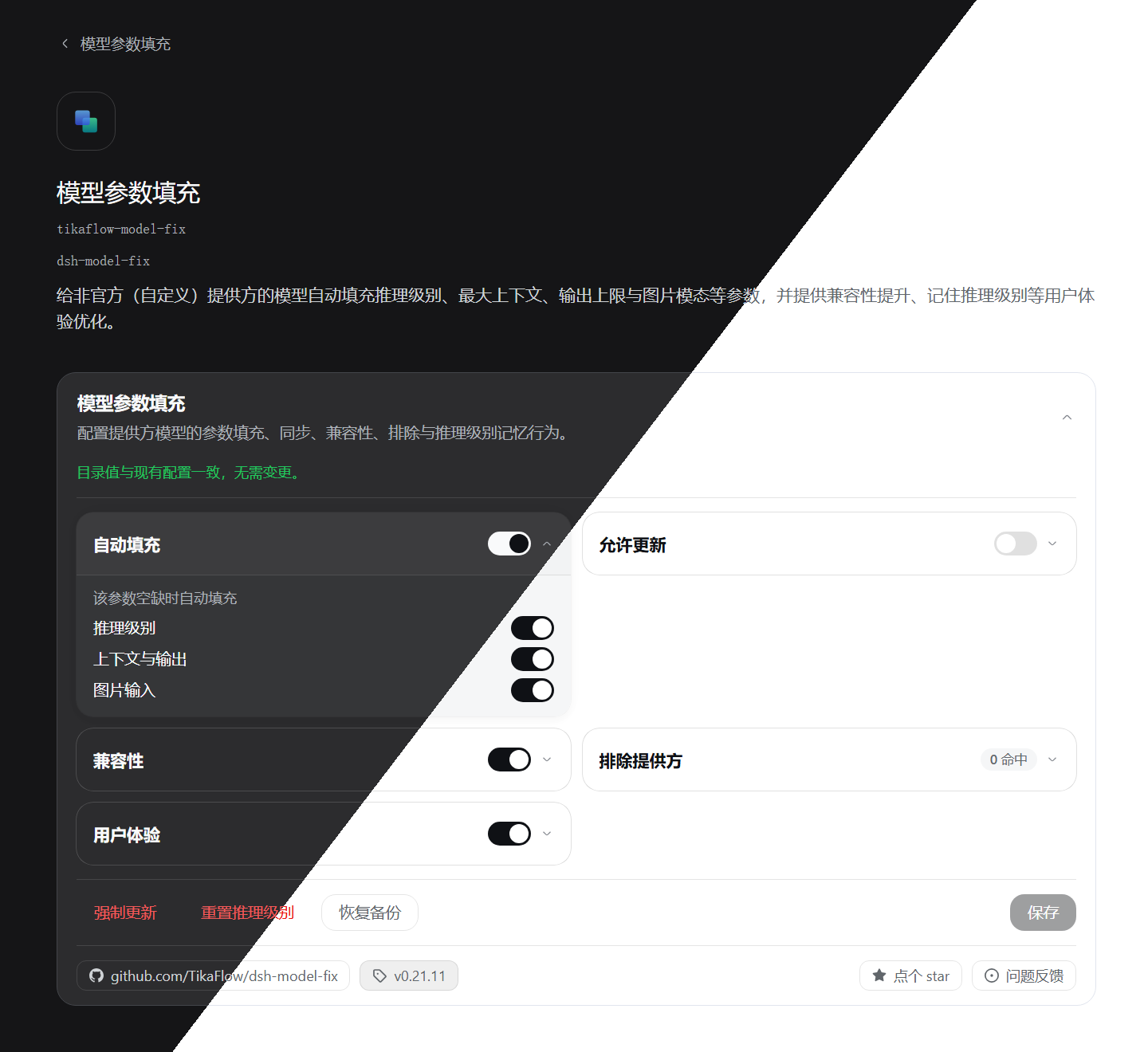
插件截图:
功能
- 自动填充:模型缺失
reasoningEfforts/contextWindow/maxTokens/input时按 models.dev 数据补全;已有配置不受影响 - 允许更新:当 models.dev 数据更新时,插件会自动更新模型参数(已有配置也会更新)
- 不使用
developer角色:为所有api: openai-completions的提供方路由写入compat.supportsDeveloperRole: false(不使用developer角色);关闭该开关则移除此字段 - 排除提供方:列出的提供方本插件完全不动(填充、更新、兼容性写入、强制更新、重置推理级别时跳过),基本等效于对它关闭插件
- 记住推理级别:每模型独立记住上次手动选择的推理级别,切换模型时自动恢复
- 清除记忆:关闭「记住推理级别」时,将会询问是否确认清除记忆,可在清除后不保存设置,依然可以继续记忆,但旧记忆已清除
- 默认使用 high:切换模型时,若没有该模型的记忆,且模型提供
high档位,则自动把推理级别设为high - 强制更新:按 models.dev 当前值立即覆盖一遍
- 恢复备份:回退到插件启动时已存在的模型参数
- 可视化设置:见下文
- 开箱即用:启动即以内置缓存填充(离线可用),数据随后自动保持最新
可视化设置
- 入口:
- 「设置」-->「模型」-->「模型参数填充」卡片
- 「设置」-->「内置插件」-->「模型填充」选项卡-->「模型参数填充」卡片(此处卡片默认展开)
- 「插件」-->「已安装」-->「模型参数填充」详情页(此处卡片默认展开)
- 「插件」-->「已安装」-->「模型参数填充」详情页-->「包含的组件」-->「dsh-model-fix」
安装
以下所有安装方式安装的内容、效果完全相同。
方式一:通过插件管理页面安装(推荐)
在 DSH 中,点击「插件」-->「添加插件」,复制以下链接到输入框,完成安装:
https://github.com/TikaFlow/dsh-model-fix/releases/latest/download/dsh-model-fix.tgz
方式二:通过插件市场安装(推荐)
使用
dsh-market插件市场安装时无需重启 DSH 即生效。
直接在插件市场搜索我的用户名:TikaFlow,找到「dsh-model-fix」插件,即可安装。
方式三:通过 Release 预构建包安装
dsh plugin --profile web add https://github.com/TikaFlow/dsh-model-fix/releases/latest/download/dsh-model-fix.tgz
方式四:通过 Git 安装(不推荐)
使用这种方式安装需要现场编译插件,不推荐。
dsh plugin --profile web add github:TikaFlow/dsh-model-fix
版本说明
由于 DSH 正在快速迭代,因此本插件所依赖/兼容的 DSH 宿主版本总是追随较新的版本。若插件功能异常,请检查 DSH 版本是否满足插件依赖版本。
支持范围
DSH 0.1.7-rc.2 ~ 0.2.0-rc.2
使用说明
无需任何操作,进入 DSH 后插件即自动生效:自动填充缺失的模型参数,并记住用户手动选择的推理级别。某个提供方不想被接管,就把它的 id 加进「排除提供方」(见下文)。
配置
图形界面(推荐):见 可视化设置
手动编辑(等效方式):Web 设置界面右上角「打开配置文件 / Open configuration file」直接编辑 settings.yaml:
Showing the opening section of the README — the full document lives in the repository以上为 README 开头摘要,完整文档在仓库内 · View the full README on GitHub →在 GitHub 查看完整 README →
Related相关推荐
- ethanweave/glm4v-vision-mcp GLM-4.6V 图像理解 MCP:识图/OCR/图表解析,原生接入 DeepSeek Harness(dsh-mcp-client),也兼容 Codex/Cline 等
-
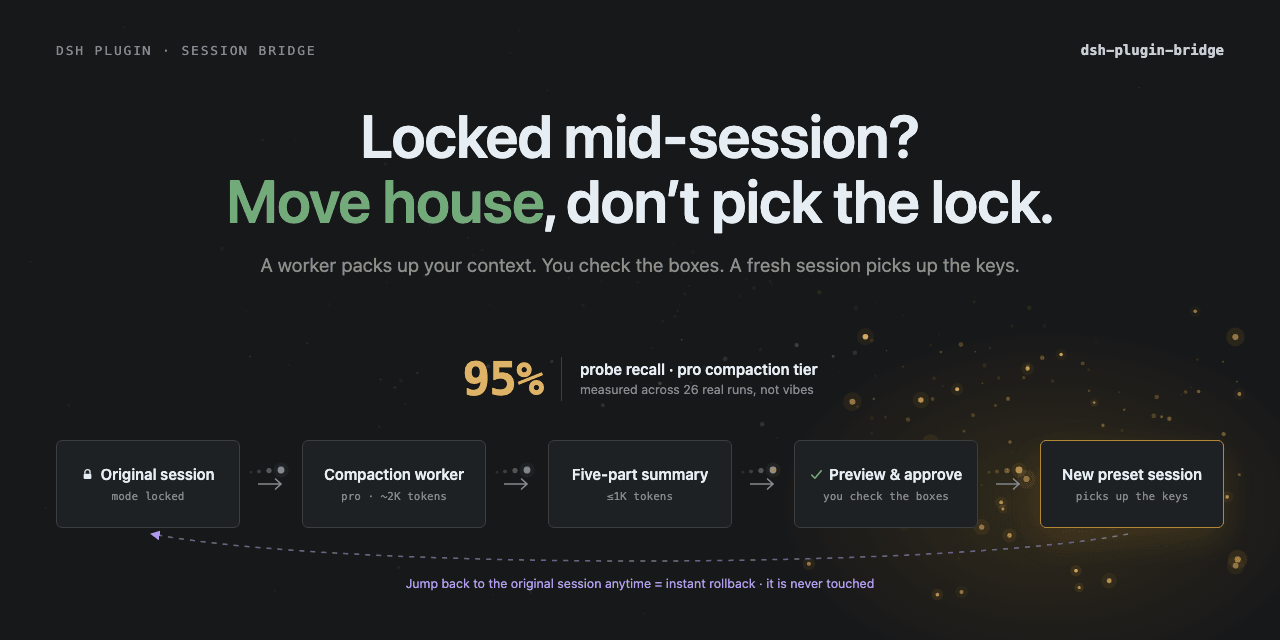 Totoro-qaq/dsh-plugin-bridge
DeepSeek Harness plugin for previewable cross-preset session migration. Fixed-schema handoffs preserve state, source-mod…
Totoro-qaq/dsh-plugin-bridge
DeepSeek Harness plugin for previewable cross-preset session migration. Fixed-schema handoffs preserve state, source-mod…
- yuc16/PatentRadar 专利侵权分析系统 —— 输入专利公开号,产出竞品侵权分析报告;同时打包成 skill,可被任意 agent(dsh, codex, claudecode 等) 调用。
-
 william-jin-cmu/dsh-vision
dsh 插件:给纯文本 DeepSeek 加视觉——view_image 工具桥接任意 OpenAI 兼容 VLM(默认智谱免费档,实测 4 厂商 10 模型)
william-jin-cmu/dsh-vision
dsh 插件:给纯文本 DeepSeek 加视觉——view_image 工具桥接任意 OpenAI 兼容 VLM(默认智谱免费档,实测 4 厂商 10 模型)
-
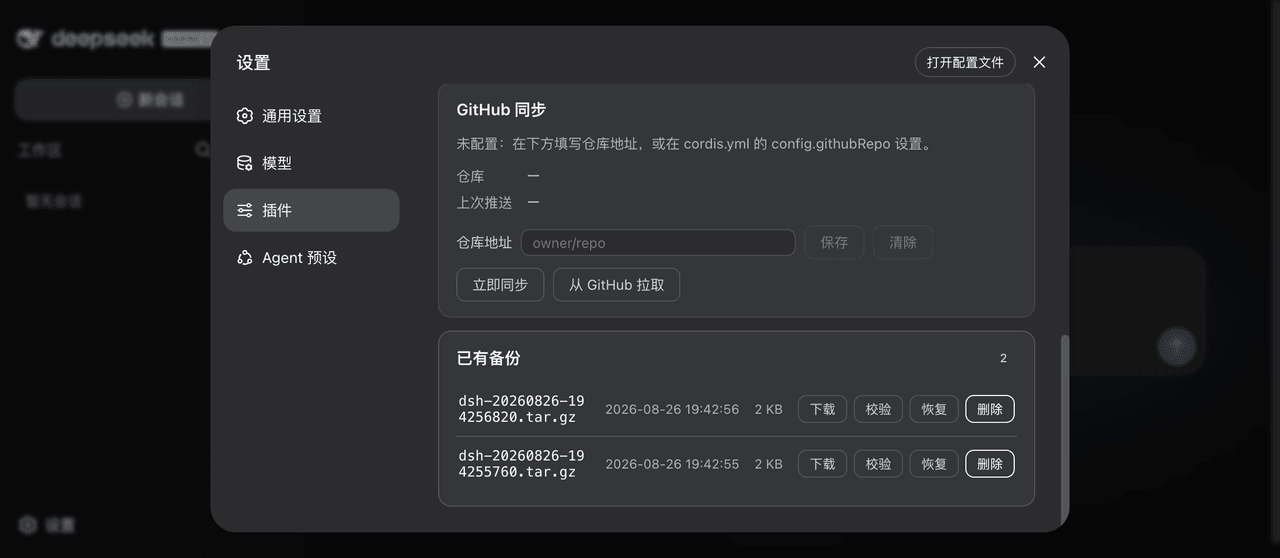 xiaoyuyu6420/dsh-backup
一条命令备份/恢复 DeepSeek Harness(dsh)的全部数据:升级快照、会话日志体检修复、迁移预检、救援通道、凭据脱敏、GitHub 同步。 One command to back up & restore all of ~/.…
xiaoyuyu6420/dsh-backup
一条命令备份/恢复 DeepSeek Harness(dsh)的全部数据:升级快照、会话日志体检修复、迁移预检、救援通道、凭据脱敏、GitHub 同步。 One command to back up & restore all of ~/.…
-
 Flyvhidbwo/dsh-vision-proxy
DeepSeek Harness 插件:DeepSeek Pro 大脑 + 自动识图。GUI 附加图片默认经官方 deepseek-v4-flash-vision-exp 原生识图,转译成文字后交给 DeepSeek 作答(纯文本的 V4-…
Flyvhidbwo/dsh-vision-proxy
DeepSeek Harness 插件:DeepSeek Pro 大脑 + 自动识图。GUI 附加图片默认经官方 deepseek-v4-flash-vision-exp 原生识图,转译成文字后交给 DeepSeek 作答(纯文本的 V4-…
-
 WNJXYK/dsh-codex-oauth
Use your OpenAI subscription with DeepSeek Harness to access GPT models, image generation, and web search.
WNJXYK/dsh-codex-oauth
Use your OpenAI subscription with DeepSeek Harness to access GPT models, image generation, and web search.
-
 JuneLearn/dsh-image2-draw
DeepSeek Harness Image2 生图插件,通过第三方 OpenAI Images 兼容接口调用 gpt-image-2,只需配置 baseURL 和 API Key。 | Image2 generation plugin f…
JuneLearn/dsh-image2-draw
DeepSeek Harness Image2 生图插件,通过第三方 OpenAI Images 兼容接口调用 gpt-image-2,只需配置 baseURL 和 API Key。 | Image2 generation plugin f…