tinqiao-oss/clawtouch-mcp
ClawTouch MCP server — exposes a real USB-HID keyboard/mouse (Raspberry Pi Pico 2) as Model Context Protocol tools for any LLM agent. MIT.
Project Overview项目介绍
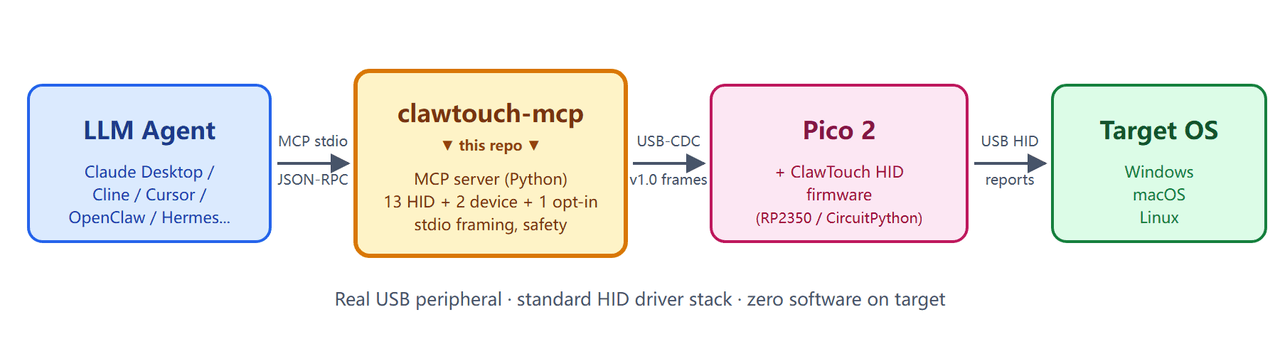
clawtouch-mcp is an open-source MCP server that enables any MCP-compatible AI agent client to send real hardware mouse and keyboard input to a target machine. It supports a wide range of clients including DeepSeek Harness, Claude Desktop, Cline, Continue, and Cursor, among others. Unlike software-injected synthetic input events, the server works by translating MCP tool calls into framed bytes sent over USB-CDC to a Raspberry Pi Pico 2 running open-source ClawTouch HID firmware, which then emits standard USB HID reports that the target OS recognizes as a genuine physical peripheral.
This tool is designed for use cases that require a genuine hardware input path, such as locked-down kiosk machines, user accessibility control, software compatibility testing, and remotely driven automated test rigs. It is particularly useful when software-based input injection fails due to OS permission restrictions or application-level compatibility blocks. To use it, you first flash the open-source ClawTouch HID firmware onto a Raspberry Pi Pico 2, then connect the board to your target machine via USB, install the clawtouch-mcp package from PyPI, and add the server config to your AI agent.
clawtouch-mcp is released under the MIT open-source license, and follows an open-core development model where only the core HID plumbing layer is open, while higher-level application features live in a closed-source commercial desktop product. It requires a working Python environment on the machine that runs the MCP server, and one Pico 2 hardware per target machine, so it is not a good fit for bulk multi-host operations. Contributors are welcome to submit PRs for bug fixes, new HID tools, documentation improvements, and client integration examples, but not for application-level features.
这是一个遵循Model Context Protocol(MCP)的服务器,可给任意兼容MCP的AI代理提供真实硬件级的鼠标键盘输入能力,兼容包括DSH、Claude Desktop、Cline、Continue、Cursor在内的多种代理客户端。它通过USB串口和运行ClawTouch HID开源固件的树莓派Pico 2硬件通信,将MCP工具调用转换为标准USB HID报告,让目标操作系统将输入识别为来自真实外接外设,而非软件注入的虚拟事件。
适合需要真实硬件输入路径的多种场景,包括公共自助设备、无障碍访问控制、软件兼容性测试或者远程测试机驱动。用户需要先准备好刷入ClawTouch HID开源固件的树莓派Pico 2硬件,将其连接到目标机器后,在自己常用的AI代理中配置好本MCP服务器,之后代理就能通过调用hid.click、hid.type等预置工具,实现对目标机器的真实输入操作。
本项目采用MIT开源许可证,属于开放核心开发模式,仅提供基础的HID传输链路,不包含上层代理逻辑和应用级功能,相关应用级功能放在闭源的桌面产品中。它要求运行机器有可用的Python环境,且必须额外准备对应硬件外设,本身不适合多主机批量操作这类场景,大规模商业部署需要联系官方获取企业支持。
请帮我安装这个 DSH 插件。安装前先完成【兼容性检查 + 安全性检查】,检查通过再动手。

插件:clawtouch-mcp(tinqiao-oss/clawtouch-mcp)
仓库:https://github.com/tinqiao-oss/clawtouch-mcp
本站详情页:https://www.yhbd.top/plugins/tinqiao-oss-clawtouch-mcp/
本站登记:类型 plugin · 归类 多平台兼容工具(非 DSH 原生) · 许可证 MIT · ⭐ 11 · 最近提交 2026-09-30 · 主语言 Python · 未检测到 DSH 插件清单

按下面顺序执行,每步先把结论告诉我,再进入下一步:

【1 兼容性检查】
① 我这边:DSH 版本、Node 版本、操作系统、当前 profile(web / desktop)。
② 读它的 README、package.json、插件 manifest,列出它要求的 DSH 版本 / Node 版本 / 操作系统 / 外部依赖 / 需要另外先装的运行时。
③ 逐条比对,结论只写「满足 / 不满足 / 未知」三种;不满足的给出可行替代方案。
④ 检查是否和我已装的插件冲突:命令名重复、skill / tool 重名、端口占用、重复注册的 MCP server。

【2 安全性检查】
① 仓库可信度:和上面「本站登记」是否一致;star / fork 数、创建时间、最近提交,是否归档或长期停更。
② 安装脚本:逐行看 package.json 的 preinstall / install / postinstall,以及 install.sh、setup.ps1 之类脚本。出现 curl|bash、下载后直接执行、混淆代码、访问与插件功能无关的域名,立刻停下来告诉我,不要继续装。
③ 依赖:列出新增依赖,标出无人维护、或与知名包拼写近似的可疑包(typosquatting)。
④ 权限与副作用:它会读写哪些目录、访问哪些域名、需要哪些 DSH 权限(filesystem / network / shell / clipboard 等),以及怎么卸载和回滚。
⑤ 如果它要求 sudo / 管理员权限,或权限明显超出功能所需,先停下来问我。

【3 安装】
上面两步没有「不满足」和「高危项」时才执行;用官方推荐方式安装,不要自行提权。

【4 汇报】
用表格输出:检查项 / 结论 / 依据 / 是否需要我决策。拿不准的一律写「未知」并说明要我怎么确认——不要猜,也不要替我决定。
Send this message to DSH in your current session: it verifies compatibility and security first (answering met / not met / unknown item by item) and only installs once everything checks out — it will stop and ask you if it finds a high-risk item. The box scrolls; the copy is the full prompt. CLI install commands may not be accurate across systems, so DSH is the safer route.把上面这条消息直接发给当前会话里的 DSH:它会先核对兼容性与安全性(逐条给「满足 / 不满足 / 未知」),确认没问题再安装,有高危项会停下来问你。框内可滚动,复制到的是完整提示词;安装命令不一定准确,发给 DSH 更稳。
- 11 stars - an early-stage project星标 11,属于早期项目
- No DSH plugin manifest detected - it may only carry the dsh-plugin topic, so the install method must be confirmed on the spot未检测到 DSH 插件清单:可能只是打了 dsh-plugin 话题,安装方式要现场确认
- Not DSH-native: a multi-platform tool that may require Node / Electron or another runtime first非 DSH 原生,是多平台兼容工具:可能要先装 Node / Electron 等运行时
DSH walks through these 9 checksDSH 会逐条核对这 9 项
Compatibility兼容性
- DSH, Node, OS and profile requirementsDSH 版本 / Node 版本 / 操作系统 / profile 是否满足要求
- External dependencies and runtimes (Electron / Python / Docker, ...)外部依赖与运行时(Electron / Python / Docker 等)是否齐备
- Conflicts with installed plugins: command names, skill / tool names, ports, duplicate MCP registration与已装插件是否冲突:命令名、skill / tool 重名、端口占用、重复 MCP 注册
Security安全性
- Repo matches the facts registered here; archived or abandoned?仓库是否与页面登记一致,是否归档或长期停更
- Safety of preinstall / install / postinstall and install.sh / setup.ps1preinstall / install / postinstall 与 install.sh、setup.ps1 是否安全
- curl|bash, download-then-execute, obfuscation, unrelated domains → stop immediatelycurl|bash、下载即执行、混淆代码、无关域名 → 立刻停止
- Typosquatting or unmaintained packages among the new dependencies新增依赖里有没有 typosquatting 或无人维护的包
- Requested permissions vs. what the feature actually needs申请了哪些权限、是否超出功能所需(filesystem / network / shell / clipboard)
- Any sudo / admin requirement, plus uninstall and rollback是否要求 sudo / 管理员权限,以及卸载与回滚方式
Anything uncertain must be marked unknown with a note on how to confirm it. This site's signal screen is a static snapshot, not a security audit.拿不准的必须标「未知」并说明要我怎么确认。本站的信号筛查是静态快照,不能替代安全审计。
Or use CLI install (for developers)或使用命令行安装(适合开发者)
CLI Install命令行安装
dsh plugin --profile web add github:tinqiao-oss/clawtouch-mcp把 tinqiao-oss/clawtouch-mcp 加入你的 DSH 配置(web profile)即可启用。
READMEREADME
English | 简体中文
clawtouch-mcp
Give your AI agent real hands. An MCP server that turns any MCP-compatible client — Claude Desktop, Cline, Continue, Cursor, OpenClaw, Hermes Agent and any other — into something that can move a real mouse and press real keys through a USB HID device.




What is this?
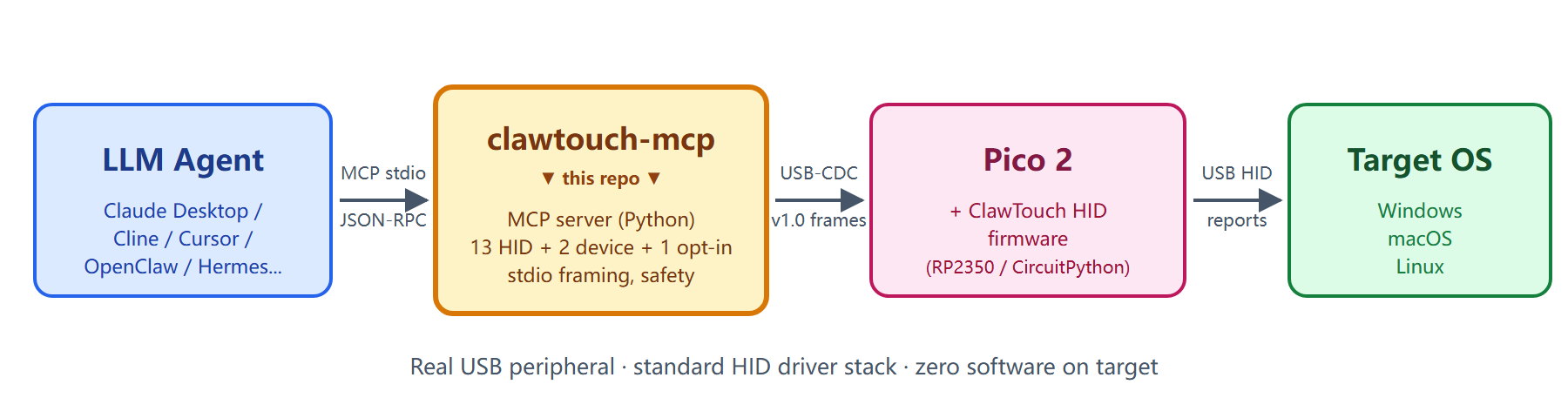
A standalone Python process that speaks Model Context Protocol (MCP) over
stdio and exposes mouse / keyboard primitives — hid.click, hid.type,
hid.scroll, key combos, hid.screenshot — to whatever AI agent you already
use. Under the hood it talks over USB serial to a ClawTouch HID device (a
Raspberry Pi Pico 2 running the open ClawTouch HID firmware, or any
turnkey ClawTouch box) and translates each tool call into a real USB HID report.
The target OS sees a genuine physical keyboard and mouse — input arrives on
the same driver path as any plugged-in peripheral, not as a software-injected
synthetic event.
Showing the opening section of the README — the full document lives in the repository以上为 README 开头摘要,完整文档在仓库内 · View the full README on GitHub →在 GitHub 查看完整 README →
Related相关推荐
-
 LouisHaoL/dsh-timer-agent
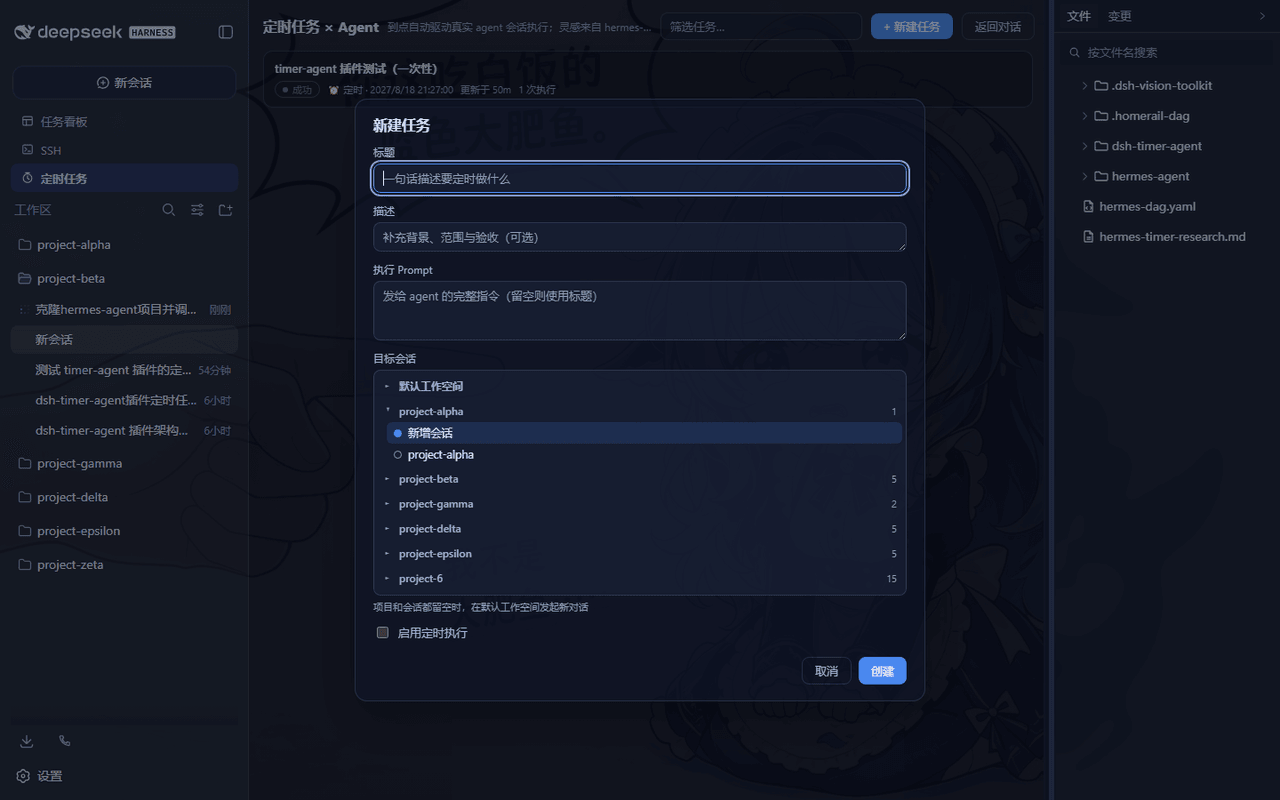
DSH plugin: host-resident scheduled-jobs × AI-agent engine (hermes-agent cron inspired) — 60s ticker fires real agent se…
LouisHaoL/dsh-timer-agent
DSH plugin: host-resident scheduled-jobs × AI-agent engine (hermes-agent cron inspired) — 60s ticker fires real agent se…
-
 agentrq/agentrq
AgentRQ: Human-in-loop realtime conversational task manager for AI Agents. Self-hosted! Control your own agents from whe…
agentrq/agentrq
AgentRQ: Human-in-loop realtime conversational task manager for AI Agents. Self-hosted! Control your own agents from whe…
- houyanchao/chatgpt-gemini-timeline ChatGPT & Gemini:Add Folders, Timeline & Prompts. - 为 ChatGPT & Gemini 添加文件夹、提示词库和时间轴。
-
 KelaoHu/dsh-lowtide
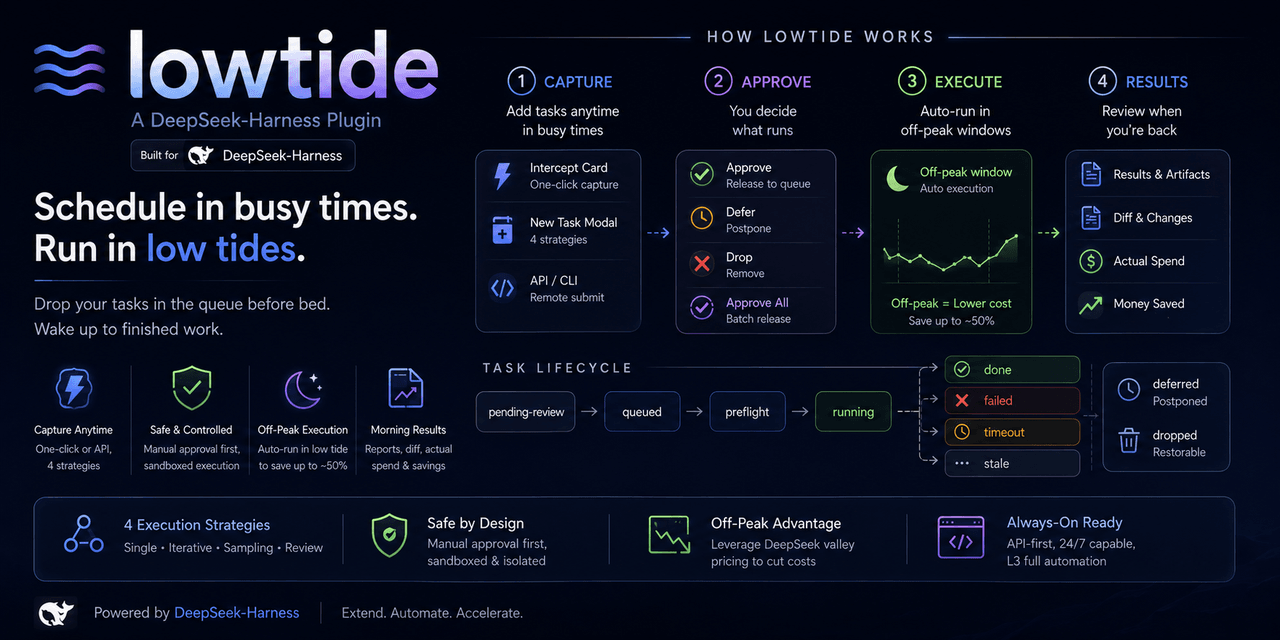
Time-shifting task delegation for DeepSeek Harness (dsh): plan tasks at leisure, they run unattended off-peak, come back…
KelaoHu/dsh-lowtide
Time-shifting task delegation for DeepSeek Harness (dsh): plan tasks at leisure, they run unattended off-peak, come back…
- PerryLink/jevcore TypeSafe Jev for DeepSeek Harness, the Model Context Protocol, and plain Node: typed judgments instead of prose, offline…
-
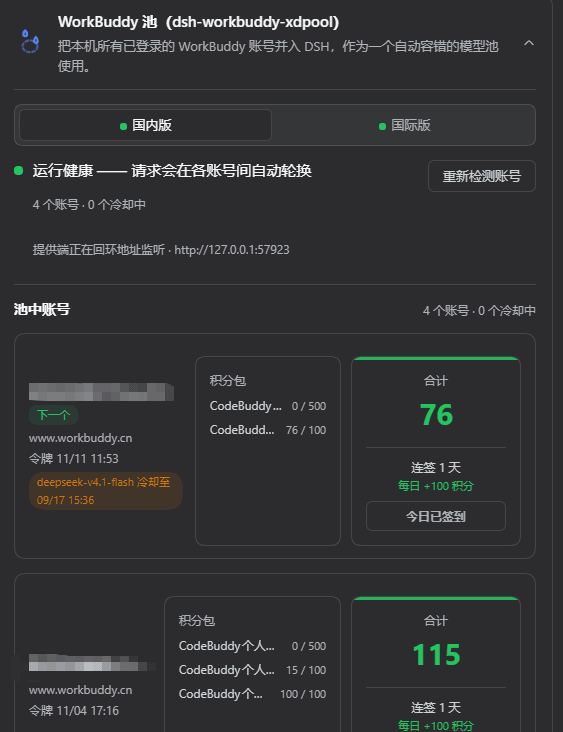 XDTrees/dsh-workbuddy-xdpool
把 WorkBuddy 桌面 App 里登录过的所有账号(国内版和国际版都支持),合成一个 DSH 模型池。你在 WorkBuddy 里登过几个号,池里就有几个号——不用手动填表,不用一个个录入。 哪个号被限流了、积分用光了,请求自动换到…
XDTrees/dsh-workbuddy-xdpool
把 WorkBuddy 桌面 App 里登录过的所有账号(国内版和国际版都支持),合成一个 DSH 模型池。你在 WorkBuddy 里登过几个号,池里就有几个号——不用手动填表,不用一个个录入。 哪个号被限流了、积分用光了,请求自动换到…
-
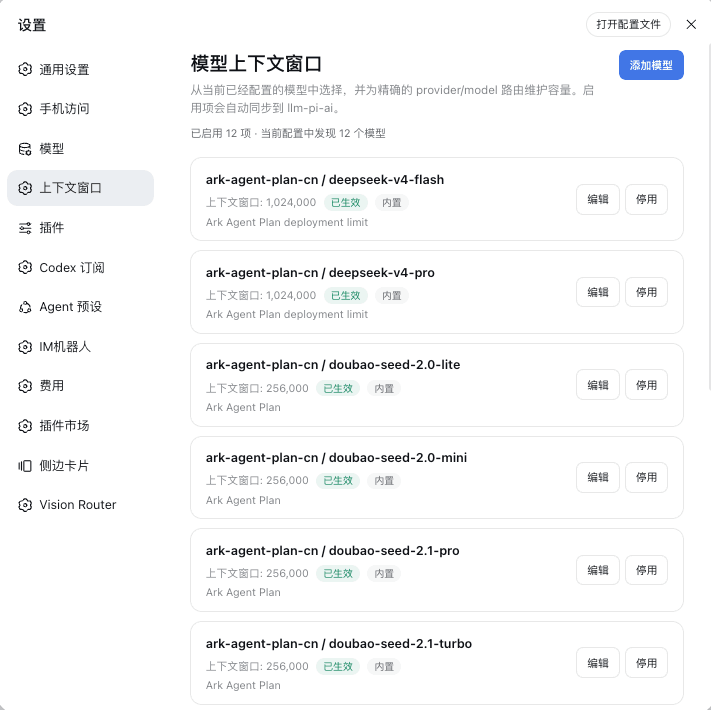 HOWILLMAKEIT/dsh-model-context-catalog
DeepSeek Harness 插件:维护 llm-pi-ai 模型的准确上下文窗口,避免长会话被误判为上下文溢出。
HOWILLMAKEIT/dsh-model-context-catalog
DeepSeek Harness 插件:维护 llm-pi-ai 模型的准确上下文窗口,避免长会话被误判为上下文溢出。
- iamaanahmad/everything-kiro The complete collection of Kiro IDE configs, agents, skills, hooks, and MCP integrations for maximum productivity.