tonytanglab/deepseek-harness-relay-mcp
Delegate long-running work to DeepSeek Harness from any MCP agent—and monitor it to completion.
Project Overview项目介绍
Harness Relay MCP is an MCP control plane for DeepSeek Harness that lets any compliant agent (Codex, Claude Code, Cursor, etc.) delegate and monitor long-running Harness tasks. It exposes native sessions, events, permission presets, and Web session URLs through start, status, wait, steer, reply, cancel, and reopen tools, with persistent run identities and restart recovery. Use it when work must run inside DeepSeek Harness with its workspaces, tools, plugins, or native permissions. It is not a model wrapper, requires a separate Harness Host, and is overkill for ordinary chat-completions requests.
Harness Relay MCP 是面向 DeepSeek Harness 的 MCP 控制平面插件,可让任何兼容 MCP 的代理(Codex、Claude Code、Cursor 等)委派并监控长时间运行的 Harness 任务。它通过 start_run / status_run / wait_run / steer_run / cancel_run 等工具暴露原生会话、事件、权限预设和 Web 链接,并提供断点续传与重启恢复。适用于必须在 Harness 内执行、需工作区、工具、插件或 Web 检查的场景;注意它依赖一个独立运行的 Harness Host,不应仅用于替换普通模型调用。
请帮我了解并安装插件:【deepseek-harness-relay-mcp】【https://github.com/tonytanglab/deepseek-harness-relay-mcp】Send this message to DSH in your current session. CLI install commands may not be accurate across systems — DSH will figure it out for you.把上面这条消息直接发给当前会话里的 DSH,让它帮你了解并安装。安装命令不一定准确,发给 DSH 更稳。
Or use CLI install (for developers)或使用命令行安装(适合开发者)
CLI Install命令行安装
dsh plugin --profile web add harness-relay-mcp把 tonytanglab/deepseek-harness-relay-mcp 加入你的 DSH 配置(web profile)即可启用。
READMEREADME
Harness Relay MCP
English | 简体中文
Delegate and monitor DeepSeek Harness work from any MCP agent.
Delegate long-running work to DeepSeek Harness from any MCP-capable agent—and monitor it to completion.
Harness Relay MCP connects MCP clients to the native DeepSeek Harness session and event model. Its recommended form is a tree-external Harness bundle; it does not wrap the CLI, patch Harness source, or own the Harness process.
MCP agent
   │
   ├─ start_run ── provider / model / reasoning / preset / permission
   │
   ├─ status_run / wait_run / steer_run / cancel_run
   │
   └─ durable result + native Harness Web session URL
Positioning: Harness control plane, not a model wrapper
Harness Relay MCP is an independent third-party project. It is not developed, endorsed, or supported by DeepSeek AI.
This is not a DeepSeek model wrapper. It is the MCP control plane for DeepSeek Harness.
Do not confuse three different integration directions:
- The official DeepSeek Harness repository currently documents
mcp-client, which lets Harness consume external MCP servers. It is the opposite direction from exposing Harness as an MCP-controlled worker. - Direct DeepSeek MCP servers call a model API and return model output. They do not enter the native Harness session, plugin, workspace, permission, or event lifecycle.
- Harness Relay MCP attaches to an existing official Harness Host and exposes that Host's native capabilities to external MCP agents.
As of 2026-08-20, the official dsh launcher source provides profile boot and plugin management but no documented outbound dsh mcp server command. DeepSeek Harness is a developer preview, so re-check the official repository before relying on this comparison.
Comparison last verified: 2026-08-20.
| Capability | Official Harness today | Direct DeepSeek MCP | Harness Relay MCP |
|---|---|---|---|
| Primary direction | Harness consumes MCP tools | MCP client calls a DeepSeek model | MCP client controls a running Harness Host |
| Native Harness sessions/events | Native internally, not exported by a documented MCP server | No | Yes |
| Harness plugins, tools, and sandbox | Native internally | No | Executed by Harness |
| Provider/model/reasoning/preset selection | Available in Harness UI and APIs | Usually a small fixed model surface | Discovered from and selected through the Host |
| Native permission presets | Internal Harness behavior | No workspace permission model | read-only, workspace-write, danger-full-access |
| Long-running lifecycle | Operated inside Harness | Usually one request/response | Start, status, wait, steer, reply, cancel, reopen |
| Durable monitoring and recovery | Harness-owned session history | Usually none | Relay identities, idempotency, reconciliation, and restart recovery |
| Harness Web session link | Native UI | No | Returned and verifiable |
| Setup and maintenance | Lowest when using Harness directly | Simplest MCP option | More components and ongoing Harness compatibility work |
Choose the right tool
- Use a direct DeepSeek MCP server for bounded classification, extraction, summarization, or a quick second opinion where plain model output is enough.
- Use Harness Relay MCP when the task must run inside DeepSeek Harness and needs its registered workspaces, tools, plugins, provider catalog, native permissions, persistent sessions, long-running monitoring, recovery, or Web inspection.
- Do not install Relay only to replace one ordinary chat-completions request; the additional Host, state, authentication, and proxy layers would add complexity without providing useful control-plane value.
Highlights
- Native Harness sessions and durable events instead of CLI output parsing.
- Complete asynchronous lifecycle: start, status, wait, steer, reply, cancel, and reopen.
- Provider, model, reasoning effort, agent preset, and native permission selection before the first task prompt.
- Direct support for
read-only,workspace-write, anddanger-full-accessHarness permissions. - Ordered text and inline image prompts with bounded base64 validation.
- Persistent run identities and recovery after the MCP server restarts.
- Stable Harness Web session links, with explicit visible-page verification in the bundled Skill.
- Compatible with Codex, Claude Code, OpenCode, Cursor, and other standards-compliant MCP clients.
- The internal bundle uses Harness 0.1.2's direct Typert Gateway and native permission service; external agents connect through authenticated HTTP or the stateless stdio proxy.
- The standalone
dsh-relaymode remains available for older Harness versions and explicit rollback.
Requirements
- Node.js
^22.19or>=24. - Internal mode requires DeepSeek Harness
>=0.1.3-alpha.2 <0.2.0, thewebprofile, and a127.0.0.1bind. This floor includes the upstream Windows background-child fix, so model-drivenrgand other ordinary CLI calls do not open transient console windows. Relay 0.2.6 and earlier target the removed rc.7 ApiProxy surface and do not load in this Harness line. - Standalone compatibility mode requires a running DeepSeek Harness Web Host on loopback HTTP.
- The target workspace must already be registered by Harness or be inside an explicitly configured allowed root.
The default Host is:
http://127.0.0.1:3080/
Installation
Install as a Harness bundle (recommended)
Install the published package from npm with the official profile command, inspect the composed configuration, and then start the profile:
dsh plugin --profile web add harness-relay-mcp
dsh --profile web --dump-config
dsh --profile web
For an offline or pinned-file installation, download the release tarball and replace harness-relay-mcp in the first command with its local .tgz path.
The dump must contain id: harness-relay-mcp and name: 'harness-relay-mcp', so the Harness inventory shows the slash-free name harness-relay-mcp. If dsh web is already running, restart that Host after an install or upgrade so it loads the new bundle. Once started, the bundle continues to publish its non-secret descriptor at the backward-compatible path $DSH_HOME/plugins/dsh-relay/web/relay-endpoint.json; its Bearer token lives separately in the Host-specific state directory.
Uninstalling infrastructure does not cancel submitted Harness work:
dsh plugin --profile web remove harness-relay-mcp
Do not configure Relay into the same Harness MCP client, which would create a Harness → Relay → Harness recursion.
Install the Codex plugin
The Codex plugin is an external caller layer; it does not replace the Harness bundle above. First confirm that dsh --profile web has loaded harness-relay-mcp, then install the Codex plugin from this repository's marketplace:
codex plugin marketplace add tonytanglab/deepseek-harness-relay-mcp
codex plugin add deepseek-harness-relay@harness-relay
codex plugin list
The first command registers this project's GitHub marketplace. The second fetches the same-version plugin package from npm and loads its .mcp.json plus the delegate-to-deepseek-harness Skill in Codex. The Codex layer starts only the stateless dist/dsh-relay-proxy.mjs, which discovers and connects to the running Harness bundle through its endpoint descriptor. It does not modify DeepSeek Harness source, the internal bundle configuration of the web profile, or cordis.patch.yml.
If an update leaves native tools missing and Codex reports connection closed: initialize response, check whether the cache directory referenced by the task still contains dist/dsh-relay-proxy.mjs. A newer cache directory alone does not prove that the running host uses it. Reinstall from the confirmed marketplace with the Codex CLI used by the desktop app; after saving active work, restart the app if a new task still references the removed cache. Verify native doctor and the tool catalog before declaring recovery. Do not substitute a temporary Relay client.
When a personal Marketplace points at a local source checkout, the Codex installer copies the files that already exist; it does not run the TypeScript/esbuild build. After every source pull, run pnpm run prepare:codex-local in that checkout before generating a cachebuster and running codex plugin add. The command builds and verifies all three dist entry points, their embedded version, and the proxy's stable full tool catalog. Skipping it can produce a false upgrade where the manifest and install record are new but the MCP process still executes an old bundle. Prefer the repository Marketplace/npm path above for normal installations.
Codex built-in MCP generation contract
For intermittent Windows console popups, also check the Harness host: native Job execution must hide its Node runner with windowsHide: true and create native CreateProcessW/CreateProcessAsUserW targets with CREATE_NO_WINDOW. Updating Relay or fixing only the ordinary spawn fallback does not cover this path. Restart the actual Host after updating Harness and verify console visibility, output, exit, and cleanup behavior.
The Codex plugin manifest must reference both the packaged Skill and MCP declaration:
{
  "skills": "./skills/",
  "mcpServers": "./.mcp.json"
}
The packaged .mcp.json must use the plugin-relative proxy entrypoint:
{
  "mcpServers": {
    "harness-relay-mcp": {
      "command": "node",
      "args": ["./dist/dsh-relay-proxy.mjs"],
      "cwd": "."
    }
  }
}
Codex resolves cwd: "." against the installed plugin version root. Do not hard-code a development checkout or a versioned %USERPROFILE%\.codex\plugins\cache\... path, and do not register a duplicate server in user config.toml. Codex must start only dsh-relay-proxy.mjs: never point it at dsh-relay-harness.mjs (the internal Harness bundle), dsh-relay.mjs (a separate standalone control plane), or manually start another Harness Web. The proxy discovers the authority through $DSH_HOME/plugins/dsh-relay/web/relay-endpoint.json. When the recorded owner is provably dead and the loopback port is confirmed free, Relay 0.2.8+ can safely restart the exact launcher contract published by the previous embedded Host; an occupied or unprobeable port still fails closed. Client configuration never stores the bearer token.
In a new Codex task, use doctor → list_workspaces → list_capabilities, then start_review for analysis or start_run with workspace-write when the user explicitly delegates implementation. Keep calling wait_run to a terminal state, consume assistantText, and verify the result. Invoke those operations only as native MCP tool calls from the installed plugin. Never generate a temporary .tmp/harness-*-call.mjs client or call/poll Relay through node, PowerShell, Python, or another shell: that bypasses managed background transport and can open visible console windows on Windows. If the tools are unavailable, repair or reinstall the plugin and start a new Codex task instead of using a shell fallback. When a user explicitly selects Harness or a Harness model to review or modify the current or named registered workspace, Harness is authorized to read that in-scope workspace itself. The calling task sends only the workspace, file/directory locations, review or implementation scope, acceptance criteria, and routing/permission metadata. Harness reads the named files from the authorized workspace. Both read-only and workspace-write forbid embedding source bodies, diffs, file dumps, encoded source, or repository archives in task, text content, steer_run, or reply_run arguments. Write permission changes what Harness may do, not how source is transferred. This does not authorize credentials, secrets, or unrelated paths.
Restart Codex after installation and start a new Codex task so the new task loads the MCP server and Skill. In that task, ask:
Call Harness Relay doctor and list_workspaces in read-only mode to verify the Harness Host, Relay endpoint, and workspace registry.
To refresh the repository marketplace and reinstall the Codex plugin:
codex plugin marketplace upgrade harness-relay
codex plugin add deepseek-harness-relay@harness-relay
Restart Codex and create another new task after the upgrade. Never configure Relay as an MCP client of the same Harness instance. Codex connects to the Relay proxy, while Harness continues to manage its internal bundle through dsh plugin --profile web add harness-relay-mcp. See the OpenAI plugin packaging documentation for the official marketplace format and commands.
Ask AI to analyze and assist with installation
Before the plugin is installed, users can give the following prompt to Codex with terminal access. The AI should inspect the environment read-only, explain the proposed changes, and obtain confirmation before installing. It must not modify the DeepSeek Harness product source or configure Relay back into the Harness MCP client:
Read the Installation section at https://github.com/tonytanglab/deepseek-harness-relay-mcp/blob/main/README.md and help me install Harness Relay MCP.
First inspect the operating system, Node.js version, dsh, Codex CLI, Harness web profile, and 127.0.0.1:3080 without modifying files.
Report the checks, missing dependencies, exact commands, and impact. Wait for my confirmation before making changes.
On the Harness side, install the internal bundle only with dsh plugin --profile web add harness-relay-mcp. Do not modify DeepSeek Harness source and do not add Relay as a Harness MCP client.
On the Codex side, add the tonytanglab/deepseek-harness-relay-mcp repository marketplace and install deepseek-harness-relay@harness-relay.
The Codex manifest must reference the packaged .mcp.json, which must run node ./dist/dsh-relay-proxy.mjs with cwd ".". Do not point it at dsh-relay-harness.mjs or dsh-relay.mjs, duplicate it in user config.toml, or manually start a second Harness Web. Let the proxy perform its guarded single-instance recovery when the recorded owner is dead.
When I explicitly select Harness or a Harness model to review or modify the current or named registered workspace, let Harness read within that scope itself. Send only the workspace, file/directory locations, review or implementation scope, acceptance criteria, model, permission, and idempotency metadata. For both read-only and workspace-write, never place source bodies, diffs, file dumps, encoded source, or repository archives in task/content/steer_run/reply_run arguments. Use start_run + workspace-write only when I explicitly ask Harness to modify code; use start_review for ordinary review.
After installation, verify dsh --profile web --dump-config and codex plugin list, then remind me to restart Codex, create a new task, and run doctor and list_workspaces.
If any command fails, stop and report the original error. Do not broaden permissions or delete existing configuration.
Local development
pnpm install
pnpm run build
After the internal bundle starts, point MCP clients at the universal stdio proxy:
{
  "mcpServers": {
    "harness-relay-mcp": {
      "command": "node",
      "args": ["C:/Users/you/plugins/deepseek-harness-relay-mcp/dist/dsh-relay-proxy.mjs"],
      "env": {
        "DSH_RELAY_CLIENT_PRINCIPAL_ID": "cursor:project"
      }
    }
  }
}
The proxy defaults to $DSH_HOME/plugins/dsh-relay/web/relay-endpoint.json; when DSH_HOME is unset it consistently falls back to .dsh under the user home, and a blank DSH_PROFILE falls back to web. Set DSH_RELAY_ENDPOINT_DESCRIPTOR when using a custom state directory. Client configuration never stores the token. The harness-relay-mcp package root is the Harness bundle and ships harness-relay-mcp plus harness-relay-mcp-proxy; the old dsh-relay commands remain compatibility aliases.
Starting with 0.2.3, the internal bundle atomically publishes a credential-free relay-status.json beside the endpoint descriptor. The stdio proxy starts its local MCP surface first. tools/list and the local doctor never wait for remote connection or Harness auto-start. The proxy generates the complete product tool catalog from the same registrations as the embedded Relay, so Codex discovers list_capabilities, start_review, wait_run, and the other native tools even while recovery is pending. If the endpoint is missing, startup failed, owner epochs disagree, the token is unreadable, or POST returns 401/404/405/503, calls other than doctor return RELAY_ROUTE_UNAVAILABLE until the route recovers. The same proxy reconnects after Host recovery and emits tools/list_changed so clients can refresh any remote metadata changes.
Quick start
First discover the native Harness workspace registry instead of treating the Host process directory as an authorization list:
{
  "tool": "list_workspaces",
  "arguments": {}
}
Then discover the Host capabilities instead of guessing route names:
{
  "tool": "list_capabilities",
  "arguments": {}
}
Then dispatch a read-only Kimi K3/MAX review:
{
  "tool": "start_review",
  "arguments": {
    "workspace": "D:/work/project",
    "task": "Read README.md, skills/delegate-to-deepseek-harness, and src/mcp-server; review the task contract and permission boundary and return reproducible findings only.",
    "provider": "kimi-coding",
    "model": "k3",
    "reasoningEffort": "max",
    "agentPreset": "standard",
    "idempotencyKey": "review-2026-08-19-001"
  }
}
Store the returned runId, sessionId, and webUrl. Keep calling wait_run until a terminal status. Each call waits at most 30 seconds; a timeout with status: running is a slice, not completion. If hostPollContract.hostMustCallWaitRunAgain is true, call wait_run again immediately. Sharing webUrl is not completion:
{
  "tool": "wait_run",
  "arguments": {
    "runId": "<run-id>",
    "timeoutMs": 30000
  }
}
For an active correction, use steer_run. After a run reaches a terminal state, use reply_run to continue the same native Harness session.
Omitting both sessionId and sessionMode creates a fresh session inside the selected Harness workspace. To continue an existing project conversation, call list_workspace_sessions first and pass its idle sessionId, or pass sessionMode: "latest-idle" to reuse the newest nonblank, idle, unarchived session. An explicit sessionId cannot be combined with sessionMode.
Run lifecycle
start_run
   │
   ├─ reserve the session
   ├─ select model and native permission preset
   ├─ persist runId + prompt rpcId
   ├─ submit session.prompt
   └─ reconcile durable history

running ── status/wait/steer/cancel ──> succeeded | incomplete | failed | cancelled | needs_attention
   │
   └─ terminal ── reply_run ──> a new run in the same session
promptAdmission reports the prompt admission state:
| Value | Meaning |
|---|---|
pending |
The run identity is durable, but prompt submission has not completed. |
accepted |
Harness accepted the prompt or its durable message was observed. |
unknown |
The transport response was unavailable; reconcile by rpcId instead of submitting a duplicate. |
rejected |
Harness did not persist or accept the prompt. |
start_run parameters
| Parameter | Required | Description |
|---|---|---|
workspace |
Yes | Absolute workspace path allowed by Relay policy. |
task |
One prompt form | Plain text containing only file/directory locations, review or implementation scope, and acceptance criteria. Source bodies, diffs, file dumps, encoded source, and repository archives are forbidden. Mutually exclusive with content. |
content |
One prompt form | Ordered text/image blocks under the same path-and-scope-only contract. Images are for task-required non-workspace evidence, not a substitute for Harness reading workspace source. Mutually exclusive with task. |
sessionId |
No | Reuse an idle session in the selected workspace. |
sessionMode |
No | fresh or latest-idle; defaults to fresh and cannot be combined with sessionId. |
provider |
With model |
Exact provider ID returned by list_capabilities. |
model |
With provider |
Exact model ID returned by list_capabilities. |
reasoningEffort |
No | Adapter-supported effort such as low, high, or max. |
agentPreset |
No | Harness agent preset; selectable only for a fresh session. |
permissionPreset |
No | Native permission preset; defaults to read-only. |
confirmedDangerousPermission |
For full access | Must be true before danger-full-access is accepted. |
idempotencyKey |
Recommended | Stable caller key; a retry with the same request returns the original operation instead of resubmitting. |
openBrowser |
No | Keep false unless the user explicitly asks to open the native session URL. |
Image prompts
Use canonical base64 without a data: URL prefix:
{
  "workspace": "D:/work/project",
  "content": [
    { "type": "text", "text": "Review this screenshot." },
    {
      "type": "image",
      "mediaType": "image/png",
      "data": "<canonical-base64>",
      "name": "screen.png"
    }
  ]
}
Supported media types are PNG, JPEG, WebP, and GIF. Image bytes are forwarded to Harness but are not retained in Relay run snapshots or state files.
Native permission presets
| Preset | Intended use |
|---|---|
read-only |
Review, diagnosis, research, comparison, and planning; task arguments contain only locations and scope. |
workspace-write |
Implementation restricted to authorized workspace write paths; task arguments still contain only locations and scope, never source bodies. |
danger-full-access |
Full Harness access; use only when the caller intentionally authorizes it. |
In embedded mode, DSH Relay activates the addressed Session when necessary, calls the native permission service directly, and confirms the resulting preset before submitting the first task prompt. A textual instruction is never treated as a permission boundary, and a permission preset never relaxes the path-reference-only task-transfer contract.
start_review, start_run, and reply_run accept a structured scope declaration: reviewTargets identifies the subjects, contextReadScope identifies supporting locations Harness may search and read, excludedPaths identifies exclusions, and writeScope identifies writable locations. When reviewing a plan, the target file is not a read whitelist; include the authorized repository or relevant subtrees in contextReadScope unless the user explicitly requests a target-only review. Relay adds these fields to the Harness prompt and preserves them across reply_run, but they are not per-path filesystem enforcement. Native Harness permissions control the broad read/write mode. The selected model may still process read content through its configured provider; a loopback Relay connection does not mean all model processing is local.
For start_review, the exact provider, exact model, and authorizationBasis: explicit-user-request are required. An explicit request for Harness or a named Harness model to review an identified workspace or file is the authorization for that selected destination to process the in-scope reads; the caller must not ask for a second confirmation solely because provider processing is external. The marker records the existing choice for Codex approval review and does not broaden the workspace, context, permission, destination, or allowed external actions. start_run and reply_run retain the optional marker for compatible non-review workflows.
MCP tools
| Tool | Purpose |
|---|---|
doctor |
Check the Relay package, Host connection, workspace policy, and persistent state. |
setup_plan |
Generate a validated, no-write client configuration patch. |
setup_doctor |
Evaluate a setup plan and caller-supplied probes as a machine-readable report. |
start_service |
Attach an authorized workspace to Harness; the proxy first performs guarded Host recovery when needed. |
open_service |
Open the Host root URL. |
list_services |
List restored workspace attachments. |
list_workspaces |
List the native Harness workspace registry used for routing. |
list_workspace_sessions |
List direct sessions in one registered workspace without reading conversation content. |
stop_service |
Detach Relay state without stopping Harness. |
list_capabilities |
List provider/model/reasoning and agent preset choices plus native permission modes. |
start_run |
Create or reuse a session and submit a tracked task. |
start_review |
Submit a native read-only task with separate review-target and supporting-read scopes. |
steer_run |
Insert a correction into an active run. |
get_run |
Read and reconcile one run; the preferred run-status entry point. |
get_run_summary |
Project a run into stable status, model, permission, elapsed-time, and next-action fields. |
status_run |
Deprecated compatibility alias; migrate to get_run before removal in 0.3.0. |
open_run |
Open the native Harness Web session URL. |
wait_run |
Wait up to 30 seconds for progress. A timeout is a slice; if hostPollContract.hostMustCallWaitRunAgain is true, call wait_run again. Do not conclude the host turn while the run is still running. |
list_runs |
Reconcile and list persisted runs. |
get_operation |
Read one durable idempotent start, reply, steer, or cancel operation. |
reconcile_operation |
Resolve an uncertain operation from durable Harness events without duplicate submission. |
reconcile_permissions |
Retry restoration of expired or interrupted native permission leases. |
reply_run |
Continue a completed session as a new tracked run. |
cancel_run |
Request native Harness cancellation. |
read_notifications |
Replay the bounded in-process notification projection after a cursor. |
Client setup and monitoring projection
setup_plan supports Codex, Claude Code, Cursor, and the explicitly versioned OpenCode V2 layout. It accepts already-resolved absolute Node and Relay entry paths and returns only a structured minimal patch; it never edits a client configuration. The launcher platform must match the configuration platform, and package-manager shims such as pnpm.exe or pnpm.cmd are rejected as Node runtimes.
setup_doctor is also side-effect free. Filesystem, Broker, Host, workspace, model, and permission facts must be supplied by an authorized caller; omitted probes are reported as skipped instead of being guessed.
get_run_summary consumes the authoritative Relay run snapshot and exposes the versioned monitoring projection. read_notifications replays notifications retained by the current MCP server process and returns explicit cursor-gap metadata. Native run-notification transport is not enabled yet, so clients must treat an empty buffer as normal and fall back to get_run_summary, wait_run, or get_run polling.
Persistence and recovery
The default state file is:
%LOCALAPPDATA%/dsh-relay/state.json
State is schema-validated, locked across processes with owner-verified leases, and written through atomic replacement with restrictive file permissions where supported. Stale writers cannot regress stopped services, terminal runs, attention states, operations, or permission leases. Invalid files are quarantined rather than overwritten. By default, prompt text and image bytes are not persisted. After a Relay restart, run and operation identities are restored and reconciled with native Harness history. Assistant text from the reconciled turn is retained in event order instead of returning only the final assistant message. A run that produces no durable progress for the configured interval enters needs_attention with attentionReason: run_stalled; later progress automatically returns it to running.
The embedded Host also publishes a credential-free launcher contract containing only the absolute Node/dsh entry, the official Node loader arguments required by a source launch, profile, working directory, and Relay runtime paths. A built lib/bin.js entry uses plain Node; an apps/cli/src/bin.ts entry must retain the exact tsx ESM loader vector, and raw Node source launchers are rejected. On OWNER_DEAD or a cleanly stopped Host, the stdio proxy takes a cross-process start lock, rechecks status, confirms the recorded loopback port is free, validates the launcher shape and files, and starts Harness hidden with --no-open. Concurrent clients converge on one launch. Missing or invalid launchers, unknown owner state, occupied ports, and startup failures remain explicit fail-closed diagnostics.
Multiple local MCP server processes may share one state file; writes are serialized and merged by stable identifiers. An abandoned lock fails closed instead of being deleted by age. Use separate DSH_RELAY_STATE_FILE paths when clients require operational isolation.
Session links
Each run returns a native URL in this form:
http://127.0.0.1:3080/?sessionId=<session-id>
An HTTP 200 response proves only that the Host answered; it does not prove that a very large live transcript finished rendering. The bundled Skill keeps Harness headless and shares the returned session URL as a clickable link. It calls open_run and verifies the visible workspace and session only when the user explicitly asks to open or show the page. Harness may normalize the address bar back to the Host root while retaining the selected session.
Configuration
| Environment variable | Default | Purpose |
|---|---|---|
DSH_RELAY_HOST_URL |
http://127.0.0.1:3080/ |
Loopback Harness Host URL. |
DSH_RELAY_AUTO_START |
true |
Allow the stdio proxy to restart the previously recorded Harness Web launcher after safe owner and port checks. |
DSH_RELAY_AUTO_START_TIMEOUT_MS |
120000 |
Maximum time to wait for guarded Host recovery to publish a ready Relay endpoint. |
DSH_RELAY_ALLOWED_WORKSPACE_ROOTS |
Harness workspace registry | OS-delimited list of additional authorized absolute roots. Without it, Relay accepts only workspaces already registered by Harness. |
DSH_RELAY_STATE_FILE |
%LOCALAPPDATA%/dsh-relay/state.json |
Persistent Relay state location. |
DSH_RELAY_PERSIST_PROMPT_TEXT |
false |
Persist prompt summaries when explicitly acceptable. |
DSH_RELAY_CLIENT_PRINCIPAL_ID |
local-user |
Stable local caller identity used with idempotency keys. |
DSH_RELAY_PERMISSION_LEASE_MS |
86400000 |
Maximum lifetime recorded for a reused-session permission lease. |
DSH_RELAY_RPC_TIMEOUT_MS |
30000 |
Host RPC timeout. |
DSH_RELAY_POLL_INTERVAL_MS |
750 |
Active-run polling interval. |
DSH_RELAY_MAX_HISTORY_PAGES |
100 |
Maximum durable-history pages read during one reconciliation. |
DSH_RELAY_RUN_STALL_MS |
300000 |
No-progress interval before an active run is marked needs_attention; later progress resumes it automatically. |
DSH_RELAY_MAX_TASK_CHARACTERS |
100000 |
Maximum text characters in one prompt. |
DSH_RELAY_MAX_ASSISTANT_TEXT_BYTES |
256000 |
Maximum returned assistant-text tail. |
DSH_RELAY_MAX_IMAGE_BYTES |
5242880 |
Maximum decoded bytes per image. |
DSH_RELAY_MAX_IMAGES |
20 |
Maximum images per message. |
DSH_RELAY_MAX_MESSAGE_IMAGE_BYTES |
104857600 |
Maximum decoded image bytes per message. |
Only loopback HTTP Hosts are accepted. Workspace paths are resolved through the filesystem before containment is checked.
Security model
- Harness Relay MCP does not read or store Harness credentials.
- The existing Harness Host remains authoritative for models, permissions, sessions, attachments, and task execution.
- The default permission preset is
read-only. - Without explicit roots, the Harness workspace registry is the routing authority; configured roots remain a stricter local boundary when present.
stop_servicenever stops Harness or deletes a session.- Harness findings are evidence; the calling agent remains responsible for final verification and high-stakes decisions.
- Relay cannot guarantee whether Codex or another MCP client will request approval or run auto-review; those decisions remain governed by the client, its policy, and the requested operation.
Standards boundary
Harness Relay MCP uses a dual-layer compatibility design. The harness-relay-mcp package root is an out-of-tree, in-process bundle that follows the Harness/Cordis contract, exports Config/apply(ctx), and installs through dsh.bundle plus cordis.patch.yml. Version 0.2.9 binds to the 0.1.2 Host services (typertGateway, Session/Workspace/Settings controllers, Agent Presets, WebServer, and Permission Presets), translates session.follow/page and workspace.follow into Relay's semantic gateway, and keeps durable polling authoritative when the removed rc.8 mux streams are unavailable. External agents use the same internal authority through authenticated HTTP or the stateless proxy; the standalone entry remains a compatibility and rollback path. No Harness product source is copied or modified.
See the official DeepSeek Harness documentation for creating a Harness plugin and publishing bundles.
Development and validation
version.json is the only editable version source. A build synchronizes package and Codex manifests before emitting the self-contained MCP bundle.
pnpm run test
pnpm run build
pnpm run test:mcp
pnpm run check:package
pnpm pack --dry-run
prepack performs strict TypeScript checking, builds the bundle, and validates the explicit publication whitelist. Sensitive/runtime-generated directories and files are rejected, symbolic links are rejected, and the default expanded-file budget is 8 MiB. Release automation may lower or raise that gate with DSH_RELAY_PACKAGE_MAX_BYTES; raising it should be reviewed rather than used to bypass unexpected package growth. test:mcp always rebuilds before starting the stdio smoke test.
Identity
| Surface | Name |
|---|---|
| Product | Harness Relay MCP |
| Repository | deepseek-harness-relay-mcp |
| Codex plugin ID | deepseek-harness-relay |
| npm package | harness-relay-mcp |
| MCP server ID | harness-relay-mcp |
| Skill | delegate-to-deepseek-harness |
License
MIT
Related相关推荐
-
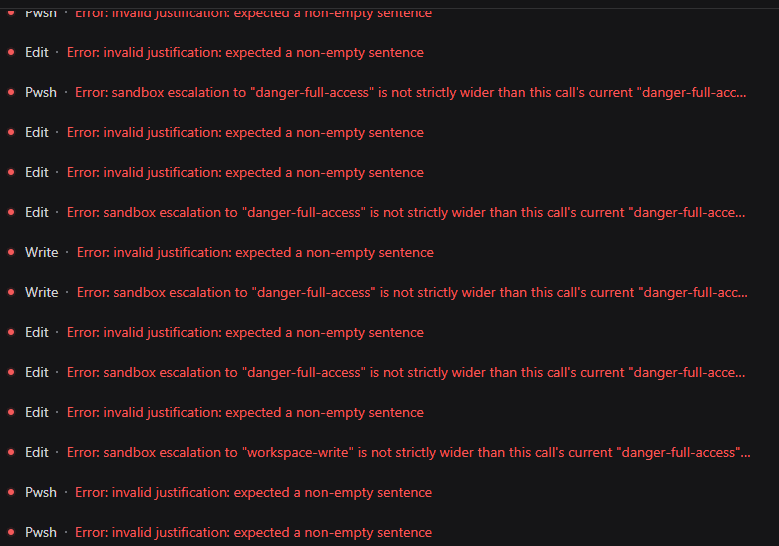 HakureiMonika/dsh-sandbox-escalation-fix
Session-aware sandbox escalation compatibility plugin for DeepSeek Harness/DSH第三方模型会话沙箱升级兼容插件
HakureiMonika/dsh-sandbox-escalation-fix
Session-aware sandbox escalation compatibility plugin for DeepSeek Harness/DSH第三方模型会话沙箱升级兼容插件
-
 PerryLink/dsh-claude-move
Four-source migration wizard for DeepSeek Harness: move Claude Code, Codex, OpenCode and Hermes sessions, memories, skil…
PerryLink/dsh-claude-move
Four-source migration wizard for DeepSeek Harness: move Claude Code, Codex, OpenCode and Hermes sessions, memories, skil…
- fakechris/dsh-harness-ops DSH 运维工具箱:升级、重启、故障都不用操心。① 官方每日快照 A/B 双槽轮换——旧插件迁移+构建+验收全过才原子切换,一键回滚,旧版本永远兜底;② 守护 10s 自动拉起 web + agent 断点自动续接,重启无人值守;③ web…
-
 MicroMilo/upstream-radar
Always-on compatibility testing for DeepSeek Harness plugins: exact releases, isolated runners, and fixable upstream iss…
MicroMilo/upstream-radar
Always-on compatibility testing for DeepSeek Harness plugins: exact releases, isolated runners, and fixable upstream iss…
-
 MutaLucem/dsh-plugin-integration
DeepSeek Harness (DSH) 插件整合中心:动态发现、打标分类、重叠/兼容检测、一键启停与失效检测
MutaLucem/dsh-plugin-integration
DeepSeek Harness (DSH) 插件整合中心:动态发现、打标分类、重叠/兼容检测、一键启停与失效检测
-
 qishuilalala/dsh-voice-mode
Full-duplex voice plugin for DeepSeek Harness: local zipformer2 streaming ASR (no API key) → editable draft; Edge TTS or…
qishuilalala/dsh-voice-mode
Full-duplex voice plugin for DeepSeek Harness: local zipformer2 streaming ASR (no API key) → editable draft; Edge TTS or…
- maxmilian/dsh-sonarqube Read-only SonarQube Community Build tools for DeepSeek Harness
-
 arkyu2077/awesome-dsh-plugin
面向 DeepSeek Harness 用户的插件产品说明书与导航:按场景选插件,了解安装、权限、兼容性和风险
arkyu2077/awesome-dsh-plugin
面向 DeepSeek Harness 用户的插件产品说明书与导航:按场景选插件,了解安装、权限、兼容性和风险