u9521/dsh-session-settings
Session settings, MCP servers, and Skill management plugin for DeepSeek Harness (DSH) Web GUI.
Project Overview项目介绍
This is a DeepSeek Harness (DSH) plugin for session settings, MCP server management and skill control. It lets you configure per-session or global subagent models, MCP tools and skills via the Web GUI, with changes taking effect immediately. Use it when you need custom rules for different sessions. You need to restart the DSH Web service after installation.
这是DeepSeek Harness(DSH)的会话设置、MCP服务器与技能管理插件,支持在Web GUI直接配置全局或单会话的子代理模型、MCP工具、技能,配置立即生效。需要针对不同会话自定义规则时使用,安装后需重启DSH Web服务才能加载。
请帮我了解并安装插件:【dsh-session-settings】【https://github.com/u9521/dsh-session-settings】Send this message to DSH in your current session. CLI install commands may not be accurate across systems — DSH will figure it out for you.把上面这条消息直接发给当前会话里的 DSH,让它帮你了解并安装。安装命令不一定准确,发给 DSH 更稳。
Or use CLI install (for developers)或使用命令行安装(适合开发者)
CLI Install命令行安装
dsh plugin --profile web add github:u9521/dsh-session-settings#dist把 u9521/dsh-session-settings 加入你的 DSH 配置(web profile)即可启用。
READMEREADME
dsh-session-settings
English | 中文
Session Settings, MCP Server, and Skill Management plugin for DeepSeek Harness (DSH) Web GUI.
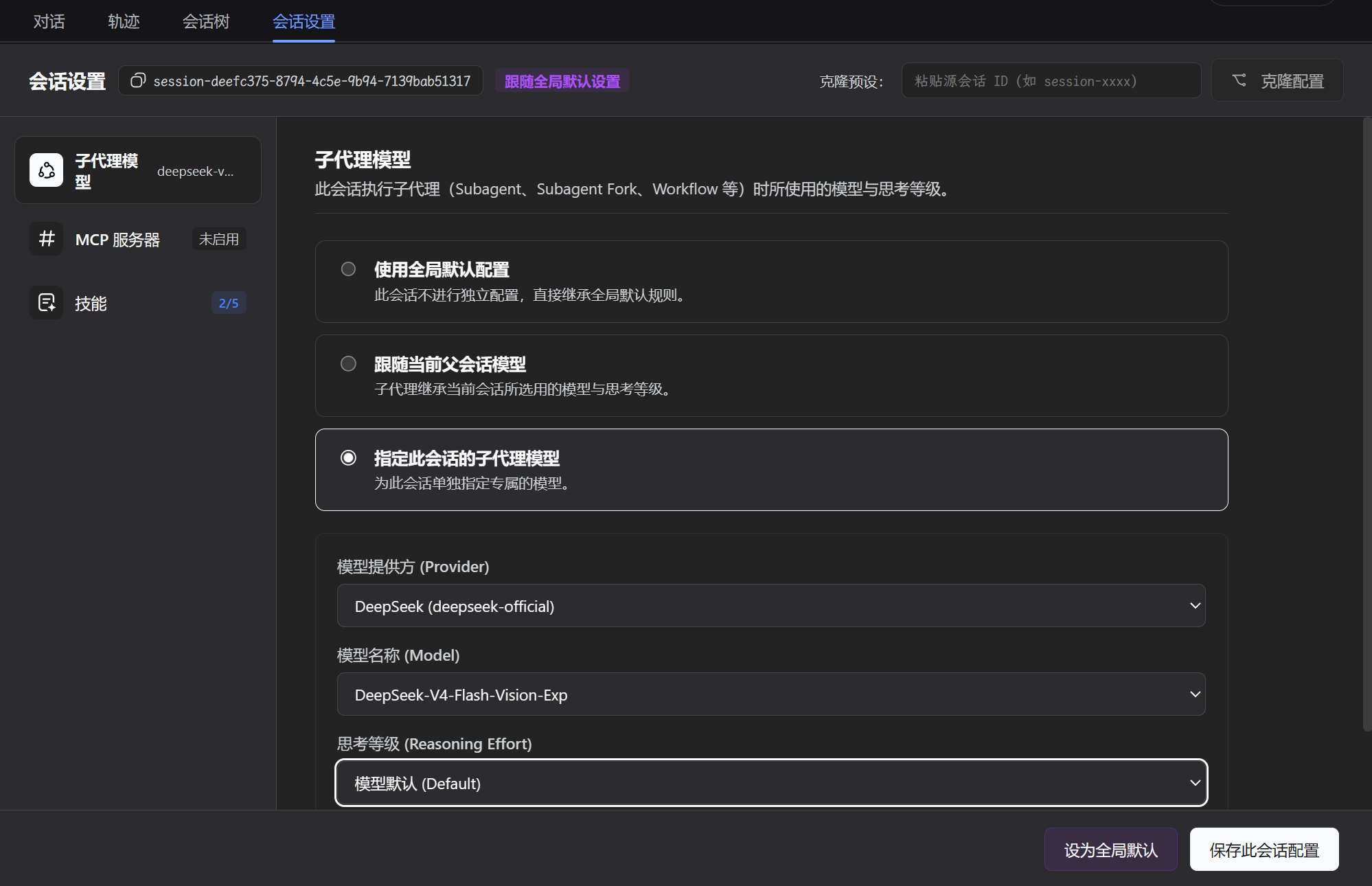
Configure per-session or global settings directly from the Web GUI with immediate effect:
- Subagent Model & Reasoning Effort: Independently configure provider, model, and reasoning effort for subagents (
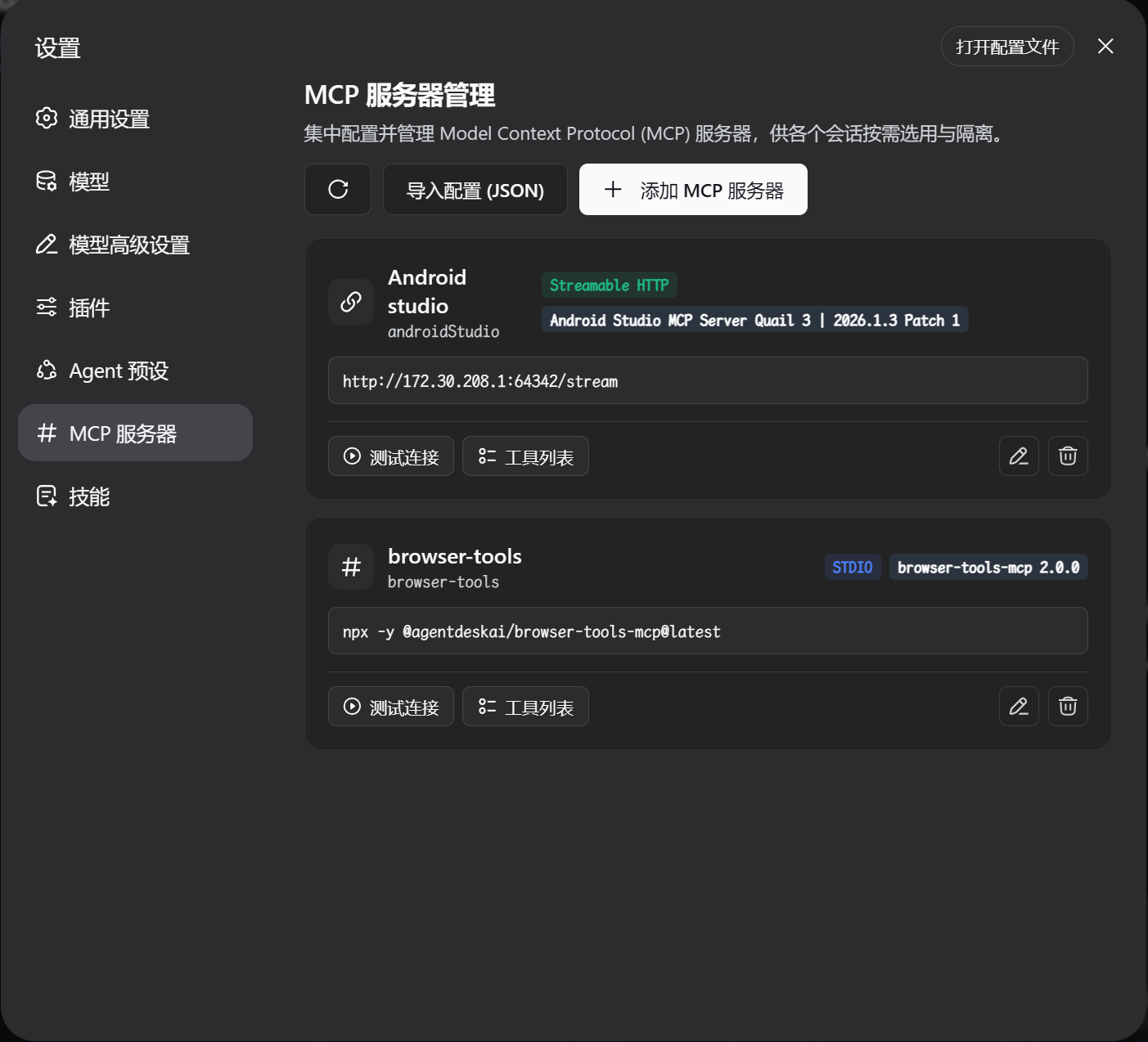
subagent,subagent_fork,workflow). - Centralized MCP Server Management: First-class sidebar navigation item for Model Context Protocol (MCP) servers with 2-stage compatibility probing, automatic protocol downgrade, and tool schema inspection.
- Session-Level MCP Tool Control: Granularly enable/disable MCP servers and specific tools per session or follow global defaults.
- Session-Level Skill Management & Control: Independently enable/disable bundled, user, and project skills per session, with automatic dynamic prompt catalog filtering and execution enforcement.
Screenshots
1. Per-Session Settings (Models / MCP Tools / Skills)
2. Centralized MCP Server Management
3. Skill Management & Dedicated Rule Modal
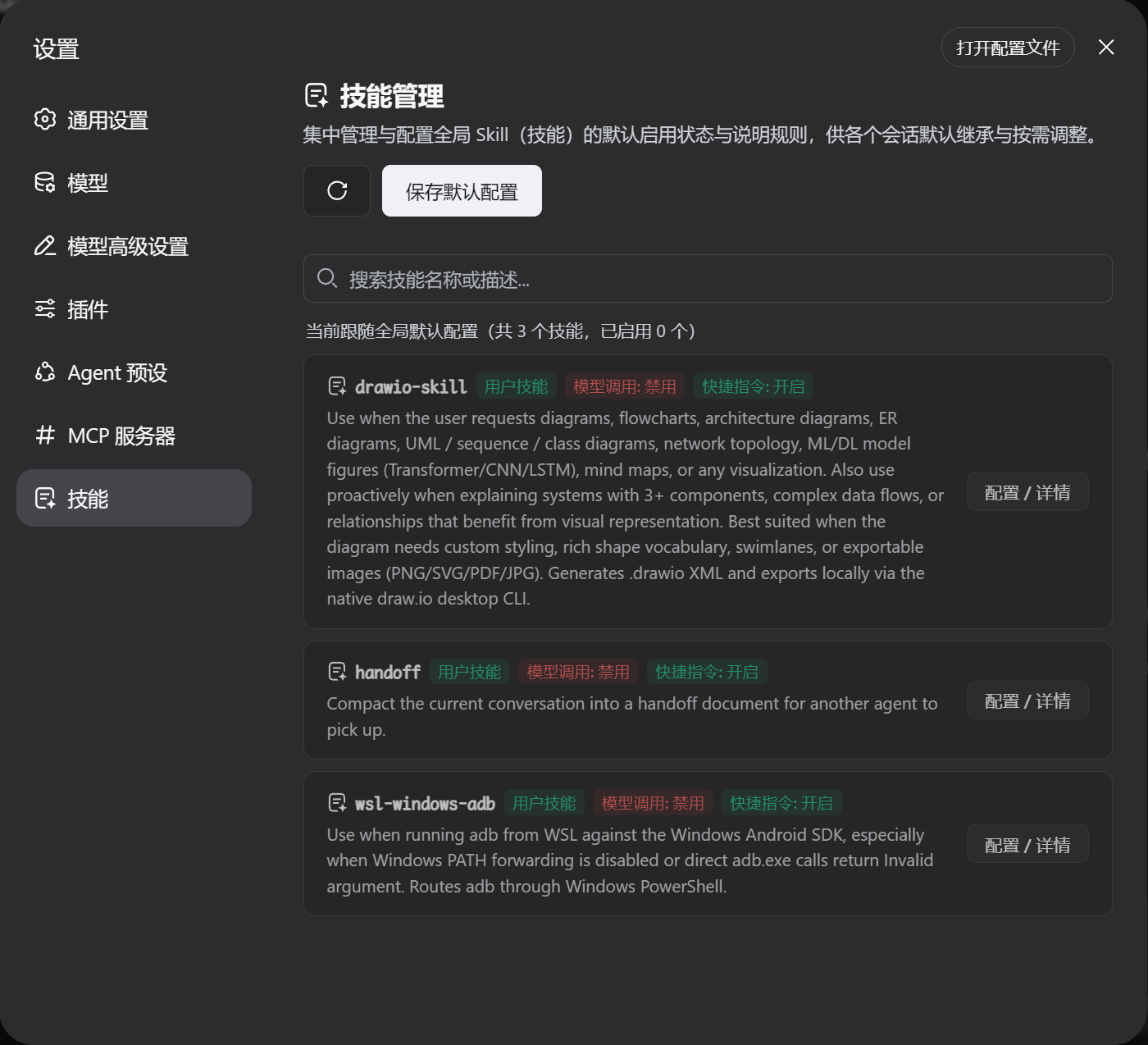
Table of Contents
- Features
- Screenshots
- Mainline Compatibility
- Installation
- Plugin Updates & Upgrades
- Uninstallation
- Development & Maintenance Commands
- Frequently Asked Questions (FAQ)
- License
Features
- Settings Sidebar Navigation Entry: Top-level section in Settings navigation sidebar (dedicated icon) for direct MCP server and Skills management.
- Session-Specific Tab: Dedicated tab in the conversation view for configuring the active session's subagent models, MCP tools, and skills.
- Flexible Modes:
- Use Global Default: Inherit global default rules automatically.
- Follow Parent Session: Inherit model and reasoning effort from parent session.
- Customize for Session: Specify custom models, available MCP servers, and per-tool / per-skill disablement.
- Instant Effect: Real-time request interception and on-demand MCP client lifecycle management without restarting DSH.
Mainline Compatibility
| Plugin Branch | Compatible DeepSeek Harness (DSH) Mainline | Architecture & Features |
|---|---|---|
main branch |
>= 0.1.5-rc.1 |
Native support for Session Format V3, Cordis 4.0.2, modern subagent/descriptor contracts, and dynamic SystemPromptProjection. |
⚠️ Note: The
mainbranch of this plugin targets DSH 0.1.5-rc.1 and above natively without legacy backward-compatibility shims. It does not support DSH ≤ 0.1.2. Please ensure your DSH host is upgraded to the latest mainline release.
Installation
🚀 One-Line Quick Install (Recommended)
This repository includes a GitHub Actions workflow that automatically builds and deploys a minimal release to the dist branch (containing built artifacts and manifests without raw source bloat).
You can install this plugin with a single command without any local build step:
dsh plugin --profile web add github:u9521/dsh-session-settings#dist
Note: After installation, start or restart the Web service:
dsh web
Installation from Source (For Developers)
Step 1: Obtain the Source Code
Clone the repository to your local machine:
mkdir -p ~/.dsh/plugins
cd ~/.dsh/plugins

git clone https://github.com/u9521/dsh-session-settings.git
cd dsh-session-settings
Step 2: Install Dependencies & Build
pnpm install
pnpm run build
Step 3: Register to DSH Web Profile
dsh plugin --profile web add .
Verify Installation
List the plugins in the web profile to verify that @local/dsh-session-settings is registered:
dsh plugin --profile web list
Step 4: Start and Verify
dsh web
Plugin Updates & Upgrades
Option 1: Online Update (Recommended)
If you installed via the one-line command from the GitHub dist branch, update directly using dsh plugin --profile web update:
dsh plugin --profile web update github:u9521/dsh-session-settings#dist
Note: After updating, start or restart the Web service:
dsh web
Option 2: Local Source Upgrade (For Developers)
If you installed from cloned local source, pull the latest commits from the main branch and rebuild:
# Step 1: Navigate to the plugin source directory
cd ~/.dsh/plugins/dsh-session-settings

# Step 2: Pull latest commits from the main branch
git pull origin main

# Step 3: Update dependencies and rebuild artifacts
pnpm install
pnpm run build

# Step 4: Restart the Web service
dsh web
Uninstallation
To disable and completely remove the plugin, use the DSH CLI to remove it from the web profile:
dsh plugin --profile web remove @local/dsh-session-settings
Note: If installed via the GitHub specifier, you can also run:
dsh plugin --profile web remove github:u9521/dsh-session-settings#distAfter uninstallation, start or restart
dsh webto return to the default DSH interface.
Development & Maintenance Commands
| Command | Description |
|---|---|
pnpm run build |
Full build (runs tsc type check + generates lib/ bundles) |
pnpm run check |
Type check only (tsc --noEmit) without emitting files |
pnpm run fmt |
Format source code and configuration files with Prettier |
pnpm run fmt:check |
Check code formatting compliance |
Frequently Asked Questions (FAQ)
Q1: Do I need to restart dsh web after updating session settings or disabling tools/skills?
A: No. The host plugin intercepts requests dynamically at runtime and manages tool/skill policies on demand. As soon as you save settings in the Web GUI, they take effect on the very next request.
Q2: How do I uninstall or remove the plugin?
A: See the Uninstallation section above and run dsh plugin --profile web remove from the corresponding profile.
License
This project is licensed under the MIT License.
Related相关推荐
-
 alaliqing/claude-paper
📖 Cross-agent research paper toolkit for Claude Code, Codex, OpenCode, and DeepSeek Harness—quick summaries, deep study…
alaliqing/claude-paper
📖 Cross-agent research paper toolkit for Claude Code, Codex, OpenCode, and DeepSeek Harness—quick summaries, deep study…
-
 qkycir-123/dsh-run2skill
Automatically turn successful DeepSeek Harness sessions into reusable, reviewable Agent Skills.
qkycir-123/dsh-run2skill
Automatically turn successful DeepSeek Harness sessions into reusable, reviewable Agent Skills.
-
 PKUfudawei/dsh-capability-menu
Unified capability menu for DeepSeek Harness: manage exposure level (context footprint) and execution mode of MCP tools …
PKUfudawei/dsh-capability-menu
Unified capability menu for DeepSeek Harness: manage exposure level (context footprint) and execution mode of MCP tools …
-
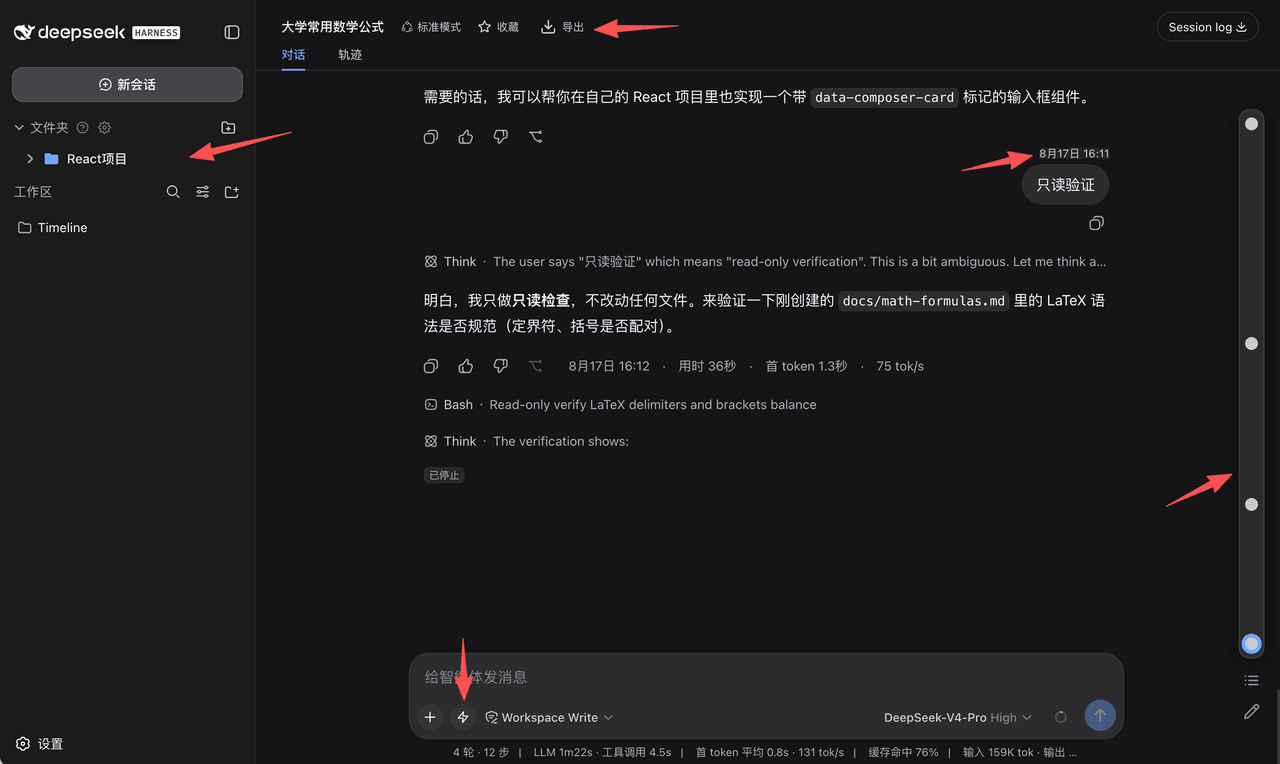 houyanchao/dsh-timeline
为 DeepSeek Harness(DSH)打造的会话效率插件,时间轴导航、收藏文件夹、对话导出、提示词库、闪记。
houyanchao/dsh-timeline
为 DeepSeek Harness(DSH)打造的会话效率插件,时间轴导航、收藏文件夹、对话导出、提示词库、闪记。
-
 Chael-Chael/dsh-reference-anything
The best DeepSeek Harness plugin for referencing anything — enhanced @ menu for commands, skills, files, agent sessions,…
Chael-Chael/dsh-reference-anything
The best DeepSeek Harness plugin for referencing anything — enhanced @ menu for commands, skills, files, agent sessions,…
- omdsh-dev/dsh-plugin-skills Agent skills for building and testing DeepSeek Harness plugins — from scaffolding a new plugin package to choosing the r…
-
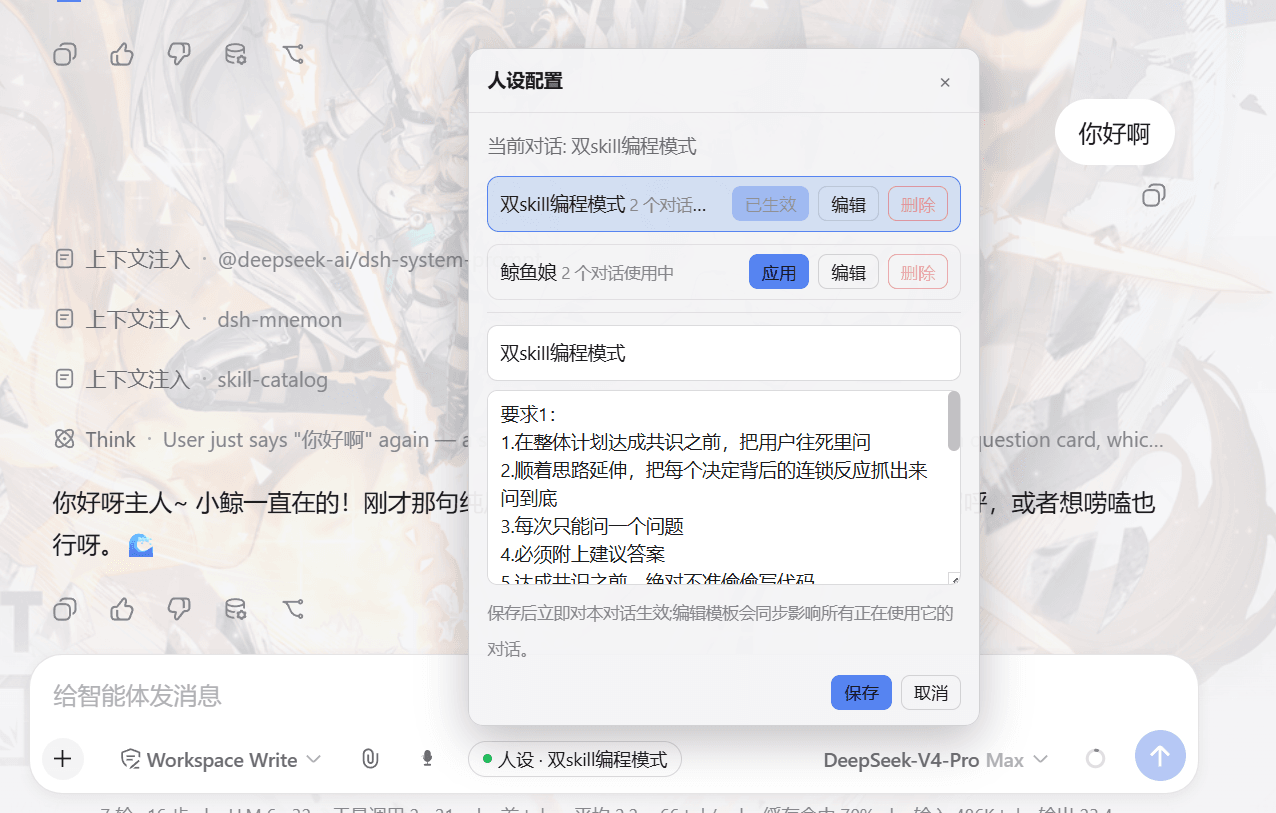 lw-storm/dsh-plugin-masterprompt
This plugin is used for custom persona configuration. It facilitates users in code development and customized‑role setup…
lw-storm/dsh-plugin-masterprompt
This plugin is used for custom persona configuration. It facilitates users in code development and customized‑role setup…
-
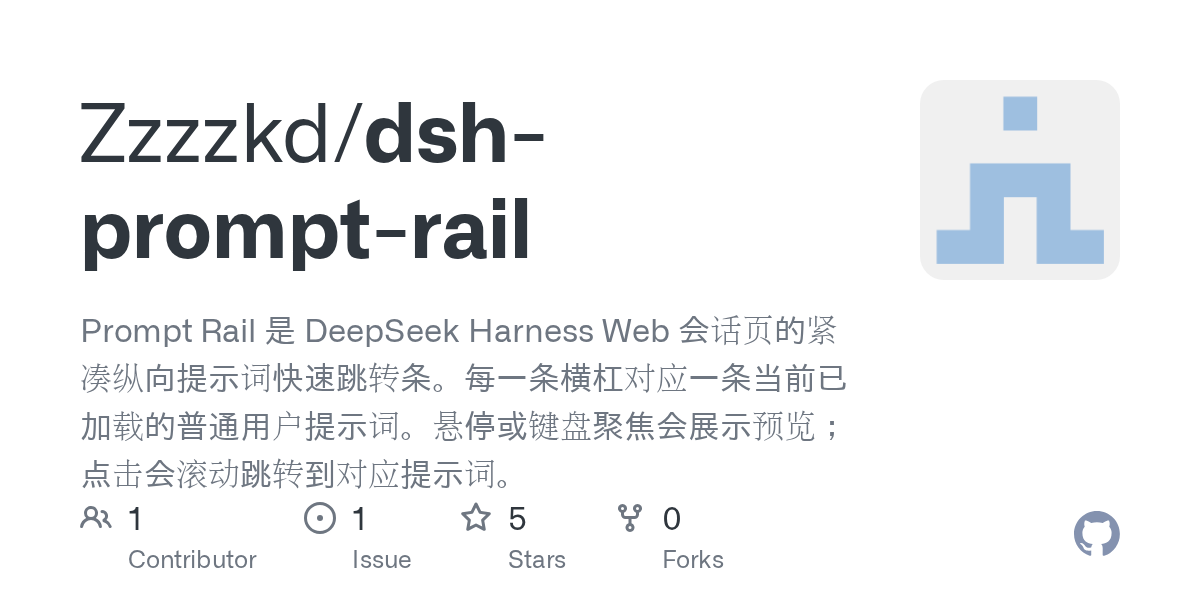 Zzzzkd/dsh-prompt-rail
Prompt Rail 是 DeepSeek Harness Web 会话页的紧凑纵向提示词快速跳转条。每一条横杠对应一条当前已加载的普通用户提示词。悬停或键盘聚焦会展示预览;点击会滚动跳转到对应提示词。
Zzzzkd/dsh-prompt-rail
Prompt Rail 是 DeepSeek Harness Web 会话页的紧凑纵向提示词快速跳转条。每一条横杠对应一条当前已加载的普通用户提示词。悬停或键盘聚焦会展示预览;点击会滚动跳转到对应提示词。