upJiang/dsh-ccswitch
dsh 直接连接 ccswith 的所有可用模型,包括密钥以及 auth 登录
Project Overview项目介绍
The dsh-ccswitch plugin lets DeepSeek Harness reuse Claude, Codex/GPT, and Gemini models already configured in CC Switch on the same machine. It auto-reads the local CC Switch database, so no duplicate API keys or logins are required, and adds a search box to the model selector. Use it when providers are managed in CC Switch. Note: configuration is not synced across devices, and a custom CC Switch directory must be pointed to via the DSH_CCSWITCH_DB environment variable.
DSH 的 CC Switch 插件可在 DeepSeek Harness 中直接复用本机 CC Switch 已配置的 Claude、Codex/GPT 与 Gemini 模型,自动读取其数据库,免去重复填写 API key 或登录信息,并在模型选择器中提供名称搜索。适用于已在 CC Switch 内管理多 provider 的用户。需注意:跨设备不自动同步配置,且自定义 CC Switch 目录时需通过 DSH_CCSWITCH_DB 手动指定 cc-switch.db 路径。
请帮我了解并安装插件:【dsh-ccswitch】【https://github.com/upJiang/dsh-ccswitch】Send this message to DSH in your current session. CLI install commands may not be accurate across systems — DSH will figure it out for you.把上面这条消息直接发给当前会话里的 DSH,让它帮你了解并安装。安装命令不一定准确,发给 DSH 更稳。
Or use CLI install (for developers)或使用命令行安装(适合开发者)
CLI Install命令行安装
dsh plugin --profile web add github:upJiang/dsh-ccswitch把 upJiang/dsh-ccswitch 加入你的 DSH 配置(web profile)即可启用。
READMEREADME
dsh-ccswitch
在 DeepSeek Harness(DSH)中直接使用 CC Switch 已配置的 Claude、Codex/GPT 和 Gemini 模型。
插件会自动读取当前设备上的 CC Switch 配置,不需要在 DSH 中重复填写 API key 或登录信息。模型选择器中还会增加模型名称搜索。
支持 macOS、Windows 和 Linux。
使用前准备
- 安装并打开 CC Switch。
- 在 CC Switch 中添加可用的 provider,并确认模型可以正常使用。
- 安装 DeepSeek Harness。
安装插件
macOS、Windows PowerShell 和 Linux 都可以执行:
dsh plugin --profile web add github:upJiang/dsh-ccswitch
安装完成后重启 DSH。前台运行时先按 Ctrl+C 停止,再重新启动:
dsh web --host 127.0.0.1 --port 3080
重新打开或刷新 DSH 页面后,就可以在模型选择器中看到 CC Switch 的 provider 和模型。
选择模型
打开 DSH 的模型选择器:
- 找到名称以 CC Switch provider 显示的模型分组。
- 直接选择需要的模型。
- 模型较多时,在顶部的“搜索模型”输入框中输入模型名称。
插件会自动读取 CC Switch 后续的配置变化。添加、删除或修改 provider 后,通常不需要重新安装插件。
只显示部分 provider
默认显示 CC Switch 中所有可用 provider。如果只想使用其中一部分,可以创建配置文件。
macOS/Linux:
~/.dsh/ccswitch-providers.json
Windows:
%USERPROFILE%\.dsh\ccswitch-providers.json
文件内容:
{
  "include": [
    "my-codex-provider",
    "ccswitch/claude/*"
  ]
}
可以填写 CC Switch 中显示的 provider 名称,也可以使用 * 通配符。保存文件后,DSH 会自动刷新可用模型。
CC Switch 使用了自定义目录
正常情况下不需要设置路径,插件会自动查找当前用户的 CC Switch 数据库。
如果在 CC Switch 中使用了自定义数据目录、便携目录或同步盘,需要告诉插件数据库的位置。
macOS/Linux:
DSH_CCSWITCH_DB='/path/to/cc-switch.db' \
  dsh web --host 127.0.0.1 --port 3080
Windows PowerShell:
$env:DSH_CCSWITCH_DB = 'D:\path\to\cc-switch.db'
dsh web --host 127.0.0.1 --port 3080
在多台设备上使用
在每台设备上分别安装 CC Switch、DSH 和本插件即可。
- Mac 会读取 Mac 上的 CC Switch 配置;
- Windows 会读取 Windows 上的 CC Switch 配置;
- 两台设备可以使用不同的 provider 和模型;
- 插件不会在设备之间同步数据库、API key 或登录信息。
没有看到模型
按顺序检查:
- CC Switch 中是否已经添加并启用了 provider。
- CC Switch 中的模型是否可以正常请求。
- 安装插件后是否重启并刷新了 DSH。
- 是否配置了错误的
ccswitch-providers.json筛选条件。 - 使用自定义 CC Switch 目录时,
DSH_CCSWITCH_DB是否指向正确的cc-switch.db文件。
如果市场提示 @google/genai 或 protobufjs 的构建脚本被 pnpm 拦截,请更新到 dsh-ccswitch 0.1.1 或更高版本后重新安装。新版会使用 DSH 已提供的运行时依赖,不需要为这两个包单独放行构建脚本。
Related相关推荐
- Nagi-ovo/voyager Enhancement suite for Gemini, AI Studio, Claude & ChatGPT — plus a prompt manager for any websites, DeepSeek Harness inc…
-
 crafter-station/petdex
A public gallery of animated pets for Codex, Claude Code, DeepSeek Harness, Hermes, OpenCode, Gemini CLI, and more.
crafter-station/petdex
A public gallery of animated pets for Codex, Claude Code, DeepSeek Harness, Hermes, OpenCode, Gemini CLI, and more.
-
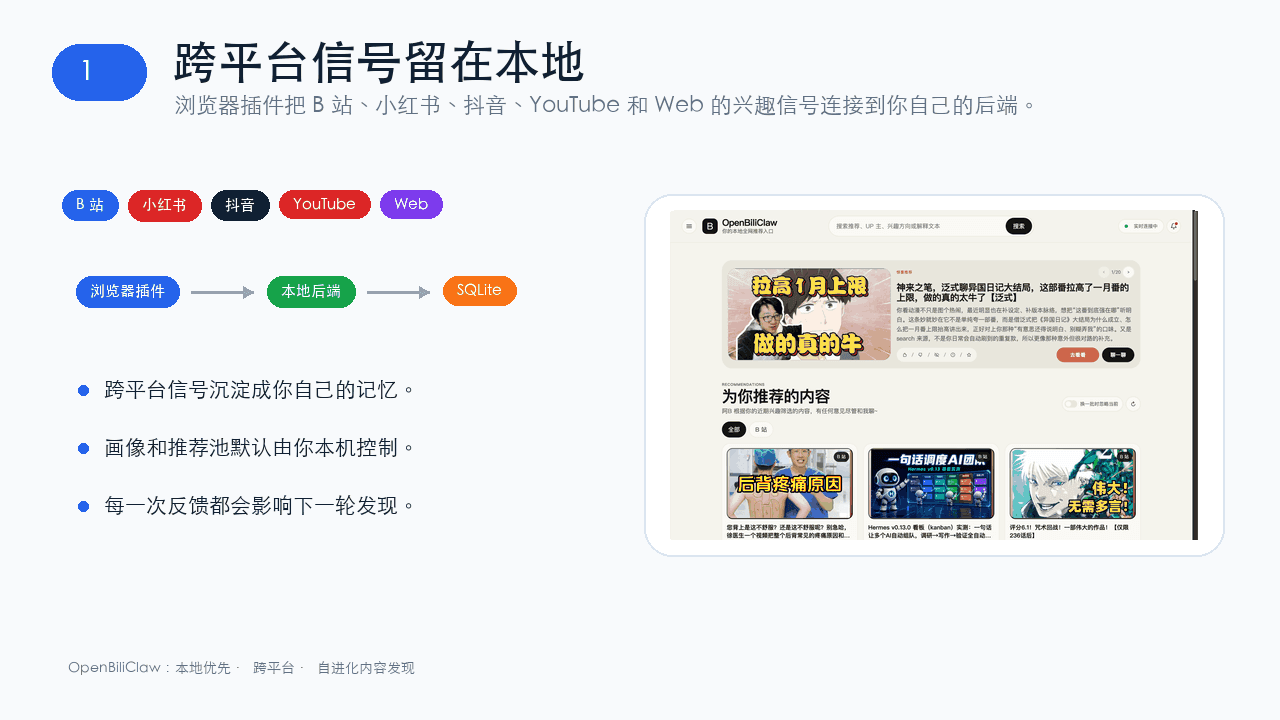 whiteguo233/OpenBiliClaw
本地私有、开源的自进化跨平台 AI 内容发现 Agent:先理解你,再主动从 B站、小红书、抖音、YouTube、X、知乎、Reddit、微博等平台与开放 Web 寻找内容。(支持 deepseek harness 插件) | Local-…
whiteguo233/OpenBiliClaw
本地私有、开源的自进化跨平台 AI 内容发现 Agent:先理解你,再主动从 B站、小红书、抖音、YouTube、X、知乎、Reddit、微博等平台与开放 Web 寻找内容。(支持 deepseek harness 插件) | Local-…
-
 edison7009/EchoBird
One-click install + model switch:Claude Code,Codex CLI (OpenAI), Grok Build (xAI), DeepSeek Harness, Kimi Code (Moonshot…
edison7009/EchoBird
One-click install + model switch:Claude Code,Codex CLI (OpenAI), Grok Build (xAI), DeepSeek Harness, Kimi Code (Moonshot…
-
 V1ki/dsh-plugin-subscriptions
Use ChatGPT (Codex), Claude, and Grok (X Premium) subscriptions as DeepSeek Harness LLM providers — OAuth login in the w…
V1ki/dsh-plugin-subscriptions
Use ChatGPT (Codex), Claude, and Grok (X Premium) subscriptions as DeepSeek Harness LLM providers — OAuth login in the w…
-
 Nwflower/dsh-chat-import
Import 14+ external agent chat histories (Claude Code, Codex, ChatGPT, Cursor, Gemini, Reasonix, opencode, ZCode, Grok B…
Nwflower/dsh-chat-import
Import 14+ external agent chat histories (Claude Code, Codex, ChatGPT, Cursor, Gemini, Reasonix, opencode, ZCode, Grok B…
-
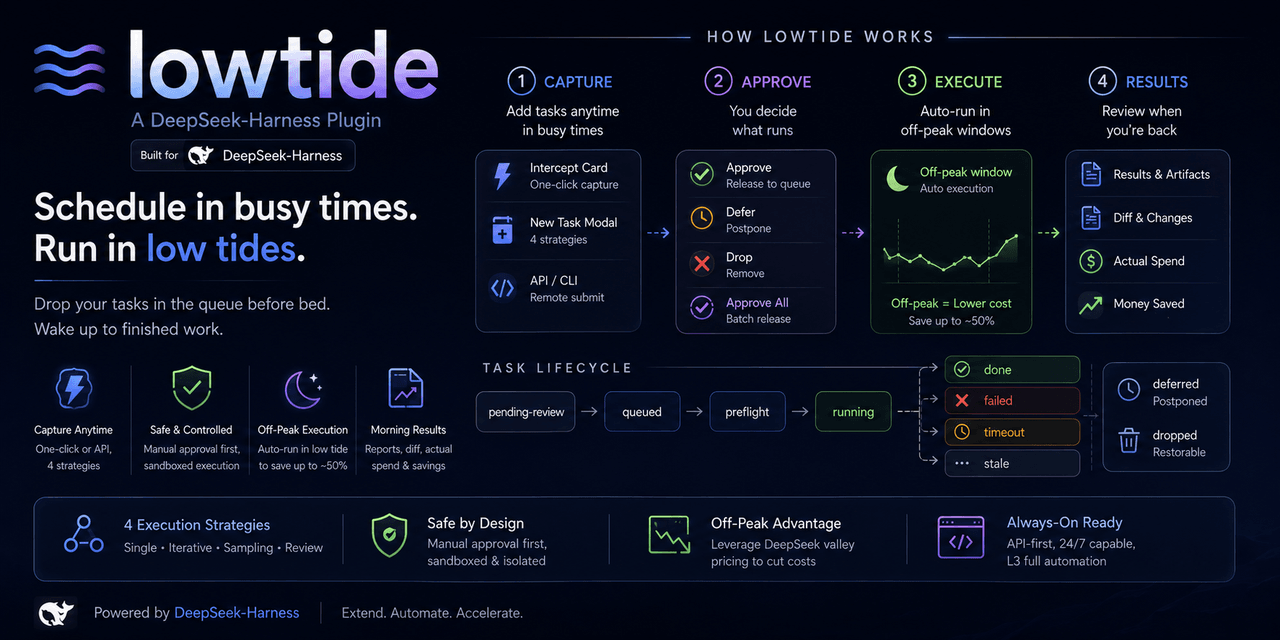 KelaoHu/dsh-lowtide
Time-shifting task delegation for DeepSeek Harness (dsh): plan tasks at leisure, they run unattended off-peak, come back…
KelaoHu/dsh-lowtide
Time-shifting task delegation for DeepSeek Harness (dsh): plan tasks at leisure, they run unattended off-peak, come back…
-
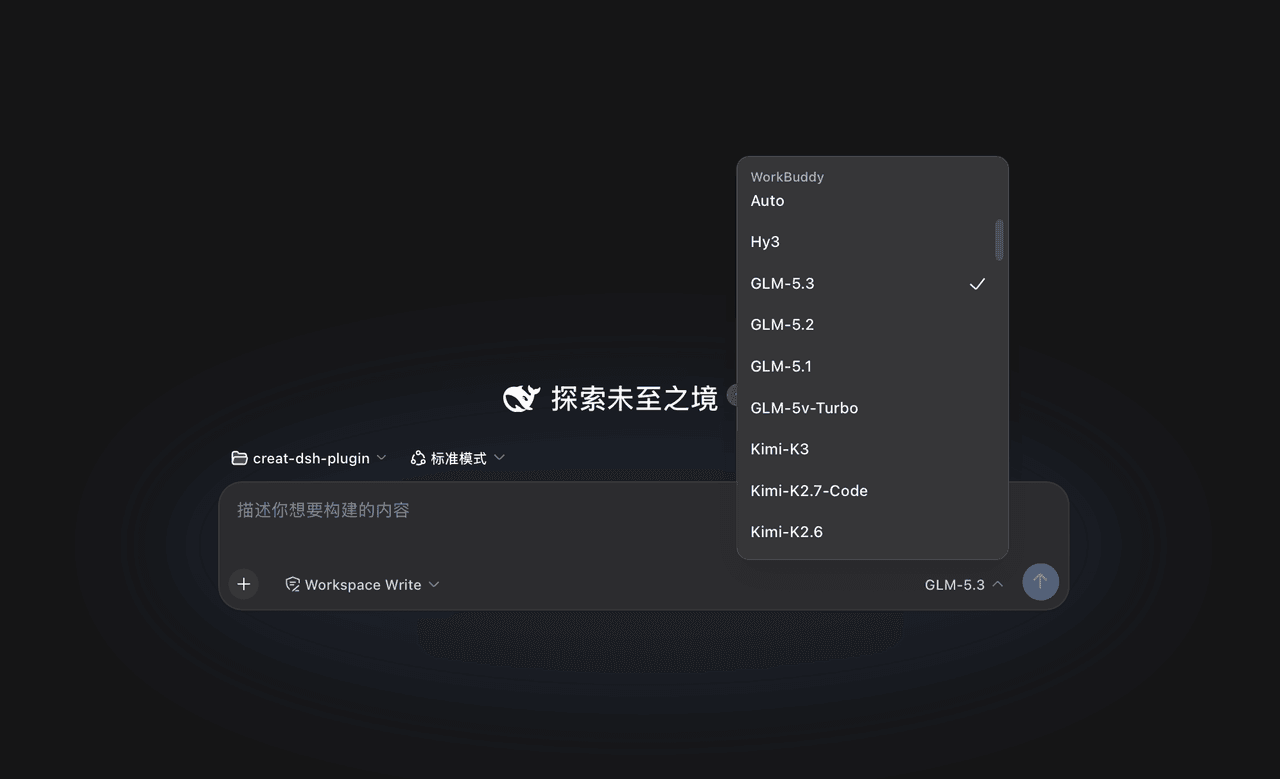 corrinehu/dsh-workbuddy-connect
将 WorkBuddy 桌面 App 包含的模型自动接入 DeepSeek Harness,零配置使用。Bring the models in the WorkBuddy desktop app into DeepSeek Harness …
corrinehu/dsh-workbuddy-connect
将 WorkBuddy 桌面 App 包含的模型自动接入 DeepSeek Harness,零配置使用。Bring the models in the WorkBuddy desktop app into DeepSeek Harness …