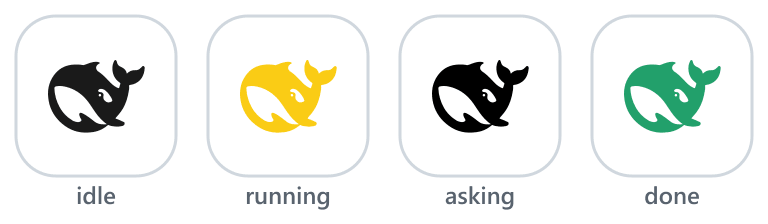
waknow/dsh-web-icon-indicator
Browser tab favicon reflects the current DSH session state — idle / running / asking / done — so you can see at a glance whether a session needs your attention, even when the tab is in the background.
catalog descriptioncatalog 简介 / catalog description:DSH browser tab favicon reflecting session state: idle / running / asking / done. · DSH 标签页 favicon 实时反映会话状态:待机 / 运行中 / 提问 / 完成
Project Overview项目介绍
DSH browser-tab icon indicator maps the current DSH session state (idle / running / asking / done) to a live favicon color and effect, so background tabs show at a glance which sessions need attention. A single SVG template is recolored and animated client-side each frame; six JS-driven effects (static, blink, breath, rainbow, heartbeat, bounce) are configurable from the built-in settings panel with live preview, no reload required. When more than one agent is active, the favicon switches to a full-frame count block. Caveat: Safari renders data-URI SVG favicons unreliably and ignores in-SVG CSS, so all recoloring and animation must be rebuilt in JavaScript per frame.
DSH 浏览器标签页图标指示器,把当前会话状态(idle / running / asking / done)实时映射为 favicon 颜色与动画,便于在后台标签中一眼识别哪些会话需要处理;内置六种 JS 驱动特效,配色与周期可在设置面板实时调整,无需重载。同一 SVG 模板由浏览器端按帧重绘,多智能体活跃时自动切换为满幅数字计数。注意事项:Safari 对 data-URI SVG favicon 渲染不可靠,且不执行内联 CSS,所有动画需由 JS 每帧重建数据 URI 实现。
请帮我了解并安装插件:【dsh-web-icon-indicator】【https://github.com/waknow/dsh-web-icon-indicator】Send this message to DSH in your current session. CLI install commands may not be accurate across systems — DSH will figure it out for you.把上面这条消息直接发给当前会话里的 DSH,让它帮你了解并安装。安装命令不一定准确,发给 DSH 更稳。
Or use CLI install (for developers)或使用命令行安装(适合开发者)
CLI Install命令行安装
dsh plugin --profile web add github:waknow/dsh-web-icon-indicator把 waknow/dsh-web-icon-indicator 加入你的 DSH 配置(web profile)即可启用。
READMEREADME
dsh-web-icon-indicator




⚠️ DSH version support — requires DSH ≥ 0.1.2 (the settings-service API the configuration card uses). Built & verified against DSH 0.1.2-rc.1, the highest version currently tested. On DSH < 0.1.2 the favicon still works, but the settings UI (Settings → Plugins → Plugin config) is unavailable.
Browser tab favicon reflects the current DSH session state — idle / running / asking / done — so you can see at a glance whether a session needs your attention, even when the tab is in the background.
🎨 Live demo — https://waknow.github.io/dsh-web-icon-indicator/ · see the four states, the multi-agent counter and every effect rendered live in your browser, no install needed. The playground even drives the demo page's own tab favicon, exactly like the plugin does on a DSH page.
✨ What it does
- Live session state on the tab favicon — the browser-tab icon mirrors
idle/running/asking/done(aggregate priority:asking>running>done>idle), so background tabs tell you at a glance what your agents are doing — includingask_user_questionprompts and approval / sandbox-escalation waits, which pin the icon toasking. - One SVG, recolored & animated in the browser — ships a single whale template (
icons/base.svg); every state, color and frame is rendered client-side as adata:image/svg+xmlURI. No per-color icon files. - Six built-in effects —
static,blink,breath,rainbow,heartbeat,bounce— all driven by JavaScript, since favicons don't play SVG CSS animations. - Fully configurable, applied live — every state's color, effect and cycle speed, plus the asking/done hold timings, apply to the running tab within ~1 s — no reload, no restart.
- Built-in settings UI, zero YAML — a Favicon indicator card in the DSH settings page edits the whole config with live color-swatch previews and persists it to
settings.yamlfor you (path below). - Background-tab & restart-proof — animated states keep a wall-clock fallback while
requestAnimationFrameis paused in hidden tabs, and the status poll self-heals across host restarts. Returning to a tab repaints immediately: avisibilitychangelistener fires an instant status fetch, so a state that flipped while the tab was hidden (e.g. thedonehold expiring) shows at once instead of waiting for the next — possibly throttled — poll tick. When the backend is stopped, the tab never loses its icon: the outage restores the shell's own favicon from an offline-safedata:-URI copy (or keeps the last painted frame), and the live icon returns on the first successful poll. - Active-agent count at a glance — while more than one agent is active (non-idle:
asking/running/done), the favicon switches from the whale to a full-frame number block showing the live count (up to99+), colored and animated exactly like the whale would be in that state; back to the whale when 0–1 agents are active. (Same visual language as the 满幅数字 channel indemo/badge.html.)

🛠 Configuration UI — how to get there
| # | Step |
|---|---|
| 1 | Open the DSH Web GUI and go to Settings / 设置. |
| 2 | In the Plugins / 插件 tab, open Plugin config / 插件配置. |
| 3 | Find the Favicon indicator / 标签页图标指示器 card. |
| 4 | Expand a state row (idle / running / asking / done) to edit Effect / 特效, Colors / 颜色 (each swatch is a native color picker) and Cycle (ms) / 周期(毫秒) (shown only for animated states — static states have no cycle); use Asking hold / 提问驻留 and Done hold / 完成驻留 for the two timings. |
Changes are saved through the settings transport into the profile's settings.yaml and applied to the running tab within ~1 s — no reload, no restart. See Configure for the full key reference.
🎬 Default configuration, visualized
The four default states, exactly as they appear in the browser tab (the asking whale really blinks):
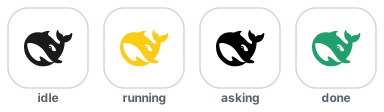
| State | Default color | Default effect |
|---|---|---|
idle |
#1a1a1a — deep whale |
static |
running |
#FACC15 — yellow |
static |
asking |
#E5484D ⇄ #FACC15 — red/yellow |
blink (400 ms) |
done |
#22A06B — green |
static, stays doneHoldMs, then back to idle |
Multi-agent, visualized
With several agents running at once, the favicon itself becomes the counter:
while more than one agent is active (non-idle: asking / running / done,
including the short done hold), the whale is replaced by a full-frame count
block showing the live active count, filled with the aggregate state's color
and driven by the same effect — so it keeps blinking / breathing / cycling
exactly like the whale would. With 0–1 active agents it comes right back to
the whale.
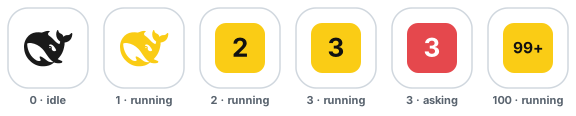
active (non-idle agents) |
Favicon |
|---|---|
0 |
dark idle whale |
1 |
that state's whale (running yellow, …) |
2–99 |
full-frame count block; digit height ≈31–52% of the icon (1 digit = 26, 2 = 20, 3+ = 15.5), readable at 16px and in pinned tabs |
100+ |
99+ |
State priority is unchanged, so asking still takes over with its red ⇄ yellow
400 ms blink (the count block blinks), done flashes its color for
doneHoldMs, and the count refreshes live through the status poll (~1 s).
Same visual language as the 满幅数字 channel of
demo/badge.html.
✨ All effects, animated
Every preview below is the real whale path, animated the same way the plugin renders it (the previews are self-contained animated SVGs — they play right in your browser):
| Effect | What it does | Preview |
|---|---|---|
static |
A single colored frame, no motion — uses colors[0] |
 |
blink |
Toggles colors[0] ⇄ colors[1] (a darker second color is derived if missing) over speed |
 |
breath |
Pulsates smoothly between colors[0] and colors[1] (derived if missing) over speed |
 |
rainbow |
Uses colors[0] as the starting hue, then cycles the color wheel over speed |
 |
heartbeat |
Scale pulses with a sharp lub-dub beat over speed — color is colors[0] |
 |
bounce |
The whale hops up and down over speed — color is colors[0] |
 |
Want to tweak colors and watch the tab favicon change live? Open the self-contained demo (demo/dynamic-color.html) — pick a state + effect, edit colors, and the favicon updates in real time (no build, no dependencies).
Install
This is a standard DSH bundle plugin. Install it into the web profile (the GUI/TUI profiles pick it up automatically through the cordis patch layer).
From npm (recommended):
dsh plugin --profile web add dsh-web-icon-indicator@latest
From the Git source:
dsh plugin --profile web add github:waknow/dsh-web-icon-indicator
Or from a local directory / tarball:
dsh plugin --profile web add <path-or-tarball>
Or drop the directory into ~/.dsh/profiles/web/node_modules/<name>/ and ship a cordis.patch.yml that matches the one shipped here.
Configure
All keys are optional; defaults shown. statusPath and iconPathPrefix are
registration-time keys: set them in the composition entry only — they are
baked into the route table and the injected script when the plugin mounts, so
they are intentionally not part of the settings surface (settings.yaml).
| Key | Default | Meaning |
|---|---|---|
iconsDir |
<package>/icons/ |
Directory holding the single base.svg |
statusPath |
/dsh-web-icon-status.json |
JSON status endpoint — registration-time (composition entry only) |
iconPathPrefix |
/dsh-web-icon-indicator |
URL prefix base.svg is served under — registration-time (composition entry only) |
askingHoldMs |
3500 |
Minimum visibility of the asking state |
doneHoldMs |
5000 |
Time the done state stays before falling back to idle |
states |
see below | Per-state visual config |
Each entry in states is one object per state: { effect, colors[], speed? }:
config:
  states:
    idle:    { effect: static,    colors: ['#1a1a1a'] }
    running: { effect: static,    colors: ['#FACC15'] }
    asking:  { effect: blink,     colors: ['#E5484D', '#FACC15'], speed: 400 }
    done:    { effect: static,    colors: ['#22A06B'] }
effect— one ofstatic | blink | breath | rainbow | heartbeat | bounce.colors— an array of hex colors.colors[0]is the primary. Multi-color effects read more entries:blinkusescolors[0]⇄colors[1],breathbreathescolors[0]⇄colors[1](each derives a darker second color if omitted),rainbowuses onlycolors[0]as the starting hue.speed— optional per-state cycle length in ms (also theblinktoggle interval). Default1200.
Entries are shallow-merged over the defaults, so you can override only a few states. Example:
- id: dsh-web-icon-indicator
  name: 'dsh-web-icon-indicator'
  config:
    states:
      running: { effect: breath,    colors: ['#FF9900', '#FFD9A0'], speed: 900 }
      asking:  { effect: rainbow,   colors: ['#FF0000'] }
      done:    { effect: heartbeat, colors: ['#2ECC71'] }
Settings page & settings.yaml (DSH ≥ 0.1.2)
The plugin registers the whole config surface above with the DSH settings
service under the web-icon-indicator namespace (a schemastery schema in
lib/index.js):
- Web GUI: open 设置 → 插件 → 插件配置 — a Favicon indicator card
edits the same keys (asking/done hold, and per-state effect / colors /
cycle), staged and saved through the settings transport. Each state is a
collapsible row showing a color dot and a one-line summary (
blink · #E5484D ⇄ #FACC15 · 400ms); expanding a row reveals its three fields, and the colors field previews parsed swatches live. - Persistence: values land in the profile's
settings.yaml(default~/.dsh/settings.yaml) as aweb-icon-indicator:section. The composition entry stays thebaselayer; resolution order is schema defaults → composition entry → settings document user layer. - No server restart, no tab reload for settings-card saves:
askingHoldMs/doneHoldMsapply live host-side, and per-state visual config (effect / colors / cycle) is synced into the running tab through the status poll within ~1 s. Only code-level default changes inlib/index.jsneed a tab reload (or a DSH web rebuild). - Route paths are not settings.
statusPath/iconPathPrefixare registration-time keys baked into the route table and the injected script, so they live in the composition entry only (see the table above) and a restart is required to change them. They are deliberately absent from the settings schema and fromsettings.yaml: honoring them there would point the browser at a path the server never serves. - The settings surface therefore covers
askingHoldMs,doneHoldMs,iconsDirandstates.iconsDirhas no schema default, so it is omitted from the settings document unless a user sets it. - The browser half is a hand-written
lib/client.js(ModuleLoader factory format — no build step, no runtime deps beyond the shell'sreact). The DSH client scanner picks a newdsh.clientdeclaration up on the next profile start. - Deployments without a settings service are unaffected: the plugin falls back to reading the composition entry exactly as before.
How it works
- Host plugin with a small browser half: registers routes on the existing
webServer— the status JSON endpoint, a static/dsh-web-icon-indicator/base.svg(the whale template), and onetapIndexthat injects a small browser script into every servedindex.html. The config surface is registered with the DSH settings service (web-icon-indicatornamespace) for validation, persistence, and the settings-page card (see above). - Status is aggregated across live
agents.list()with priorityasking > running > done > idle. The aggregation runs areconcile()step on every request to detect running → idle transitions, becauseagent/status's idle delivery is not guaranteed at turn end. The status endpoint also reportsactive— the number of non-idle agents — and while that count is > 1 the injected script renders a full-frame count block (the 满幅数字 channel ofdemo/badge.html: a rounded block filled with the same per-frame state color/effect as the whale, bold white count sized 31%–52% of the icon, capped at99+) instead of the whale, so the tab shows how many agents are busy at once even in a pinned 16px tab. ask_user_questiontool calls (viatools/pre-execute/tools/result) flip the session intoaskingwith a configurable minimum-hold so the icon stays visible even when the user answers immediately.- Permission / sandbox-interception waits are also surfaced as
asking: when the agent hits a sandbox denial and escalates (sandbox_permissions+justification), or any other tool asks for approval, the approval service appends anapproval/askedsession event and blocks the agent until you decide. The plugin watchessession/event(with an authoritative fold over the live session log as a fallback) and pins the session into theaskingstate for that whole wait, clearing it onapproval/decided. - The browser script polls
/dsh-web-icon-status.jsononce a second (the interval is fixed at 1000 ms in the injected script — it is not a config key), fetchesbase.svgonce, and then on everyrequestAnimationFrametick rebuilds the favicon as adata:image/svg+xml,…URI — replacing the__COLOR__placeholder with the state's configured color and applying the state's configured effect. The status response also echoes the current per-state visual config, so a settings save reaches the running tab on the next poll (~1 s) without a reload. Browsers don't play favicon SVG CSS animations, so all motion is JS-driven. Because browsers pauserequestAnimationFramein hidden tabs, the poll also repaints a wall-clock frame for animated states, so background tabs keep animating (coarsely) instead of freezing; full-speed animation resumes when the tab is visible again. Returning to a tab also triggers an immediate status fetch and repaint (visibilitychange), so a state that flipped while the tab was hidden shows at once instead of on the next — possibly throttled — poll tick. The poll also survives host restarts — and a stopped backend never blanks the tab: at startup the script caches an offline-safedata:-URI copy of the original favicon, and on a fetch failure it restores that copy (or, if none could be captured, keeps the last painted frame) — it never writes the original server URL back, which would be unreachable exactly while the host is down. It retries every tick, and the live icon returns on the first successful poll (the SPA reconnects in place, so no manual refresh is needed).
Browser support & known limitations
The favicon is a plain image, so browsers never run the SVG's own CSS/JS animation inside the tab UI — every frame is rendered here in JavaScript. How well a changing favicon is displayed differs by browser:
| Browser | SVG favicon | Live per-state color/effect | Why |
|---|---|---|---|
| Chrome / Edge | ✅ | ✅ smooth | Re-reads <link rel=icon> live; data:-URI SVGs are fine. |
| Firefox | ✅ | ✅ smooth | Renders SVG favicons well (and honors their prefers-color-scheme, unused here). |
| Safari (macOS) | ✅ rendered static | ⚠️ best-effort | Ignores in-SVG CSS; aggressive icon caching. |
| Safari (iOS) | ✅ rendered static | ⚠️ rarely | Unlikely to refresh without revisiting the tab. |
Known limitations (current as of Safari 26.3):
- Favicons have their own cache. Chrome keeps a favicon database, Firefox a
favicons.sqlite, and Safari a system-level icon cache — none of which a normal clear cache touches, and WebKit even caches the "no icon" case. That is why a changed icon can linger for an existing tab. The plugin already mitigates this: it servesbase.svgand the status endpoint withCache-Control: no-store, bundles a freshness query (?t=Date.now()) on its fetches, and replaces the<link rel=icon>node on each state change. - Safari renders SVG favicons but ignores their internal CSS — no
@media, noprefers-color-scheme, no CSS animation. So all recoloring must be baked into each frame's markup (which the plugin does) rather than driven by CSS variables. data:-URI SVG favicons are unreliable in Safari (WebKit bug 236616, still open; reproduced on Safari 17.6). The plugin currently builds each frame as adata:image/svg+xmlURI, so on Safari the tab icon may not render at all — the biggest known gap.- Dynamic JS updates in Safari are hit-or-miss; they may require a reload, and Safari "locks onto" the first icon it sees. There is no guaranteed, spec-supported way to swap a favicon live in Safari today.
- Pinned-tab icon (
<link rel="mask-icon">) uses its own cache, separate from the regular favicon, and is a single-colour silhouette tinted by thecolorattribute — macOS + pinned-tab only, read at page load, not live.
Full mechanics with sources (WebKit bugs, Stack Overflow, browser-engineering blogs) and a recommended path toward smoother Safari colour changes live in docs/safari-favicon-research.md.
Caveats
- Favicon SVG CSS animations do not run inside the browser's tab UI — all effects are produced in JavaScript by rebuilding the data-URI each frame. This is a deliberate, zero-dependency design. (The animated previews in this README are demo assets for illustration only — the favicon itself is JS-animated.)
- Favicon behavior differs by browser, and Safari is the most limited — see Browser support & known limitations.
- The base template must keep its
__COLOR__placeholder in the#p { fill: … }rule; the browser replaces that token to color each frame. - The plugin runs in the host plane; it must be mounted into a profile's composition, not a session-scoped agent preset.
- File reads go through the
fsservice with the configurediconsDirascwd. Make sure that path is readable under your deployment's sandbox policy.
License
MIT
Related相关推荐
-
 bowenliang123/dsh-context
The best DeepSeek Harness plugin for context insight and management, with context dashboard / browser / sidebar and cont…
bowenliang123/dsh-context
The best DeepSeek Harness plugin for context insight and management, with context dashboard / browser / sidebar and cont…
-
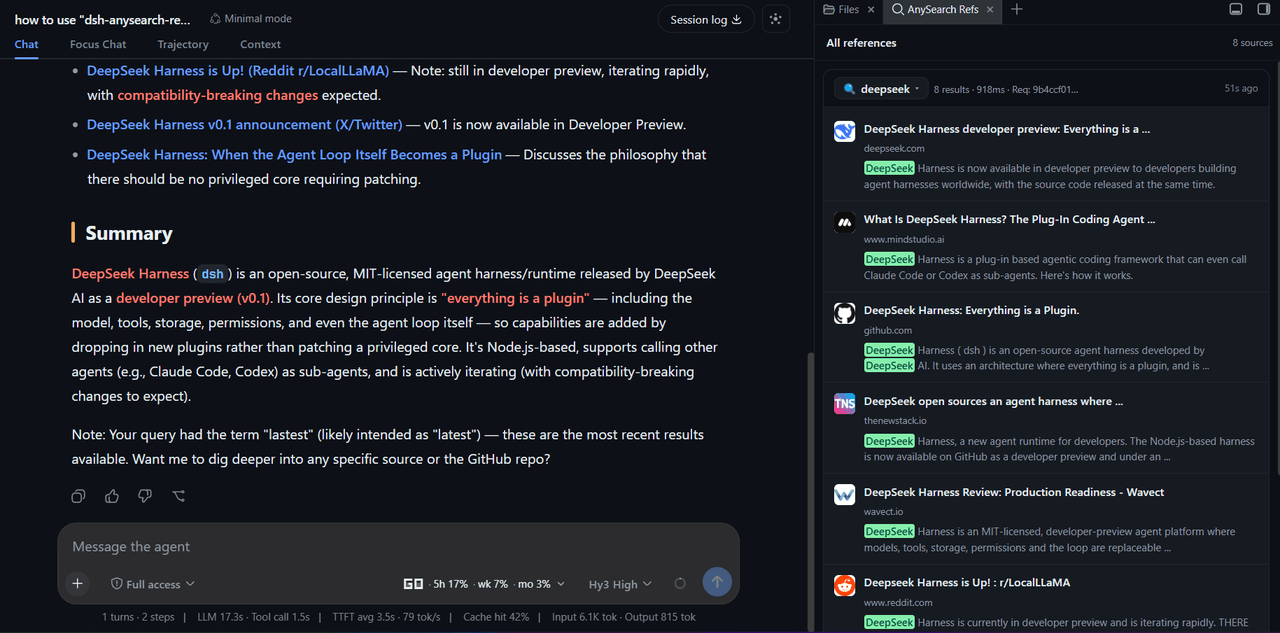 v587d/dsh-anysearch-refs
A DSH sidebar plugin that shows AnySearch references as cards, with the search query, source snippets and highlighted ke…
v587d/dsh-anysearch-refs
A DSH sidebar plugin that shows AnySearch references as cards, with the search query, source snippets and highlighted ke…
-
 omdsh-dev/dsh-genui
GenUI for DeepSeek Harness: interactive UI components rendered inline in assistant replies via the dsh-ui fence — layout…
omdsh-dev/dsh-genui
GenUI for DeepSeek Harness: interactive UI components rendered inline in assistant replies via the dsh-ui fence — layout…
-
 e2mcc/dsh-popout-sidebar
A sidebar can pop out a separate browser tab (drag it to another monitor)
e2mcc/dsh-popout-sidebar
A sidebar can pop out a separate browser tab (drag it to another monitor)
-
 cocofhu/anime-find
DeepSeek Harness 搜番插件:对话内多源搜索番剧,卡片展示 Bangumi 评分与详情,支持复制磁力。
cocofhu/anime-find
DeepSeek Harness 搜番插件:对话内多源搜索番剧,卡片展示 Bangumi 评分与详情,支持复制磁力。
-
 dingyi222666/dsh-session-notification
为 Deepseek Harness 提供会话完成等四种状态的通知响应,支持浏览器提示和提示词
dingyi222666/dsh-session-notification
为 Deepseek Harness 提供会话完成等四种状态的通知响应,支持浏览器提示和提示词
- IWAIBAOLI/dsh-with-pencil Official Pencil (pen.dev) canvas inside DeepSeek Harness: conversation-bound workspaces, live agent edits, and 7 MCP des…
-
 guo6x/dsh-pilot
Give your DSH agent hands: drive a real browser (Edge/Chrome over CDP) from the chat — ref-driven clicking, per-session …
guo6x/dsh-pilot
Give your DSH agent hands: drive a real browser (Edge/Chrome over CDP) from the chat — ref-driven clicking, per-session …