Wanbinyu/dsh-error-lens
Read-only, redacted provider error diagnostics for DeepSeek Harness
Project Overview项目介绍
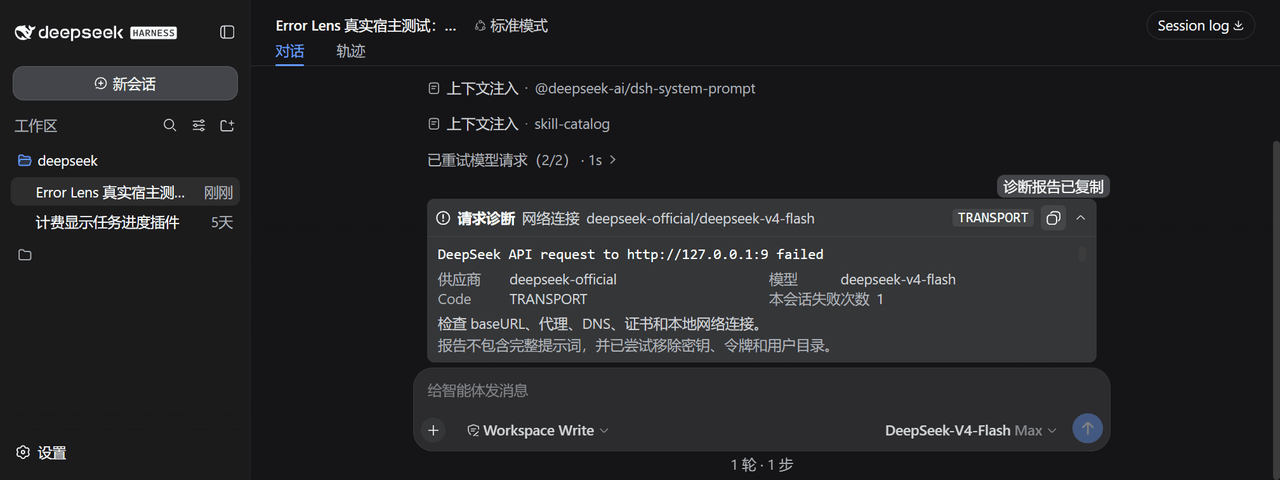
dsh-error-lens is a read-only error diagnostics plugin for DeepSeek Harness Web. It classifies model request failures into categories such as authentication, rate limiting, compatibility, and timeouts, displaying status codes, Request IDs, and vendor messages, and supports one-click copying of a redacted diagnostic report. Use it when troubleshooting failures through third-party OpenAI-compatible gateways. Caveat: text-based redaction cannot cover all sensitive fields, so reports should be manually reviewed before sharing.
dsh-error-lens 是面向 DeepSeek Harness Web 的只读错误诊断插件。它把模型请求失败归类为身份验证、限流、兼容性、超时等类别,展示状态码、Request ID 与供应商信息,并支持一键复制脱敏诊断报告。适用于使用第三方 OpenAI 兼容网关时排查失败原因。需注意:基于文本规则的脱敏无法覆盖所有敏感字段,公开前应人工复核。
请帮我了解并安装插件:【dsh-error-lens】【https://github.com/Wanbinyu/dsh-error-lens】Send this message to DSH in your current session. CLI install commands may not be accurate across systems — DSH will figure it out for you.把上面这条消息直接发给当前会话里的 DSH,让它帮你了解并安装。安装命令不一定准确,发给 DSH 更稳。
Or use CLI install (for developers)或使用命令行安装(适合开发者)
CLI Install命令行安装
dsh plugin --profile web add https://github.com/Wanbinyu/dsh-error-lens/releases/download/v0.1.7/dsh-error-lens-0.1.7.tgz把 Wanbinyu/dsh-error-lens 加入你的 DSH 配置(web profile)即可启用。
READMEREADME
dsh-error-lens
v0.1.7 兼容性修复:适配 Harness
0.1.5-rc.2,并通过0.1.1-rc.2回归。修复旧 runtime 模块缺失问题;下方下载链接指向本次修复包。其他宿主版本请先验证兼容性。
English | 简体中文
非官方社区插件,与 DeepSeek 官方无隶属或背书关系。
为 DeepSeek Harness Web 提供只读、脱敏的模型请求错误诊断。插件把模糊的“本轮运行失败”整理成可操作的信息,并可复制一份适合提交到 GitHub Discussions 的诊断报告。
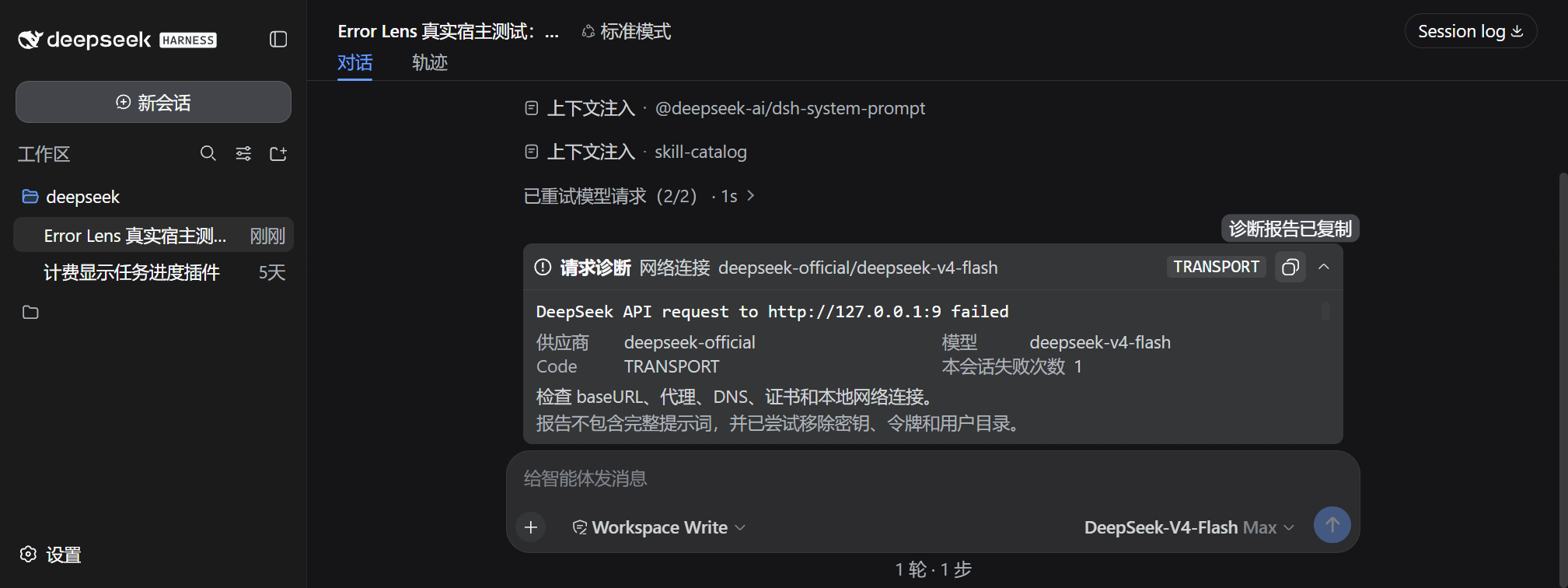
为什么需要它
第三方 OpenAI 兼容网关经常用相似的界面返回不同问题:
401:密钥无效或未配置;403:密钥可能有效,但 User-Agent、模型权限或网关策略拒绝请求;429:请求过快或额度限流;400:模型名称、developer role、tool calls 或推理参数不兼容;5xx、超时和连接错误:供应商或网络异常。
Error Lens 会保留状态码、错误码、请求 ID、供应商和模型,同时在数据进入浏览器前尝试移除 API Key、Bearer Token、URL 密钥参数和用户目录。
功能
- 在消息输入区上方显示最近一次仍未恢复的请求失败;
- 展开后显示最近 3 条此前失败,便于比较是否为重复故障;
- 区分身份验证、禁止访问、限流、上下文超限、兼容性、超时、网络和服务端错误;
- 展示 DSH 已持久化的供应商错误消息与 Request ID;
- 一键复制中英文脱敏诊断报告;
- 可手动关闭当前诊断面板,且不删除会话内错误记录和统计;
- 成功完成下一轮后自动隐藏提示,但保留有限的会话内错误统计;
- 不读取凭据存储,不保存完整提示词,不自动重试,不修改模型请求;
- 基于官方 session projection 与 Web UI slot,无 DOM 注入。
安装
要求 Node.js >=22.19 和 DeepSeek Harness 0.1.0-rc.6 或更高版本。
v0.1.7 已使用 DeepSeek Harness 0.1.2-rc.1 完成类型、测试、构建和打包验证,并保留 0.1.0-rc.6 至 rc.8、0.1.1-rc.1 至 rc.2 的兼容分支。
dsh plugin --profile web add https://github.com/Wanbinyu/dsh-error-lens/releases/download/v0.1.7/dsh-error-lens-0.1.7.tgz
安装或更新后重启:
dsh web
卸载:
dsh plugin --profile web remove dsh-error-lens
配置
默认配置位于 Web profile 的 cordis.patch.yml:
- insert:
    - id: error-lens
      name: dsh-error-lens
      config:
        maxRecords: 10
        maxMessageLength: 2000
| 选项 | 默认值 | 说明 |
|---|---|---|
maxRecords |
10 |
每个会话投影保留的最近错误数量,范围 1-50 |
maxMessageLength |
2000 |
单条脱敏错误的最大字符数,范围 256-8000 |
隐私边界
插件只处理 DSH 会话日志中已经存在的终止失败记录。复制或公开报告前仍应人工检查,因为任何基于文本规则的脱敏都无法保证覆盖供应商自定义错误中的所有敏感格式。
插件不会:
- 读取
settings.yaml中的密钥; - 记录请求正文或完整提示词;
- 向外部服务发送遥测;
- 自动更改配置、重试或切换模型。
开发
npm install
npm run verify
verify 会执行 Host/Web 类型检查、单元测试、客户端构建和安装包内容检查。
反馈
问题与建议请提交到 GitHub Issues。报告问题前请使用插件的复制按钮生成脱敏诊断,并再次人工检查其中是否含有不希望公开的信息。
许可证
Related相关推荐
- Nagi-ovo/voyager Enhancement suite for Gemini, AI Studio, Claude & ChatGPT — plus a prompt manager for any websites, DeepSeek Harness inc…
-
 crafter-station/petdex
A public gallery of animated pets for Codex, Claude Code, DeepSeek Harness, Hermes, OpenCode, Gemini CLI, and more.
crafter-station/petdex
A public gallery of animated pets for Codex, Claude Code, DeepSeek Harness, Hermes, OpenCode, Gemini CLI, and more.
-
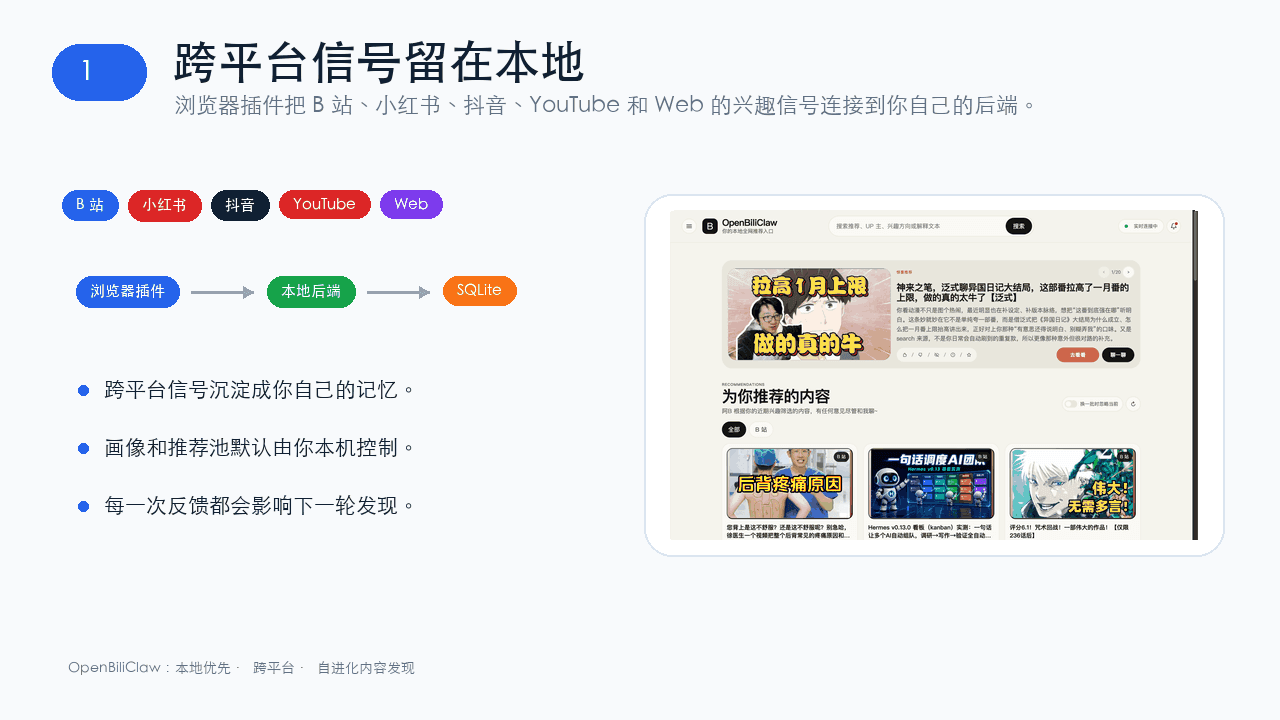 whiteguo233/OpenBiliClaw
本地私有、开源的自进化跨平台 AI 内容发现 Agent:先理解你,再主动从 B站、小红书、抖音、YouTube、X、知乎、Reddit、微博等平台与开放 Web 寻找内容。(支持 deepseek harness 插件) | Local-…
whiteguo233/OpenBiliClaw
本地私有、开源的自进化跨平台 AI 内容发现 Agent:先理解你,再主动从 B站、小红书、抖音、YouTube、X、知乎、Reddit、微博等平台与开放 Web 寻找内容。(支持 deepseek harness 插件) | Local-…
-
 edison7009/EchoBird
One-click install + model switch:Claude Code,Codex CLI (OpenAI), Grok Build (xAI), DeepSeek Harness, Kimi Code (Moonshot…
edison7009/EchoBird
One-click install + model switch:Claude Code,Codex CLI (OpenAI), Grok Build (xAI), DeepSeek Harness, Kimi Code (Moonshot…
-
 V1ki/dsh-plugin-subscriptions
Use ChatGPT (Codex), Claude, and Grok (X Premium) subscriptions as DeepSeek Harness LLM providers — OAuth login in the w…
V1ki/dsh-plugin-subscriptions
Use ChatGPT (Codex), Claude, and Grok (X Premium) subscriptions as DeepSeek Harness LLM providers — OAuth login in the w…
-
 Nwflower/dsh-chat-import
Import 14+ external agent chat histories (Claude Code, Codex, ChatGPT, Cursor, Gemini, Reasonix, opencode, ZCode, Grok B…
Nwflower/dsh-chat-import
Import 14+ external agent chat histories (Claude Code, Codex, ChatGPT, Cursor, Gemini, Reasonix, opencode, ZCode, Grok B…
-
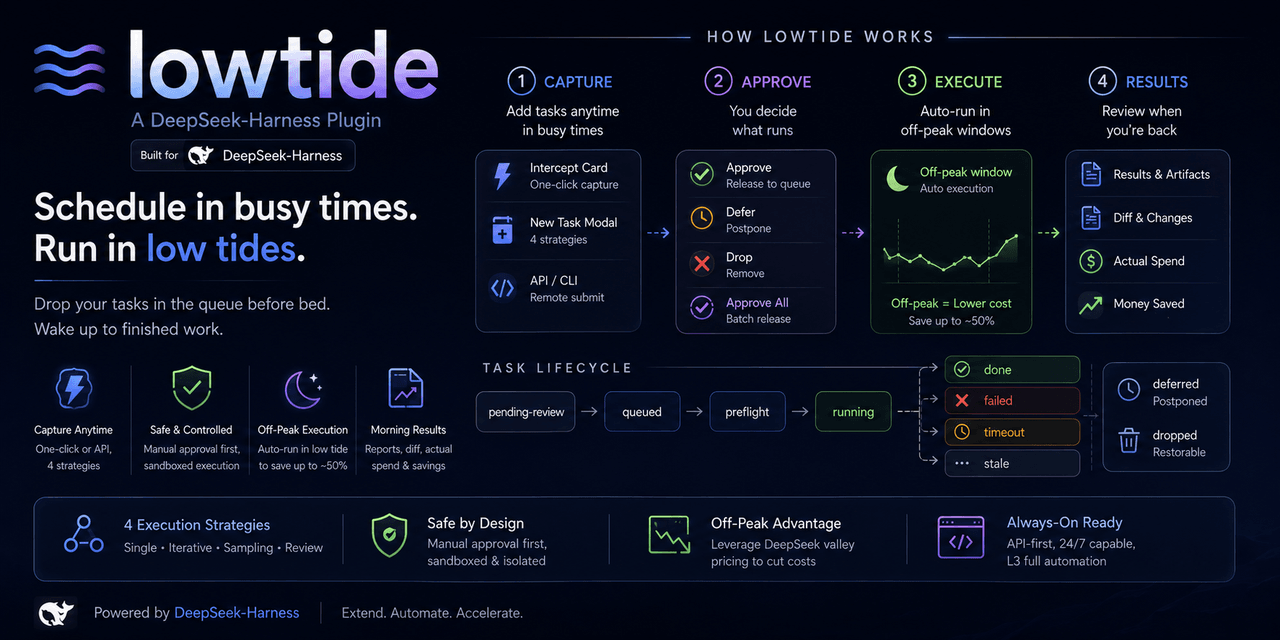 KelaoHu/dsh-lowtide
Time-shifting task delegation for DeepSeek Harness (dsh): plan tasks at leisure, they run unattended off-peak, come back…
KelaoHu/dsh-lowtide
Time-shifting task delegation for DeepSeek Harness (dsh): plan tasks at leisure, they run unattended off-peak, come back…
-
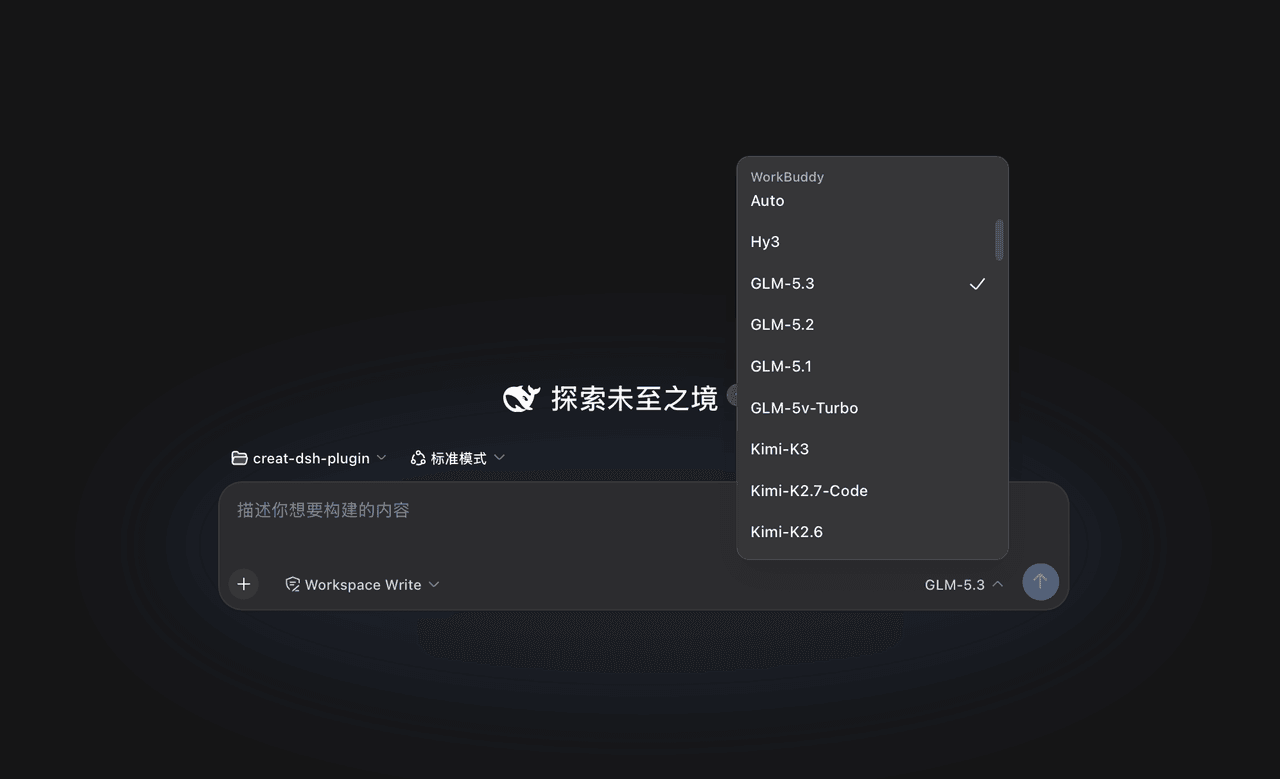 corrinehu/dsh-workbuddy-connect
将 WorkBuddy 桌面 App 包含的模型自动接入 DeepSeek Harness,零配置使用。Bring the models in the WorkBuddy desktop app into DeepSeek Harness …
corrinehu/dsh-workbuddy-connect
将 WorkBuddy 桌面 App 包含的模型自动接入 DeepSeek Harness,零配置使用。Bring the models in the WorkBuddy desktop app into DeepSeek Harness …