wenzetan/dsh-quota-panel
dsh 网页界面的提供方配额/余额组件:胶囊 + 卡片 + 设置面板,双面设计(回环 RPC 主机端 + shell.overlay 客户端端),零 npm 依赖
Project Overview项目介绍
dsh-quota-panel is a native balance and quota widget plugin built exclusively for the DeepSeek Harness (DSH) dsh web interface. It lives in the bottom-right corner of the DSH web UI, and displays real-time remaining balance, quota, and usage for every AI provider that you have configured an API key for. It supports dozens of popular direct providers including DeepSeek, OpenRouter, SiliconFlow, Moonshot, and Zhipu GLM, plus one-api/new-api style aggregators and various coding plans with fixed usage windows. To install it as a DSH native plugin, you add it via the DSH plugin marketplace or install it directly from the repository, then restart dsh web to activate it.
After installation, the plugin automatically detects any provider with a resolved API key in your DSH credential store, so no manual configuration is required out of the box. It supports two display modes: a collapsed capsule that shows high-level status at a glance, and an expanded full card that lists all providers with usage progress bars and detailed information. You can adjust settings per-provider, including visibility, warning thresholds, and HTTP proxy URLs, all of which are saved to your browser’s local storage and never synced to external servers. It automatically refreshes data on a configurable interval, defaulting to 60 seconds, and pauses refreshes when the page is hidden.
This plugin has zero runtime npm dependencies and does not require the allowBuilds authorization that many DSH plugins need. It currently does not support providers that only expose monthly usage data with no public remaining balance endpoint, such as OpenAI, Anthropic, and Groq, though support for these providers is planned for a future release. It is released under the permissive MIT open source license. For security, users are advised to only run dsh web on trusted machines, as the plugin operates behind DSH’s internal API fence and does not expose endpoints to the public network.
dsh-quota-panel 是专为 DeepSeek Harness (DSH) 网页界面 dsh web 开发的原生配额面板插件,常驻在界面右下角,可实时展示所有已配置 API 密钥的 AI 服务商的剩余余额、配额与使用量。它支持 DeepSeek、OpenRouter、SiliconFlow 等主流直连服务商,也兼容 one-api/new-api 类聚合网关,以及各类带固定使用周期的编码计划。
安装完成后重启 dsh web 即可自动发现所有已配置密钥的服务商,无需额外手动配置。面板会自动按设定间隔刷新数据,支持折叠胶囊和展开卡片两种显示模式,还可对不同服务商设置单独的警告阈值、代理地址等参数。所有用户设置都保存在浏览器本地存储,不会上传到远端服务器。
本插件无运行时依赖,也不需要额外的 allowBuilds 授权,遵循 MIT 许可开源。目前暂不支持仅提供使用量统计、无公开余额查询接口的服务商,比如 OpenAI、Anthropic 等,后续计划支持这类服务商的月度消费统计。使用时建议仅在可信设备上运行 dsh web。
请帮我安装这个 DSH 插件。安装前先完成【兼容性检查 + 安全性检查】,检查通过再动手。

插件:dsh-quota-panel(wenzetan/dsh-quota-panel)
仓库:https://github.com/wenzetan/dsh-quota-panel
本站详情页:https://www.yhbd.top/plugins/wenzetan-dsh-quota-panel/
本站登记:类型 plugin · 归类 原生 DSH 插件 · 许可证 MIT · ⭐ 12 · 最近提交 2026-09-24 · 主语言 JavaScript

按下面顺序执行,每步先把结论告诉我,再进入下一步:

【1 兼容性检查】
① 我这边:DSH 版本、Node 版本、操作系统、当前 profile(web / desktop)。
② 读它的 README、package.json、插件 manifest,列出它要求的 DSH 版本 / Node 版本 / 操作系统 / 外部依赖 / 需要另外先装的运行时。
③ 逐条比对,结论只写「满足 / 不满足 / 未知」三种;不满足的给出可行替代方案。
④ 检查是否和我已装的插件冲突:命令名重复、skill / tool 重名、端口占用、重复注册的 MCP server。

【2 安全性检查】
① 仓库可信度:和上面「本站登记」是否一致;star / fork 数、创建时间、最近提交,是否归档或长期停更。
② 安装脚本:逐行看 package.json 的 preinstall / install / postinstall,以及 install.sh、setup.ps1 之类脚本。出现 curl|bash、下载后直接执行、混淆代码、访问与插件功能无关的域名,立刻停下来告诉我,不要继续装。
③ 依赖:列出新增依赖,标出无人维护、或与知名包拼写近似的可疑包(typosquatting)。
④ 权限与副作用:它会读写哪些目录、访问哪些域名、需要哪些 DSH 权限(filesystem / network / shell / clipboard 等),以及怎么卸载和回滚。
⑤ 如果它要求 sudo / 管理员权限,或权限明显超出功能所需,先停下来问我。

【3 安装】
上面两步没有「不满足」和「高危项」时才执行;用官方推荐方式安装,不要自行提权。

【4 汇报】
用表格输出:检查项 / 结论 / 依据 / 是否需要我决策。拿不准的一律写「未知」并说明要我怎么确认——不要猜,也不要替我决定。
Send this message to DSH in your current session: it verifies compatibility and security first (answering met / not met / unknown item by item) and only installs once everything checks out — it will stop and ask you if it finds a high-risk item. The box scrolls; the copy is the full prompt. CLI install commands may not be accurate across systems, so DSH is the safer route.把上面这条消息直接发给当前会话里的 DSH:它会先核对兼容性与安全性(逐条给「满足 / 不满足 / 未知」),确认没问题再安装,有高危项会停下来问你。框内可滚动,复制到的是完整提示词;安装命令不一定准确,发给 DSH 更稳。
- 12 stars - an early-stage project星标 12,属于早期项目
DSH walks through these 9 checksDSH 会逐条核对这 9 项
Compatibility兼容性
- DSH, Node, OS and profile requirementsDSH 版本 / Node 版本 / 操作系统 / profile 是否满足要求
- External dependencies and runtimes (Electron / Python / Docker, ...)外部依赖与运行时(Electron / Python / Docker 等)是否齐备
- Conflicts with installed plugins: command names, skill / tool names, ports, duplicate MCP registration与已装插件是否冲突:命令名、skill / tool 重名、端口占用、重复 MCP 注册
Security安全性
- Repo matches the facts registered here; archived or abandoned?仓库是否与页面登记一致,是否归档或长期停更
- Safety of preinstall / install / postinstall and install.sh / setup.ps1preinstall / install / postinstall 与 install.sh、setup.ps1 是否安全
- curl|bash, download-then-execute, obfuscation, unrelated domains → stop immediatelycurl|bash、下载即执行、混淆代码、无关域名 → 立刻停止
- Typosquatting or unmaintained packages among the new dependencies新增依赖里有没有 typosquatting 或无人维护的包
- Requested permissions vs. what the feature actually needs申请了哪些权限、是否超出功能所需(filesystem / network / shell / clipboard)
- Any sudo / admin requirement, plus uninstall and rollback是否要求 sudo / 管理员权限,以及卸载与回滚方式
Anything uncertain must be marked unknown with a note on how to confirm it. This site's signal screen is a static snapshot, not a security audit.拿不准的必须标「未知」并说明要我怎么确认。本站的信号筛查是静态快照,不能替代安全审计。
Or use CLI install (for developers)或使用命令行安装(适合开发者)
CLI Install命令行安装
dsh plugin --profile web add dsh-quota-panel把 wenzetan/dsh-quota-panel 加入你的 DSH 配置(web profile)即可启用。
READMEREADME
dsh-quota-panel
English | 中文
dsh-quota-panel is a provider quota / balance status widget for the
DeepSeek Harness (DSH) web surface (dsh web). It sits in the
bottom-right corner of the product UI, watches every AI provider whose API
key you have configured, and tells you at a glance how much balance /
quota is left — DeepSeek, OpenRouter, SiliconFlow, Moonshot, StepFun,
xAI, Zhipu GLM, OpenCode Go, Volcengine Ark (Agent/Coding Plan), plus one-api / new-api style aggregators,
and the coding plans (智谱 GLM Coding, Z.AI, Kimi Coding, MiniMax
Coding global/CN) with 5-hour / weekly usage windows and MCP monthly quota.
xAI, Zhipu GLM, OpenCode Go, ChatGPT subscription (Plus/Pro via Codex
login), plus one-api / new-api style aggregators, and the coding
plans (智谱 GLM Coding, Z.AI, Kimi Coding, MiniMax Coding global/CN)
with 5-hour / weekly usage windows and MCP monthly quota.
Since v0.5 it is a dual-face plugin with a built-in provider catalog
and auto discovery: install it, restart dsh web, and every provider
whose key resolves automatically appears on the panel — zero configuration.
It needs no npm dependencies and asks for no allowBuilds authorization.
Screenshots (real browser rendering)
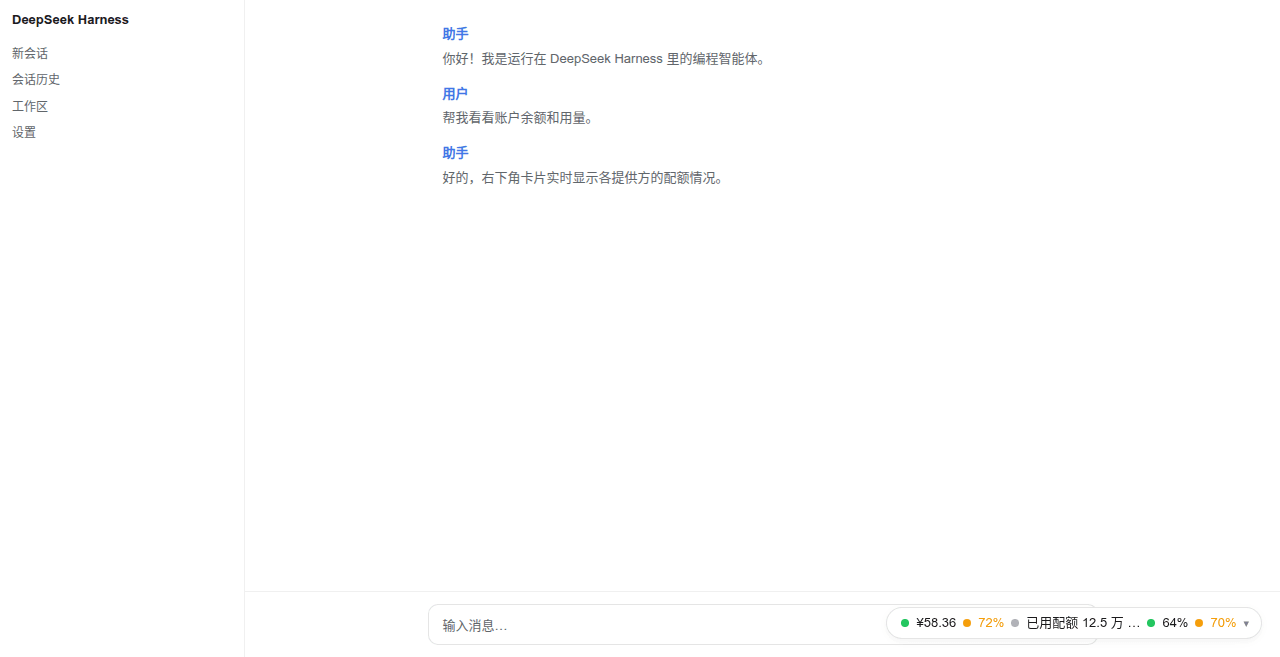
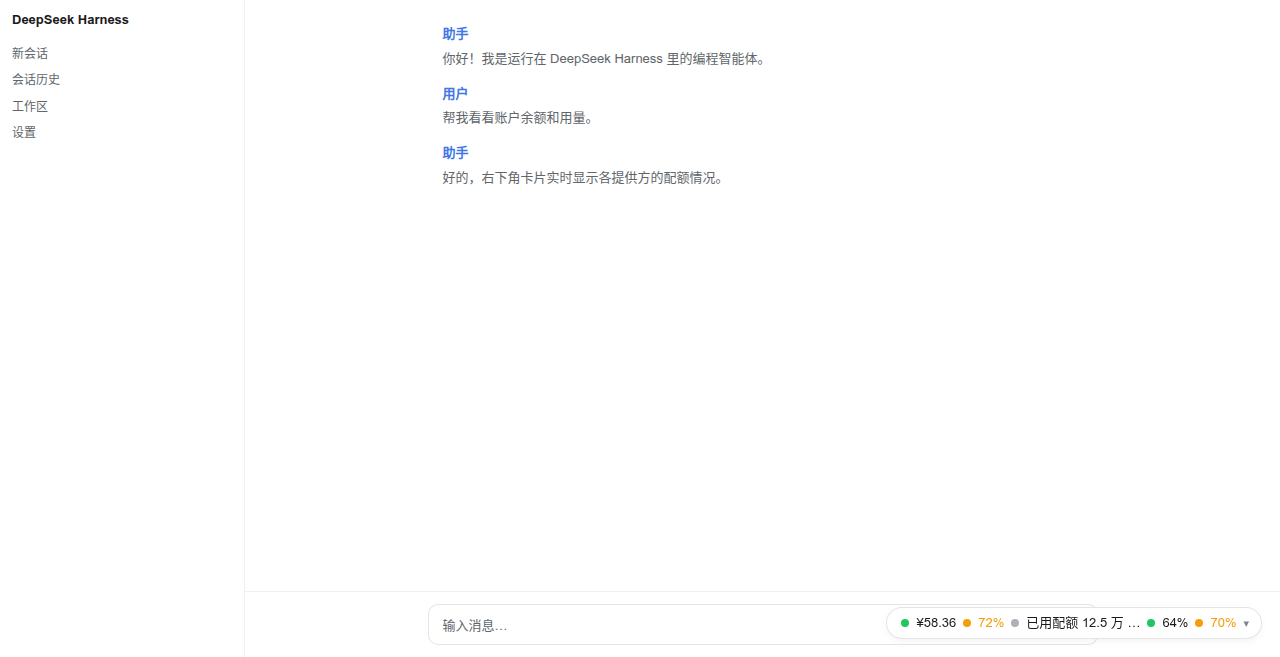
Collapsed capsule, light theme:
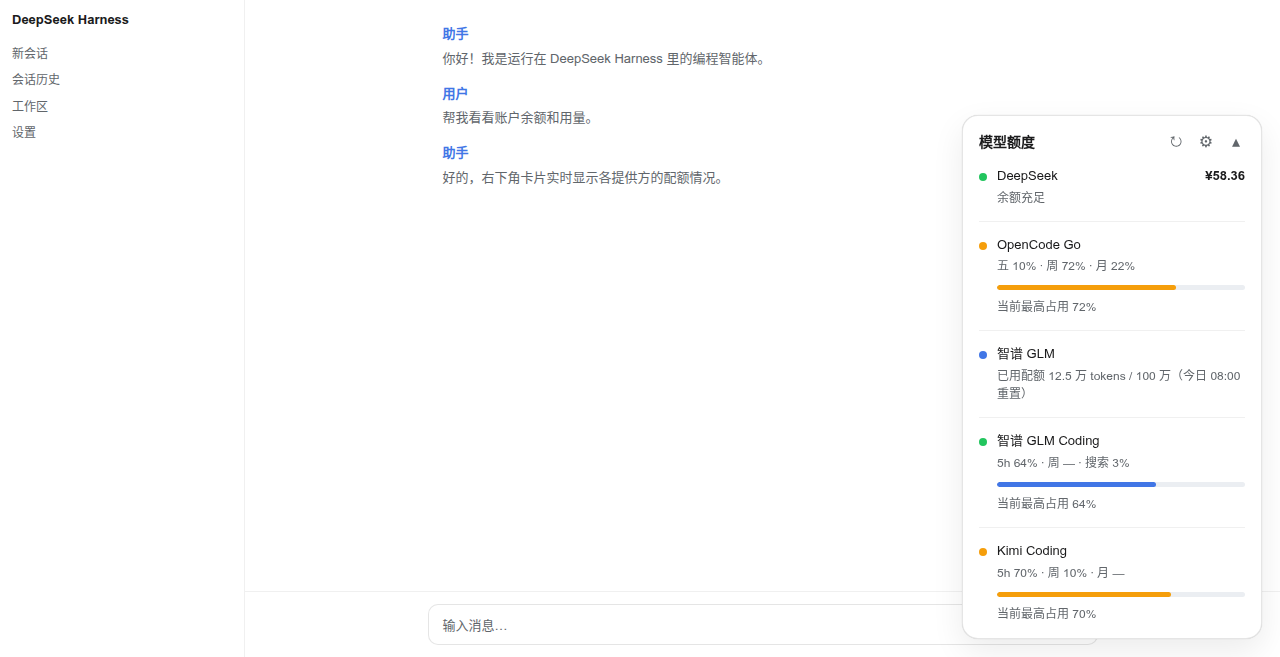
Expanded card, light theme:
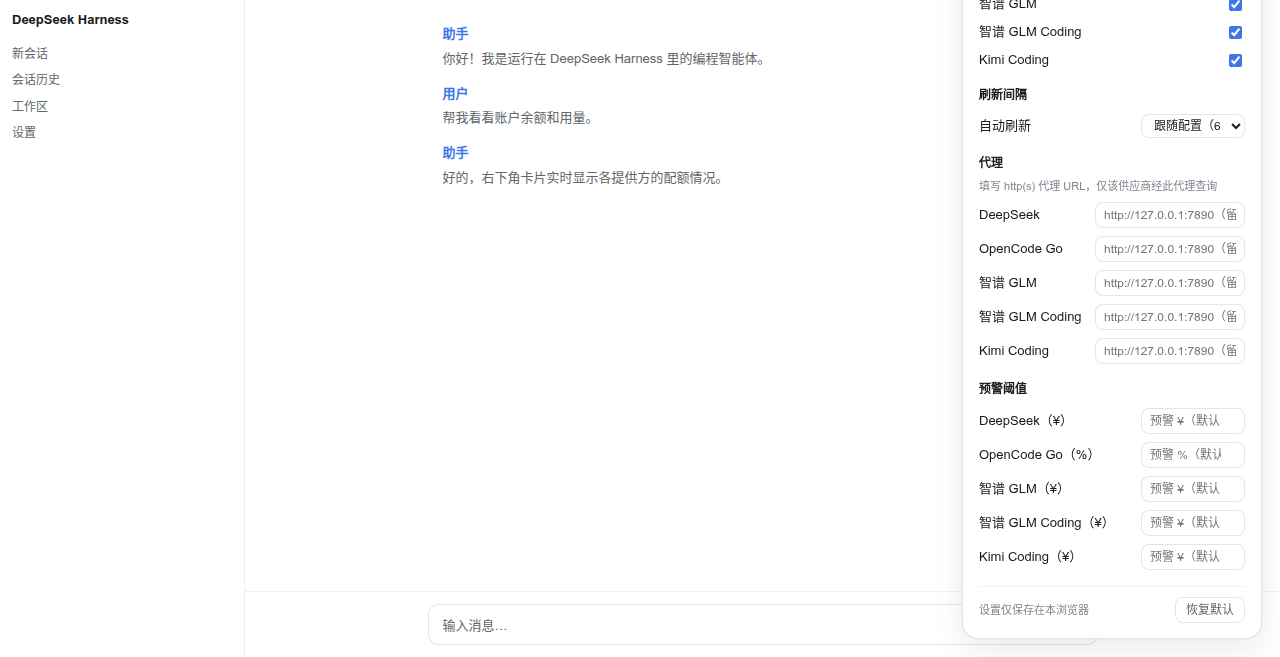
Settings panel (⚙), light theme:
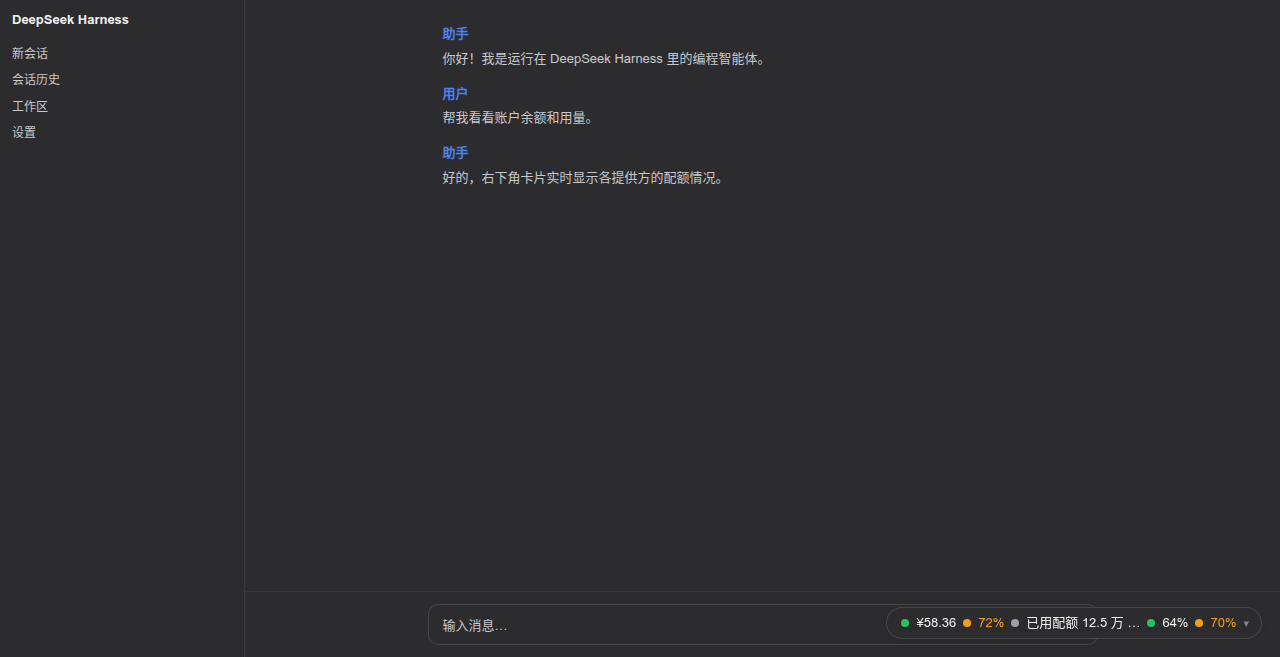
Collapsed capsule, dark theme:
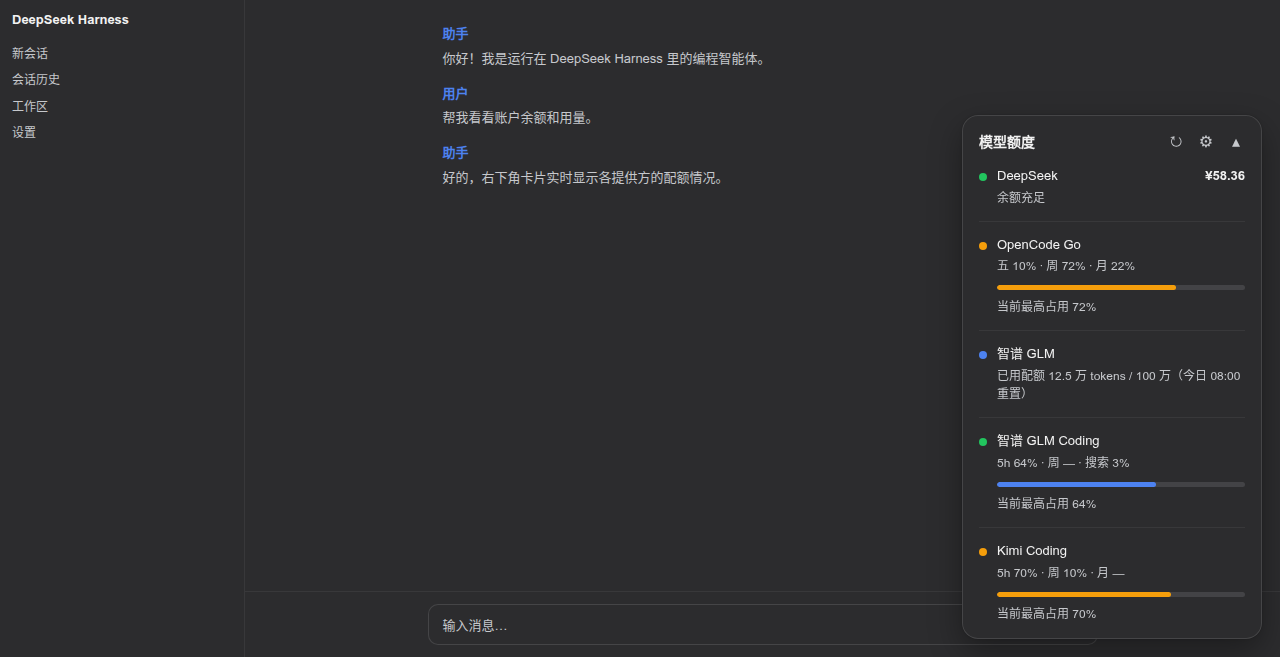
Expanded card, dark theme:
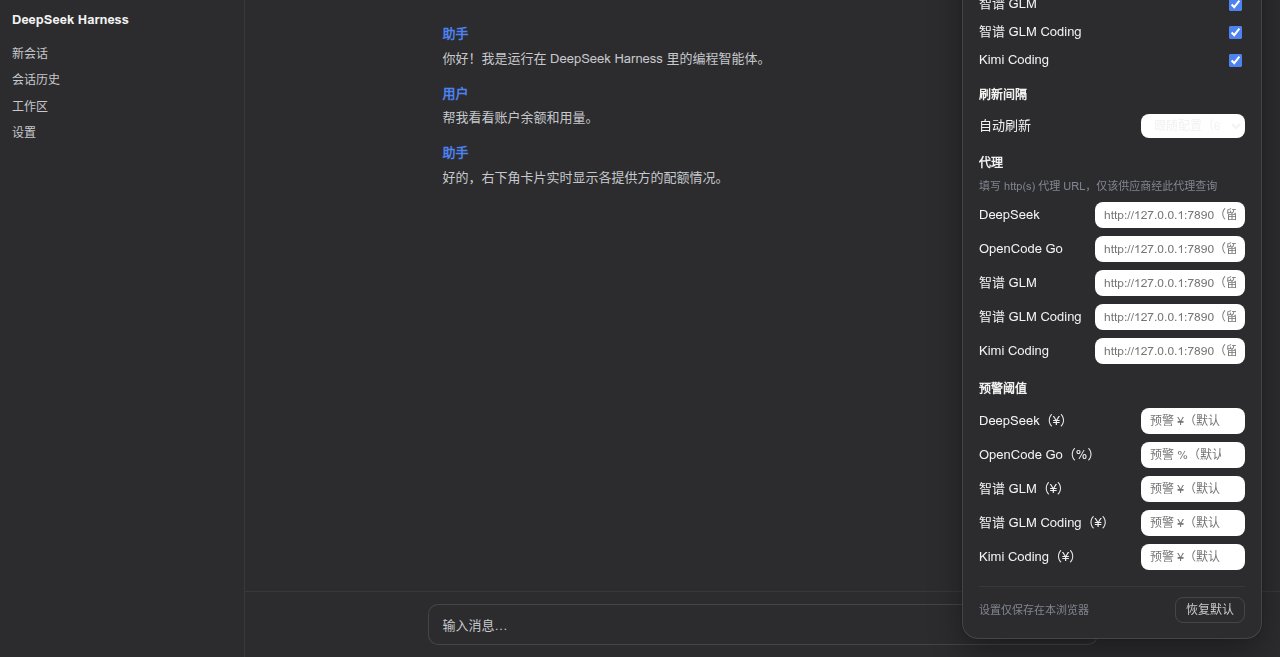
Settings panel (⚙), dark theme:
Supported features
- Auto discovery — the host half ships a catalog of well-known
providers; each entry names the provider's standard credential
references, and every provider whose key resolves
(
$DSH_HOME/.credentials.yaml/.env/ environment variables) appears on the panel automatically, with zero config. Remove the key and the row disappears. No credential enumeration API exists in DSH, so the catalog is probed each refresh cycle. - Coding-plan usage windows — GLM / Z.AI / Kimi / MiniMax coding
plans render as usage rows: 5-hour window, weekly pool and (GLM/Z.AI)
the MCP monthly lane, each with its own reset countdown; windows the
plan does not carry show
—instead of a fabricated 0%. - Two sizes — collapsed: a minimal capsule with one independent
"status dot + value" pair per account (
● ¥58.36 · ● 45%); expanded: a full card with a row per provider (status dot, name, primary value, secondary info, progress bar for usage-kind providers). - Auto refresh — follows the configured interval (default 60 s), paused while the page is hidden; the refresh button spins during a fetch and repeated clicks never fire concurrent requests.
- Per-account status — balance rows are graded by tier
(
critical <= warn <= healthy), usage rows by percent (error >= warn); the offending dot/value alone recolors, others stay calm. Usage percentages use battery-style three-color grading, independent of the status dots. - Settings panel (⚙) — per-provider visibility, refresh interval, per-provider warning thresholds, per-provider HTTP(S) proxy URL, the capsule display mode (auto = highest window — the default — / 5h window / weekly window / highest), and "restore defaults". All local settings apply immediately, persist to browser localStorage, and are never written to the profile or uploaded.
- Per-row HTTP(S) proxy — configure a proxy for providers that cannot be reached directly from your network (see below).
- One-api / new-api aggregators — the built-in
openai-billingformat adapts aggregator dashboards. - Theming — driven entirely by Harness design tokens
(
--dsw-alias-*,--dsw-static-*,--dsw-shadow-*,--dsw-font-*) with sensible fallbacks, so it follows the product theme (light/dark) and ships no palette of its own. - Security by construction — API keys never reach the browser; the
browser talks only to this plugin's methods inside DSH's own
authenticated
/apichannel and receives only normalized views (see "How it works").
Showing the opening section of the README — the full document lives in the repository以上为 README 开头摘要,完整文档在仓库内 · View the full README on GitHub →在 GitHub 查看完整 README →
Related相关推荐
-
 brittanistrehlowll-oss/dsh-quota-panel
DeepSeek Harness 的提供方额度/余额角标:左下角一行胶囊显示余额与用量,点开是完整卡片;支持 Web 与官方桌面版,API Key 只在宿主侧解析,零依赖。Provider quota & balance capsule f…
brittanistrehlowll-oss/dsh-quota-panel
DeepSeek Harness 的提供方额度/余额角标:左下角一行胶囊显示余额与用量,点开是完整卡片;支持 Web 与官方桌面版,API Key 只在宿主侧解析,零依赖。Provider quota & balance capsule f…
-
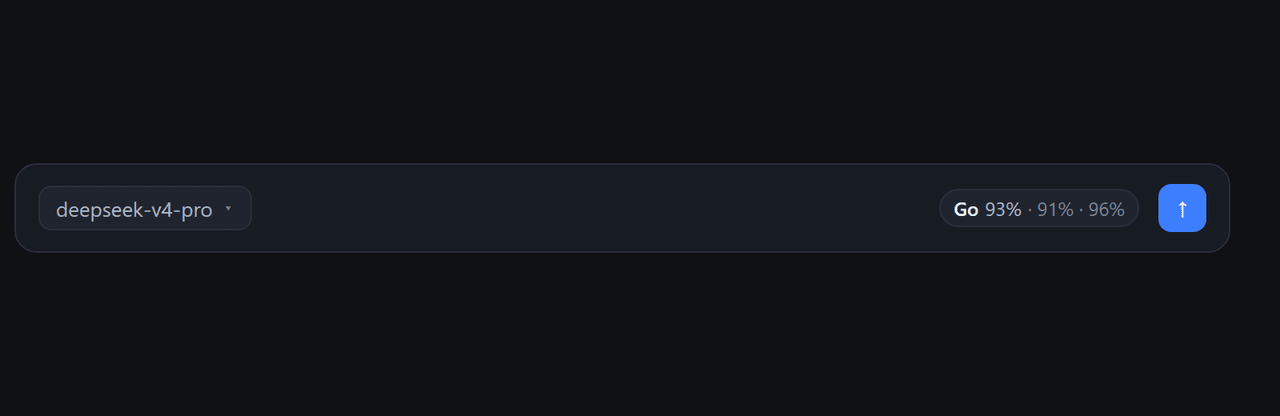 iamfromchangsha/dsh-go-balance
OpenCode Go subscription balance widget for DeepSeek Harness Web: rolling/weekly/monthly quota remaining at the right en…
iamfromchangsha/dsh-go-balance
OpenCode Go subscription balance widget for DeepSeek Harness Web: rolling/weekly/monthly quota remaining at the right en…
-
 MeteorNOX/DeepSeek-Balance-Whale-Widget
DeepSeek Harness(DSH)一只住在 DSH 界面右下角的小鲸鱼娘,帮你盯着DeepSeek账户余额。QQ弹弹,支持拖拽吸附、左吸附翻转、数字滚动动画,随界面自动启用,建议直接喊来你的dsh安装
MeteorNOX/DeepSeek-Balance-Whale-Widget
DeepSeek Harness(DSH)一只住在 DSH 界面右下角的小鲸鱼娘,帮你盯着DeepSeek账户余额。QQ弹弹,支持拖拽吸附、左吸附翻转、数字滚动动画,随界面自动启用,建议直接喊来你的dsh安装
-
 edison7009/EchoBird
Manage ChatGPT, Codex CLI, and Claude Code accounts and track quota in one place. Use multi-model smart routing with pri…
edison7009/EchoBird
Manage ChatGPT, Codex CLI, and Claude Code accounts and track quota in one place. Use multi-model smart routing with pri…
-
 Han-1413141/dsh-cost-meter
Cost tracking for DeepSeek Harness: session and model costs, token usage, budgets, provider balances, and coding-plan qu…
Han-1413141/dsh-cost-meter
Cost tracking for DeepSeek Harness: session and model costs, token usage, budgets, provider balances, and coding-plan qu…
-
 Ychris12138/dsh-usage-stats
Provider balances, subscription quotas, and token-usage analytics for the DeepSeek Harness Web GUI (dsh web).
Ychris12138/dsh-usage-stats
Provider balances, subscription quotas, and token-usage analytics for the DeepSeek Harness Web GUI (dsh web).
-
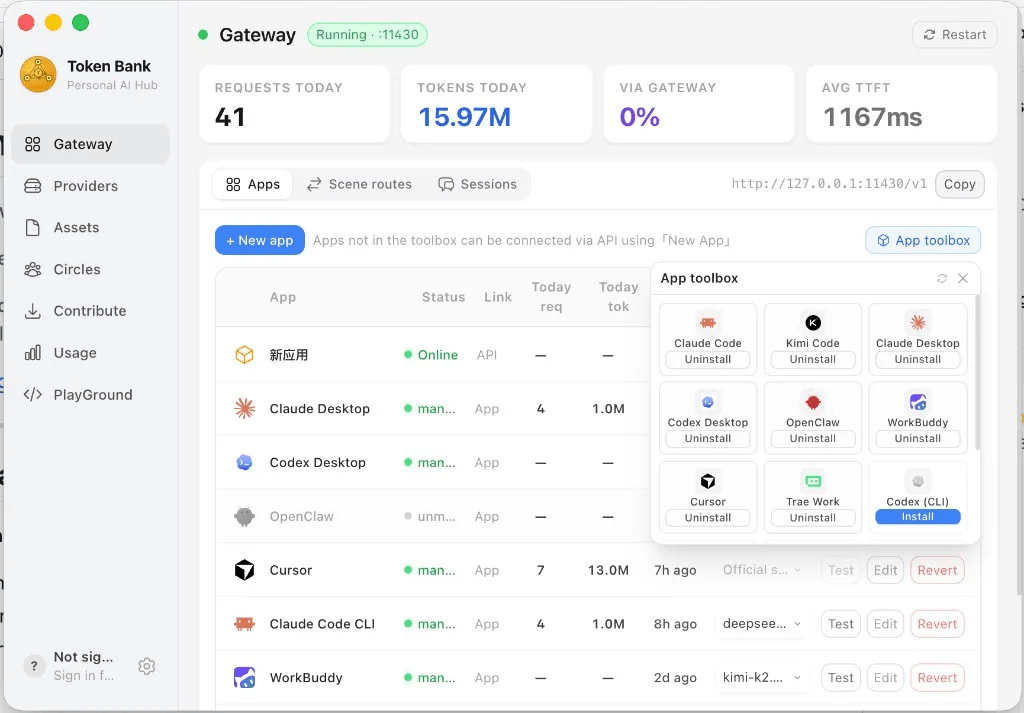 wink-run/tokenbank
Token Bank — the local LLM gateway that sits between your AI agents and every provider. Know where tokens go · Spend le…
wink-run/tokenbank
Token Bank — the local LLM gateway that sits between your AI agents and every provider. Know where tokens go · Spend le…
-
 JingbiaoMei/Tokdash
Agent Dashboard: Visualization and analytics for Sessions and Quota Usage. Track, analyze, and optimize token usage acro…
JingbiaoMei/Tokdash
Agent Dashboard: Visualization and analytics for Sessions and Quota Usage. Track, analyze, and optimize token usage acro…