
whyself/Amadeus
Amadeus: a web workspace for DSH with cloud and web agents, online code editing, PDF/Office/Markdown/LaTeX previews, TeX compilation, file management, and an integrated terminal.
Project Overview项目介绍
Amadeus is a native plugin built exclusively for DeepSeek Harness (DSH), designed to extend DSH’s capabilities for single-user server workbenches. It unifies file tree navigation, document viewing, code editing, terminal access, and AI conversation in a single interface, enabling DSH to natively handle multiple common file formats including PDF, Office documents, Markdown, and LaTeX. Version 1.0.0 is the current stable baseline for future development, and it is explicitly compatible with DSH version 0.1.6-alpha.1. To get started after cloning, you run npm ci to install dependencies, build the project with npm run build, then copy and edit the example configuration file before launching the service with npm start.
Office documents are converted to cached PDF versions using ONLYOFFICE Document Builder, leaving the original files unmodified. LaTeX is compiled client-side in the browser via WebAssembly, with the server only serving required TeX Live files to speed up subsequent builds. Core features include paginated document viewing, CodeMirror 6 powered code editing, conflict resolution for saved files, side-by-side Markdown preview, blue reference positioning for selection-based conversations, persistent terminals, and Basic authentication for remote access. When you first compile a LaTeX file, the browser downloads and caches required formats, packages, and fonts, so the first compile takes longer than subsequent builds.
Amadeus requires a Linux server, with Ubuntu 24.04 x86_64 recommended, along with Node.js 24 or higher, the ONLYOFFICE DocumentServer Community conversion component, and TeX Live packages for LaTeX support. For production deployment, you can use the provided systemd service template to manage the process, and an nginx reverse proxy template to handle HTTPS, WebSocket connections, and long-lived requests. The repository does not bundle any third-party binary dependencies, so you must install these components separately, and each third-party dependency follows its original license. It also includes optional Docker support for running the ONLYOFFICE conversion component in an isolated container with security restrictions.
Amadeus 是专为 DeepSeek Harness (DSH) 开发的原生插件,为单用户服务器工作台扩展文档查看、文本编辑、选区对话和终端管理能力。它整合项目文件管理、文档阅读、代码编辑等功能到同一界面,让 DSH 原生支持 PDF、Office 文档、Markdown、LaTeX 等多种格式的处理,当前 v1.0.0 版本固定兼容 DSH 0.1.6-alpha.1,是后续功能开发的稳定基座。
它支持 Office 文件转 PDF 缓存阅读,不修改原文件;LaTeX 在浏览器端通过 WASM 编译,仅依赖服务器提供 TeX Live 文件。核心能力涵盖文档分页阅读、CodeMirror 6 代码编辑、保存冲突处理、Markdown 并排预览、选区对话蓝色引用定位、文件管理、持久终端和远程访问 Basic 认证。
部署需要 Linux 服务器(推荐 Ubuntu 24.04 x86_64)、Node.js 24+、ONLYOFFICE 文档转换组件和 TeX Live 相关依赖。安装需克隆仓库后构建配置,可使用 systemd 托管服务,配合 nginx 反向代理提供 HTTPS。项目不附带第三方二进制组件,各依赖遵循各自原许可证。
请帮我安装这个 DSH 插件。安装前先完成【兼容性检查 + 安全性检查】,检查通过再动手。

插件:Amadeus(whyself/Amadeus)
仓库:https://github.com/whyself/Amadeus
本站详情页:https://www.yhbd.top/plugins/whyself-amadeus/
本站登记:类型 plugin · 归类 原生 DSH 插件 · 许可证未声明 · ⭐ 3 · 最近提交 2026-10-03 · 主语言 JavaScript · 未检测到 DSH 插件清单

按下面顺序执行,每步先把结论告诉我,再进入下一步:

【1 兼容性检查】
① 我这边:DSH 版本、Node 版本、操作系统、当前 profile(web / desktop)。
② 读它的 README、package.json、插件 manifest,列出它要求的 DSH 版本 / Node 版本 / 操作系统 / 外部依赖 / 需要另外先装的运行时。
③ 逐条比对,结论只写「满足 / 不满足 / 未知」三种;不满足的给出可行替代方案。
④ 检查是否和我已装的插件冲突:命令名重复、skill / tool 重名、端口占用、重复注册的 MCP server。

【2 安全性检查】
① 仓库可信度:和上面「本站登记」是否一致;star / fork 数、创建时间、最近提交,是否归档或长期停更。
② 安装脚本:逐行看 package.json 的 preinstall / install / postinstall,以及 install.sh、setup.ps1 之类脚本。出现 curl|bash、下载后直接执行、混淆代码、访问与插件功能无关的域名,立刻停下来告诉我,不要继续装。
③ 依赖:列出新增依赖,标出无人维护、或与知名包拼写近似的可疑包(typosquatting)。
④ 权限与副作用:它会读写哪些目录、访问哪些域名、需要哪些 DSH 权限(filesystem / network / shell / clipboard 等),以及怎么卸载和回滚。
⑤ 如果它要求 sudo / 管理员权限,或权限明显超出功能所需,先停下来问我。

【3 安装】
上面两步没有「不满足」和「高危项」时才执行;用官方推荐方式安装,不要自行提权。

【4 汇报】
用表格输出:检查项 / 结论 / 依据 / 是否需要我决策。拿不准的一律写「未知」并说明要我怎么确认——不要猜,也不要替我决定。
Send this message to DSH in your current session: it verifies compatibility and security first (answering met / not met / unknown item by item) and only installs once everything checks out — it will stop and ask you if it finds a high-risk item. The box scrolls; the copy is the full prompt. CLI install commands may not be accurate across systems, so DSH is the safer route.把上面这条消息直接发给当前会话里的 DSH:它会先核对兼容性与安全性(逐条给「满足 / 不满足 / 未知」),确认没问题再安装,有高危项会停下来问你。框内可滚动,复制到的是完整提示词;安装命令不一定准确,发给 DSH 更稳。
- No license declared - all rights reserved by default; ask the author before commercial use or redistribution未声明开源许可证 —— 默认「保留所有权利」,商用或再分发前先问作者
- Only 3 stars - very few users, little community feedback星标只有 3,几乎没人在用,遇到问题缺少社区反馈
- No DSH plugin manifest detected - it may only carry the dsh-plugin topic, so the install method must be confirmed on the spot未检测到 DSH 插件清单:可能只是打了 dsh-plugin 话题,安装方式要现场确认
DSH walks through these 9 checksDSH 会逐条核对这 9 项
Compatibility兼容性
- DSH, Node, OS and profile requirementsDSH 版本 / Node 版本 / 操作系统 / profile 是否满足要求
- External dependencies and runtimes (Electron / Python / Docker, ...)外部依赖与运行时(Electron / Python / Docker 等)是否齐备
- Conflicts with installed plugins: command names, skill / tool names, ports, duplicate MCP registration与已装插件是否冲突:命令名、skill / tool 重名、端口占用、重复 MCP 注册
Security安全性
- Repo matches the facts registered here; archived or abandoned?仓库是否与页面登记一致,是否归档或长期停更
- Safety of preinstall / install / postinstall and install.sh / setup.ps1preinstall / install / postinstall 与 install.sh、setup.ps1 是否安全
- curl|bash, download-then-execute, obfuscation, unrelated domains → stop immediatelycurl|bash、下载即执行、混淆代码、无关域名 → 立刻停止
- Typosquatting or unmaintained packages among the new dependencies新增依赖里有没有 typosquatting 或无人维护的包
- Requested permissions vs. what the feature actually needs申请了哪些权限、是否超出功能所需(filesystem / network / shell / clipboard)
- Any sudo / admin requirement, plus uninstall and rollback是否要求 sudo / 管理员权限,以及卸载与回滚方式
Anything uncertain must be marked unknown with a note on how to confirm it. This site's signal screen is a static snapshot, not a security audit.拿不准的必须标「未知」并说明要我怎么确认。本站的信号筛查是静态快照,不能替代安全审计。
Or use CLI install (for developers)或使用命令行安装(适合开发者)
CLI Install命令行安装
dsh plugin --profile web add github:whyself/Amadeus把 whyself/Amadeus 加入你的 DSH 配置(web profile)即可启用。
READMEREADME
Amadeus
Amadeus 是面向单用户的 DeepSeek Harness(DSH) 工作台扩展。它在 DSH 原生对话和文件侧栏中加入项目文件管理、内嵌 code-server、LaTeX 编译,以及可定位原文的选区注释。
当前版本:v1.2.0-rc.1(预发布候选版)。 当前代码固定依赖 DSH 0.2.0-rc.2(预发布候选版)、code-server 4.104.2 和 LaTeX Workshop 10.9.0。推荐用 Docker Compose 部署;宿主机无需单独安装 Node.js、code-server 或 TeX Live。
第一次安装请看 部署与连接教程:先选择 Windows Docker、WSL Ubuntu 或远端 Linux 部署服务,再选择本机、Tailscale 私有 HTTPS 或公网域名访问。v1.2.0-rc.1 包含 DSH 升级、Safari 兼容、注释出处链接和编辑器工作台恢复改进。
能做什么
| 功能 | 使用方式 |
|---|---|
| 文件预览 | 点击文件默认使用 DSH 原生侧栏;支持 HTML、Markdown、PDF、Office、图片和代码等格式 |
| 代码编辑 | 点击文件旁的编辑按钮,或从侧栏开始页打开 code-server;文件标签、保存和扩展由 code-server 管理 |
| LaTeX | 镜像内含 TeX Live、XeLaTeX、latexmk、Biber、中文字体和 LaTeX Workshop |
| 选区注释 | 选中对话、原生文档或编辑器文本,填写可选评论后点蓝色对勾;回答里的注释引用可定位原文 |
| 工作区 | DSH 原生文件树负责浏览与自动刷新;文件旁的按钮提供上传、ZIP 下载、重名处理和删除确认 |
| 网页浏览器 | 在右侧侧栏打开隔离的 HTTP(S) 网页,与当前工作区并排浏览 |
| 外观 | DSH 与编辑器可分别选择浅色、深色或跟随系统;侧栏可收起中间对话 |
Docker Compose 部署
1. 准备
安装 Docker Engine 与 Compose,或启用 Linux 容器的 Docker Desktop。克隆正式版并准备私有配置和工作区:
git clone --branch v1.2.0-rc.1 --depth 1 https://github.com/whyself/Amadeus.git
cd Amadeus
cp amadeus.docker.example.yml amadeus.local.yml
mkdir -p workspace
Windows PowerShell 对应命令:
git clone --branch v1.2.0-rc.1 --depth 1 https://github.com/whyself/Amadeus.git
Set-Location Amadeus
Copy-Item amadeus.docker.example.yml amadeus.local.yml
New-Item -ItemType Directory -Force workspace
打开 amadeus.local.yml,至少把 username 和 password: CHANGE-ME 改为自己的登录凭据。Docker 示例中的路径已与 compose.yml 对应:
host: 0.0.0.0
port: 3080
home: /data/dsh-home
workspace: /workspace
host: 0.0.0.0 只表示容器内监听;Compose 默认将宿主机端口绑定到 127.0.0.1:3080。文件放在宿主机的 workspace/ 目录中。
2. 构建并启动
docker compose config --quiet
docker compose up -d --build
docker compose logs -f amadeus
首次构建会下载 code-server、LaTeX Workshop 和 TeX Live,耗时及镜像体积取决于网络和 Docker 缓存。日志出现 dsh web: http://127.0.0.1:3080 后,打开 http://127.0.0.1:3080 并使用上一步设置的凭据登录。停止查看日志用 Ctrl+C,不会停止容器。
Docker Hub 无法访问时,可改用 Docker 官方镜像的 AWS 镜像源构建基础层:
docker compose build --build-arg NODE_IMAGE=public.ecr.aws/docker/library/node:24-bookworm-slim
docker compose up -d
Showing the opening section of the README — the full document lives in the repository以上为 README 开头摘要,完整文档在仓库内 · View the full README on GitHub →在 GitHub 查看完整 README →
Related相关推荐
-
 Ikalus1988/MisakaNet
📚 A zero-dependency, git-backed micro-lesson library for AI Agents to asynchronously share and search verified debuggin…
Ikalus1988/MisakaNet
📚 A zero-dependency, git-backed micro-lesson library for AI Agents to asynchronously share and search verified debuggin…
-
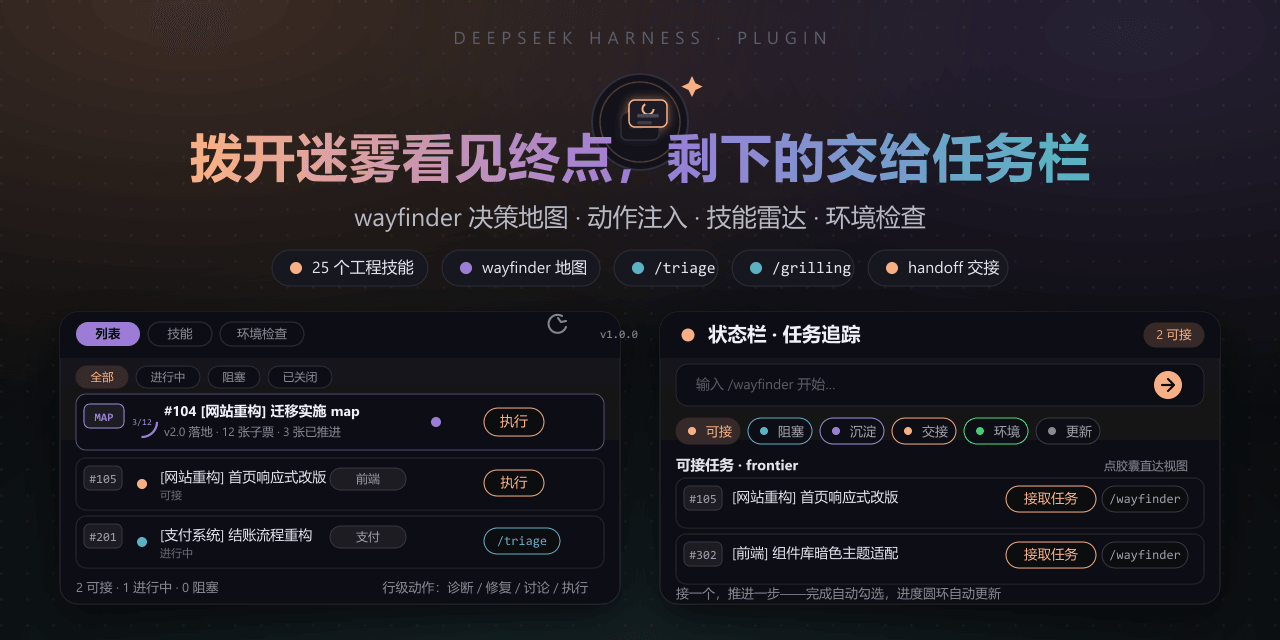 FeatherHunter/dsh-mattpocock-skills-deck
安装即自带mattpocock/skills v1.2.3的25个工程与效率技能,无需手动装技能。300亿token打造。本插件在原始技能之上提供10倍的开发效率。主力支持GitHub issue;Markdown为预览版;GitLab暂不…
FeatherHunter/dsh-mattpocock-skills-deck
安装即自带mattpocock/skills v1.2.3的25个工程与效率技能,无需手动装技能。300亿token打造。本插件在原始技能之上提供10倍的开发效率。主力支持GitHub issue;Markdown为预览版;GitLab暂不…
-
 yoli-mi/dsh-client-ui-custom
Configurable DSH web-surface plugin: wallpaper & frosted-glass themes, accent colors, custom keyboard shortcuts, app-usa…
yoli-mi/dsh-client-ui-custom
Configurable DSH web-surface plugin: wallpaper & frosted-glass themes, accent colors, custom keyboard shortcuts, app-usa…
-
 omdsh-dev/dsh-toolkit
DSH 零依赖工具包 collection —— time / encoding / json / calculator / csv / regex / markdown / diff / stat / schema 十个确定性工具,统一入…
omdsh-dev/dsh-toolkit
DSH 零依赖工具包 collection —— time / encoding / json / calculator / csv / regex / markdown / diff / stat / schema 十个确定性工具,统一入…
- seed-forge/harness-ai-kit Package manager for AI agent assets — 42 skills, 5 CLIs, 1 plugin. Skills for AI/LLM agent engineering, eval-driven dev,…
-
 XieZongChen/dsh-md-notes
A note-taking plugin for DeepSeek Harness (DSH). It provides a full MD notes manager and MD notes editor, letting you qu…
XieZongChen/dsh-md-notes
A note-taking plugin for DeepSeek Harness (DSH). It provides a full MD notes manager and MD notes editor, letting you qu…
- FNOSP/fnos-dsh DeepSeek Harness应用与harness插件 monorepo
-
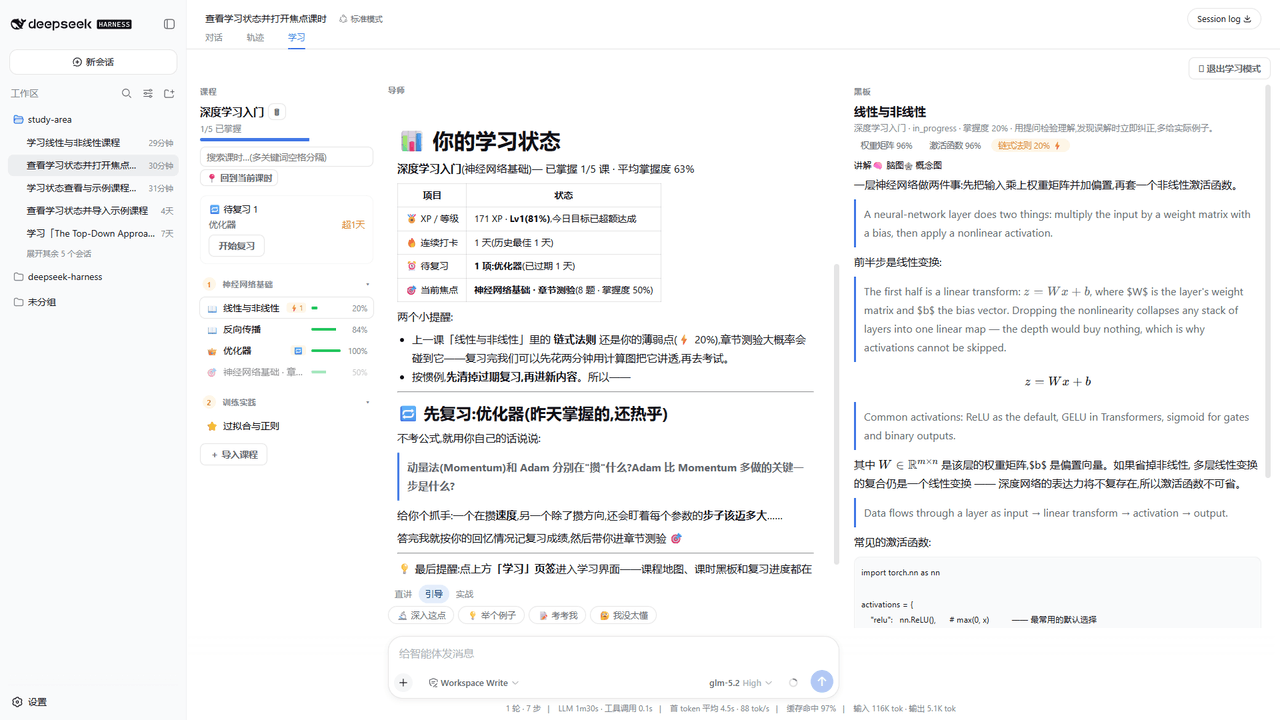 Kaiji-Z/dsh-plugin-lookatstudy
dsh community plugin: turn any markdown/folder/GitHub learning repo into a guided AI-tutor course (gated skill tree, BKT…
Kaiji-Z/dsh-plugin-lookatstudy
dsh community plugin: turn any markdown/folder/GitHub learning repo into a guided AI-tutor course (gated skill tree, BKT…