WyxBUPT-22/dsh-plugin-edit-message
项目介绍Project Overview
DSH Web 图形界面客户端插件,在会话空闲时向编辑器工具栏添加"编辑上一条消息"按钮,把最近一条用户文本消息恢复回输入框并自动聚焦,便于修改后重新发送。适用于停止回复后想微调原提示重发的场景。注意:仅支持纯文本草稿,图片附件无法从日志中恢复;为客户端插件,发送编辑内容会追加新轮次而非改写历史记录。
DSH Web GUI client plugin that adds an "Edit last message" button to the composer tool row. When the session is idle, it restores the most recent user text message into the input via inputActions.setDraft and focuses the field, letting users tweak and resend instead of retyping. Ideal after stopping a turn to revise a prompt. Caveat: only plain-text drafts are recoverable; image attachments cannot be resurrected, and the edited text is sent as a new turn since the transcript stays append-only.
请帮我了解并安装插件:【dsh-plugin-edit-message】【https://github.com/WyxBUPT-22/dsh-plugin-edit-message】把上面这条消息直接发给当前会话里的 DSH,让它帮你了解并安装。安装命令不一定准确,发给 DSH 更稳。Send this message to DSH in your current session. CLI install commands may not be accurate across systems — DSH will figure it out for you.
或使用命令行安装(适合开发者)Or use CLI install (for developers)
命令行安装CLI Install
dsh plugin --profile web add dsh-plugin-edit-message把 WyxBUPT-22/dsh-plugin-edit-message 加入你的 DSH 配置(web profile)即可启用。
READMEREADME
dsh-plugin-edit-message


English · 中文
DSH (DeepSeek Harness) Web GUI plugin: edit the last user message back into the composer after stopping a turn — no more retyping from scratch.
Why
Sending a message, stopping the reply, and wanting to re-ask with a small change currently means typing the whole prompt again. This plugin adds an "Edit last message" button to the composer tool row: it restores the tail user message text and focuses the input, ready to edit and send.
It is a client-side plugin — the conversation log stays append-only. Sending the edited text appends a new turn (the original message and the interrupted reply remain in the transcript). It never touches the host, the session log, or the agent loop.
Install
The plugin bundles as a dsh.bundle + dsh.client package. It works on any
DSH setup that loads third-party bundles (source dsh web, DSH Desktop,
custom profiles).
From npm (published — recommended)
dsh plugin --profile web add dsh-plugin-edit-message
Restart the GUI (fully quit and reopen) after installing — client plugin bundles register at startup.
DSH Desktop users: Desktop's DSH_HOME lives under
%APPDATA%\dsh-desktop\harness, so target that explicitly:
DSH_HOME="${APPDATA}/dsh-desktop/harness" \
dsh plugin --profile web add dsh-plugin-edit-message
Then quit and reopen DSH Desktop.
From GitHub or a local checkout (unpublished builds)
# GitHub repository
dsh plugin --profile web add git+https://github.com/WyxBUPT-22/dsh-plugin-edit-message.git

# local checkout (pnpm install && pnpm run build first)
dsh plugin --profile web add /path/to/dsh-plugin-edit-message
From this source checkout
The repository is self-contained: devDependencies resolve the official
harness client packages from the npm registry, so no deepseek-harness
checkout is needed.
pnpm install     # pulls the official client packages from npm
pnpm run build   # emits lib/index.js + lib/client.js + lib/types
dsh plugin --profile <name> add /path/to/dsh-plugin-edit-message
dsh --profile <name>
Uninstall with dsh plugin --profile <name> remove dsh-plugin-edit-message.
See docs/user/develop/basic/publish.md in the harness checkout for the
dsh plugin workflow.
How it works
- Registers one client plugin (
dsh.clientmanifest,platform: web) that contributes an entry to the officialconversation.input.leftcomposer tool-row slot (a documented multi-plugin list slot — zero official changes). - The button renders only while the session is idle, a tail user/steering message exists, and that message is plain text (draft images are browser File-backed and cannot be resurrected from the durable log).
- On click:
inputActions.setDraft(text)restores the text and the composer is focused. The plugin prefersinputActions.focuswhen the deployed runtime exposes it, otherwise falls back to the composer textarea (the GUI keeps exactly one). - If you remove the plugin (
dsh plugin remove dsh-plugin-edit-message), the surface disappears entirely — the tool row reverts to official chrome.
Differences from in-transcript editing (Codex style)
In-place replacement with a rewind of the log tail is a larger design (log-truncation semantics, compaction checkpoints, session log format, dual SDK projections) and is intentionally out of scope. This plugin provides the interaction value — edit the text, resend — with zero blast radius.
Develop
pnpm run typecheck   # tsc --noEmit (strict)
pnpm run test        # vitest (logic matrix + component behavior)
pnpm run build       # tsdown → lib/client.js + types
pnpm publish runs prepublishOnly (typecheck + test + build) first.
License
MIT
Friends
相关推荐Related
- CH4ACKO3/dsh-turn-fold Codex-style completed-turn folding for DeepSeek Harness, powered by dsh-harmony.
-
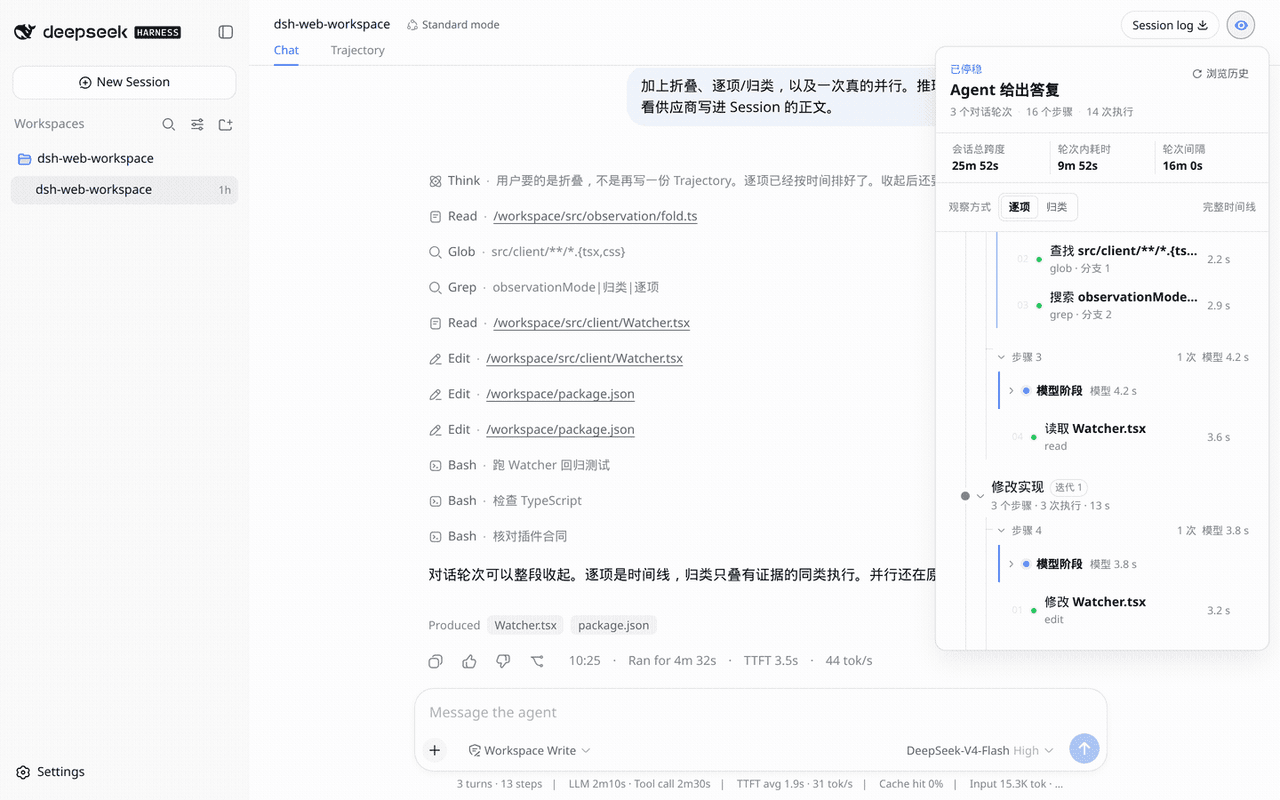 aa2246740/dsh-watcher
Read-only Agent work-path observer for DeepSeek Harness
aa2246740/dsh-watcher
Read-only Agent work-path observer for DeepSeek Harness
-
 dpskh/dsh-a2a
Agent2Agent mesh for the Harness
dpskh/dsh-a2a
Agent2Agent mesh for the Harness
-
 lehhair/dsh-split-panes
-
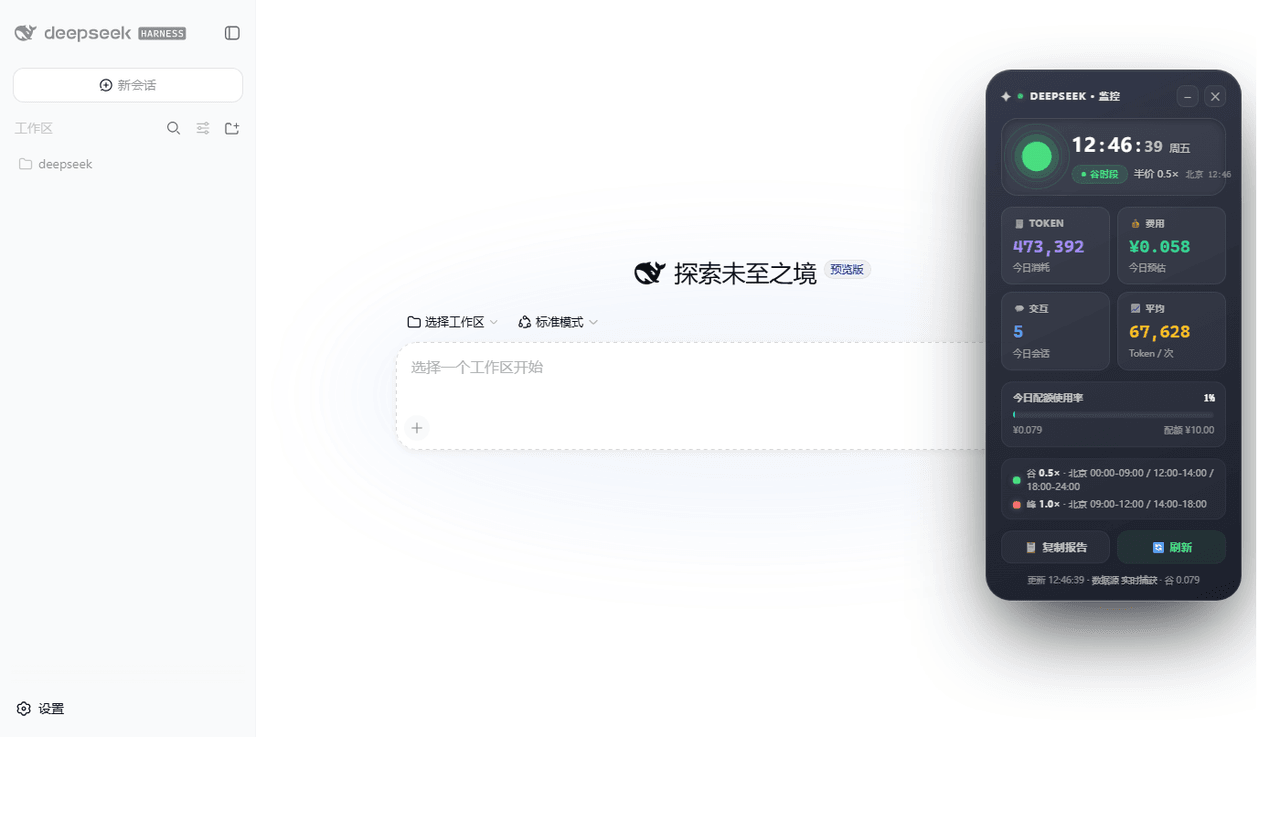 iambbp/dsh-monitor
- kezboardpj/dsh-chat-nav
- liuGuanYi-hub/dsh-message-edit
- ColdCGH/dsh-deepseek-chat