xiaoguomeiyitian/dsh-qr-share
DSH web plugin: a sidebar-footer QR-code button that lets a phone scan and re-issue the current browser's authenticated launch URL.
Project Overview项目介绍
dsh-qr-share is a DSH web plugin that adds a sidebar-footer QR button after login, opening a dialog with a QR code and plain-text URL of the browser's authenticated launch address. Scanning on a phone exchanges the shared launch token for a cookie bound to the same trusted host, so the phone lands on the identical session. Use it to hand off an active desktop session to a phone. The launch token is process-stable, single-use, and the route is gated by the same Host trust fence as /api, so an untrusted or mismatched authority returns 403.
DSH 网页插件 dsh-qr-share:登录后侧边栏页脚出现二维码按钮,点击弹出对话框生成当前浏览器认证启动 URL 的二维码,手机扫码即可凭同一 token 换得已绑定浏览器会话。适用于桌面端登录后想把同一会话迁移到手机继续操作的场景。注意:手机需与桌面在同一可信 Host 下访问,否则 /_qr/share 会返回 403;token 仅首次交换有效。
请帮我了解并安装插件:【dsh-qr-share】【https://github.com/xiaoguomeiyitian/dsh-qr-share】Send this message to DSH in your current session. CLI install commands may not be accurate across systems — DSH will figure it out for you.把上面这条消息直接发给当前会话里的 DSH,让它帮你了解并安装。安装命令不一定准确,发给 DSH 更稳。
Or use CLI install (for developers)或使用命令行安装(适合开发者)
CLI Install命令行安装
dsh plugin --profile web add dsh-qr-share@latest把 xiaoguomeiyitian/dsh-qr-share 加入你的 DSH 配置(web profile)即可启用。
READMEREADME
dsh-qr-share
English | 中文
DSH web plugin: a sidebar-footer QR-code button that lets a phone scan and re-issue the current browser's authenticated launch URL, reusing the same
?token=…exchange the desktop just completed.





Screenshots
Placeholder — add a screenshot of the sidebar footer button + dialog to
docs/screenshot.pngand uncomment the line below. Recommended size: 640×400, capturing the bottom of the sidebar and the QR dialog.
What it does
- After login, a QR-code icon appears in the sidebar footer (next to the Settings trigger).
- Click → a dialog opens showing a QR code and the resolved URL as plain text (fallback for failed scans).
- Scan with a phone → the phone opens the URL → the server's
BrowserAuthexchanges the token for a cookie (303 →/) and the phone lands on the same session.
The QR URL is composed from window.location.origin so it automatically
matches whatever authority the desktop actually used (LAN IP, public
domain, reverse-proxied sub-path). No environment variable is needed
for the QR to point at the right host — the DSH_PUBLIC_HOST already
in web-external.patch.yml still gates the route via the trust fence.
Security model
- The
/_qr/shareroute is gated byconnection.requestRejection— identical to/api's gate. 403 if Host isn't trusted; 401 if the browser cookie isn't valid. The token is only returned on 200. - The launch token is process-stable (one per
dsh webactivation) and becomes useless after the first exchange (the cookie is bound to the authority and HttpOnly + SameSite=Strict). SameSite=Strict+ same-originfetchmean the route is unreachable from any cross-site frame.
Install
Via the DSH plugin CLI (recommended for production)
dsh plugin --profile <name> add dsh-qr-share@latest
This adds the bundle declaration to your profile and reuses the
cordis.patch.yml shipped in the package — no manual patch overlay
edits needed.
Via plain npm install
# in a project that owns a DSH profile directory
npm install dsh-qr-share
# or with pnpm
pnpm add dsh-qr-share
Then add the row from cordis.patch.yml (shipped with the package) to
your profile's patch overlay, and ensure the package is reachable from
the profile's node_modules (pnpm/npm flat layout works; pnpm strict
layout needs a symlink — see manual install below).
Manual install (e.g. inside the docker-build image)
Place the package at
/app/dsh-qr-share/.Symlink it into
$DSH_HOME/profiles/node_modules/dsh-qr-share(the entrypoint does this for you; seedocker-build/docker-scripts/entrypoint.sh).Add the row from
cordis.patch.ymlto your patch overlay:- insert: - id: qr-share name: 'dsh-qr-share'
Configuration (patch overlay)
- insert:
    - id: qr-share
      name: 'dsh-qr-share'
config:
enabled: true # default true; set false to short-circuit the route to 404
Build
# Recommended: pnpm (matches the project lockfile-less layout)
pnpm install
pnpm build       # tsc declarations + tsdown bundles
pnpm typecheck   # strict check
pnpm pack        # produce dsh-qr-share-<version>.tgz (used by the install commands above)

# Also supported: npm (any Node >= 20, no extra install)
npm install
npm run build    # same tsc + tsdown pipeline
npm run typecheck
npm pack
For npm publishing we ship
./npm_publish.sh— a single-file mirror of the core_ts release flow (npm login→npm install→npm run build→npm pack --dry-runreview →npm publish --access public).
Outputs:
lib/index.js— Node host half (the/_qr/shareroute)lib/invariant.js— runtime guardlib/client.js— official profile channel bundle (iddsh-qr-share)lib/client-registry.js— plugin-registry channel bundle (iddsh-external/dsh-qr-share)lib/types/**— TypeScript declarations
Compatibility
- Node
>=20 - DSH (DeepSeek Harness) core
>=0.1.0-rc.8(tested against0.1.1-rc.2and0.1.2-alpha.1) - React
^18 || ^19(peer, optional — the host half doesn't need React)
The host half uses @deepseek-ai/cordis types only (declaration
merging + Context re-export); the runtime cordis instance is supplied
by the DSH core at plugin mount time. This is why the peer dependency
on @deepseek-ai/cordis is intentionally absent — it would be rejected
by the DSH market manifest gate, and is not required at runtime.
Publishing
For maintainers — see RELEASE-CHECKLIST.md for
the step-by-step npm publish flow.
License
MIT — see LICENSE.
Acknowledgements
dsh-better-sidebar— the slot injection and dual client bundle (official / plugin-registry) pattern is inspired by itstsdown.config.ts.qrcode— the QR code renderer.- DSH community — for the
dsh.communityplugin manifest spec (0.15) and the verification / discovery surface at dsh.so.
Related相关推荐
-
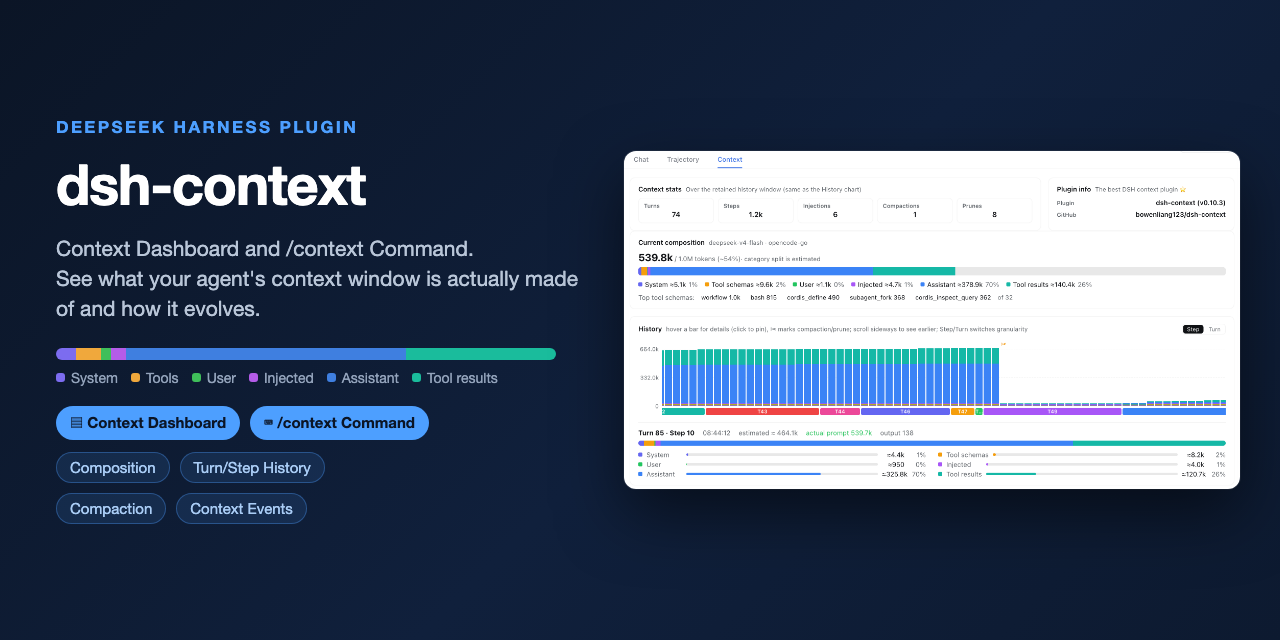 bowenliang123/dsh-context
The best DeepSeek Harness plugin for context insight and management, with context dashboard / browser / sidebar and cont…
bowenliang123/dsh-context
The best DeepSeek Harness plugin for context insight and management, with context dashboard / browser / sidebar and cont…
-
 omdsh-dev/dsh-genui
GenUI for DeepSeek Harness: interactive UI components rendered inline in assistant replies via the dsh-ui fence — layout…
omdsh-dev/dsh-genui
GenUI for DeepSeek Harness: interactive UI components rendered inline in assistant replies via the dsh-ui fence — layout…
-
 e2mcc/dsh-popout-sidebar
A sidebar can pop out a separate browser tab (drag it to another monitor)
e2mcc/dsh-popout-sidebar
A sidebar can pop out a separate browser tab (drag it to another monitor)
-
 KinGao294/dsh-skin
Skin switcher + custom wallpaper for DeepSeek Harness (dsh): curated --dsw-alias-* palettes, translucent wallpaper with …
KinGao294/dsh-skin
Skin switcher + custom wallpaper for DeepSeek Harness (dsh): curated --dsw-alias-* palettes, translucent wallpaper with …
- DevourerM/dsh-naiwa-theme 为deepseek harness构建的奶蛙主题,可是我觉得很神圣呀。(素材来自互联网)
-
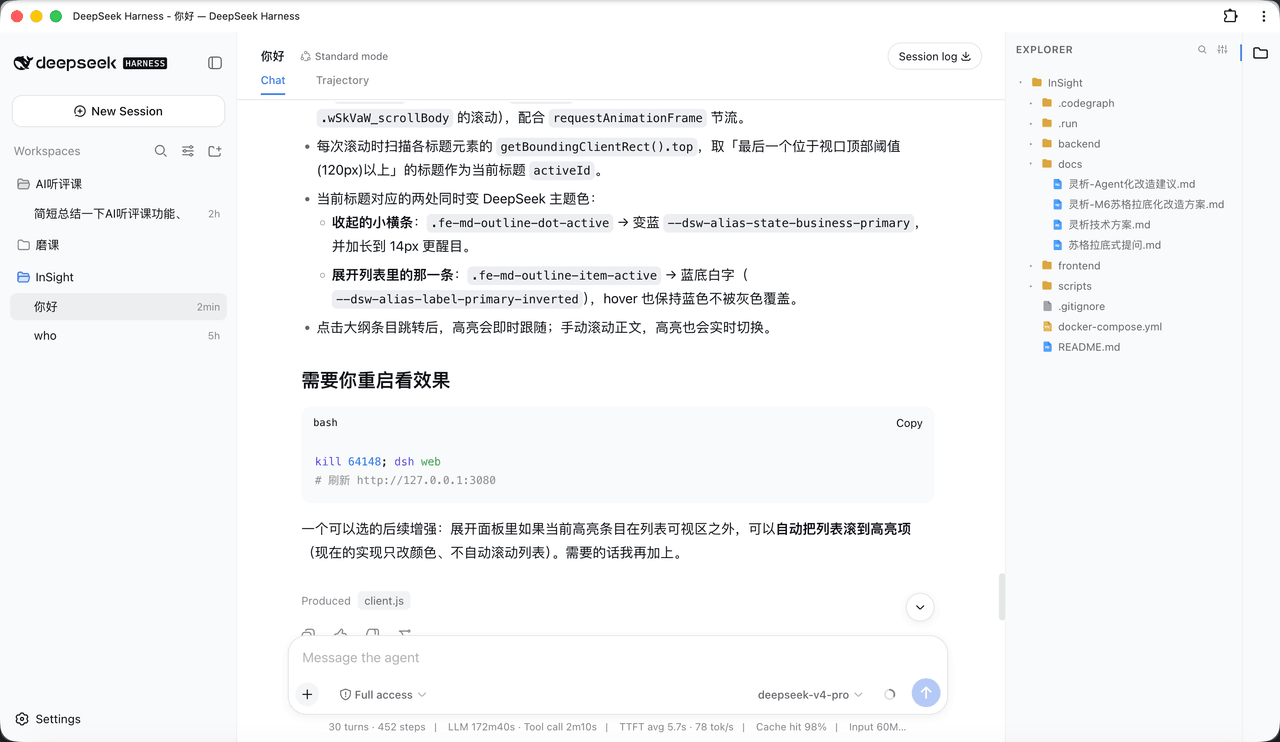 bearllfleed/Dsh-FileExplorer
给 DeepSeek Harness (DSH) Web 界面加一个 VS Code 风格的工作区文件浏览器:右侧文件树 + 可编辑标签页 + Markdown 阅读/编辑/分屏 + 悬浮大纲 + Quick Open 搜索。
bearllfleed/Dsh-FileExplorer
给 DeepSeek Harness (DSH) Web 界面加一个 VS Code 风格的工作区文件浏览器:右侧文件树 + 可编辑标签页 + Markdown 阅读/编辑/分屏 + 悬浮大纲 + Quick Open 搜索。
-
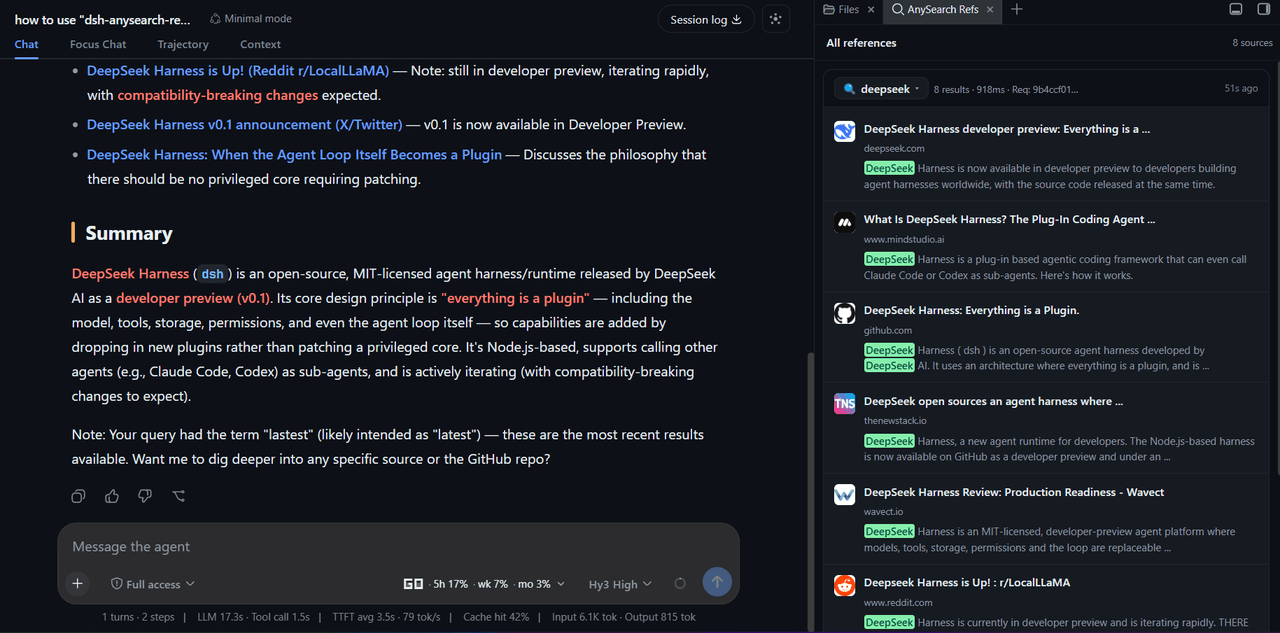 v587d/dsh-anysearch-refs
A DSH sidebar plugin that shows AnySearch references as cards, with the search query, source snippets and highlighted ke…
v587d/dsh-anysearch-refs
A DSH sidebar plugin that shows AnySearch references as cards, with the search query, source snippets and highlighted ke…
-
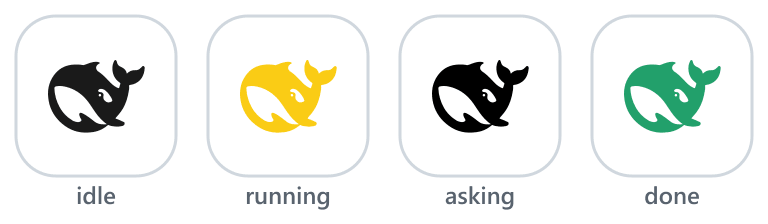 waknow/dsh-web-icon-indicator
DSH browser tab favicon reflecting session state: idle / running / asking / done. · DSH 标签页 favicon 实时反映会话状态:待机 / 运行中 / …
waknow/dsh-web-icon-indicator
DSH browser tab favicon reflecting session state: idle / running / asking / done. · DSH 标签页 favicon 实时反映会话状态:待机 / 运行中 / …