xinyang920/dsh-caps-beacon
Caps Lock LED status beacon for DeepSeek Harness — solid while agents work, blinking when your approval or answer is needed
Project Overview项目介绍
This is a native plugin built exclusively for DeepSeek Harness (DSH), designed to turn the Caps Lock LED on built-in MacBook keyboards into a status beacon for DSH. The plugin works by listening to DSH’s public host events, updating the LED state based on the current DSH status: solid when working, fast blinking when attention is needed, and off when idle. It can be added directly to any DSH profile with the command dsh plugin --profile <profile-name> add github:xinyang920/dsh-caps-beacon, which automatically registers the bundle in your DSH profile. Users do not need to manually edit configuration files to complete the initial registration.
This plugin is ideal for users who regularly leave DSH running tasks in the background, as it eliminates the need to switch back to the DSH window repeatedly to check on task progress. By default, it only tracks root agent activity and ignores subagents and background child processes, so parallel fan-out tasks do not cause constant strobing of the keyboard LED. When an approval request or pending user question comes in, the LED switches to blinking immediately, and goes back to solid once the user resolves the request. This makes it easy to see at a glance when you need to step in.
The plugin is released under the MIT open source license, and requires macOS with Xcode Command Line Tools installed to compile the native C helper that controls the LED. After adding the plugin via DSH CLI, you have to manually run make in the plugin directory to build the helper binary, then restart DSH for the plugin to load. Only MacBooks with built-in Apple keyboards are supported; external keyboards and Magic Keyboards will not work, and some machines require enabling input monitoring for the helper in system privacy settings.
这是一个专为 DeepSeek Harness(DSH)开发的原生插件,仅支持搭载内置Apple键盘的MacBook设备,可将键盘的Caps Lock指示灯用作DSH的运行状态信标。它通过监听DSH的公开主机事件调整指示灯状态:固态亮表示代理正在运行,快速闪烁表示需要用户处理,熄灭表示空闲,用户只需要扫一眼键盘就能知道状态,不用反复切回窗口查看进度。
对于习惯让DSH在后台长期处理任务的macOS用户来说,这个插件能大幅减少不必要的窗口切换操作。典型工作流程是:安装并编译插件后,启动DSH运行任务,默认仅监听根代理,子代理和后台任务不会触发灯光变化,避免并行任务造成指示灯频繁闪烁。任务运行时指示灯保持常亮,当出现需要用户批准的请求或是等待用户回答的提问时,指示灯会自动闪烁提醒,处理完成后会自动回到常亮状态。
插件遵循MIT开源许可,使用前需要先安装Xcode命令行工具,通过DSH的插件命令添加后,进入插件目录执行make编译辅助工具,再重启DSH才能生效。它仅支持内置Apple键盘的MacBook,外接键盘和妙控键盘暂不支持,部分设备需要在系统隐私设置中给辅助工具开启输入监控权限,才能正常控制指示灯。
请帮我安装这个 DSH 插件。安装前先完成【兼容性检查 + 安全性检查】,检查通过再动手。

插件:dsh-caps-beacon(xinyang920/dsh-caps-beacon)
仓库:https://github.com/xinyang920/dsh-caps-beacon
本站详情页:https://www.yhbd.top/plugins/xinyang920-dsh-caps-beacon/
本站登记:类型 plugin · 归类 原生 DSH 插件 · 许可证 MIT · ⭐ 2 · 最近提交 2026-09-14 · 主语言 JavaScript

按下面顺序执行,每步先把结论告诉我,再进入下一步:

【1 兼容性检查】
① 我这边:DSH 版本、Node 版本、操作系统、当前 profile(web / desktop)。
② 读它的 README、package.json、插件 manifest,列出它要求的 DSH 版本 / Node 版本 / 操作系统 / 外部依赖 / 需要另外先装的运行时。
③ 逐条比对,结论只写「满足 / 不满足 / 未知」三种;不满足的给出可行替代方案。
④ 检查是否和我已装的插件冲突:命令名重复、skill / tool 重名、端口占用、重复注册的 MCP server。

【2 安全性检查】
① 仓库可信度:和上面「本站登记」是否一致;star / fork 数、创建时间、最近提交,是否归档或长期停更。
② 安装脚本:逐行看 package.json 的 preinstall / install / postinstall,以及 install.sh、setup.ps1 之类脚本。出现 curl|bash、下载后直接执行、混淆代码、访问与插件功能无关的域名,立刻停下来告诉我,不要继续装。
③ 依赖:列出新增依赖,标出无人维护、或与知名包拼写近似的可疑包(typosquatting)。
④ 权限与副作用:它会读写哪些目录、访问哪些域名、需要哪些 DSH 权限(filesystem / network / shell / clipboard 等),以及怎么卸载和回滚。
⑤ 如果它要求 sudo / 管理员权限,或权限明显超出功能所需,先停下来问我。

【3 安装】
上面两步没有「不满足」和「高危项」时才执行;用官方推荐方式安装,不要自行提权。

【4 汇报】
用表格输出:检查项 / 结论 / 依据 / 是否需要我决策。拿不准的一律写「未知」并说明要我怎么确认——不要猜,也不要替我决定。
Send this message to DSH in your current session: it verifies compatibility and security first (answering met / not met / unknown item by item) and only installs once everything checks out — it will stop and ask you if it finds a high-risk item. The box scrolls; the copy is the full prompt. CLI install commands may not be accurate across systems, so DSH is the safer route.把上面这条消息直接发给当前会话里的 DSH:它会先核对兼容性与安全性(逐条给「满足 / 不满足 / 未知」),确认没问题再安装,有高危项会停下来问你。框内可滚动,复制到的是完整提示词;安装命令不一定准确,发给 DSH 更稳。
- Only 2 stars - very few users, little community feedback星标只有 2,几乎没人在用,遇到问题缺少社区反馈
DSH walks through these 9 checksDSH 会逐条核对这 9 项
Compatibility兼容性
- DSH, Node, OS and profile requirementsDSH 版本 / Node 版本 / 操作系统 / profile 是否满足要求
- External dependencies and runtimes (Electron / Python / Docker, ...)外部依赖与运行时(Electron / Python / Docker 等)是否齐备
- Conflicts with installed plugins: command names, skill / tool names, ports, duplicate MCP registration与已装插件是否冲突:命令名、skill / tool 重名、端口占用、重复 MCP 注册
Security安全性
- Repo matches the facts registered here; archived or abandoned?仓库是否与页面登记一致,是否归档或长期停更
- Safety of preinstall / install / postinstall and install.sh / setup.ps1preinstall / install / postinstall 与 install.sh、setup.ps1 是否安全
- curl|bash, download-then-execute, obfuscation, unrelated domains → stop immediatelycurl|bash、下载即执行、混淆代码、无关域名 → 立刻停止
- Typosquatting or unmaintained packages among the new dependencies新增依赖里有没有 typosquatting 或无人维护的包
- Requested permissions vs. what the feature actually needs申请了哪些权限、是否超出功能所需(filesystem / network / shell / clipboard)
- Any sudo / admin requirement, plus uninstall and rollback是否要求 sudo / 管理员权限,以及卸载与回滚方式
Anything uncertain must be marked unknown with a note on how to confirm it. This site's signal screen is a static snapshot, not a security audit.拿不准的必须标「未知」并说明要我怎么确认。本站的信号筛查是静态快照,不能替代安全审计。
Or use CLI install (for developers)或使用命令行安装(适合开发者)
CLI Install命令行安装
dsh plugin --profile web add github:xinyang920/dsh-caps-beacon把 xinyang920/dsh-caps-beacon 加入你的 DSH 配置(web profile)即可启用。
READMEREADME
dsh-caps-beacon
English | 简体中文
Use the Caps Lock LED on your MacBook as a status light for DeepSeek Harness — a DSH-native take on Mac-Agent-Beacon.
Solid = working · Fast blinking = needs your attention · Off = idle
When you send DSH off to work in the background, you can stop switching back to check on it: a glance at the keyboard tells you everything.
What the LED means
| Host state | LED |
|---|---|
| A root agent is running (tools, model calls, retries) | solid |
| An approval request is waiting for you | blinking |
An ask_user_question prompt or plan review is waiting for your answer |
blinking |
A root turn ended in error or blocked (latched until the next turn starts) |
blinking |
| Idle | off |
Attention always wins over working: the moment an approval is resolved, the
light returns to solid. Subagents and background children stay silent by
default (rootsOnly) so parallel fan-outs don't strobe your keyboard.
The plugin is a pure observer: the approval/request and tools/execute
listeners delegate through next() and never decide anything. It writes the
LED only — no key presses, no keyboard remapping, no approval-policy changes.
On exit, the helper restores the physical light to the current logical Caps
Lock state.
How it works
DSH host events ──▶ plugin state machine ──▶ beacon-led (C) ──▶ Caps Lock LED
- The plugin listens to DSH's public host events —
agent/status,approval/request,tools/execute, andsession/event. No internal interfaces are reverse-engineered, so nothing silently breaks when the agent stack updates. - A small C helper (
native/led.c, adapted from CapsPulse via Mac-Agent-Beacon, both MIT) drives the built-in keyboard's Caps Lock LED through macOS IOKit/IOHID output elements. The plugin keeps onebeacon-led servechild alive and writes1/0bytes to its stdin; blinking is a timer in the plugin. - The helper never injects key presses. If the logical Caps Lock state changes under a write, it stops immediately.
- The helper can still die for environmental reasons — a system sleep resetting the HID device, a stray signal reaching its process group. The plugin restarts it automatically (exponential backoff, 1s to 30s) and re-applies the current mode, so the beacon self-heals instead of going dark until the next dsh restart.
Showing the opening section of the README — the full document lives in the repository以上为 README 开头摘要,完整文档在仓库内 · View the full README on GitHub →在 GitHub 查看完整 README →
Related相关推荐
-
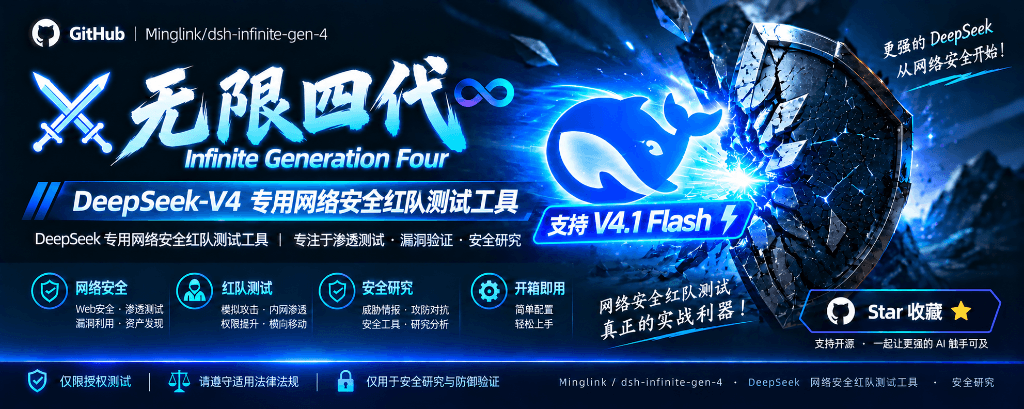 Minglink/dsh-infinite-gen-4
DeepSeek v4.1 flash 网络安全红队工具(无限四代) 求 Star 收藏 ⭐欢迎大家提交项目的改进
Minglink/dsh-infinite-gen-4
DeepSeek v4.1 flash 网络安全红队工具(无限四代) 求 Star 收藏 ⭐欢迎大家提交项目的改进
-
 kenryu42/cc-safety-net
A pre-execution guard for AI coding agents. It blocks destructive Git and file system commands, plus common attempts to …
kenryu42/cc-safety-net
A pre-execution guard for AI coding agents. It blocks destructive Git and file system commands, plus common attempts to …
-
 hyhmrright/brooks-lint
AI code reviews grounded in 12 classic engineering books — decay risk diagnostics with book citations, severity labels, …
hyhmrright/brooks-lint
AI code reviews grounded in 12 classic engineering books — decay risk diagnostics with book citations, severity labels, …
-
 toby-bridges/api-relay-audit
Local security audit for AI API relays and LLM proxies: detects prompt injection, model substitution, tool-call rewritin…
toby-bridges/api-relay-audit
Local security audit for AI API relays and LLM proxies: detects prompt injection, model substitution, tool-call rewritin…
-
 hashgraph-online/hol-guard
Open-source antivirus for AI agents: block risky tools, secret access, prompt injection, malicious packages, MCP servers…
hashgraph-online/hol-guard
Open-source antivirus for AI agents: block risky tools, secret access, prompt injection, malicious packages, MCP servers…
-
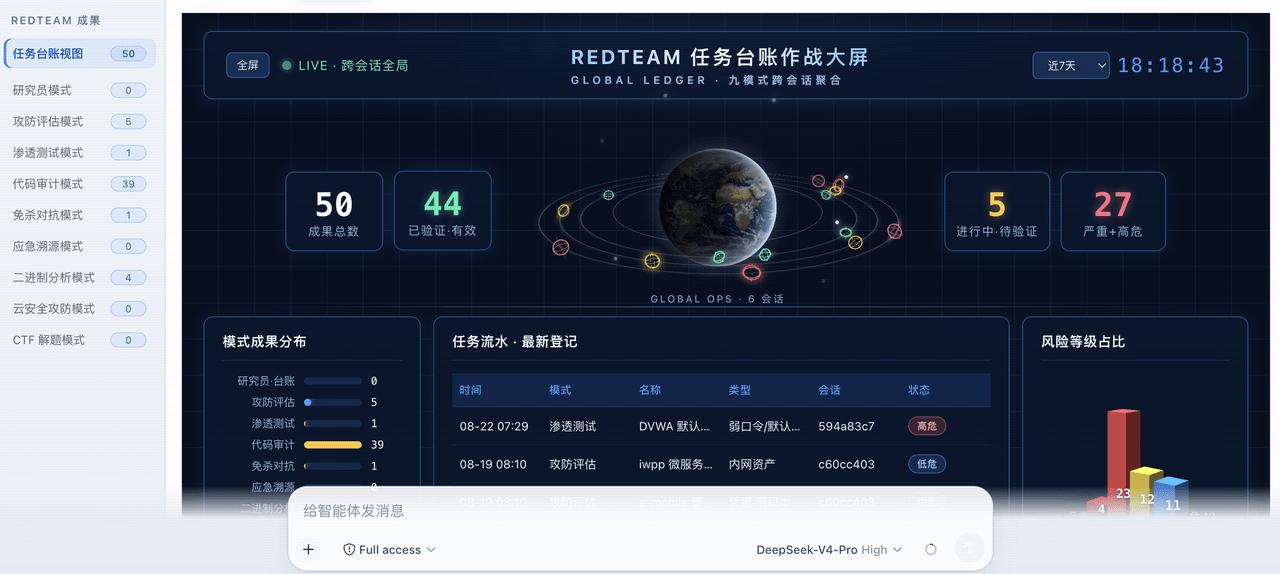 SeaOf0/dsh-redteam-model
基于dsh web实现的多种模式,目的是服务于redteam进行授权的安全研究,覆盖渗透测试、红队评估、代码审计等范围领域,请勿用于非法行为。(允许二开,赋予模块各位自己的业务逻辑,方法论只有自己熟练的才好用,好的方法论=好的生态)
SeaOf0/dsh-redteam-model
基于dsh web实现的多种模式,目的是服务于redteam进行授权的安全研究,覆盖渗透测试、红队评估、代码审计等范围领域,请勿用于非法行为。(允许二开,赋予模块各位自己的业务逻辑,方法论只有自己熟练的才好用,好的方法论=好的生态)
-
 howmp/dsh-pentest
面向 DeepSeek Harness(dsh)的渗透测试模式 @CloverSecLabs
howmp/dsh-pentest
面向 DeepSeek Harness(dsh)的渗透测试模式 @CloverSecLabs
-
 saya-ch/dsh-mobile
DeepSeek Harness 的 Android App 与安全远程访问插件,支持局域网/远程连接和高度自定义的移动界面与扩展能力。
saya-ch/dsh-mobile
DeepSeek Harness 的 Android App 与安全远程访问插件,支持局域网/远程连接和高度自定义的移动界面与扩展能力。